
Systems Engineering CORE A Model Based Approach January
Systems Engineering CORE® - A Model Based Approach January, 2004 Jody H. Fluhr Vitech Corporation www. vitechcorp. com jfluhr@vitechcorp. com 502. 995. 8895 1
w Providers of Systems Engineering Solutions – Consulting – Training – Systems Engineering Technology and Tools • Developers of the CORE Systems Engineering Tool Suite w Founded in August 1992 w First commercial shipment of CORE in March 1993 w Headquarters in Tysons Corner, Virginia w US Sales Offices throughout the US w International Resellers around the world 2
Over 250 Clients in 14 Countries w Do. D – US Army, US Air Force, US Navy, USMC w Intelligence Agencies – CIA, NIMA, NSA, NGIC w Dept. of Energy – Sandia, Los Alamos, Idaho Falls, Savannah River, Hanford w w w w w NASA Lockheed Martin Boeing Raytheon Fed. Ex MITRE Booz-Allen & Hamilton SAIC Sprint Bearing Point w w w w UDLP Northrop Grumman Orbital Sciences Battelle TRW TASC Canadian Defense Research (DRDC) General Atomics/Burns and Roe NOKIA Telecommunications Motorola USAA De Beers Diamond Mines (SA) Peugeot/PSA Citroen Israeli Aircraft Industries Litton/PRC 3
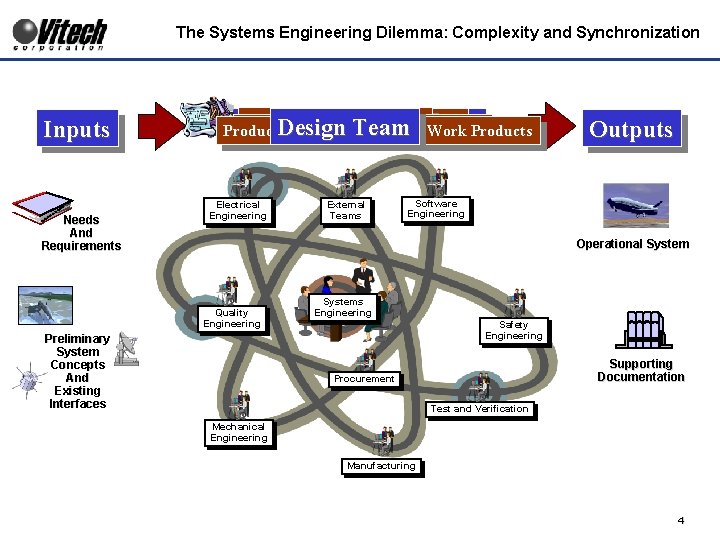
The Systems Engineering Dilemma: Complexity and Synchronization Inputs Needs And Requirements With Their Perspective People with. Tools Specialty Skills The Design “Design Team Churn” With Their and Processes Producing Their Designs and Work Products Electrical Engineering External Teams Outputs Software Engineering Operational System Quality Engineering Preliminary System Concepts And Existing Interfaces Systems Engineering Safety Engineering Supporting Documentation Procurement Test and Verification Mechanical Engineering Manufacturing 4
Major Challenge of Systems Engineering w Managing the complexity to achieve a harmonious solution. – Many different types of efforts and information must be successfully managed/executed to achieve project success • Engineering Elements (Requirements, Functionality, Architecture, System Resources, etc. ) • Project Elements (WBS, Activities/Tasks, Products, Reviews, Processes, Budgets, Schedules, etc. ) • Interconnectivity: Elements are related to and affect one another w Complexity creates Challenges – Integration Challenge • How to keep team efforts integrated? – Consistency Challenge • How to keep engineering (information, design, documentation, etc. ) consistent across the board? – Availability Challenge • How to keep the latest engineering accessible to the whole team? • How to prevent engineering/decisions based on obsolete/dated information? 5
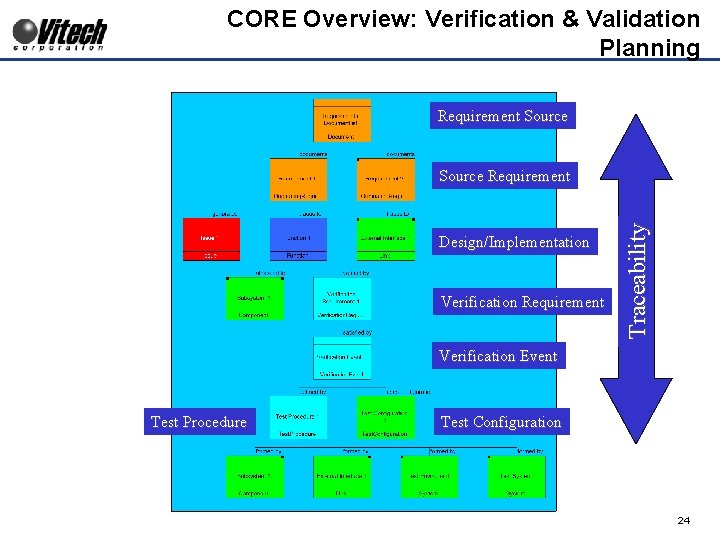
CORE Overview w CORE – A Systems Engineering Technology – Developed to support the People who implement the Systems Engineering Methodology • Analyze, Decompose and Allocate System Requirements – Validate Requirements – Requirements Management Requirements Engineering • Define System Behavior – Functionality – Operations • Define System Architecture – Internal and External Interfaces – Subsystems/Assemblies/Components • Define System Verification and Validation – Verification Requirements – Verification Planning (Events and Resources) – Designed to meet the Systems Engineer’s Challenges 6

System Engineering Process Behavior Domain Source Requirements Domain Originating requirements trace to behavior verified by CORE Repository V&V Domain Behavior is allocated to physical components Architecture Domain verified by Originating requirements trace to physical components 7
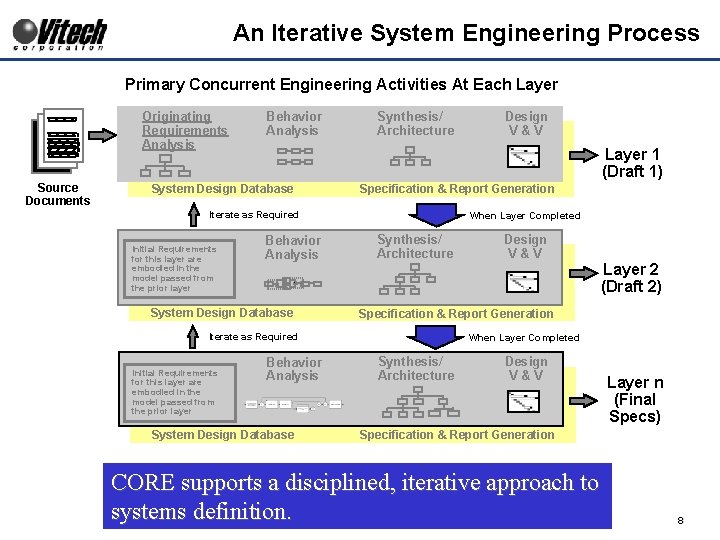
An Iterative System Engineering Process Primary Concurrent Engineering Activities At Each Layer Originating Requirements Analysis Source Documents Behavior Analysis Synthesis/ Architecture Layer 1 (Draft 1) System Design Database Specification & Report Generation Iterate as Required Initial Requirements for this layer are embodied in the model passed from the prior layer Behavior Analysis When Layer Completed Synthesis/ Architecture Design V&V and System Design Database Behavior Analysis System Design Database Layer 2 (Draft 2) Specification & Report Generation Iterate as Required Initial Requirements for this layer are embodied in the model passed from the prior layer Design V&V When Layer Completed Synthesis/ Architecture Design V&V Layer n (Final Specs) Specification & Report Generation CORE supports a disciplined, iterative approach to systems definition. 8
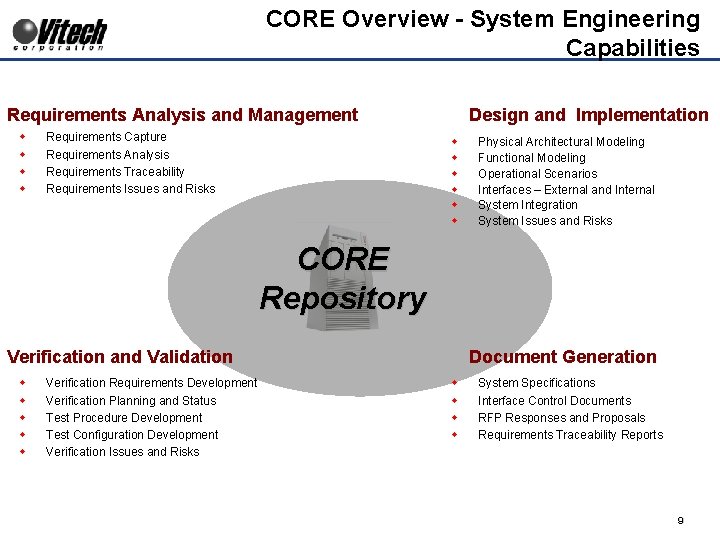
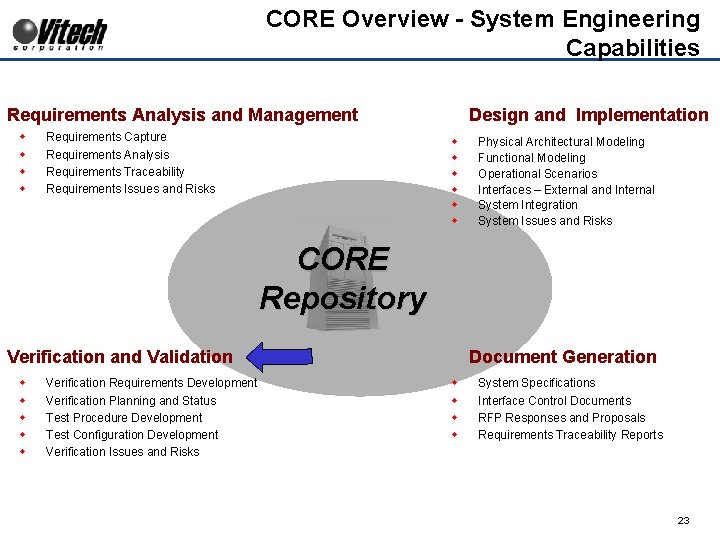
CORE Overview - System Engineering Capabilities Requirements Analysis and Management w w Requirements Capture Requirements Analysis Requirements Traceability Requirements Issues and Risks Design and Implementation w w w Physical Architectural Modeling Functional Modeling Operational Scenarios Interfaces – External and Internal System Integration System Issues and Risks CORE Repository Verification and Validation w w w Verification Requirements Development Verification Planning and Status Test Procedure Development Test Configuration Development Verification Issues and Risks Document Generation w w System Specifications Interface Control Documents RFP Responses and Proposals Requirements Traceability Reports 9
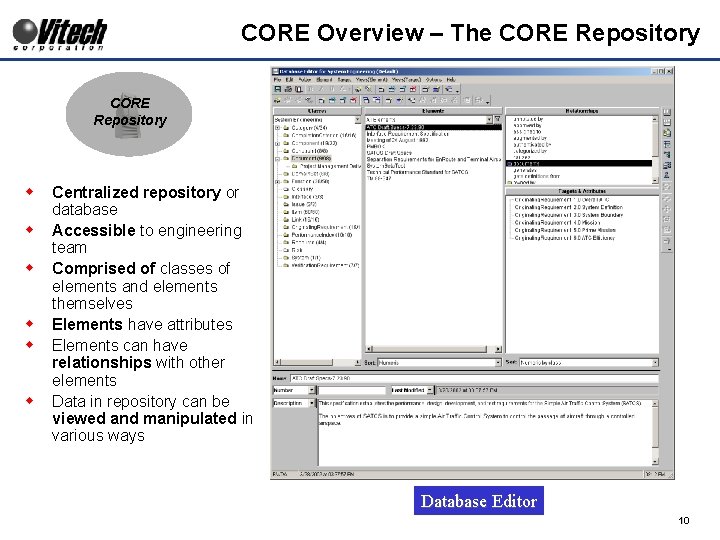
CORE Overview – The CORE Repository w w w Centralized repository or database Accessible to engineering team Comprised of classes of elements and elements themselves Elements have attributes Elements can have relationships with other elements Data in repository can be viewed and manipulated in various ways Database Editor 10
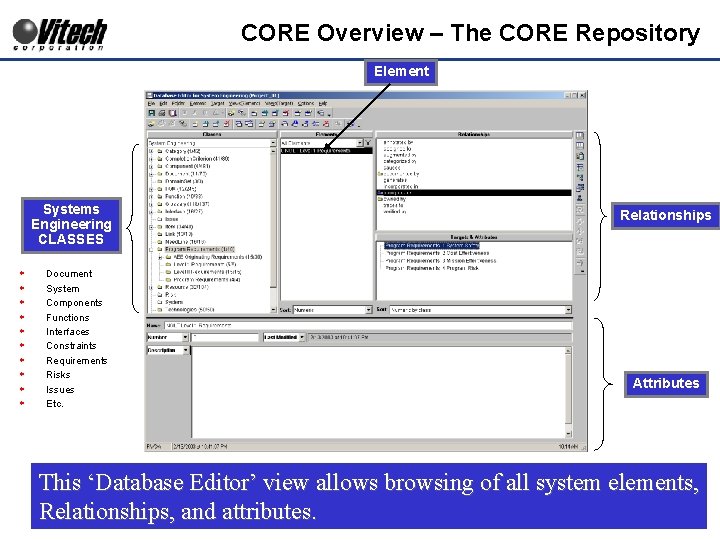
CORE Overview – The CORE Repository Element Systems Engineering CLASSES w w w w w Document System Components Functions Interfaces Constraints Requirements Risks Issues Etc. Relationships Attributes This ‘Database Editor’ view allows browsing of all system elements, Relationships, and attributes. 11
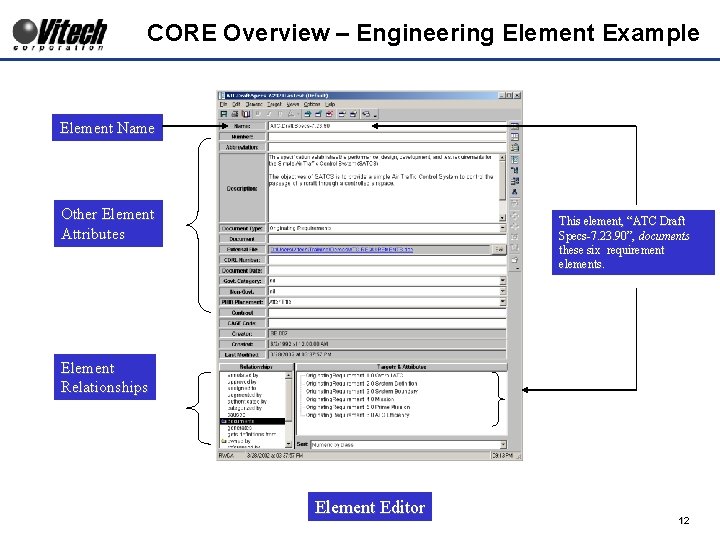
CORE Overview – Engineering Element Example Element Name Other Element Attributes This element, “ATC Draft Specs-7. 23. 90”, documents these six requirement elements. Element Relationships Element Editor 12
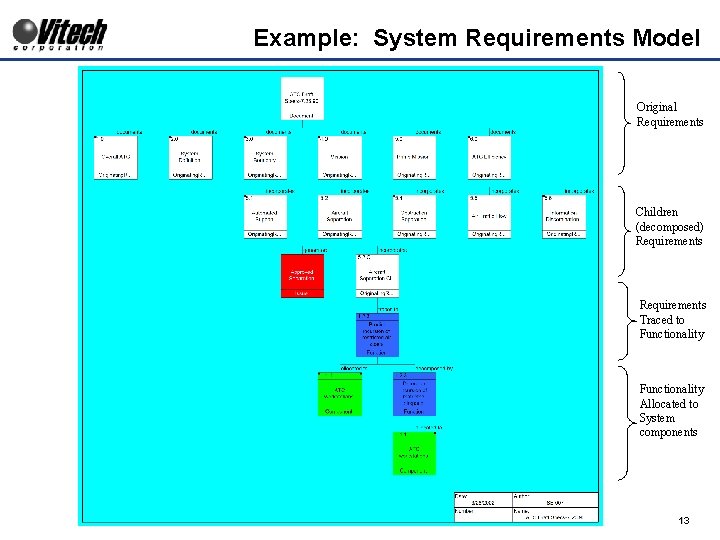
Example: System Requirements Model Original Requirements Children (decomposed) Requirements Traced to Functionality Allocated to System components 13
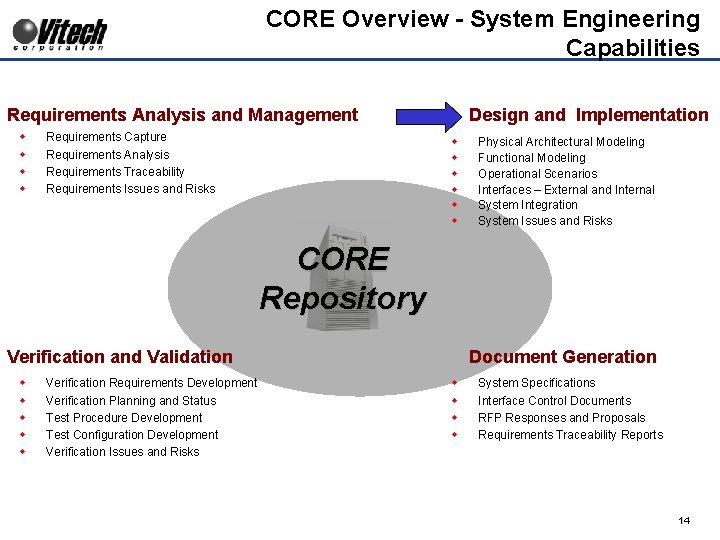
CORE Overview - System Engineering Capabilities Requirements Analysis and Management w w Requirements Capture Requirements Analysis Requirements Traceability Requirements Issues and Risks Design and Implementation w w w Physical Architectural Modeling Functional Modeling Operational Scenarios Interfaces – External and Internal System Integration System Issues and Risks CORE Repository Verification and Validation w w w Verification Requirements Development Verification Planning and Status Test Procedure Development Test Configuration Development Verification Issues and Risks Document Generation w w System Specifications Interface Control Documents RFP Responses and Proposals Requirements Traceability Reports 14
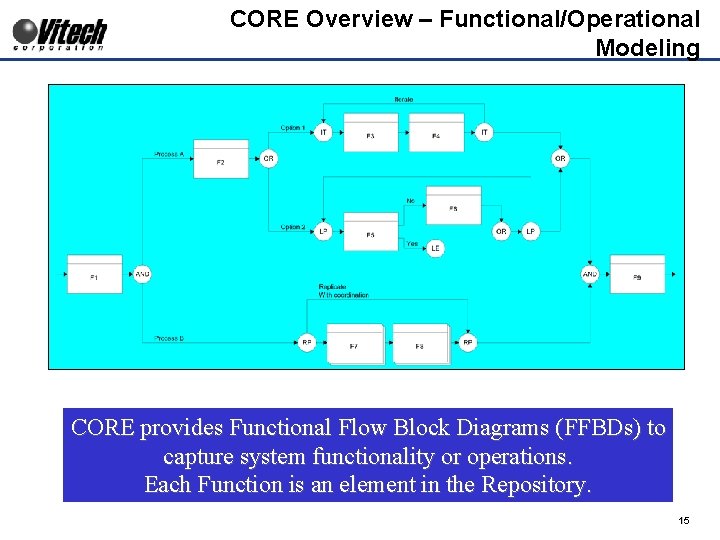
CORE Overview – Functional/Operational Modeling CORE provides Functional Flow Block Diagrams (FFBDs) to capture system functionality or operations. Each Function is an element in the Repository. 15
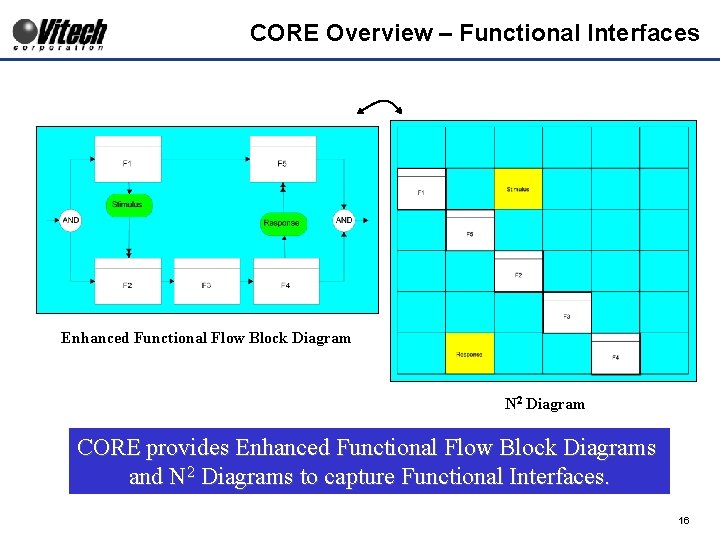
CORE Overview – Functional Interfaces Enhanced Functional Flow Block Diagram N 2 Diagram CORE provides Enhanced Functional Flow Block Diagrams and N 2 Diagrams to capture Functional Interfaces. 16
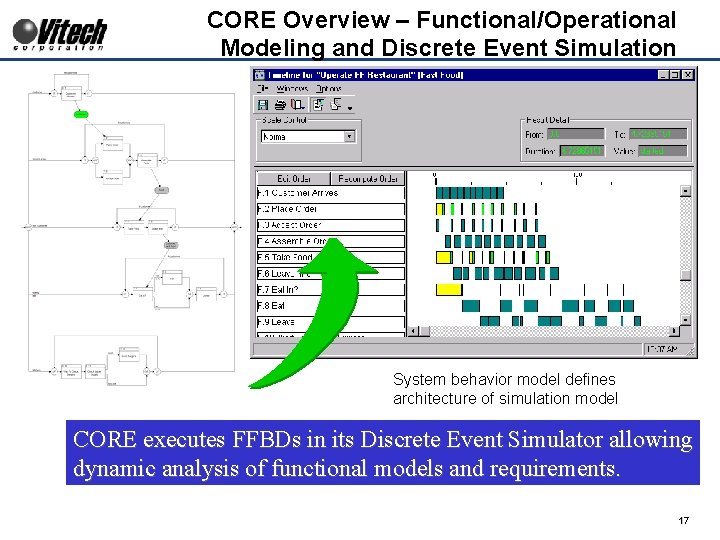
CORE Overview – Functional/Operational Modeling and Discrete Event Simulation System behavior model defines architecture of simulation model CORE executes FFBDs in its Discrete Event Simulator allowing dynamic analysis of functional models and requirements. 17
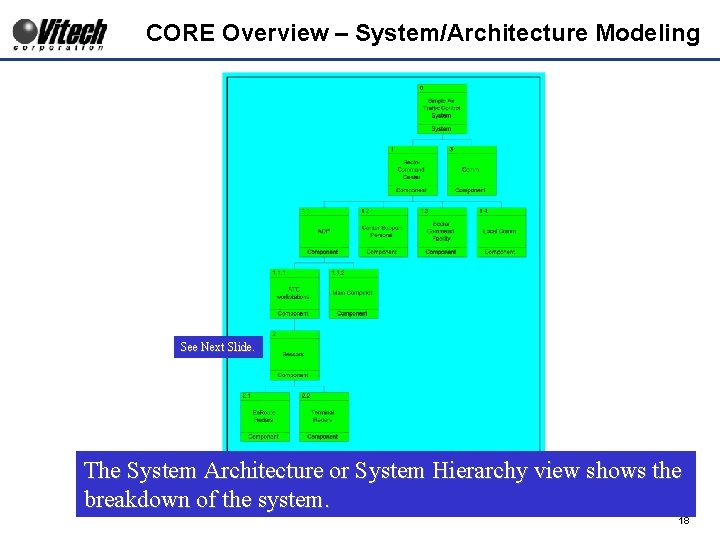
CORE Overview – System/Architecture Modeling See Next Slide. The System Architecture or System Hierarchy view shows the breakdown of the system. 18
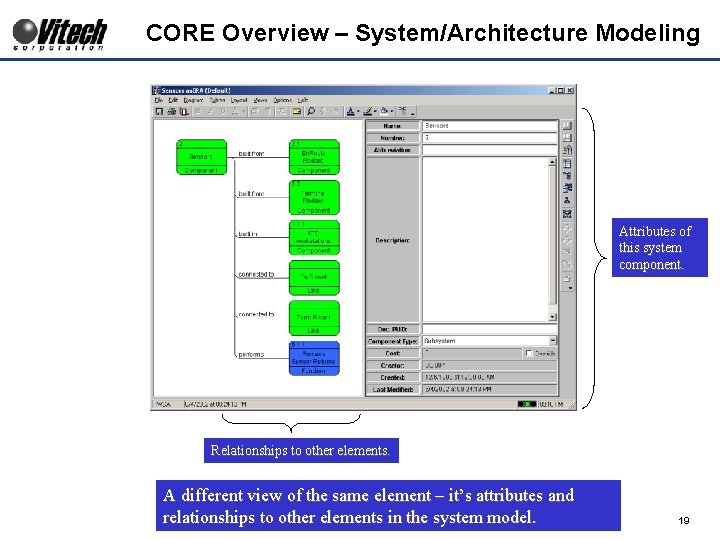
CORE Overview – System/Architecture Modeling Attributes of this system component. Relationships to other elements. A different view of the same element – it’s attributes and relationships to other elements in the system model. 19
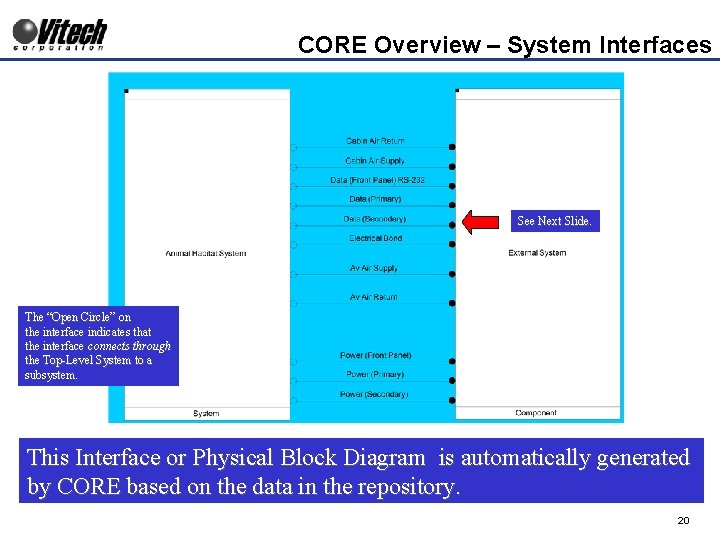
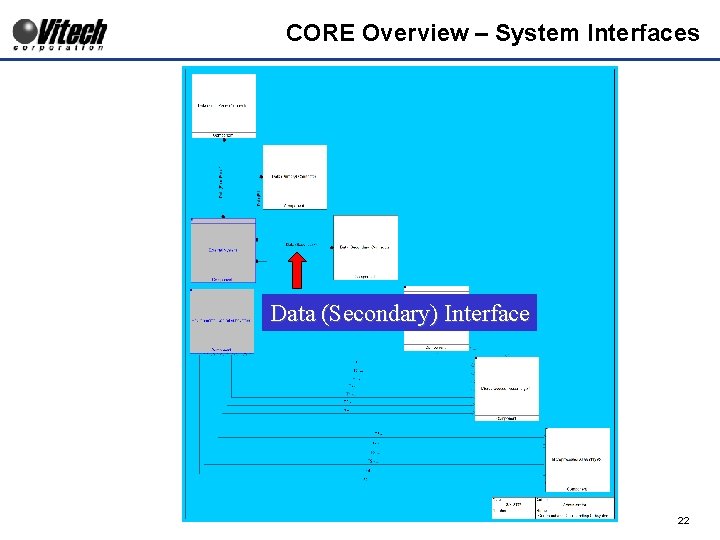
CORE Overview – System Interfaces See Next Slide. The “Open Circle” on the interface indicates that the interface connects through the Top-Level System to a subsystem. This Interface or Physical Block Diagram is automatically generated by CORE based on the data in the repository. 20
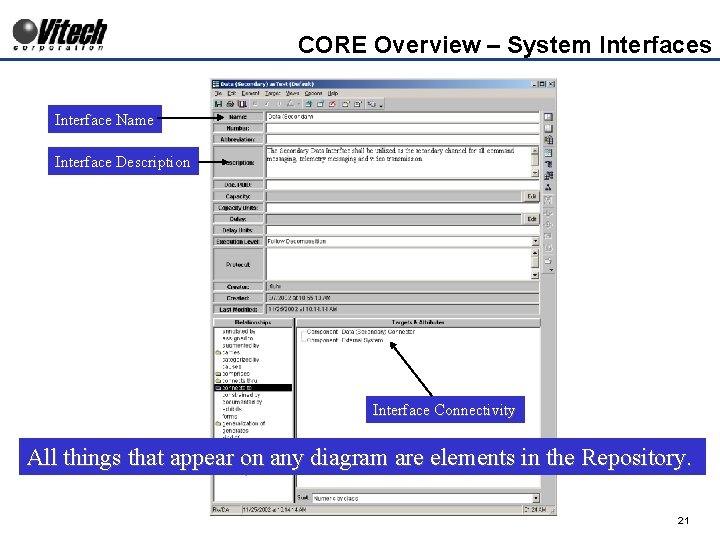
CORE Overview – System Interfaces Interface Name Interface Description Interface Connectivity All things that appear on any diagram are elements in the Repository. 21
CORE Overview – System Interfaces Data (Secondary) Interface 22
CORE Overview - System Engineering Capabilities Requirements Analysis and Management w w Requirements Capture Requirements Analysis Requirements Traceability Requirements Issues and Risks Design and Implementation w w w Physical Architectural Modeling Functional Modeling Operational Scenarios Interfaces – External and Internal System Integration System Issues and Risks CORE Repository Verification and Validation w w w Verification Requirements Development Verification Planning and Status Test Procedure Development Test Configuration Development Verification Issues and Risks Document Generation w w System Specifications Interface Control Documents RFP Responses and Proposals Requirements Traceability Reports 23
CORE Overview: Verification & Validation Planning Requirement Source Design/Implementation Verification Requirement Traceability Source Requirement Verification Event Test Procedure Test Configuration 24
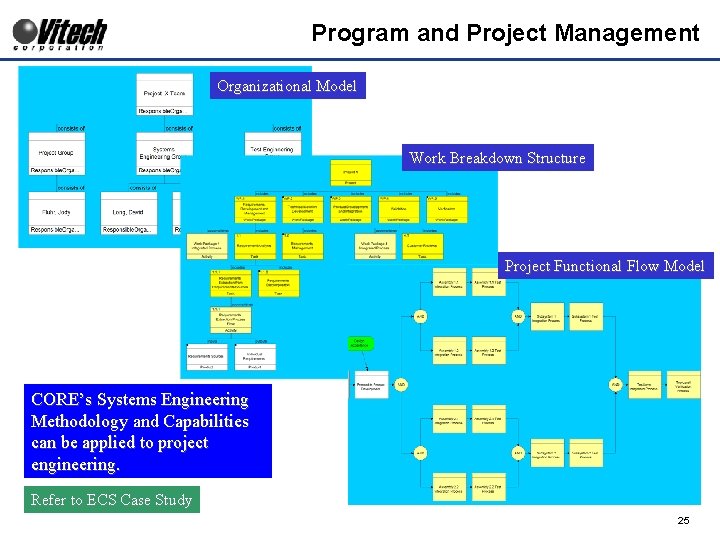
Program and Project Management Organizational Model Work Breakdown Structure Project Functional Flow Model CORE’s Systems Engineering Methodology and Capabilities can be applied to project engineering. Refer to ECS Case Study 25
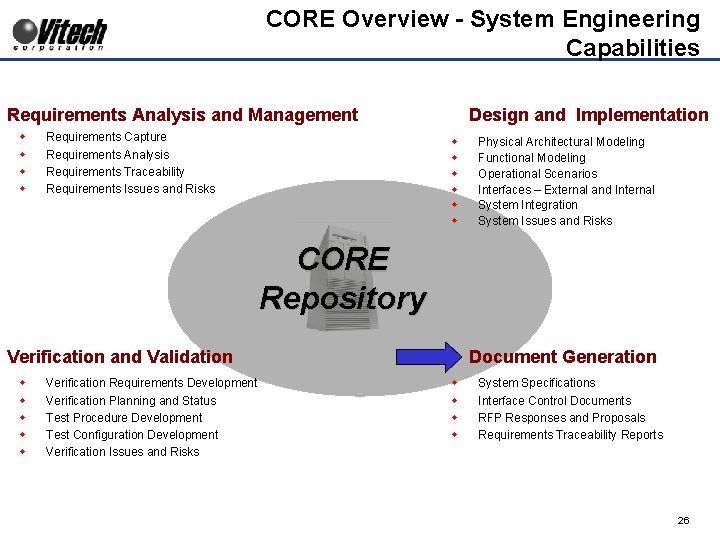
CORE Overview - System Engineering Capabilities Requirements Analysis and Management w w Requirements Capture Requirements Analysis Requirements Traceability Requirements Issues and Risks Design and Implementation w w w Physical Architectural Modeling Functional Modeling Operational Scenarios Interfaces – External and Internal System Integration System Issues and Risks CORE Repository Verification and Validation w w w Verification Requirements Development Verification Planning and Status Test Procedure Development Test Configuration Development Verification Issues and Risks Document Generation w w System Specifications Interface Control Documents RFP Responses and Proposals Requirements Traceability Reports 26
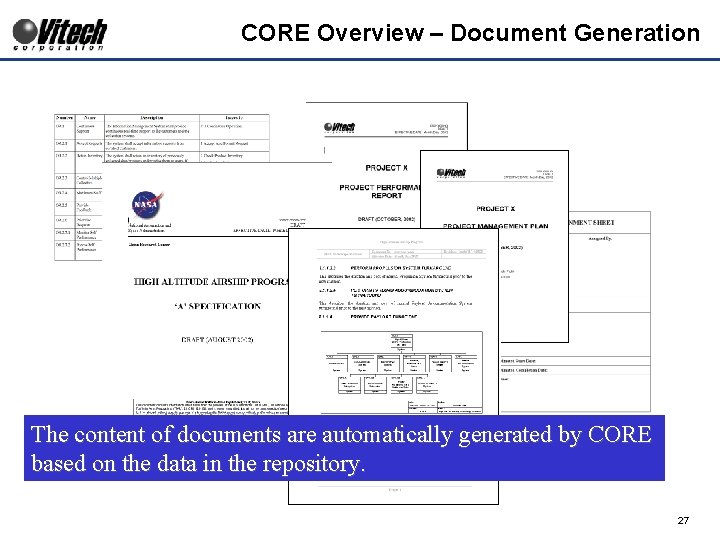
CORE Overview – Document Generation The content of documents are automatically generated by CORE based on the data in the repository. 27
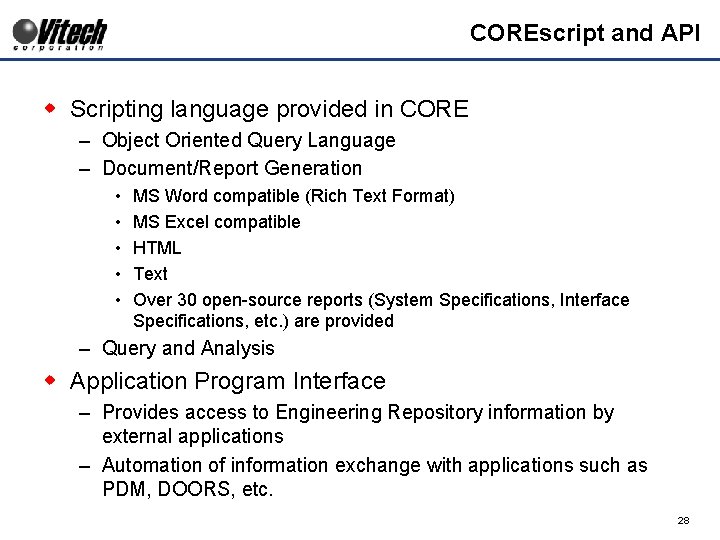
COREscript and API w Scripting language provided in CORE – Object Oriented Query Language – Document/Report Generation • • • MS Word compatible (Rich Text Format) MS Excel compatible HTML Text Over 30 open-source reports (System Specifications, Interface Specifications, etc. ) are provided – Query and Analysis w Application Program Interface – Provides access to Engineering Repository information by external applications – Automation of information exchange with applications such as PDM, DOORS, etc. 28
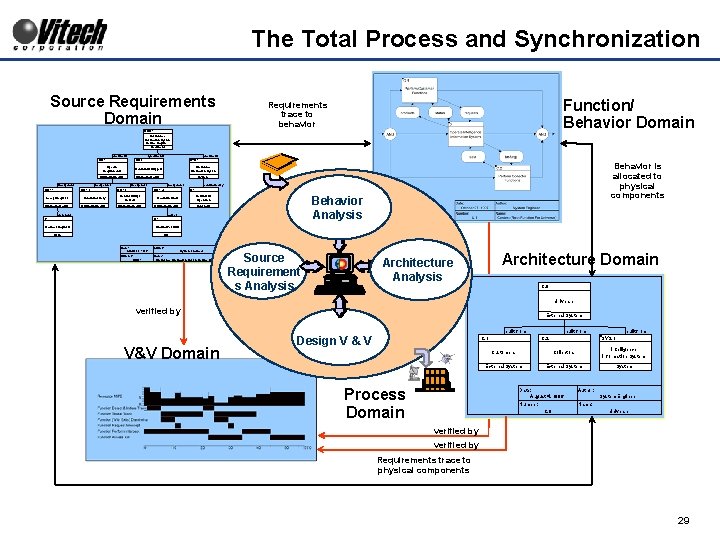
The Total Process and Synchronization Source Requirements Domain Function/ Behavior Domain Requirements trace to behavior ORD. 1 Intelligence Information System Source Require. . . Document documents OR. 1 incorporates OR. 1. 1 documents OR. 2 SYS. 1 Specific Requirements Continuous Support Intelligence Information System Originating. Requir. . . System incorporates OR. 1. 2 incorporates OR. 1. 3 incorporates Retain Inventory Control Multiple Sensors Originating. Requir. . . constrained by C. 1 OR. 1. 4 Accept Requests Maximum Staff Continuous Operation Originating. Requir. . . Constraint generates Behavior Analysis causes I. 1 Behavior is allocated to physical components R. 1 Media of Requests Staffing Per Shift Issue Risk Date: August 3, 1996 Author: Number: ORD. 1 Name: Intelligence Information System Source Requirements System Engineer Source Requirement s Analysis Architecture Domain Architecture Analysis C. 0 Universe verified by External System built from V&V Domain Design V & V C. 1 Process Domain built from C. 2 built from SYS. 1 Customers Collectors Intelligence Information System External System Date: August 4, 1996 Author: Number: Name: C. 0 System Engineer Universe verified by Requirements trace to physical components 29
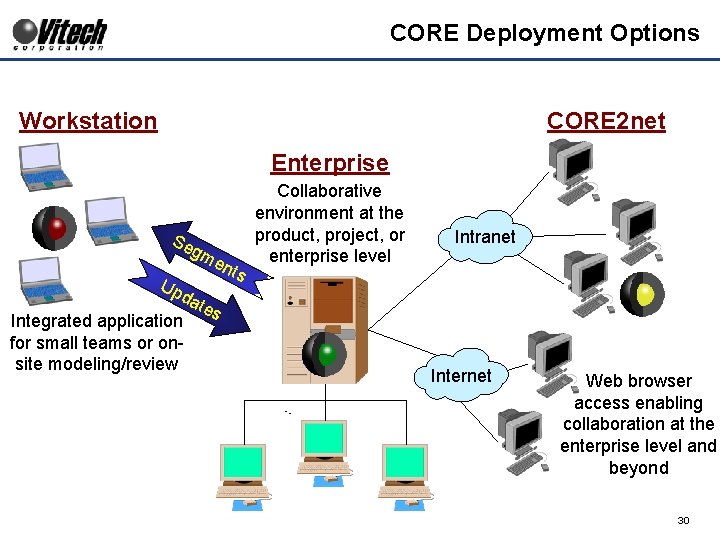
CORE Deployment Options Workstation CORE 2 net Enterprise Se gm Up en da tes Integrated application for small teams or onsite modeling/review ts Collaborative environment at the product, project, or enterprise level Intranet Internet Web browser access enabling collaboration at the enterprise level and beyond 30
Backup 31
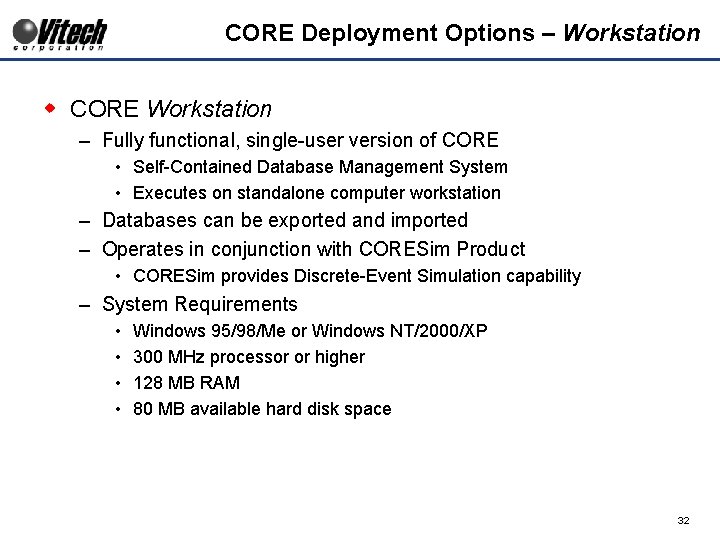
CORE Deployment Options – Workstation w CORE Workstation – Fully functional, single-user version of CORE • Self-Contained Database Management System • Executes on standalone computer workstation – Databases can be exported and imported – Operates in conjunction with CORESim Product • CORESim provides Discrete-Event Simulation capability – System Requirements • • Windows 95/98/Me or Windows NT/2000/XP 300 MHz processor or higher 128 MB RAM 80 MB available hard disk space 32
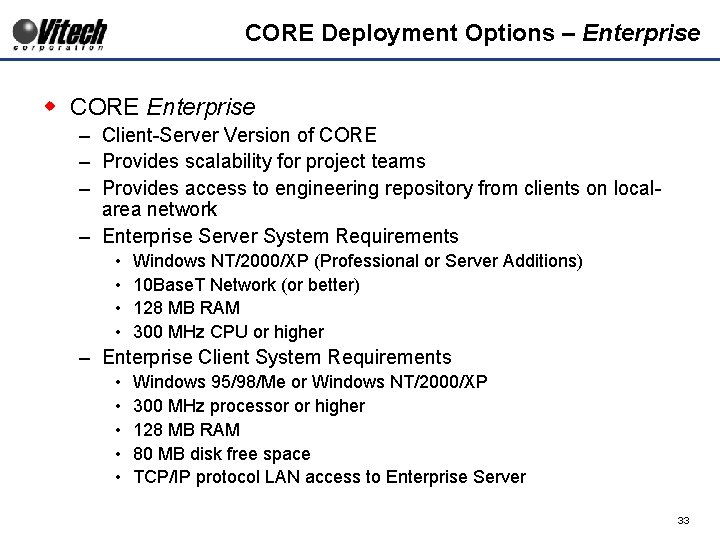
CORE Deployment Options – Enterprise w CORE Enterprise – Client-Server Version of CORE – Provides scalability for project teams – Provides access to engineering repository from clients on localarea network – Enterprise Server System Requirements • • Windows NT/2000/XP (Professional or Server Additions) 10 Base. T Network (or better) 128 MB RAM 300 MHz CPU or higher – Enterprise Client System Requirements • • • Windows 95/98/Me or Windows NT/2000/XP 300 MHz processor or higher 128 MB RAM 80 MB disk free space TCP/IP protocol LAN access to Enterprise Server 33
CORE Deployment Options – COREsim w COREsim – Adds Discrete Event Simulation capability to CORE – Dynamically interprets behavior models (FFBDs) – Utilized to identify timing, resource utilization and model inconsistencies – System Requirements • No additional resources required 34
CORE Deployment Options – CORE 2 net Web Server w CORE 2 net Enterprise Web Server – Allows any workstation with a web browser and internet access to Engineering Repository on Enterprise Web Server – Operates in Enterprise Configuration Only – Requires user name and password (same as Workstation and Enterprise) – Web-based html interfaces • Predefined views and queries • Customizable html interfaces can be developed and deployed 35
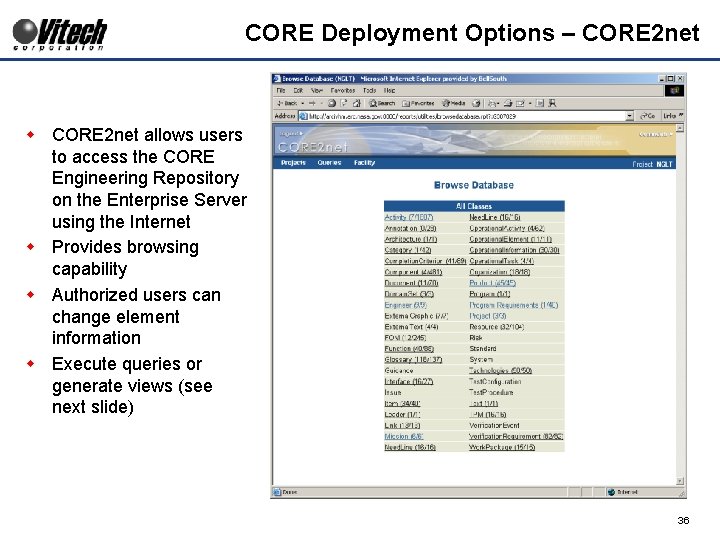
CORE Deployment Options – CORE 2 net w CORE 2 net allows users to access the CORE Engineering Repository on the Enterprise Server using the Internet w Provides browsing capability w Authorized users can change element information w Execute queries or generate views (see next slide) 36
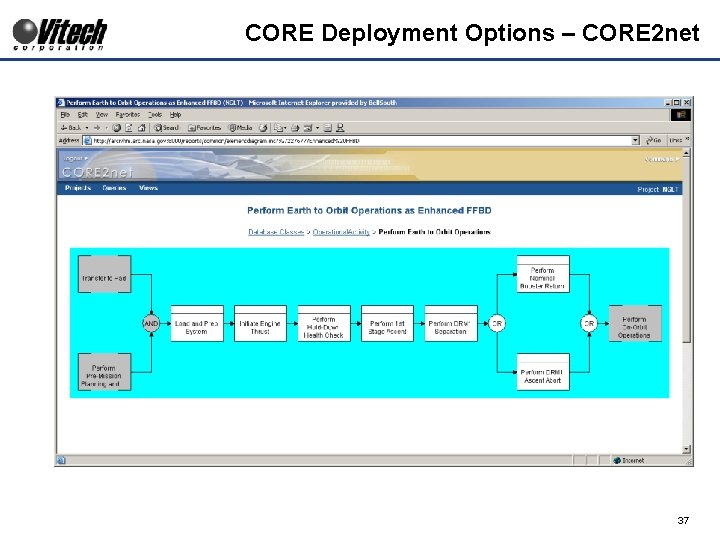
CORE Deployment Options – CORE 2 net 37

Thank You for Attending. Jody H. Fluhr jfluhr@vitechcorp. com 502. 995. 8895 Vitech Corporation Phone: 703. 883. 2270 www. vitechcorp. com 38
- Slides: 38