
Systems Analysis and Design 10 th Edition Scott
- Slides: 54
Systems Analysis and Design, 10 th Edition Scott Tilley and Harry Rosenblatt
• The final chapter in the systems analysis phase of the SDLC. • This chapter describes software trends, acquisition and development strategies, traditional versus web-based development, outsourcing versus in-house development, the system requirements document, prototyping, and preparing for the transition to the next SDLC phase — systems design. 2
Chapter 5: Development Startegies Chapter Objectives � � � � � Describe the concept of Software as a Service Define Web 2. 0 and cloud computing Explain software acquisition alternatives, including traditional and Webbased software development strategies Describe software outsourcing options, including offshore outsourcing and the role of service providers Explain advantages and disadvantages of in-house software development Discuss cost-benefit analysis and financial analysis tools Describe a request for proposal (RFP) and a request for quotation (RFQ) Describe the system requirements document Explain the transition from systems analysis to systems design 3
Development Strategies Overview �A few years ago ◦ Companies either developed software in-house or purchased a software package ◦ Hired consultants to perform the work � Today, a company has many more choices: ◦ Application service providers ◦ Web-hosted software options ◦ Firms that offer enterprise-wide software solutions � Companies must deal with the impact of the Internet, software outsourcing options, and in-house software development alternatives 4
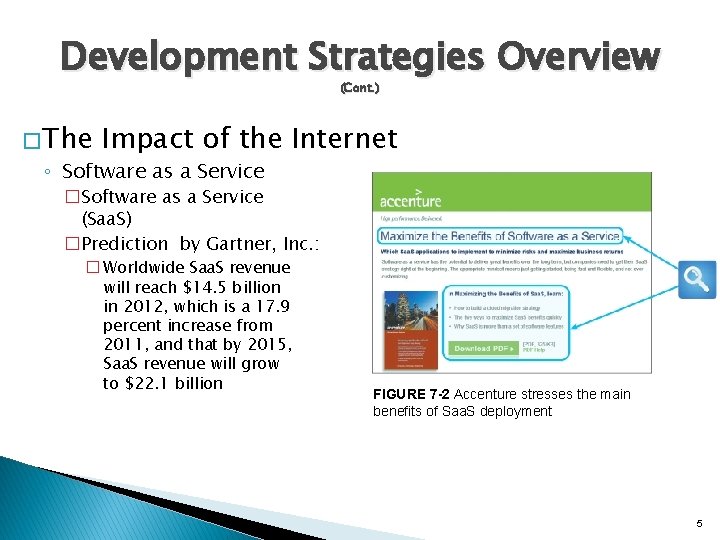
Development Strategies Overview (Cont. ) � The Impact of the Internet ◦ Software as a Service �Software as a Service (Saa. S) �Prediction by Gartner, Inc. : � Worldwide Saa. S revenue will reach $14. 5 billion in 2012, which is a 17. 9 percent increase from 2011, and that by 2015, Saa. S revenue will grow to $22. 1 billion FIGURE 7 -2 Accenture stresses the main benefits of Saa. S deployment 5
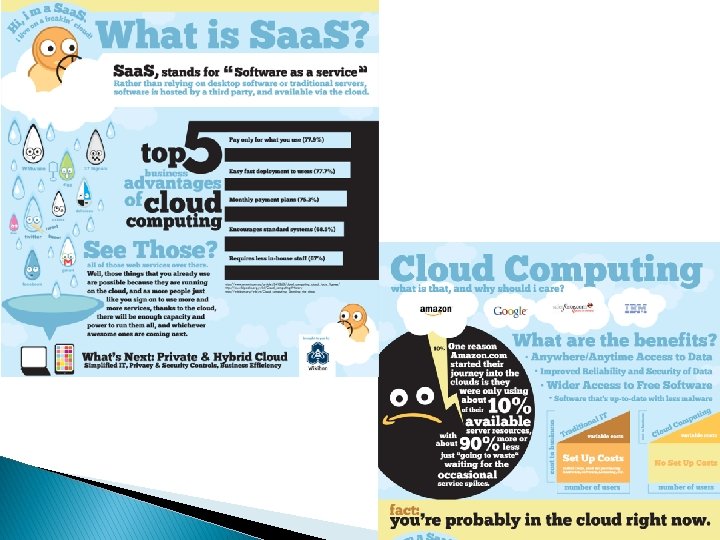
Development Strategies Overview (Cont. ) � The Impact of the Internet ◦ Software as a Service(Saa. S) �a model of software deployment in which an application is hosted as a service provided �Saa. S reduces the customer’s need for software maintenance, operation, and support. �In a highly competitive marketplace, major vendors constantly strive to deliver new and better solutions. 6
7
Development Strategies Overview (Cont. ) � Traditional vs. Web-Based ◦ Traditional Development Systems Development �System design is influenced by compatibility issues �Systems are designed to run on local and wide-area networks �Systems often utilize Internet links and resources �Web-based features are treated as enhancements rather than core elements of the design �Development typically follows one of three main paths: �In-house development � Purchase of a software package with possible modification � Use of outside consultants �Scalability affected by network limitations and constraints �Many applications require substantial desktop computing power and resources �Security issues usually less complex than Web-based systems 8
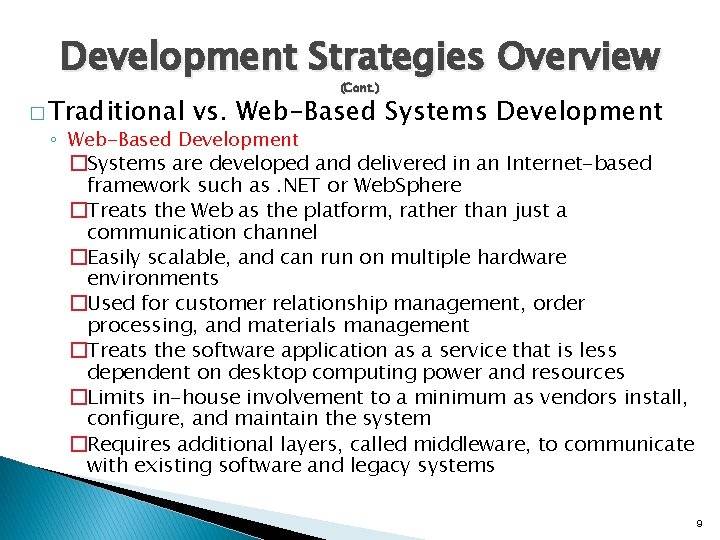
Development Strategies Overview (Cont. ) � Traditional vs. Web-Based ◦ Web-Based Development Systems Development �Systems are developed and delivered in an Internet-based framework such as. NET or Web. Sphere �Treats the Web as the platform, rather than just a communication channel �Easily scalable, and can run on multiple hardware environments �Used for customer relationship management, order processing, and materials management �Treats the software application as a service that is less dependent on desktop computing power and resources �Limits in-house involvement to a minimum as vendors install, configure, and maintain the system �Requires additional layers, called middleware, to communicate with existing software and legacy systems 9
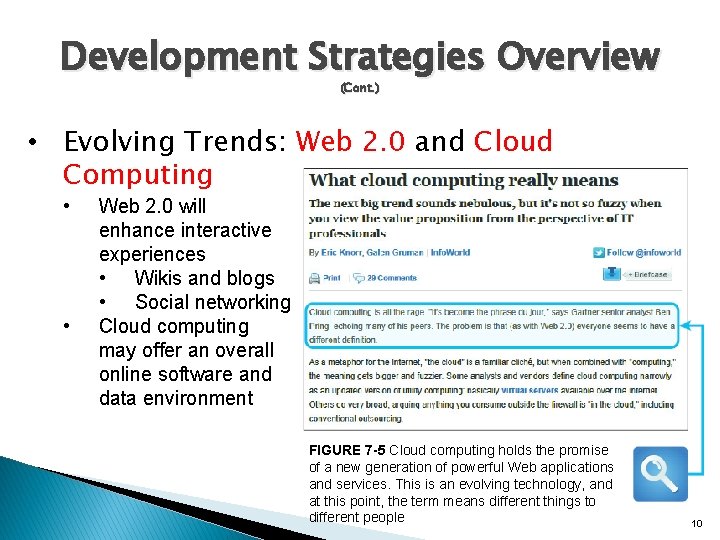
Development Strategies Overview (Cont. ) • Evolving Trends: Web 2. 0 and Cloud Computing • • Web 2. 0 will enhance interactive experiences • Wikis and blogs • Social networking Cloud computing may offer an overall online software and data environment FIGURE 7 -5 Cloud computing holds the promise of a new generation of powerful Web applications and services. This is an evolving technology, and at this point, the term means different things to different people 10
Outsourcing � The Growth of Outsourcing ◦ A firm that offers outsourcing solutions is called a service provider ◦ Application service providers (ASP) �A firm that delivers a software application, or access to an application, by charging a usage or subscription fee ◦ Internet business services (IBS) �Also called managed hosting �Web-based support for transactions such as order processing, billing, and customer relationship management 11
Outsourcing � Outsourcing (Cont. ) Fees ◦ A fixed fee model uses a set fee based on a specified level of service and user support ◦ A subscription model has a variable fee based on the number of users or workstations that have access to the application ◦ A usage model or transaction model charges a variable fee based on the volume of transactions or operations performed by the application 12
Outsourcing � Outsourcing Issues and Concerns ◦ Mission-critical IT systems outsourced if the result is a costattractive, reliable, business solution ◦ Can affect day-to-day company operations and can raise some concerns (Cont. ) � Offshore Outsourcing ◦ Shifting IT development, support, and operations to other countries ◦ Many firms are sending IT work overseas at an increasing rate ◦ The main reason is lower bottom-line costs ◦ Offshore outsourcing, however, involves some unique risks and concerns 13
In-House Software Development Options � Company choice is to develop its own systems, or purchase, possibly customize, and implement a software package � Most important consideration is the total cost of ownership (TCO) 14
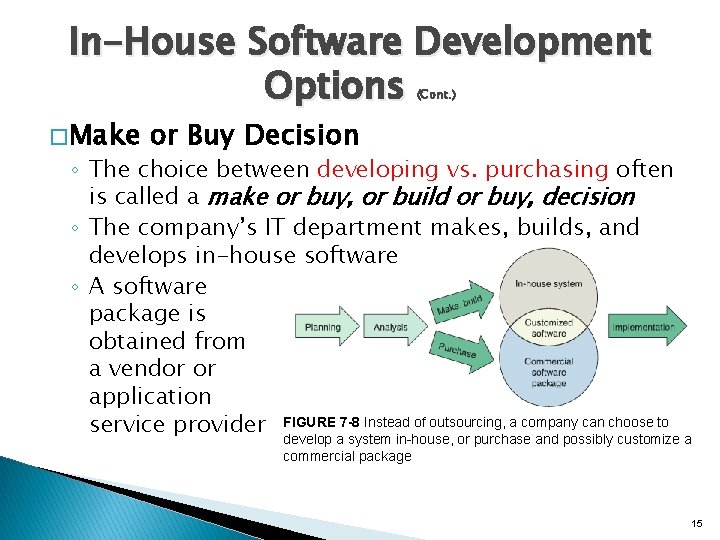
In-House Software Development Options (Cont. ) � Make or Buy Decision ◦ The choice between developing vs. purchasing often is called a make or buy, or build or buy, decision ◦ The company’s IT department makes, builds, and develops in-house software ◦ A software package is obtained from a vendor or application service provider FIGURE 7 -8 Instead of outsourcing, a company can choose to develop a system in-house, or purchase and possibly customize a commercial package 15
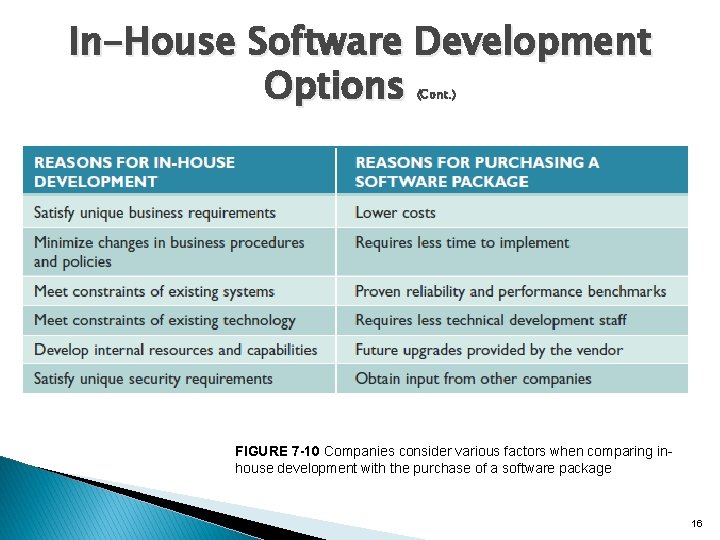
In-House Software Development Options (Cont. ) FIGURE 7 -10 Companies consider various factors when comparing inhouse development with the purchase of a software package 16
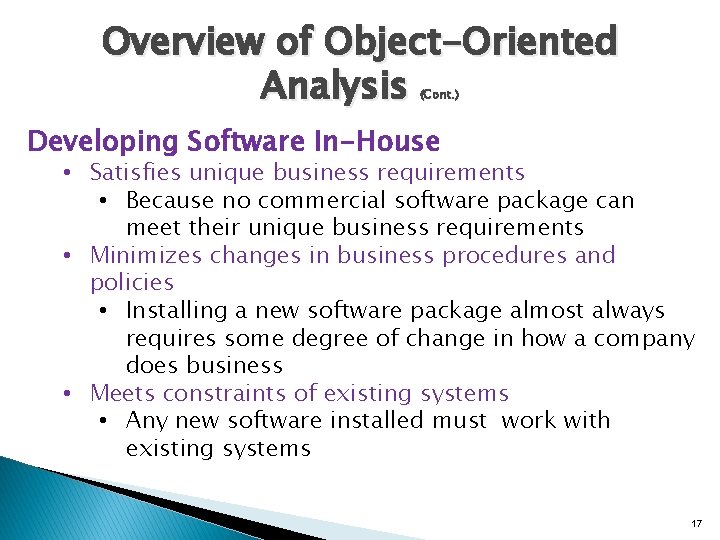
Overview of Object-Oriented Analysis (Cont. ) Developing Software In-House • Satisfies unique business requirements • Because no commercial software package can meet their unique business requirements • Minimizes changes in business procedures and policies • Installing a new software package almost always requires some degree of change in how a company does business • Meets constraints of existing systems • Any new software installed must work with existing systems 17
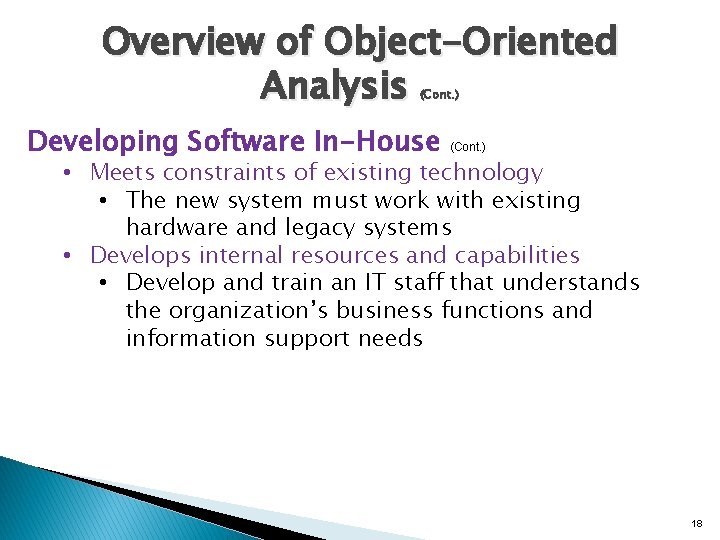
Overview of Object-Oriented Analysis (Cont. ) Developing Software In-House (Cont. ) • Meets constraints of existing technology • The new system must work with existing hardware and legacy systems • Develops internal resources and capabilities • Develop and train an IT staff that understands the organization’s business functions and information support needs 18
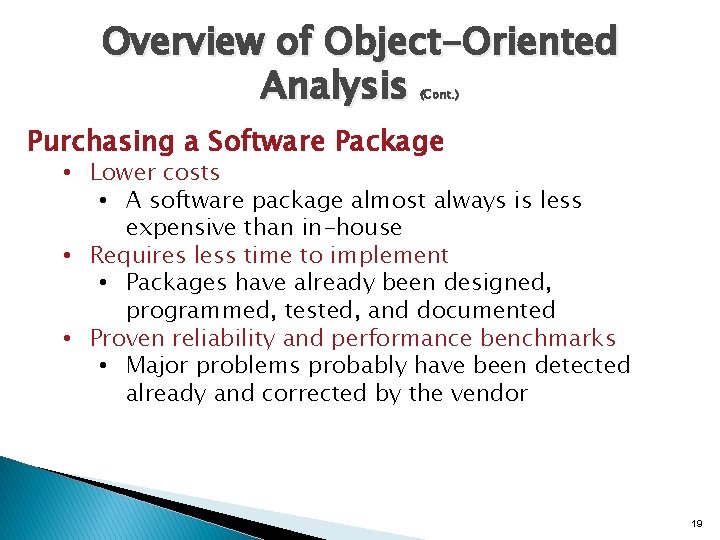
Overview of Object-Oriented Analysis (Cont. ) Purchasing a Software Package • Lower costs • A software package almost always is less expensive than in-house • Requires less time to implement • Packages have already been designed, programmed, tested, and documented • Proven reliability and performance benchmarks • Major problems probably have been detected already and corrected by the vendor 19
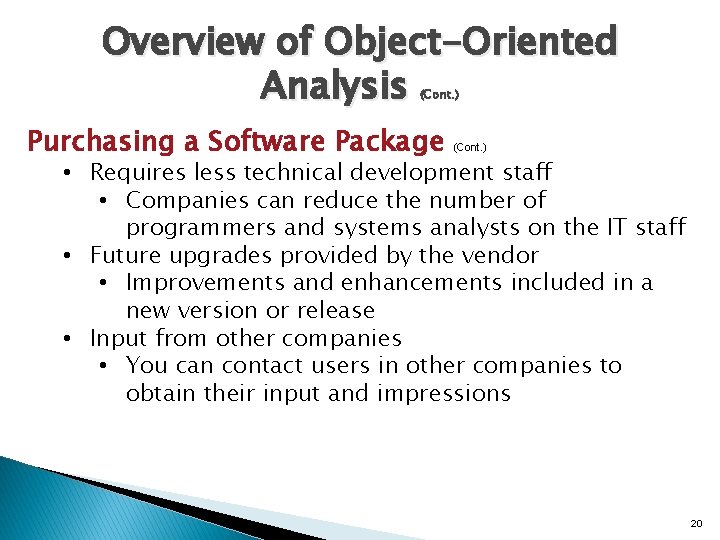
Overview of Object-Oriented Analysis (Cont. ) Purchasing a Software Package (Cont. ) • Requires less technical development staff • Companies can reduce the number of programmers and systems analysts on the IT staff • Future upgrades provided by the vendor • Improvements and enhancements included in a new version or release • Input from other companies • You can contact users in other companies to obtain their input and impressions 20
Overview of Object-Oriented Analysis (Cont. ) Customizing a Software Package 1. Purchase a basic package that vendors will customize to suit your needs 2. Negotiate directly with the software vendor to make enhancements to meet your needs by paying for the changes 3. Purchase the package and make your own modifications (if this is permissible under the terms of the software license) 21
Overview of Object-Oriented Analysis (Cont. ) � Creating User Applications ◦ User application �Using Microsoft Office ◦ User interface �Screens, commands, controls, and features that enable users to interact more effectively with the application ◦ Help desk or information center (IC) �Responsible for providing user support ◦ Screen and report generators �Allow users to design their own data entry forms and reports ◦ Read-only properties �Make sure that users view, but not change, the data 22
The Systems Analyst’s Role � The decision to develop software in-house requires more participation from the systems analyst than outsourcing or choosing a commercial package � Evaluation and selection of alternatives is not a simple process � Systems analysts often work as an evaluation and selection team ◦ Primary objective is to eliminate system alternatives that will not meet requirements, rank the alternatives that are feasible, and present the viable alternatives to management for a final decision 23
Analyzing Cost and Benefits � Financial Analysis Tools (see Part C of the Systems Analyst’s Toolkit) ◦ Payback analysis �Determines how long it takes an information system to pay for itself through reduced costs and increased benefits ◦ Return on investment (ROI) �Percentage rate that compares the total net benefits (the return) received from a project to the total costs (the investment) of the project ◦ Net present value (NPV) �Total value of the benefits minus the total value of the costs 24
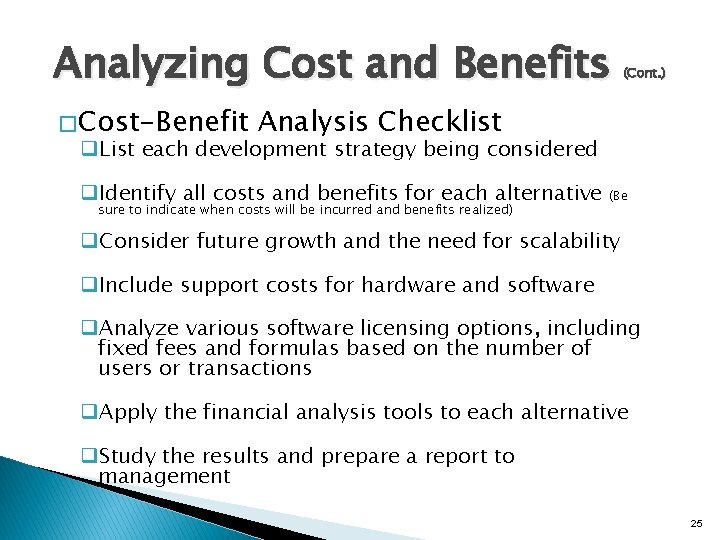
Analyzing Cost and Benefits � Cost-Benefit (Cont. ) Analysis Checklist q. List each development strategy being considered q. Identify all costs and benefits for each alternative sure to indicate when costs will be incurred and benefits realized) (Be q. Consider future growth and the need for scalability q. Include support costs for hardware and software q. Analyze various software licensing options, including fixed fees and formulas based on the number of users or transactions q. Apply the financial analysis tools to each alternative q. Study the results and prepare a report to management 25
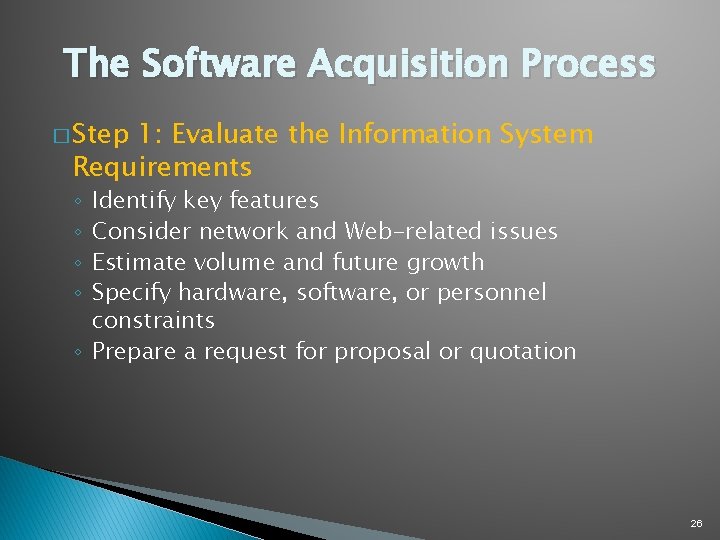
The Software Acquisition Process � Step 1: Evaluate the Information System Requirements Identify key features Consider network and Web-related issues Estimate volume and future growth Specify hardware, software, or personnel constraints ◦ Prepare a request for proposal or quotation ◦ ◦ 26
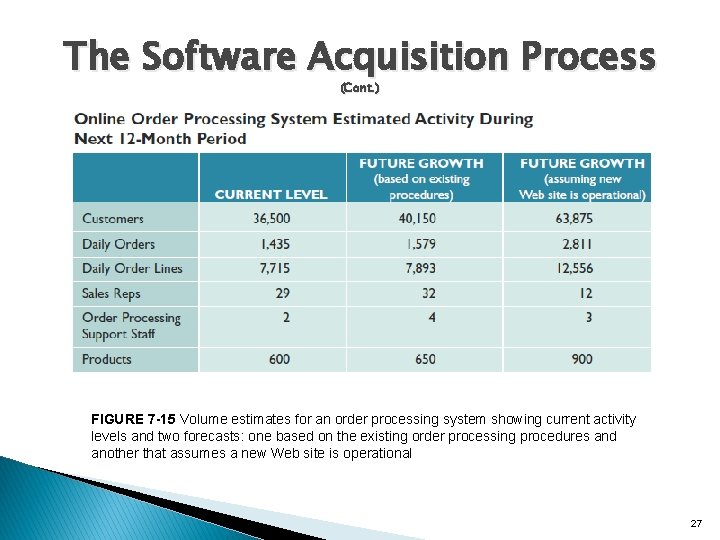
The Software Acquisition Process (Cont. ) FIGURE 7 -15 Volume estimates for an order processing system showing current activity levels and two forecasts: one based on the existing order processing procedures and another that assumes a new Web site is operational 27
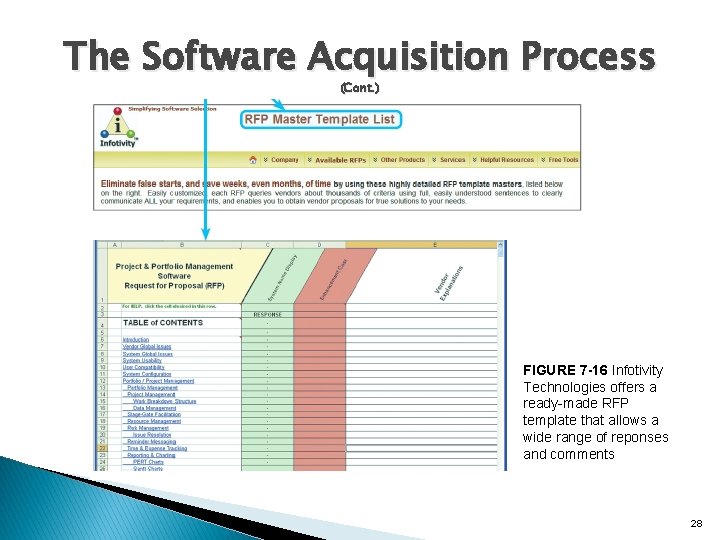
The Software Acquisition Process (Cont. ) FIGURE 7 -16 Infotivity Technologies offers a ready-made RFP template that allows a wide range of reponses and comments 28
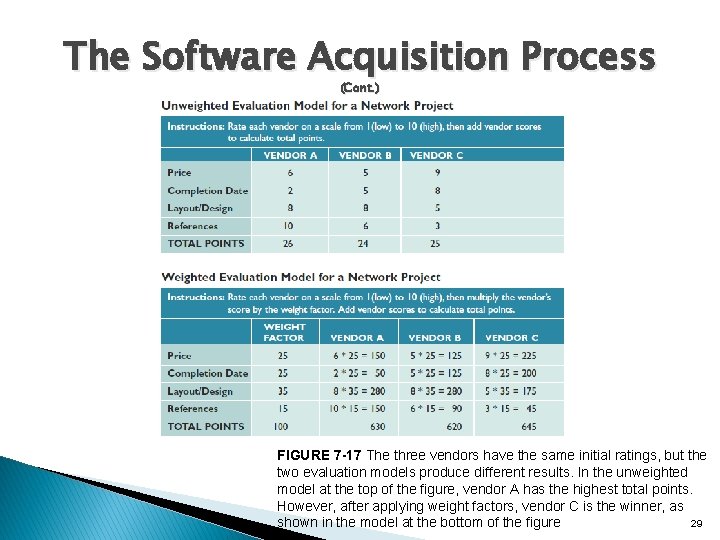
The Software Acquisition Process (Cont. ) FIGURE 7 -17 The three vendors have the same initial ratings, but the two evaluation models produce different results. In the unweighted model at the top of the figure, vendor A has the highest total points. However, after applying weight factors, vendor C is the winner, as shown in the model at the bottom of the figure 29
The Software Acquisition Process (Cont. ) � Step 2: Identify Potential Vendors or Outsourcing Options ◦ The Internet is a primary marketplace ◦ Another approach is to work with a consulting firm ◦ Another valuable resource is the Internet bulletin board system that contains thousands of forums, called newsgroups 30
The Software Acquisition Process (Cont. ) � Step 3: Evaluate the Alternatives ◦ Existing users – �Obtain feedback and learn about their experiences ◦ Application testing – �Is it possible for users in your organization to try the product? ◦ Benchmarking – �Measures the time a package takes to process a certain number of transactions ◦ Match each package against the RFP features and rank the choices 31
The Software Acquisition Process (Cont. ) � Step 4: Perform Cost-Benefit Analysis ◦ Identify and calculate TCO for each option you are considering ◦ When you purchase software, what you are buying is a software license ◦ If you purchase a software package, consider a supplemental maintenance agreement 32
The Software Acquisition Process (Cont. ) � Step 5: Prepare a Recommendation ◦ Evaluate and describe alternatives, together with the �Costs �Benefits �Advantages �Disadvantages of each option ◦ Submit a formal system requirements document and deliver a presentation 33
The Software Acquisition Process (Cont. ) � Step 6: Implement the Solution ◦ Implementation tasks will depend on the solution selected ◦ Before the new software becomes operational, you must complete all implementation steps, including loading, configuring, and testing the software; training users; and converting data files to the new system’s format 34
Completion of Systems Analysis Tasks � System Requirements Document ◦ Also called a software requirements specification ◦ Contains the requirements for the new system, describes the alternatives that were considered, and makes a specific recommendation to management ◦ Like a contract ◦ Format and organize it so it is easy to read and use ◦ SRS: System Requirement Specification 35
Completion of Systems Analysis Tasks (Cont. ) � Presentation to Management (review the suggestions in Part A of the Systems Analyst’s Toolkit) ◦ Summarize the primary viable alternatives ◦ Explain why the evaluation and selection team chose the recommended alternative ◦ Allow time for discussion and for questions and answers ◦ Obtain a final decision from management or agree on a timetable for the next step in the process 36
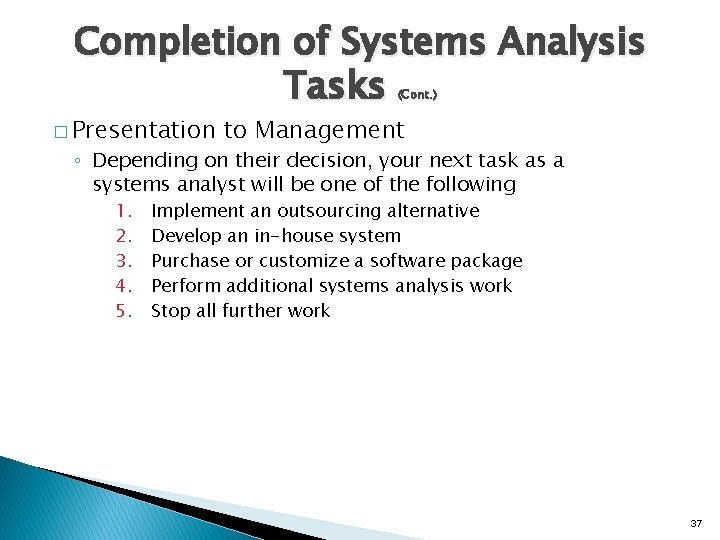
Completion of Systems Analysis Tasks (Cont. ) � Presentation to Management ◦ Depending on their decision, your next task as a systems analyst will be one of the following 1. 2. 3. 4. 5. Implement an outsourcing alternative Develop an in-house system Purchase or customize a software package Perform additional systems analysis work Stop all further work 37
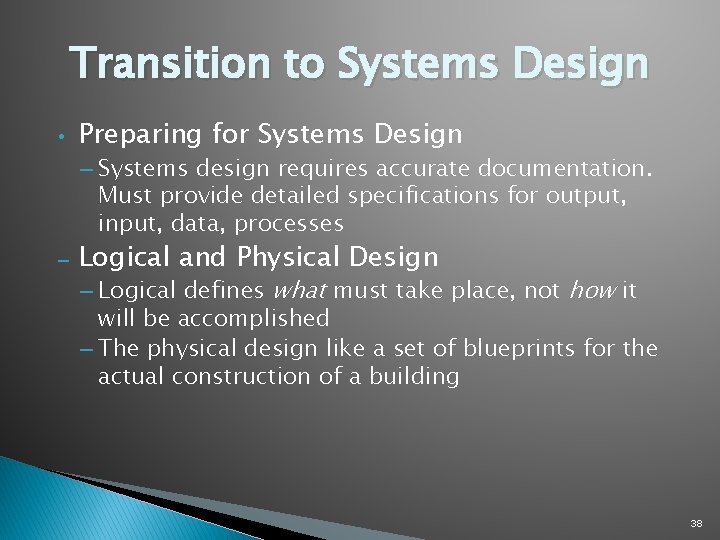
Transition to Systems Design • Preparing for Systems Design – Systems design requires accurate documentation. Must provide detailed specifications for output, input, data, processes – Logical and Physical Design – Logical defines what must take place, not how it will be accomplished – The physical design like a set of blueprints for the actual construction of a building 38
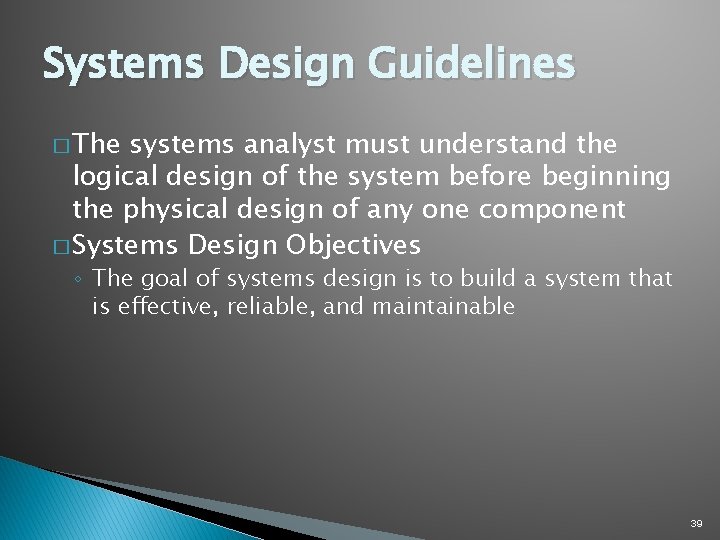
Systems Design Guidelines � The systems analyst must understand the logical design of the system before beginning the physical design of any one component � Systems Design Objectives ◦ The goal of systems design is to build a system that is effective, reliable, and maintainable 39
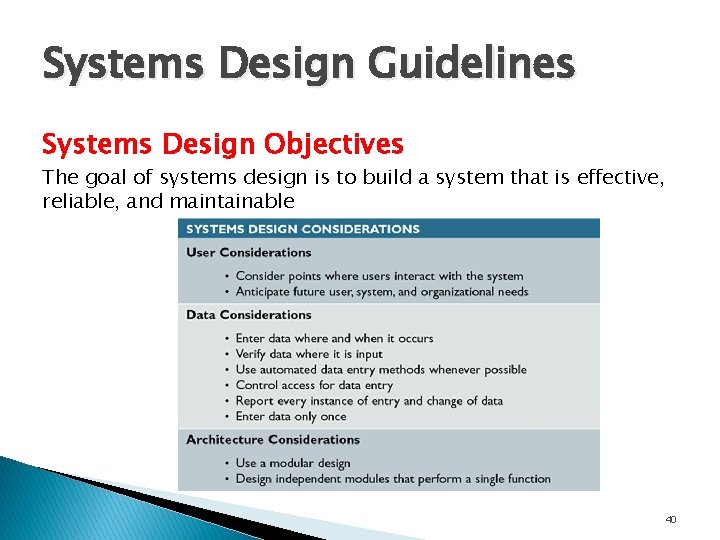
Systems Design Guidelines Systems Design Objectives The goal of systems design is to build a system that is effective, reliable, and maintainable 40
Systems Design Guidelines Systems Design Objectives ◦ User Considerations �Carefully consider any point where users receive output from, or provide input to, the system �Anticipate future needs of the users, the system, and the organization – hard-coded �Provide flexibility �Parameter, default 41
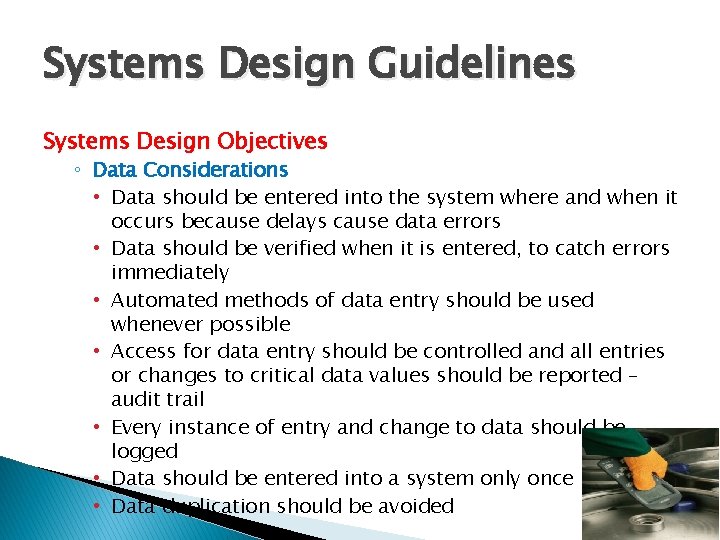
Systems Design Guidelines Systems Design Objectives ◦ Data Considerations • Data should be entered into the system where and when it occurs because delays cause data errors • Data should be verified when it is entered, to catch errors immediately • Automated methods of data entry should be used whenever possible • Access for data entry should be controlled and all entries or changes to critical data values should be reported – audit trail • Every instance of entry and change to data should be logged • Data should be entered into a system only once • Data duplication should be avoided 42
Systems Design Guidelines Systems Design Objectives ◦ Architecture considerations �Use a modular design �Design modules that perform a single function are easier to understand, implement, and maintain 43
Systems Design Guidelines � Design Trade-Offs ◦ Design goals often conflict with each other ◦ Most design trade-off decisions that you will face come down to the basic conflict of quality versus cost ◦ Avoid decisions that achieve short-term savings but might mean higher costs later 44
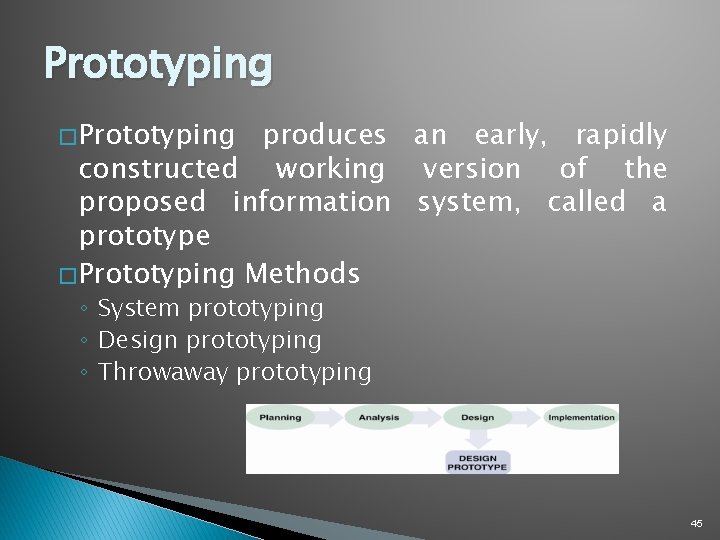
Prototyping � Prototyping produces an early, rapidly constructed working version of the proposed information system, called a prototype � Prototyping Methods ◦ System prototyping ◦ Design prototyping ◦ Throwaway prototyping 45
Prototyping � Prototyping Methods ◦ Prototyping offers many benefits �Users and systems developers can avoid misunderstandings �Managers can evaluate a working model more effectively than a paper specification ◦ Consider potential problems �The rapid pace of development can create quality problems �In very complex systems, the prototype becomes unwieldy and difficult to manage 46
Prototyping � Prototyping Tools ◦ Systems analysts can use powerful tools to develop prototypes �CASE tools �Application generators �Report generators �Screen generators �Fourth-generation language (4 GL) �Fourth-generation environment 47
Prototyping � Limitations of Prototypes ◦ A prototype is a functioning system, but it is less efficient than a fully developed system ◦ Systems developers can upgrade the prototype into the final information system by adding the necessary capability ◦ Otherwise, the prototype is discarded � Other Modeling Tools ◦ Systems flowchart ◦ American National Standards Institute (ANSI) 48
Chapter Summary �A new trend views Software as a Service (Saa. S), rather than a product � Traditional systems ◦ must function in various hardware and software environments ◦ be compatible with legacy systems ◦ operate within the constraints of company networks and desktop computing capability � Web 2. 0 is fueling the expansion of information sharing, user collaboration, and social-networking applications such as Twitter, Linked. In, and Facebook 49
Chapter Summary (Cont. ) � Companies create in-house systems � Commercial software packages can be an attractive alternative ◦ Generally costs less, takes less time to implement, has a proven track record, and is upgraded frequently � The systems analyst’s role in the software development process depends on the specific development strategy 50
Chapter Summary (Cont. ) � The most important factor in choosing a development strategy is total cost of ownership (TCO) � Financial analysis tools include: ◦ Payback analysis ◦ Return on investment (ROI) ◦ Net present value (NPV) 51
Chapter Summary � Acquiring steps: ◦ ◦ ◦ ◦ (Cont. ) software involves a series of Evaluate the system requirements Consider network and Web-related issues Identify potential software vendors or outsourcing options Evaluate the alternatives Perform cost-benefit analysis Prepare a recommendation Implement the solution 52
Chapter Summary (Cont. ) � The system requirements document is the deliverable, or end product, of the systems analysis phase. ◦ Details all system requirements and constraints ◦ Recommends the best solution, ◦ Provides cost and time estimates for future development work 53
Chapter 5: Development Strategies Next Chapter… PHASE 3: SYSTEM DESIGN Chapter 6: Data Design