
System Verilog COMP 590 154 Computer Architecture Amogh





![Multi-Bit Values module mux 4(a, b, sel, f); output logic [3: 0] f; input](https://slidetodoc.com/presentation_image_h2/cbef2be3606a46b9827e7ef5675a5b92/image-14.jpg "Multi-Bit Values module mux 4(a, b, sel, f); output logic [3: 0] f; input")
![Addition and Subtraction • Be wary of overflow! logic [3: 0] d, e, f;](https://slidetodoc.com/presentation_image_h2/cbef2be3606a46b9827e7ef5675a5b92/image-18.jpg "Addition and Subtraction • Be wary of overflow! logic [3: 0] d, e, f;")
![Multi-Bit Flip Flop module flipflop_asyncr(d, q, clk, rst_n); input [15: 0] d; input clk,](https://slidetodoc.com/presentation_image_h2/cbef2be3606a46b9827e7ef5675a5b92/image-25.jpg "Multi-Bit Flip Flop module flipflop_asyncr(d, q, clk, rst_n); input [15: 0] d; input clk,")
![Arrays module multidimarraytest(); logic [3: 0] myarray [2: 0]; assign assign myarray[0] = 4'b](https://slidetodoc.com/presentation_image_h2/cbef2be3606a46b9827e7ef5675a5b92/image-33.jpg "Arrays module multidimarraytest(); logic [3: 0] myarray [2: 0]; assign assign myarray[0] = 4'b")
- Slides: 38
System. Verilog COMP 590 -154 Computer Architecture Amogh Akshintala (with thanks to Prof. Mike Ferdman at Stony Brook University)
First Things First • System. Verilog is a superset of Verilog – The subset we use is 99% Verilog + a few new constructs – Familiarity with Verilog (or even VHDL) helps a lot • System. Verilog resources on “Project 1” page – Including a link to a good Verilog tutorial
Hardware Description Languages • Used for a variety of purposes in hardware design – – – High-level behavioral modeling Register Transfer Level (RTL) behavioral modeling Gate and transistor level netlists Timing models for timing simulation Design verification and testbench development … • Many different features to accommodate all of these • We focus on RTL modeling for the course project – Much simpler than designing with gates – Still, helps you think like a hardware designer
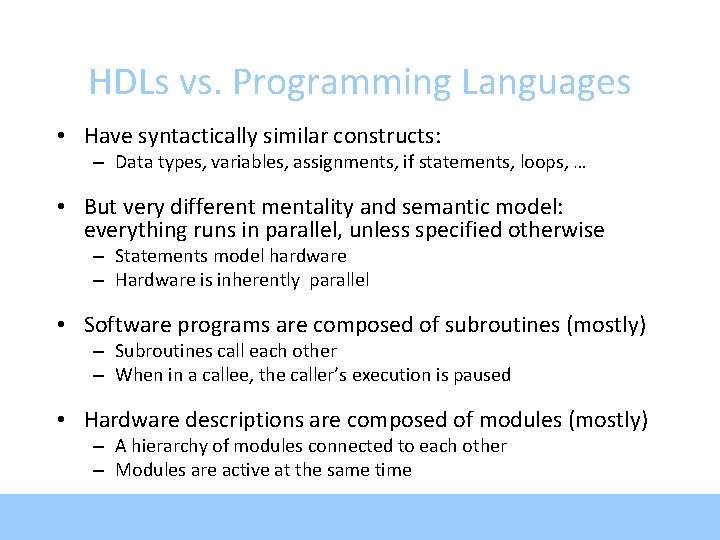
HDLs vs. Programming Languages • Have syntactically similar constructs: – Data types, variables, assignments, if statements, loops, … • But very different mentality and semantic model: everything runs in parallel, unless specified otherwise – Statements model hardware – Hardware is inherently parallel • Software programs are composed of subroutines (mostly) – Subroutines call each other – When in a callee, the caller’s execution is paused • Hardware descriptions are composed of modules (mostly) – A hierarchy of modules connected to each other – Modules are active at the same time
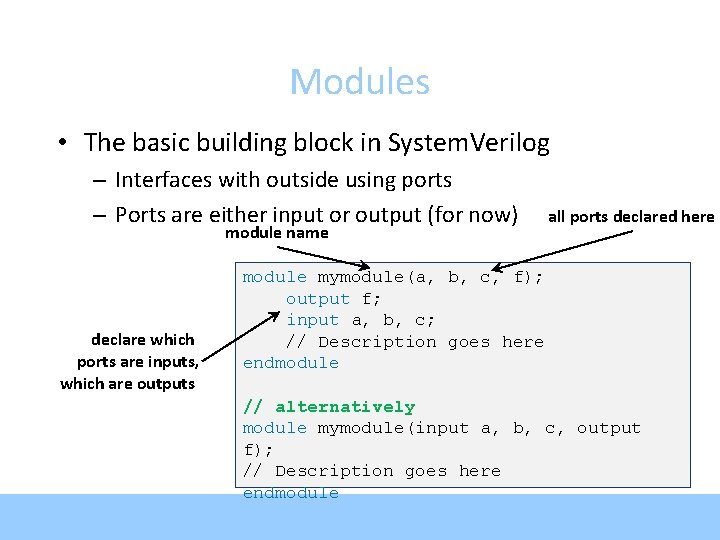
Modules • The basic building block in System. Verilog – Interfaces with outside using ports – Ports are either input or output (for now) module name declare which ports are inputs, which are outputs all ports declared here module mymodule(a, b, c, f); output f; input a, b, c; // Description goes here endmodule // alternatively module mymodule(input a, b, c, output f); // Description goes here endmodule
Module Instantiation name of module mymodule(a, b, c, f); output f; module to input a, b, c; instantiate module_name inst_name(port_connections); endmodule name of instance connect the ports • You can instantiate your own modules or pre-defined gates – Always inside another module • Predefined: and, nand, or, nor, xnor – For these gates, port order is (output, input(s)) • For your modules, port order is however you defined it
Connecting Ports (By Order or Name) • In module instantiation, can specify port connections by name or by order module mod 1(input a, b, output f); //. . . endmodule // by order module mod 2(input c, d, output g); mod 1 i 0(c, d, g); endmodule // by name module mod 3(input c, d, output g); mod 1 i 0(. f(g), . b(d), . a(c)); endmodule Use by-name connections (where possible)
Structural Design • Example: multiplexor – Output equals an input – Which one depends on “sel” module mux(a, b, sel, f); output f; input a, b, sel; datatype for describing logical value logic c, d, not_sel; not gate 0(not_sel, sel); and gate 1(c, a, not_sel); and gate 2(d, b, sel); or gate 3(f, c, d); endmodule Built-in gates: port order is: output, input(s)
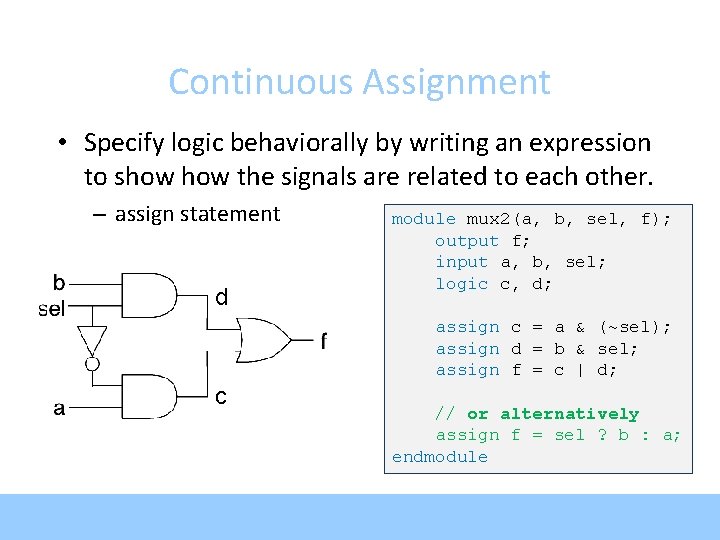
Continuous Assignment • Specify logic behaviorally by writing an expression to show the signals are related to each other. – assign statement d module mux 2(a, b, sel, f); output f; input a, b, sel; logic c, d; assign c = a & (~sel); assign d = b & sel; assign f = c | d; c // or alternatively assign f = sel ? b : a; endmodule
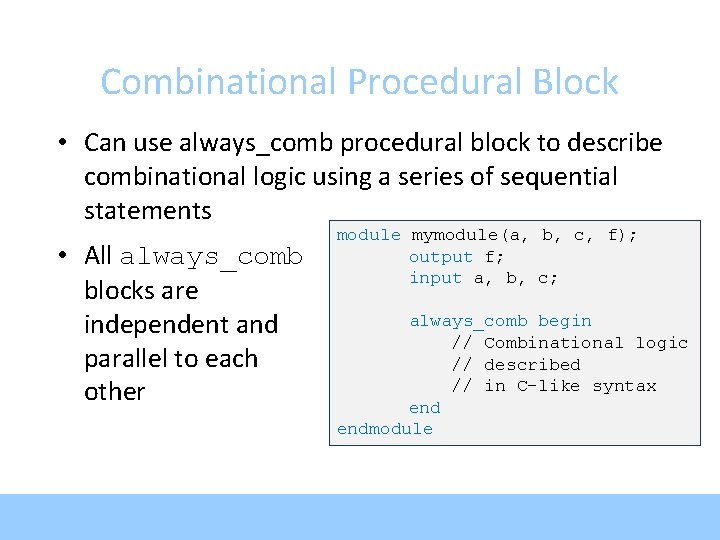
Combinational Procedural Block • Can use always_comb procedural block to describe combinational logic using a series of sequential statements • All always_comb blocks are independent and parallel to each other module mymodule(a, b, c, f); output f; input a, b, c; always_comb begin // Combinational logic // described // in C-like syntax endmodule
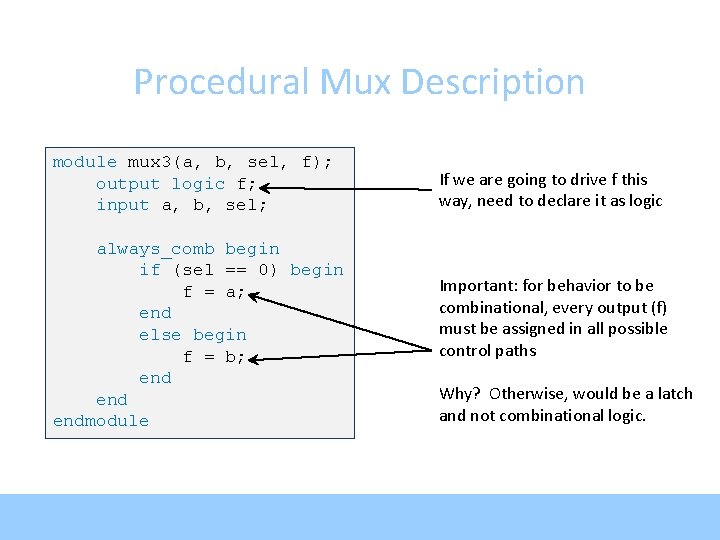
Procedural Mux Description module mux 3(a, b, sel, f); output logic f; input a, b, sel; always_comb begin if (sel == 0) begin f = a; end else begin f = b; end endmodule If we are going to drive f this way, need to declare it as logic Important: for behavior to be combinational, every output (f) must be assigned in all possible control paths Why? Otherwise, would be a latch and not combinational logic.
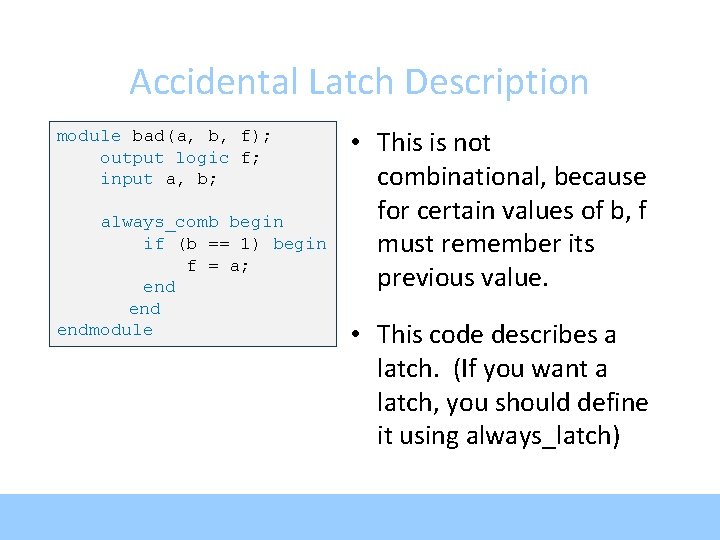
Accidental Latch Description module bad(a, b, f); output logic f; input a, b; always_comb begin if (b == 1) begin f = a; end endmodule • This is not combinational, because for certain values of b, f must remember its previous value. • This code describes a latch. (If you want a latch, you should define it using always_latch)
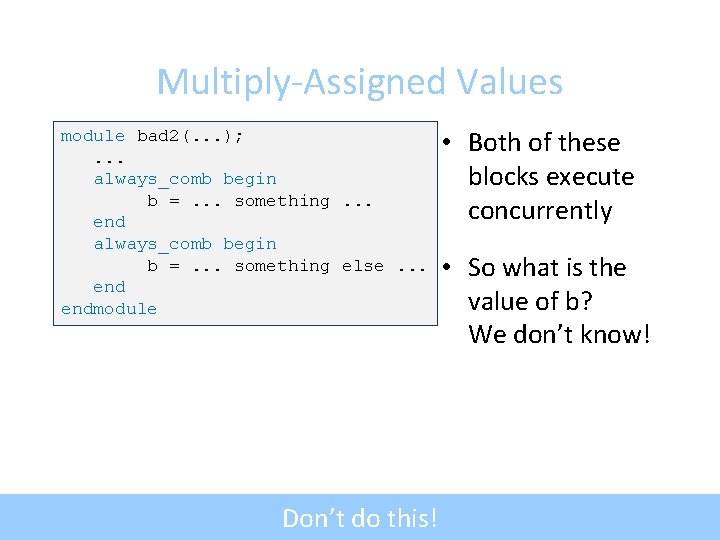
Multiply-Assigned Values module bad 2(. . . ); . . . always_comb begin b =. . . something. . . end always_comb begin b =. . . something else. . . endmodule Don’t do this! • Both of these blocks execute concurrently • So what is the value of b? We don’t know!
Multi-Bit Values module mux 4(a, b, sel, f); output logic [3: 0] f; input [3: 0] a, b; input sel; always_comb begin if (sel == 0) begin f = a; end else begin f = b; end endmodule • Can define inputs, outputs, or logic with multiple bits
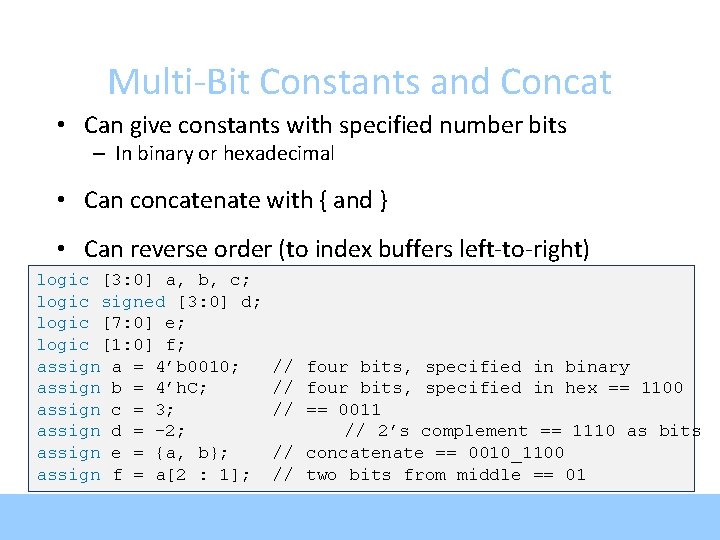
Multi-Bit Constants and Concat • Can give constants with specified number bits – In binary or hexadecimal • Can concatenate with { and } • Can reverse order (to index buffers left-to-right) logic [3: 0] a, b, c; logic signed [3: 0] d; logic [7: 0] e; logic [1: 0] f; assign a = 4’b 0010; assign b = 4’h. C; assign c = 3; assign d = -2; assign e = {a, b}; assign f = a[2 : 1]; // four bits, specified in binary // four bits, specified in hex == 1100 // == 0011 // 2’s complement == 1110 as bits // concatenate == 0010_1100 // two bits from middle == 01
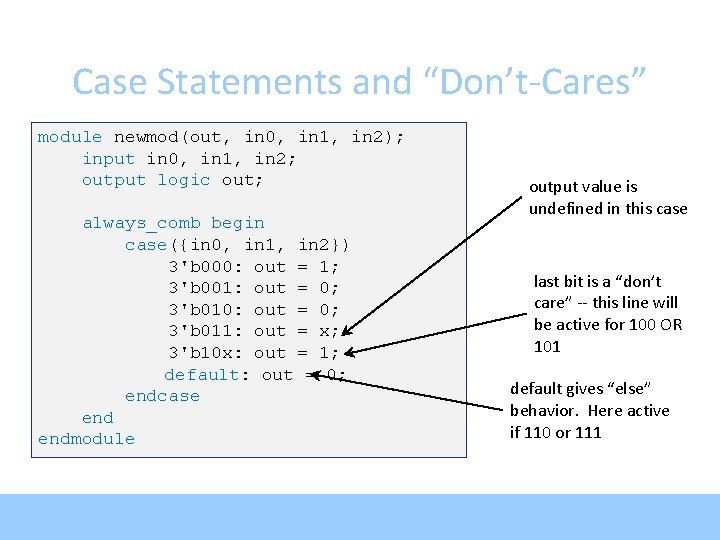
Case Statements and “Don’t-Cares” module newmod(out, in 0, in 1, in 2); input in 0, in 1, in 2; output logic out; always_comb begin case({in 0, in 1, in 2}) 3'b 000: out = 1; 3'b 001: out = 0; 3'b 010: out = 0; 3'b 011: out = x; 3'b 10 x: out = 1; default: out = 0; endcase endmodule output value is undefined in this case last bit is a “don’t care” -- this line will be active for 100 OR 101 default gives “else” behavior. Here active if 110 or 111
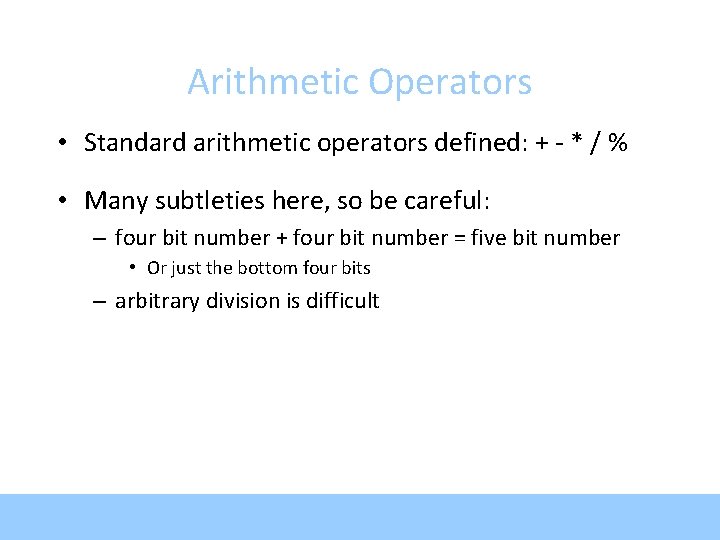
Arithmetic Operators • Standard arithmetic operators defined: + - * / % • Many subtleties here, so be careful: – four bit number + four bit number = five bit number • Or just the bottom four bits – arbitrary division is difficult
Addition and Subtraction • Be wary of overflow! logic [3: 0] d, e, f; logic [3: 0] a, b; logic [4: 0] c; assign f = d + e; assign c = a + b; 4’b 1000 + 4’b 1000 = … Overflows to zero • Use “signed” if you want, values as 2’s complement i == 4’b 1010 == -6 j == 5’b 11010 == -6 Five bit output can prevent overflow: 4’b 1000 + 4’b 1000 gives 5’b 10000 logic signed [3: 0] g, h, i; logic signed [4: 0] j; assign g = 4’b 0001; // == 1 assign h = 4’b 0111; // == 7 assign i = g – h; assign j = g – h;
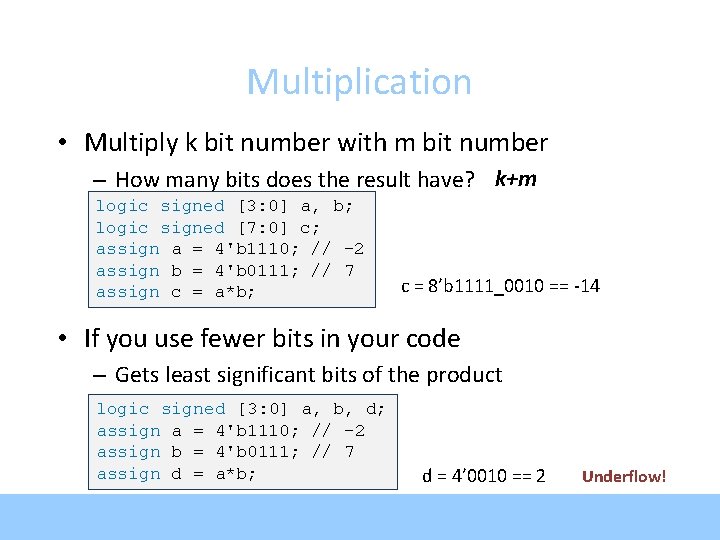
Multiplication • Multiply k bit number with m bit number – How many bits does the result have? k+m logic signed [3: 0] a, b; logic signed [7: 0] c; assign a = 4'b 1110; // -2 assign b = 4'b 0111; // 7 assign c = a*b; c = 8’b 1111_0010 == -14 • If you use fewer bits in your code – Gets least significant bits of the product logic signed [3: 0] a, b, d; assign a = 4'b 1110; // -2 assign b = 4'b 0111; // 7 assign d = a*b; d = 4’ 0010 == 2 Underflow!
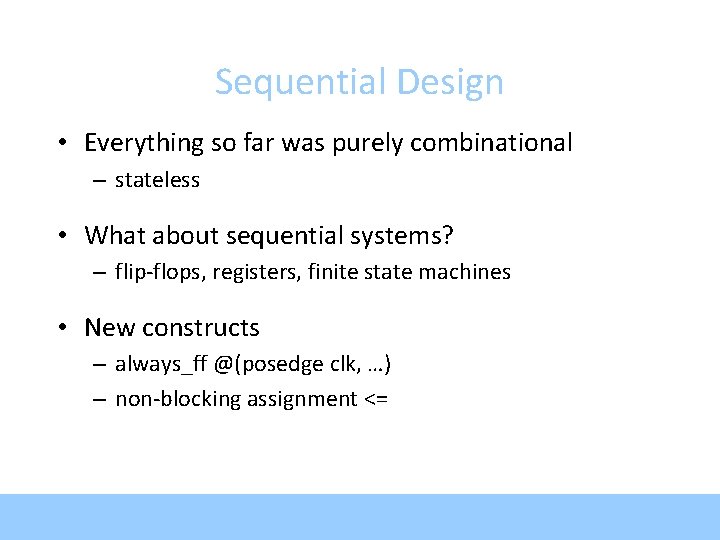
Sequential Design • Everything so far was purely combinational – stateless • What about sequential systems? – flip-flops, registers, finite state machines • New constructs – always_ff @(posedge clk, …) – non-blocking assignment <=
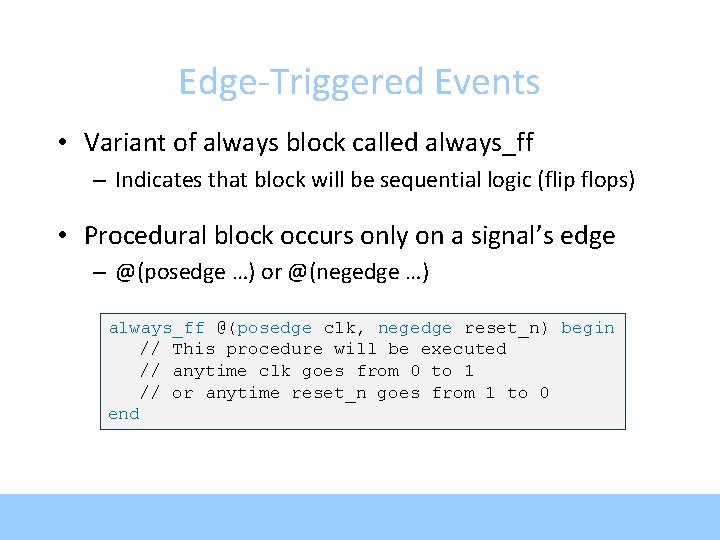
Edge-Triggered Events • Variant of always block called always_ff – Indicates that block will be sequential logic (flip flops) • Procedural block occurs only on a signal’s edge – @(posedge …) or @(negedge …) always_ff @(posedge clk, negedge reset_n) begin // This procedure will be executed // anytime clk goes from 0 to 1 // or anytime reset_n goes from 1 to 0 end
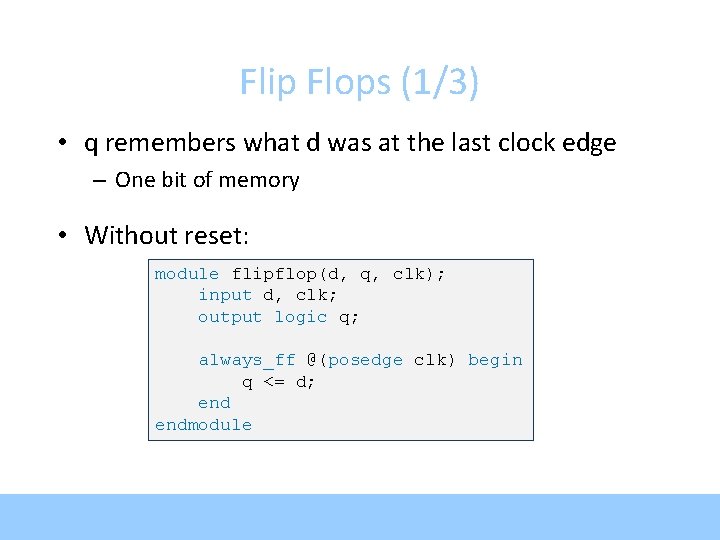
Flip Flops (1/3) • q remembers what d was at the last clock edge – One bit of memory • Without reset: module flipflop(d, q, clk); input d, clk; output logic q; always_ff @(posedge clk) begin q <= d; endmodule
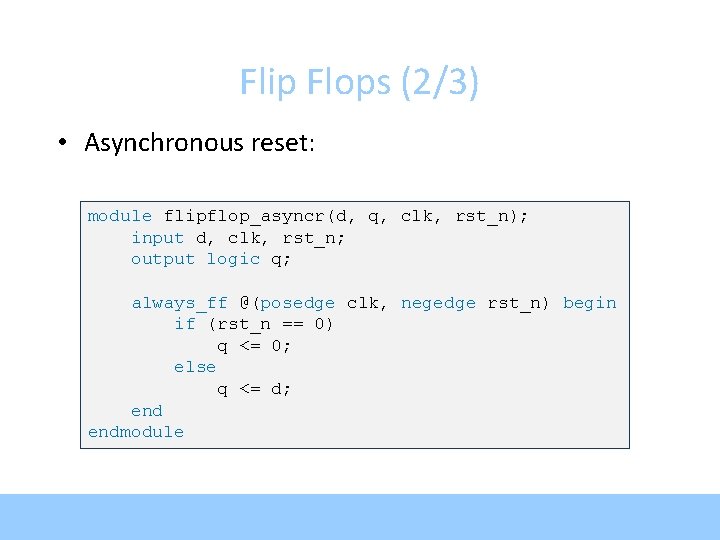
Flip Flops (2/3) • Asynchronous reset: module flipflop_asyncr(d, q, clk, rst_n); input d, clk, rst_n; output logic q; always_ff @(posedge clk, negedge rst_n) begin if (rst_n == 0) q <= 0; else q <= d; endmodule
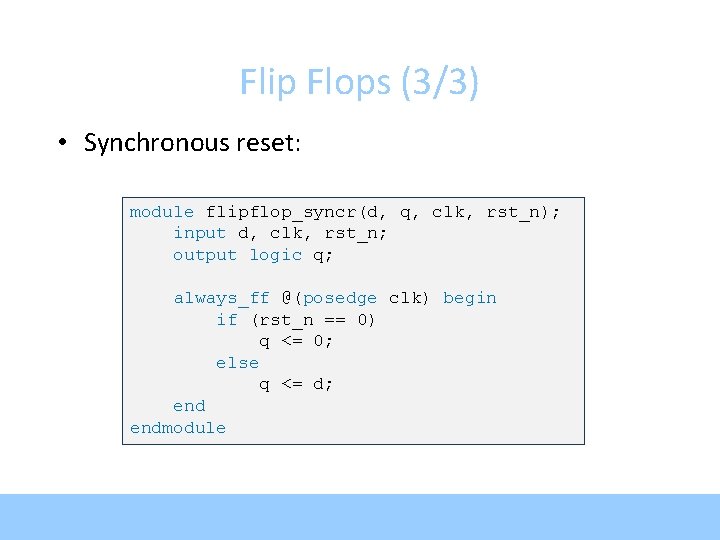
Flip Flops (3/3) • Synchronous reset: module flipflop_syncr(d, q, clk, rst_n); input d, clk, rst_n; output logic q; always_ff @(posedge clk) begin if (rst_n == 0) q <= 0; else q <= d; endmodule
Multi-Bit Flip Flop module flipflop_asyncr(d, q, clk, rst_n); input [15: 0] d; input clk, rst_n; output logic [15: 0] q; always_ff @(posedge clk, negedge rst_n) begin if (rst_n == 0) q <= 0; else q <= d; endmodule
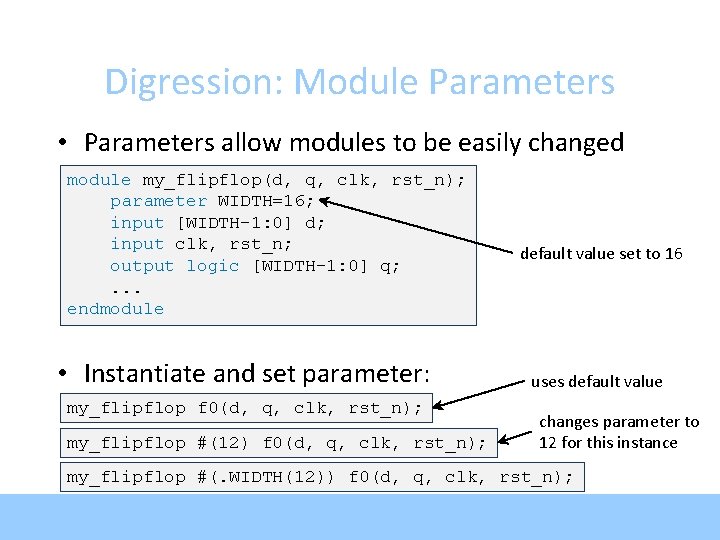
Digression: Module Parameters • Parameters allow modules to be easily changed module my_flipflop(d, q, clk, rst_n); parameter WIDTH=16; input [WIDTH-1: 0] d; input clk, rst_n; output logic [WIDTH-1: 0] q; . . . endmodule • Instantiate and set parameter: my_flipflop f 0(d, q, clk, rst_n); my_flipflop #(12) f 0(d, q, clk, rst_n); default value set to 16 uses default value changes parameter to 12 for this instance my_flipflop #(. WIDTH(12)) f 0(d, q, clk, rst_n);
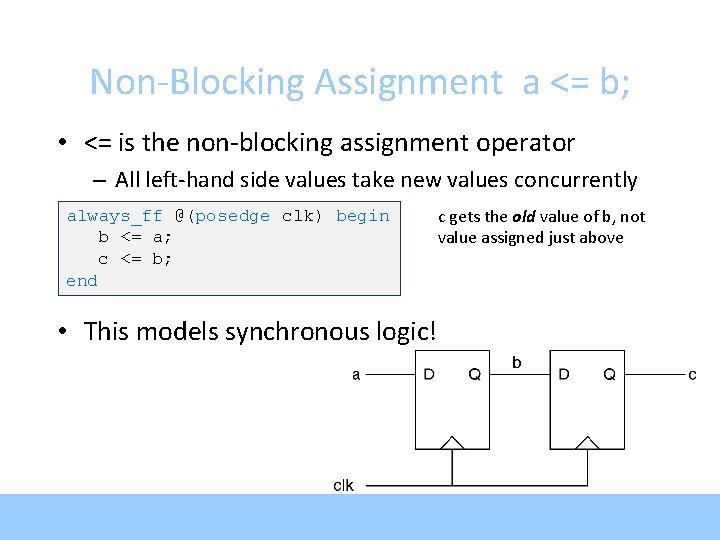
Non-Blocking Assignment a <= b; • <= is the non-blocking assignment operator – All left-hand side values take new values concurrently always_ff @(posedge clk) begin b <= a; c <= b; end • This models synchronous logic! c gets the old value of b, not value assigned just above
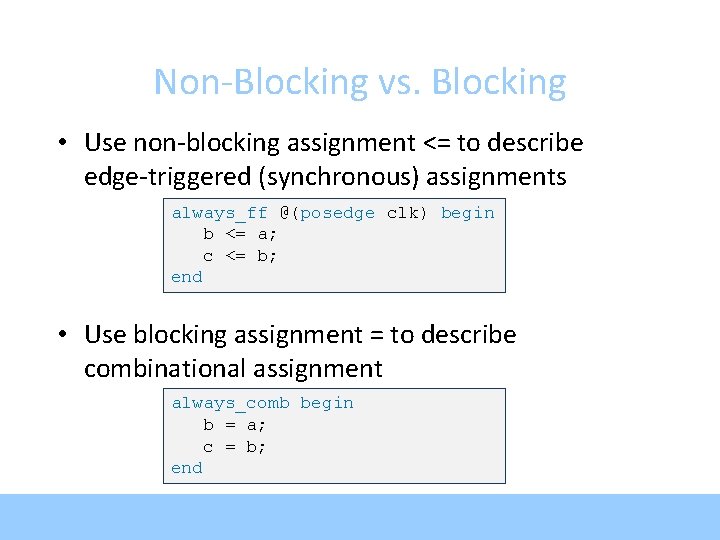
Non-Blocking vs. Blocking • Use non-blocking assignment <= to describe edge-triggered (synchronous) assignments always_ff @(posedge clk) begin b <= a; c <= b; end • Use blocking assignment = to describe combinational assignment always_comb begin b = a; c = b; end
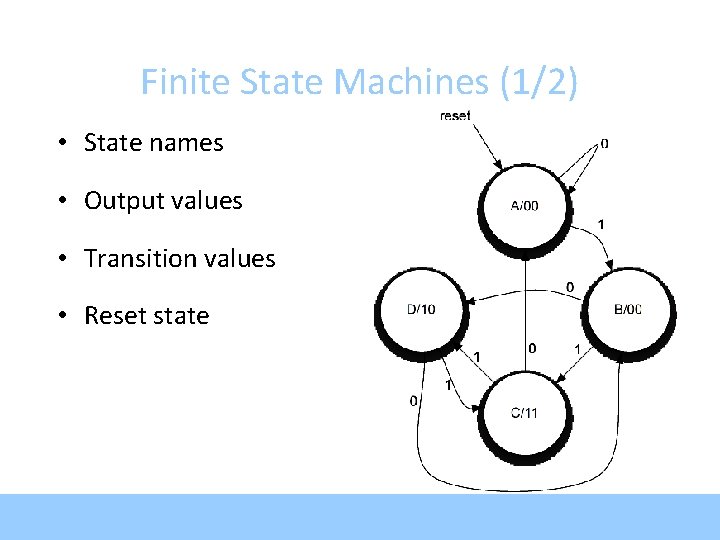
Finite State Machines (1/2) • State names • Output values • Transition values • Reset state
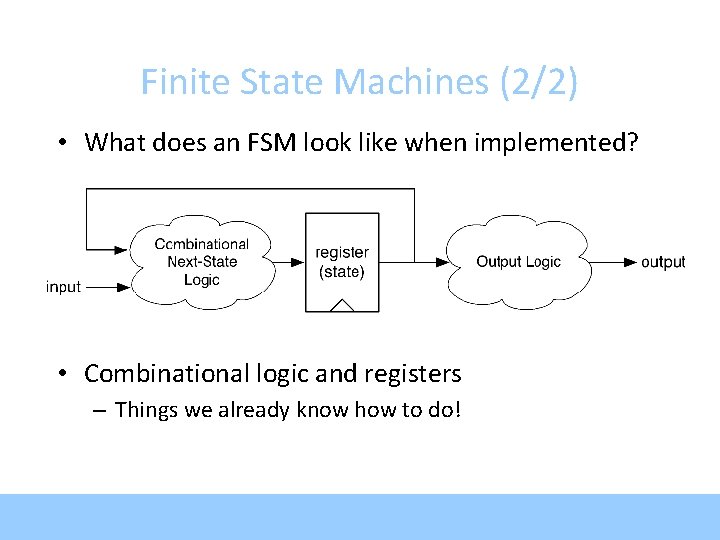
Finite State Machines (2/2) • What does an FSM look like when implemented? • Combinational logic and registers – Things we already know how to do!
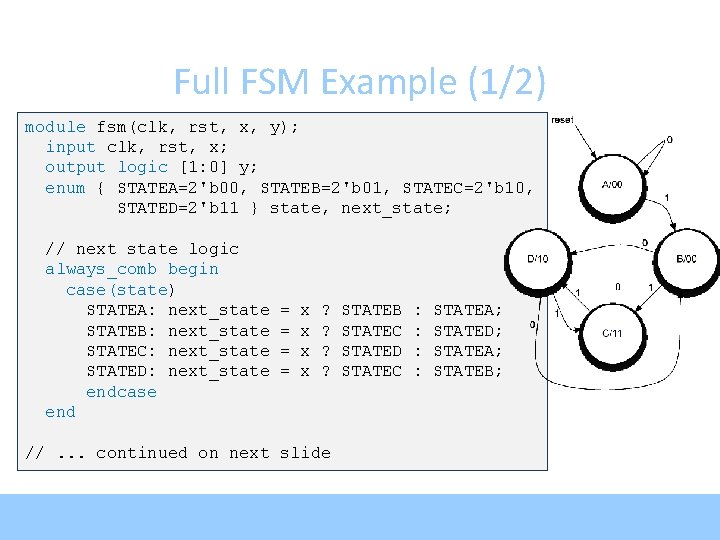
Full FSM Example (1/2) module fsm(clk, rst, x, y); input clk, rst, x; output logic [1: 0] y; enum { STATEA=2'b 00, STATEB=2'b 01, STATEC=2'b 10, STATED=2'b 11 } state, next_state; // next state logic always_comb begin case(state) STATEA: next_state STATEB: next_state STATEC: next_state STATED: next_state endcase end = = x x ? ? //. . . continued on next slide STATEB STATEC STATED STATEC : : STATEA; STATED; STATEA; STATEB;
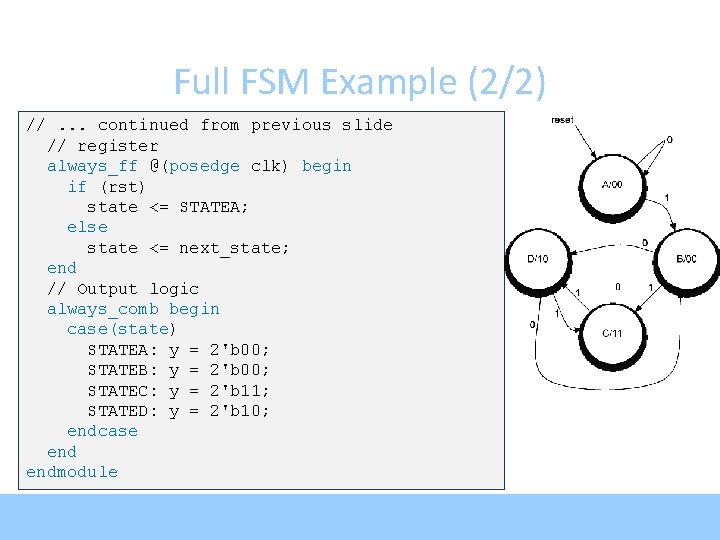
Full FSM Example (2/2) //. . . continued from previous slide // register always_ff @(posedge clk) begin if (rst) state <= STATEA; else state <= next_state; end // Output logic always_comb begin case(state) STATEA: y = 2'b 00; STATEB: y = 2'b 00; STATEC: y = 2'b 11; STATED: y = 2'b 10; endcase endmodule
Arrays module multidimarraytest(); logic [3: 0] myarray [2: 0]; assign assign myarray[0] = 4'b 0010; myarray[1][3: 2] = 2'b 01; myarray[1][1] = 1'b 1; myarray[1][0] = 1'b 0; myarray[2][3: 0] = 4'h. C; initial begin $display("myarray[2: 0] $display("myarray[1][2] $display("myarray[2][1: 0] endmodule == == == %b", %b", myarray); myarray[2: 0]); myarray[1: 0]; myarray[1]); myarray[1][2]); myarray[2][1: 0]);
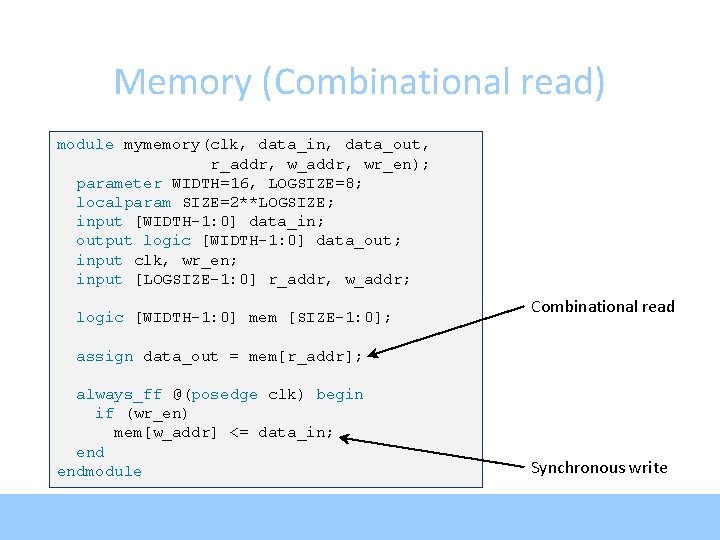
Memory (Combinational read) module mymemory(clk, data_in, data_out, r_addr, wr_en); parameter WIDTH=16, LOGSIZE=8; localparam SIZE=2**LOGSIZE; input [WIDTH-1: 0] data_in; output logic [WIDTH-1: 0] data_out; input clk, wr_en; input [LOGSIZE-1: 0] r_addr, w_addr; logic [WIDTH-1: 0] mem [SIZE-1: 0]; Combinational read assign data_out = mem[r_addr]; always_ff @(posedge clk) begin if (wr_en) mem[w_addr] <= data_in; endmodule Synchronous write
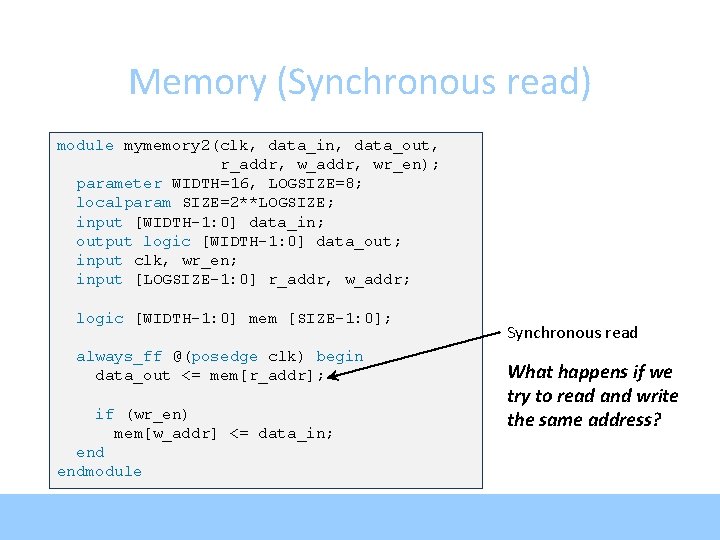
Memory (Synchronous read) module mymemory 2(clk, data_in, data_out, r_addr, wr_en); parameter WIDTH=16, LOGSIZE=8; localparam SIZE=2**LOGSIZE; input [WIDTH-1: 0] data_in; output logic [WIDTH-1: 0] data_out; input clk, wr_en; input [LOGSIZE-1: 0] r_addr, w_addr; logic [WIDTH-1: 0] mem [SIZE-1: 0]; always_ff @(posedge clk) begin data_out <= mem[r_addr]; if (wr_en) mem[w_addr] <= data_in; endmodule Synchronous read What happens if we try to read and write the same address?
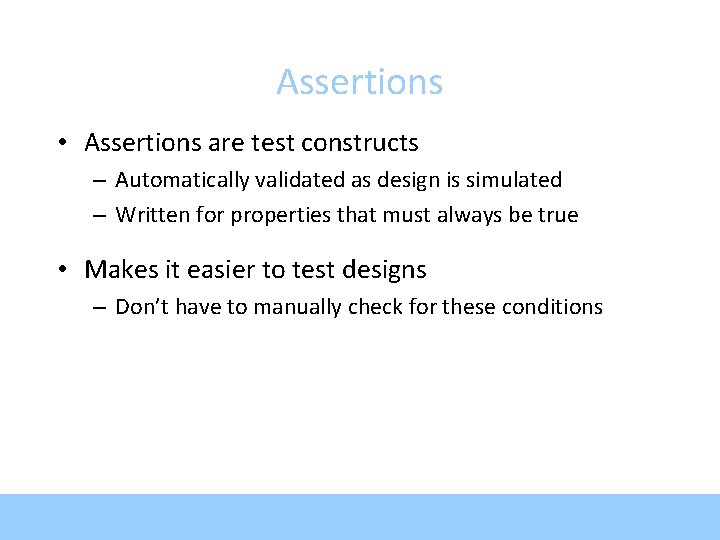
Assertions • Assertions are test constructs – Automatically validated as design is simulated – Written for properties that must always be true • Makes it easier to test designs – Don’t have to manually check for these conditions
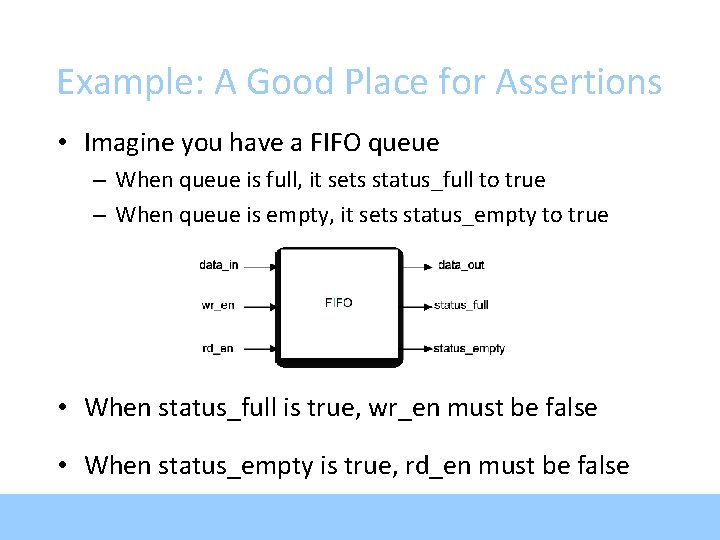
Example: A Good Place for Assertions • Imagine you have a FIFO queue – When queue is full, it sets status_full to true – When queue is empty, it sets status_empty to true • When status_full is true, wr_en must be false • When status_empty is true, rd_en must be false
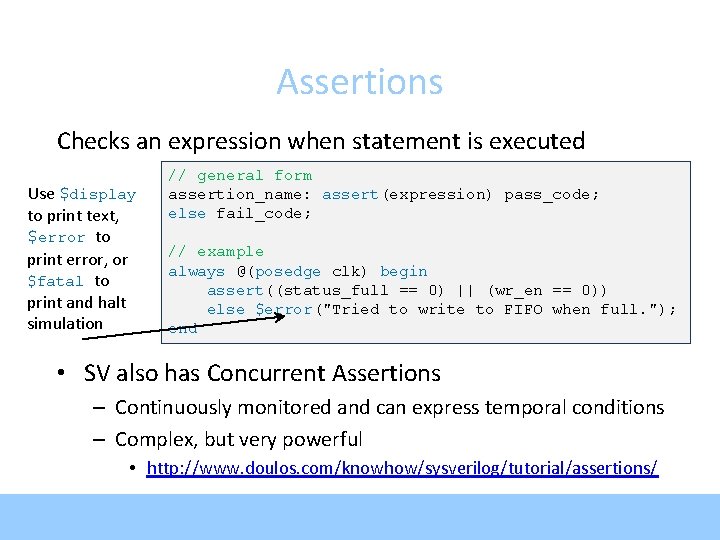
Assertions Checks an expression when statement is executed Use $display to print text, $error to print error, or $fatal to print and halt simulation // general form assertion_name: assert(expression) pass_code; else fail_code; // example always @(posedge clk) begin assert((status_full == 0) || (wr_en == 0)) else $error("Tried to write to FIFO when full. "); end • SV also has Concurrent Assertions – Continuously monitored and can express temporal conditions – Complex, but very powerful • http: //www. doulos. com/knowhow/sysverilog/tutorial/assertions/