
SYSTEM TOOLS WITH CINCOM OBJECTSTUDIO By Andreas Hiltner
SYSTEM TOOLS WITH CINCOM® OBJECTSTUDIO® By Andreas Hiltner

Overview • Intention • Power Capabilities / - State • Battery. Meter • GUID Generator • Windows • Window Spy • Window Finder • Processes • Process Exlorer • GDI Log • Questions 3 © 2015 Cincom Systems Inc. All Rights Reserved.
INTENTION Produce tools that help test and debug next generation UI windows and controls.
Power Capabilities Class Power. Capabilities Contains information about the power capabilities of the system. e. g. • is there a system power button • is there a lid present • is a battery present • Is a thermal control present • (…) 5 © 2015 Cincom Systems Inc. All Rights Reserved.
Power State Class Power. State provides a system-wide set of power management features. The class retrives the power status, notify the application of power management events and notify the system of the application‘s power requirements. 6 © 2015 Cincom Systems Inc. All Rights Reserved.
Power State (con‘t) • • • Away Mode required Display required System required Suspend / Hibernate Announcements for • Suspend operations • Resume from Suspend • Battery state (charging/high/low/critical) 7 © 2015 Cincom Systems Inc. All Rights Reserved.
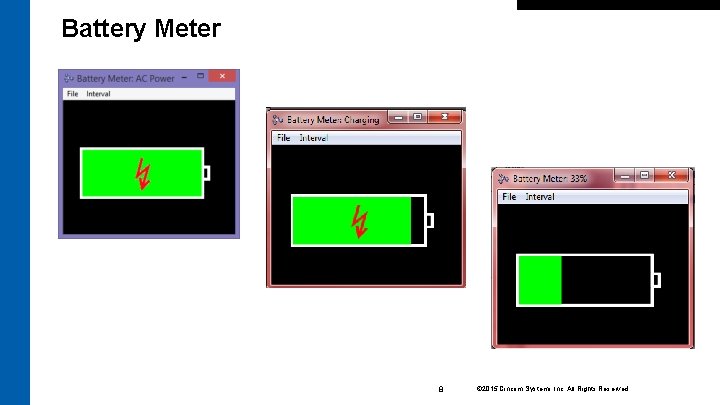
Battery Meter 8 © 2015 Cincom Systems Inc. All Rights Reserved.
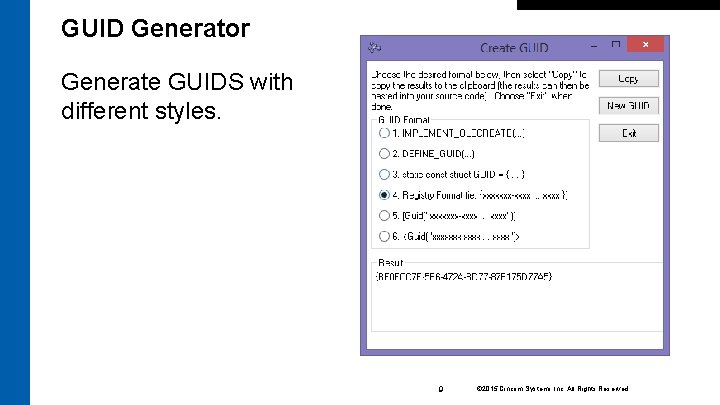
GUID Generator Generate GUIDS with different styles. 9 © 2015 Cincom Systems Inc. All Rights Reserved.
Window Spy shows all registered windows, that exist at the present time in a hierarchical view. Not just of its own Smalltalk process, but all existing processes, starting with the Windows Desktop. Window Spy also retrieves information about the process, the window belongs to. 10 © 2015 Cincom Systems Inc. All Rights Reserved.
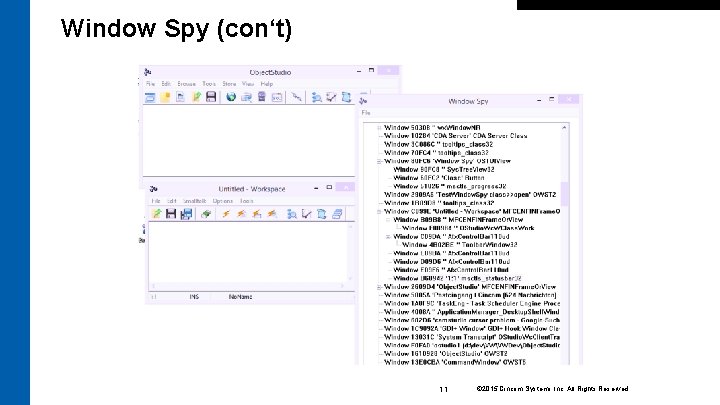
Window Spy (con‘t) 11 © 2015 Cincom Systems Inc. All Rights Reserved.
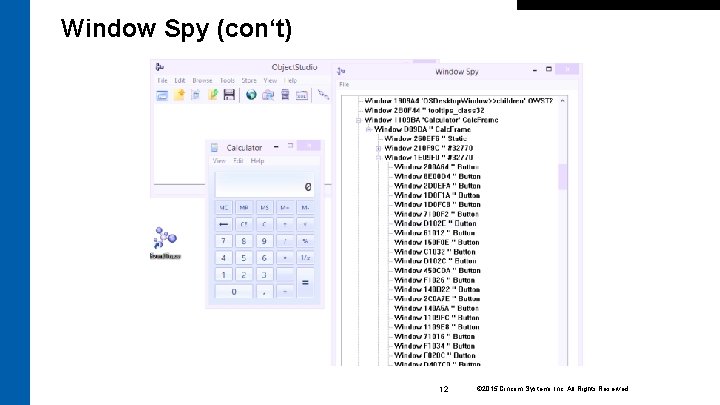
Window Spy (con‘t) 12 © 2015 Cincom Systems Inc. All Rights Reserved.
Window Finder locates and retrieves styles and extended styles of any open window in the system. It works in conjunction with Window Spy. 13 © 2015 Cincom Systems Inc. All Rights Reserved.
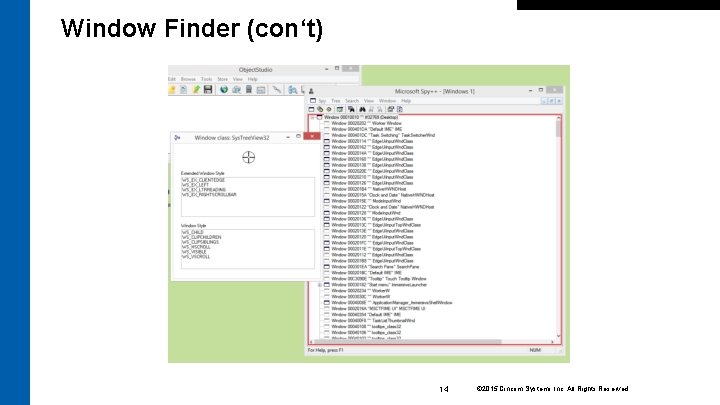
Window Finder (con‘t) 14 © 2015 Cincom Systems Inc. All Rights Reserved.
Process Explorer Process. Explorer displays all existing processes and information about • • Process ID (PID) Number of GDI objects Number of User Objects Creation time Time spend in User Mode Time spend in Kernel Mode Search for the Executable Name 15 © 2015 Cincom Systems Inc. All Rights Reserved.
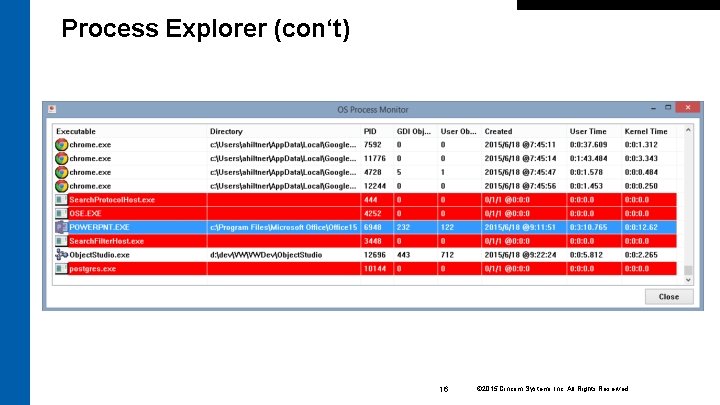
Process Explorer (con‘t) 16 © 2015 Cincom Systems Inc. All Rights Reserved.
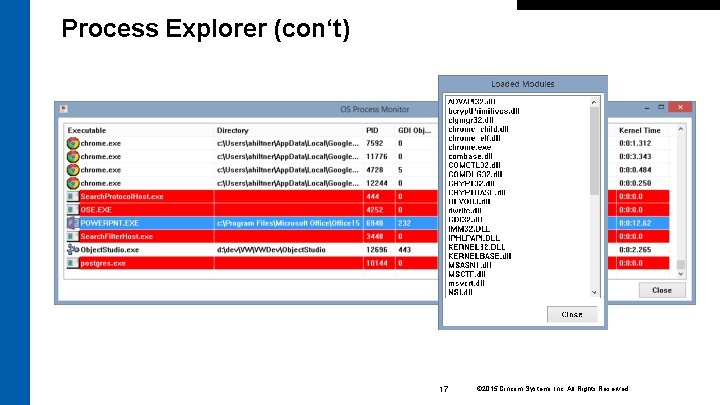
Process Explorer (con‘t) 17 © 2015 Cincom Systems Inc. All Rights Reserved.
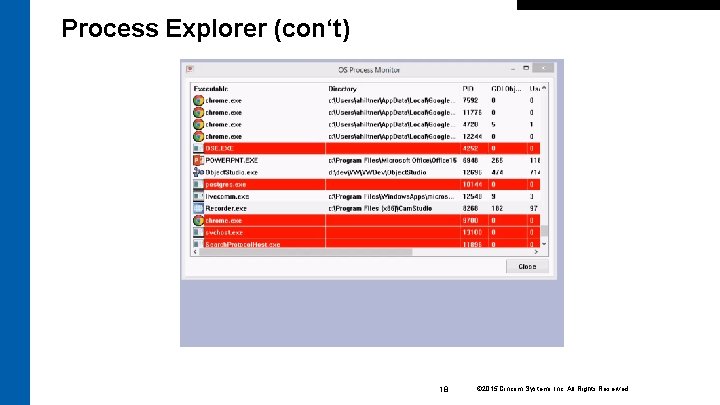
Process Explorer (con‘t) 18 © 2015 Cincom Systems Inc. All Rights Reserved.
GDI Log shows the usage of the various GDI resources over time. It can help to identify resource leaks and indicate, which resources are used during operations. 19 © 2015 Cincom Systems Inc. All Rights Reserved.
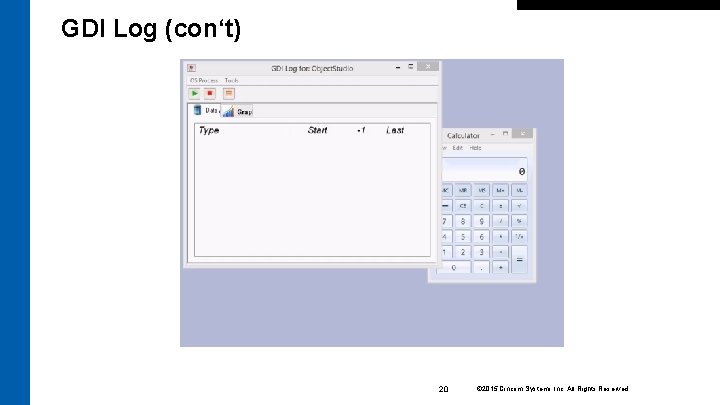
GDI Log (con‘t) 20 © 2015 Cincom Systems Inc. All Rights Reserved.

Questions? 21 © 2015 Cincom Systems Inc. All Rights Reserved.
Contact Information Star Team (Smalltalk Strategic Resources) – Suzanne Fortman (sfortman@cincom. com) – – – Cincom Smalltalk Program Director Arden Thomas (athomas@cincom. com) Cincom Smalltalk Product Manager Jeremy Jordan (jjordan@cincom. com) Cincom Smalltalk Marketing Manager Suzanne Fortman (sfortman@cincom. com) Cincom Smalltalk Engineering Manager 22 © 2015 Cincom Systems Inc. All Rights Reserved.
Try Cincom Smalltalk Evaluate Cincom Smalltalk: try. cincomsmalltalk. com Join our Cincom Smalltalk Developer Program: develop. cincomsmalltalk. com 23 © 2015 Cincom Systems Inc. All Rights Reserved.
- Slides: 23