
SYSTEM SOFTWARE BY B R MOHAN ASSOCIATE PROF

SYSTEM SOFTWARE BY B. R. MOHAN ASSOCIATE PROF, CSE SRINIVAS SCHOOL OF ENGINEERING, MUKKA
Introduction – This book introduces to the design and implementation of System Software – consists of a variety of programs that support the operation of Computer. System Software makes it possible for user to focus on application / other problem to be solved Without needing to know the internal details of m/c working.
• When u first started a programming course, u may have used different types of System Software. • Programs were written in HLL like C++ / Pascal, using a text-editor to create and modify the program. • Programs were translated into m/c language using a compiler. • Resulting m/c language was loaded into memory and prepared for execution by a loader / linker. • Debugger is used to detect errors in the
• Later, programs were written in assembly language using macro instructions in these programs to read and write data / to perform other higher level functions. • Assembler may be used that included macroprocessor to translate these programs into m/c language. • Translated programs were prepared for execution by the loader / linker and may have been tested using the debugger.
• All these processes were controlled by user interacting with OS like UNIX / DOS typing commands at a keyboard. WIndows had menu driven commands. • In either case, OS took care of m/c details for you irrespective of the fact that your m/c is connected to n/w or shared by other users • Topics - Assemblers, Loaders and Linkers , Macroprocessors, Compilers
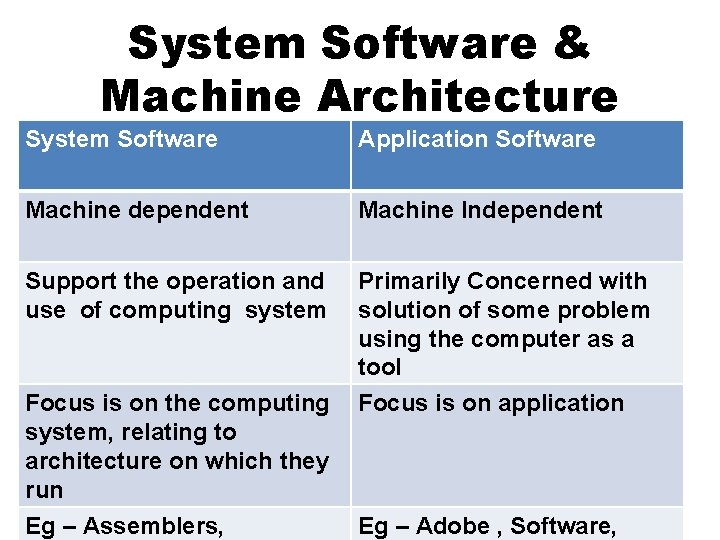
System Software & Machine Architecture System Software Application Software Machine dependent Machine Independent Support the operation and use of computing system Primarily Concerned with solution of some problem using the computer as a tool Focus is on application Focus is on the computing system, relating to architecture on which they run Eg – Assemblers, Eg – Adobe , Software,
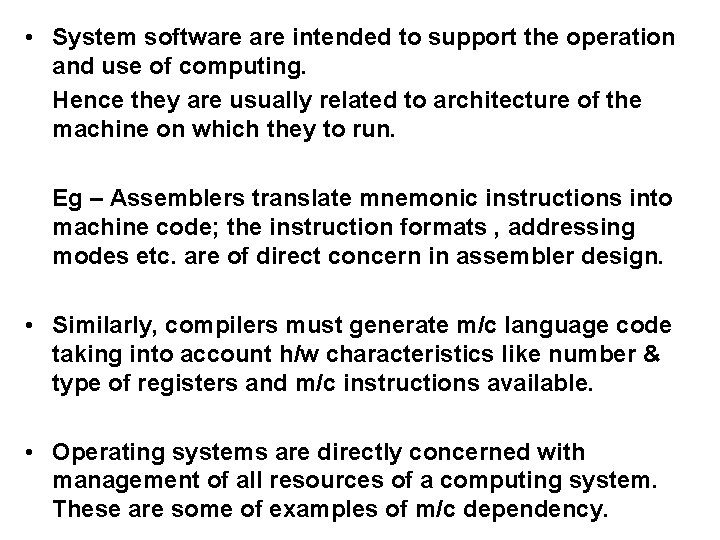
• System software intended to support the operation and use of computing. Hence they are usually related to architecture of the machine on which they to run. Eg – Assemblers translate mnemonic instructions into machine code; the instruction formats , addressing modes etc. are of direct concern in assembler design. • Similarly, compilers must generate m/c language code taking into account h/w characteristics like number & type of registers and m/c instructions available. • Operating systems are directly concerned with management of all resources of a computing system. These are some of examples of m/c dependency.
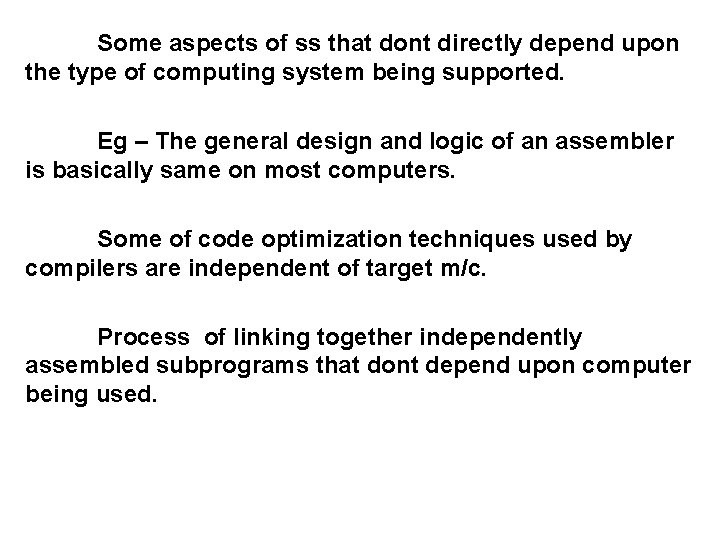
Some aspects of ss that dont directly depend upon the type of computing system being supported. Eg – The general design and logic of an assembler is basically same on most computers. Some of code optimization techniques used by compilers are independent of target m/c. Process of linking together independently assembled subprograms that dont depend upon computer being used.
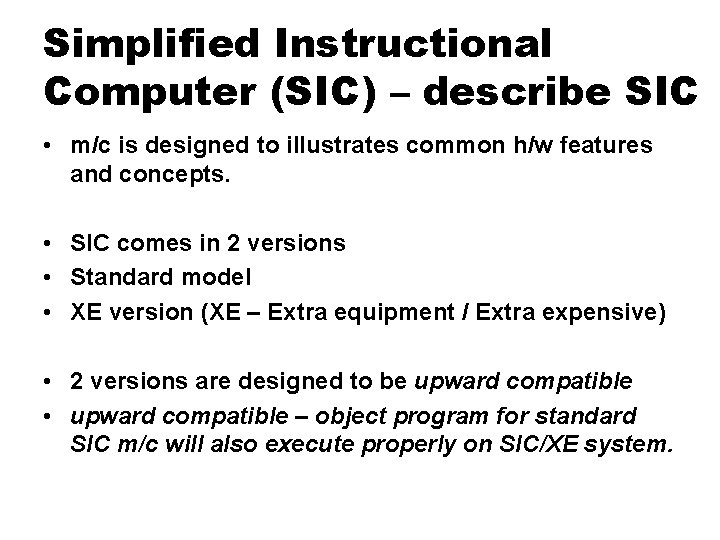
Simplified Instructional Computer (SIC) – describe SIC • m/c is designed to illustrates common h/w features and concepts. • SIC comes in 2 versions • Standard model • XE version (XE – Extra equipment / Extra expensive) • 2 versions are designed to be upward compatible • upward compatible – object program for standard SIC m/c will also execute properly on SIC/XE system.
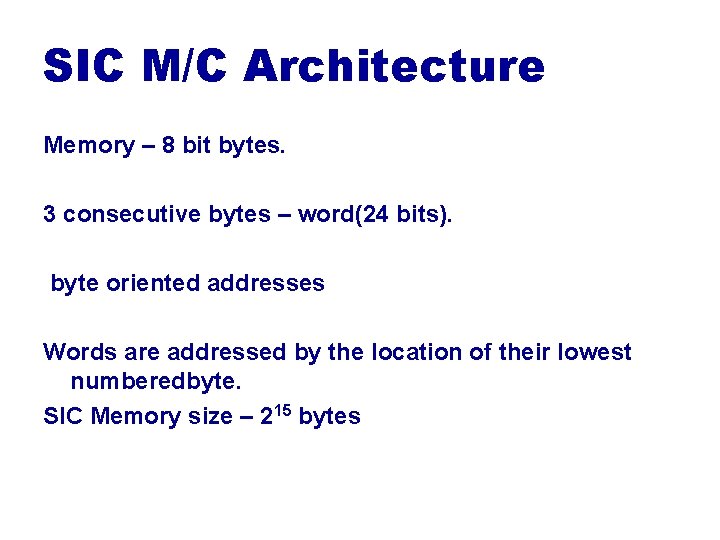
SIC M/C Architecture Memory – 8 bit bytes. 3 consecutive bytes – word(24 bits). byte oriented addresses Words are addressed by the location of their lowest numberedbyte. SIC Memory size – 215 bytes
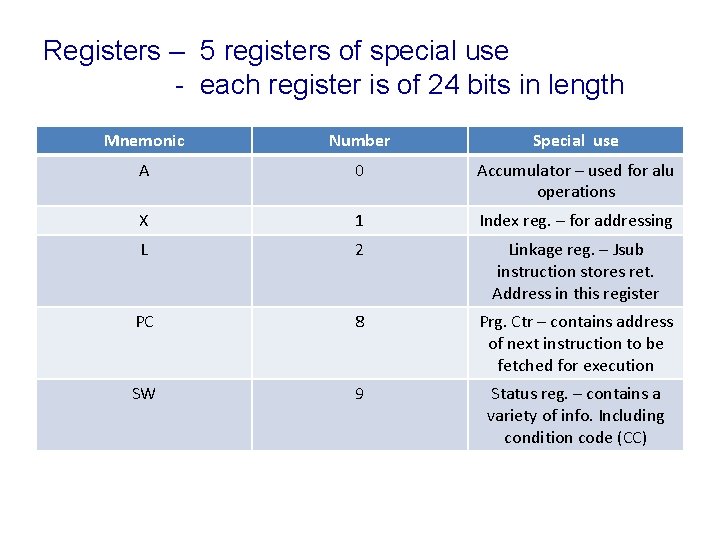
Registers – 5 registers of special use - each register is of 24 bits in length Mnemonic Number Special use A 0 Accumulator – used for alu operations X 1 Index reg. – for addressing L 2 Linkage reg. – Jsub instruction stores ret. Address in this register PC 8 Prg. Ctr – contains address of next instruction to be fetched for execution SW 9 Status reg. – contains a variety of info. Including condition code (CC)
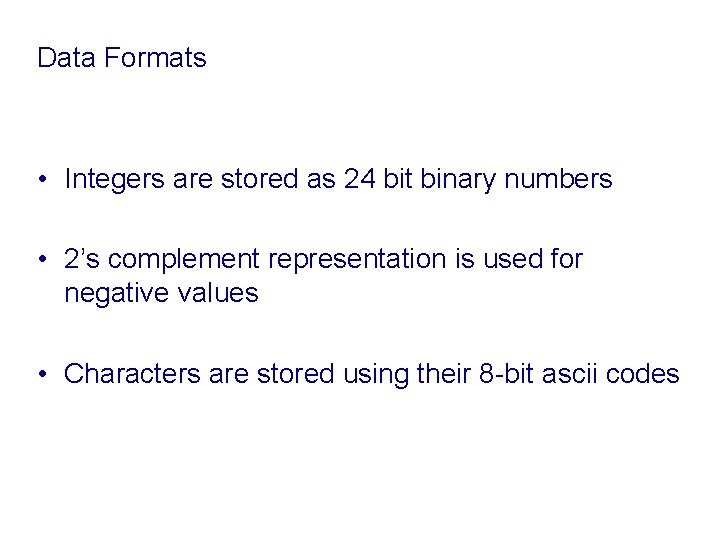
Data Formats • Integers are stored as 24 bit binary numbers • 2’s complement representation is used for negative values • Characters are stored using their 8 -bit ascii codes
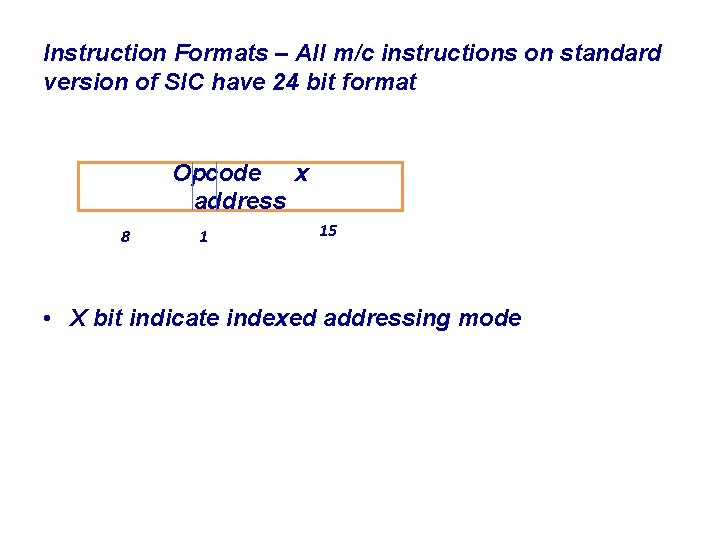
Instruction Formats – All m/c instructions on standard version of SIC have 24 bit format Opcode x address 8 1 15 • X bit indicate indexed addressing mode
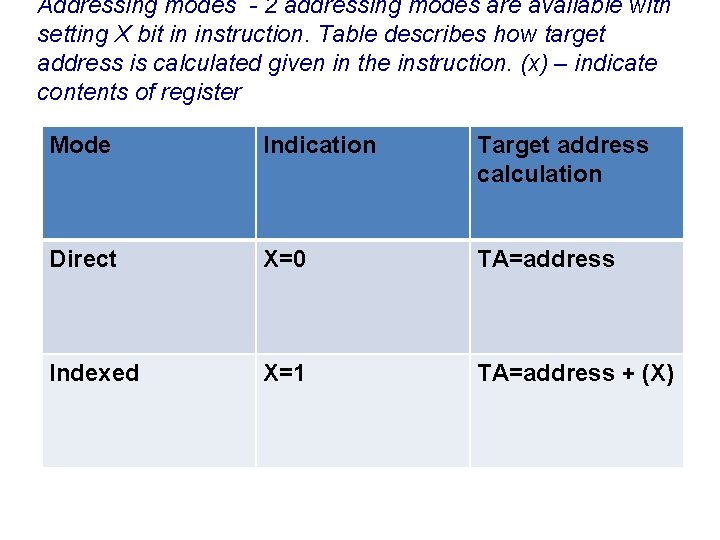
Addressing modes - 2 addressing modes are available with setting X bit in instruction. Table describes how target address is calculated given in the instruction. (x) – indicate contents of register Mode Indication Target address calculation Direct X=0 TA=address Indexed X=1 TA=address + (X)
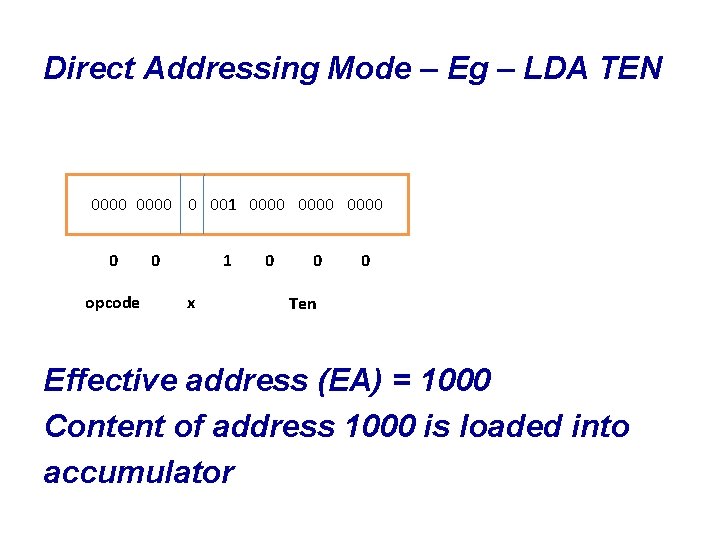
Direct Addressing Mode – Eg – LDA TEN 0000 0 001 0000 0 opcode 0 1 x 0 0 0 Ten Effective address (EA) = 1000 Content of address 1000 is loaded into accumulator
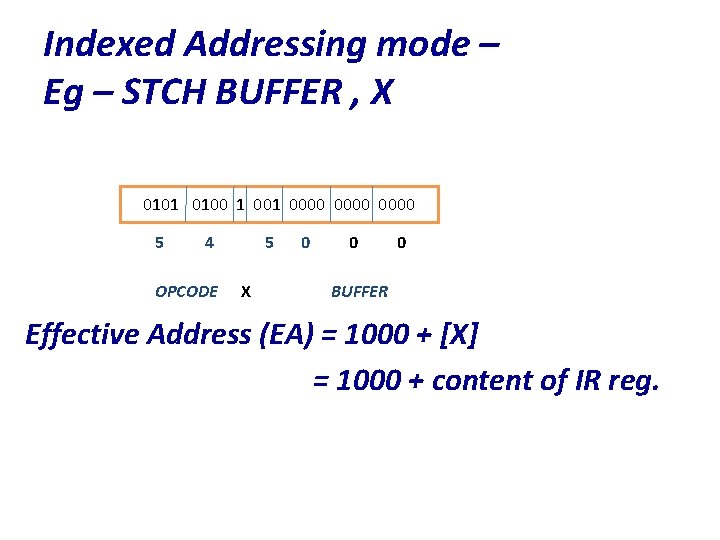
Indexed Addressing mode – Eg – STCH BUFFER , X 0101 0100 1 0000 5 4 OPCODE 5 X 0 0 0 BUFFER Effective Address (EA) = 1000 + [X] = 1000 + content of IR reg.
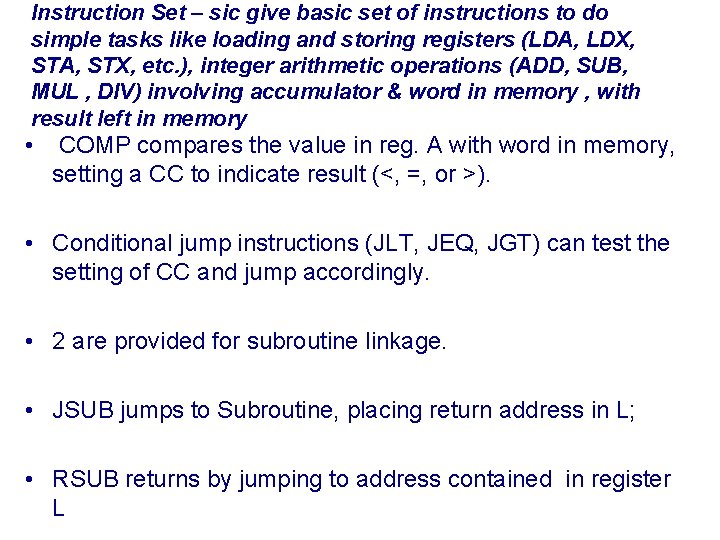
Instruction Set – sic give basic set of instructions to do simple tasks like loading and storing registers (LDA, LDX, STA, STX, etc. ), integer arithmetic operations (ADD, SUB, MUL , DIV) involving accumulator & word in memory , with result left in memory • COMP compares the value in reg. A with word in memory, setting a CC to indicate result (<, =, or >). • Conditional jump instructions (JLT, JEQ, JGT) can test the setting of CC and jump accordingly. • 2 are provided for subroutine linkage. • JSUB jumps to Subroutine, placing return address in L; • RSUB returns by jumping to address contained in register L
I/O – On Standard SIC , i/o are performed by transferring 1 byte at a time to / from rightmost 8 bits of register A • Each device is assigned an 8 bit code. • 3 instructions, each of which specifies the device code as operand. • TD – test device instruction tests whether addressed device is ready to send / receive a byte of data. • Condition Code is sets to indicate result of this test
• A setting of < means device is ready to send to / receive from and = means device is not ready. • A program needing to transfer data must wait until device is ready, then execute (RD) a readdata and (WD) writedata. This sequence is repeated for each byte of data to be read / written.
SIC / XE architecture • Memory of structure SIC / XE is same as described for SIC. • Maximum memory available on SIC / XE system – 220 = 1 MB • This increase leads to change in addressing modes. • Additional registers in SIC / XE
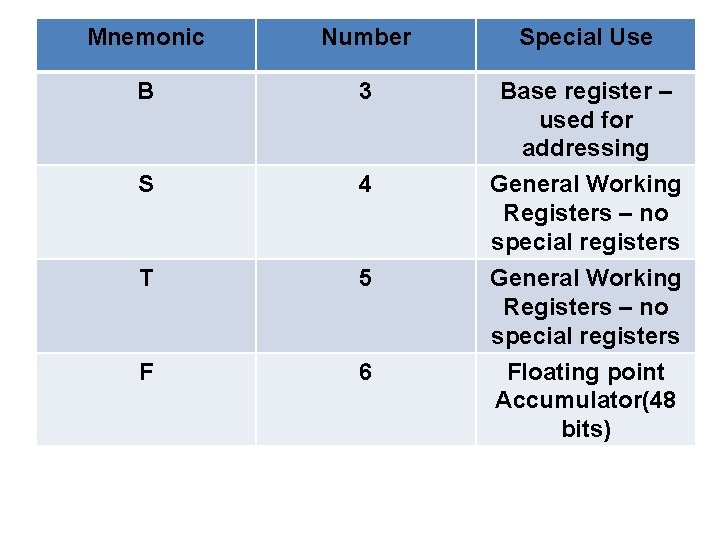
Mnemonic Number Special Use B 3 Base register – used for addressing S 4 T 5 General Working Registers – no special registers F 6 Floating point Accumulator(48 bits)
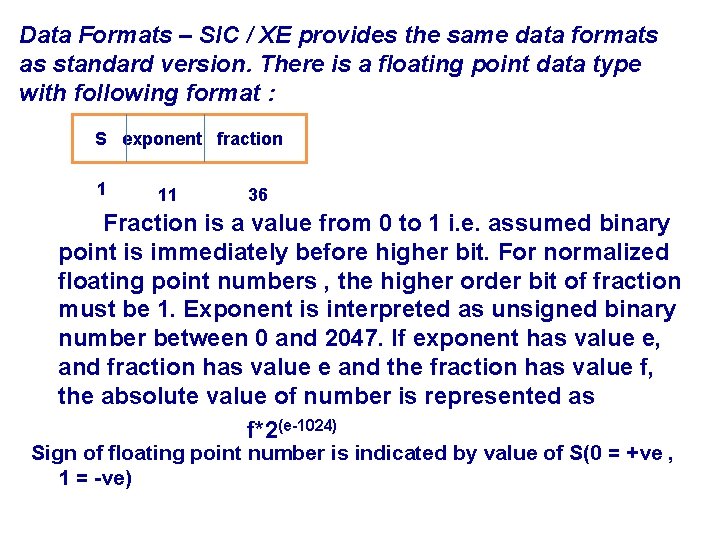
Data Formats – SIC / XE provides the same data formats as standard version. There is a floating point data type with following format : S exponent fraction 1 11 36 Fraction is a value from 0 to 1 i. e. assumed binary point is immediately before higher bit. For normalized floating point numbers , the higher order bit of fraction must be 1. Exponent is interpreted as unsigned binary number between 0 and 2047. If exponent has value e, and fraction has value e and the fraction has value f, the absolute value of number is represented as f*2(e-1024) Sign of floating point number is indicated by value of S(0 = +ve , 1 = -ve)
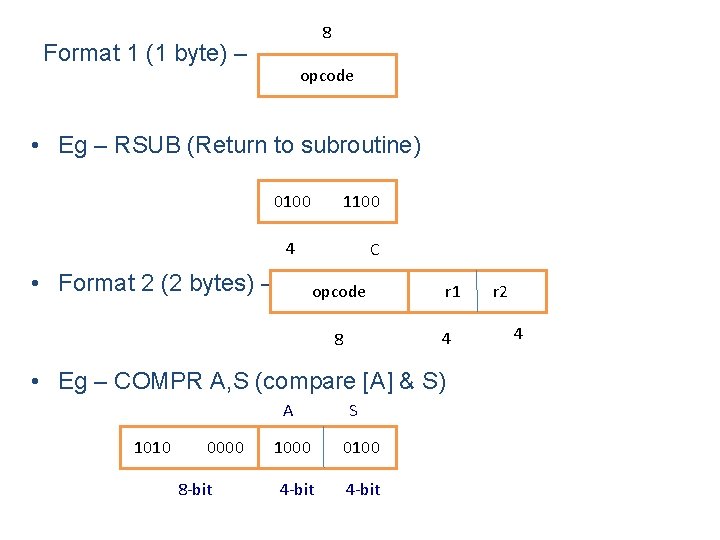
8 Format 1 (1 byte) – opcode • Eg – RSUB (Return to subroutine) 0100 1100 4 • Format 2 (2 bytes) – C opcode r 1 4 8 • Eg – COMPR A, S (compare [A] & S) A 1010 0000 8 -bit S 1000 0100 4 -bit r 2 4
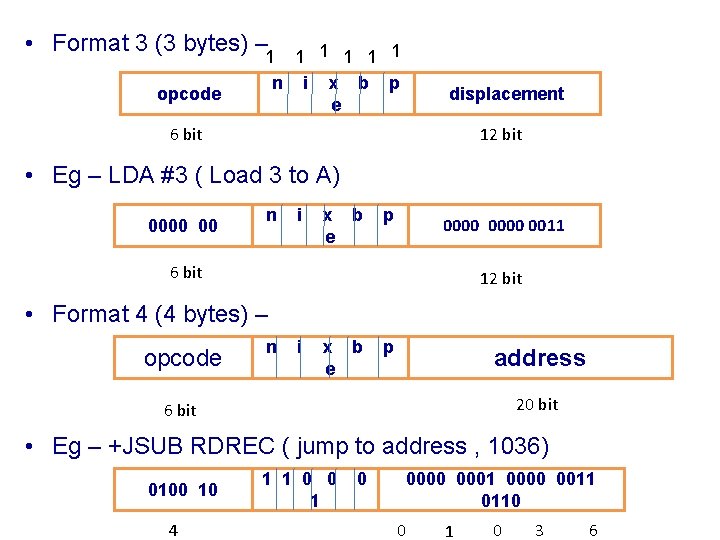
• Format 3 (3 bytes) – 1 1 1 n i x b p e opcode displacement 6 bit 12 bit • Eg – LDA #3 ( Load 3 to A) 0000 00 n i x b e p 0000 0011 6 bit 12 bit • Format 4 (4 bytes) – opcode n i x b e p address 20 bit 6 bit • Eg – +JSUB RDREC ( jump to address , 1036) 0100 10 4 1 1 0 0000 0001 0000 0011 0110 0 1 0 3 6
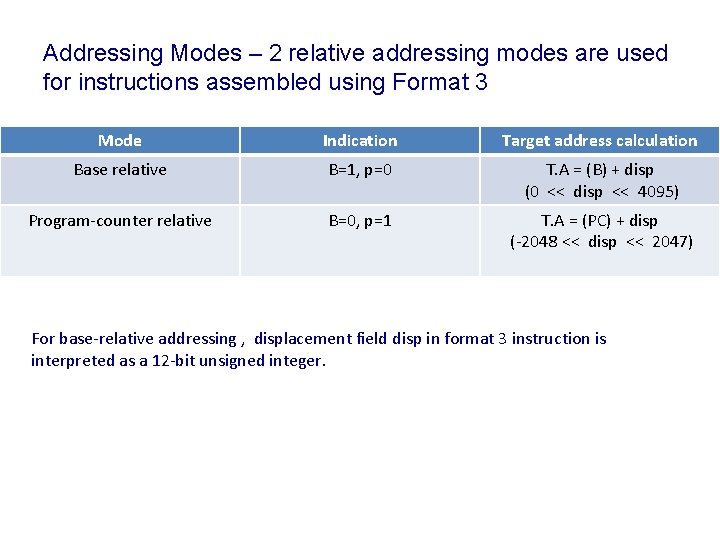
Addressing Modes – 2 relative addressing modes are used for instructions assembled using Format 3 Mode Indication Target address calculation Base relative B=1, p=0 T. A = (B) + disp (0 << disp << 4095) Program-counter relative B=0, p=1 T. A = (PC) + disp (-2048 << disp << 2047) For base-relative addressing , displacement field disp in format 3 instruction is interpreted as a 12 -bit unsigned integer.
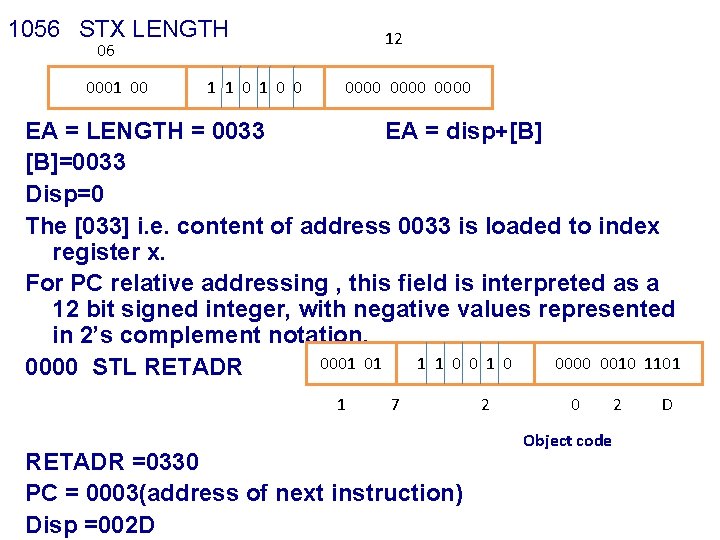
1056 STX LENGTH 12 06 0001 00 1 1 0 0 0000 EA = LENGTH = 0033 EA = disp+[B] [B]=0033 Disp=0 The [033] i. e. content of address 0033 is loaded to index register x. For PC relative addressing , this field is interpreted as a 12 bit signed integer, with negative values represented in 2’s complement notation. 0001 01 1 1 0 0000 0010 1101 0000 STL RETADR 1 7 RETADR =0330 PC = 0003(address of next instruction) Disp =002 D 2 0 Object code 2 D
![ea=retadr = 30 Ea= disp+pc Ea = 2 d+0003 • Linkage register contain [retadr]](http://slidetodoc.com/presentation_image_h/d30ba689fcc53b16916bef92a14f41d7/image-27.jpg "ea=retadr = 30 Ea= disp+pc Ea = 2 d+0003 • Linkage register contain [retadr]")
ea=retadr = 30 Ea= disp+pc Ea = 2 d+0003 • Linkage register contain [retadr] = 0030 • If b & p = 0 disp field in format 3 is taken to be target address
- Slides: 27