
System Requirements Processor 1 gigahertz GHz or faster

- Slides: 17
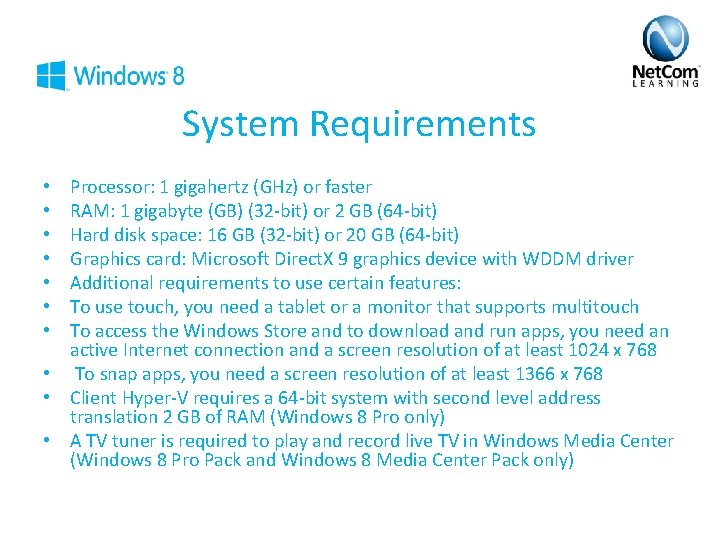
System Requirements Processor: 1 gigahertz (GHz) or faster RAM: 1 gigabyte (GB) (32 -bit) or 2 GB (64 -bit) Hard disk space: 16 GB (32 -bit) or 20 GB (64 -bit) Graphics card: Microsoft Direct. X 9 graphics device with WDDM driver Additional requirements to use certain features: To use touch, you need a tablet or a monitor that supports multitouch To access the Windows Store and to download and run apps, you need an active Internet connection and a screen resolution of at least 1024 x 768 • To snap apps, you need a screen resolution of at least 1366 x 768 • Client Hyper-V requires a 64 -bit system with second level address translation 2 GB of RAM (Windows 8 Pro only) • A TV tuner is required to play and record live TV in Windows Media Center (Windows 8 Pro Pack and Windows 8 Media Center Pack only) • •
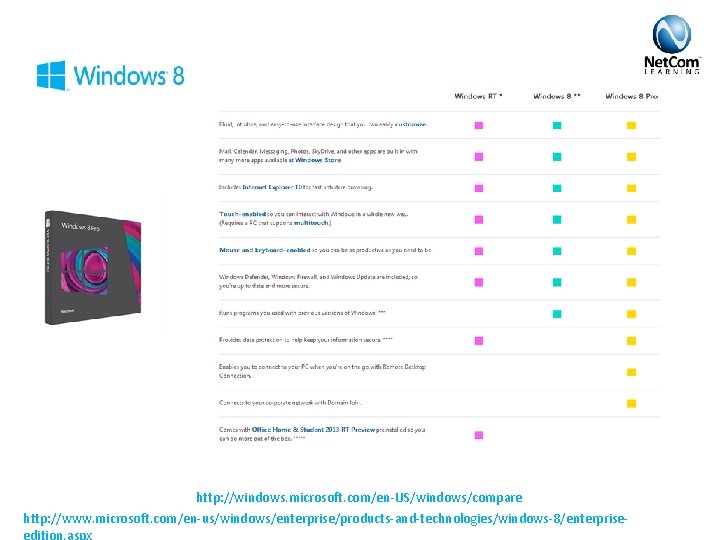
http: //windows. microsoft. com/en-US/windows/compare http: //www. microsoft. com/en-us/windows/enterprise/products-and-technologies/windows-8/enterpriseedition. aspx
Enterprise • Windows To Go • Direct. Access • Branch. Cache • App. Locker • VDI Enhancements • New Windows 8 App Deployment
Polls
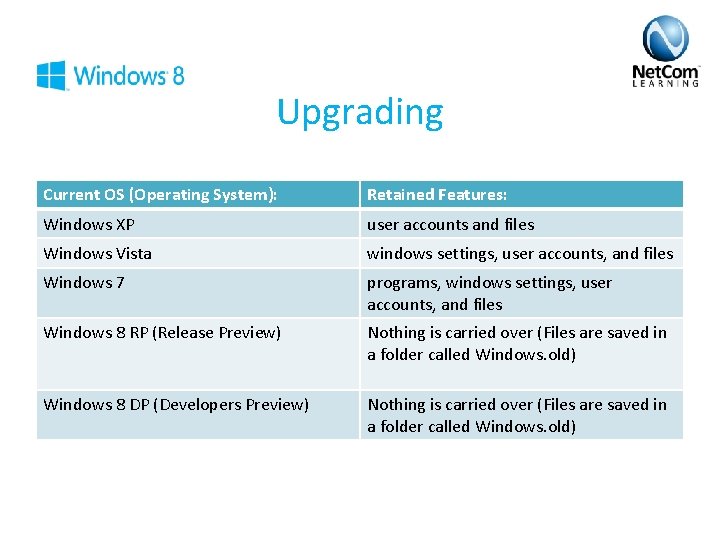
Upgrading Current OS (Operating System): Retained Features: Windows XP user accounts and files Windows Vista windows settings, user accounts, and files Windows 7 programs, windows settings, user accounts, and files Windows 8 RP (Release Preview) Nothing is carried over (Files are saved in a folder called Windows. old) Windows 8 DP (Developers Preview) Nothing is carried over (Files are saved in a folder called Windows. old)
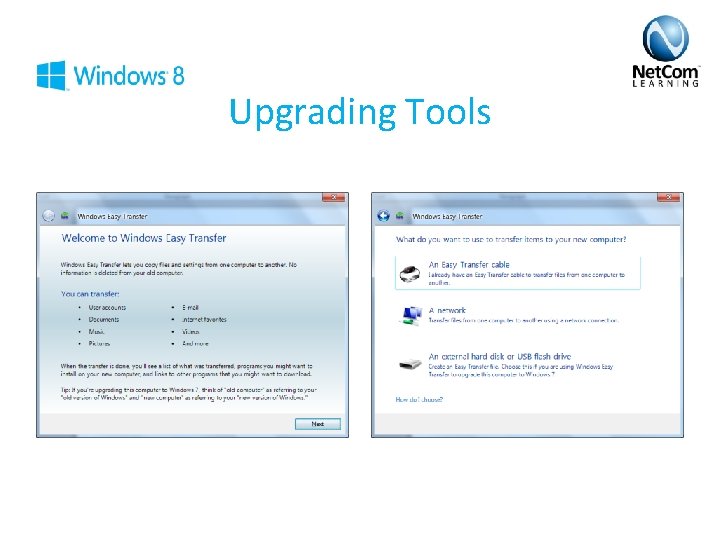
Upgrading Tools
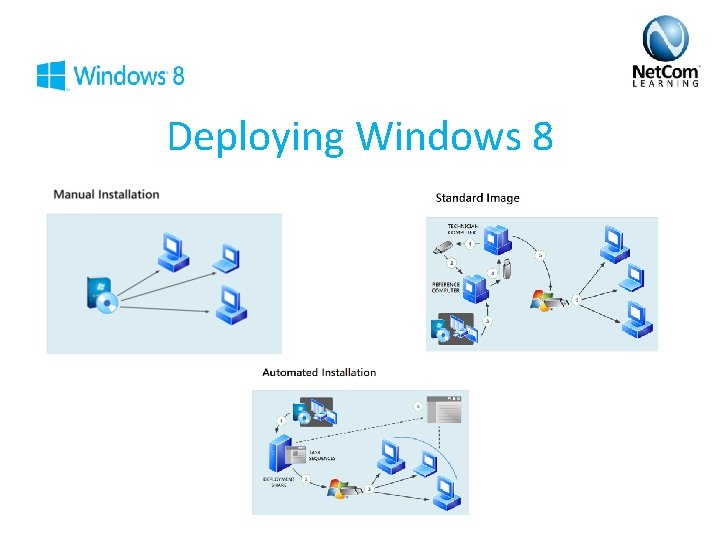
Deploying Windows 8
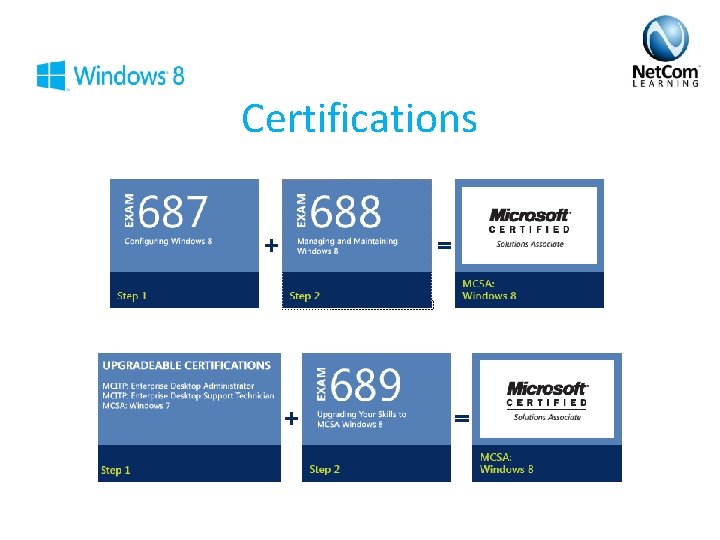
Certifications
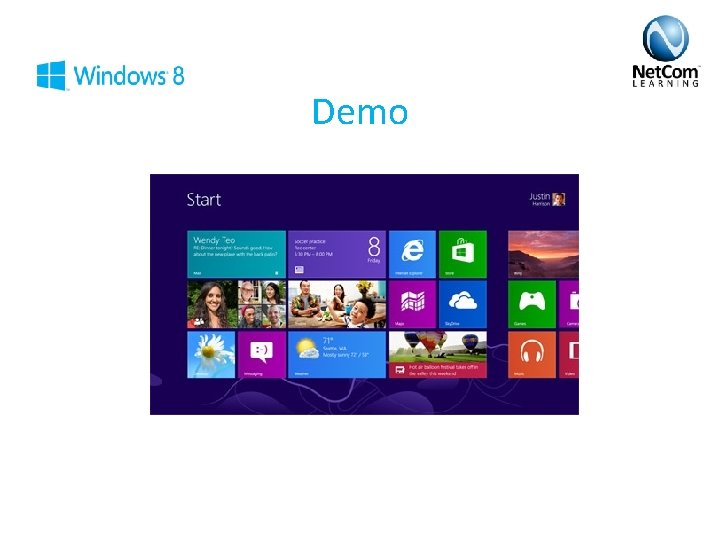
Demo
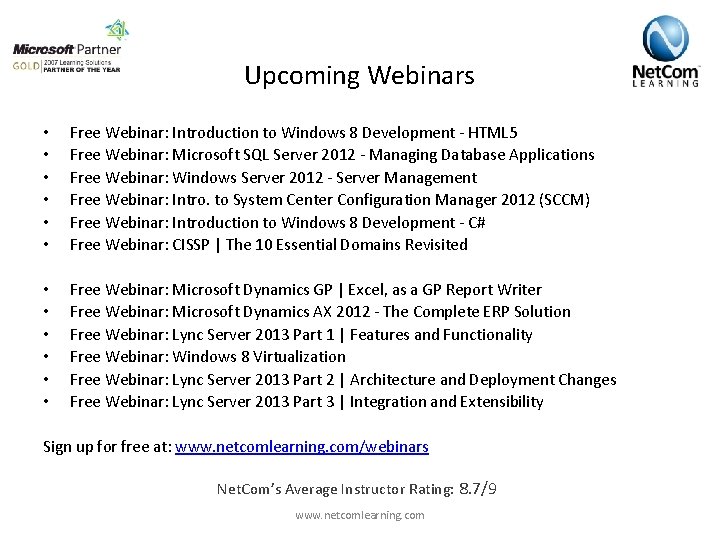
Upcoming Webinars • • • Free Webinar: Introduction to Windows 8 Development - HTML 5 Free Webinar: Microsoft SQL Server 2012 - Managing Database Applications Free Webinar: Windows Server 2012 - Server Management Free Webinar: Intro. to System Center Configuration Manager 2012 (SCCM) Free Webinar: Introduction to Windows 8 Development - C# Free Webinar: CISSP | The 10 Essential Domains Revisited • • • Free Webinar: Microsoft Dynamics GP | Excel, as a GP Report Writer Free Webinar: Microsoft Dynamics AX 2012 - The Complete ERP Solution Free Webinar: Lync Server 2013 Part 1 | Features and Functionality Free Webinar: Windows 8 Virtualization Free Webinar: Lync Server 2013 Part 2 | Architecture and Deployment Changes Free Webinar: Lync Server 2013 Part 3 | Integration and Extensibility Sign up for free at: www. netcomlearning. com/webinars Net. Com’s Average Instructor Rating: 8. 7/9 www. netcomlearning. com
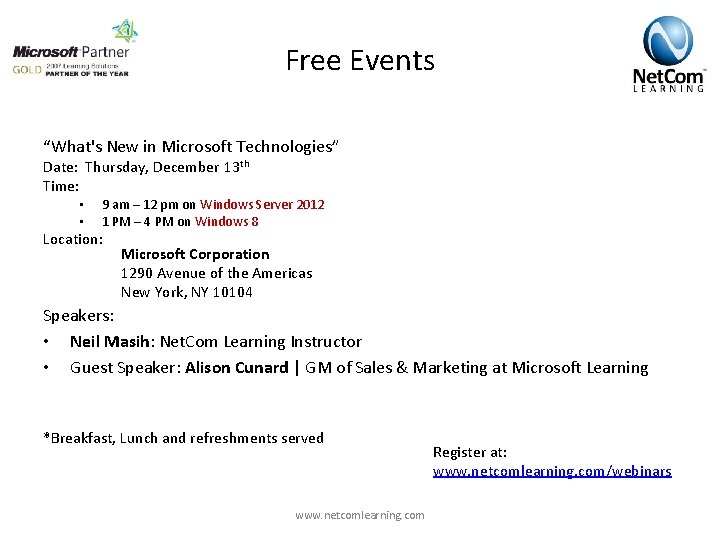
Free Events “What's New in Microsoft Technologies” Date: Thursday, December 13 th Time: • • 9 am – 12 pm on Windows Server 2012 1 PM – 4 PM on Windows 8 Location: Microsoft Corporation 1290 Avenue of the Americas New York, NY 10104 Speakers: • Neil Masih: Net. Com Learning Instructor • Guest Speaker: Alison Cunard | GM of Sales & Marketing at Microsoft Learning *Breakfast, Lunch and refreshments served www. netcomlearning. com Register at: www. netcomlearning. com/webinars
Windows 8 Classes MCSA: Windows 8 • 20687: Configuring Windows 8 • 20688: Managing and Maintaining Windows 8 (Exam releasing on Jan 18 th 2013) Upcoming Classes: 20687: Configuring Windows 8 • • January 14 th in Arlington, VA & Live Online February 4 th in New York, NY & Live Online Locations: Attend in-class or Live Online Instructor-led • • New York Las Vegas (All Inclusive Travel Package) Arlington VA Philadelphia, PA www. netcomlearning. com
Windows 8 Classes MCSA: Windows 8 • 20687: Configuring Windows 8 • 20688: Managing and Maintaining Windows 8 (Exam releasing on Jan 18 th 2013) Upcoming Classes: 20687: Configuring Windows 8 • • January 14 th in Arlington, VA & Live Online February 4 th in New York, NY & Live Online Locations: Attend in-class or Live Online Instructor-led • • New York Las Vegas (All Inclusive Travel Package) Arlington VA Philadelphia, PA www. netcomlearning. com
Windows 7 • MCTS & MCITP Windows 7 (exams 70 -680 & 70 -685) • • • 6292: Installing and Configuring Windows 7 Client 6293: Troubleshooting and Supporting Windows 7 in the Enterprise Automatic MCSA: Windows 7 once you pass exam 70 -685 • MCSA: Windows 7 + Upgrade exam = MCSA: Windows 8 • Upcoming Classes in MCTS & MCITP Windows 7: • • • January 21 st in New York City & Live Online January 28 th in Las Vegas & Live Online (All Inclusive Travel Package) February 18 th in Arlington, VA & Live Online www. netcomlearning. com
Webinar Raffle! www. netcomlearning. com
Q&A We would love to hear about your training goals. Call us: 1 -888 -563 -8266 E-mail: info@netcomlearning. com www. netcomlearning. com