
System Programming Introduction What is System System is
![Pass 2: Generate object program 1) Look up value of symbols [STGET] 2) Generate](https://slidetodoc.com/presentation_image_h2/2ee0a7a6bdda24133b9a2bb339a6bc1f/image-40.jpg "Pass 2: Generate object program 1) Look up value of symbols [STGET] 2) Generate")
![Machine Dependent and Machine Independent features of Assembler • M/C Dependent Features – A]](https://slidetodoc.com/presentation_image_h2/2ee0a7a6bdda24133b9a2bb339a6bc1f/image-52.jpg "Machine Dependent and Machine Independent features of Assembler • M/C Dependent Features – A]")
- Slides: 52
System Programming
Introduction • What is System? System is the collection of various components Ex: - College is a system • What is Programming? Art of designing and implementing the programs.
What is Software ? • Software is collection of many programs • Two types of software – System software These programs assist general use application programs Ex: - Operation System , Assembler etc. – Application software These are the software developed for the specific goal
• System Program: “These are programs which are required for the effective execution of general user programs on computer system. ” • System Programming: “ It is an art of designing and implementing system programs. ”
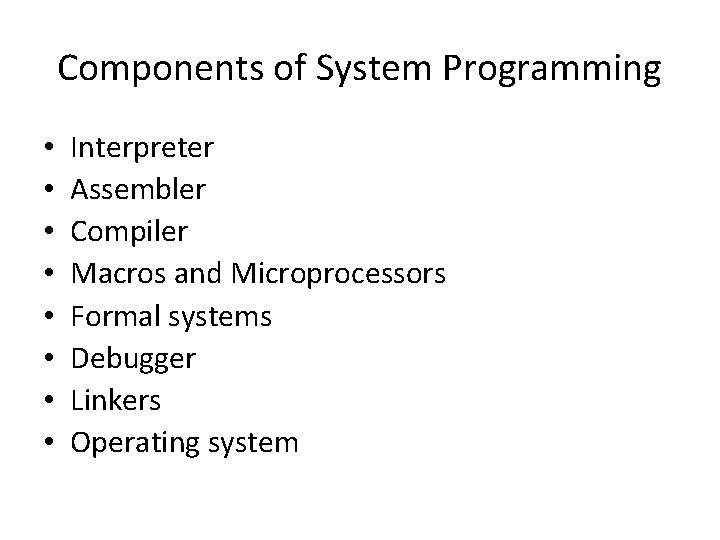
Components of System Programming • • Interpreter Assembler Compiler Macros and Microprocessors Formal systems Debugger Linkers Operating system
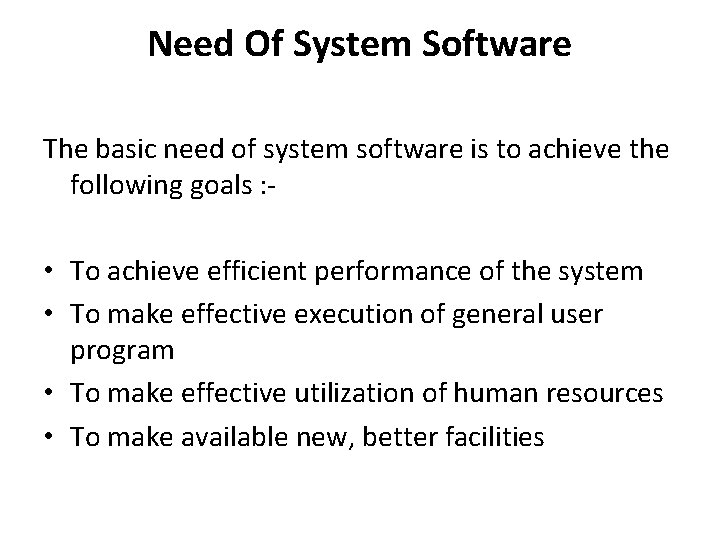
Need Of System Software The basic need of system software is to achieve the following goals : - • To achieve efficient performance of the system • To make effective execution of general user program • To make effective utilization of human resources • To make available new, better facilities
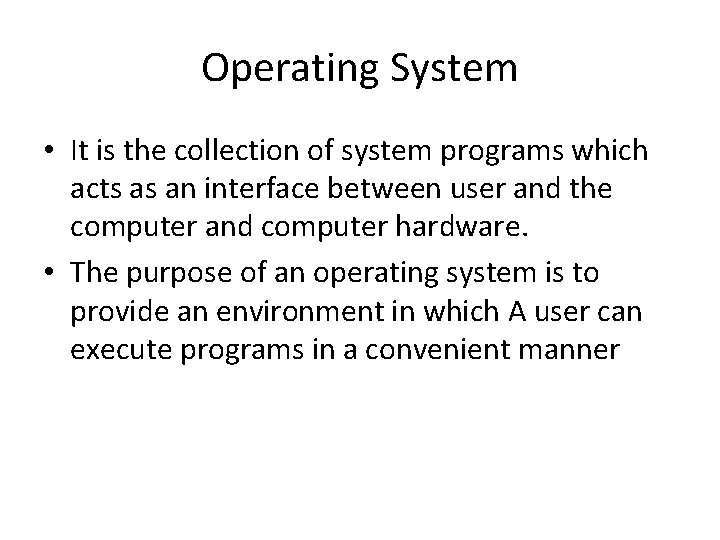
Operating System • It is the collection of system programs which acts as an interface between user and the computer and computer hardware. • The purpose of an operating system is to provide an environment in which A user can execute programs in a convenient manner
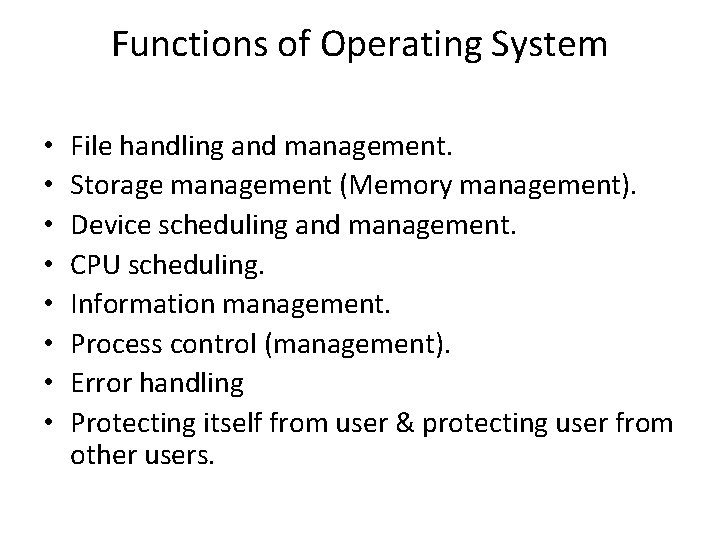
Functions of Operating System • • File handling and management. Storage management (Memory management). Device scheduling and management. CPU scheduling. Information management. Process control (management). Error handling Protecting itself from user & protecting user from other users.
Translators • These are the system programs that converts the source program into computer understandable fashion • Types of translators – Single Pass translator – Multi Pass translator
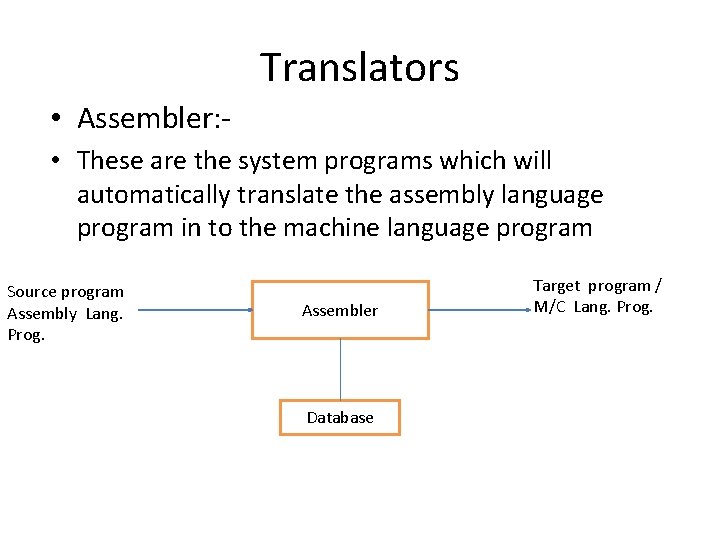
Translators • Assembler: • These are the system programs which will automatically translate the assembly language program in to the machine language program Source program Assembly Lang. Prog. Assembler Database Target program / M/C Lang. Prog.
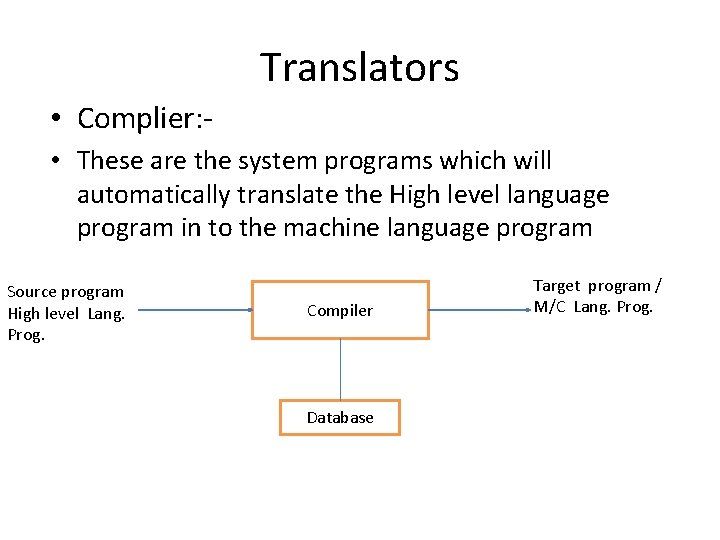
Translators • Complier: • These are the system programs which will automatically translate the High level language program in to the machine language program Source program High level Lang. Prog. Compiler Database Target program / M/C Lang. Prog.
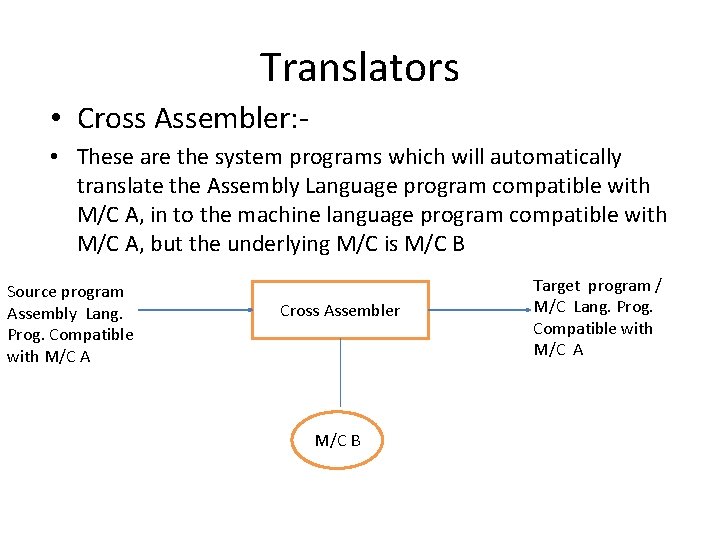
Translators • Cross Assembler: • These are the system programs which will automatically translate the Assembly Language program compatible with M/C A, in to the machine language program compatible with M/C A, but the underlying M/C is M/C B Source program Assembly Lang. Prog. Compatible with M/C A Cross Assembler M/C B Target program / M/C Lang. Prog. Compatible with M/C A
• An assembler that generates machine language for a different type of computer than the one the assembler is running in. It is used to develop programs for computers on a chip or microprocessors used in specialized applications that are either too small or are otherwise incapable of handling the development software.
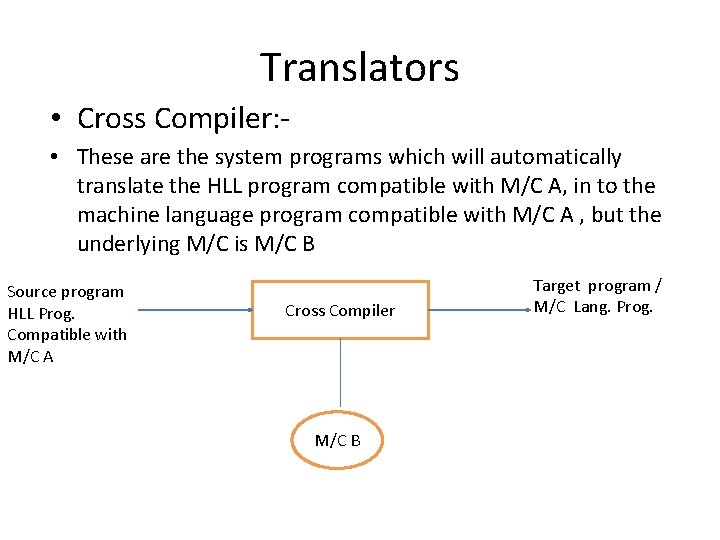
Translators • Cross Compiler: • These are the system programs which will automatically translate the HLL program compatible with M/C A, in to the machine language program compatible with M/C A , but the underlying M/C is M/C B Source program HLL Prog. Compatible with M/C A Cross Compiler M/C B Target program / M/C Lang. Prog.
• A cross compiler is a compiler capable of creating executable code for a platform other than the on which the compiler is running. For example, a compiler that runs on a Windows 7 PC but generates code that runs on Android smartphone is a cross compiler.
• Interpreter Translators – It is the language translator which execute source program line by line with out translating them into machine language. Types of Interpreter – Pure Interpreter • In this case no preprocessing is required on source program before an interpretation starts. -Impure Interpreter • Some preprocessing is required on source program before an interpretation starts.
Loader • A Loader is system program that place the object program into main memory and prepares it for execution. • Basic functions of loader – Allocation – Linking – Relocation – Loading
Types of Loader • • • Compile-and-go Loader Relocating Loader Direct Linking Loader Absolute Loader General Loader Dynamic Loader
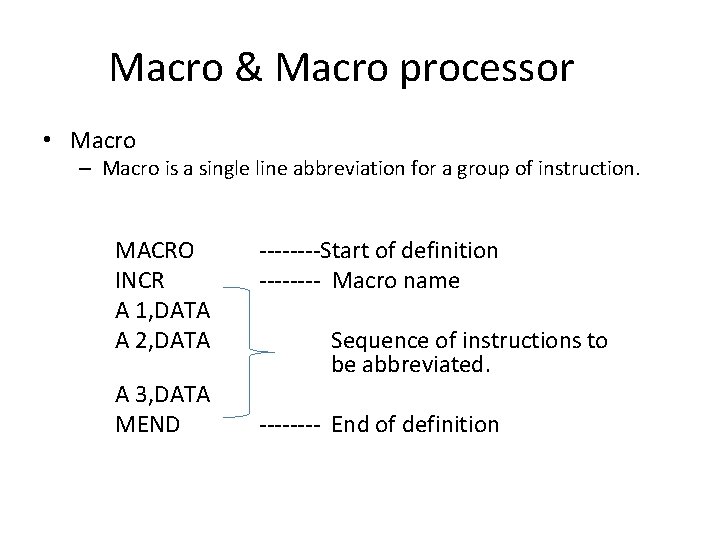
Macro & Macro processor • Macro – Macro is a single line abbreviation for a group of instruction. MACRO INCR A 1, DATA A 2, DATA A 3, DATA MEND ----Start of definition ---- Macro name Sequence of instructions to be abbreviated. ---- End of definition
Linking and Linker • Linking – The Process of merging many object modules to form a single object program is called as linking. • Linker • The Linker is the software program which binds many object modules to make a single object program.
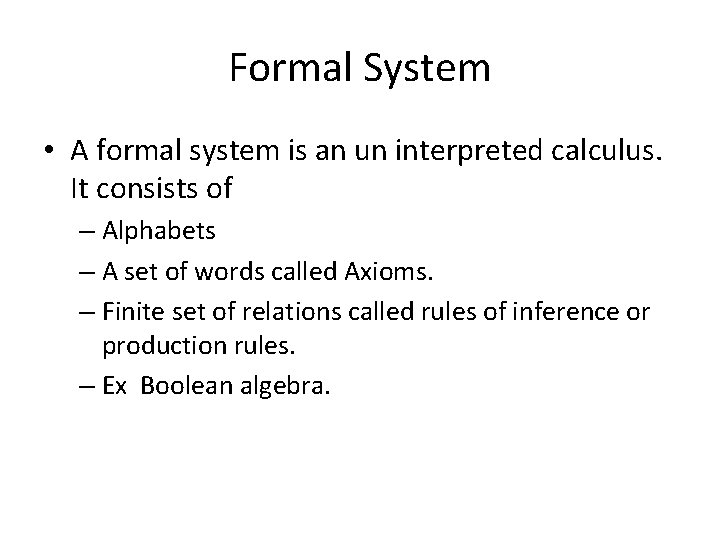
Formal System • A formal system is an un interpreted calculus. It consists of – Alphabets – A set of words called Axioms. – Finite set of relations called rules of inference or production rules. – Ex Boolean algebra.
Assembler
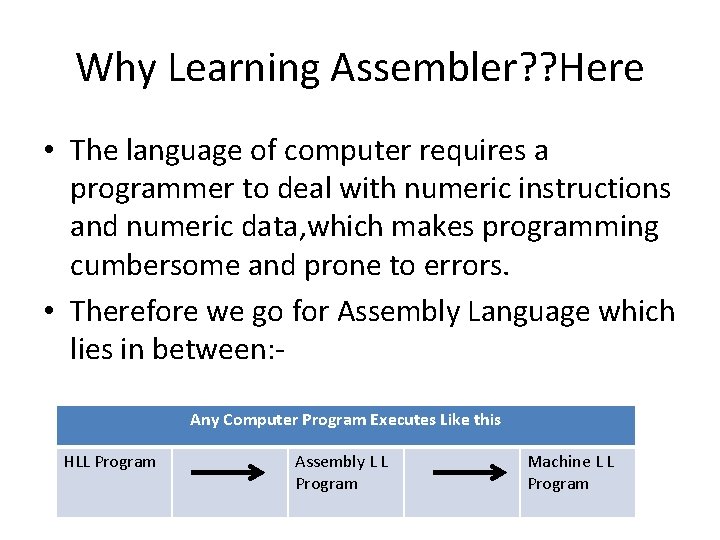
Why Learning Assembler? ? Here • The language of computer requires a programmer to deal with numeric instructions and numeric data, which makes programming cumbersome and prone to errors. • Therefore we go for Assembly Language which lies in between: Any Computer Program Executes Like this HLL Program Assembly L L Program Machine L L Program
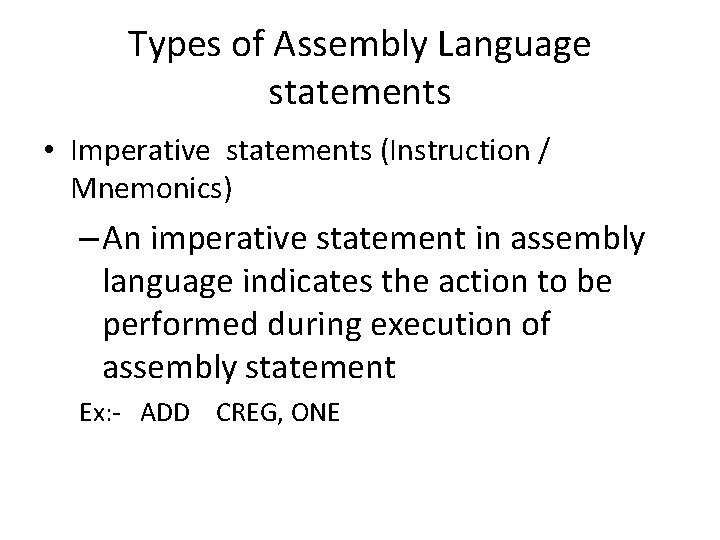
Types of Assembly Language statements • Imperative statements (Instruction / Mnemonics) – An imperative statement in assembly language indicates the action to be performed during execution of assembly statement Ex: - ADD CREG, ONE
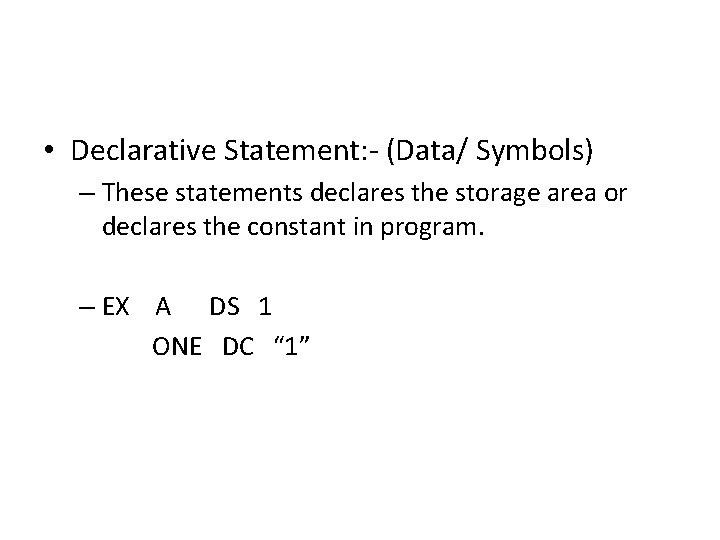
• Declarative Statement: - (Data/ Symbols) – These statements declares the storage area or declares the constant in program. – EX A DS 1 ONE DC “ 1”
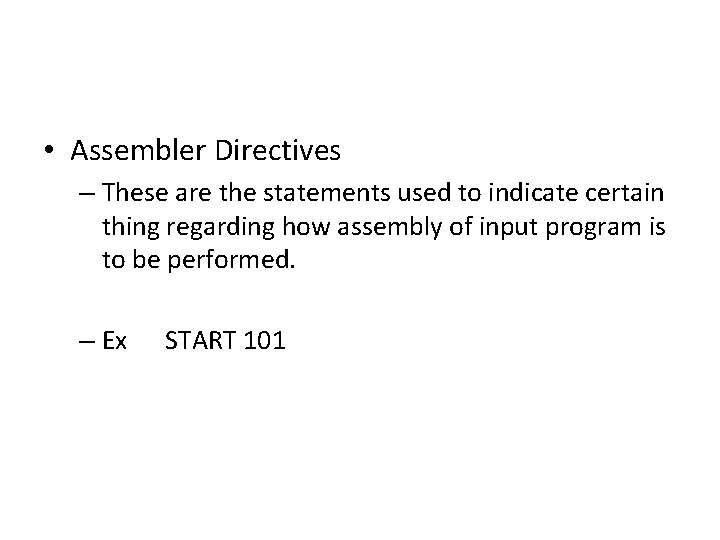
• Assembler Directives – These are the statements used to indicate certain thing regarding how assembly of input program is to be performed. – Ex START 101
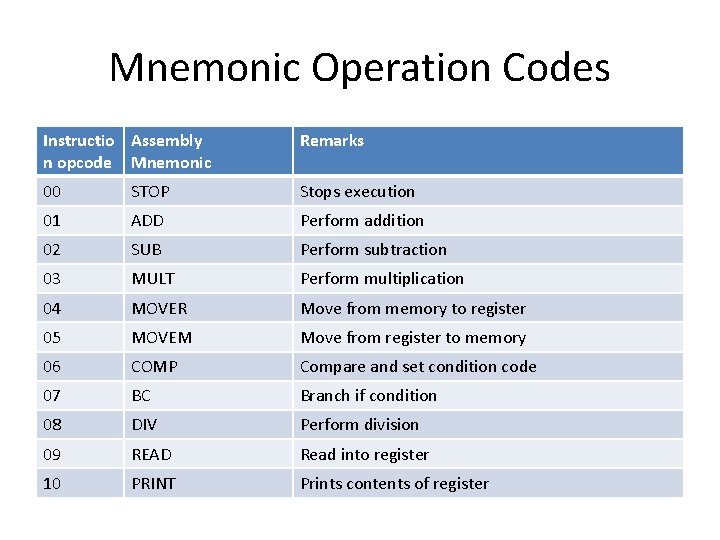
Mnemonic Operation Codes Instructio Assembly n opcode Mnemonic Remarks 00 STOP Stops execution 01 ADD Perform addition 02 SUB Perform subtraction 03 MULT Perform multiplication 04 MOVER Move from memory to register 05 MOVEM Move from register to memory 06 COMP Compare and set condition code 07 BC Branch if condition 08 DIV Perform division 09 READ Read into register 10 PRINT Prints contents of register
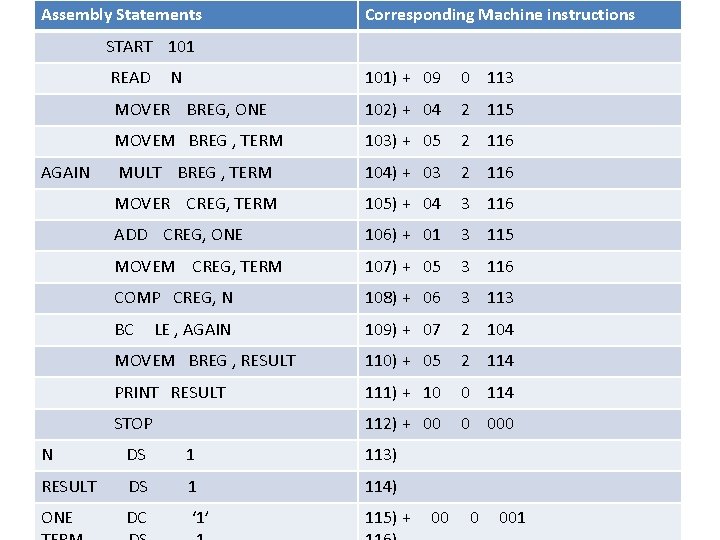
Assembly Statements Corresponding Machine instructions START 101 READ AGAIN N 101) + 09 0 113 MOVER BREG, ONE 102) + 04 2 115 MOVEM BREG , TERM 103) + 05 2 116 MULT BREG , TERM 104) + 03 2 116 MOVER CREG, TERM 105) + 04 3 116 ADD CREG, ONE 106) + 01 3 115 MOVEM CREG, TERM 107) + 05 3 116 COMP CREG, N 108) + 06 3 113 BC 109) + 07 2 104 MOVEM BREG , RESULT 110) + 05 2 114 PRINT RESULT 111) + 10 0 114 STOP 112) + 00 0 000 LE , AGAIN N DS 1 113) RESULT DS 1 114) ONE DC ‘ 1’ 115) + 00 0 001
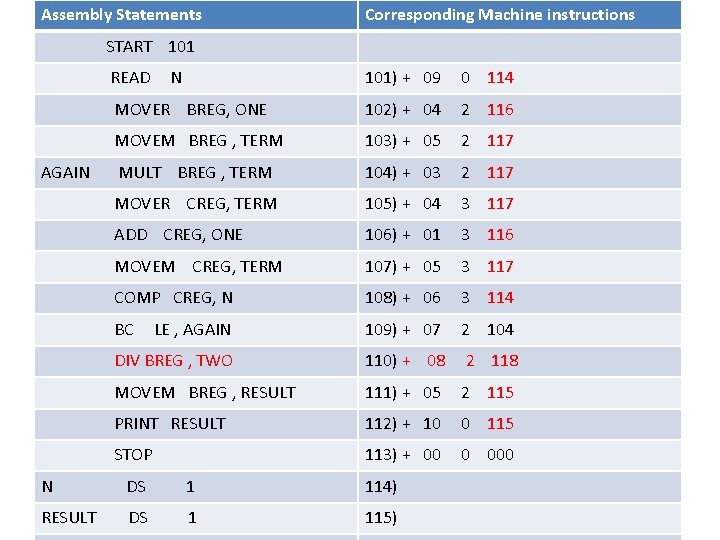
Assembly Statements Corresponding Machine instructions START 101 READ AGAIN N 101) + 09 0 114 MOVER BREG, ONE 102) + 04 2 116 MOVEM BREG , TERM 103) + 05 2 117 MULT BREG , TERM 104) + 03 2 117 MOVER CREG, TERM 105) + 04 3 117 ADD CREG, ONE 106) + 01 3 116 MOVEM CREG, TERM 107) + 05 3 117 COMP CREG, N 108) + 06 3 114 BC LE , AGAIN 109) + 07 2 104 DIV BREG , TWO 110) + 08 2 118 MOVEM BREG , RESULT 111) + 05 2 115 PRINT RESULT 112) + 10 0 115 STOP 113) + 00 0 000 N DS 1 114) RESULT DS 1 115)
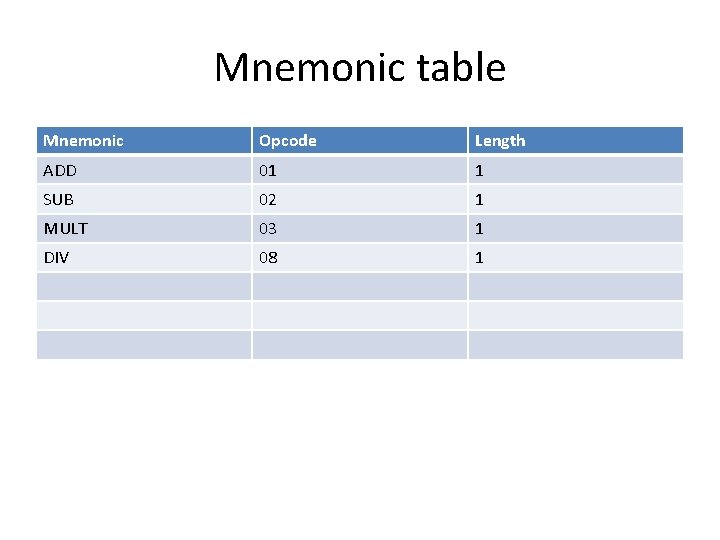
Mnemonic table Mnemonic Opcode Length ADD 01 1 SUB 02 1 MULT 03 1 DIV 08 1
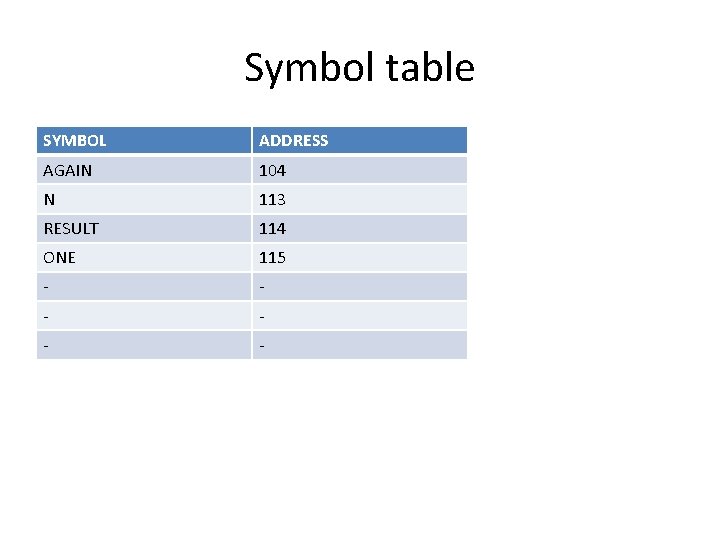
Symbol table SYMBOL ADDRESS AGAIN 104 N 113 RESULT 114 ONE 115 - - -
Types of Assembler • Single pass Assembler • Multi pass Assembler
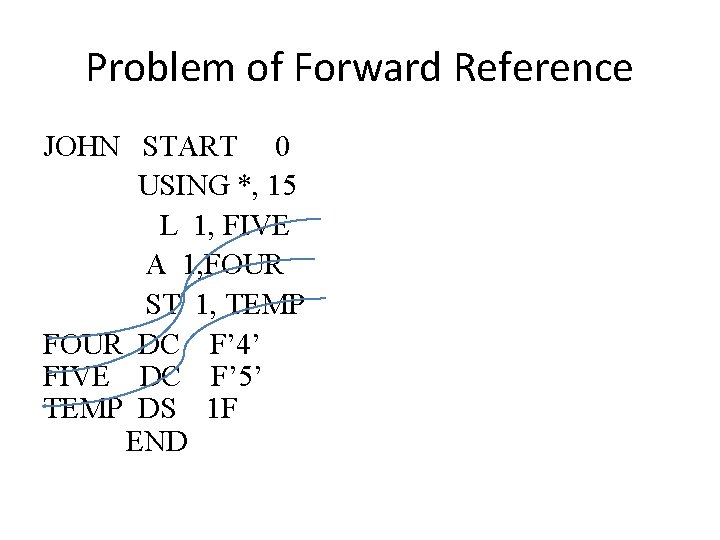
Problem of Forward Reference • When the variables are used before their definition at that time problem of forward reference accurse.
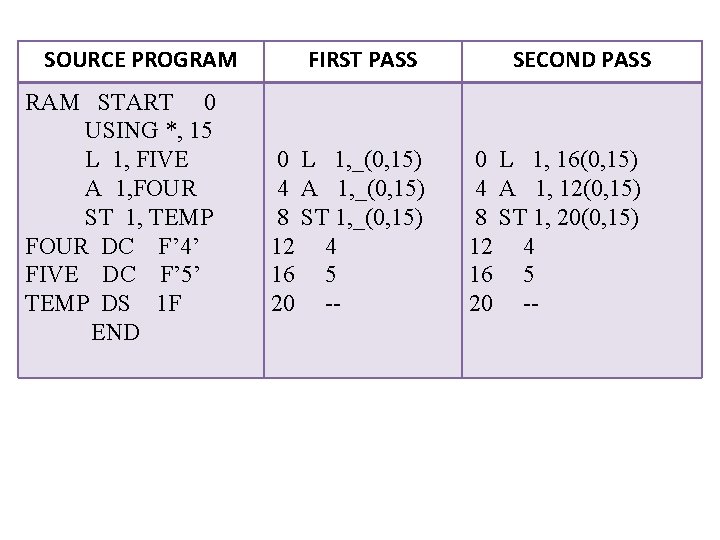
Problem of Forward Reference JOHN START 0 USING *, 15 L 1, FIVE A 1, FOUR ST 1, TEMP FOUR DC F’ 4’ FIVE DC F’ 5’ TEMP DS 1 F END
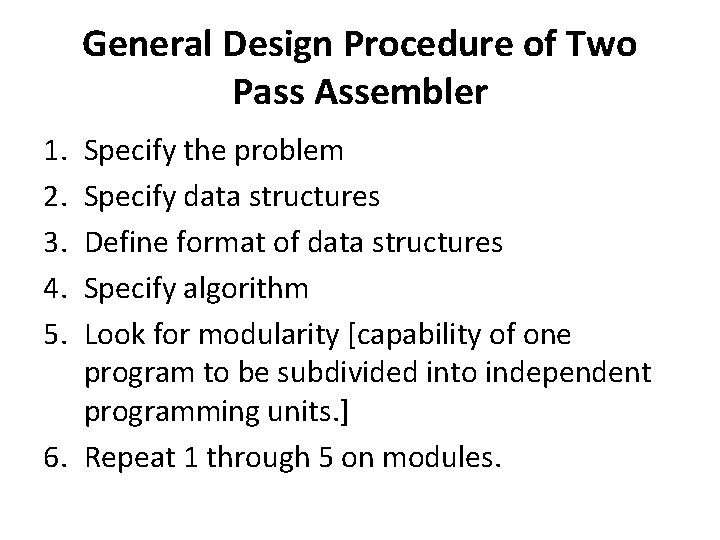
General Design Procedure of Two Pass Assembler 1. 2. 3. 4. 5. Specify the problem Specify data structures Define format of data structures Specify algorithm Look for modularity [capability of one program to be subdivided into independent programming units. ] 6. Repeat 1 through 5 on modules.
SOURCE PROGRAM START 0 USING *, 15 L 1, FIVE A 1, FOUR ST 1, TEMP FOUR DC F’ 4’ FIVE DC F’ 5’ TEMP DS 1 F END FIRST PASS 0 L 1, _(0, 15) 4 A 1, _(0, 15) 8 ST 1, _(0, 15) 12 4 16 5 20 -- SECOND PASS 0 L 1, 16(0, 15) 4 A 1, 12(0, 15) 8 ST 1, 20(0, 15) 12 4 16 5 20 --
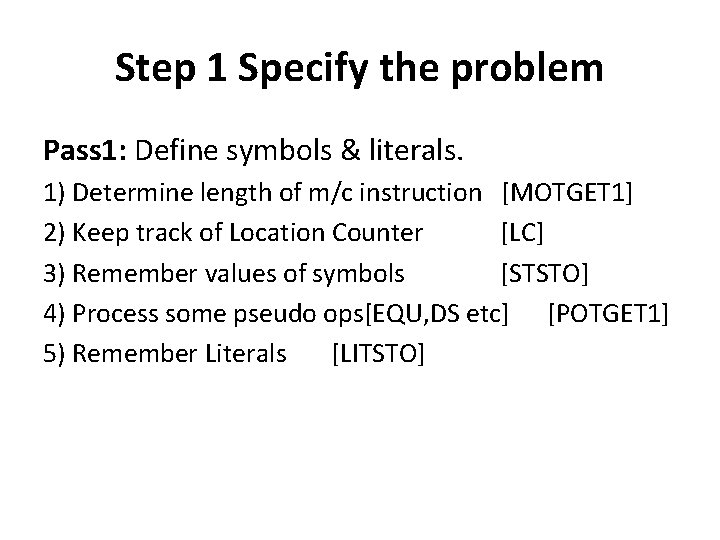
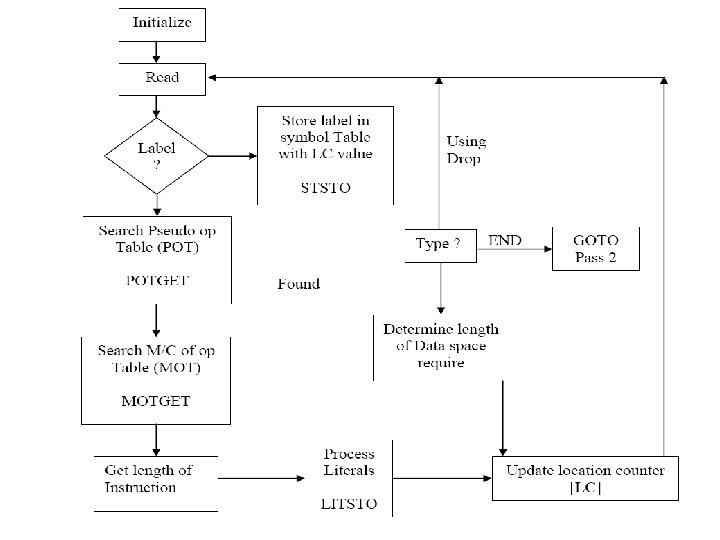
Step 1 Specify the problem Pass 1: Define symbols & literals. 1) Determine length of m/c instruction [MOTGET 1] 2) Keep track of Location Counter [LC] 3) Remember values of symbols [STSTO] 4) Process some pseudo ops[EQU, DS etc] [POTGET 1] 5) Remember Literals [LITSTO]
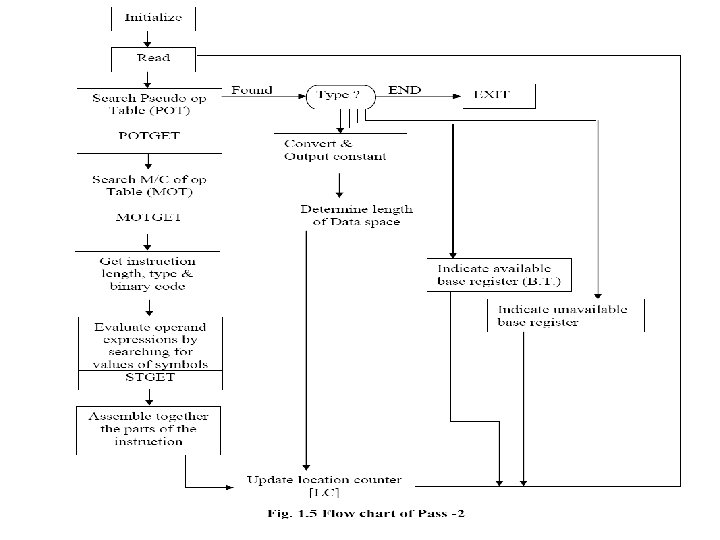
Pass 2: Generate object program 1) Look up value of symbols [STGET] 2) Generate instruction [MOTGET 2] 3) Generate data (for DS, DC & literals) 4) Process pseudo ops [POTGET 2]
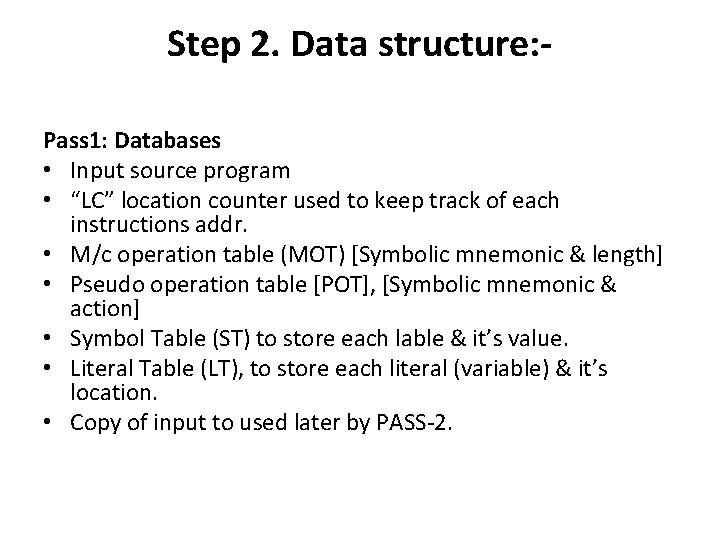
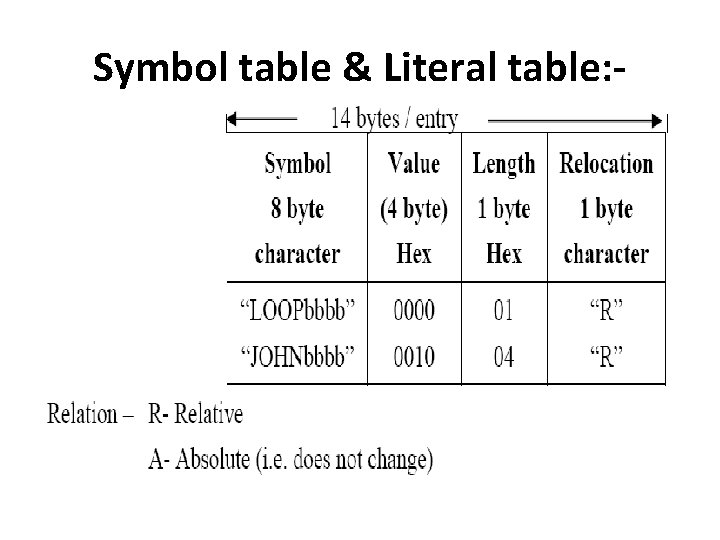
Step 2. Data structure: Pass 1: Databases • Input source program • “LC” location counter used to keep track of each instructions addr. • M/c operation table (MOT) [Symbolic mnemonic & length] • Pseudo operation table [POT], [Symbolic mnemonic & action] • Symbol Table (ST) to store each lable & it’s value. • Literal Table (LT), to store each literal (variable) & it’s location. • Copy of input to used later by PASS-2.
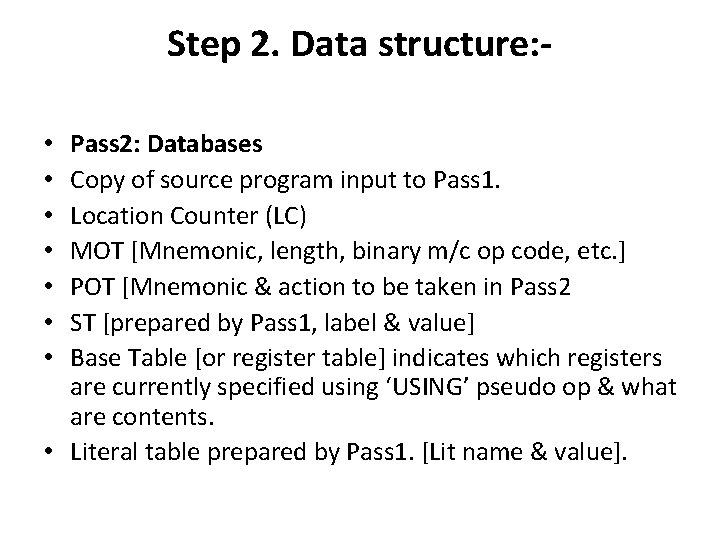
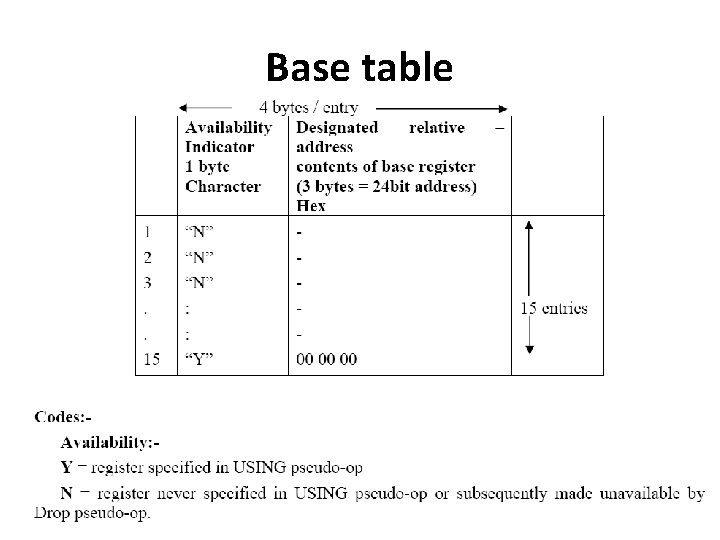
Step 2. Data structure: Pass 2: Databases Copy of source program input to Pass 1. Location Counter (LC) MOT [Mnemonic, length, binary m/c op code, etc. ] POT [Mnemonic & action to be taken in Pass 2 ST [prepared by Pass 1, label & value] Base Table [or register table] indicates which registers are currently specified using ‘USING’ pseudo op & what are contents. • Literal table prepared by Pass 1. [Lit name & value]. • •
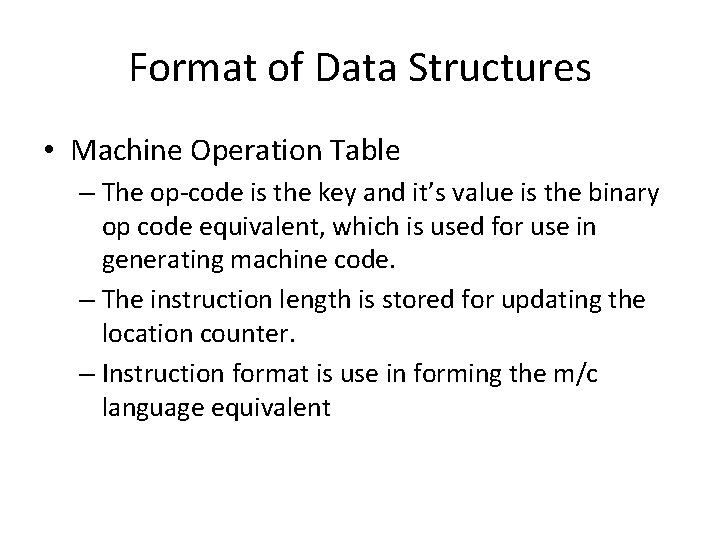
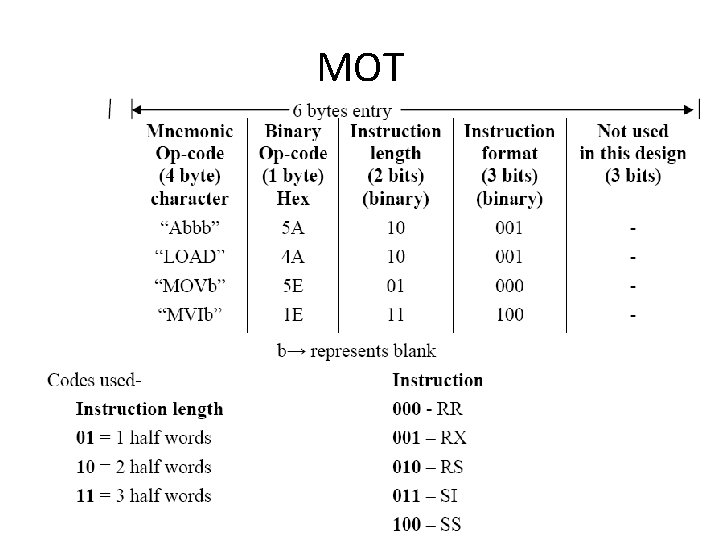
Format of Data Structures • Machine Operation Table – The op-code is the key and it’s value is the binary op code equivalent, which is used for use in generating machine code. – The instruction length is stored for updating the location counter. – Instruction format is use in forming the m/c language equivalent
MOT
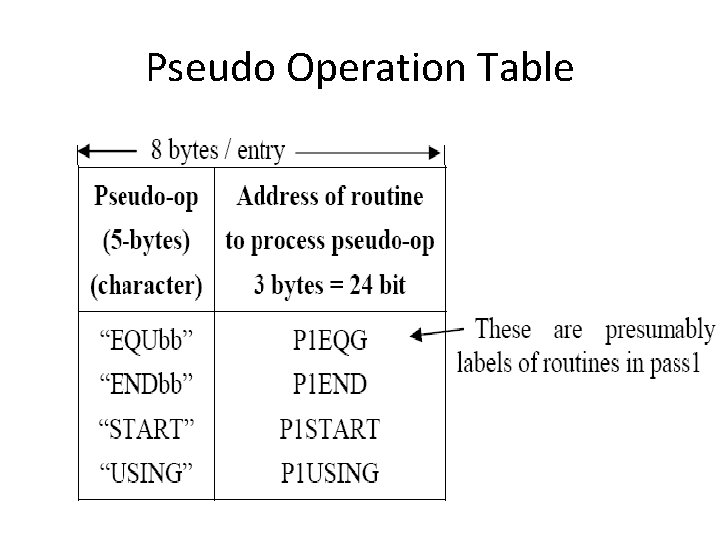
Pseudo Operation Table
Symbol table & Literal table: -
Base table
Pass – I of ASSEMBLER
Pass-II Assembler
Machine Dependent and Machine Independent features of Assembler • M/C Dependent Features – A] Instruction format & addressing mode: – B] Program Relocation • Machine Independent Assembler Features – 1) Literals – 2) Symbol defining statements ( eg. EQU, ORG Assembler directives) – 3) Expressions – 4) Program Blocks – 5)Control Sections and program linking