
System Level Design Review Connor Rollins Tyler Valentine

- Slides: 14
System Level Design Review Connor Rollins Tyler Valentine Shawn Nevers Jacob Goerner
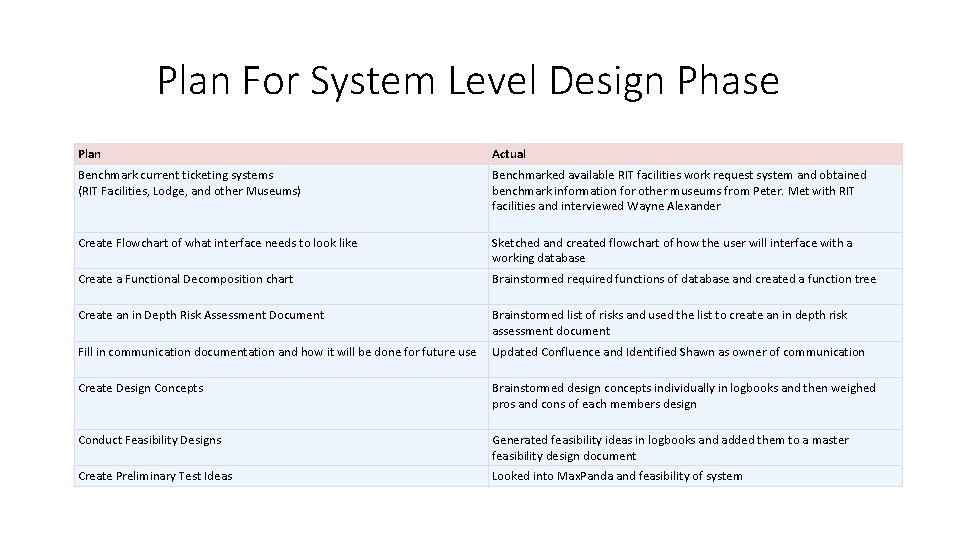
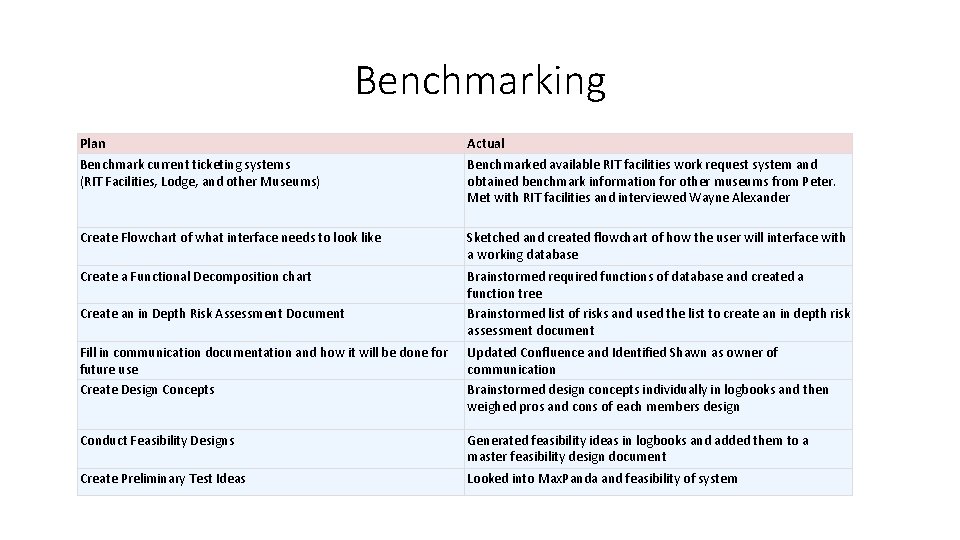
Plan For System Level Design Phase Plan Actual Benchmark current ticketing systems (RIT Facilities, Lodge, and other Museums) Benchmarked available RIT facilities work request system and obtained benchmark information for other museums from Peter. Met with RIT facilities and interviewed Wayne Alexander Create Flowchart of what interface needs to look like Sketched and created flowchart of how the user will interface with a working database Create a Functional Decomposition chart Brainstormed required functions of database and created a function tree Create an in Depth Risk Assessment Document Brainstormed list of risks and used the list to create an in depth risk assessment document Fill in communication documentation and how it will be done for future use Updated Confluence and Identified Shawn as owner of communication Create Design Concepts Brainstormed design concepts individually in logbooks and then weighed pros and cons of each members design Conduct Feasibility Designs Generated feasibility ideas in logbooks and added them to a master feasibility design document Create Preliminary Test Ideas Looked into Max. Panda and feasibility of system
Questions We Want Answered
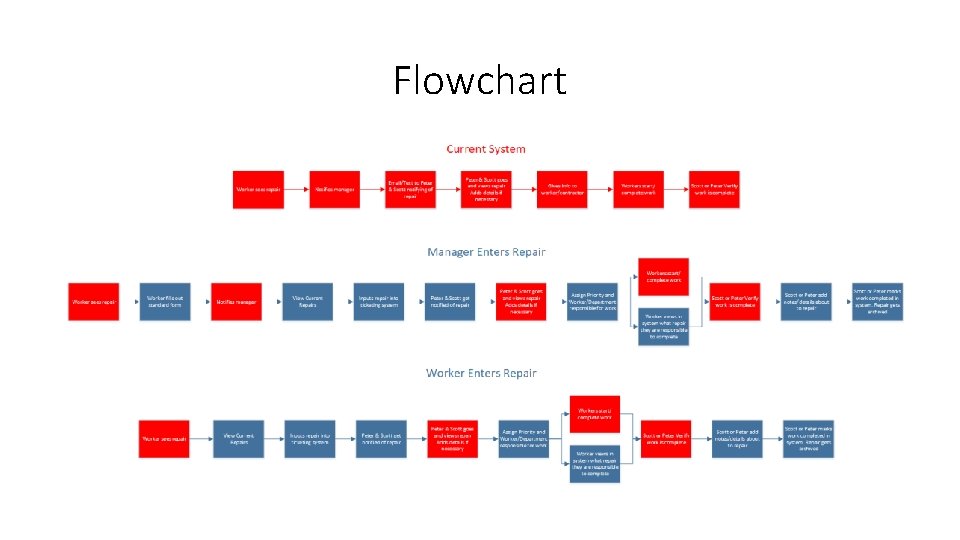
Flowchart
Benchmarking Plan Benchmark current ticketing systems (RIT Facilities, Lodge, and other Museums) Actual Benchmarked available RIT facilities work request system and obtained benchmark information for other museums from Peter. Met with RIT facilities and interviewed Wayne Alexander Create Flowchart of what interface needs to look like Sketched and created flowchart of how the user will interface with a working database Create a Functional Decomposition chart Brainstormed required functions of database and created a function tree Brainstormed list of risks and used the list to create an in depth risk assessment document Create an in Depth Risk Assessment Document Fill in communication documentation and how it will be done for future use Create Design Concepts Updated Confluence and Identified Shawn as owner of communication Brainstormed design concepts individually in logbooks and then weighed pros and cons of each members design Conduct Feasibility Designs Generated feasibility ideas in logbooks and added them to a master feasibility design document Create Preliminary Test Ideas Looked into Max. Panda and feasibility of system
Functional Decomposition
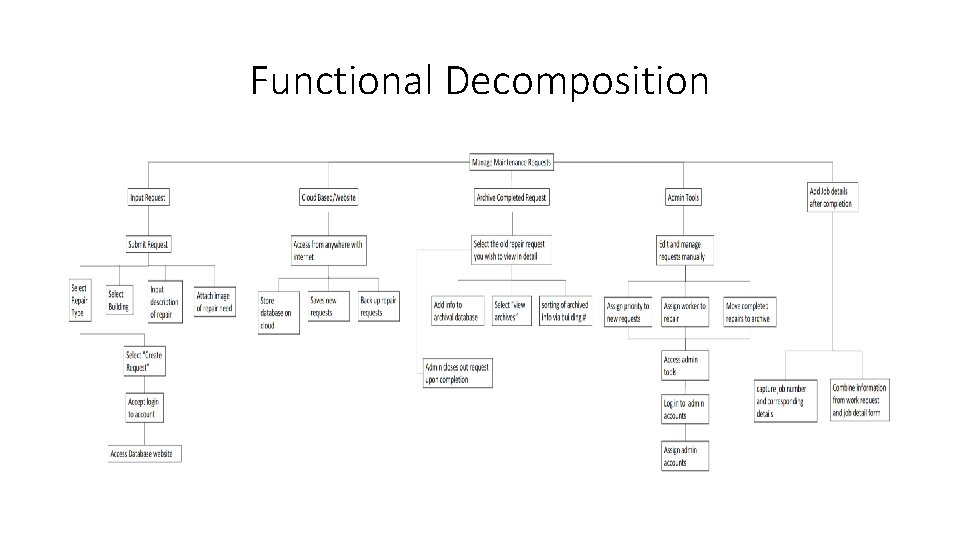
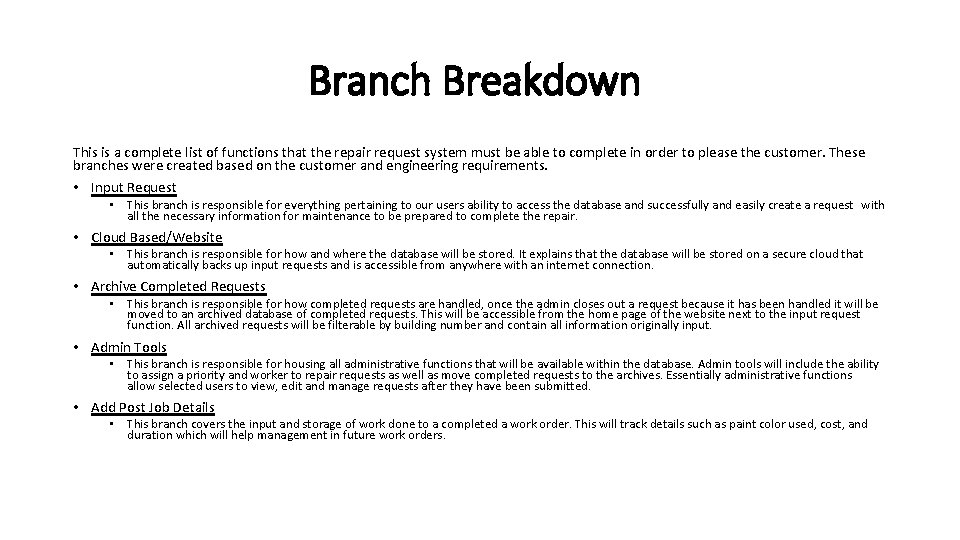
Branch Breakdown This is a complete list of functions that the repair request system must be able to complete in order to please the customer. These branches were created based on the customer and engineering requirements. • Input Request • This branch is responsible for everything pertaining to our users ability to access the database and successfully and easily create a request with all the necessary information for maintenance to be prepared to complete the repair. • Cloud Based/Website • This branch is responsible for how and where the database will be stored. It explains that the database will be stored on a secure cloud that automatically backs up input requests and is accessible from anywhere with an internet connection. • Archive Completed Requests • This branch is responsible for how completed requests are handled, once the admin closes out a request because it has been handled it will be moved to an archived database of completed requests. This will be accessible from the home page of the website next to the input request function. All archived requests will be filterable by building number and contain all information originally input. • Admin Tools • This branch is responsible for housing all administrative functions that will be available within the database. Admin tools will include the ability to assign a priority and worker to repair requests as well as move completed requests to the archives. Essentially administrative functions allow selected users to view, edit and manage requests after they have been submitted. • Add Post Job Details • This branch covers the input and storage of work done to a completed a work order. This will track details such as paint color used, cost, and duration which will help management in future work orders.
Morphological Chart and Concept Selection
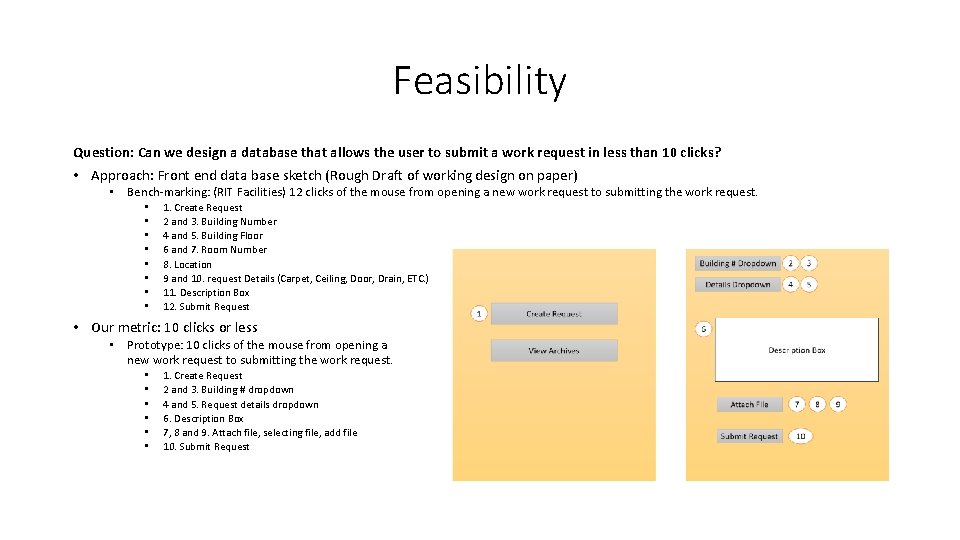
Feasibility Question: Can we design a database that allows the user to submit a work request in less than 10 clicks? • Approach: Front end data base sketch (Rough Draft of working design on paper) • Bench-marking: (RIT Facilities) 12 clicks of the mouse from opening a new work request to submitting the work request. • • 1. Create Request 2 and 3. Building Number 4 and 5. Building Floor 6 and 7. Room Number 8. Location 9 and 10. request Details (Carpet, Ceiling, Door, Drain, ETC. ) 11. Description Box 12. Submit Request • Our metric: 10 clicks or less • Prototype: 10 clicks of the mouse from opening a new work request to submitting the work request. • • • 1. Create Request 2 and 3. Building # dropdown 4 and 5. Request details dropdown 6. Description Box 7, 8 and 9. Attach file, selecting file, add file 10. Submit Request
Feasibility Question: What sort of online Database tools could we use based on the budget. • Given: The budget is $500 but is flexible. • Employees are: Scott, Peter, 3 Carpenters, 5 Facilities employees, numerous contractors, Office manager. This means that there are 11 or more people who will need access or information from the database. • Approach: From research most online database tools cost between $10 -15 person, per month. • The total cost of everyone who works in maintenance to have access at the cheapest possible value will be $1320 per year. [( $10)(11 people)(12 months)] Alternatively, • If just Scott, Peter and the office manager have access, the cost, at the cheapest, will be $360 per year. [(3 people)($10)(12 months)] We will need a data base tool to allow free viewing and entry of records or separate process for getting and sending information between the workers and database.
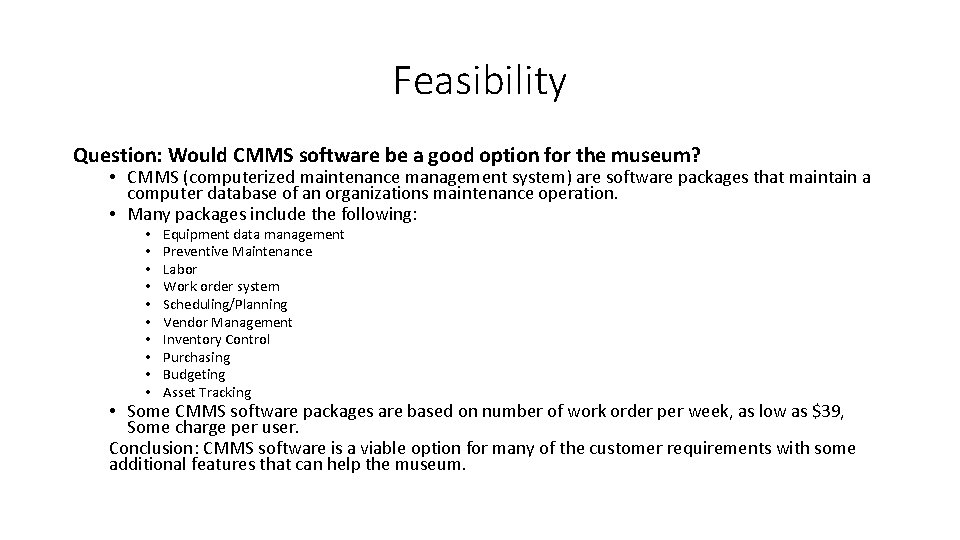
Feasibility Question: Would CMMS software be a good option for the museum? • CMMS (computerized maintenance management system) are software packages that maintain a computer database of an organizations maintenance operation. • Many packages include the following: • • • Equipment data management Preventive Maintenance Labor Work order system Scheduling/Planning Vendor Management Inventory Control Purchasing Budgeting Asset Tracking • Some CMMS software packages are based on number of work order per week, as low as $39, Some charge per user. Conclusion: CMMS software is a viable option for many of the customer requirements with some additional features that can help the museum.
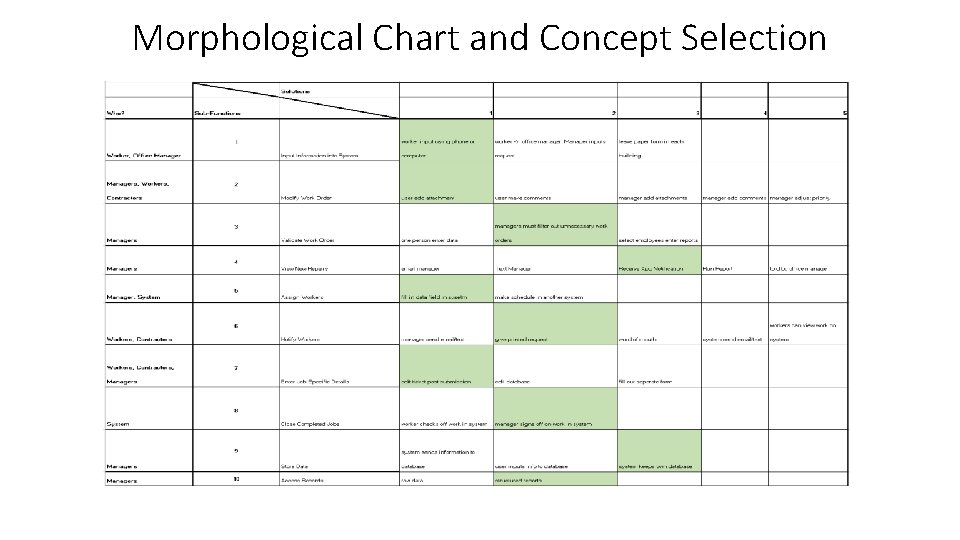
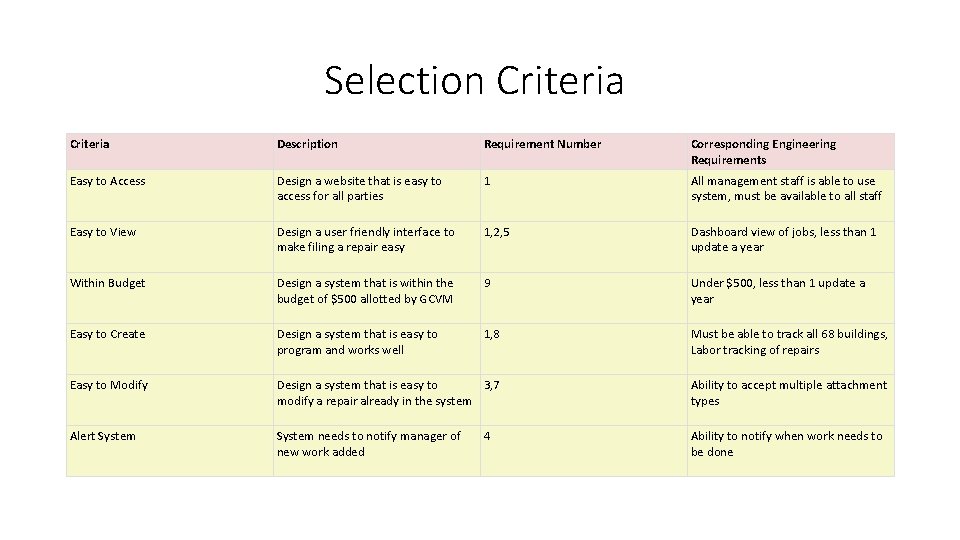
Selection Criteria Description Requirement Number Corresponding Engineering Requirements Easy to Access Design a website that is easy to access for all parties 1 All management staff is able to use system, must be available to all staff Easy to View Design a user friendly interface to make filing a repair easy 1, 2, 5 Dashboard view of jobs, less than 1 update a year Within Budget Design a system that is within the budget of $500 allotted by GCVM 9 Under $500, less than 1 update a year Easy to Create Design a system that is easy to program and works well 1, 8 Must be able to track all 68 buildings, Labor tracking of repairs Easy to Modify Design a system that is easy to 3, 7 modify a repair already in the system Ability to accept multiple attachment types Alert System needs to notify manager of new work added Ability to notify when work needs to be done 4
Risk Assessment and Growth Curves
Collaboration • Wayne Alexander, RIT FMS • Brett Phillips, RIT Alumni • Chike Udenze, RIT Student