
System and Communication Faults Topic 1 Ensuring Data

- Slides: 16
System and Communication Faults
Topic 1: Ensuring Data Integrity After completing this topic, you will be able to describe VERITAS recommendations for ensuring data integrity.
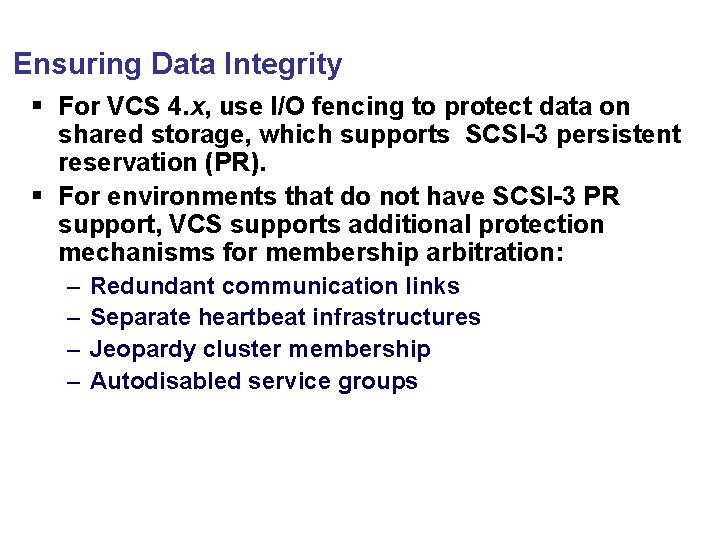
Ensuring Data Integrity § For VCS 4. x, use I/O fencing to protect data on shared storage, which supports SCSI-3 persistent reservation (PR). § For environments that do not have SCSI-3 PR support, VCS supports additional protection mechanisms for membership arbitration: – – Redundant communication links Separate heartbeat infrastructures Jeopardy cluster membership Autodisabled service groups
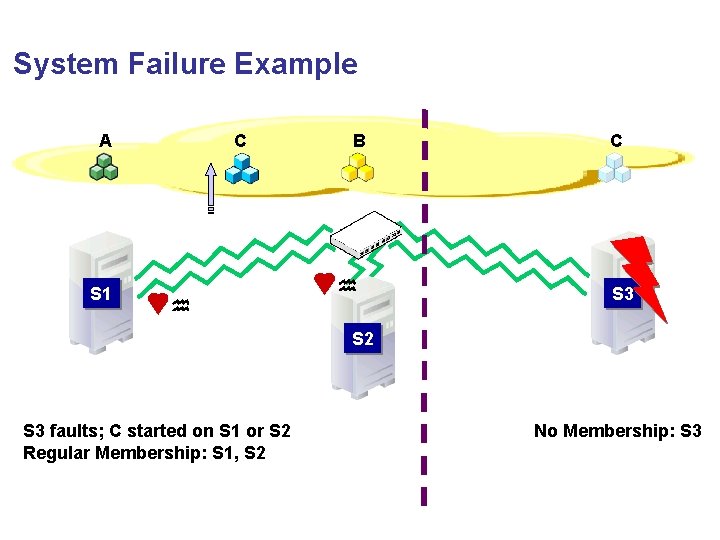
System Failure Example A S 1 C B C S 3 S 2 S 3 faults; C started on S 1 or S 2 Regular Membership: S 1, S 2 No Membership: S 3
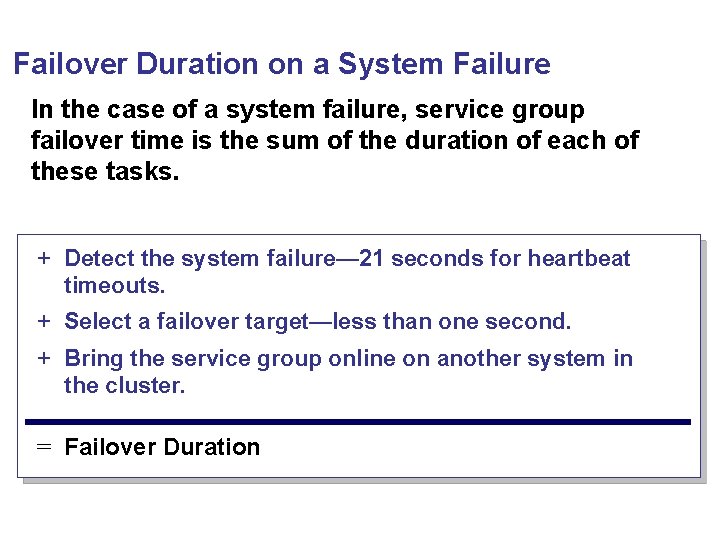
Failover Duration on a System Failure In the case of a system failure, service group failover time is the sum of the duration of each of these tasks. + Detect the system failure— 21 seconds for heartbeat timeouts. + Select a failover target—less than one second. + Bring the service group online on another system in the cluster. = Failover Duration
Topic 2: Cluster Interconnect Failures After completing this topic, you will be able to describe how VCS responds to cluster interconnect failures.
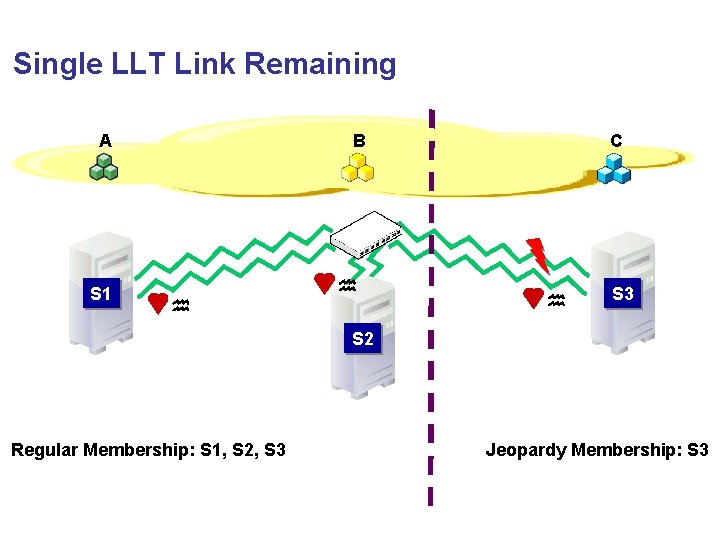
Single LLT Link Remaining A S 1 B C S 3 S 2 Regular Membership: S 1, S 2, S 3 Jeopardy Membership: S 3
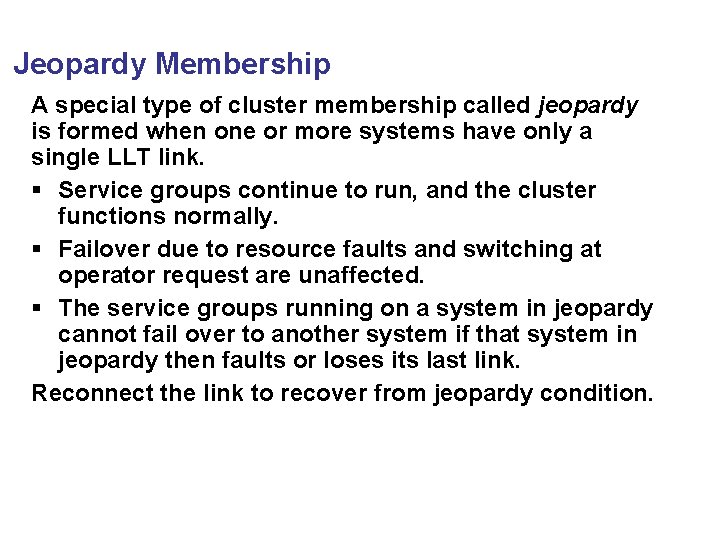
Jeopardy Membership A special type of cluster membership called jeopardy is formed when one or more systems have only a single LLT link. § Service groups continue to run, and the cluster functions normally. § Failover due to resource faults and switching at operator request are unaffected. § The service groups running on a system in jeopardy cannot fail over to another system if that system in jeopardy then faults or loses its last link. Reconnect the link to recover from jeopardy condition.
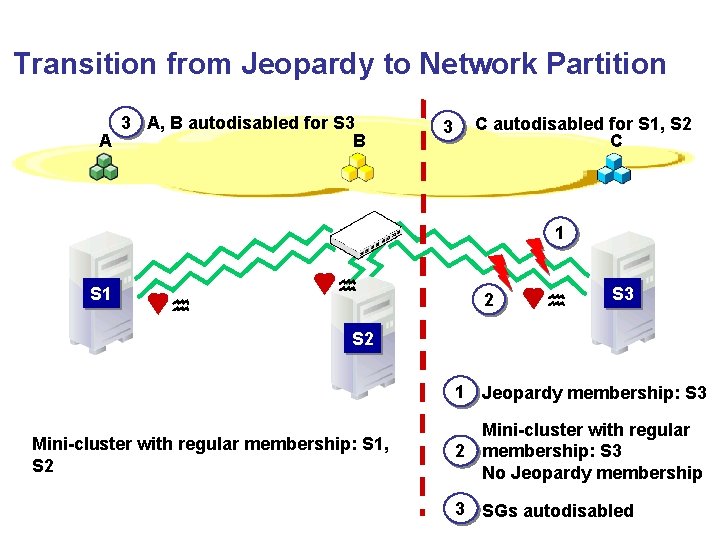
Transition from Jeopardy to Network Partition 3 A, B autodisabled for S 3 A B 3 C autodisabled for S 1, S 2 C 1 S 1 2 S 3 S 2 1 Jeopardy membership: S 3 Mini-cluster with regular membership: S 1, S 2 Mini-cluster with regular 2 membership: S 3 No Jeopardy membership 3 SGs autodisabled
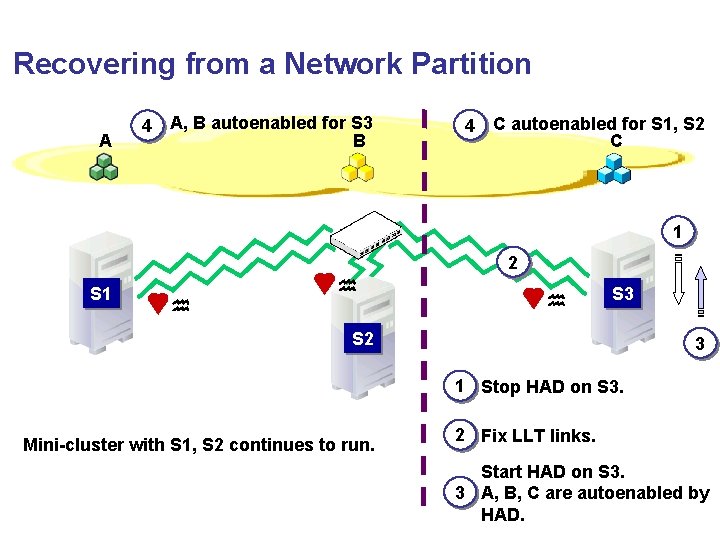
Recovering from a Network Partition A 4 A, B autoenabled for S 3 B 4 C autoenabled for S 1, S 2 C 1 2 S 1 S 3 S 2 3 1 Stop HAD on S 3. Mini-cluster with S 1, S 2 continues to run. 2 Fix LLT links. Start HAD on S 3. 3 A, B, C are autoenabled by HAD.
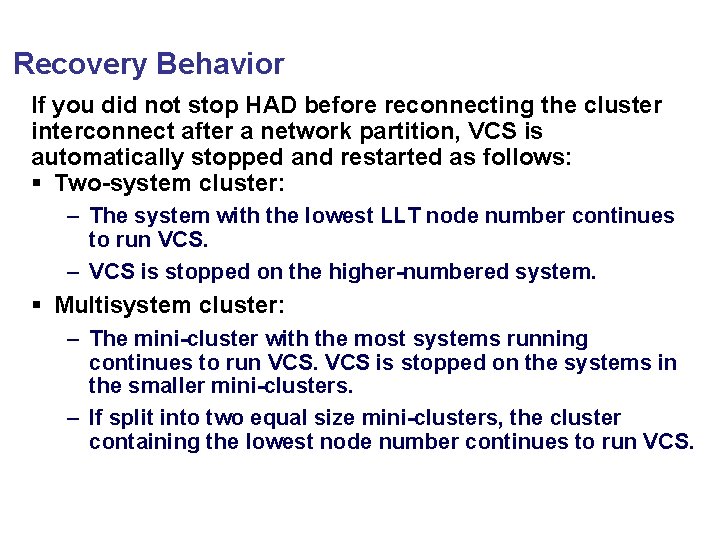
Recovery Behavior If you did not stop HAD before reconnecting the cluster interconnect after a network partition, VCS is automatically stopped and restarted as follows: § Two-system cluster: – The system with the lowest LLT node number continues to run VCS. – VCS is stopped on the higher-numbered system. § Multisystem cluster: – The mini-cluster with the most systems running continues to run VCS is stopped on the systems in the smaller mini-clusters. – If split into two equal size mini-clusters, the cluster containing the lowest node number continues to run VCS.
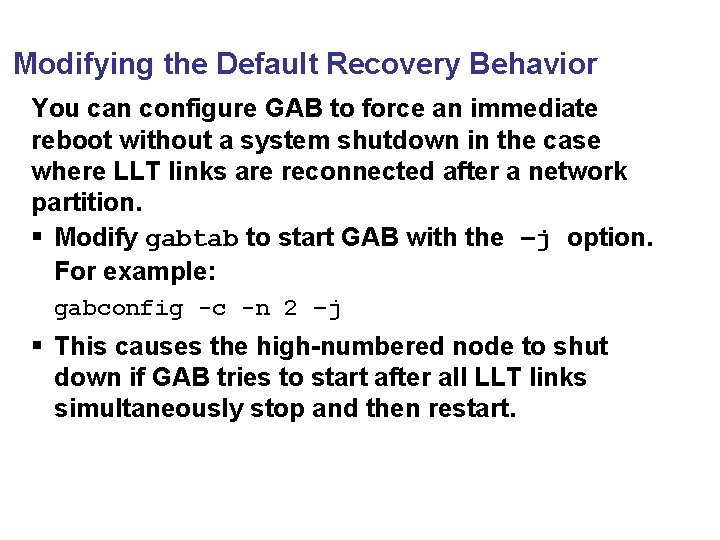
Modifying the Default Recovery Behavior You can configure GAB to force an immediate reboot without a system shutdown in the case where LLT links are reconnected after a network partition. § Modify gabtab to start GAB with the –j option. For example: gabconfig -c -n 2 –j § This causes the high-numbered node to shut down if GAB tries to start after all LLT links simultaneously stop and then restart.
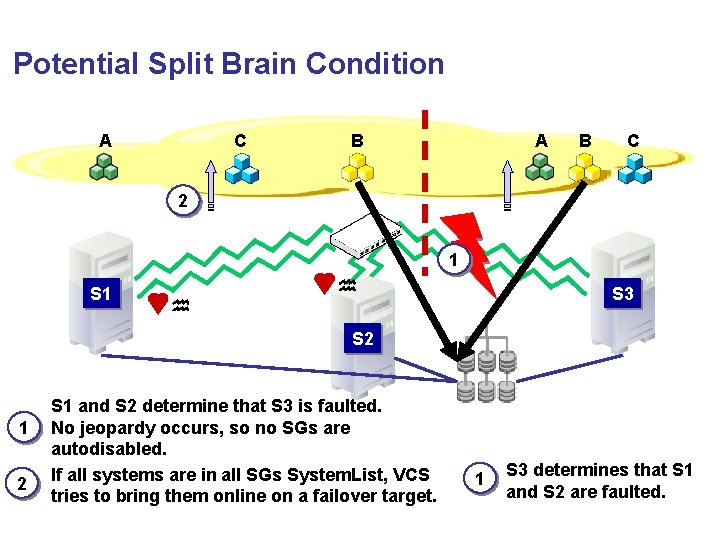
Potential Split Brain Condition A C B A B C 2 1 S 3 S 2 1 2 S 1 and S 2 determine that S 3 is faulted. No jeopardy occurs, so no SGs are autodisabled. If all systems are in all SGs System. List, VCS tries to bring them online on a failover target. 1 S 3 determines that S 1 and S 2 are faulted.
Topic 3: Changing the Interconnect Configuration After completing this topic, you will be able to change the cluster interconnect configuration.
Example Scenarios These are some examples where you may need to change the cluster interconnect configuration: § Adding or removing cluster nodes § Merging clusters § Changing communication parameters, such as the heartbeat time interval § Changing recovery behavior § Changing or adding interfaces used for the cluster interconnect § Configuring additional disk or network heartbeat links for increasing heartbeat redundancy
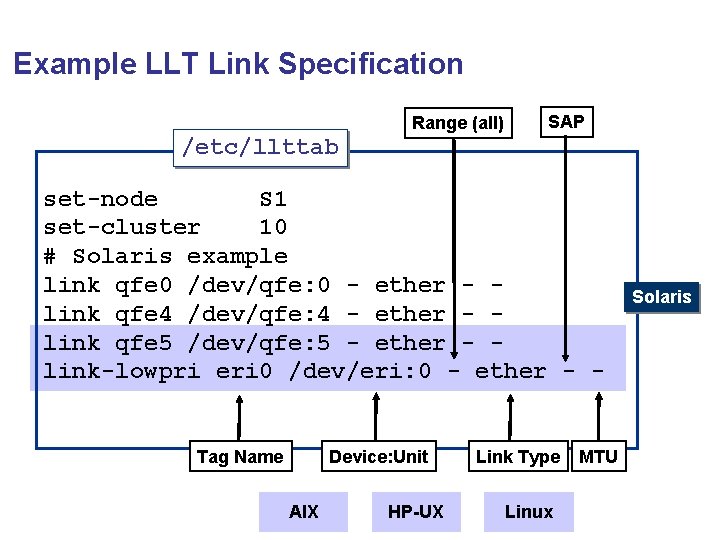
Example LLT Link Specification Range (all) SAP /etc/llttab set-node S 1 set-cluster 10 # Solaris example link qfe 0 /dev/qfe: 0 - ether - link qfe 4 /dev/qfe: 4 - ether - link qfe 5 /dev/qfe: 5 - ether - link-lowpri eri 0 /dev/eri: 0 - ether - - Tag Name Device: Unit AIX HP-UX Link Type Linux MTU Solaris