
Syracuse University Information Technology Services BASICS OF VIDEO

Syracuse University, Information Technology Services
BASICS OF VIDEO CAPTIONING Sharon Trerise & Kara Patten
Agenda • Part I – Captioning Basics & Vendors § Terminology, the law, benefits § Costs: vendors vs DIY § Caption vendors • Part II – DIY Captioning § Workflow and resources § Tools § Hands-on
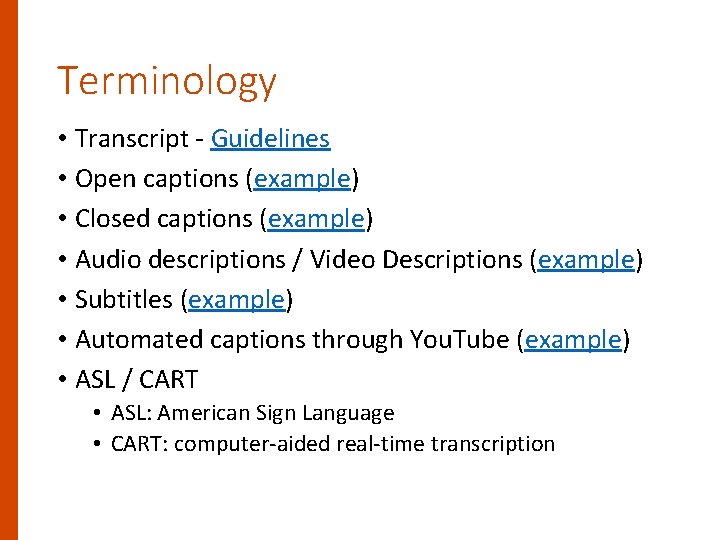
Terminology • Transcript - Guidelines • Open captions (example) • Closed captions (example) • Audio descriptions / Video Descriptions (example) • Subtitles (example) • Automated captions through You. Tube (example) • ASL / CART • ASL: American Sign Language • CART: computer-aided real-time transcription
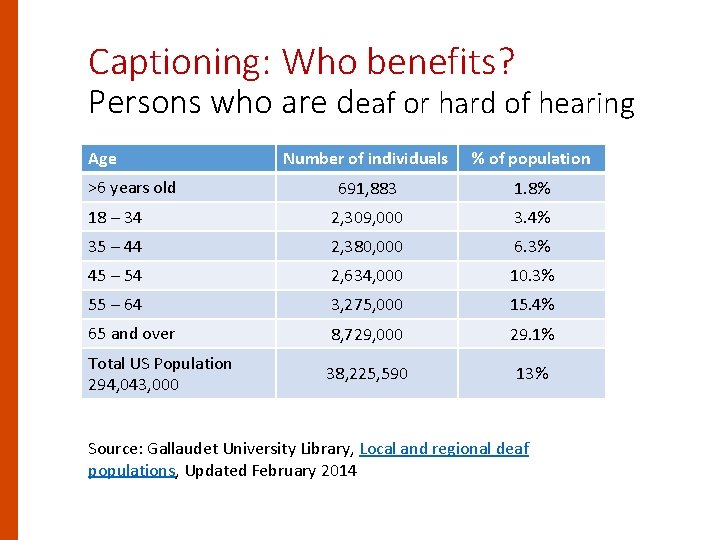
Captioning: Who benefits? Persons who are deaf or hard of hearing Age Number of individuals % of population 691, 883 1. 8% 18 – 34 2, 309, 000 3. 4% 35 – 44 2, 380, 000 6. 3% 45 – 54 2, 634, 000 10. 3% 55 – 64 3, 275, 000 15. 4% 65 and over 8, 729, 000 29. 1% Total US Population 294, 043, 000 38, 225, 590 13% >6 years old Source: Gallaudet University Library, Local and regional deaf populations, Updated February 2014
Captions: Everyone benefits Captions: Improving Access to Postsecondary Education Video created by DO-IT at University of Washington
Video Captions: Who benefits? • Non-native English speakers • Easily translated to native language • Benefit from text + audio • Benefit from information in multiple modalities • Enhances concentration for people with learning disabilities, autism and attention deficits • Working / studying in a quiet or noisy environment • Reliance on mobile devices means viewing videos anywhere • All students • Transcript used as study guide; highlight important info • Improved comprehension • Teaches new vocabulary; reinforces correct spelling
Transcripts as study aids • Easy to copy & paste to create a study aid • 97% of MIT Open. Course. Ware students said interactive transcripts enhanced their learning experience • Search for a given word within video or scan whole video library for keyword • Interactive Transcript / Universal Design features • Users can search and find what they are looking for and instantly navigate to that point in video (saves time) • Example: Lynda. com; 3 Play. Media; Caption. Sync • Clipmaker lets you make video clip reels using the transcript itself
Research shows the benefits for ALL students • Oregon State University survey • Students who used captioned video achieved a full GPA point increase over students who didn’t (Robert Collins, SFSU, 2007) • More engaged • More responsive to questions about video • Better able to make connections to their lives • Using captions more than doubled the retention & comprehension levels (Gary Robson, 2004) • 50% of students used transcripts as study aids when they were available (Univ. of Wisconsin)
Benefits of providing a transcript/ captions for web-based video • Improved Search Engine Optimization (SEO) • Options • You. Tube gives priority to videos with high quality captions • Impact of captioning on # views (3 Play. Media research) • 13. 5% increase in views in first 14 days • Over time, 7. 5% increase in views
Legal / Policy Requirements • Section 504 of Rehabilitation Act & Americans with Disabilities Act • “Equally effective access” • Jacksonville State Univ: Captioning FAQ #5 - How Do The Captioning Laws Apply To Educational Institutions? • Case law • National Association of the Deaf v. Harvard & MIT (MOOCs) • Synchronized high quality captions • NOT You. Tube automatic captions • SU’s IT Accessibility Policy (draft) • WCAG 2. 0 AA Guideline 1. 2 Time-based media
Copyright – what to do? Caption It! 1. Attempt to get video owner to caption 2. Attempt to get permission to caption from copyright holder (sample letter) 3. Caption it – give credit to the copyright owner • 3 rd party vendors may refuse to caption copyrighted materials (i. e. movies, news clips, etc. ) • You. Tube videos that aren’t your own • Embed the video on your site • Add a plug-in to display captions • How to caption You. Tube videos you don’t own • Videos hosted on commercial sites (e. g. NBC, CNN) • Caption then host them for playback in password protected application • No one in US has been sued for creating captions for video • In education setting, more likely to be sued for failing to meet accessibility law if don’t add captions
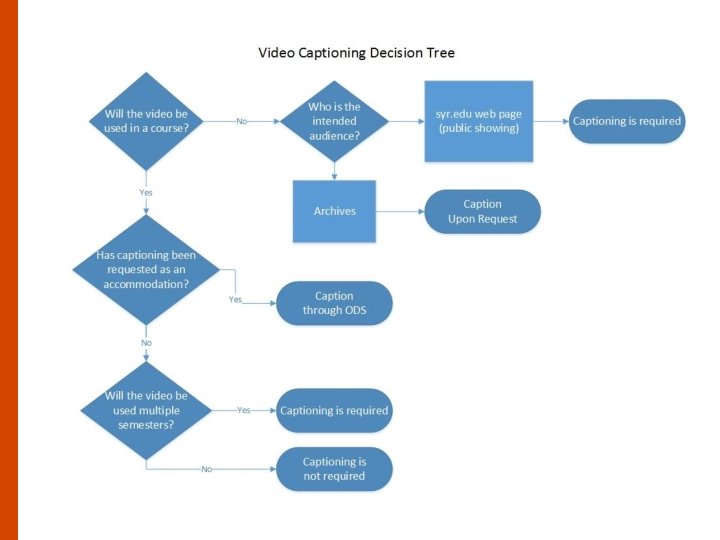
Captioning Decision Tree
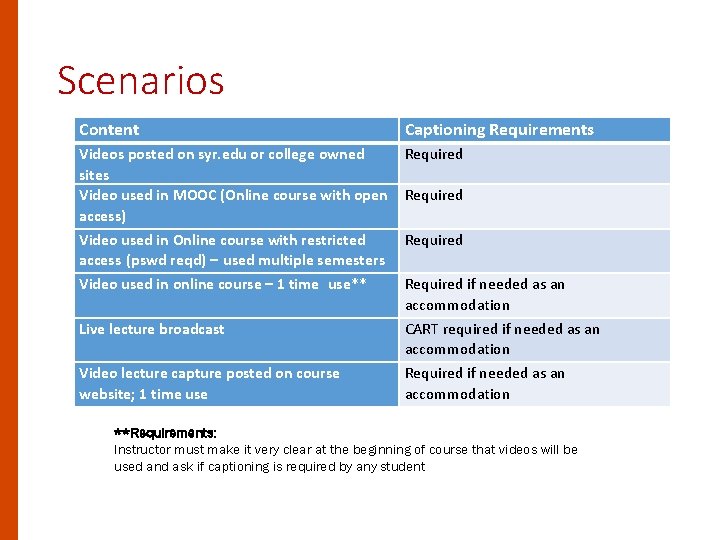
Scenarios Content Captioning Requirements Videos posted on syr. edu or college owned sites Video used in MOOC (Online course with open access) Video used in Online course with restricted access (pswd reqd) – used multiple semesters Video used in online course – 1 time use** Live lecture broadcast Required Video lecture capture posted on course website; 1 time use Required if needed as an accommodation CART required if needed as an accommodation Required if needed as an accommodation **Requirements: Instructor must make it very clear at the beginning of course that videos will be used and ask if captioning is required by any student
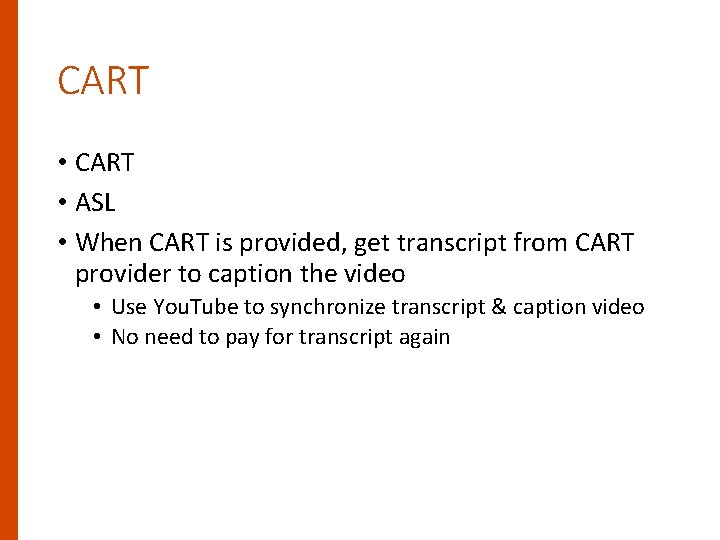
CART • ASL • When CART is provided, get transcript from CART provider to caption the video • Use You. Tube to synchronize transcript & caption video • No need to pay for transcript again
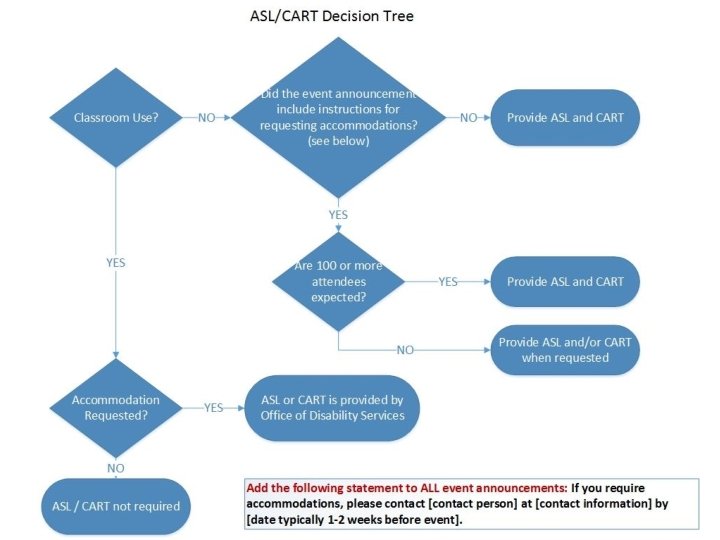
ASL / CART Decision Tree
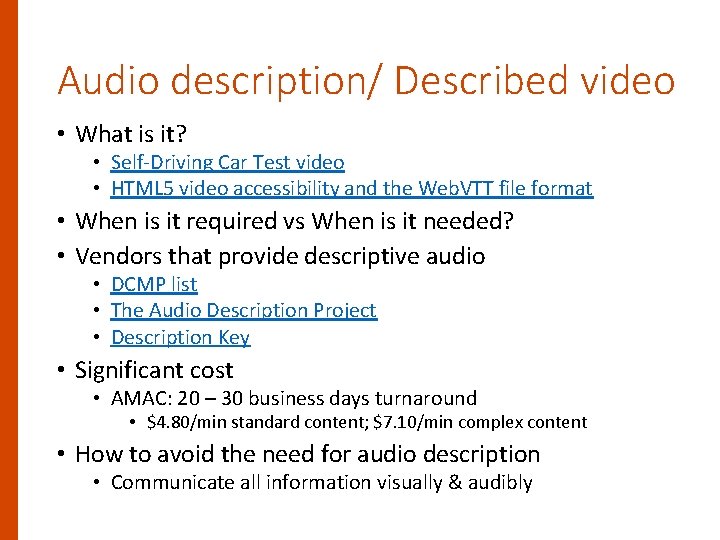
Audio description/ Described video • What is it? • Self-Driving Car Test video • HTML 5 video accessibility and the Web. VTT file format • When is it required vs When is it needed? • Vendors that provide descriptive audio • DCMP list • The Audio Description Project • Description Key • Significant cost • AMAC: 20 – 30 business days turnaround • $4. 80/min standard content; $7. 10/min complex content • How to avoid the need for audio description • Communicate all information visually & audibly
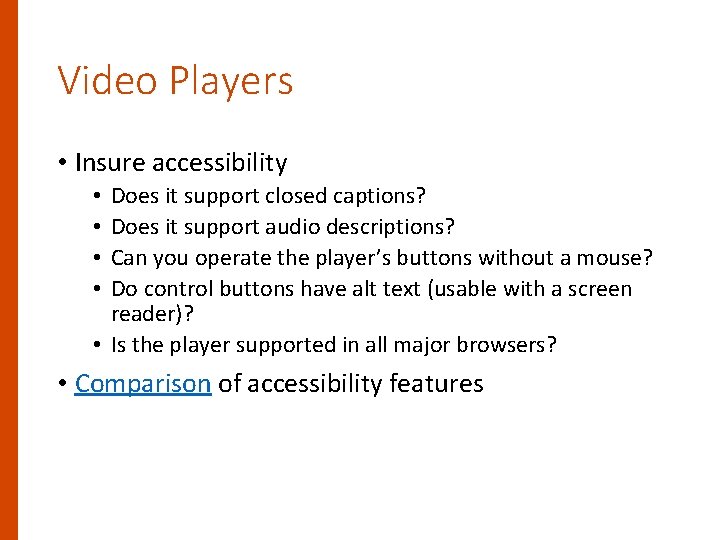
Video Players • Insure accessibility Does it support closed captions? Does it support audio descriptions? Can you operate the player’s buttons without a mouse? Do control buttons have alt text (usable with a screen reader)? • Is the player supported in all major browsers? • • • Comparison of accessibility features
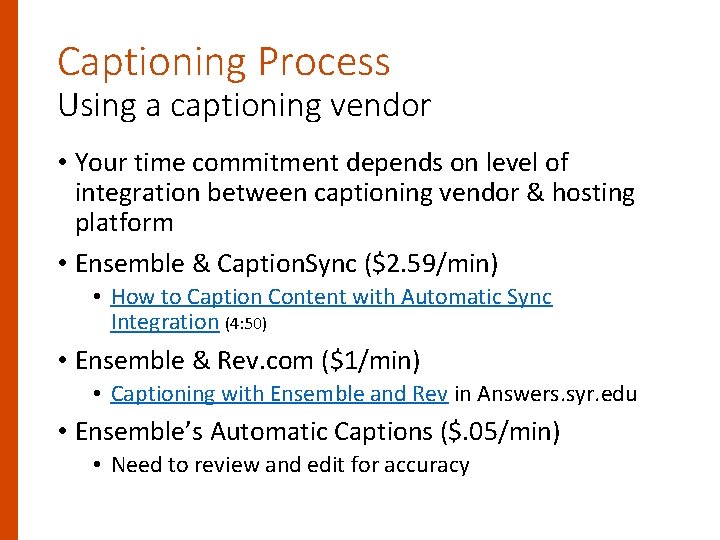
Captioning Process Using a captioning vendor • Your time commitment depends on level of integration between captioning vendor & hosting platform • Ensemble & Caption. Sync ($2. 59/min) • How to Caption Content with Automatic Sync Integration (4: 50) • Ensemble & Rev. com ($1/min) • Captioning with Ensemble and Rev in Answers. syr. edu • Ensemble’s Automatic Captions ($. 05/min) • Need to review and edit for accuracy
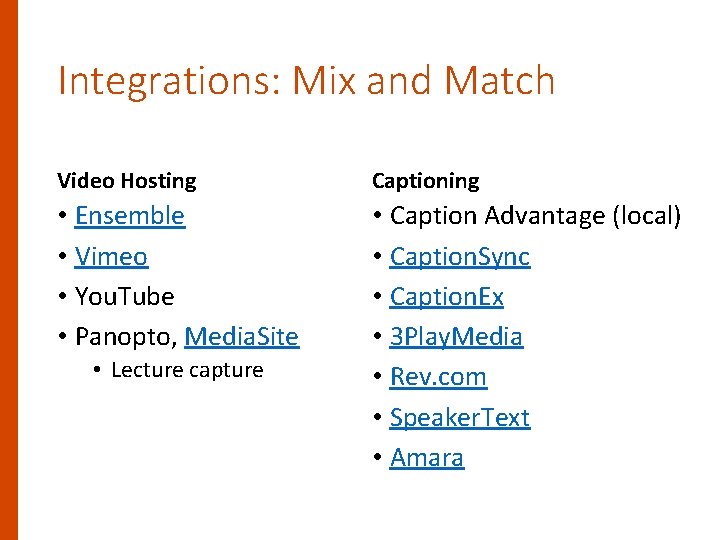
Integrations: Mix and Match Video Hosting Captioning • Ensemble • Vimeo • You. Tube • Panopto, Media. Site • Caption Advantage (local) • Caption. Sync • Caption. Ex • 3 Play. Media • Rev. com • Speaker. Text • Amara • Lecture capture
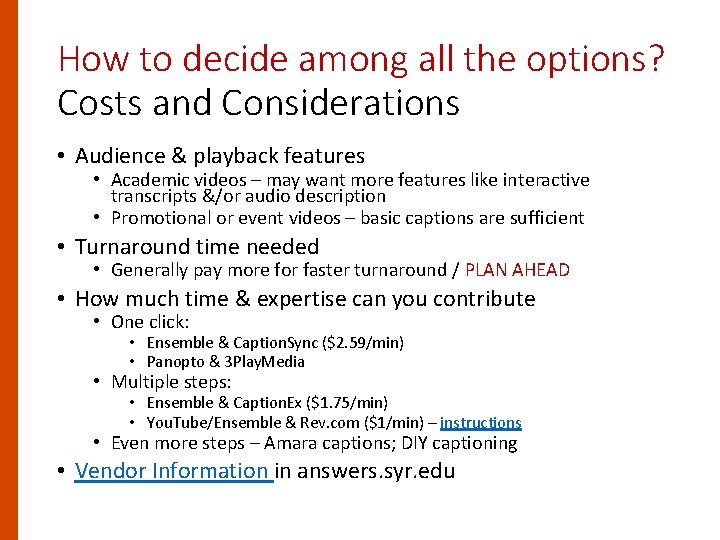
How to decide among all the options? Costs and Considerations • Audience & playback features • Academic videos – may want more features like interactive transcripts &/or audio description • Promotional or event videos – basic captions are sufficient • Turnaround time needed • Generally pay more for faster turnaround / PLAN AHEAD • How much time & expertise can you contribute • One click: • Ensemble & Caption. Sync ($2. 59/min) • Panopto & 3 Play. Media • Multiple steps: • Ensemble & Caption. Ex ($1. 75/min) • You. Tube/Ensemble & Rev. com ($1/min) – instructions • Even more steps – Amara captions; DIY captioning • Vendor Information in answers. syr. edu
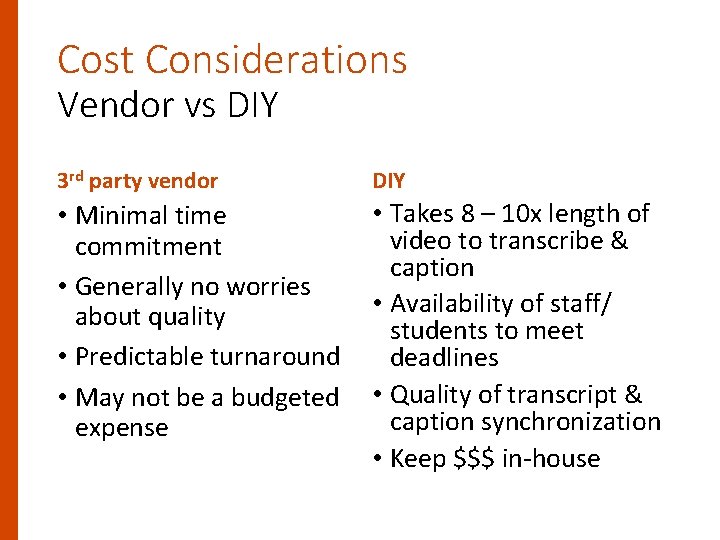
Cost Considerations Vendor vs DIY 3 rd party vendor DIY • Takes 8 – 10 x length of • Minimal time video to transcribe & commitment caption • Generally no worries • Availability of staff/ about quality students to meet • Predictable turnaround deadlines • May not be a budgeted • Quality of transcript & caption synchronization expense • Keep $$$ in-house
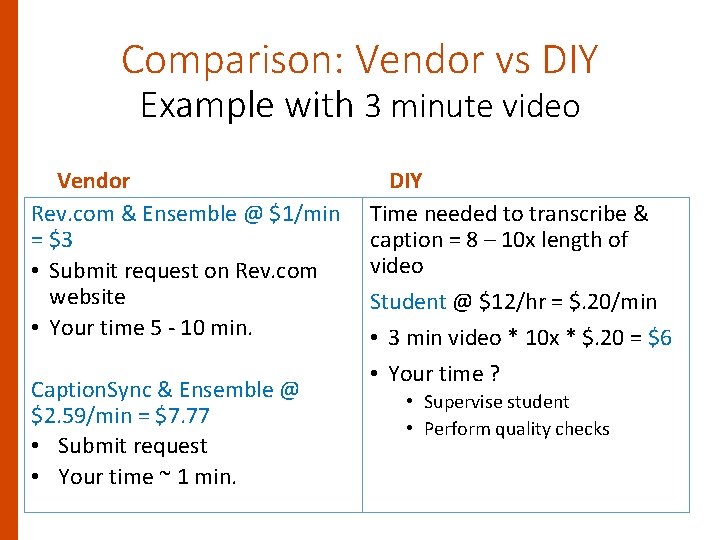
Comparison: Vendor vs DIY Example with 3 minute video Vendor Rev. com & Ensemble @ $1/min = $3 • Submit request on Rev. com website • Your time 5 - 10 min. Caption. Sync & Ensemble @ $2. 59/min = $7. 77 • Submit request • Your time ~ 1 min. DIY Time needed to transcribe & caption = 8 – 10 x length of video Student @ $12/hr = $. 20/min • 3 min video * 10 x * $. 20 = $6 • Your time ? • Supervise student • Perform quality checks
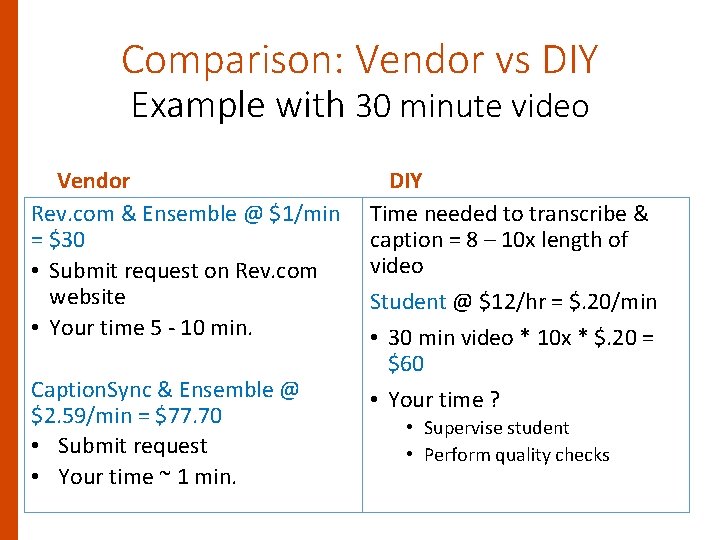
Comparison: Vendor vs DIY Example with 30 minute video Vendor Rev. com & Ensemble @ $1/min = $30 • Submit request on Rev. com website • Your time 5 - 10 min. Caption. Sync & Ensemble @ $2. 59/min = $77. 70 • Submit request • Your time ~ 1 min. DIY Time needed to transcribe & caption = 8 – 10 x length of video Student @ $12/hr = $. 20/min • 30 min video * 10 x * $. 20 = $60 • Your time ? • Supervise student • Perform quality checks
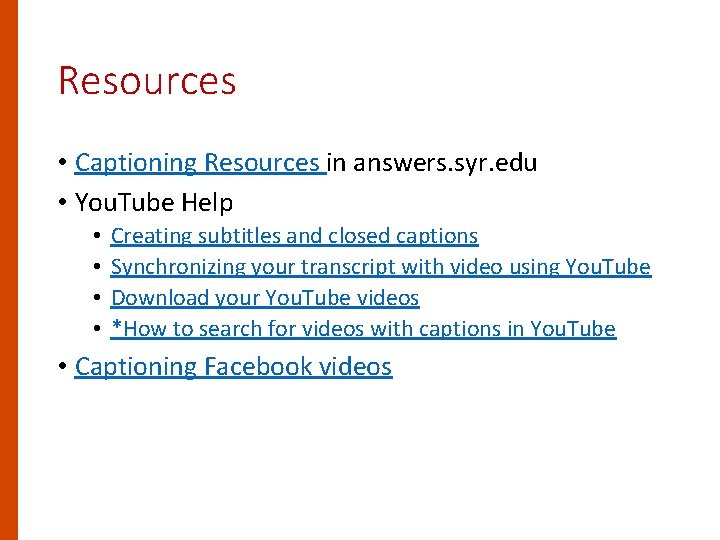
Resources • Captioning Resources in answers. syr. edu • You. Tube Help • • Creating subtitles and closed captions Synchronizing your transcript with video using You. Tube Download your You. Tube videos *How to search for videos with captions in You. Tube • Captioning Facebook videos
Part II: DIY Captioning
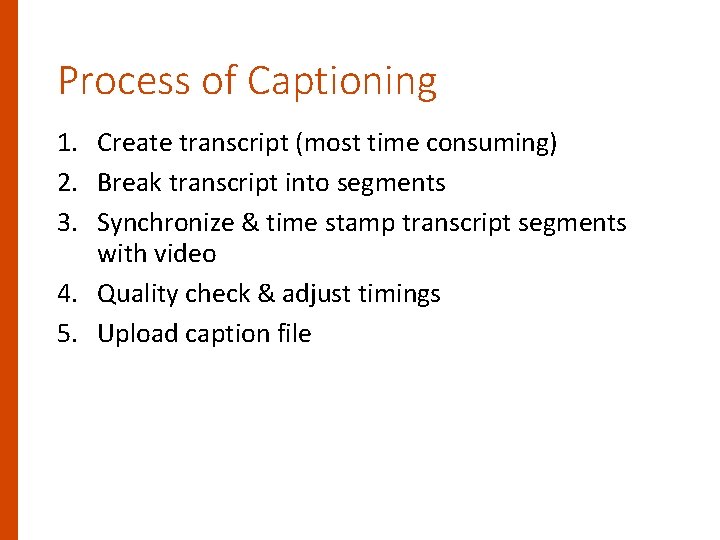
Process of Captioning 1. Create transcript (most time consuming) 2. Break transcript into segments 3. Synchronize & time stamp transcript segments with video 4. Quality check & adjust timings 5. Upload caption file
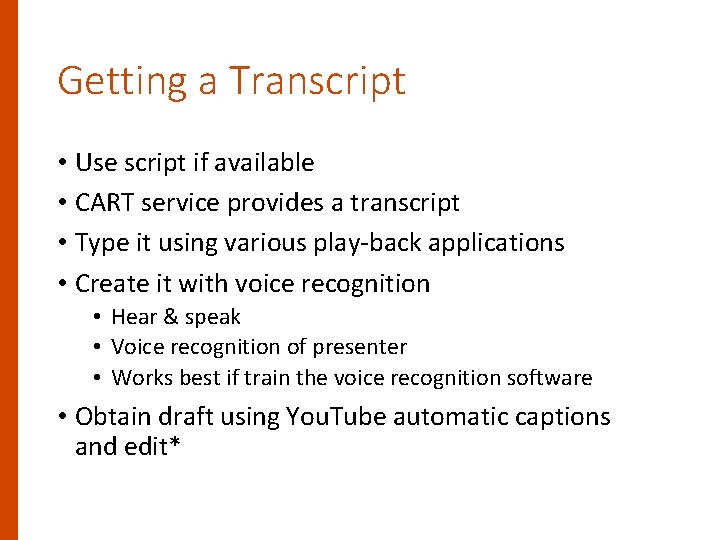
Getting a Transcript • Use script if available • CART service provides a transcript • Type it using various play-back applications • Create it with voice recognition • Hear & speak • Voice recognition of presenter • Works best if train the voice recognition software • Obtain draft using You. Tube automatic captions and edit*
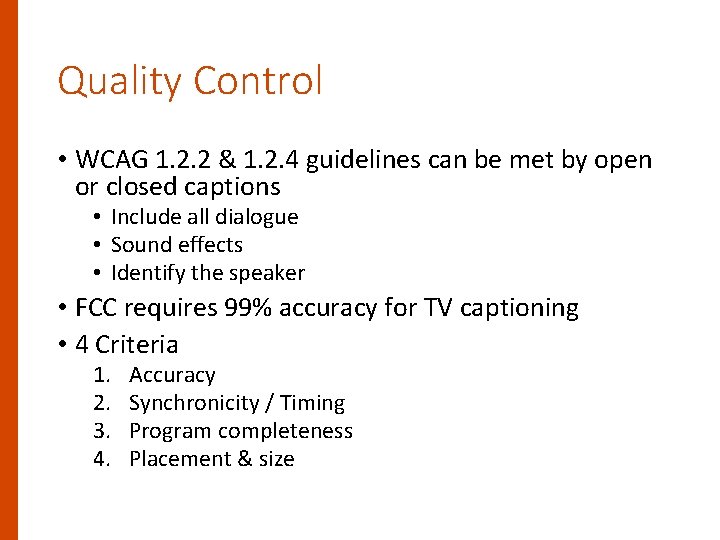
Quality Control • WCAG 1. 2. 2 & 1. 2. 4 guidelines can be met by open or closed captions • Include all dialogue • Sound effects • Identify the speaker • FCC requires 99% accuracy for TV captioning • 4 Criteria 1. 2. 3. 4. Accuracy Synchronicity / Timing Program completeness Placement & size
Caption Quality • Accurate: Captions must match the spoken words in the dialogue and convey background noises and other sounds to the fullest extent possible. (99% accurate) • Spelling, punctuation, capitalization • Include identity of speakers, music, sound effects, audience reaction • Legible with appropriate spacing & contrast for readability • Synchronous: Captions must coincide with their corresponding spoken words and sounds to the greatest extent possible and must be displayed on the screen at a speed that can be read by viewers. • Complete: Captions must run from the beginning to the end of the program to the fullest extent possible. • Properly placed: Captions should not block other important visual content on the screen, overlap one another, or run off the edge of the video screen.
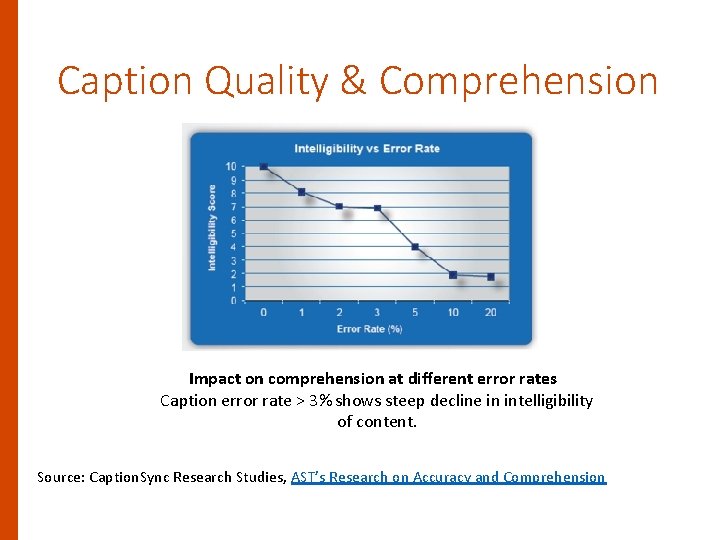
Caption Quality & Comprehension Impact on comprehension at different error rates Caption error rate > 3% shows steep decline in intelligibility of content. Source: Caption. Sync Research Studies, AST’s Research on Accuracy and Comprehension
Other factors affecting video quality & caption quality • Speakers with heavy accent • Background noise • Multiple people talking at once • Complex terminology • Complex & technical subjects are challenging if transcriber doesn’t have the background • Location names, people’s names
Try It • When you have a transcript • You. Tube to synchronize & edit • ‘Cuse Cast 2/8/16 • Transcription keyboard shortcuts • Enter: Add the subtitle. • Shift + space: Pause or play the video. • Shift + left arrow: Seek back five seconds. • Creating a transcript • You. Tube • ‘Cuse Cast 2/1/16 • If multiple speakers, need to identify them
Other Tools • Express Scribe (free and paid versions) • Can use with MS Word (spell ck & easy editing) • Reset Hot keys for controlling video playback • Adjust playback speed • Camtasia • • Reset Hot keys for controlling video playback Sync with a script Use Speech to Text for creating captions Add captions manually
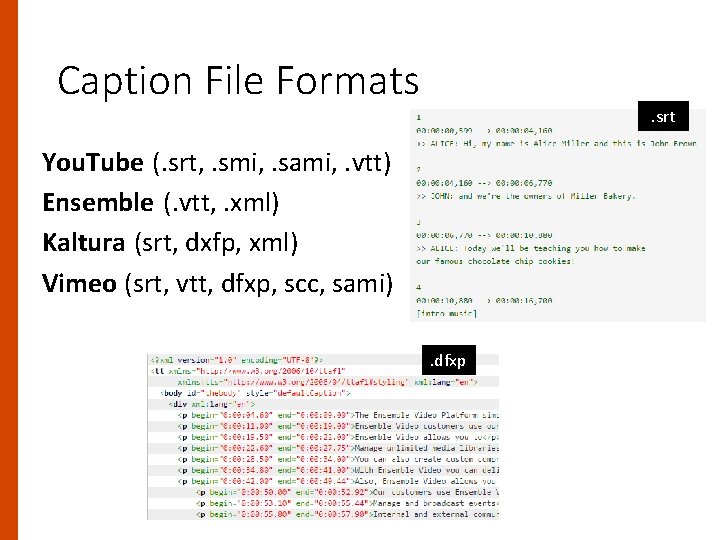
Caption File Formats . srt You. Tube (. srt, . smi, . sami, . vtt) Ensemble (. vtt, . xml) Kaltura (srt, dxfp, xml) Vimeo (srt, vtt, dfxp, scc, sami). dfxp
Converting caption file formats • 3 Play. Media Subtitle Converter Tool (free) • Subtitle Edit (free) • Many other online options • Rev. com Caption Converter – don’t use this one**
Converting file formats • MP 4 is preferred file type • Compressed to save disk space, yet high quality • Can embed in PPT • Supported by Apple devices • Handbrake (open source) to convert DVD video to MP 4 • Preserves captions & subtitles if present in saved output
Video Captioning Resources in answers. syr. edu Get Help: accessible. IT@syr. edu
- Slides: 38