
Symantec Mobile Solutions James Scott Hardie Security Architect
Symantec Mobile Solutions James “Scott” Hardie Security Architect 1
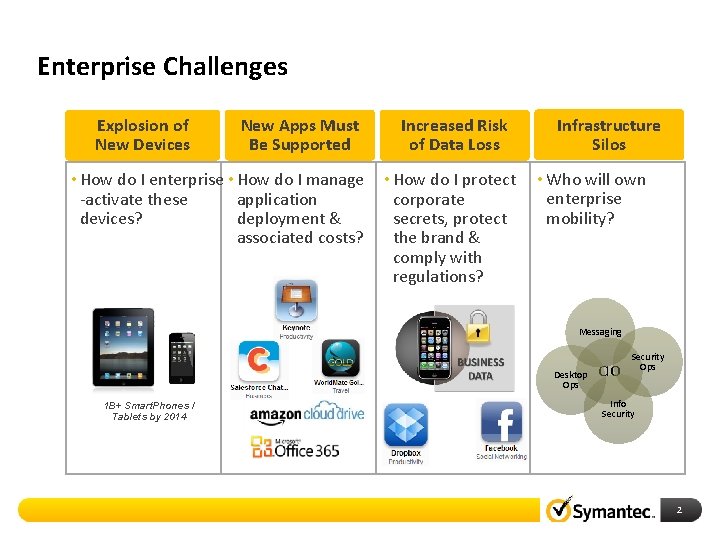
Enterprise Challenges Explosion of New Devices New Apps Must Be Supported • How do I enterprise • How do I manage application -activate these deployment & devices? associated costs? Increased Risk of Data Loss • How do I protect corporate secrets, protect the brand & comply with regulations? Infrastructure Silos • Who will own enterprise mobility? Messaging Desktop Ops 1 B+ Smart. Phones / Tablets by 2014 CIO Security Ops Info Security 2
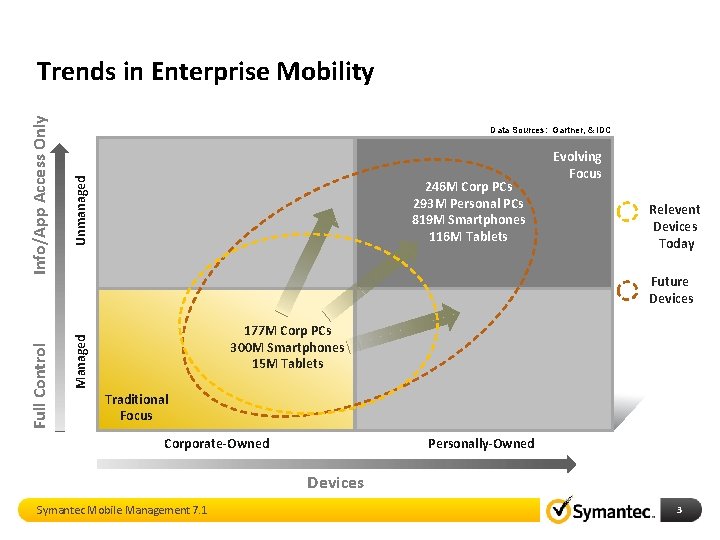
Unmanaged Data Sources: Gartner, & IDC 246 M Corp PCs 293 M Personal PCs 819 M Smartphones 116 M Tablets Evolving Focus Relevent Devices Today Future Devices 177 M Corp PCs 300 M Smartphones 15 M Tablets Managed Full Control Info/App Access Only Trends in Enterprise Mobility Traditional Focus Corporate-Owned Personally-Owned Devices Symantec Mobile Management 7. 1 3
Mobile Management & Security Overview and Roadmap 4
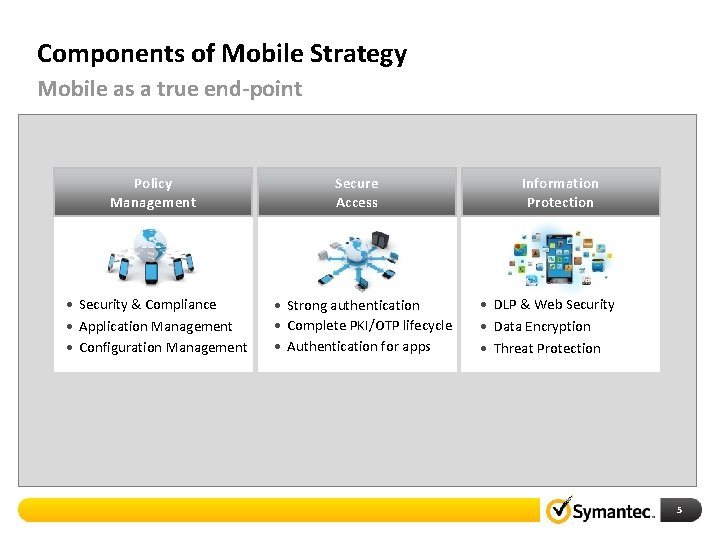
Components of Mobile Strategy Mobile as a true end-point Policy Management • Security & Compliance • Application Management • Configuration Management Secure Access • Strong authentication • Complete PKI/OTP lifecycle • Authentication for apps Information Protection • DLP & Web Security • Data Encryption • Threat Protection 5
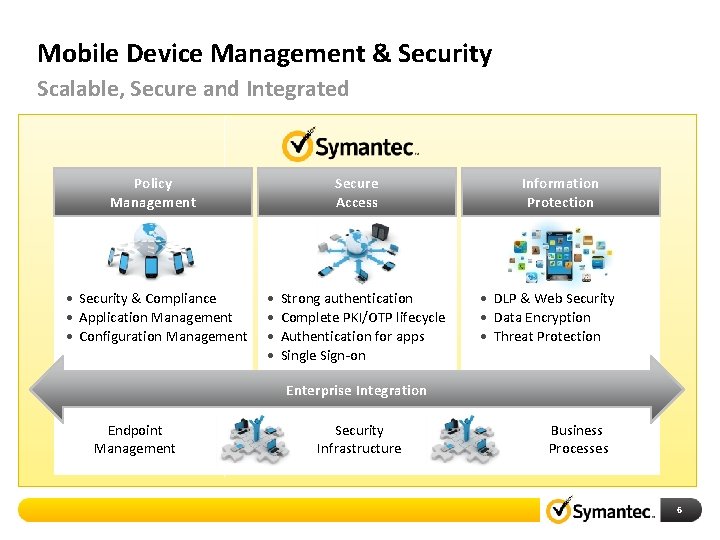
Mobile Device Management & Security Scalable, Secure and Integrated Policy Management • Security & Compliance • Application Management • Configuration Management Secure Access • • Strong authentication Complete PKI/OTP lifecycle Authentication for apps Single Sign-on Information Protection • DLP & Web Security • Data Encryption • Threat Protection Enterprise Integration Endpoint Management Security Infrastructure Business Processes 6
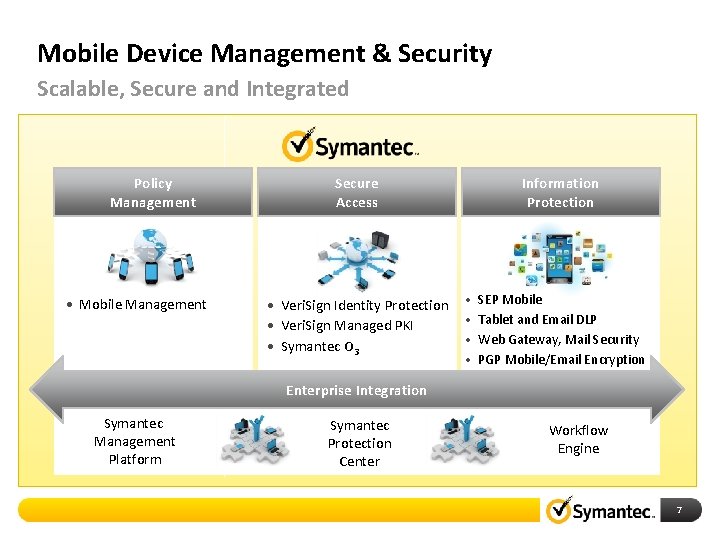
Mobile Device Management & Security Scalable, Secure and Integrated Policy Management • Mobile Management Secure Access • Veri. Sign Identity Protection • Veri. Sign Managed PKI • Symantec O 3 Information Protection • • SEP Mobile Tablet and Email DLP Web Gateway, Mail Security PGP Mobile/Email Encryption Enterprise Integration Symantec Management Platform Symantec Protection Center Workflow Engine 7
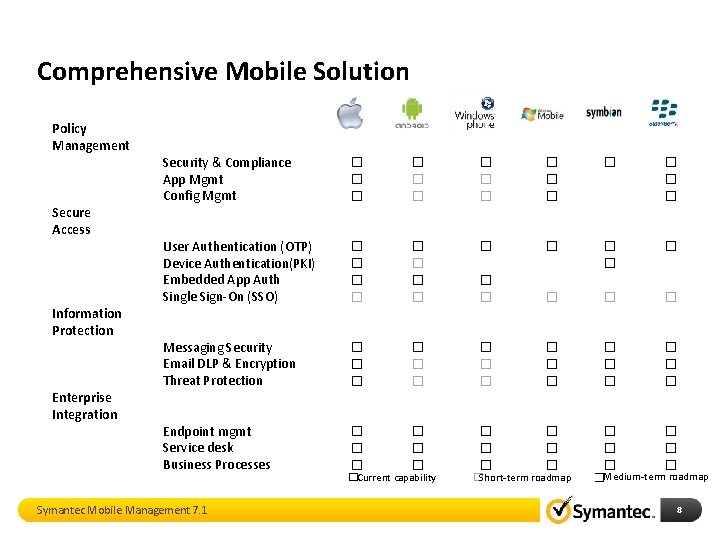
Comprehensive Mobile Solution Policy Management Secure Access Information Protection Enterprise Integration Security & Compliance App Mgmt Config Mgmt � � � � User Authentication (OTP) Device Authentication(PKI) Embedded App Auth Single Sign-On (SSO) � � � � � � Messaging Security Email DLP & Encryption Threat Protection � � � � � Endpoint mgmt Service desk Business Processes � � � � � Symantec Mobile Management 7. 1 � Current capability � Short-term roadmap �Medium-term roadmap 8
Policy Management Mobile Management 7. 1 9
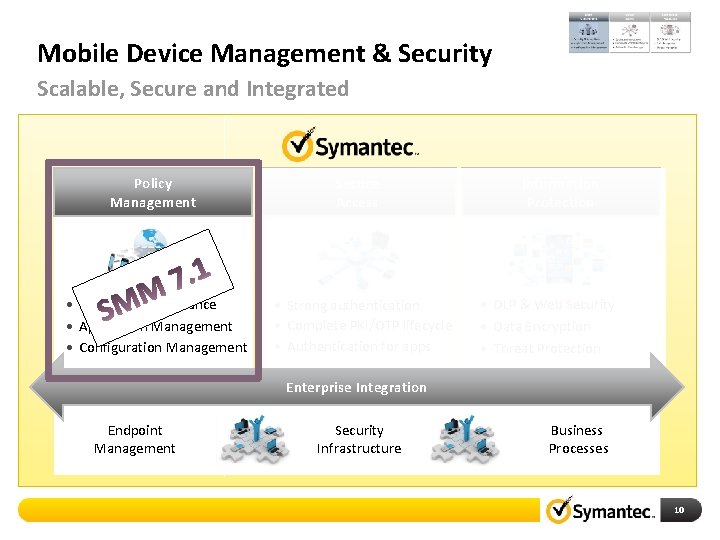
Mobile Device Management & Security Scalable, Secure and Integrated Policy Management • Security & Compliance • Application Management • Configuration Management Secure Access • Strong authentication • Complete PKI/OTP lifecycle • Authentication for apps Information Protection • DLP & Web Security • Data Encryption • Threat Protection Enterprise Integration Endpoint Management Security Infrastructure Business Processes 10
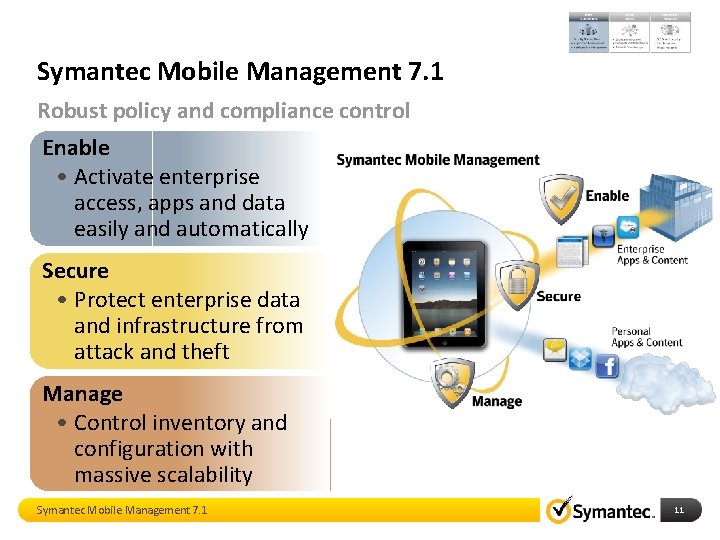
Symantec Mobile Management 7. 1 Robust policy and compliance control Enable • Activate enterprise access, apps and data easily and automatically Secure • Protect enterprise data and infrastructure from attack and theft Manage • Control inventory and configuration with massive scalability Symantec Mobile Management 7. 1 11
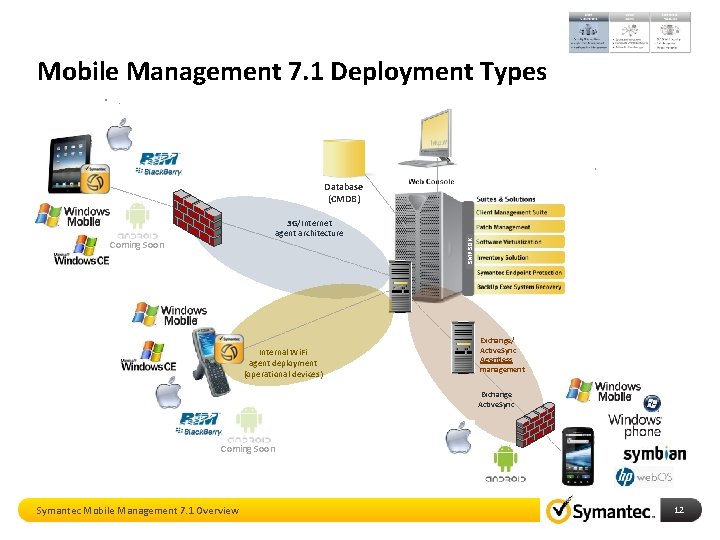
Mobile Management 7. 1 Deployment Types 3 G/Internet agent architecture Coming Soon Internal Wi. Fi agent deployment (operational devices) SMP SDK Database (CMDB) Exchange/ Active. Sync Agentless management Exchange Active. Sync Coming Soon Symantec Mobile Management 7. 1 Overview 12
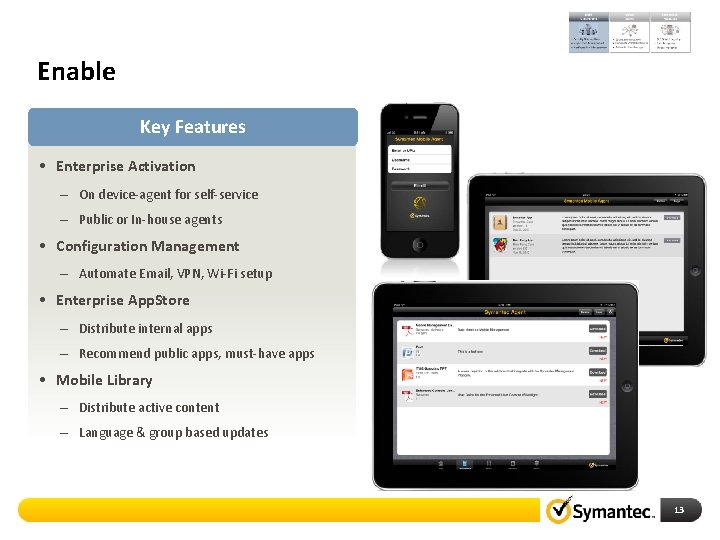
Enable Key Features • Enterprise Activation – On device-agent for self-service – Public or In-house agents • Configuration Management – Automate Email, VPN, Wi-Fi setup • Enterprise App. Store – Distribute internal apps – Recommend public apps, must-have apps • Mobile Library – Distribute active content – Language & group based updates 13
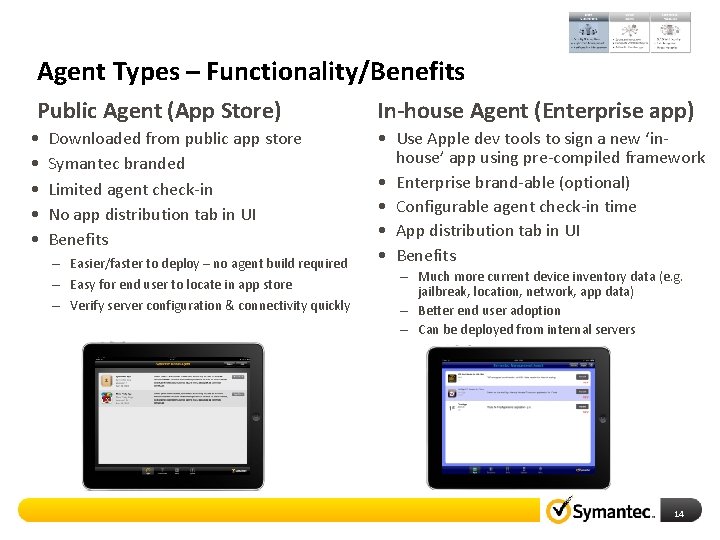
Agent Types – Functionality/Benefits Public Agent (App Store) • • • Downloaded from public app store Symantec branded Limited agent check-in No app distribution tab in UI Benefits – Easier/faster to deploy – no agent build required – Easy for end user to locate in app store – Verify server configuration & connectivity quickly In-house Agent (Enterprise app) • Use Apple dev tools to sign a new ‘inhouse’ app using pre-compiled framework • Enterprise brand-able (optional) • Configurable agent check-in time • App distribution tab in UI • Benefits – Much more current device inventory data (e. g. jailbreak, location, network, app data) – Better end user adoption – Can be deployed from internal servers 14
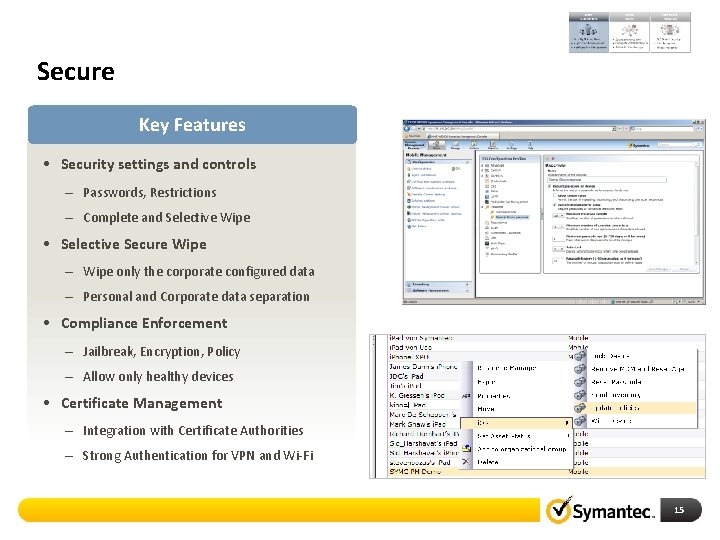
Secure Key Features • Security settings and controls – Passwords, Restrictions – Complete and Selective Wipe • Selective Secure Wipe – Wipe only the corporate configured data – Personal and Corporate data separation • Compliance Enforcement – Jailbreak, Encryption, Policy – Allow only healthy devices • Certificate Management – Integration with Certificate Authorities – Strong Authentication for VPN and Wi-Fi 15
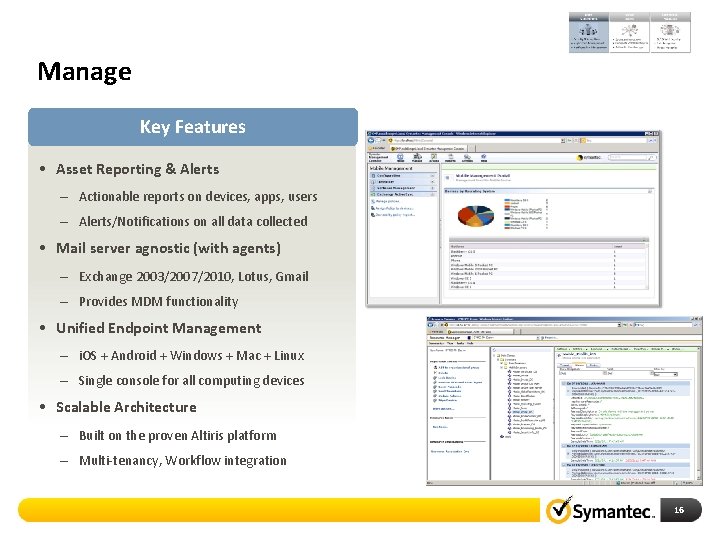
Manage Key Features • Asset Reporting & Alerts – Actionable reports on devices, apps, users – Alerts/Notifications on all data collected • Mail server agnostic (with agents) – Exchange 2003/2007/2010, Lotus, Gmail – Provides MDM functionality • Unified Endpoint Management – i. OS + Android + Windows + Mac + Linux – Single console for all computing devices • Scalable Architecture – Built on the proven Altiris platform – Multi-tenancy, Workflow integration 16
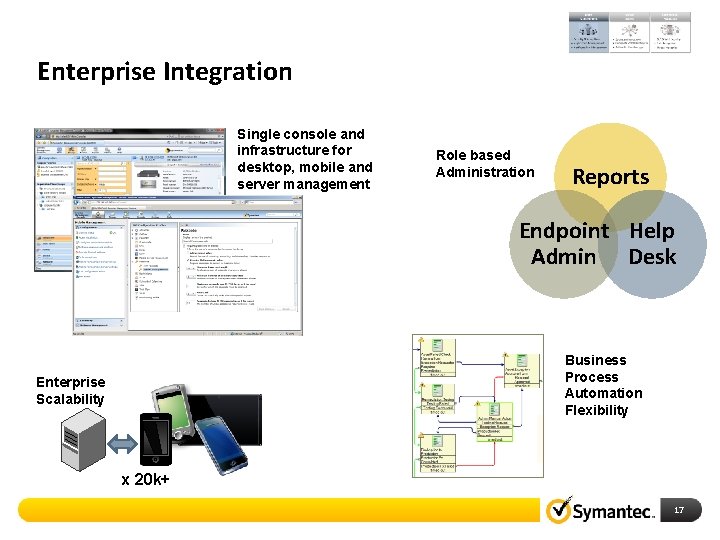
Enterprise Integration Single console and infrastructure for desktop, mobile and server management Role based Administration Reports Endpoint Help Admin Desk Business Process Automation Flexibility Enterprise Scalability x 20 k+ 17
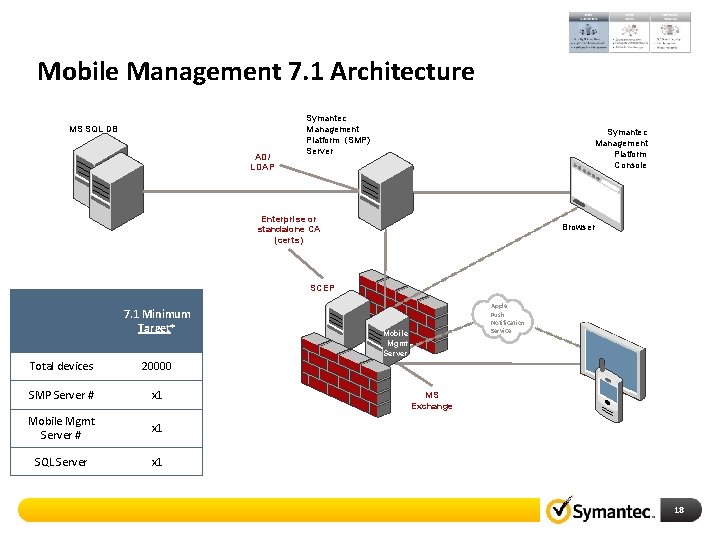
Mobile Management 7. 1 Architecture MS SQL DB AD/ LDAP Symantec Management Symantec Platform (SMP) Management Server Platform Console Enterprise or standalone CA (certs) Browser SCEP 7. 1 Minimum Target* Total devices 20000 SMP Server # x 1 Mobile Mgmt Server # x 1 SQL Server x 1 Apple Push Notification Service Mobile Mgmt Server MS Exchange 18
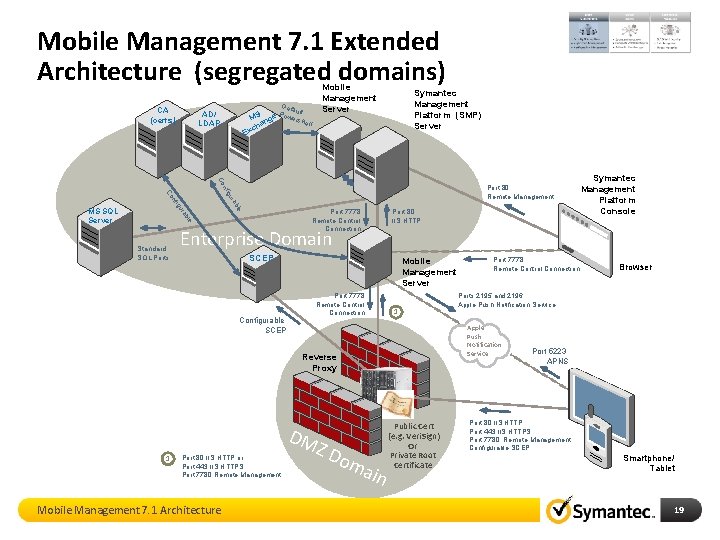
Mobile Management 7. 1 Extended Architecture (segregated domains) CA (certs) Mobile Management Server Defa ult P MS nge owershe ll a AD/ LDAP Symantec Management Platform (SMP) Server ch Ex Co ble ra Port 7778 Remote Control Connection le igu b ura g nfi nf Co MS SQL Server Port 80 Remote Management Standard SQL Ports Port 80 IIS HTTP Enterprise Domain SCEP Mobile Management Server Port 7778 Remote Control Connection Configurable SCEP 1 DM Port 80 IIS HTTP or Port 443 IIS HTTPS Port 7780 Remote Management Mobile Management 7. 1 Architecture Port 7778 Remote Control Connection ZD om ain Public Cert (e. g. Veri. Sign) Or Private Root Certificate Browser Ports 2195 and 2196 Apple Push Notification Service Reverse Proxy 1 Symantec Management Platform Console Port 5223 APNS Port 80 IIS HTTP Port 443 IIS HTTPS Port 7780 Remote Management Configurable SCEP Smartphone/ Tablet 19
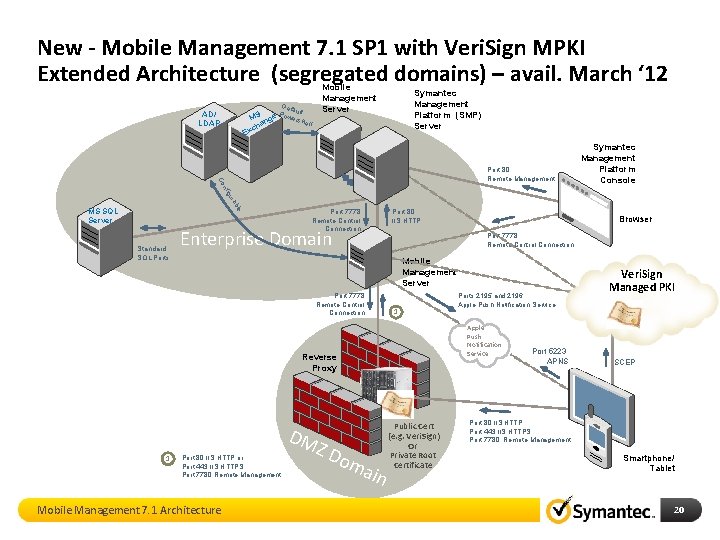
New - Mobile Management 7. 1 SP 1 with Veri. Sign MPKI Extended Architecture (segregated domains) – avail. March ‘ 12 Mobile Management Server Defa ult P MS nge owershe ll a AD/ LDAP Symantec Management Platform (SMP) Server ch Ex b ura g nfi Co Port 80 Remote Management Symantec Management Platform Console le MS SQL Server Standard SQL Ports Port 7778 Remote Control Connection Port 80 IIS HTTP Enterprise Domain Port 7778 Remote Control Connection Mobile Management Server Port 7778 Remote Control Connection 1 DM Port 80 IIS HTTP or Port 443 IIS HTTPS Port 7780 Remote Management Mobile Management 7. 1 Architecture Ports 2195 and 2196 Apple Push Notification Service Reverse Proxy 1 Browser ZD om ain Public Cert (e. g. Veri. Sign) Or Private Root Certificate Port 5223 APNS Veri. Sign Managed PKI SCEP Port 80 IIS HTTP Port 443 IIS HTTPS Port 7780 Remote Management Smartphone/ Tablet 20
Roadmap Symantec Mobile Solutions 21
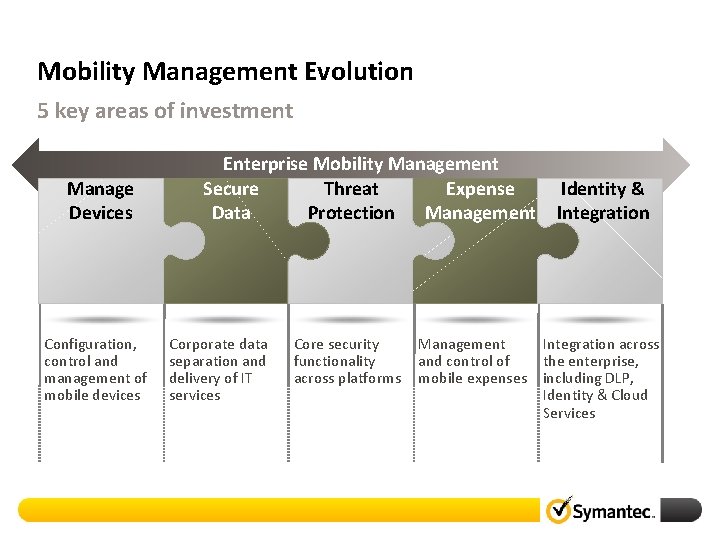
Mobility Management Evolution 5 key areas of investment Manage Devices Configuration, control and management of mobile devices Enterprise Mobility Management Secure Threat Expense Data Protection Management Corporate data separation and delivery of IT services Core security functionality across platforms Identity & Integration Management Integration across and control of the enterprise, mobile expenses including DLP, Identity & Cloud Services
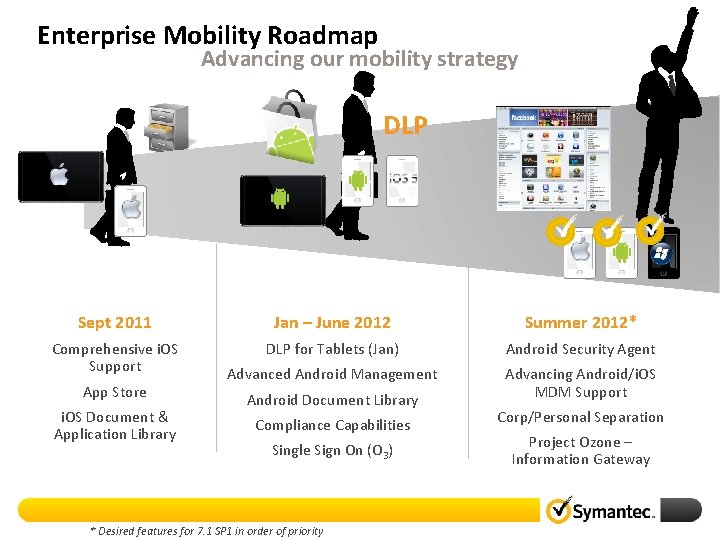
Enterprise Mobility Roadmap Advancing our mobility strategy DLP Sept 2011 Jan – June 2012 Summer 2012* Comprehensive i. OS Support DLP for Tablets (Jan) Android Security Agent Advanced Android Management Advancing Android/i. OS MDM Support App Store i. OS Document & Application Library Android Document Library Compliance Capabilities Single Sign On (O 3) * Desired features for 7. 1 SP 1 in order of priority Corp/Personal Separation Project Ozone – Information Gateway
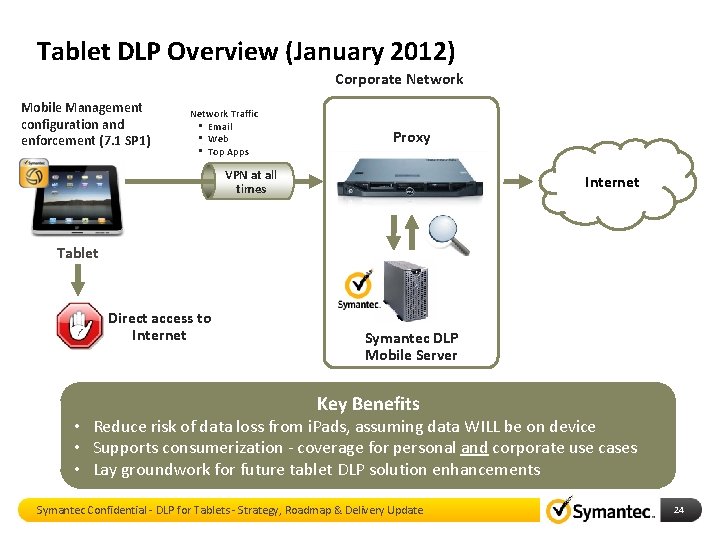
Tablet DLP Overview (January 2012) Corporate Network Mobile Management configuration and enforcement (7. 1 SP 1) Network Traffic • Email • Web • Top Apps Proxy VPN at all times Internet Tablet Direct access to Internet Symantec DLP Mobile Server Key Benefits • Reduce risk of data loss from i. Pads, assuming data WILL be on device • Supports consumerization - coverage for personal and corporate use cases • Lay groundwork for future tablet DLP solution enhancements Symantec Confidential - DLP for Tablets - Strategy, Roadmap & Delivery Update 24
Symantec Mobile Management Integration Features for DLP/MPKI Symantec Mobile Management for DLP – Solution Overview 25
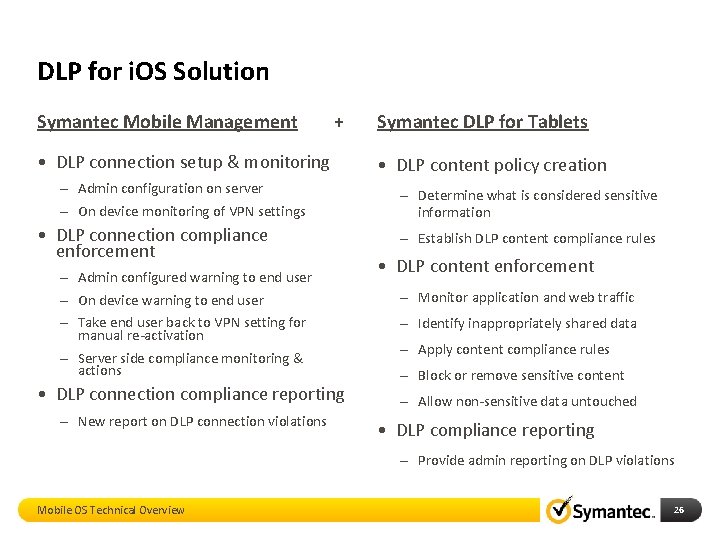
DLP for i. OS Solution Symantec Mobile Management + • DLP connection setup & monitoring – Admin configuration on server – On device monitoring of VPN settings • DLP connection compliance enforcement – Admin configured warning to end user – On device warning to end user – Take end user back to VPN setting for manual re-activation – Server side compliance monitoring & actions • DLP connection compliance reporting – New report on DLP connection violations Symantec DLP for Tablets • DLP content policy creation – Determine what is considered sensitive information – Establish DLP content compliance rules • DLP content enforcement – Monitor application and web traffic – Identify inappropriately shared data – Apply content compliance rules – Block or remove sensitive content – Allow non-sensitive data untouched • DLP compliance reporting – Provide admin reporting on DLP violations Mobile OS Technical Overview 26
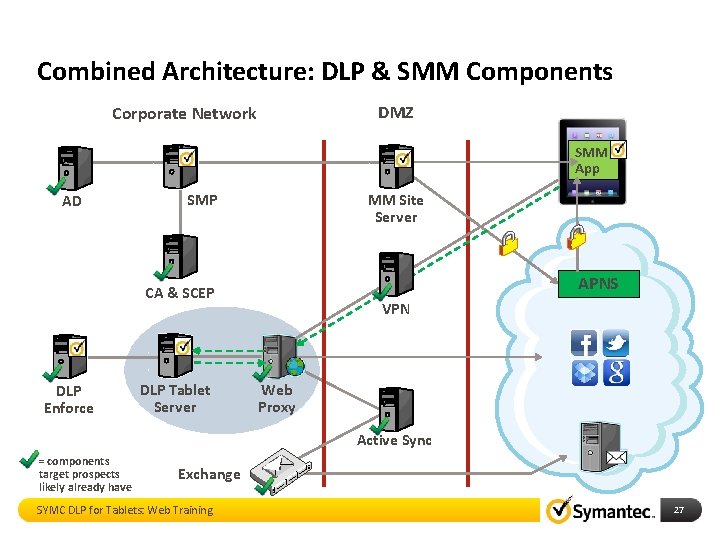
Combined Architecture: DLP & SMM Components DMZ Corporate Network SMM App AD SMP MM Site Server APNS CA & SCEP DLP Enforce DLP Tablet Server VPN Web Proxy Active Sync = components target prospects likely already have Exchange SYMC DLP for Tablets: Web Training 27
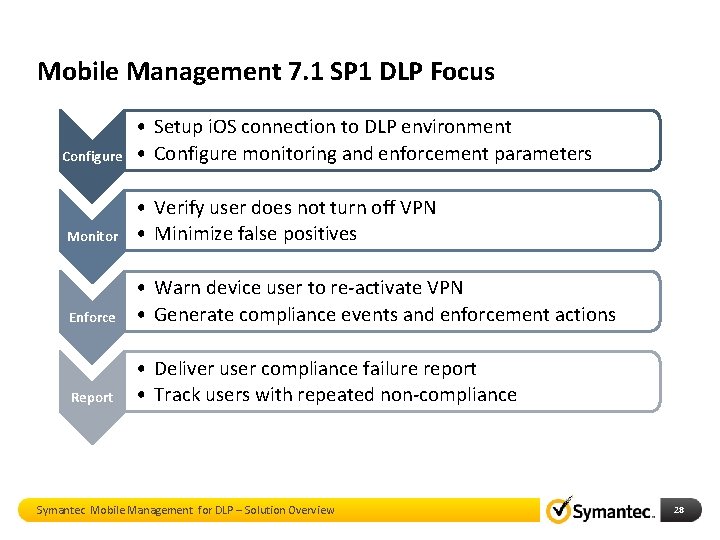
Mobile Management 7. 1 SP 1 DLP Focus Configure • Setup i. OS connection to DLP environment • Configure monitoring and enforcement parameters Monitor • Verify user does not turn off VPN • Minimize false positives Enforce • Warn device user to re-activate VPN • Generate compliance events and enforcement actions Report • Deliver user compliance failure report • Track users with repeated non-compliance Symantec Mobile Management for DLP – Solution Overview 28
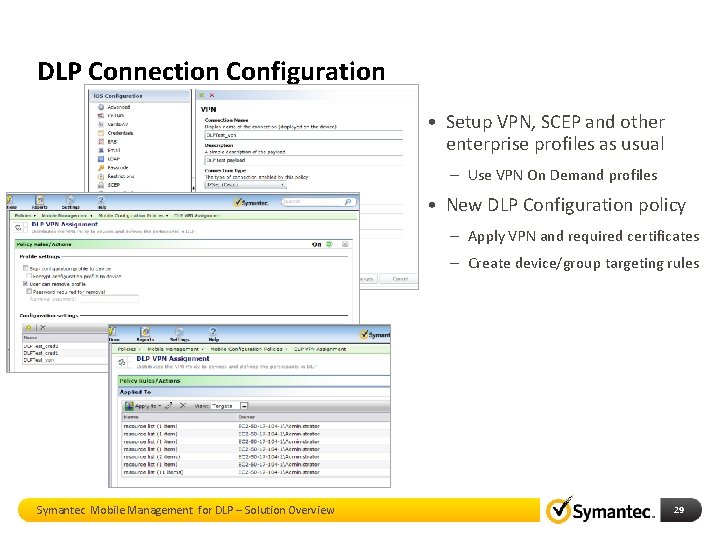
DLP Connection Configuration • Setup VPN, SCEP and other enterprise profiles as usual – Use VPN On Demand profiles • New DLP Configuration policy – Apply VPN and required certificates – Create device/group targeting rules Symantec Mobile Management for DLP – Solution Overview 29
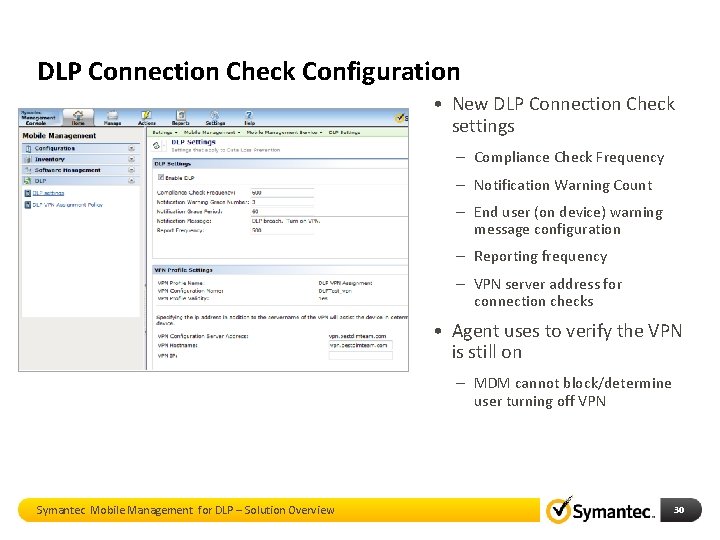
DLP Connection Check Configuration • New DLP Connection Check settings – Compliance Check Frequency – Notification Warning Count – End user (on device) warning message configuration – Reporting frequency – VPN server address for connection checks • Agent uses to verify the VPN is still on – MDM cannot block/determine user turning off VPN Symantec Mobile Management for DLP – Solution Overview 30
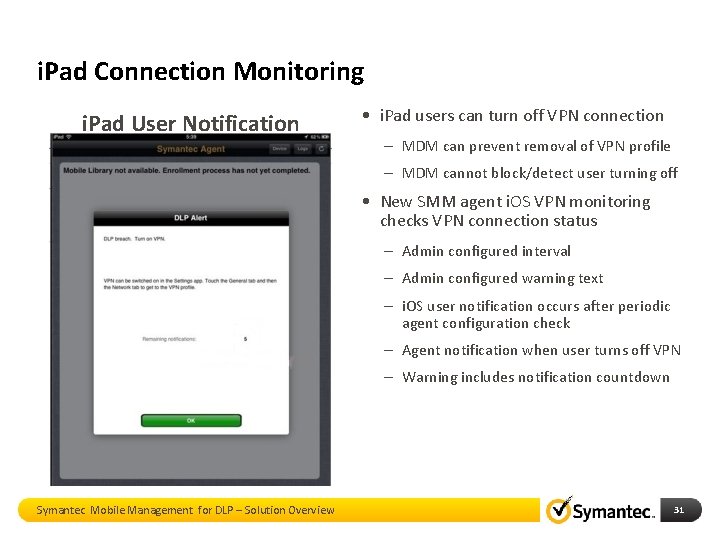
i. Pad Connection Monitoring i. Pad User Notification • i. Pad users can turn off VPN connection – MDM can prevent removal of VPN profile – MDM cannot block/detect user turning off • New SMM agent i. OS VPN monitoring checks VPN connection status – Admin configured interval – Admin configured warning text – i. OS user notification occurs after periodic agent configuration check – Agent notification when user turns off VPN – Warning includes notification countdown Symantec Mobile Management for DLP – Solution Overview 31
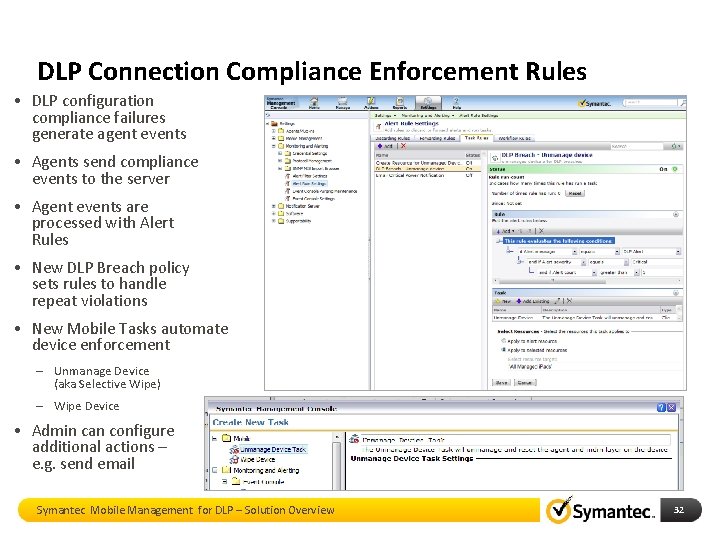
DLP Connection Compliance Enforcement Rules • DLP configuration compliance failures generate agent events • Agents send compliance events to the server • Agent events are processed with Alert Rules • New DLP Breach policy sets rules to handle repeat violations • New Mobile Tasks automate device enforcement – Unmanage Device (aka Selective Wipe) – Wipe Device • Admin can configure additional actions – e. g. send email Symantec Mobile Management for DLP – Solution Overview 32
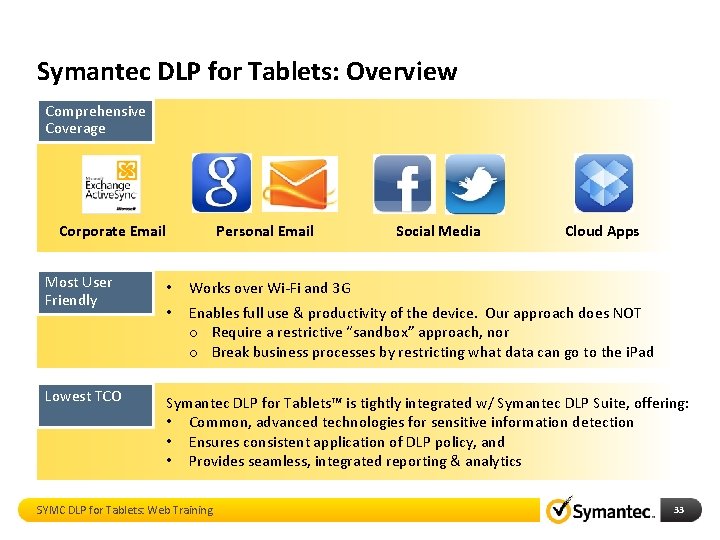
Symantec DLP for Tablets: Overview Comprehensive Coverage Corporate Email Personal Email Social Media Cloud Apps Most User Friendly • Works over Wi-Fi and 3 G • Enables full use & productivity of the device. Our approach does NOT o Require a restrictive “sandbox” approach, nor o Break business processes by restricting what data can go to the i. Pad Lowest TCO Symantec DLP for Tablets™ is tightly integrated w/ Symantec DLP Suite, offering: • Common, advanced technologies for sensitive information detection • Ensures consistent application of DLP policy, and • Provides seamless, integrated reporting & analytics SYMC DLP for Tablets: Web Training 33
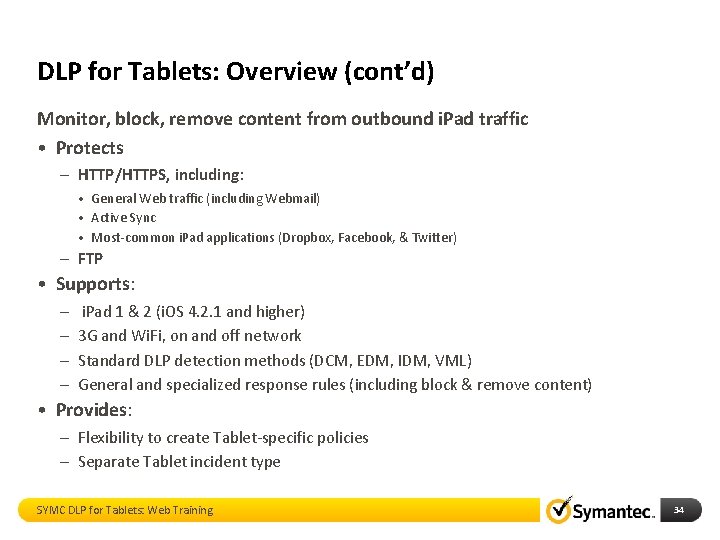
DLP for Tablets: Overview (cont’d) Monitor, block, remove content from outbound i. Pad traffic • Protects – HTTP/HTTPS, including: • General Web traffic (including Webmail) • Active Sync • Most-common i. Pad applications (Dropbox, Facebook, & Twitter) – FTP • Supports: – – i. Pad 1 & 2 (i. OS 4. 2. 1 and higher) 3 G and Wi. Fi, on and off network Standard DLP detection methods (DCM, EDM, IDM, VML) General and specialized response rules (including block & remove content) • Provides: – Flexibility to create Tablet-specific policies – Separate Tablet incident type SYMC DLP for Tablets: Web Training 34
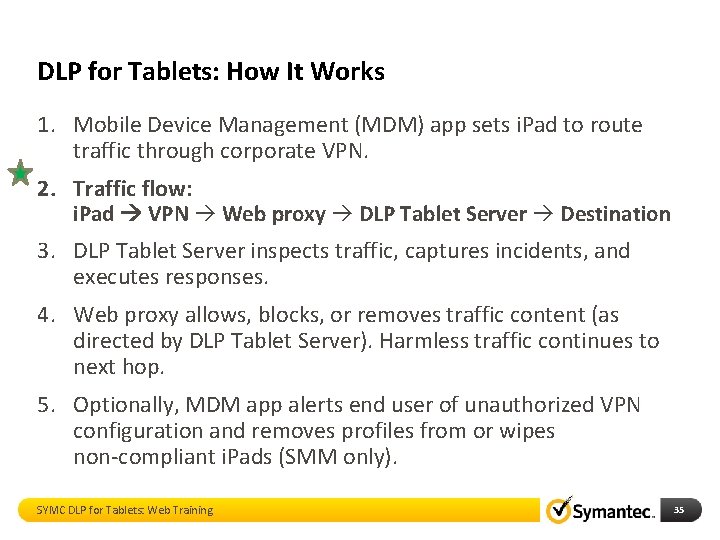
DLP for Tablets: How It Works 1. Mobile Device Management (MDM) app sets i. Pad to route traffic through corporate VPN. 2. Traffic flow: i. Pad VPN Web proxy DLP Tablet Server Destination 3. DLP Tablet Server inspects traffic, captures incidents, and executes responses. 4. Web proxy allows, blocks, or removes traffic content (as directed by DLP Tablet Server). Harmless traffic continues to next hop. 5. Optionally, MDM app alerts end user of unauthorized VPN configuration and removes profiles from or wipes non-compliant i. Pads (SMM only). SYMC DLP for Tablets: Web Training 35
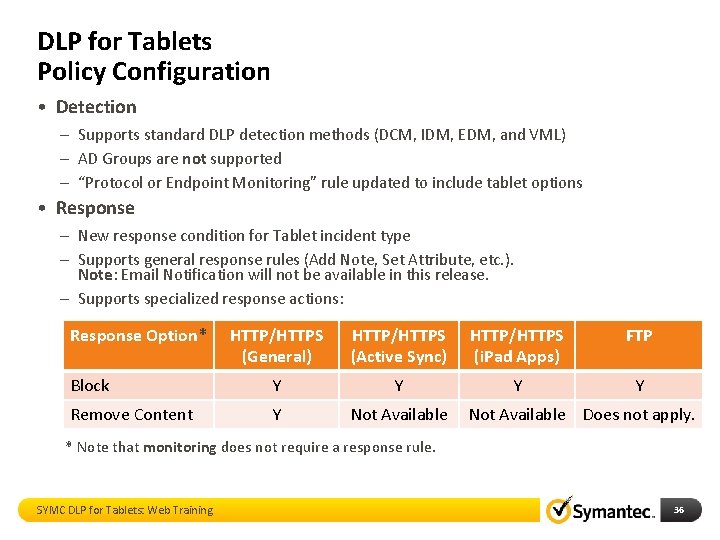
DLP for Tablets Policy Configuration • Detection – Supports standard DLP detection methods (DCM, IDM, EDM, and VML) – AD Groups are not supported – “Protocol or Endpoint Monitoring” rule updated to include tablet options • Response – New response condition for Tablet incident type – Supports general response rules (Add Note, Set Attribute, etc. ). Note: Email Notification will not be available in this release. – Supports specialized response actions: Response Option* HTTP/HTTPS (General) HTTP/HTTPS (Active Sync) HTTP/HTTPS (i. Pad Apps) FTP Block Y Y Remove Content Y Not Available Does not apply. * Note that monitoring does not require a response rule. SYMC DLP for Tablets: Web Training 36
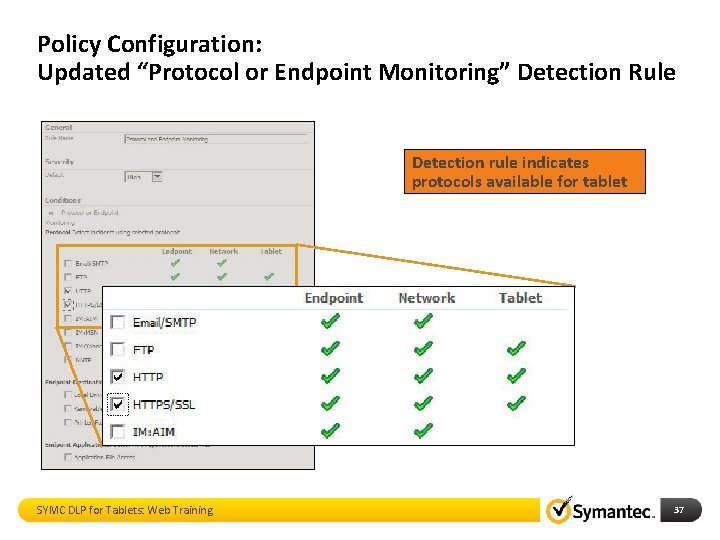
Policy Configuration: Updated “Protocol or Endpoint Monitoring” Detection Rule Detection rule indicates protocols available for tablet SYMC DLP for Tablets: Web Training 37
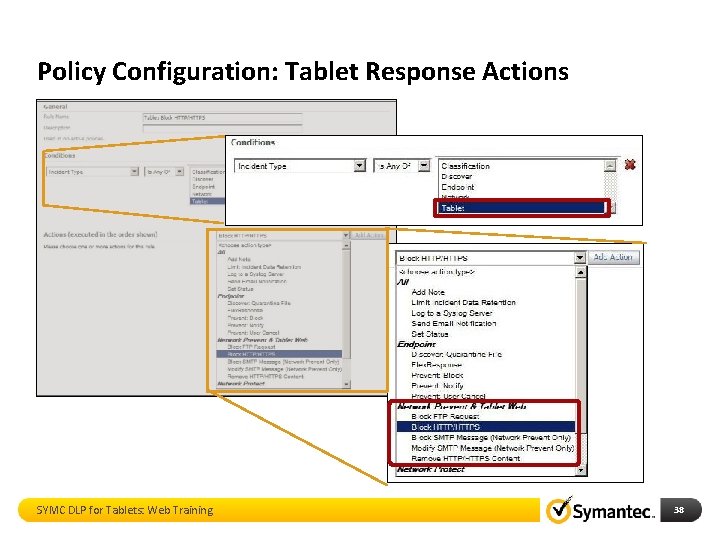
Policy Configuration: Tablet Response Actions SYMC DLP for Tablets: Web Training 38
Mobile Management 7. 1 SP 1 Integration with Veri. Sign Managed PKI 39
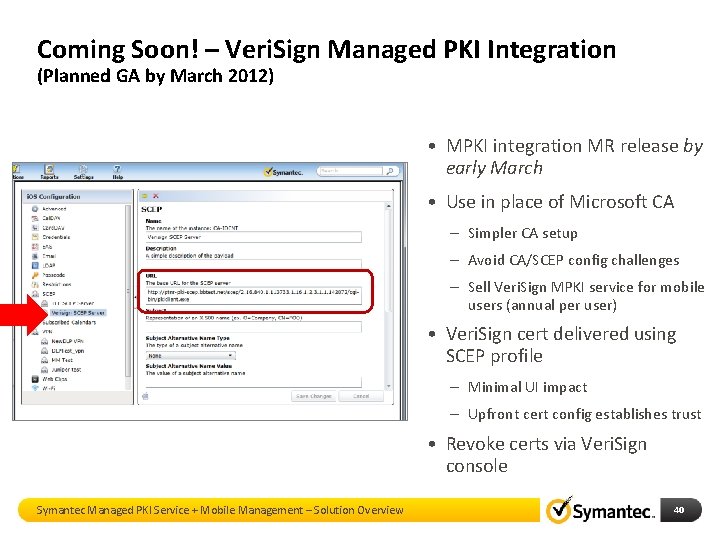
Coming Soon! – Veri. Sign Managed PKI Integration (Planned GA by March 2012) • MPKI integration MR release by early March • Use in place of Microsoft CA – Simpler CA setup – Avoid CA/SCEP config challenges – Sell Veri. Sign MPKI service for mobile users (annual per user) • Veri. Sign cert delivered using SCEP profile – Minimal UI impact – Upfront cert config establishes trust • Revoke certs via Veri. Sign console Symantec Managed PKI Service + Mobile Management – Solution Overview 40
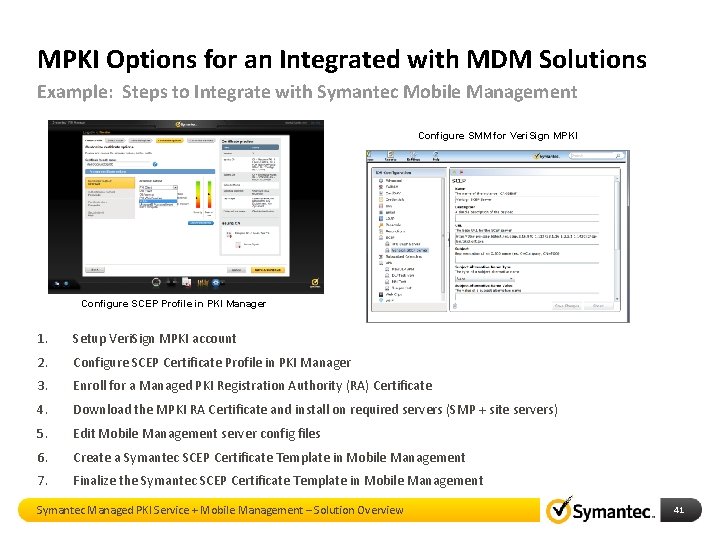
MPKI Options for an Integrated with MDM Solutions Example: Steps to Integrate with Symantec Mobile Management Configure SMM for Veri. Sign MPKI Configure SCEP Profile in PKI Manager 1. Setup Veri. Sign MPKI account 2. Configure SCEP Certificate Profile in PKI Manager 3. Enroll for a Managed PKI Registration Authority (RA) Certificate 4. Download the MPKI RA Certificate and install on required servers (SMP + site servers) 5. Edit Mobile Management server config files 6. Create a Symantec SCEP Certificate Template in Mobile Management 7. Finalize the Symantec SCEP Certificate Template in Mobile Management Symantec Managed PKI Service + Mobile Management – Solution Overview 41
Secure Access Managed Public Key Infrastructure and Two Factor Authentication 42
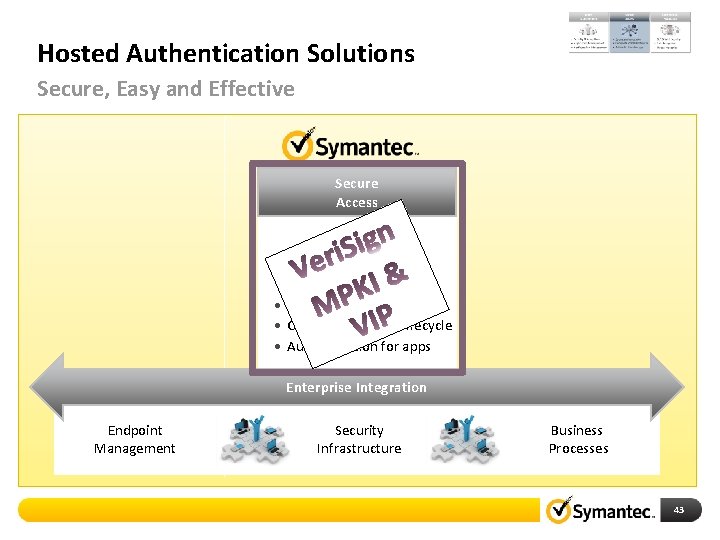
Hosted Authentication Solutions Secure, Easy and Effective Secure Access • Strong authentication • Complete PKI/OTP lifecycle • Authentication for apps Enterprise Integration Endpoint Management Security Infrastructure Business Processes 43
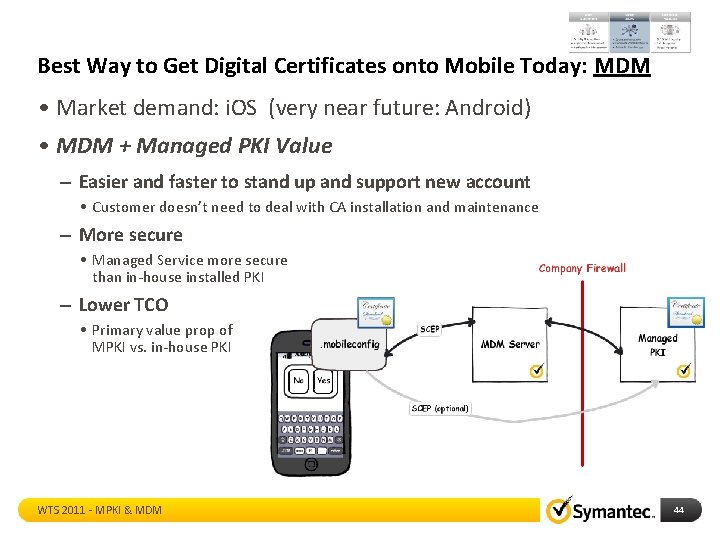
Best Way to Get Digital Certificates onto Mobile Today: MDM • Market demand: i. OS (very near future: Android) • MDM + Managed PKI Value – Easier and faster to stand up and support new account • Customer doesn’t need to deal with CA installation and maintenance – More secure • Managed Service more secure than in-house installed PKI – Lower TCO • Primary value prop of MPKI vs. in-house PKI WTS 2011 - MPKI & MDM 44
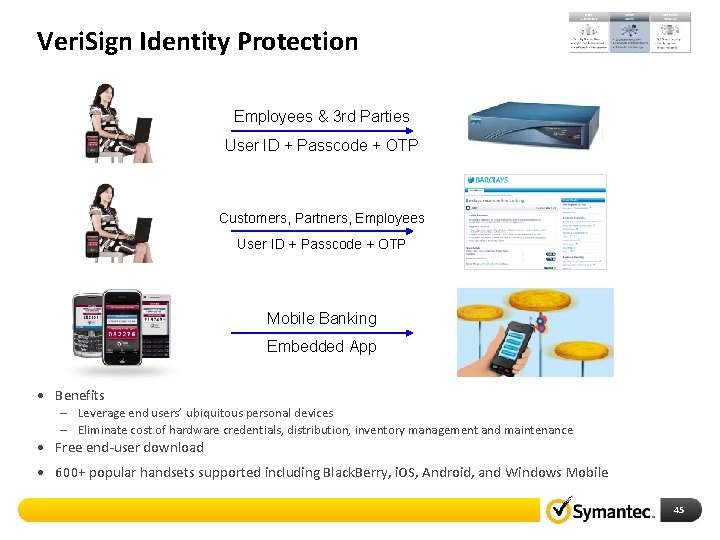
Veri. Sign Identity Protection Employees & 3 rd Parties User ID + Passcode + OTP Customers, Partners, Employees User ID + Passcode + OTP Mobile Banking Embedded App • Benefits – Leverage end users’ ubiquitous personal devices – Eliminate cost of hardware credentials, distribution, inventory management and maintenance • Free end-user download • 600+ popular handsets supported including Black. Berry, i. OS, Android, and Windows Mobile 45
Information Protection DLP & Security products Presentation Identifier Goes Here 46
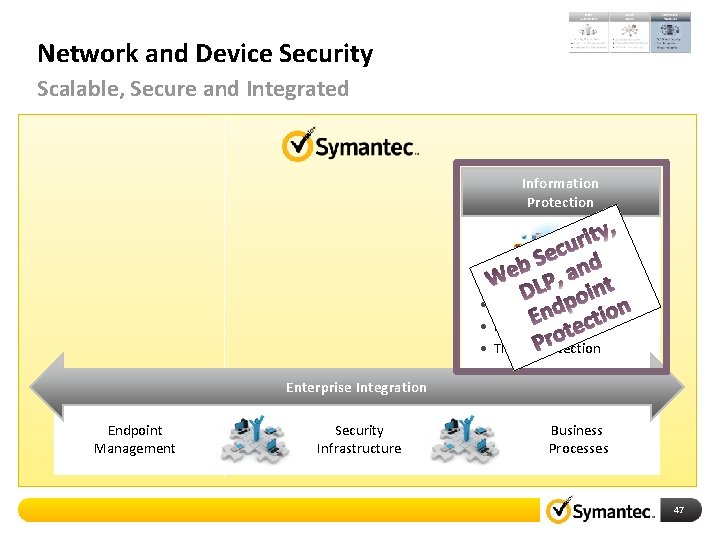
Network and Device Security Scalable, Secure and Integrated Information Protection • DLP & Web Security • Data Encryption • Threat Protection Enterprise Integration Endpoint Management Security Infrastructure Business Processes 47
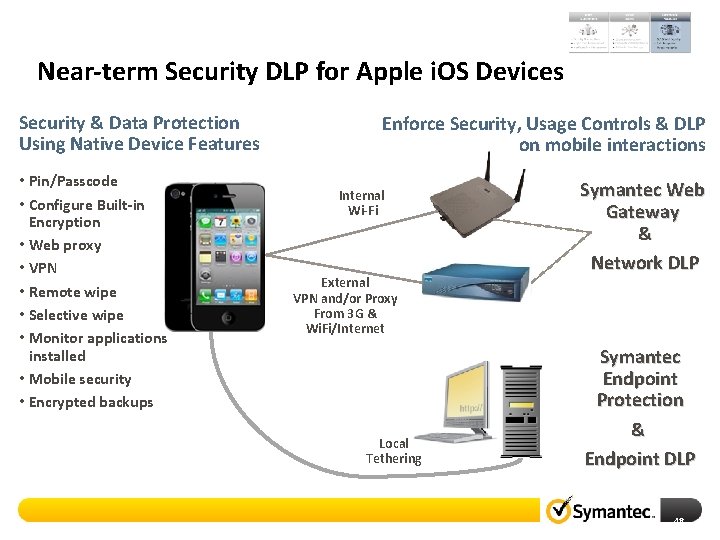
Near-term Security DLP for Apple i. OS Devices Security & Data Protection Using Native Device Features • Pin/Passcode • Configure Built-in Encryption • Web proxy • VPN • Remote wipe • Selective wipe • Monitor applications installed • Mobile security • Encrypted backups Enforce Security, Usage Controls & DLP on mobile interactions Internal Wi-Fi External VPN and/or Proxy From 3 G & Wi. Fi/Internet Local Tethering Symantec Web Gateway & Network DLP Symantec Endpoint Protection & Endpoint DLP 48
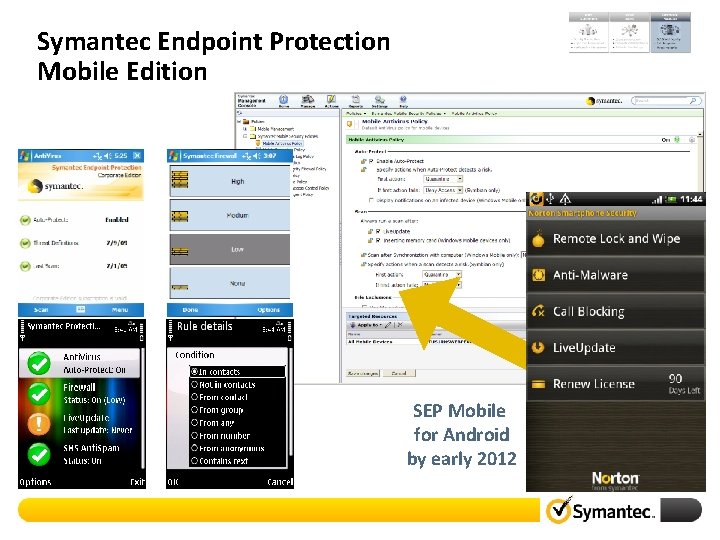
Symantec Endpoint Protection Mobile Edition SEP Mobile for Android by early 2012
Our Commitments Be the mobile leader in Enterprise Mobility Expand our mobile solutions across the broadest number of customer requirements Deliver highly differentiated and integrated roadmap
Thank You Symantec Mobile Solutions 51
Mobile Management 7. 1 SP 2 i. OS & Android Details Symantec Mobile Solutions 52
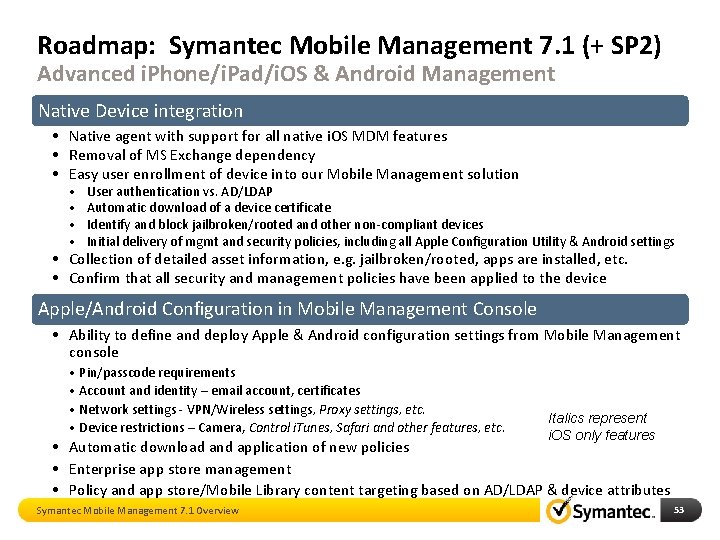
Roadmap: Symantec Mobile Management 7. 1 (+ SP 2) Advanced i. Phone/i. Pad/i. OS & Android Management Native Device integration • Native agent with support for all native i. OS MDM features • Removal of MS Exchange dependency • Easy user enrollment of device into our Mobile Management solution • • User authentication vs. AD/LDAP Automatic download of a device certificate Identify and block jailbroken/rooted and other non-compliant devices Initial delivery of mgmt and security policies, including all Apple Configuration Utility & Android settings • Collection of detailed asset information, e. g. jailbroken/rooted, apps are installed, etc. • Confirm that all security and management policies have been applied to the device Apple/Android Configuration in Mobile Management Console • Ability to define and deploy Apple & Android configuration settings from Mobile Management console • Pin/passcode requirements • Account and identity – email account, certificates • Network settings - VPN/Wireless settings, Proxy settings, etc. • Device restrictions – Camera, Control i. Tunes, Safari and other features, etc. Italics represent i. OS only features • Automatic download and application of new policies • Enterprise app store management • Policy and app store/Mobile Library content targeting based on AD/LDAP & device attributes Symantec Mobile Management 7. 1 Overview 53
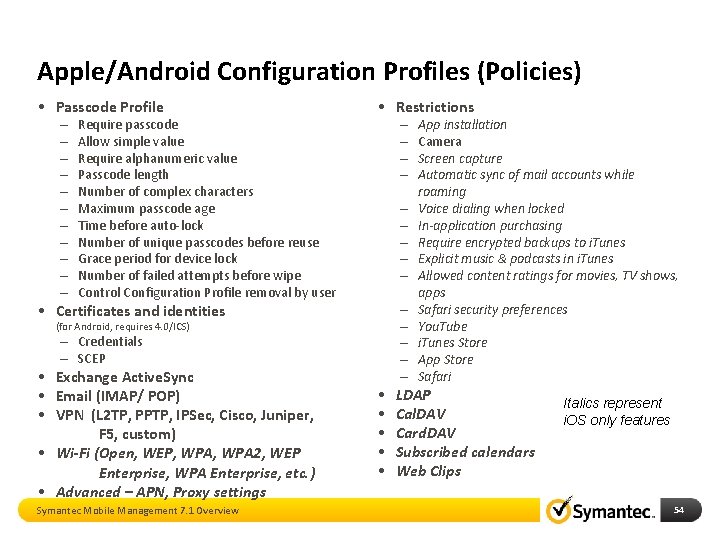
Apple/Android Configuration Profiles (Policies) • Passcode Profile – – – Require passcode Allow simple value Require alphanumeric value Passcode length Number of complex characters Maximum passcode age Time before auto-lock Number of unique passcodes before reuse Grace period for device lock Number of failed attempts before wipe Control Configuration Profile removal by user • Restrictions – – – – – • Certificates and identities (for Android, requires 4. 0/ICS) – Credentials – SCEP • Exchange Active. Sync • Email (IMAP/ POP) • VPN (L 2 TP, PPTP, IPSec, Cisco, Juniper, F 5, custom) • Wi-Fi (Open, WEP, WPA 2, WEP Enterprise, WPA Enterprise, etc. ) • Advanced – APN, Proxy settings Symantec Mobile Management 7. 1 Overview • • • – – – App installation Camera Screen capture Automatic sync of mail accounts while roaming Voice dialing when locked In-application purchasing Require encrypted backups to i. Tunes Explicit music & podcasts in i. Tunes Allowed content ratings for movies, TV shows, apps Safari security preferences You. Tube i. Tunes Store App Store Safari LDAP Cal. DAV Card. DAV Subscribed calendars Web Clips Italics represent i. OS only features 54
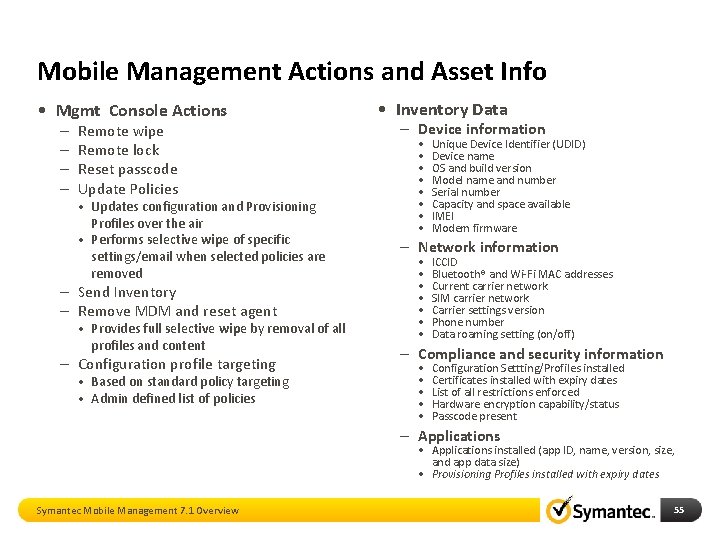
Mobile Management Actions and Asset Info • Mgmt Console Actions – – Remote wipe Remote lock Reset passcode Update Policies • Updates configuration and Provisioning Profiles over the air • Performs selective wipe of specific settings/email when selected policies are removed – Send Inventory – Remove MDM and reset agent • Provides full selective wipe by removal of all profiles and content – Configuration profile targeting • Based on standard policy targeting • Admin defined list of policies • Inventory Data – Device information • • Unique Device Identifier (UDID) Device name OS and build version Model name and number Serial number Capacity and space available IMEI Modem firmware – Network information • • ICCID Bluetooth® and Wi-Fi MAC addresses Current carrier network SIM carrier network Carrier settings version Phone number Data roaming setting (on/off) – Compliance and security information • • • Configuration Settting/Profiles installed Certificates installed with expiry dates List of all restrictions enforced Hardware encryption capability/status Passcode present – Applications • Applications installed (app ID, name, version, size, and app data size) • Provisioning Profiles installed with expiry dates Symantec Mobile Management 7. 1 Overview 55
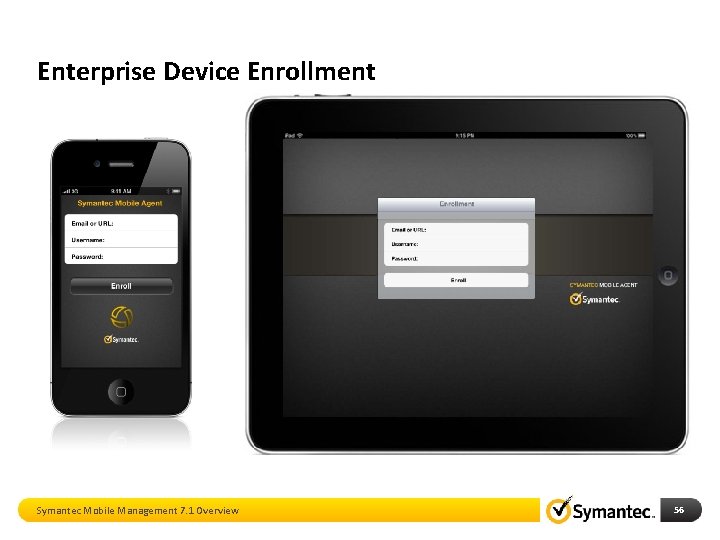
Enterprise Device Enrollment Symantec Mobile Management 7. 1 Overview 56
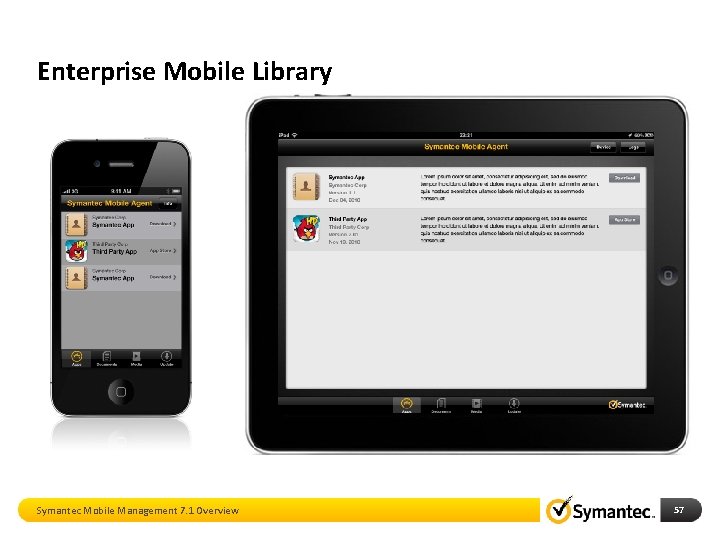
Enterprise Mobile Library Symantec Mobile Management 7. 1 Overview 57
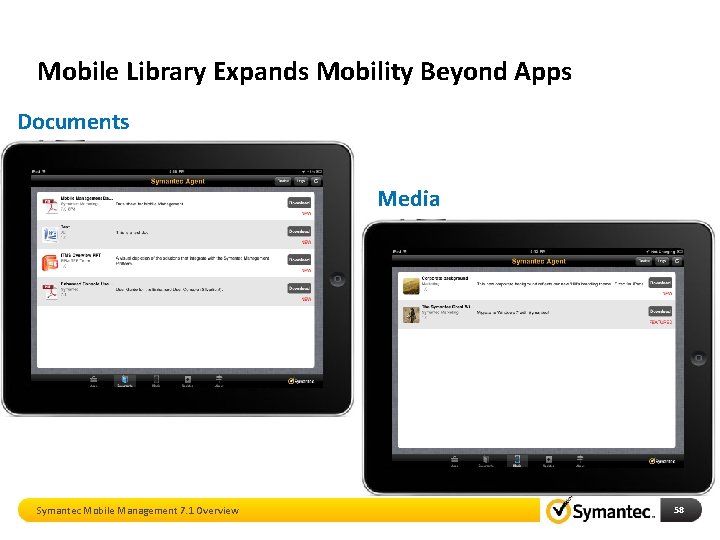
Mobile Library Expands Mobility Beyond Apps Documents Media Symantec Mobile Management 7. 1 Overview 58
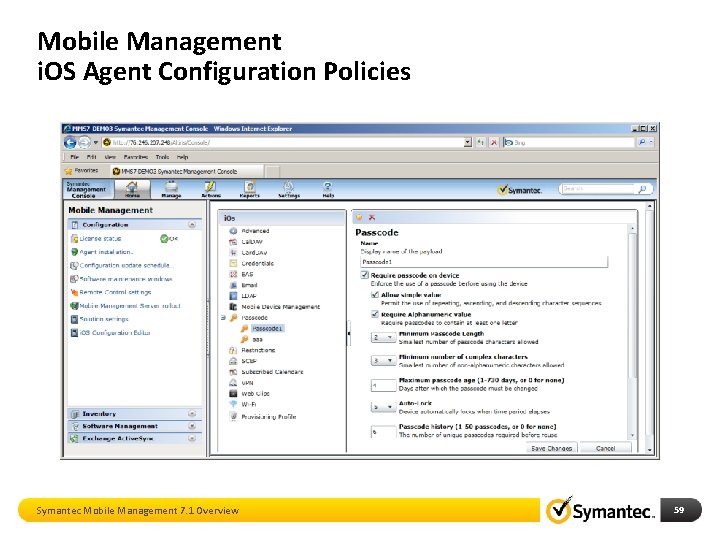
Mobile Management i. OS Agent Configuration Policies Symantec Mobile Management 7. 1 Overview 59
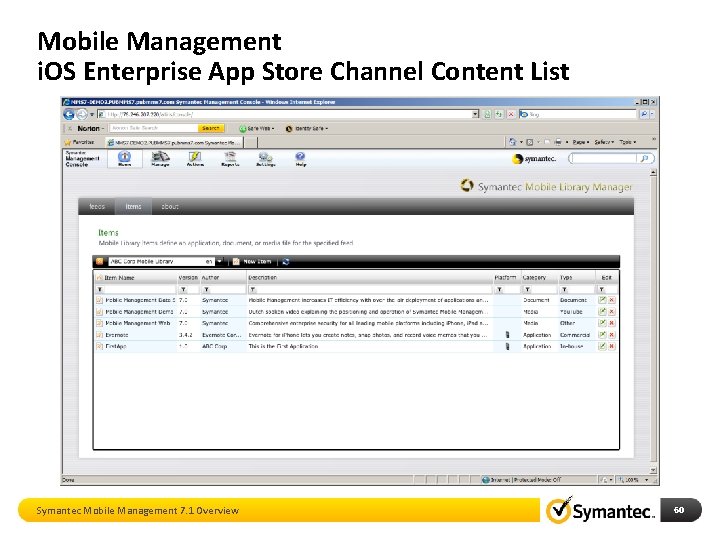
Mobile Management i. OS Enterprise App Store Channel Content List Symantec Mobile Management 7. 1 Overview 60
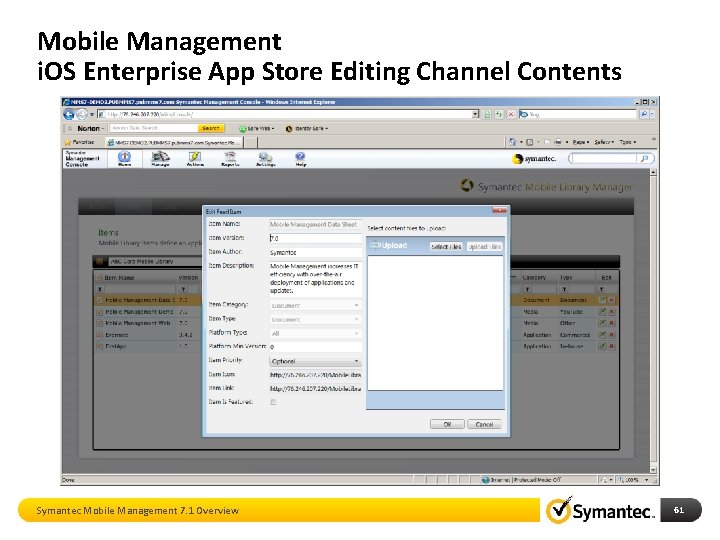
Mobile Management i. OS Enterprise App Store Editing Channel Contents Symantec Mobile Management 7. 1 Overview 61
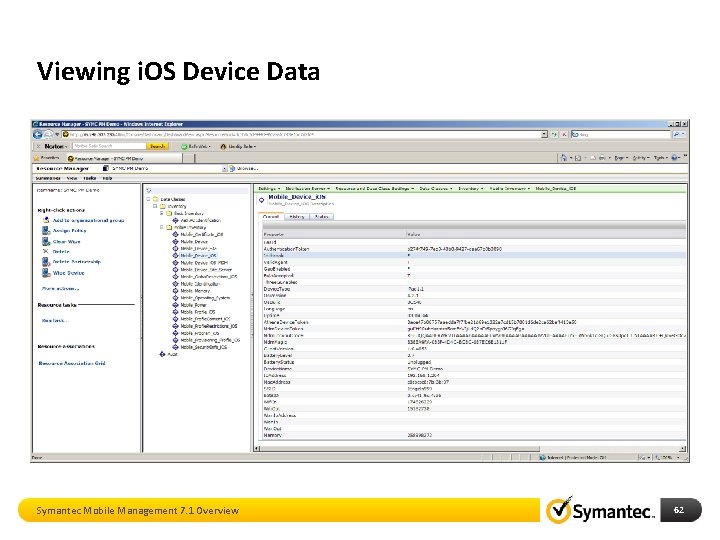
Viewing i. OS Device Data Symantec Mobile Management 7. 1 Overview 62
Mobile Management Architecture 63
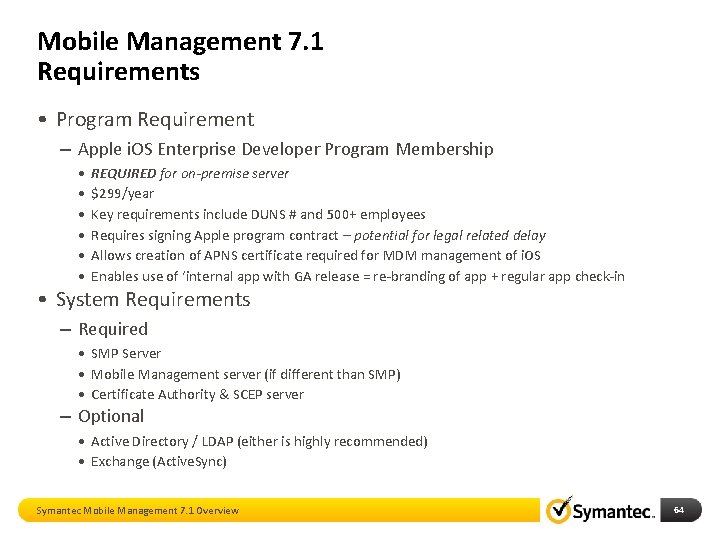
Mobile Management 7. 1 Requirements • Program Requirement – Apple i. OS Enterprise Developer Program Membership • • • REQUIRED for on-premise server $299/year Key requirements include DUNS # and 500+ employees Requires signing Apple program contract – potential for legal related delay Allows creation of APNS certificate required for MDM management of i. OS Enables use of ‘internal app with GA release = re-branding of app + regular app check-in • System Requirements – Required • SMP Server • Mobile Management server (if different than SMP) • Certificate Authority & SCEP server – Optional • Active Directory / LDAP (either is highly recommended) • Exchange (Active. Sync) Symantec Mobile Management 7. 1 Overview 64
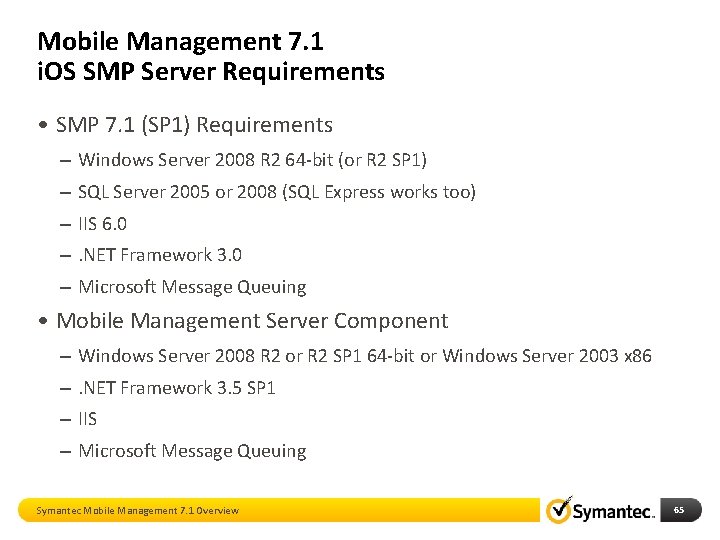
Mobile Management 7. 1 i. OS SMP Server Requirements • SMP 7. 1 (SP 1) Requirements – Windows Server 2008 R 2 64 -bit (or R 2 SP 1) – SQL Server 2005 or 2008 (SQL Express works too) – IIS 6. 0 –. NET Framework 3. 0 – Microsoft Message Queuing • Mobile Management Server Component – Windows Server 2008 R 2 or R 2 SP 1 64 -bit or Windows Server 2003 x 86 –. NET Framework 3. 5 SP 1 – IIS – Microsoft Message Queuing Symantec Mobile Management 7. 1 Overview 65
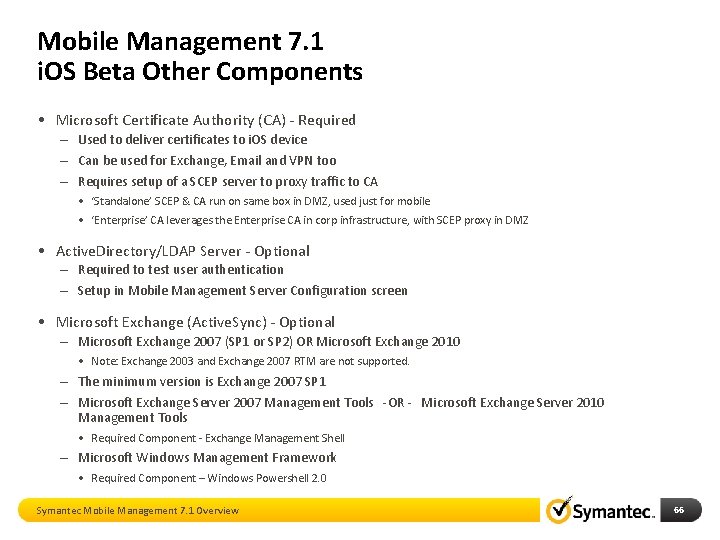
Mobile Management 7. 1 i. OS Beta Other Components • Microsoft Certificate Authority (CA) - Required – Used to deliver certificates to i. OS device – Can be used for Exchange, Email and VPN too – Requires setup of a SCEP server to proxy traffic to CA • ‘Standalone’ SCEP & CA run on same box in DMZ, used just for mobile • ‘Enterprise’ CA leverages the Enterprise CA in corp infrastructure, with SCEP proxy in DMZ • Active. Directory/LDAP Server - Optional – Required to test user authentication – Setup in Mobile Management Server Configuration screen • Microsoft Exchange (Active. Sync) - Optional – Microsoft Exchange 2007 (SP 1 or SP 2) OR Microsoft Exchange 2010 • Note: Exchange 2003 and Exchange 2007 RTM are not supported. – The minimum version is Exchange 2007 SP 1 – Microsoft Exchange Server 2007 Management Tools -OR - Microsoft Exchange Server 2010 Management Tools • Required Component - Exchange Management Shell – Microsoft Windows Management Framework • Required Component – Windows Powershell 2. 0 Symantec Mobile Management 7. 1 Overview 66
Summary Symantec Mobile Solutions 67
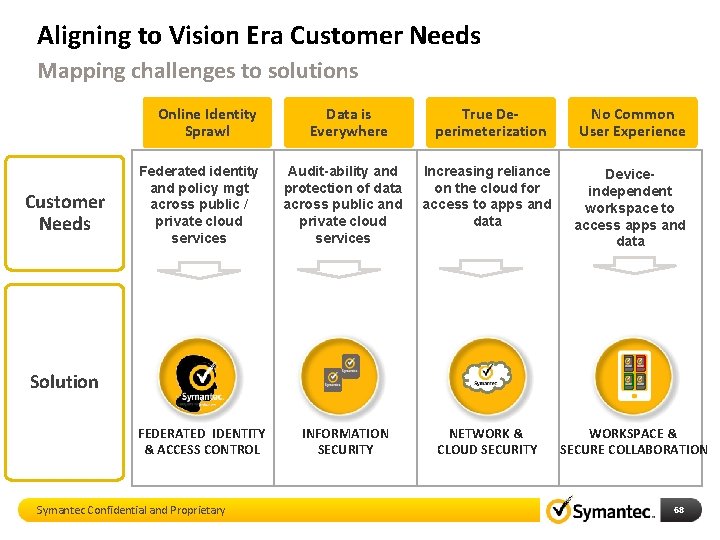
Aligning to Vision Era Customer Needs Mapping challenges to solutions Online Identity Sprawl Customer Needs Data is Everywhere True Deperimeterization No Common User Experience Deviceindependent workspace to access apps and data Federated identity and policy mgt across public / private cloud Key Verticals services Provide secure Audit-ability and access to end protection of data across public and user applications private cloud and data services Increasing reliance on the cloud for access to apps and data FEDERATED IDENTITY & ACCESS CONTROL INFORMATION SECURITY NETWORK & CLOUD SECURITY Solution Symantec Confidential and Proprietary WORKSPACE & SECURE COLLABORATION 68
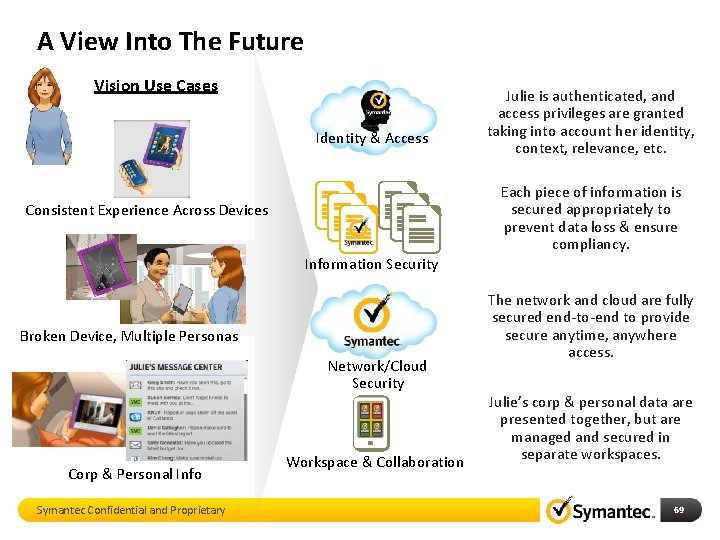
A View Into The Future Vision Use Cases Identity & Access Julie is authenticated, and access privileges are granted taking into account her identity, context, relevance, etc. Each piece of information is secured appropriately to prevent data loss & ensure compliancy. Consistent Experience Across Devices Information Security Broken Device, Multiple Personas Network/Cloud Security Corp & Personal Info Symantec Confidential and Proprietary Workspace & Collaboration The network and cloud are fully secured end-to-end to provide secure anytime, anywhere access. Julie’s corp & personal data are presented together, but are managed and secured in separate workspaces. 69
Thank You Symantec Mobile Solutions 70
- Slides: 70