
Symantec Ghost Effective Disk Cloning Software What is
- Slides: 16
Symantec Ghost Effective Disk Cloning Software
What is Ghost? • “Ghost is a software product from Symantec that can clone (copy) the entire contents of a hard disk to another computer's hard disk or to storage media, automatically formatting and partitioning the target disk. This product is especially useful where one system is to be replicated on a number of computers or when someone wants to back up everything on their personal computer. ” • http: //searchstorage. techtarget. com/s. Defi nition/0, , sid 5_gci 212185, 00. html
This definition only begins to tell part of what the program will do. Other uses include: – – Forensics, making exact copies of media for legal purposes. Transferring exact copies to new hard drives for replacement or upgrade. OIT uses Ghost to image all lab and staff computers. Images can be used to move instances of physical computers to virtual environments
Some functional utilities included with Ghost Enterprise Edition: – – Image Builder makes a computer image to fit several different hardware configurations. (OIT image will work on a multitude of computer architectures). AI builder makes executables for rolling out upgrades and changes PXE boot configuration for remote installation and management Gdisk writes multiple passes of zeros on hard drives to prevent compromise of residual data.
Issues to be aware of: – – – Legal concerns involving software licensing. Windows XP authentication problems when transferring operating system to a different machine. Corrupted images.
Ghost Image can be transferred from: – – – Hard drive (disk to disk or image to disk) (destination disk must be as large or larger than source disk) Bootable CD or DVD (image to disk) (size of image an issue) Server (broadcast, multi-cast, or uni-cast)
Begin by booting Ghost to media (floppy, CD DVD, or PXE (network) boot) • When working with server based images bootable media must have network interface drivers included to initiate communication
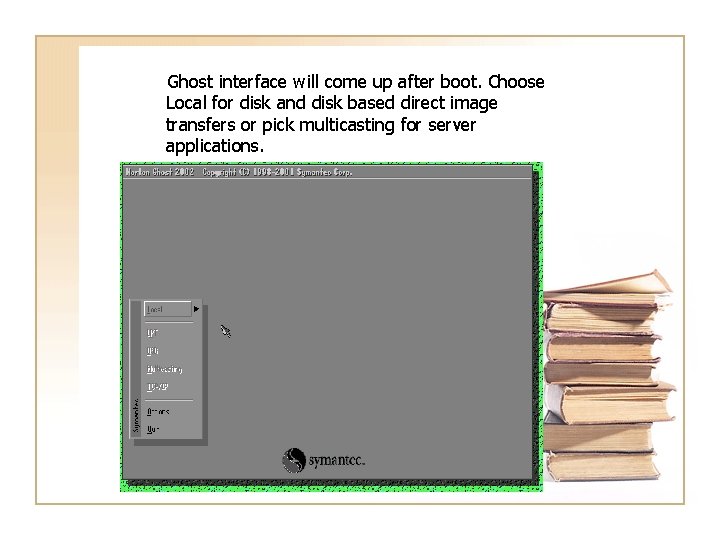
Ghost interface will come up after boot. Choose Local for disk and disk based direct image transfers or pick multicasting for server applications.
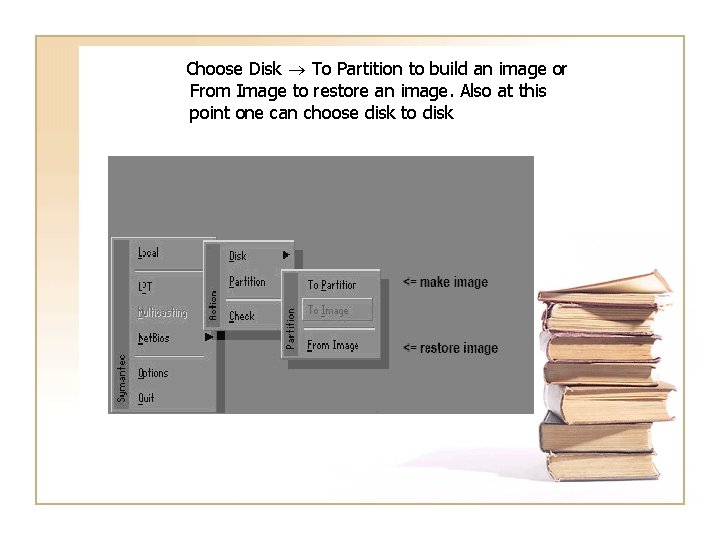
Choose Disk To Partition to build an image or From Image to restore an image. Also at this point one can choose disk to disk
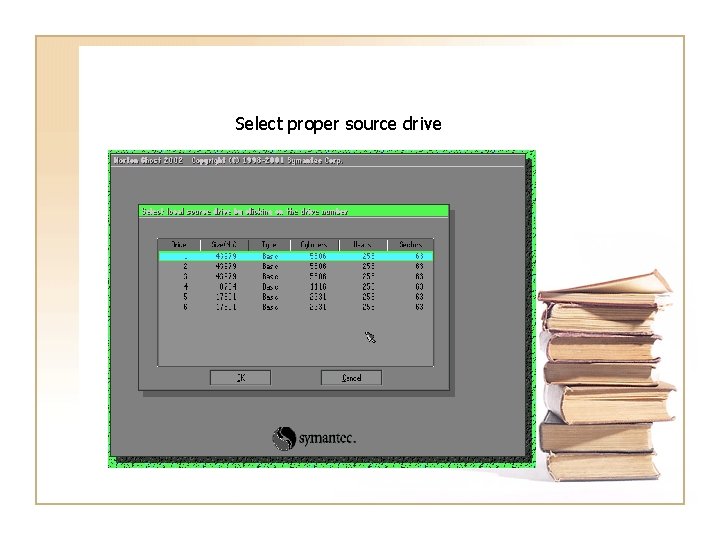
Select proper source drive
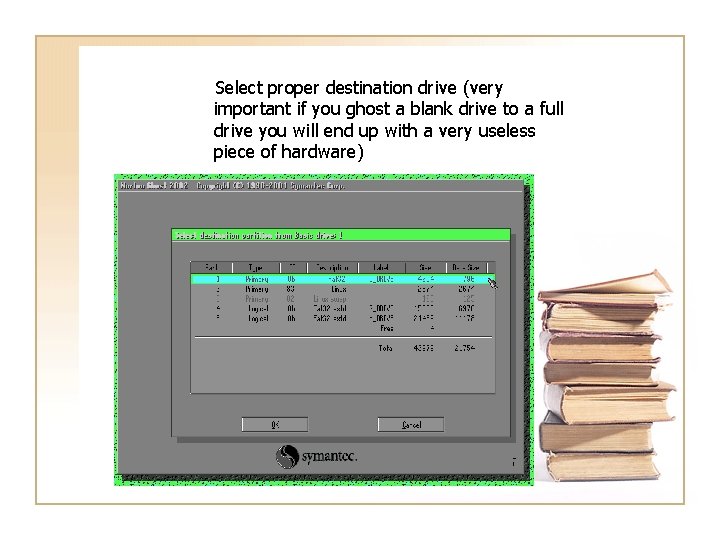
Select proper destination drive (very important if you ghost a blank drive to a full drive you will end up with a very useless piece of hardware)
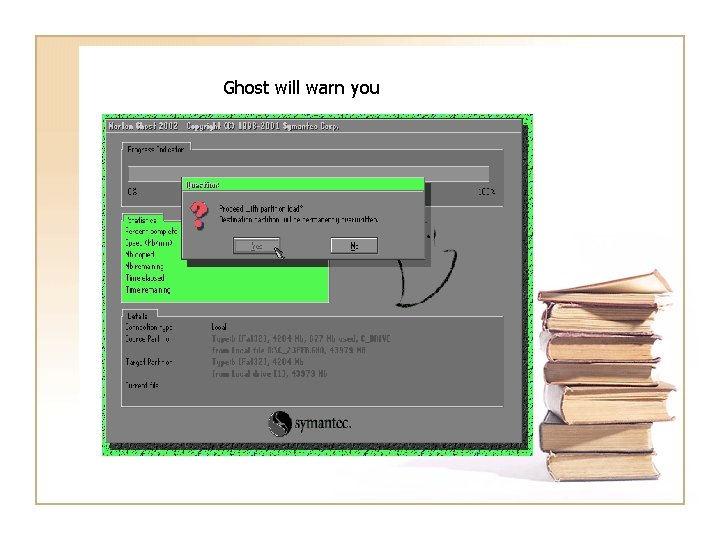
Ghost will warn you
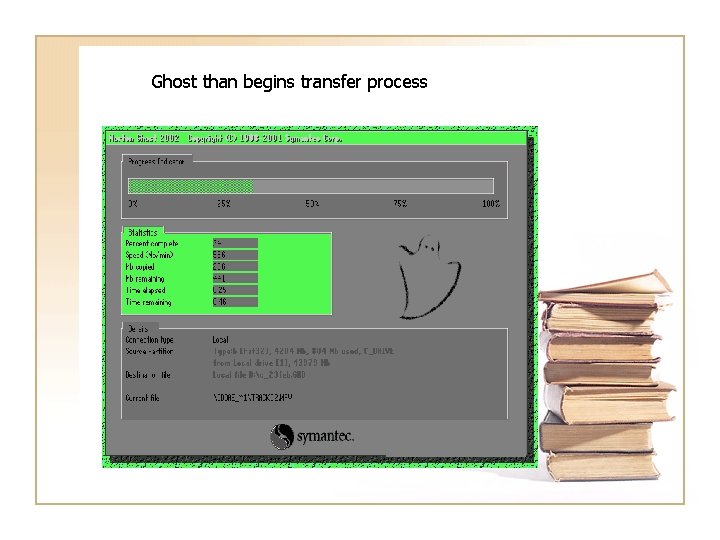
Ghost than begins transfer process
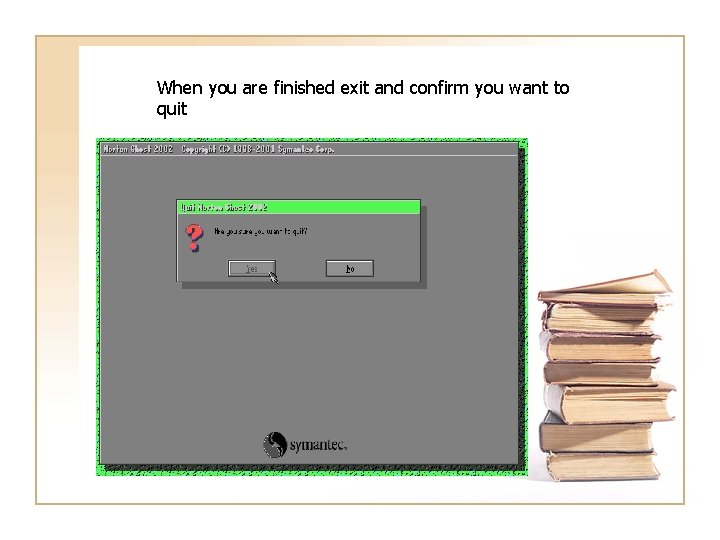
When you are finished exit and confirm you want to quit
Final Thoughts • This tool is used by most major IT departments for application deployment and management • The Ghosting process is usually script driven to automate image transfers • This only demonstrates a small part of Ghost’s functionality
References • Techtarget. com – http: //searchstorage. techtarget. com/s. Definition/0, , sid 5_gci 2121 85, 00. html • Radified. com – http: //ghost. radified. com/ • Symantec – http: //www. symantec. com/