
Switching Operations Three Switch Functions Address learning Forwardfilter

- Slides: 45
Switching & Operations
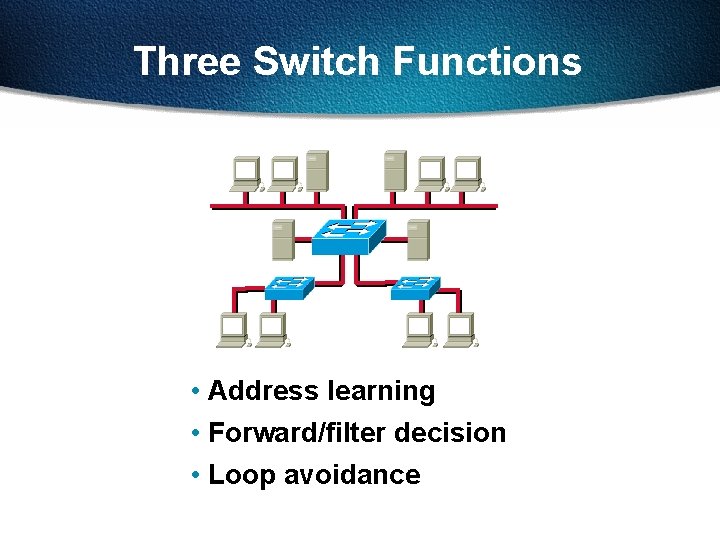
Three Switch Functions • Address learning • Forward/filter decision • Loop avoidance
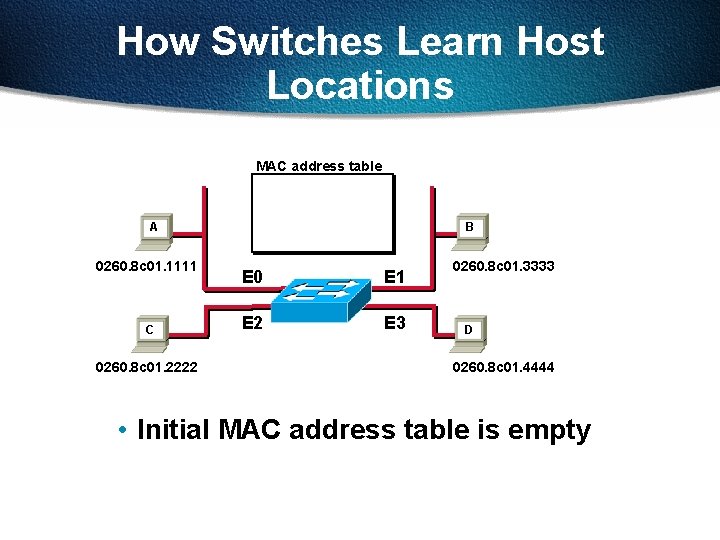
How Switches Learn Host Locations MAC address table A 0260. 8 c 01. 1111 C 0260. 8 c 01. 2222 B E 0 E 1 E 2 E 3 0260. 8 c 01. 3333 D 0260. 8 c 01. 4444 • Initial MAC address table is empty
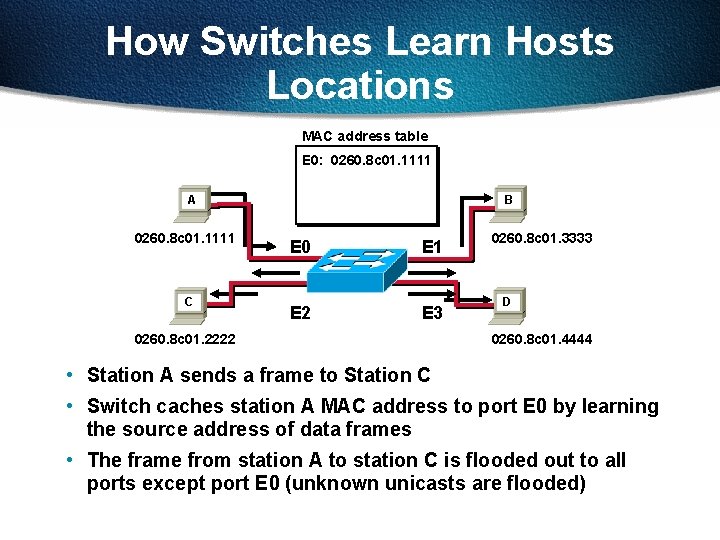
How Switches Learn Hosts Locations MAC address table E 0: 0260. 8 c 01. 1111 A 0260. 8 c 01. 1111 C B E 0 E 1 E 2 E 3 0260. 8 c 01. 2222 0260. 8 c 01. 3333 D 0260. 8 c 01. 4444 • Station A sends a frame to Station C • Switch caches station A MAC address to port E 0 by learning the source address of data frames • The frame from station A to station C is flooded out to all ports except port E 0 (unknown unicasts are flooded)
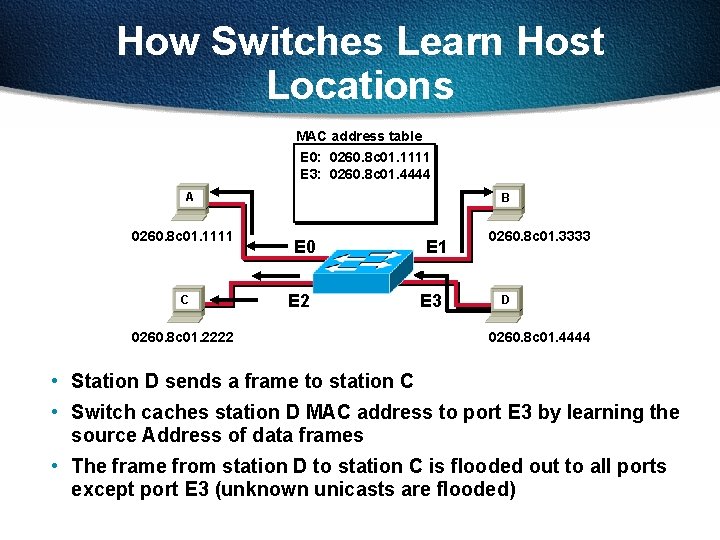
How Switches Learn Host Locations MAC address table E 0: 0260. 8 c 01. 1111 E 3: 0260. 8 c 01. 4444 A 0260. 8 c 01. 1111 C B E 0 E 2 0260. 8 c 01. 2222 E 1 E 3 0260. 8 c 01. 3333 D 0260. 8 c 01. 4444 • Station D sends a frame to station C • Switch caches station D MAC address to port E 3 by learning the source Address of data frames • The frame from station D to station C is flooded out to all ports except port E 3 (unknown unicasts are flooded)
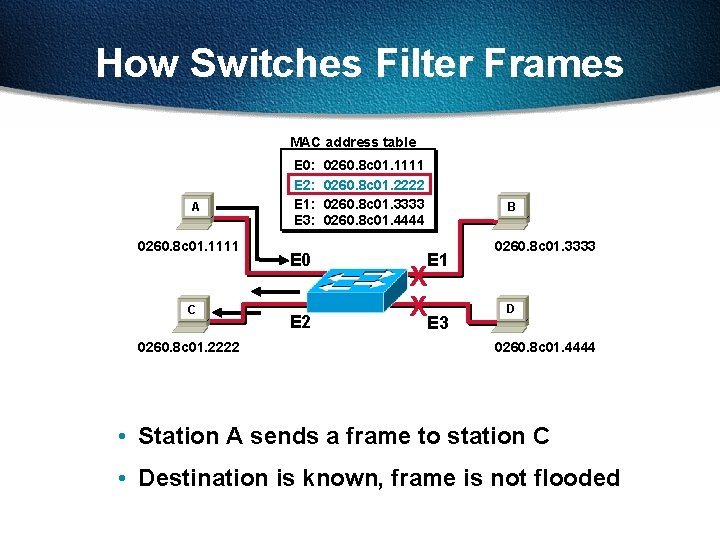
How Switches Filter Frames MAC address table A 0260. 8 c 01. 1111 C 0260. 8 c 01. 2222 E 0: E 2: E 1: E 3: E 0 E 2 0260. 8 c 01. 1111 0260. 8 c 01. 2222 0260. 8 c 01. 3333 0260. 8 c 01. 4444 B E 1 X XE 3 0260. 8 c 01. 3333 D 0260. 8 c 01. 4444 • Station A sends a frame to station C • Destination is known, frame is not flooded
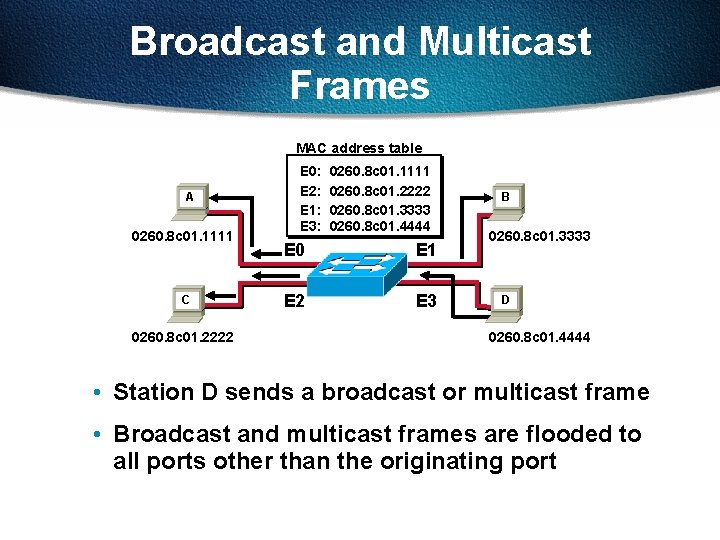
Broadcast and Multicast Frames MAC address table A 0260. 8 c 01. 1111 C 0260. 8 c 01. 2222 E 0: E 2: E 1: E 3: 0260. 8 c 01. 1111 0260. 8 c 01. 2222 0260. 8 c 01. 3333 0260. 8 c 01. 4444 E 0 E 1 E 2 E 3 B 0260. 8 c 01. 3333 D 0260. 8 c 01. 4444 • Station D sends a broadcast or multicast frame • Broadcast and multicast frames are flooded to all ports other than the originating port
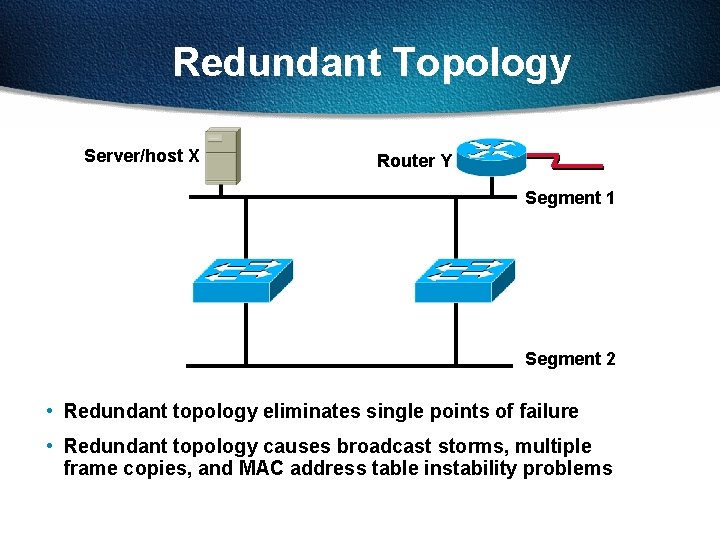
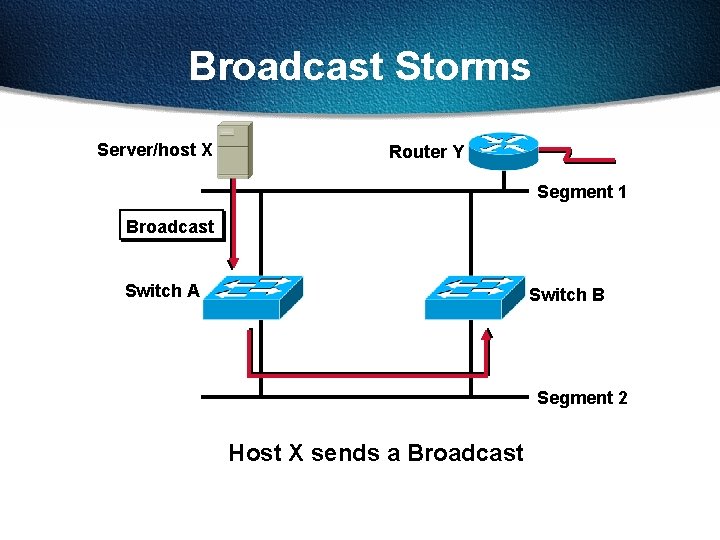
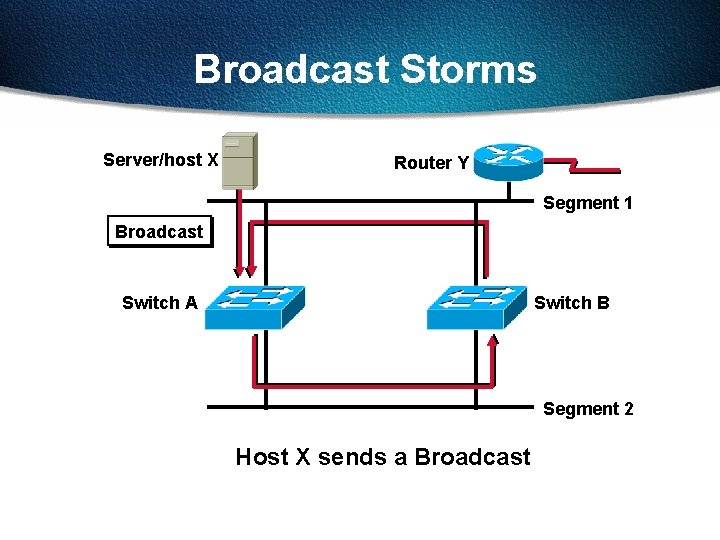
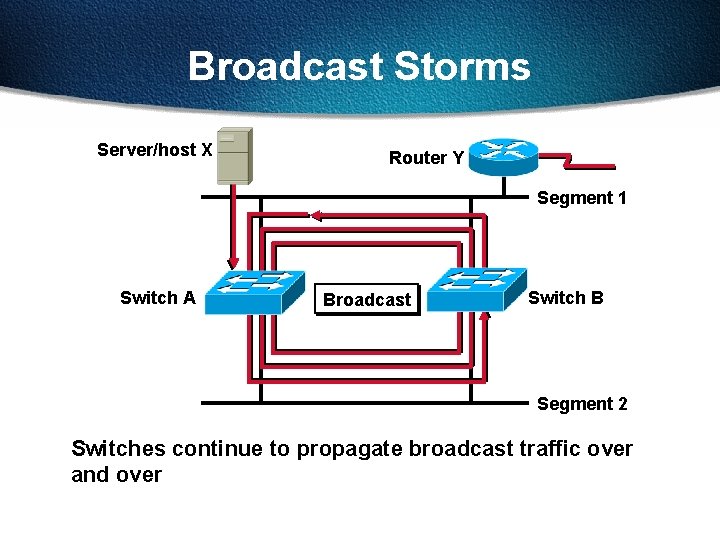
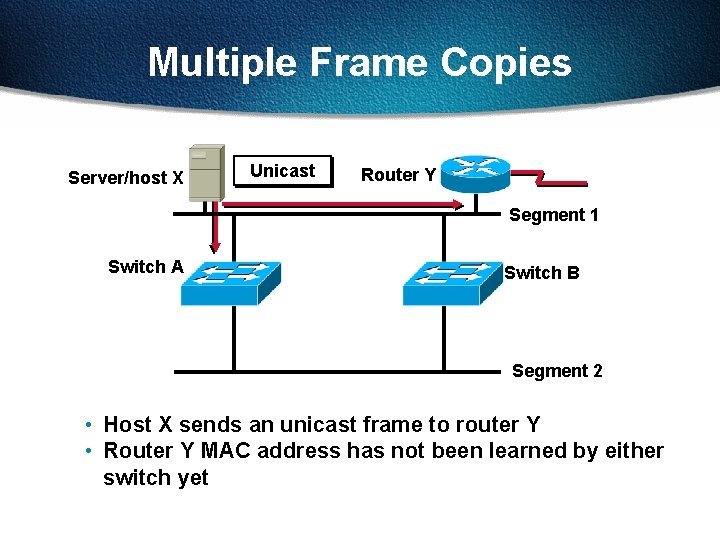
Redundant Topology Server/host X Router Y Segment 1 Segment 2 • Redundant topology eliminates single points of failure • Redundant topology causes broadcast storms, multiple frame copies, and MAC address table instability problems
Broadcast Storms Server/host X Router Y Segment 1 Broadcast Switch A Switch B Segment 2 Host X sends a Broadcast
Broadcast Storms Server/host X Router Y Segment 1 Broadcast Switch A Switch B Segment 2 Host X sends a Broadcast
Broadcast Storms Server/host X Router Y Segment 1 Switch A Broadcast Switch B Segment 2 Switches continue to propagate broadcast traffic over and over
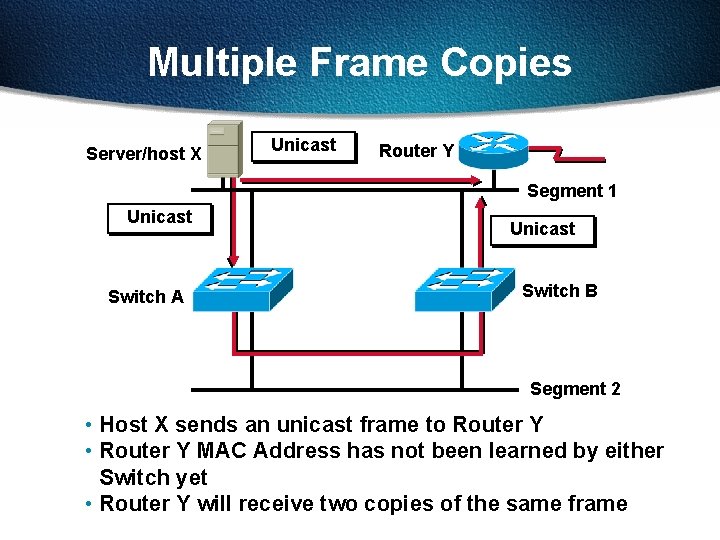
Multiple Frame Copies Server/host X Unicast Router Y Segment 1 Switch A Switch B Segment 2 • Host X sends an unicast frame to router Y • Router Y MAC address has not been learned by either switch yet
Multiple Frame Copies Server/host X Unicast Router Y Segment 1 Unicast Switch A Unicast Switch B Segment 2 • Host X sends an unicast frame to Router Y • Router Y MAC Address has not been learned by either Switch yet • Router Y will receive two copies of the same frame
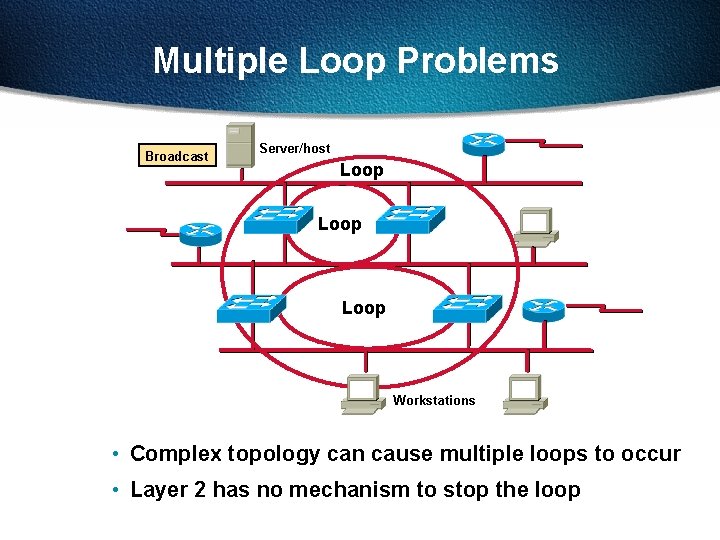
Multiple Loop Problems Broadcast Server/host Loop Workstations • Complex topology can cause multiple loops to occur • Layer 2 has no mechanism to stop the loop
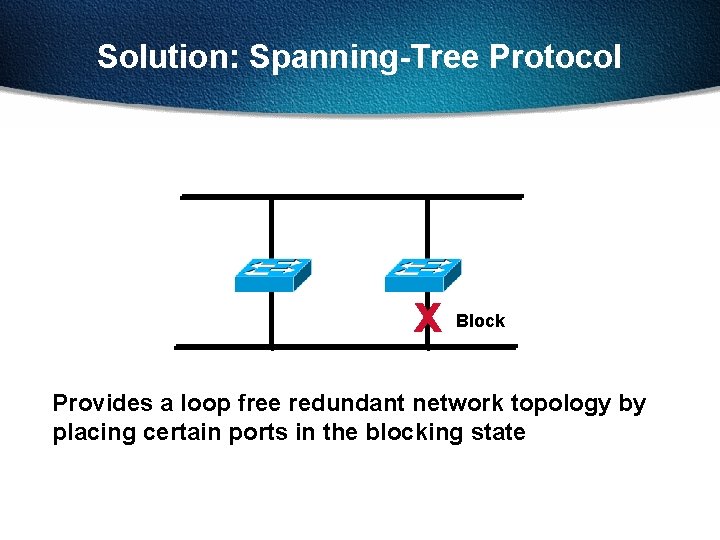
Solution: Spanning-Tree Protocol x Block Provides a loop free redundant network topology by placing certain ports in the blocking state
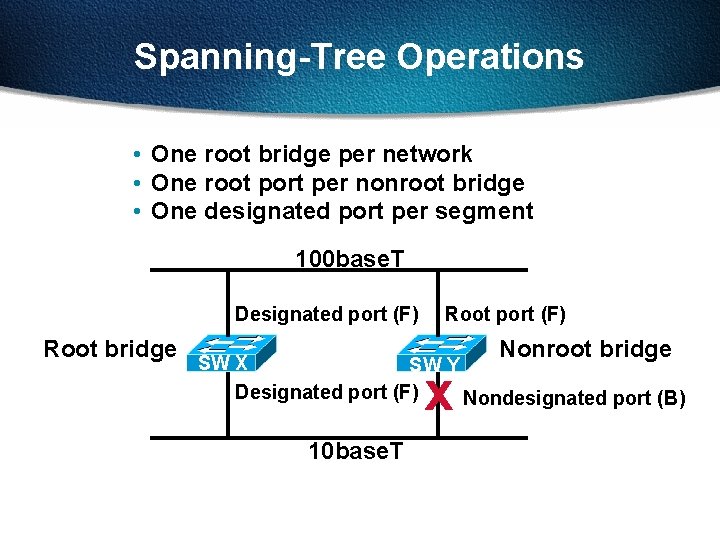
Spanning-Tree Operations • One root bridge per network • One root port per nonroot bridge • One designated port per segment 100 base. T Designated port (F) Root bridge Root port (F) Nonroot bridge SW X SW Y Designated port (F) Nondesignated port (B) x 10 base. T
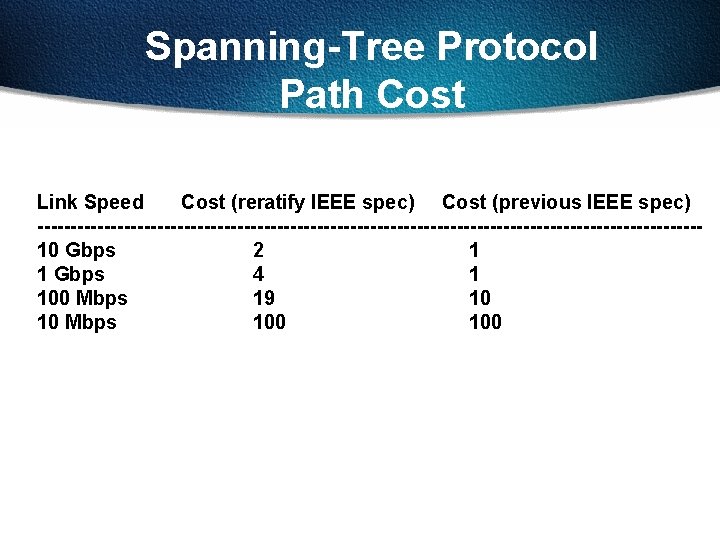
Spanning-Tree Protocol Path Cost Link Speed Cost (reratify IEEE spec) Cost (previous IEEE spec) --------------------------------------------------10 Gbps 2 1 1 Gbps 4 1 100 Mbps 19 10 10 Mbps 100
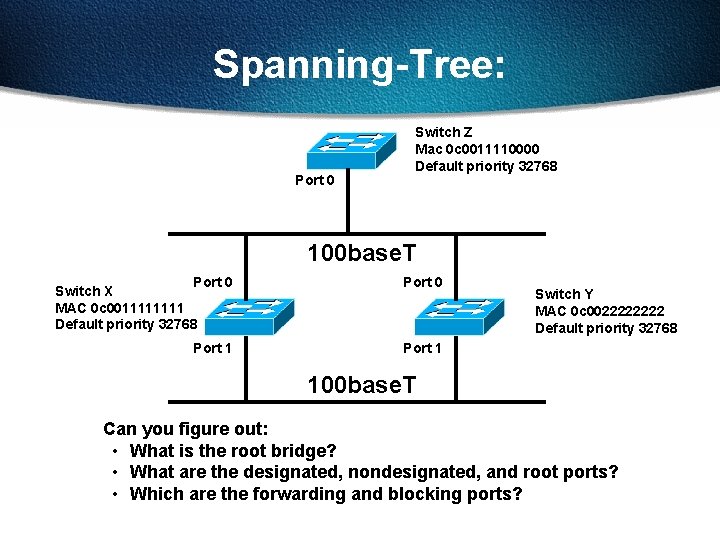
Spanning-Tree: Port 0 Switch Z Mac 0 c 0011110000 Default priority 32768 100 base. T Port 0 Switch X MAC 0 c 001111 Default priority 32768 Port 0 Port 1 Switch Y MAC 0 c 002222 Default priority 32768 100 base. T Can you figure out: • What is the root bridge? • What are the designated, nondesignated, and root ports? • Which are the forwarding and blocking ports?
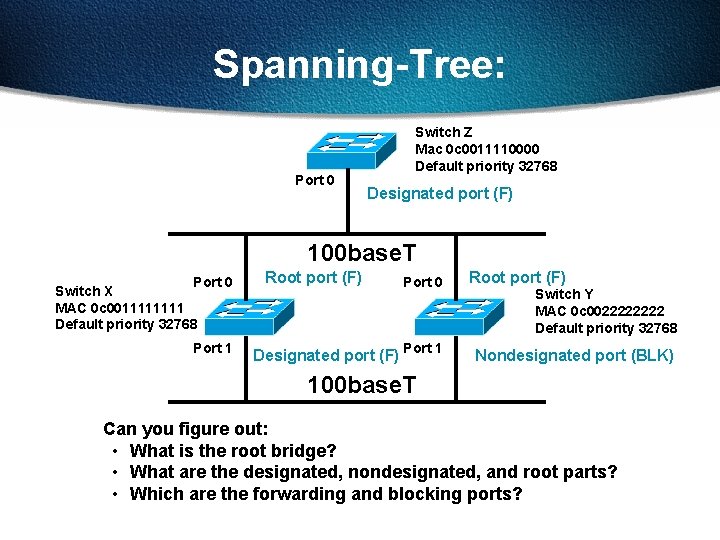
Spanning-Tree: Port 0 Switch Z Mac 0 c 0011110000 Default priority 32768 Designated port (F) 100 base. T Port 0 Switch X MAC 0 c 001111 Default priority 32768 Port 1 Root port (F) Port 0 Designated port (F) Port 1 Root port (F) Switch Y MAC 0 c 002222 Default priority 32768 Nondesignated port (BLK) 100 base. T Can you figure out: • What is the root bridge? • What are the designated, nondesignated, and root parts? • Which are the forwarding and blocking ports?
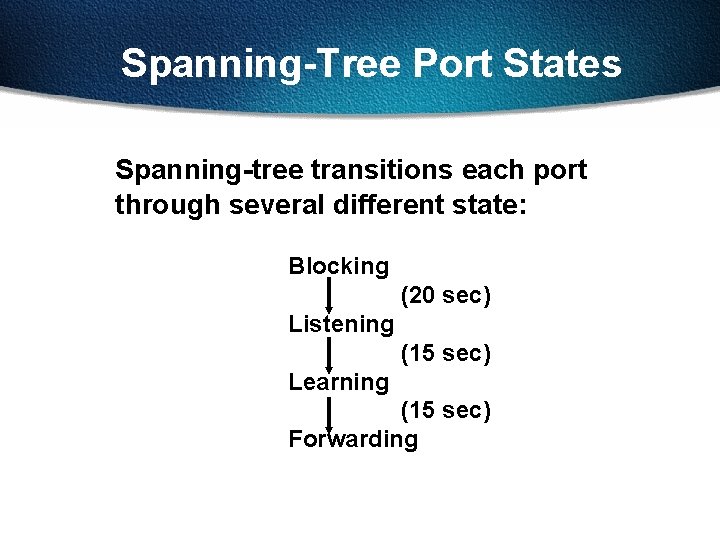
Spanning-Tree Port States Spanning-tree transitions each port through several different state: Blocking (20 sec) Listening (15 sec) Learning (15 sec) Forwarding
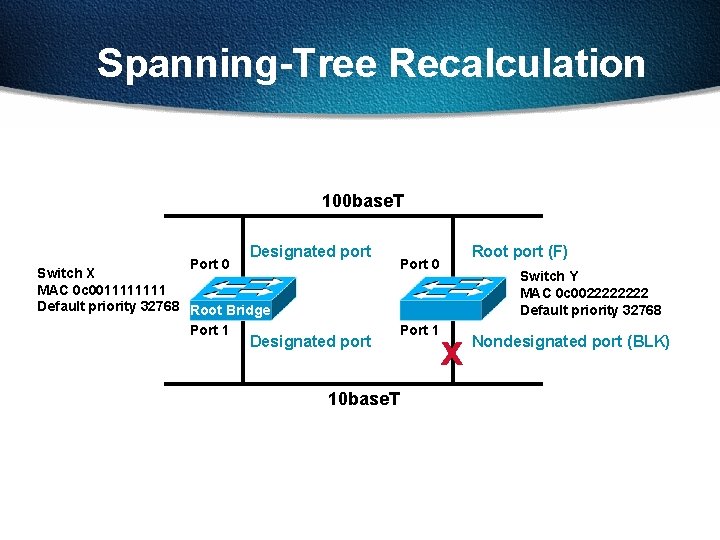
Spanning-Tree Recalculation 100 base. T Port 0 Designated port Switch X MAC 0 c 001111 Default priority 32768 Root Bridge Port 1 Designated port 10 base. T Root port (F) Port 0 Port 1 Switch Y MAC 0 c 002222 Default priority 32768 x Nondesignated port (BLK)
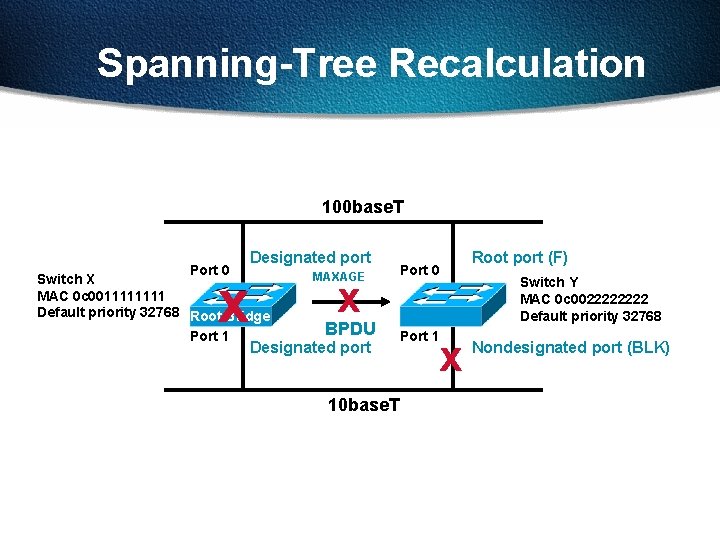
Spanning-Tree Recalculation 100 base. T Port 0 Designated port x Switch X MAC 0 c 001111 Default priority 32768 Root Bridge Port 1 MAXAGE x BPDU Designated port 10 base. T Root port (F) Port 0 Port 1 Switch Y MAC 0 c 002222 Default priority 32768 x Nondesignated port (BLK)
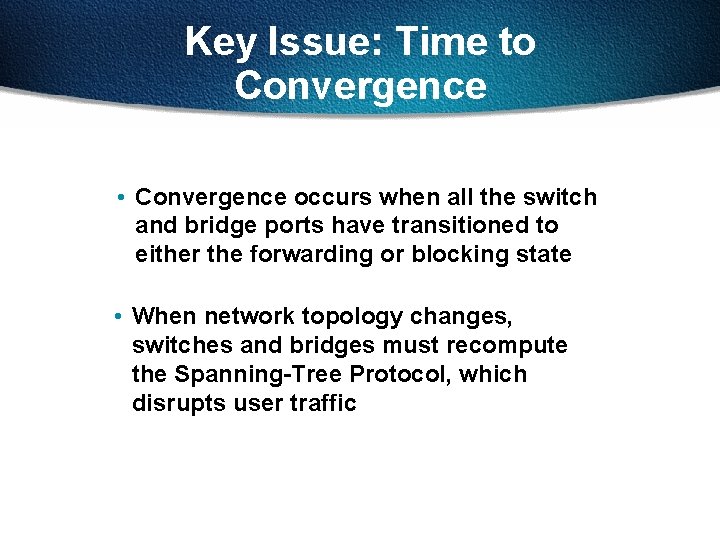
Key Issue: Time to Convergence • Convergence occurs when all the switch and bridge ports have transitioned to either the forwarding or blocking state • When network topology changes, switches and bridges must recompute the Spanning-Tree Protocol, which disrupts user traffic
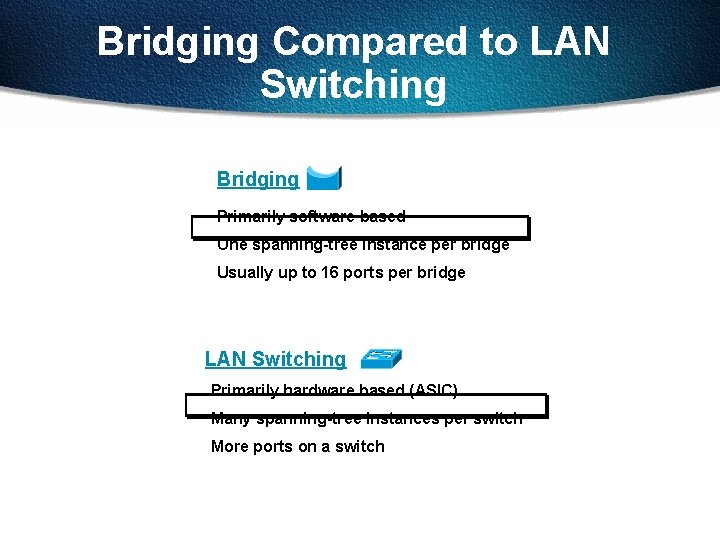
Bridging Compared to LAN Switching Bridging Primarily software based One spanning-tree instance per bridge Usually up to 16 ports per bridge LAN Switching Primarily hardware based (ASIC) Many spanning-tree instances per switch More ports on a switch
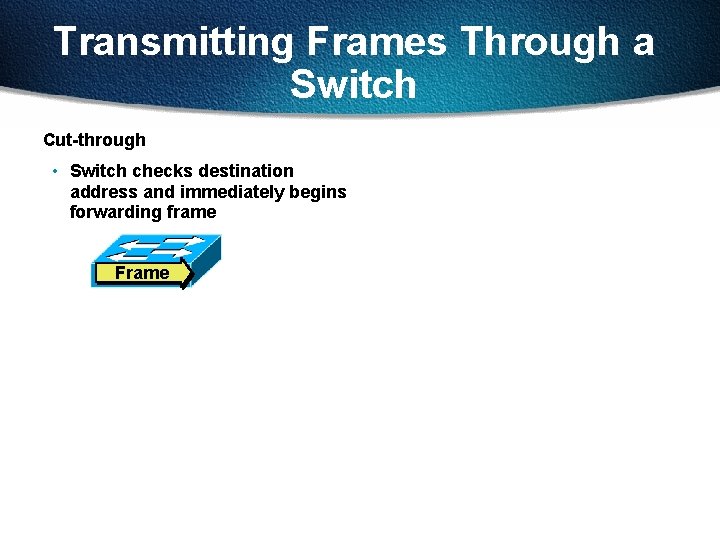
Transmitting Frames Through a Switch Cut-through • Switch checks destination address and immediately begins forwarding frame Frame
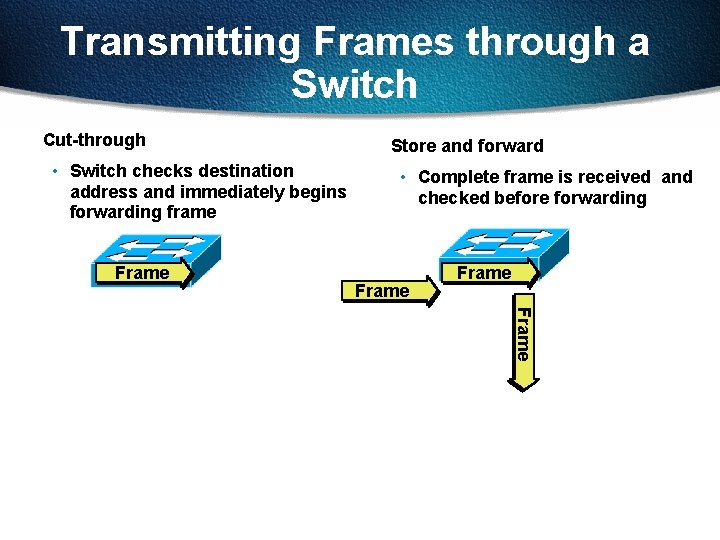
Transmitting Frames through a Switch Cut-through • Switch checks destination address and immediately begins forwarding frame Frame Store and forward • Complete frame is received and checked before forwarding Frame
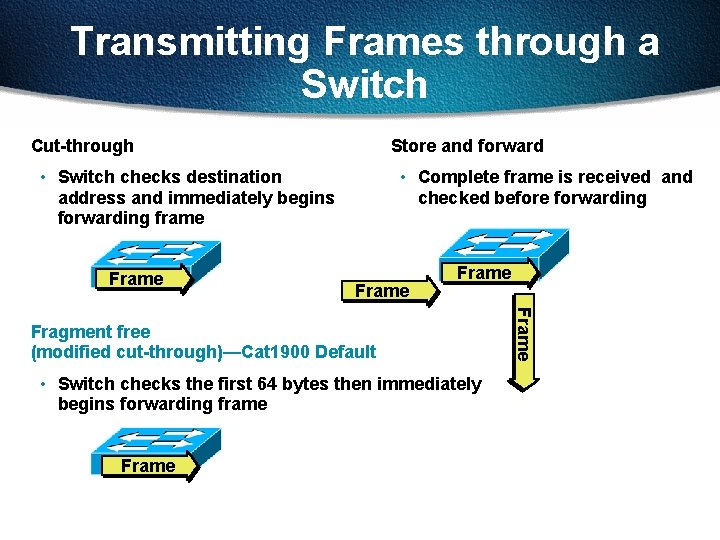
Transmitting Frames through a Switch Cut-through Store and forward • Switch checks destination address and immediately begins forwarding frame Frame • Complete frame is received and checked before forwarding Frame • Switch checks the first 64 bytes then immediately begins forwarding frame Frame Fragment free (modified cut-through)—Cat 1900 Default
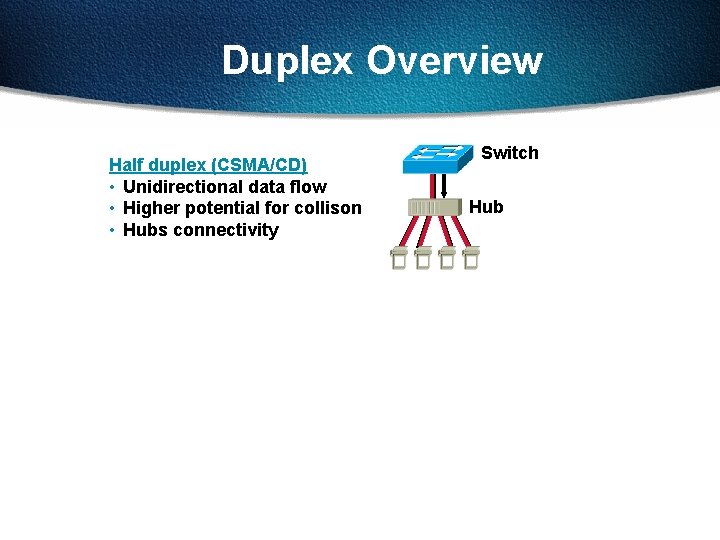
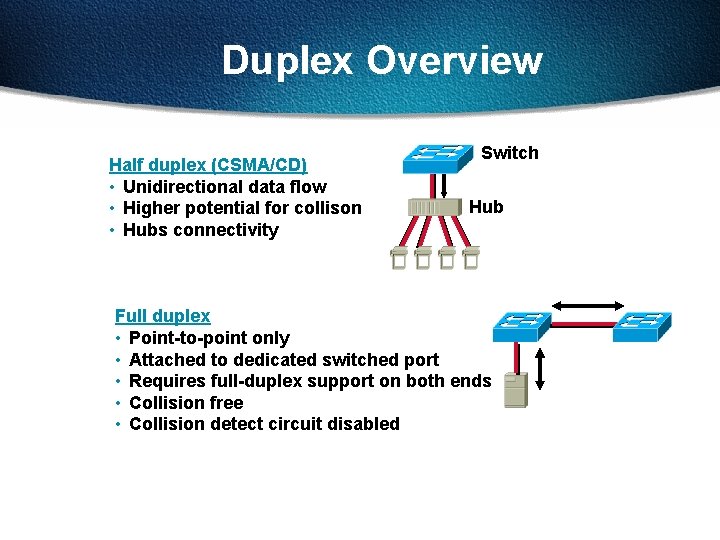
Duplex Overview Half duplex (CSMA/CD) • Unidirectional data flow • Higher potential for collison • Hubs connectivity Switch Hub
Duplex Overview Half duplex (CSMA/CD) • Unidirectional data flow • Higher potential for collison • Hubs connectivity Switch Hub Full duplex • Point-to-point only • Attached to dedicated switched port • Requires full-duplex support on both ends • Collision free • Collision detect circuit disabled
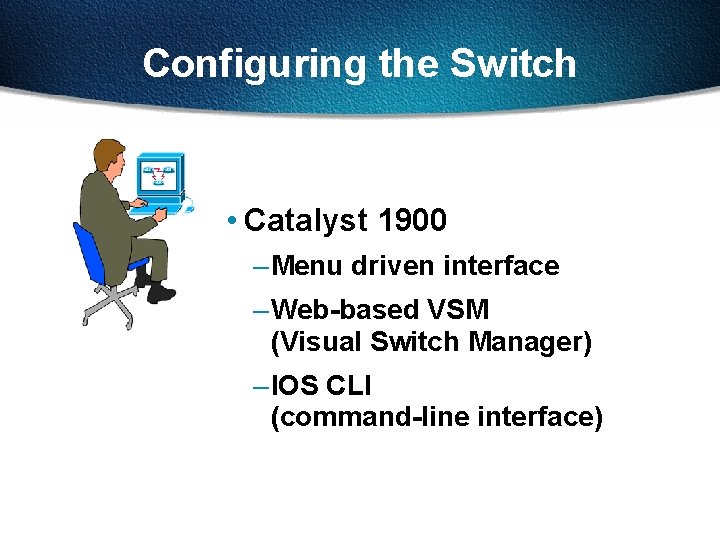
Configuring the Switch • Catalyst 1900 – Menu driven interface – Web-based VSM (Visual Switch Manager) – IOS CLI (command-line interface)
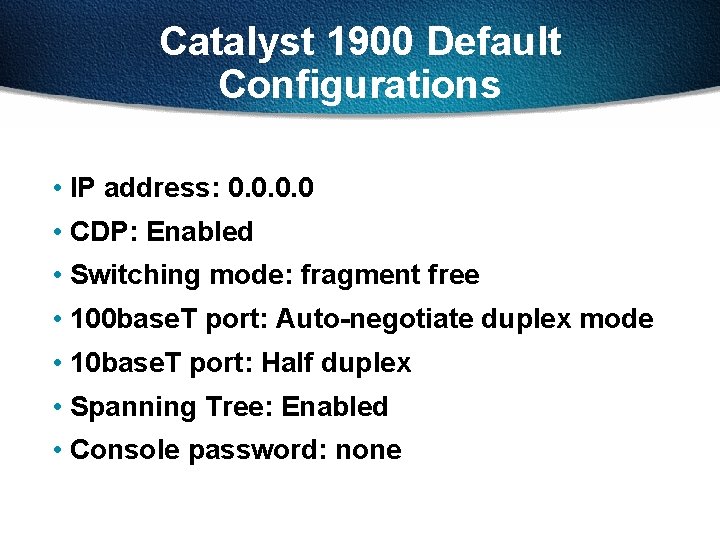
Catalyst 1900 Default Configurations • IP address: 0. 0 • CDP: Enabled • Switching mode: fragment free • 100 base. T port: Auto-negotiate duplex mode • 10 base. T port: Half duplex • Spanning Tree: Enabled • Console password: none
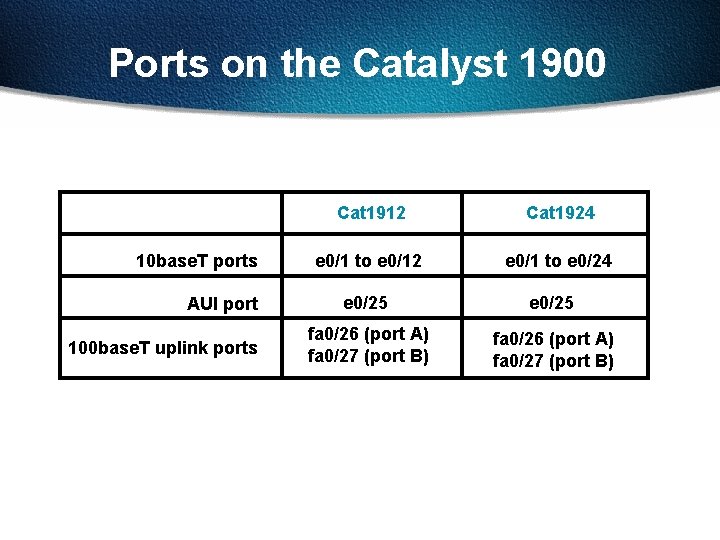
Ports on the Catalyst 1900 10 base. T ports AUI port 100 base. T uplink ports Cat 1912 Cat 1924 e 0/1 to e 0/12 e 0/1 to e 0/24 e 0/25 fa 0/26 (port A) fa 0/27 (port B)
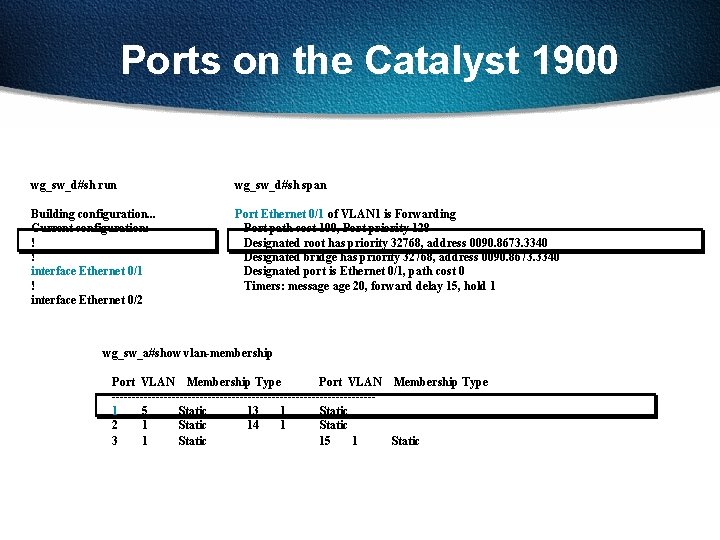
Ports on the Catalyst 1900 wg_sw_d#sh run wg_sw_d#sh span Building configuration. . . Current configuration: ! ! interface Ethernet 0/1 ! interface Ethernet 0/2 Port Ethernet 0/1 of VLAN 1 is Forwarding Port path cost 100, Port priority 128 Designated root has priority 32768, address 0090. 8673. 3340 Designated bridge has priority 32768, address 0090. 8673. 3340 Designated port is Ethernet 0/1, path cost 0 Timers: message 20, forward delay 15, hold 1 wg_sw_a#show vlan-membership Port VLAN Membership Type ---------------------------------1 5 Static 13 1 Static 2 1 Static 14 1 Static 3 1 Static 15 1 Static
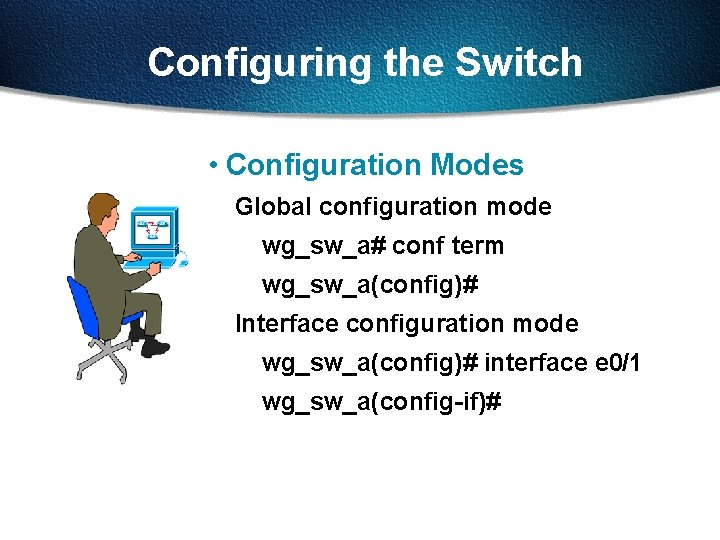
Configuring the Switch • Configuration Modes Global configuration mode wg_sw_a# conf term wg_sw_a(config)# Interface configuration mode wg_sw_a(config)# interface e 0/1 wg_sw_a(config-if)#
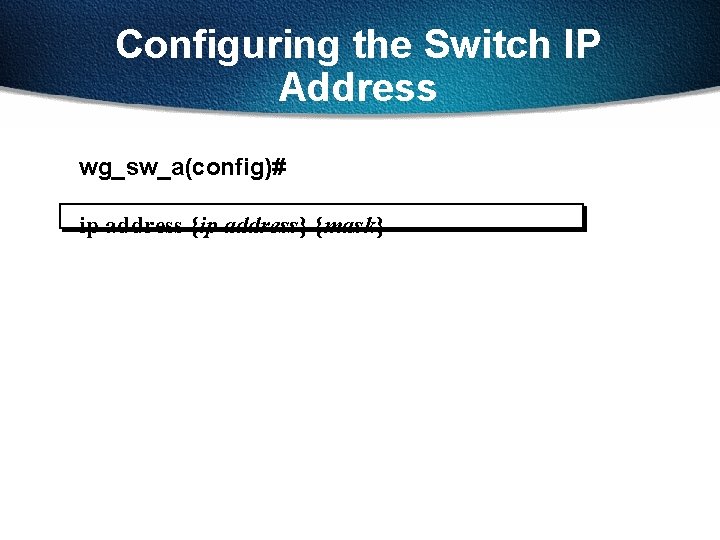
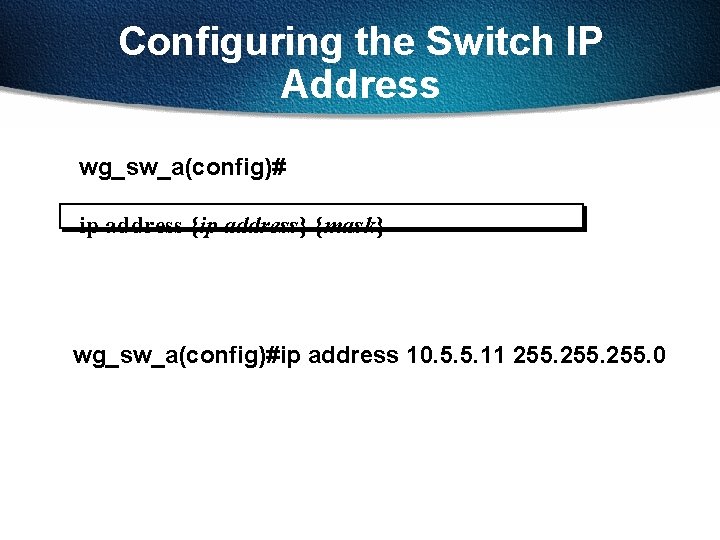
Configuring the Switch IP Address wg_sw_a(config)# ip address {ip address} {mask}
Configuring the Switch IP Address wg_sw_a(config)# ip address {ip address} {mask} wg_sw_a(config)#ip address 10. 5. 5. 11 255. 0
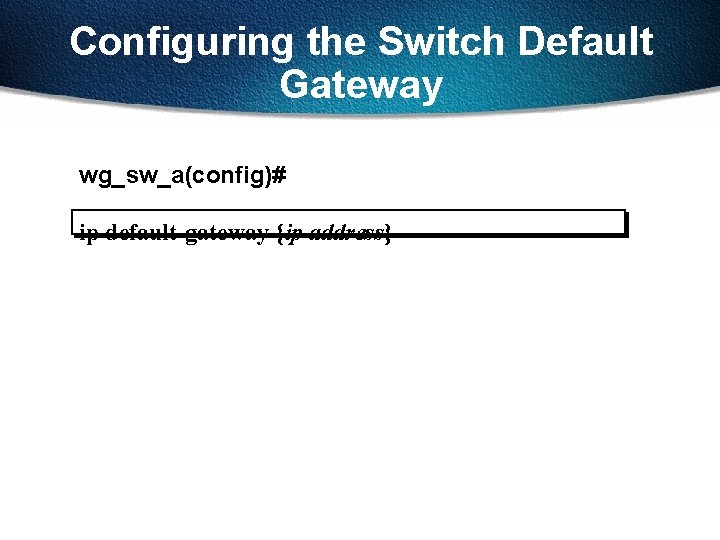
Configuring the Switch Default Gateway wg_sw_a(config)# ip default-gateway {ip address}
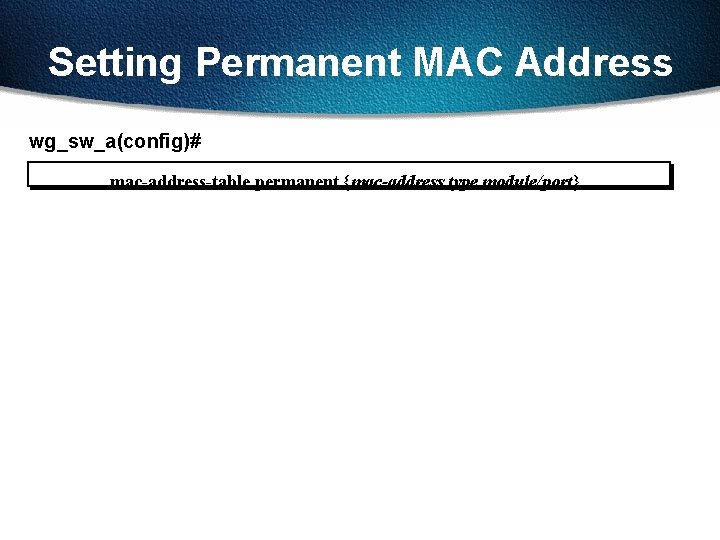
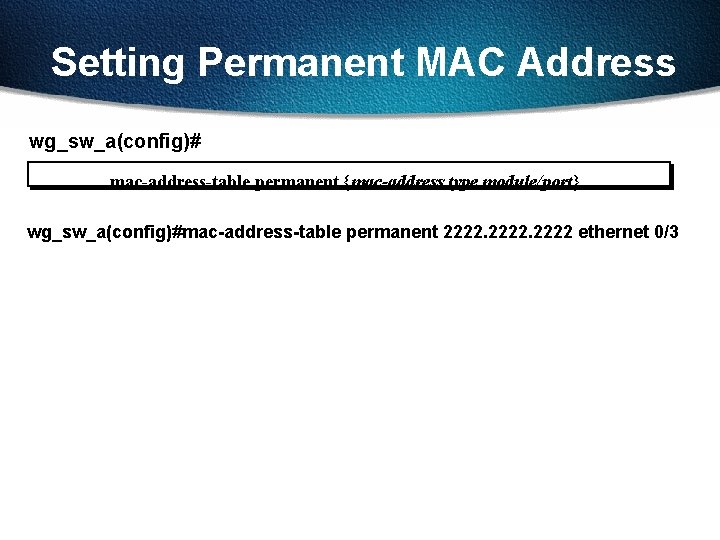
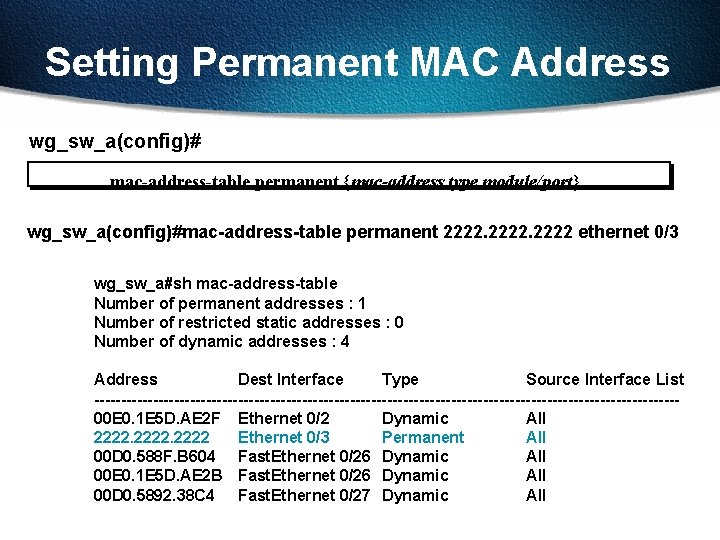
Setting Permanent MAC Address wg_sw_a(config)# mac-address-table permanent {mac-address type module/port}
Setting Permanent MAC Address wg_sw_a(config)# mac-address-table permanent {mac-address type module/port} wg_sw_a(config)#mac-address-table permanent 2222 ethernet 0/3
Setting Permanent MAC Address wg_sw_a(config)# mac-address-table permanent {mac-address type module/port} wg_sw_a(config)#mac-address-table permanent 2222 ethernet 0/3 wg_sw_a#sh mac-address-table Number of permanent addresses : 1 Number of restricted static addresses : 0 Number of dynamic addresses : 4 Address Dest Interface Type Source Interface List -------------------------------------------------------00 E 0. 1 E 5 D. AE 2 F Ethernet 0/2 Dynamic All 2222 Ethernet 0/3 Permanent All 00 D 0. 588 F. B 604 Fast. Ethernet 0/26 Dynamic All 00 E 0. 1 E 5 D. AE 2 B Fast. Ethernet 0/26 Dynamic All 00 D 0. 5892. 38 C 4 Fast. Ethernet 0/27 Dynamic All
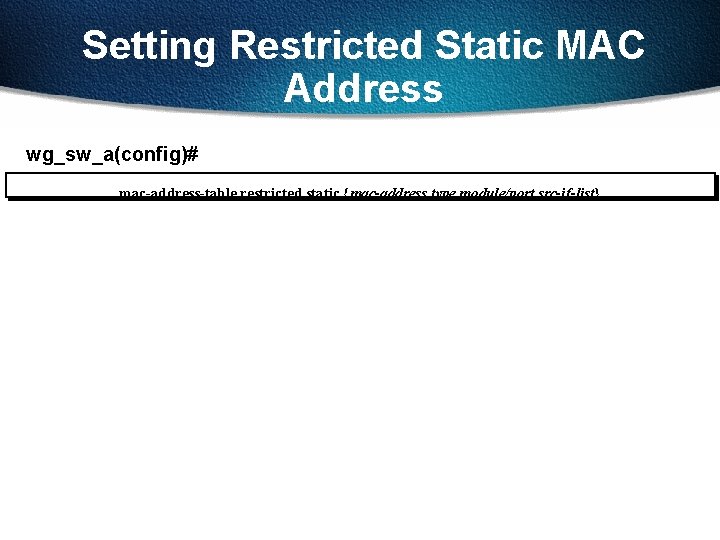
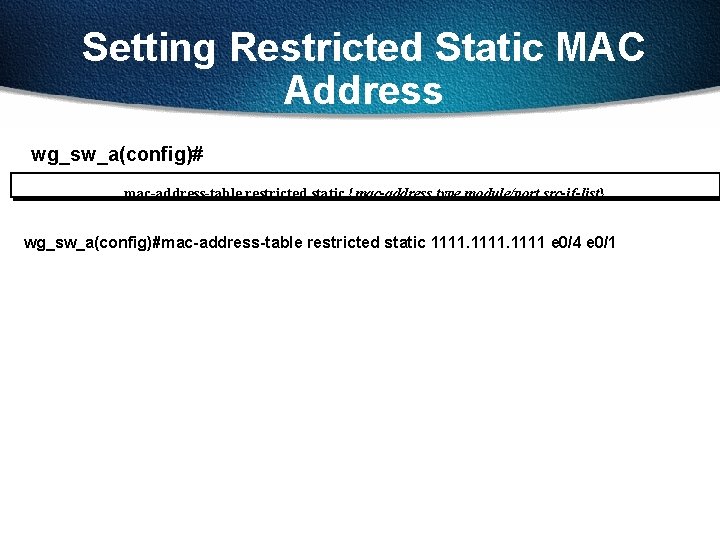
Setting Restricted Static MAC Address wg_sw_a(config)# mac-address-table restricted static {mac-address type module/port src-if-list}
Setting Restricted Static MAC Address wg_sw_a(config)# mac-address-table restricted static {mac-address type module/port src-if-list} wg_sw_a(config)#mac-address-table restricted static 1111 e 0/4 e 0/1
Show Version
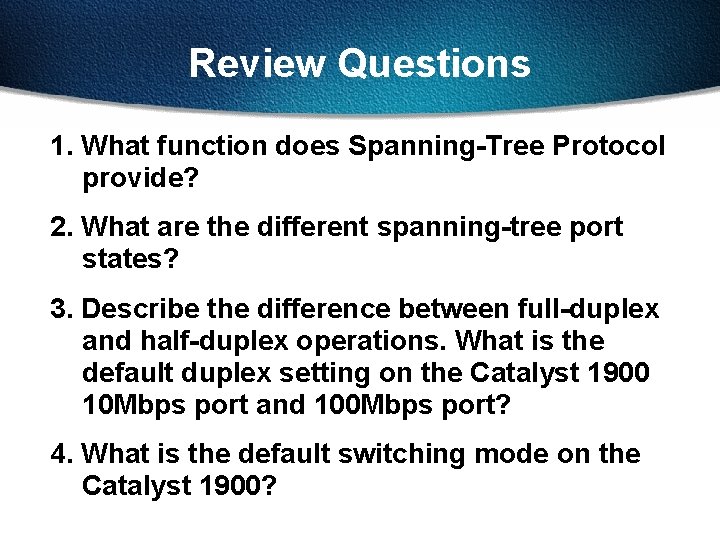
Review Questions 1. What function does Spanning-Tree Protocol provide? 2. What are the different spanning-tree port states? 3. Describe the difference between full-duplex and half-duplex operations. What is the default duplex setting on the Catalyst 1900 10 Mbps port and 100 Mbps port? 4. What is the default switching mode on the Catalyst 1900?
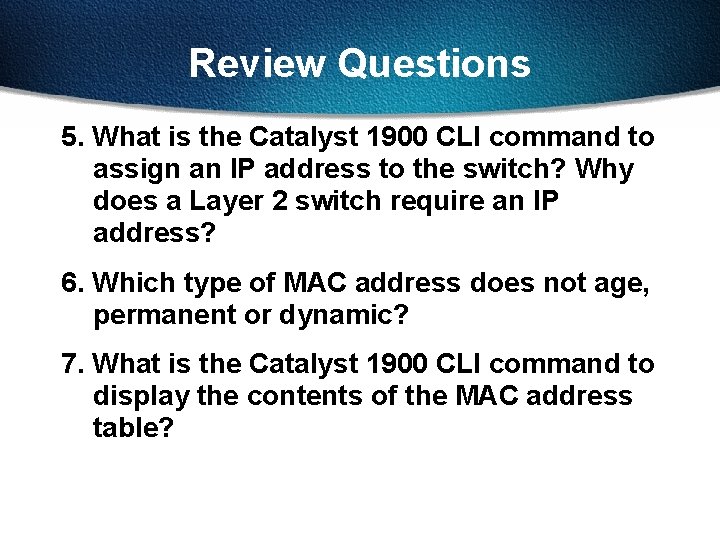
Review Questions 5. What is the Catalyst 1900 CLI command to assign an IP address to the switch? Why does a Layer 2 switch require an IP address? 6. Which type of MAC address does not age, permanent or dynamic? 7. What is the Catalyst 1900 CLI command to display the contents of the MAC address table?