
Swing 2 Session 13 Objectives 1 n n
Swing - 2 Session 13
Objectives (1) n n Describe menus Discuss trees and tables Discuss progress bars Discuss MVC architecture Swing - 2 / 2 of 38
Objectives (2) n Discuss features of Swing such as: n n n Key. Stroke handling, Action Objects, Nested Containers Virtual Desktops, Compound Borders Drag and Drop Java 2 D Customized Dialogs, Standard Dialog classes Swing - 2 / 3 of 38
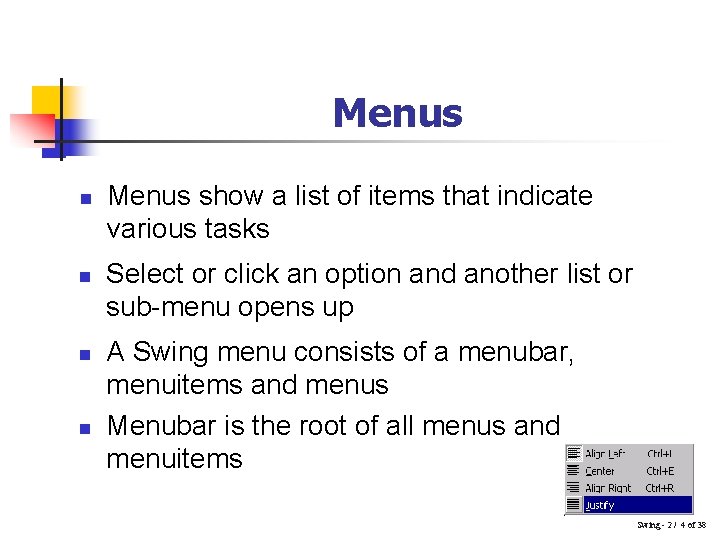
Menus n n Menus show a list of items that indicate various tasks Select or click an option and another list or sub-menu opens up A Swing menu consists of a menubar, menuitems and menus Menubar is the root of all menus and menuitems Swing - 2 / 4 of 38
JFC Menus components Swing - 2 / 5 of 38
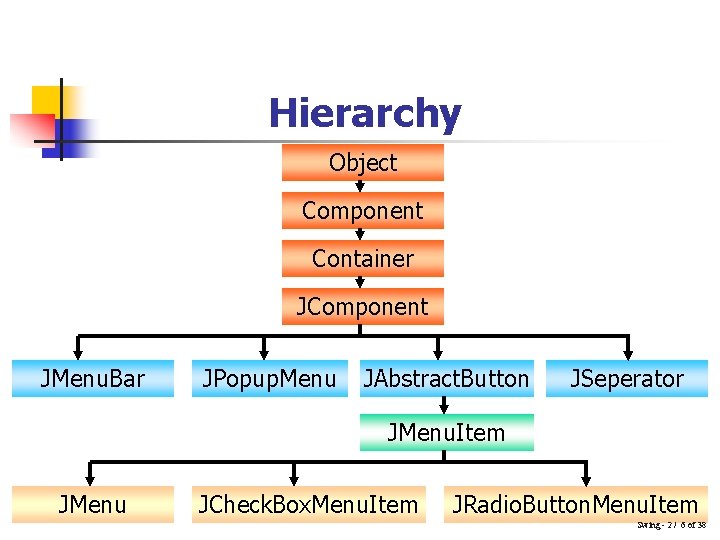
Hierarchy Object Component Container JComponent JMenu. Bar JPopup. Menu JAbstract. Button JSeperator JMenu. Item JMenu JCheck. Box. Menu. Item JRadio. Button. Menu. Item Swing - 2 / 6 of 38
JMenu. Bar n n n JMenu. Bar is a component that can be added to a container through a JFrame, JWindow or JInternal. Frame’s rootpane. Consists of a number of JMenus with each JMenu represented as a string within the JMenu. Bar requires: n ‘Single. Selection. Model’ – n n keeps track of the menu currently selected ‘Look. And. Feel’ class – n Responsible for drawing the menu bar and responding to events that occur in it Swing - 2 / 7 of 38
JMenu n n JMenu is seen as a text string under JMenu. Bar while it acts as a popup menu when the user clicks on it JMenu has two additional classes: n JPopup. Menu – n n Used to display the JMenu’s menu items Look. And. Feel – n Responsible for drawing the menu in the menubar and for responding to all events that occur in it Swing - 2 / 8 of 38
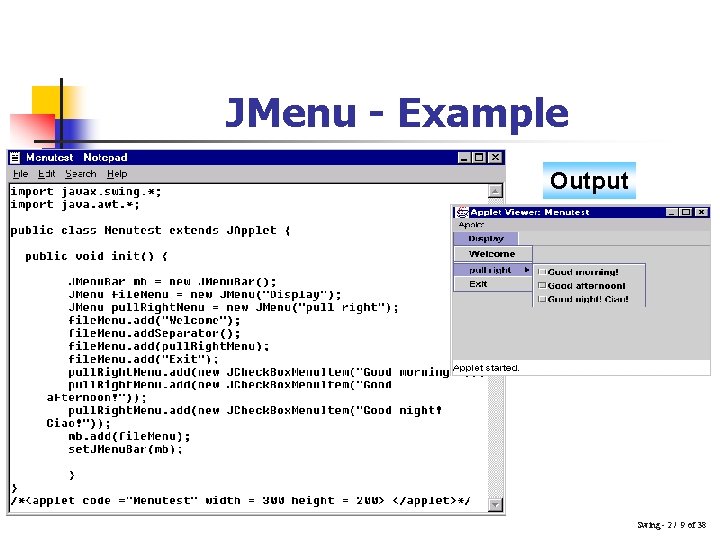
JMenu - Example Output Swing - 2 / 9 of 38
JPopup. Menu n n Displays expanded form of menu Used for the “pull-right” menu It is also used as a shortcut menu, which is activated by the right click of the mouse The constructors used to create JPopup. Menu are: n n public JPopup. Menu() – creates a JPopup. Menu public JPopup. Menu(String label) – creates a JPopup. Menu with the specified title Swing - 2 / 10 of 38
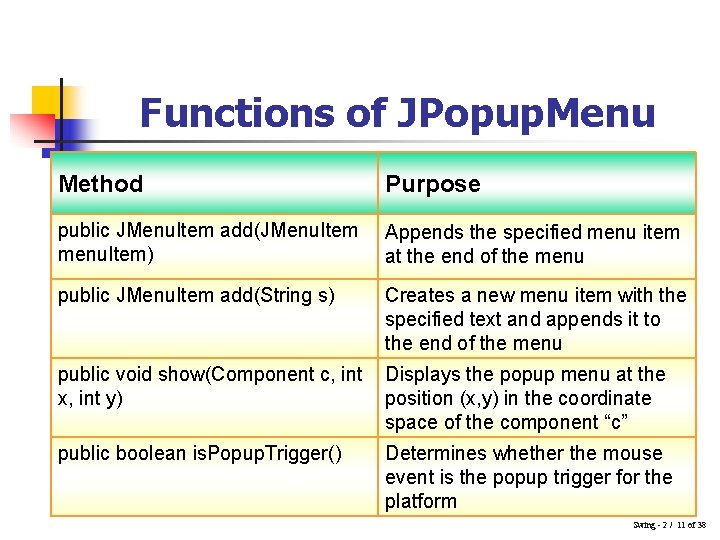
Functions of JPopup. Menu Method Purpose public JMenu. Item add(JMenu. Item menu. Item) Appends the specified menu item at the end of the menu public JMenu. Item add(String s) Creates a new menu item with the specified text and appends it to the end of the menu public void show(Component c, int x, int y) Displays the popup menu at the position (x, y) in the coordinate space of the component “c” public boolean is. Popup. Trigger() Determines whether the mouse event is the popup trigger for the platform Swing - 2 / 11 of 38

JPopup. Menu – Example (1) Swing - 2 / 12 of 38
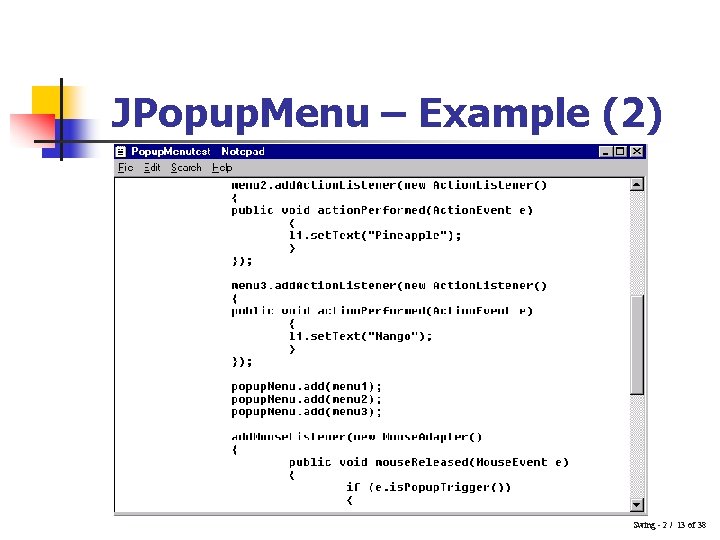
JPopup. Menu – Example (2) Swing - 2 / 13 of 38
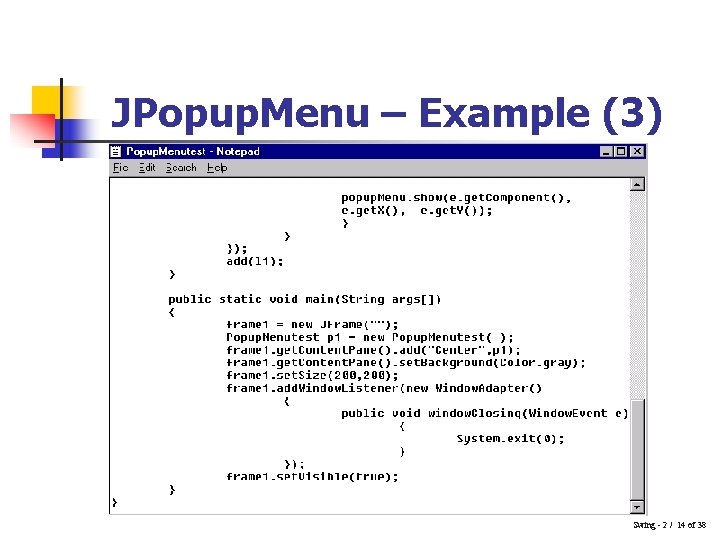
JPopup. Menu – Example (3) Swing - 2 / 14 of 38
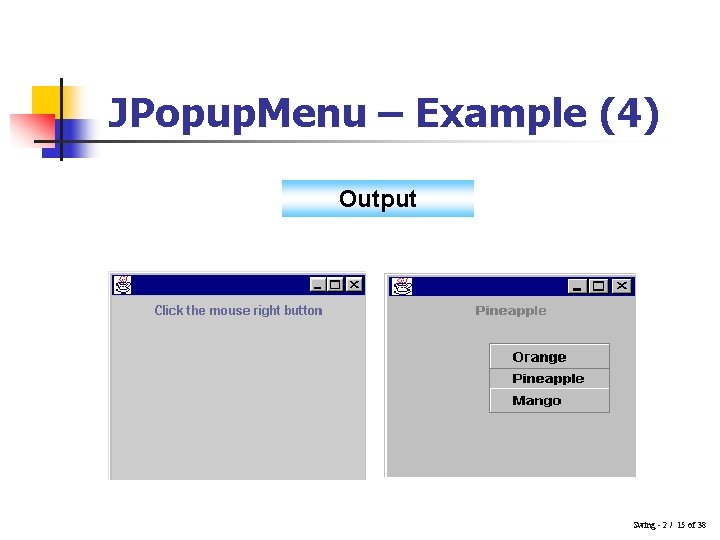
JPopup. Menu – Example (4) Output Swing - 2 / 15 of 38
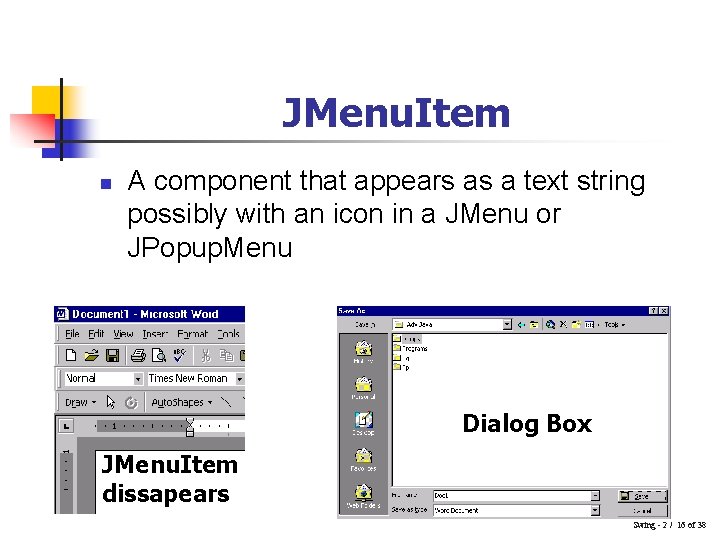
JMenu. Item n A component that appears as a text string possibly with an icon in a JMenu or JPopup. Menu Dialog Box JMenu. Item dissapears Swing - 2 / 16 of 38
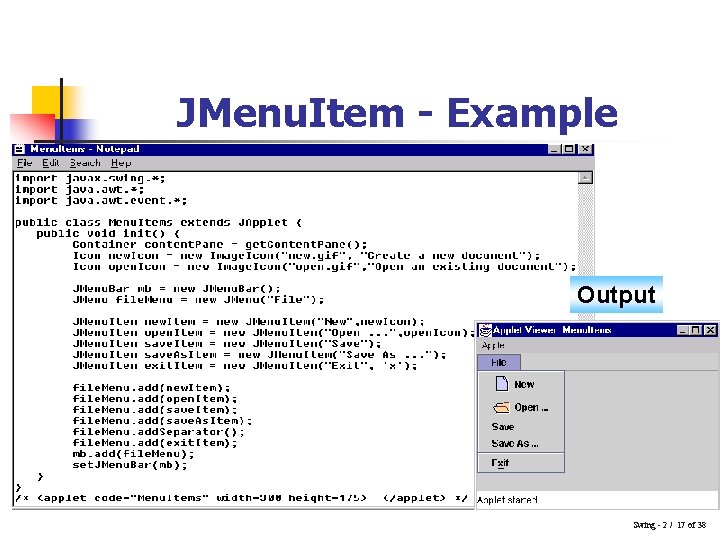
JMenu. Item - Example Output Swing - 2 / 17 of 38
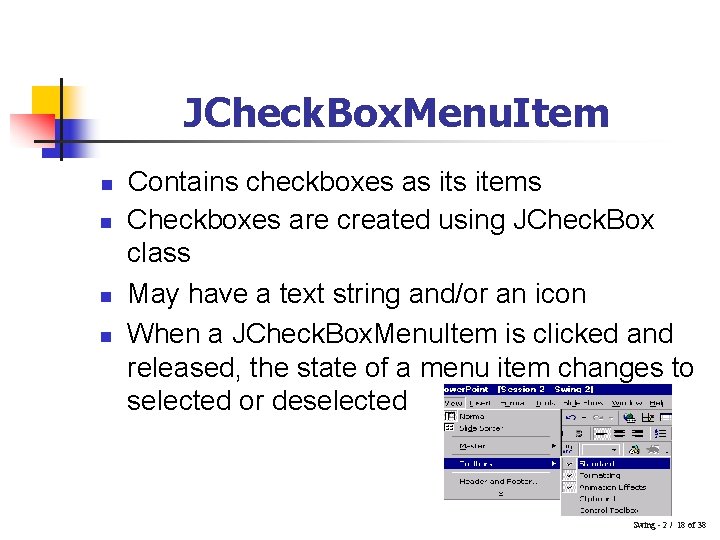
JCheck. Box. Menu. Item n n Contains checkboxes as items Checkboxes are created using JCheck. Box class May have a text string and/or an icon When a JCheck. Box. Menu. Item is clicked and released, the state of a menu item changes to selected or deselected Swing - 2 / 18 of 38
JRadio. Button. Menu. Item n n Similar to checkboxes except that only one radio button can be selected at any point of time May have a text string and/or an icon Clicking a selected radio button does not change its state Clicking an unselected radio button deselects the earlier selected one Swing - 2 / 19 of 38
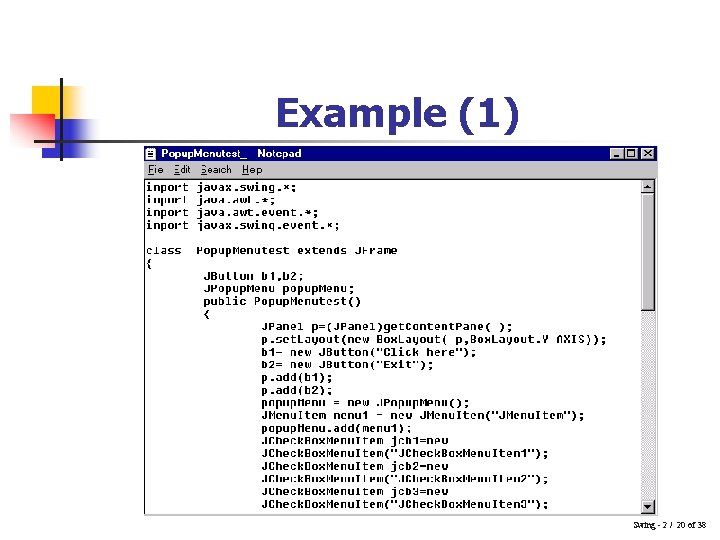
Example (1) Swing - 2 / 20 of 38
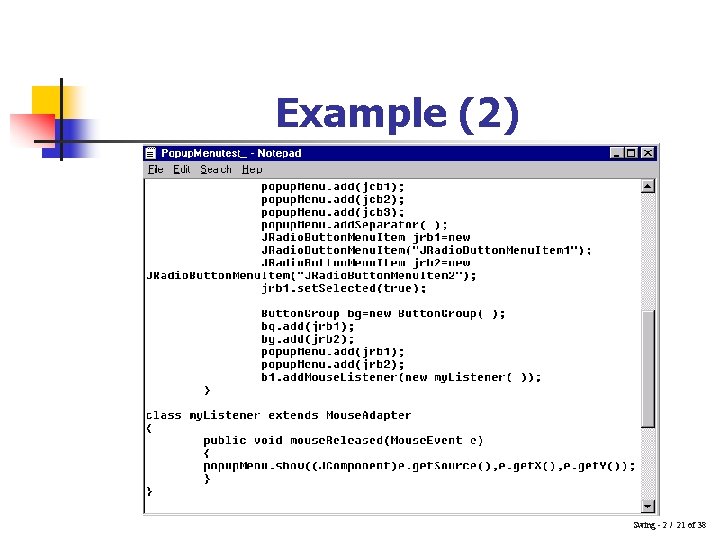
Example (2) Swing - 2 / 21 of 38
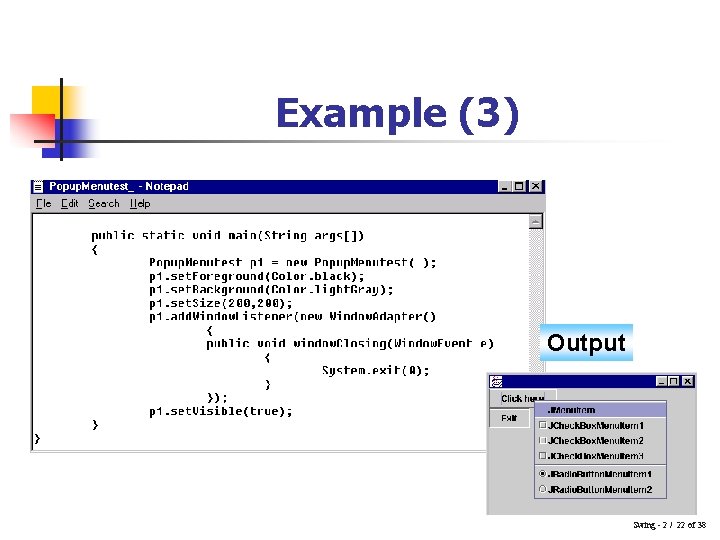
Example (3) Output Swing - 2 / 22 of 38
Trees n n n A Tree depicts information in a hierarchical, vertical manner Windows Explorer has a tree like structure depicting files and folders Windows Explorer structures can be created in Java using JTree Every row in the hierarchy is termed as a node By default, the tree displays the root node A node having child nodes is called a branch node else it is called as a leaf node Swing - 2 / 23 of 38
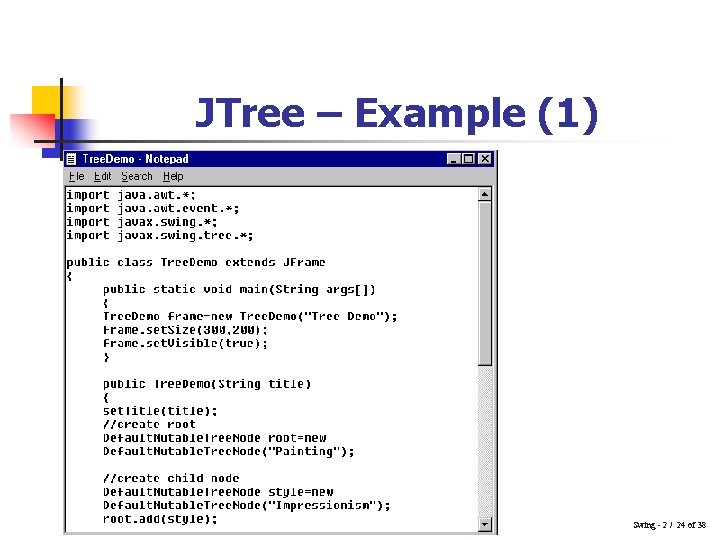
JTree – Example (1) Swing - 2 / 24 of 38
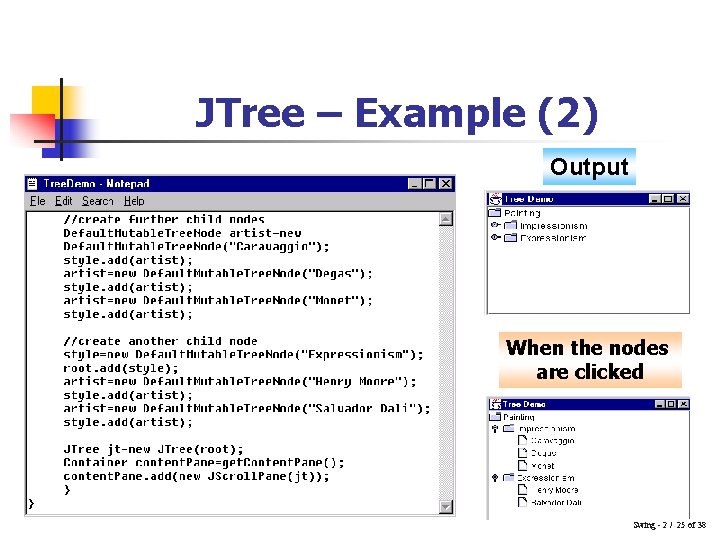
JTree – Example (2) Output When the nodes are clicked Swing - 2 / 25 of 38
Tables n n n Volumes of data are better maintained in a tabular format than as a list Useful in storing numerical data Certain computer applications require tables to display data allowing the user to edit them JTable class in Swing enables us to create tables JTable does not store data, it only provides a view of it Swing - 2 / 26 of 38
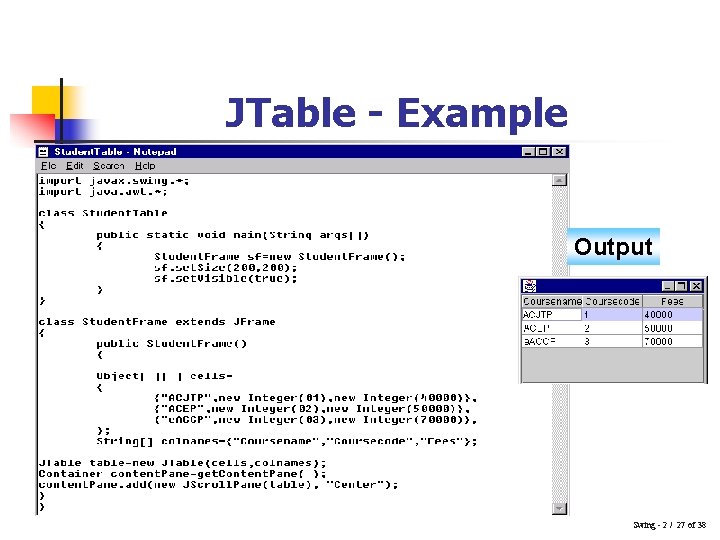
JTable - Example Output Swing - 2 / 27 of 38
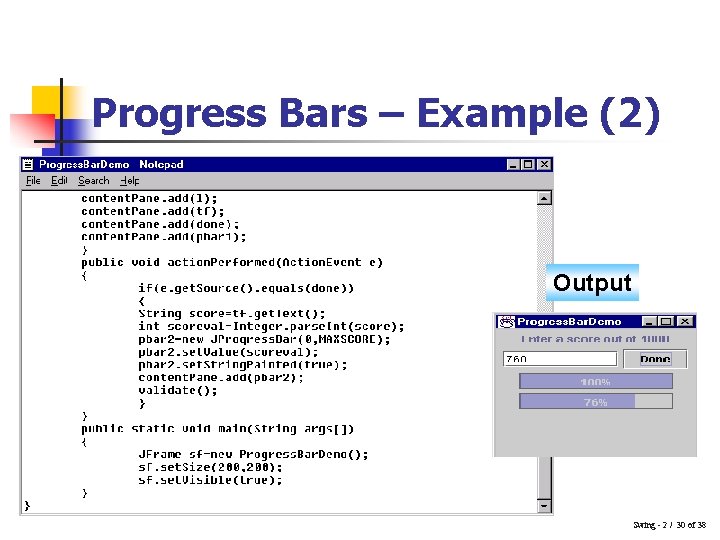
Progress Bars n n Monitoring the progress of any activity can be done by using percentage figures A better way to do the same is by using charts or bar graphs Certain programs provide a graphical indication of a task that is currently under progress Swing uses JProgress. Bar class to implement the same Swing - 2 / 28 of 38
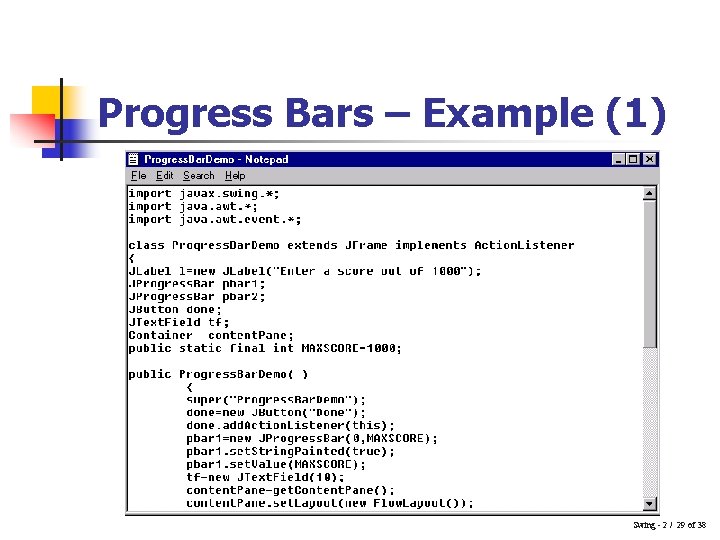
Progress Bars – Example (1) Swing - 2 / 29 of 38
Progress Bars – Example (2) Output Swing - 2 / 30 of 38
MVC n n n Swing helps to specify the look and feel, such as the Java look and feel, Windows look and feel To achieve this, Swing components work within the MVC model stands for: n Model n View n Controller Swing - 2 / 31 of 38
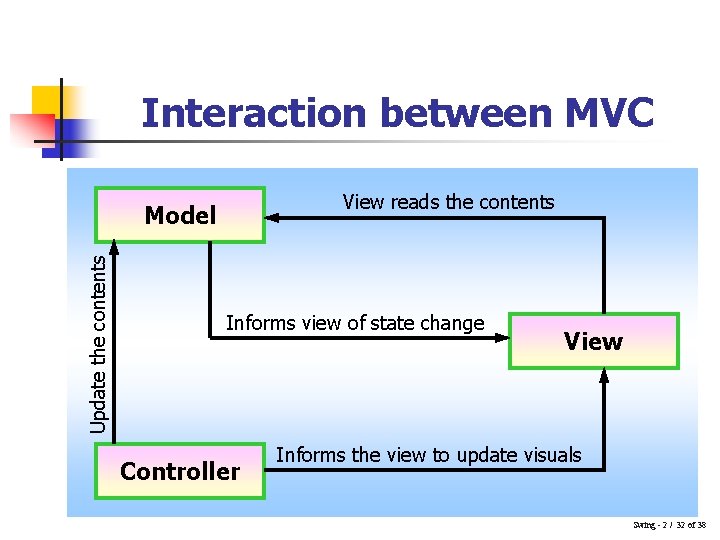
Interaction between MVC View reads the contents Update the contents Model Informs view of state change Controller View Informs the view to update visuals Swing - 2 / 32 of 38
Characteristics common to Swing Components n n n Content - decides on the state of the component Visual appearance - determines what the component should look like Behavior - decides how the component should respond to events Swing - 2 / 33 of 38
MVC classes n n n Model – Stores the data or the state of the object View – Responsible for showing the component on the basis of the state Controller – Handles the event Interaction between the classes are controlled by the MVC pattern Each class has necessary methods defined within them Swing - 2 / 34 of 38
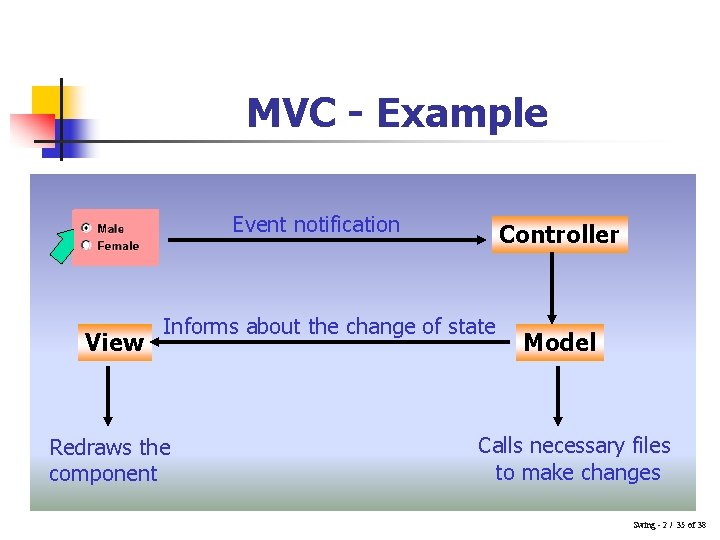
MVC - Example Event notification View Controller Informs about the change of state Redraws the component Model Calls necessary files to make changes Swing - 2 / 35 of 38
Swing features (1) n Key. Stroke. Handling, Action. Objects, Nested Containers n n n Keystrokes can be captured by creating a Key. Stroke object Action interface extends Action. Listener specifying an enabled property as well as properties for text descriptions Since the fundamental class JComponent contains a Root. Pane, any component can be nested within another Swing - 2 / 36 of 38
Swing Features (2) n Virtual Desktops and Compound Borders n n n JDesktop. Pane and JInternal. Frame classes can be used to create a virtual desktop Compound borders are created by combining various border styles Drag and Drop n Facilitates transfer of data between Java applications as well as to native applications Swing - 2 / 37 of 38
Swing Features (3) n Java 2 D n Using Java 2 D API, one can: n n n Create lines of any thickness Use different gradients and textures to fill shapes Move, rotate, scale and trim text and graphics Combine overlapping text and graphics Customized Dialogs and Standard Dialog classes n n Makes use of JOption. Pane class Standard dialog classes available are: n n JFile. Chooser JColor. Chooser Swing - 2 / 38 of 38
- Slides: 38