
SW Download Guide Rework Guide Step 1 File

- Slides: 4
S/W Download Guide Rework Guide Step 1. File copy ü Copy the download file to the “LG_DTV” folder of the USB device ※ The TV system searches only the “LG_DTV” folder to find the download files. Rework Step 2. USB Download Mode ü User (Automatic) Mode - General case. - Current TV version is lower than USB upgrade file.
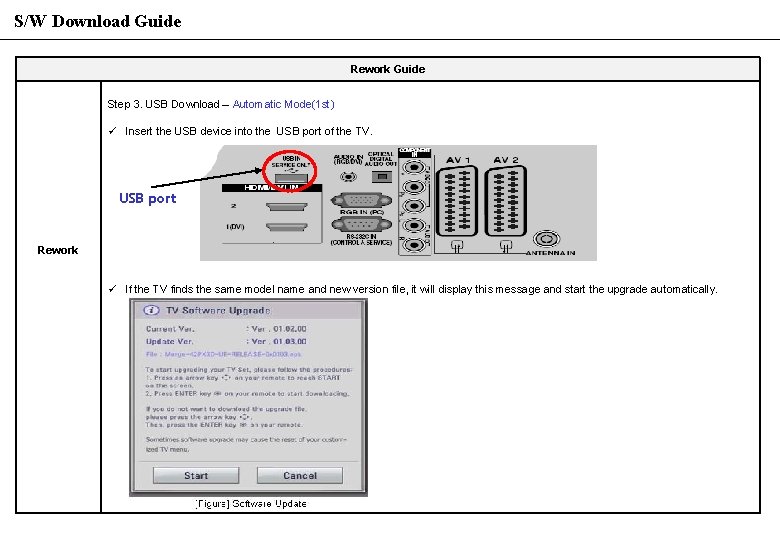
S/W Download Guide Rework Guide Step 3. USB Download – Automatic Mode(1 st) ü Insert the USB device into the USB port of the TV. USB port Rework ü If the TV finds the same model name and new version file, it will display this message and start the upgrade automatically.
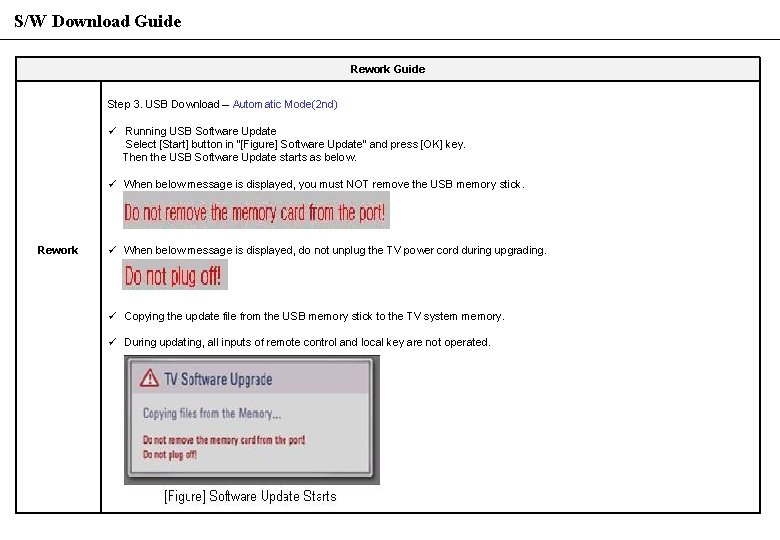
S/W Download Guide Rework Guide Step 3. USB Download – Automatic Mode(2 nd) ü Running USB Software Update Select [Start] button in “[Figure] Software Update” and press [OK] key. Then the USB Software Update starts as below. ü When below message is displayed, you must NOT remove the USB memory stick. Rework ü When below message is displayed, do not unplug the TV power cord during upgrading. ü Copying the update file from the USB memory stick to the TV system memory. ü During updating, all inputs of remote control and local key are not operated.
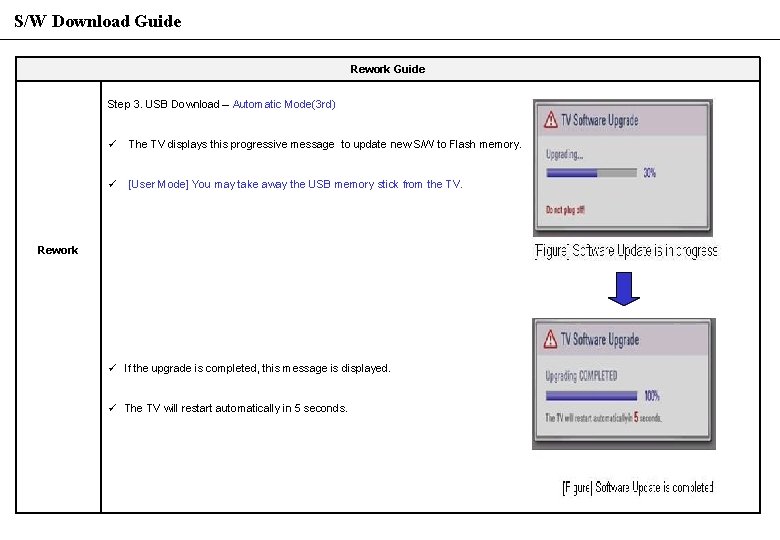
S/W Download Guide Rework Guide Step 3. USB Download – Automatic Mode(3 rd) ü The TV displays this progressive message to update new S/W to Flash memory. ü [User Mode] You may take away the USB memory stick from the TV. Rework ü If the upgrade is completed, this message is displayed. ü The TV will restart automatically in 5 seconds.