
Svn manual www Open Earth eu workflow Sub
Svn manual
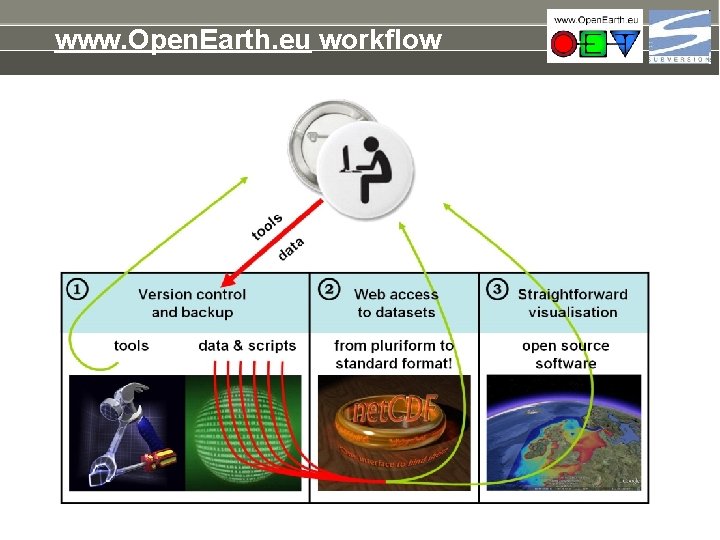
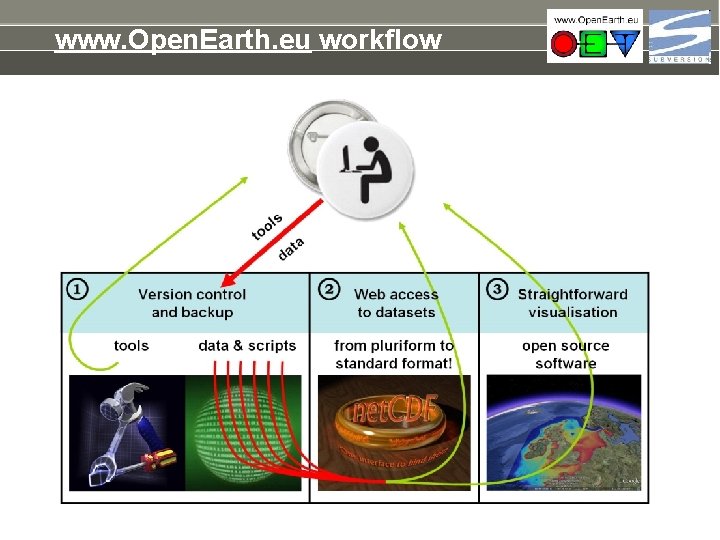
www. Open. Earth. eu workflow
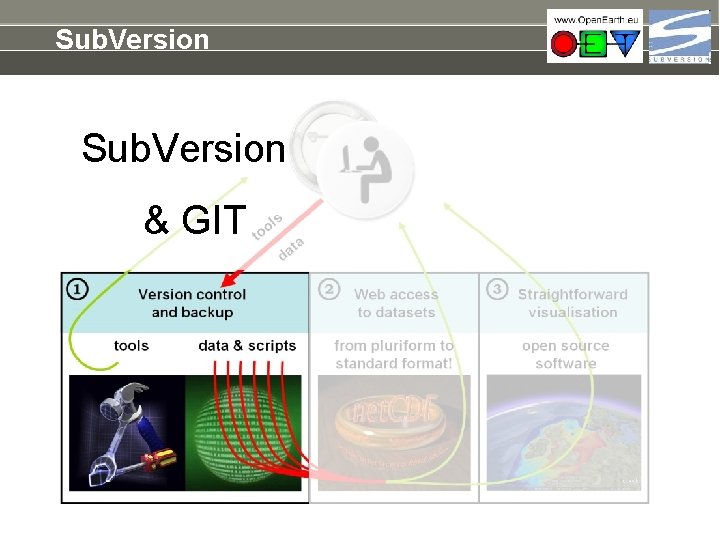
Sub. Version & GIT
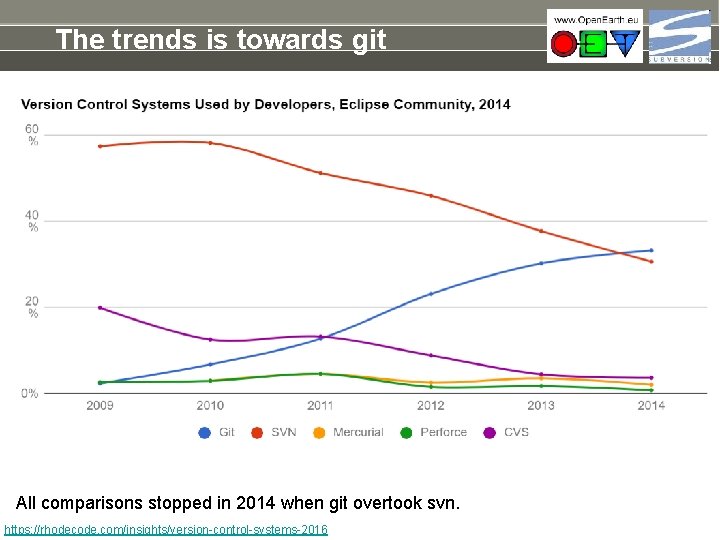
The trends is towards git All comparisons stopped in 2014 when git overtook svn. https: //rhodecode. com/insights/version-control-systems-2016
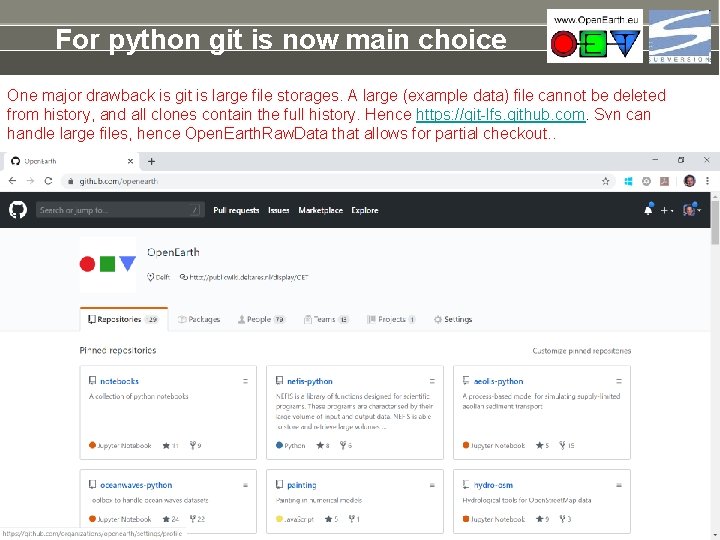
For python git is now main choice One major drawback is git is large file storages. A large (example data) file cannot be deleted from history, and all clones contain the full history. Hence https: //git-lfs. github. com. Svn can handle large files, hence Open. Earth. Raw. Data that allows for partial checkout. .
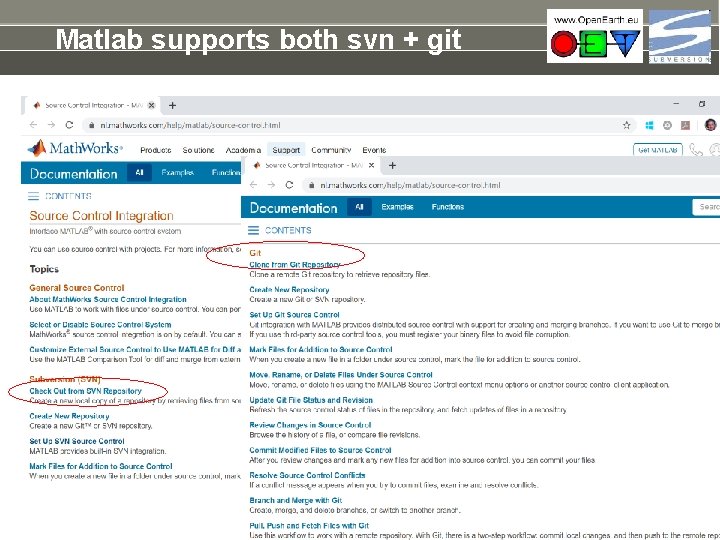
Matlab supports both svn + git
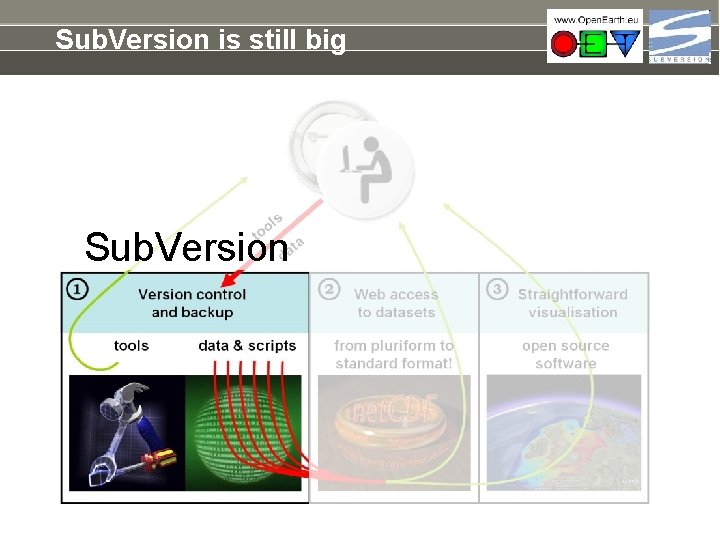
Sub. Version is still big Sub. Version
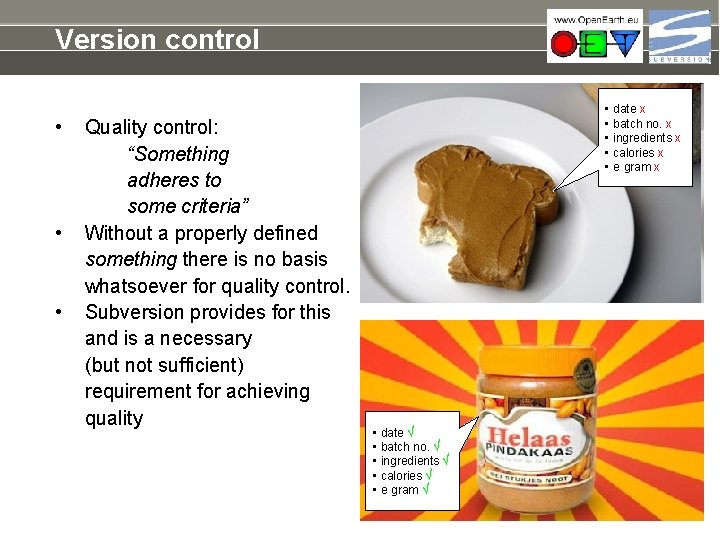
Version control • • • Quality control: “Something adheres to some criteria” Without a properly defined something there is no basis whatsoever for quality control. Subversion provides for this and is a necessary (but not sufficient) requirement for achieving quality • date x • batch no. x • ingredients x • calories x • ℮ gram x • date √ • batch no. √ • ingredients √ • calories √ • ℮ gram √
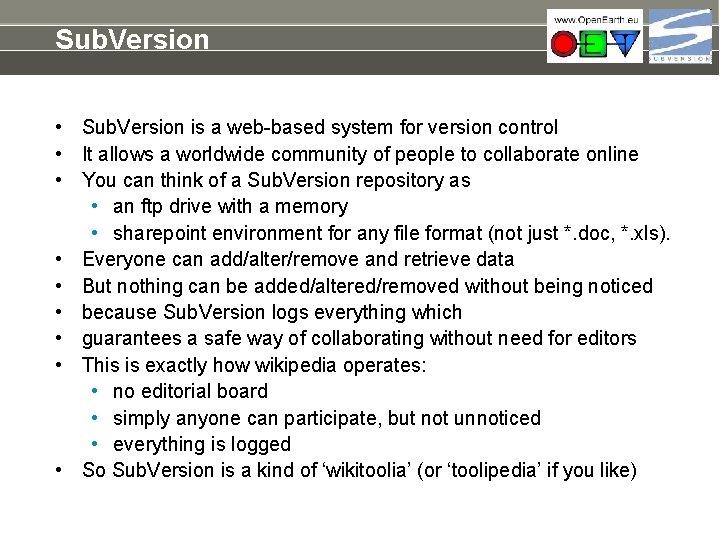
Sub. Version • Sub. Version is a web-based system for version control • It allows a worldwide community of people to collaborate online • You can think of a Sub. Version repository as • an ftp drive with a memory • sharepoint environment for any file format (not just *. doc, *. xls). • Everyone can add/alter/remove and retrieve data • But nothing can be added/altered/removed without being noticed • because Sub. Version logs everything which • guarantees a safe way of collaborating without need for editors • This is exactly how wikipedia operates: • no editorial board • simply anyone can participate, but not unnoticed • everything is logged • So Sub. Version is a kind of ‘wikitoolia’ (or ‘toolipedia’ if you like)
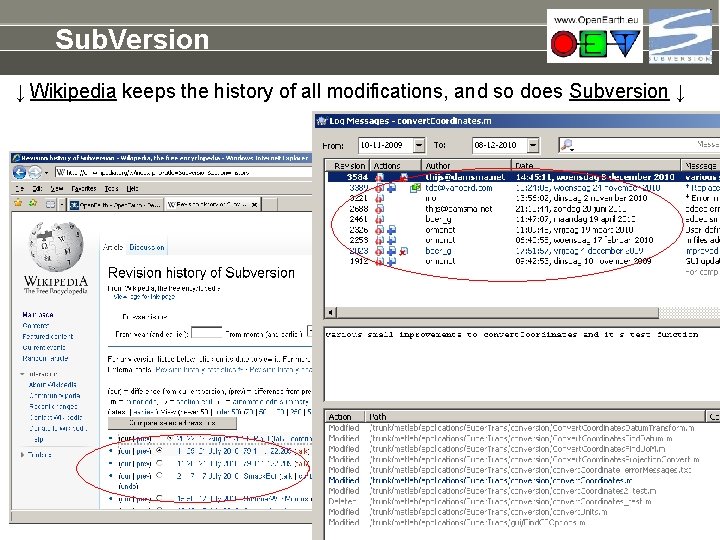
Sub. Version ↓ Wikipedia keeps the history of all modifications, and so does Subversion ↓
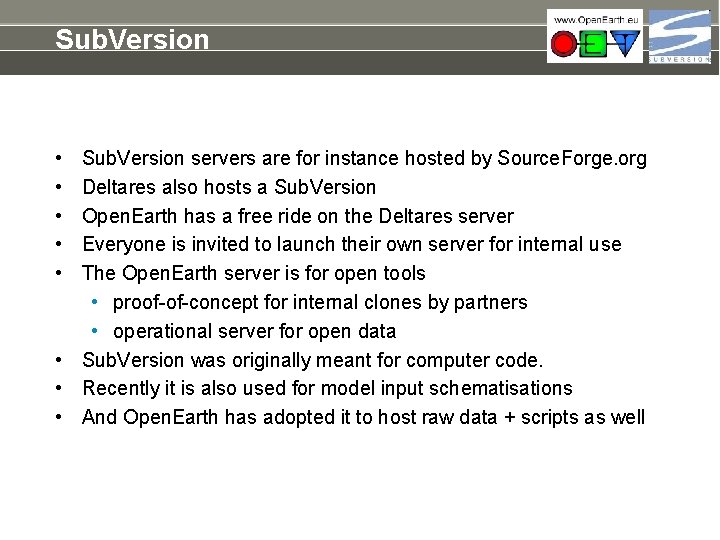
Sub. Version • • • Sub. Version servers are for instance hosted by Source. Forge. org Deltares also hosts a Sub. Version Open. Earth has a free ride on the Deltares server Everyone is invited to launch their own server for internal use The Open. Earth server is for open tools • proof-of-concept for internal clones by partners • operational server for open data • Sub. Version was originally meant for computer code. • Recently it is also used for model input schematisations • And Open. Earth has adopted it to host raw data + scripts as well
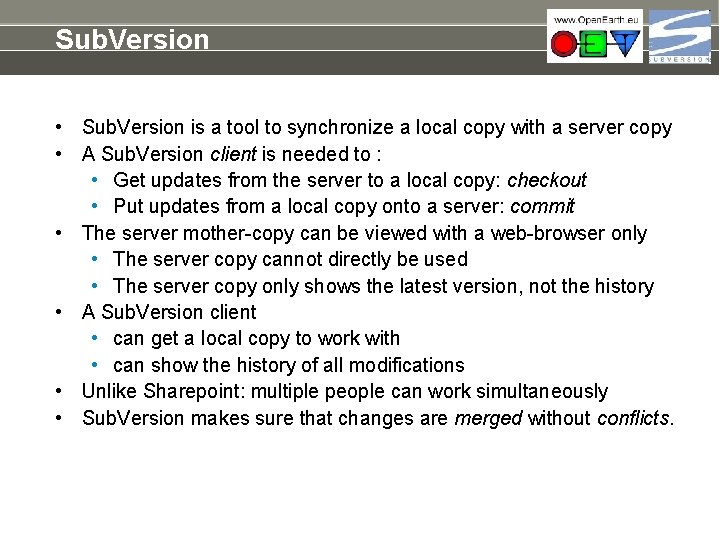
Sub. Version • Sub. Version is a tool to synchronize a local copy with a server copy • A Sub. Version client is needed to : • Get updates from the server to a local copy: checkout • Put updates from a local copy onto a server: commit • The server mother-copy can be viewed with a web-browser only • The server copy cannot directly be used • The server copy only shows the latest version, not the history • A Sub. Version client • can get a local copy to work with • can show the history of all modifications • Unlike Sharepoint: multiple people can work simultaneously • Sub. Version makes sure that changes are merged without conflicts.
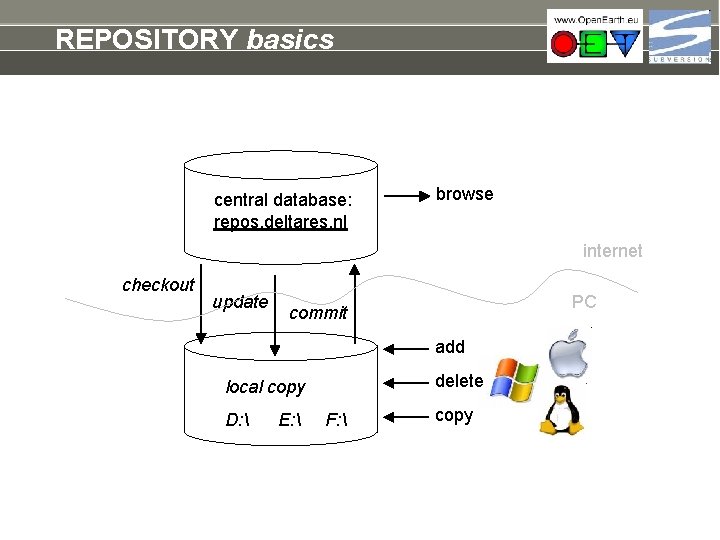
REPOSITORY basics central database: repos. deltares. nl browse internet checkout update PC commit add delete local copy D: E: F: copy
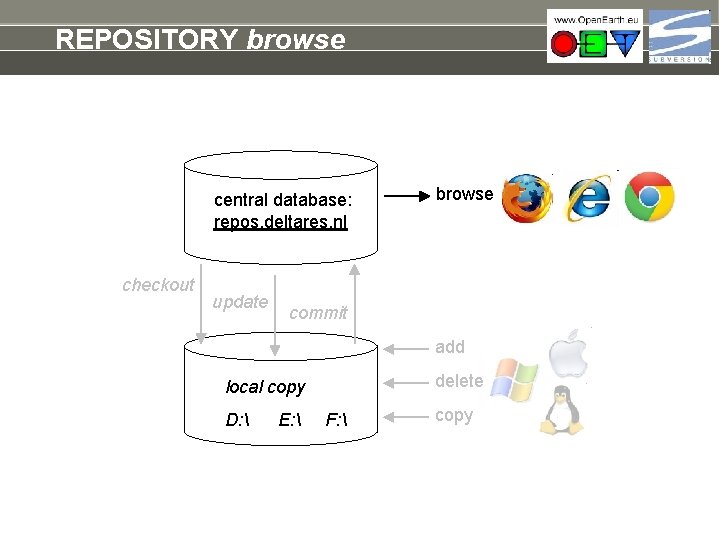
REPOSITORY browse central database: repos. deltares. nl checkout update browse commit add delete local copy D: E: F: copy
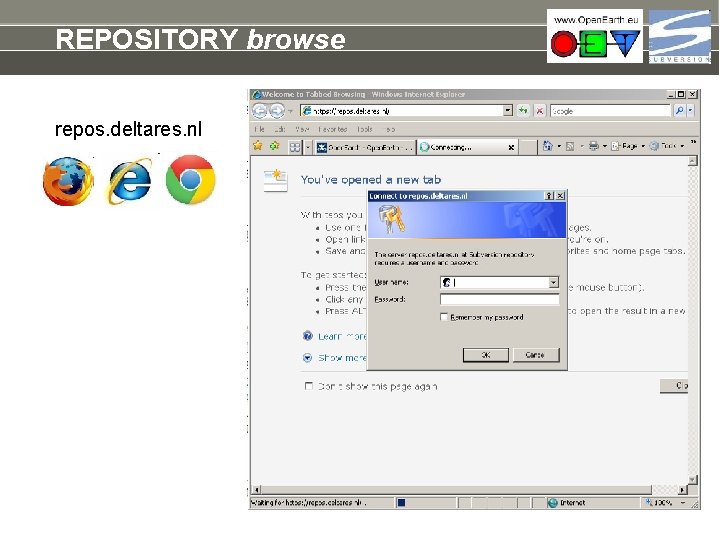
REPOSITORY browse repos. deltares. nl
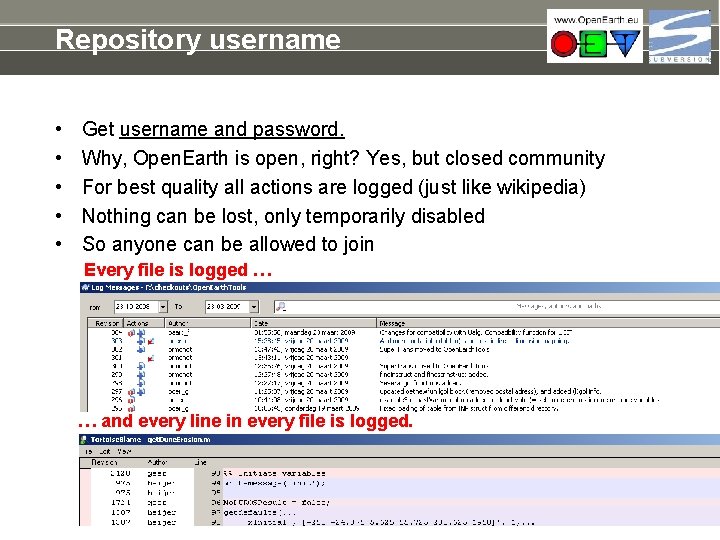
Repository username • • • Get username and password. Why, Open. Earth is open, right? Yes, but closed community For best quality all actions are logged (just like wikipedia) Nothing can be lost, only temporarily disabled So anyone can be allowed to join Every file is logged … … and every line in every file is logged.
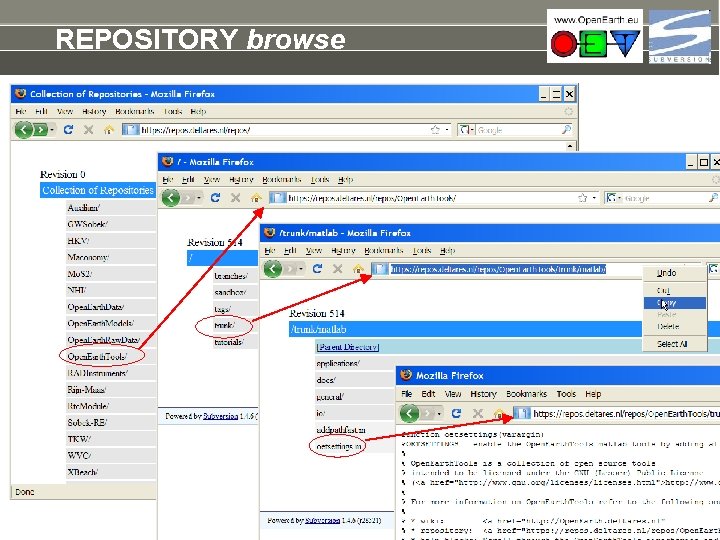
REPOSITORY browse
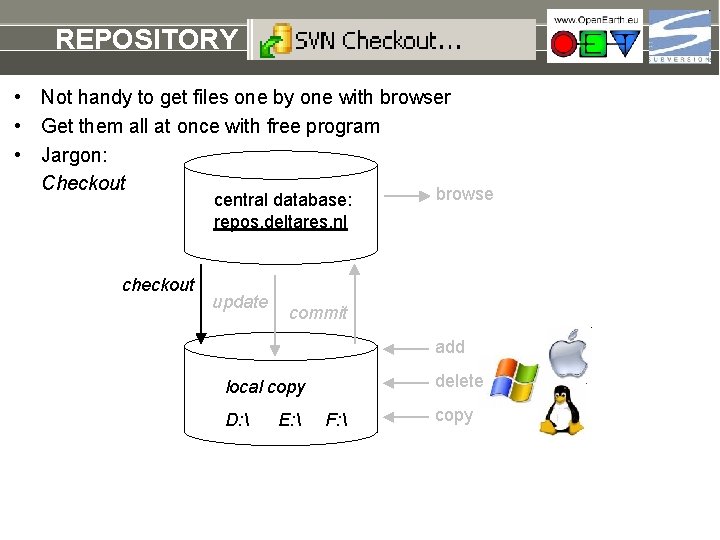
REPOSITORY checkout • Not handy to get files one by one with browser • Get them all at once with free program • Jargon: Checkout browse central database: repos. deltares. nl checkout update commit add delete local copy D: E: F: copy
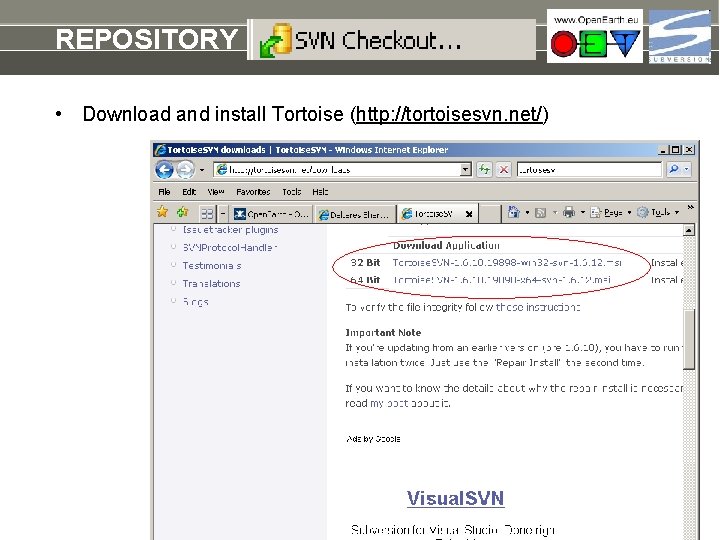
REPOSITORY checkout • Download and install Tortoise (http: //tortoisesvn. net/)
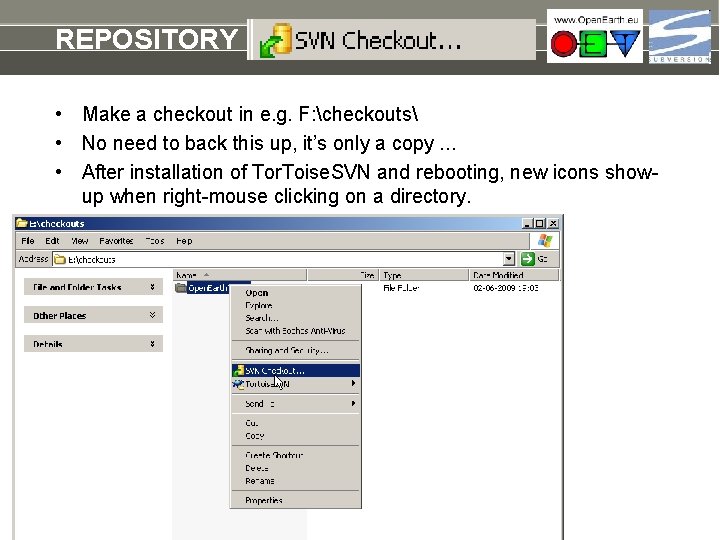
REPOSITORY checkout • Make a checkout in e. g. F: checkouts • No need to back this up, it’s only a copy. . . • After installation of Tor. Toise. SVN and rebooting, new icons showup when right-mouse clicking on a directory.
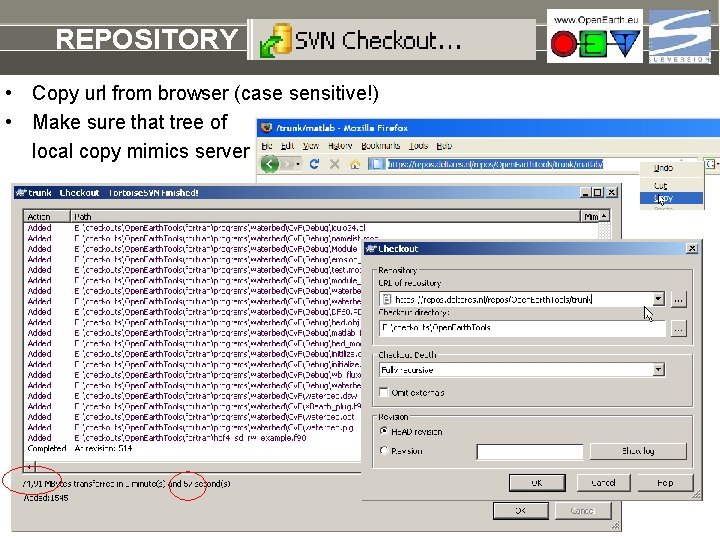
REPOSITORY checkout • Copy url from browser (case sensitive!) • Make sure that tree of local copy mimics server
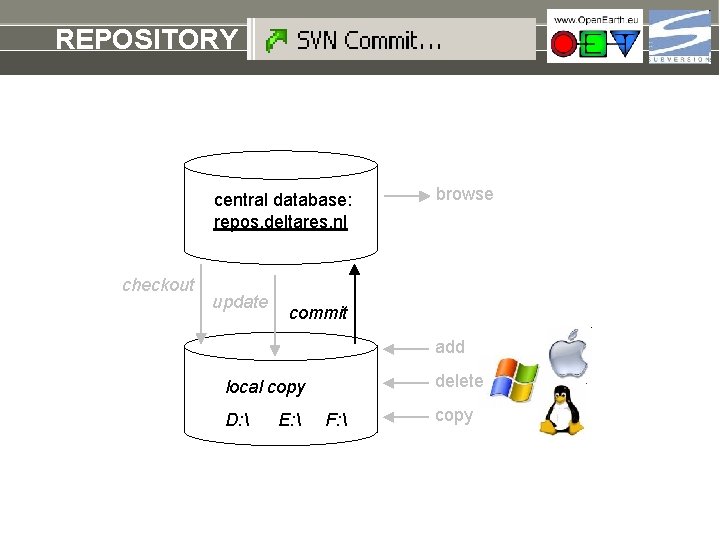
REPOSITORY commit central database: repos. deltares. nl checkout update browse commit add delete local copy D: E: F: copy
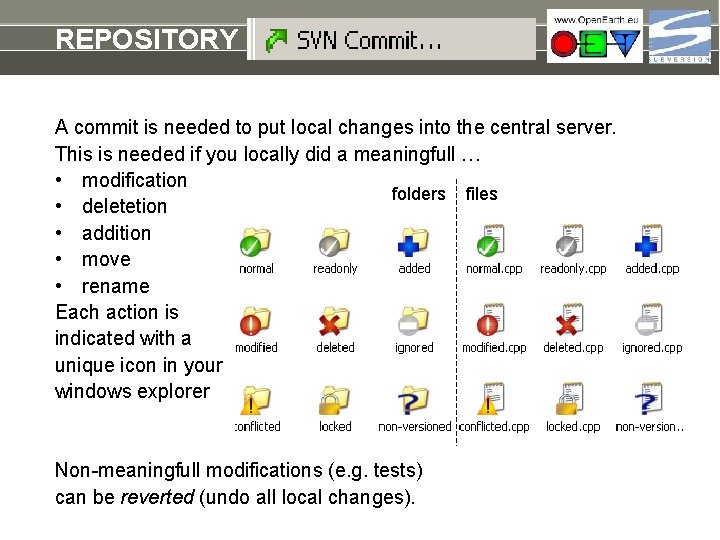
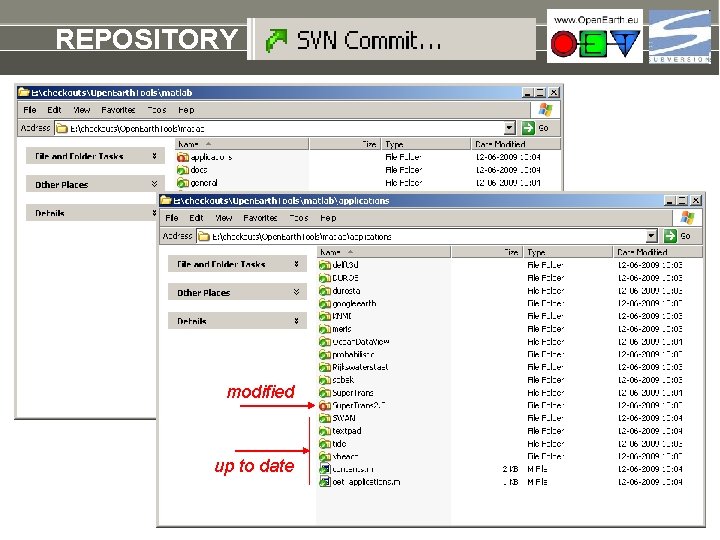
REPOSITORY commit A commit is needed to put local changes into the central server. This is needed if you locally did a meaningfull … • modification folders files • deletetion • addition • move • rename Each action is indicated with a unique icon in your windows explorer Non-meaningfull modifications (e. g. tests) can be reverted (undo all local changes).
REPOSITORY commit modified up to date
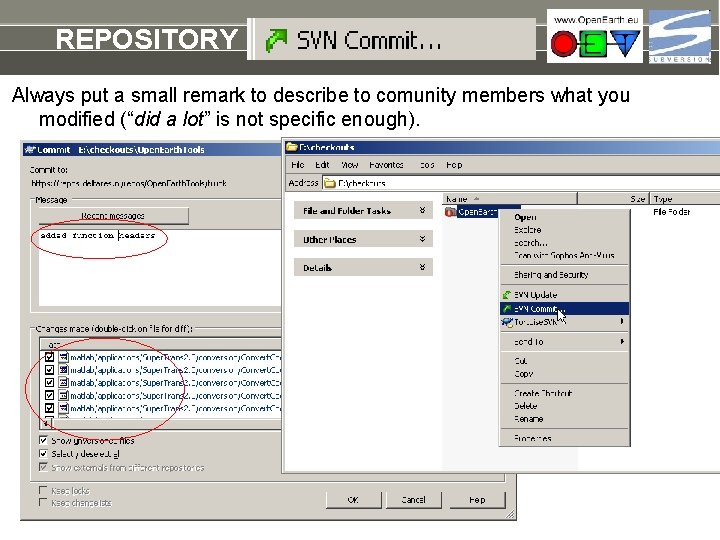
REPOSITORY commit Always put a small remark to describe to comunity members what you modified (“did a lot” is not specific enough).
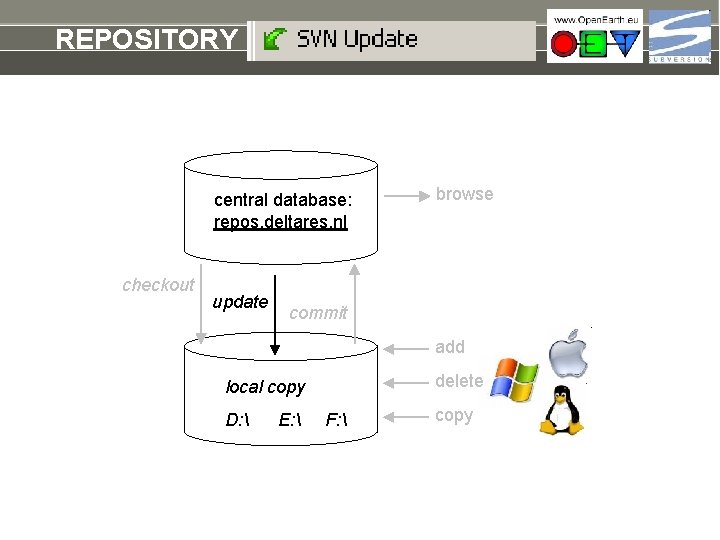
REPOSITORY update central database: repos. deltares. nl checkout update browse commit add delete local copy D: E: F: copy
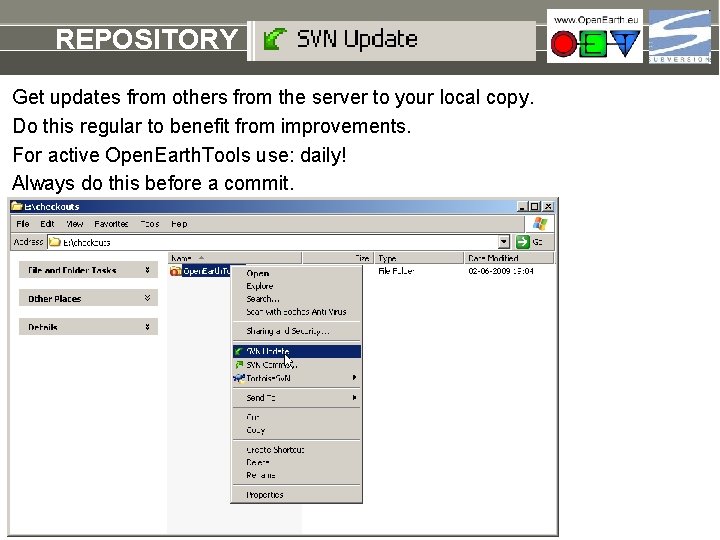
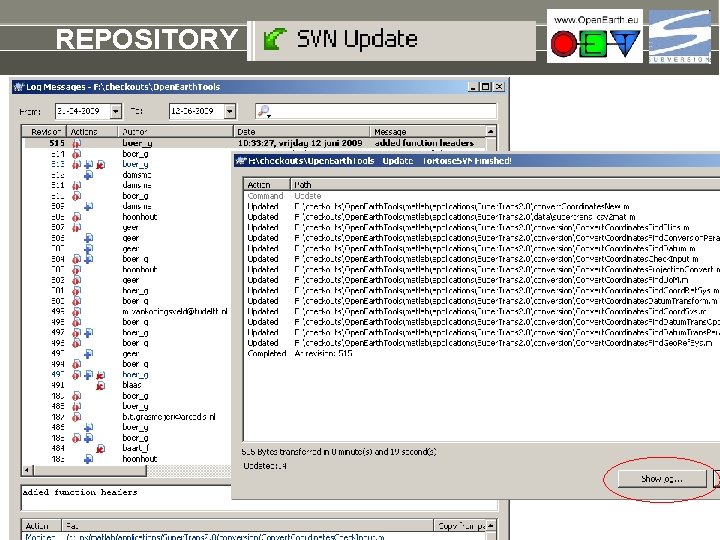
REPOSITORY update Get updates from others from the server to your local copy. Do this regular to benefit from improvements. For active Open. Earth. Tools use: daily! Always do this before a commit.
REPOSITORY update
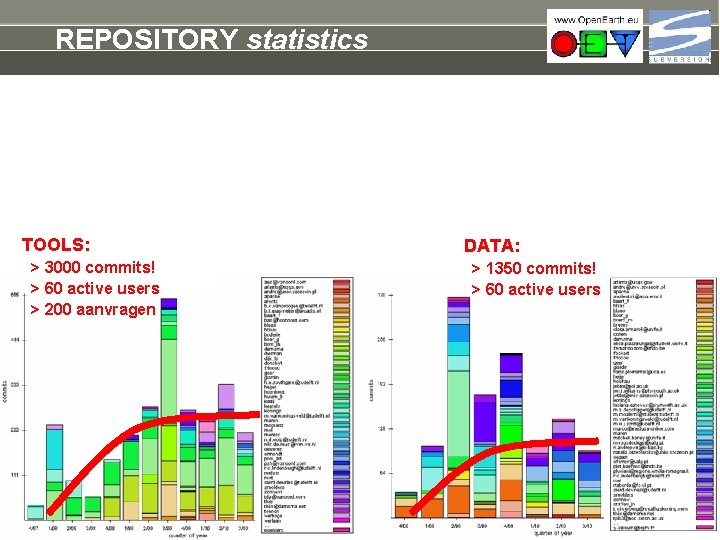
REPOSITORY statistics TOOLS: > 3000 commits! > 60 active users > 200 aanvragen DATA: > 1350 commits! > 60 active users
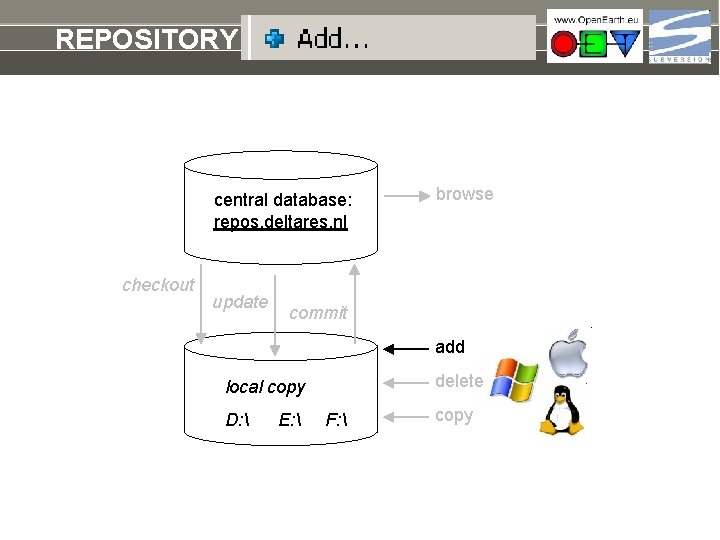
REPOSITORY add central database: repos. deltares. nl checkout update browse commit add delete local copy D: E: F: copy
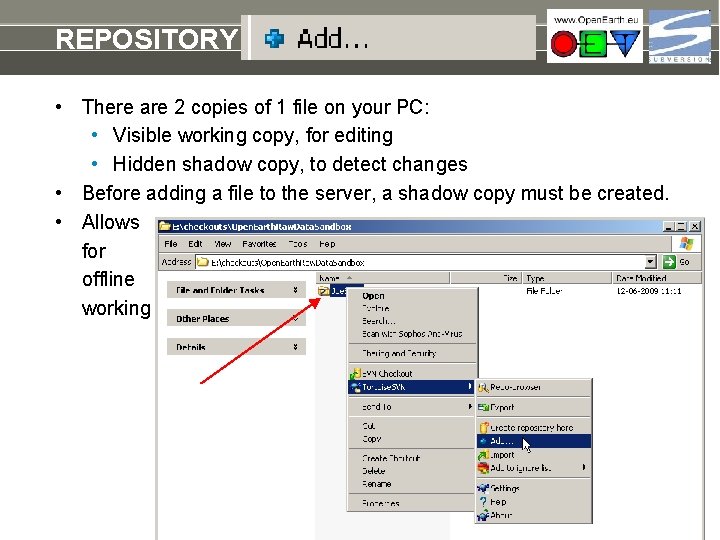
REPOSITORY add a raw dataset • There are 2 copies of 1 file on your PC: • Visible working copy, for editing • Hidden shadow copy, to detect changes • Before adding a file to the server, a shadow copy must be created. • Allows for offline working
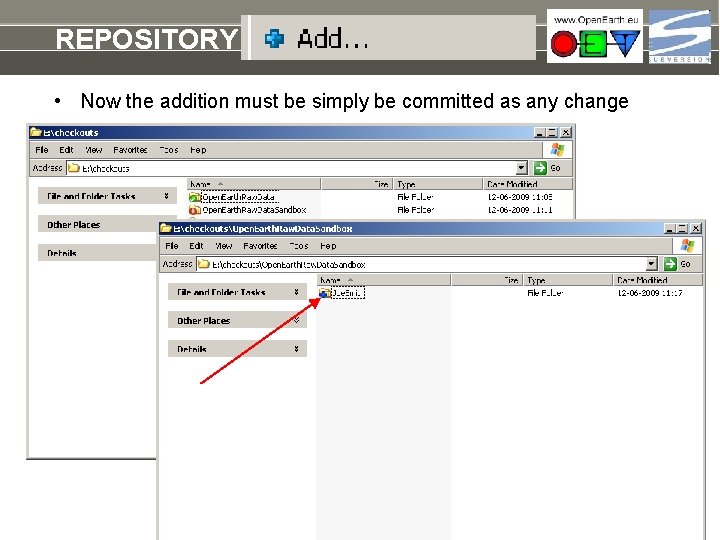
REPOSITORY add a raw dataset • Now the addition must be simply be committed as any change
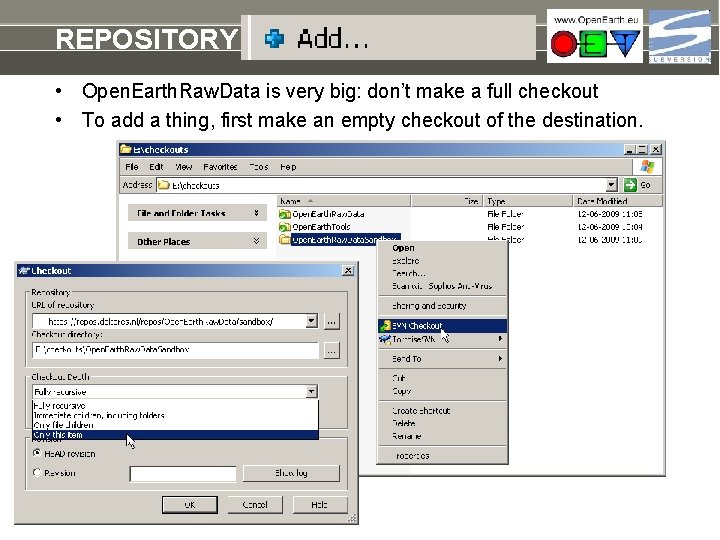
REPOSITORY add a raw dataset • Open. Earth. Raw. Data is very big: don’t make a full checkout • To add a thing, first make an empty checkout of the destination.
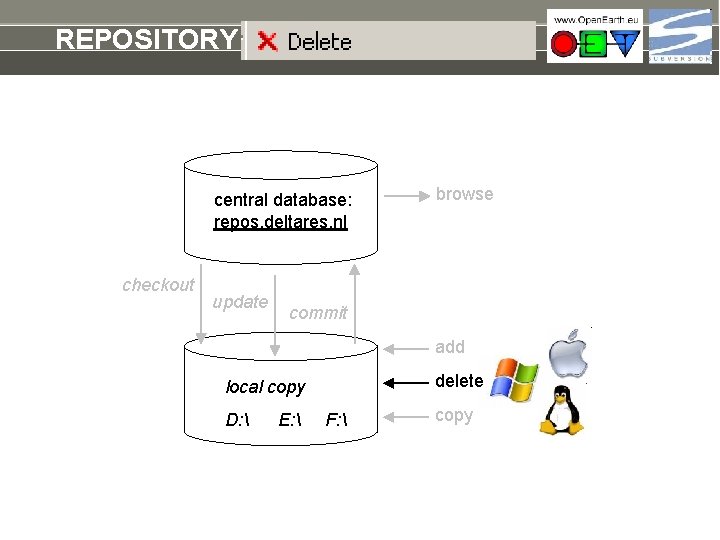
REPOSITORY delete central database: repos. deltares. nl checkout update browse commit add delete local copy D: E: F: copy
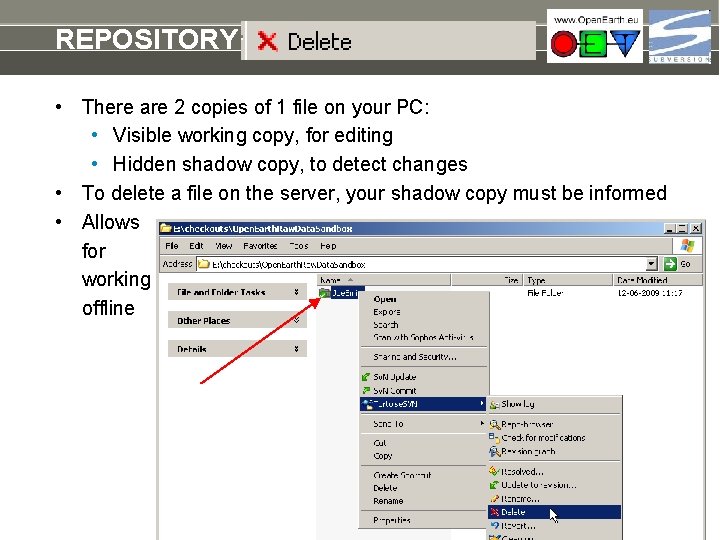
REPOSITORY add a raw dataset • There are 2 copies of 1 file on your PC: • Visible working copy, for editing • Hidden shadow copy, to detect changes • To delete a file on the server, your shadow copy must be informed • Allows for working offline
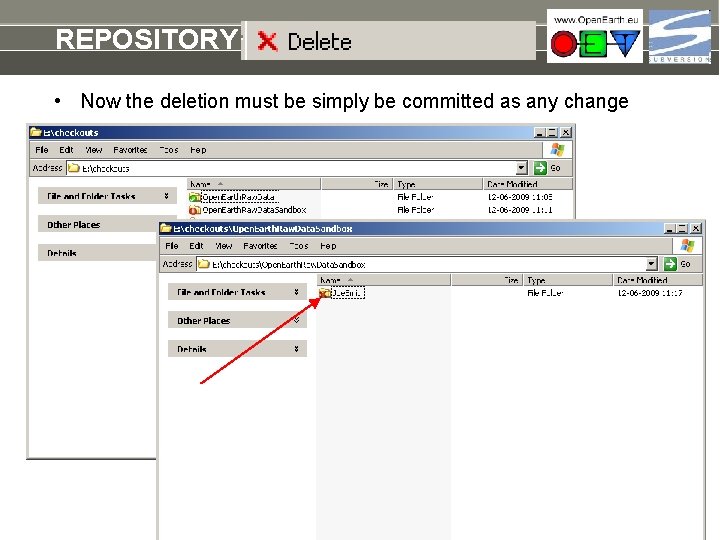
REPOSITORY add a raw dataset • Now the deletion must be simply be committed as any change
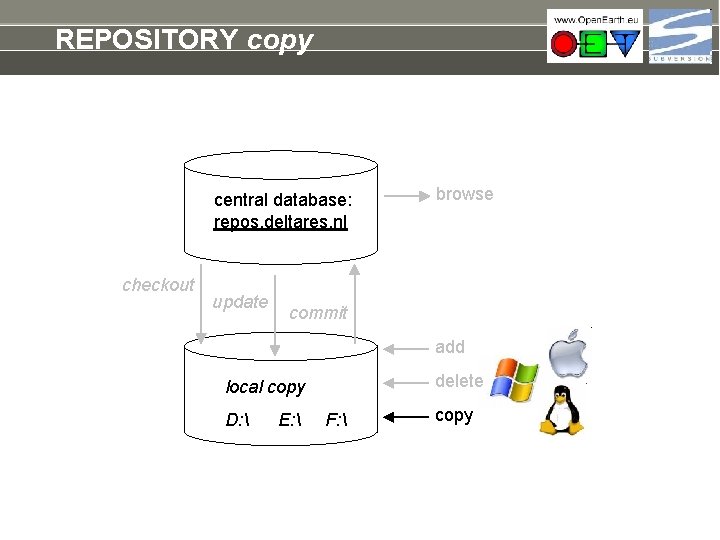
REPOSITORY copy central database: repos. deltares. nl checkout update browse commit add delete local copy D: E: F: copy
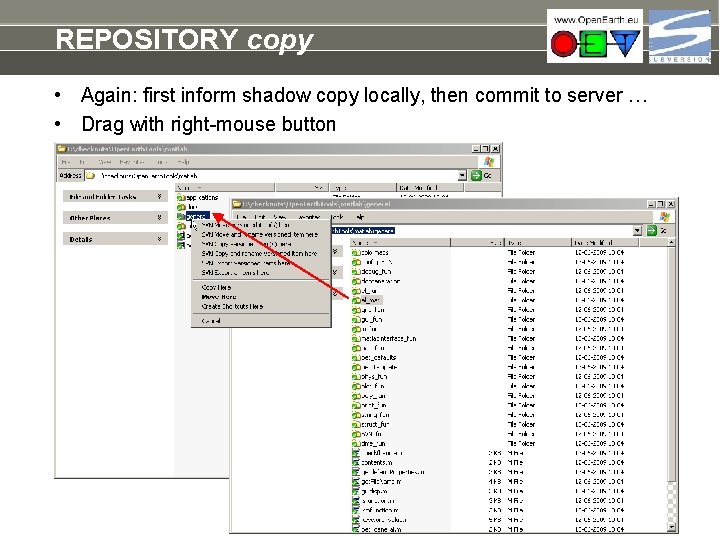
REPOSITORY copy • Again: first inform shadow copy locally, then commit to server … • Drag with right-mouse button
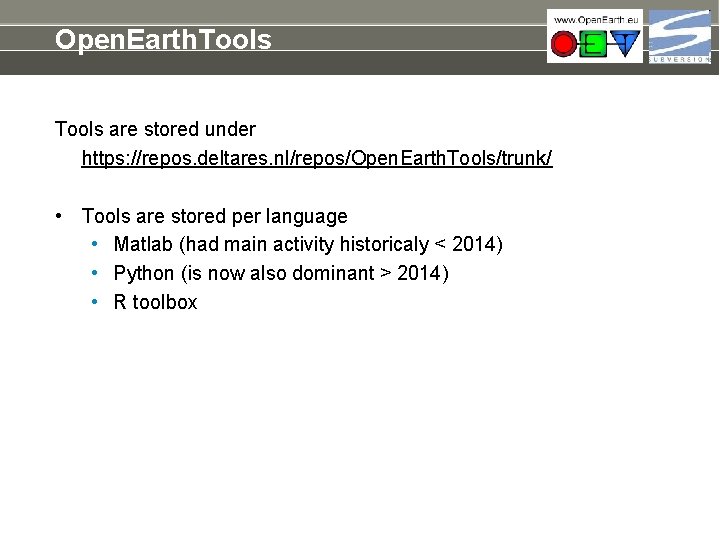
Open. Earth. Tools are stored under https: //repos. deltares. nl/repos/Open. Earth. Tools/trunk/ • Tools are stored per language • Matlab (had main activity historicaly < 2014) • Python (is now also dominant > 2014) • R toolbox
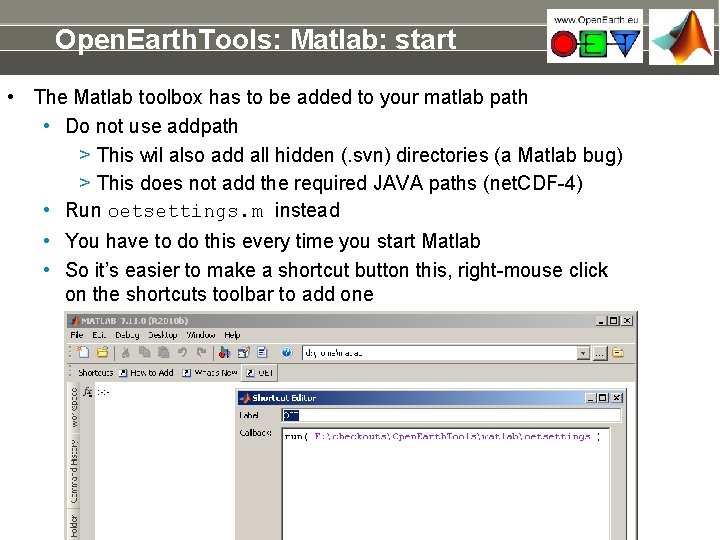
Open. Earth. Tools: Matlab: start • The Matlab toolbox has to be added to your matlab path • Do not use addpath > This wil also add all hidden (. svn) directories (a Matlab bug) > This does not add the required JAVA paths (net. CDF-4) • Run oetsettings. m instead • You have to do this every time you start Matlab • So it’s easier to make a shortcut button this, right-mouse click on the shortcuts toolbar to add one
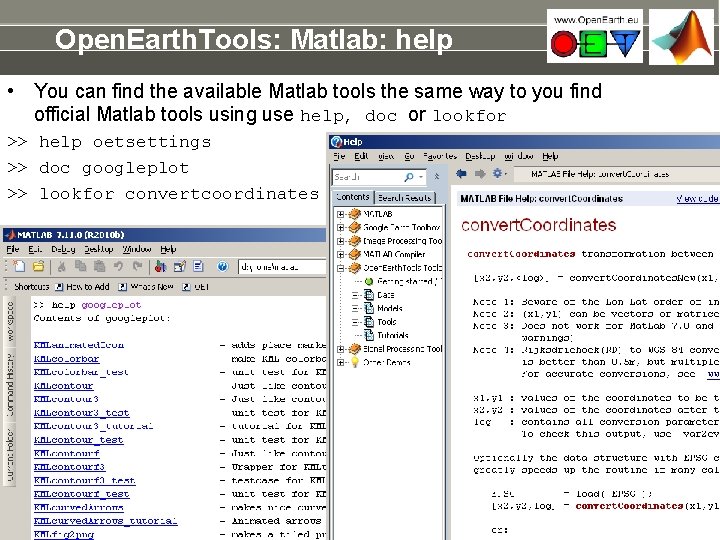
Open. Earth. Tools: Matlab: help • You can find the available Matlab tools the same way to you find official Matlab tools using use help, doc or lookfor >> help oetsettings >> doc googleplot >> lookfor convertcoordinates
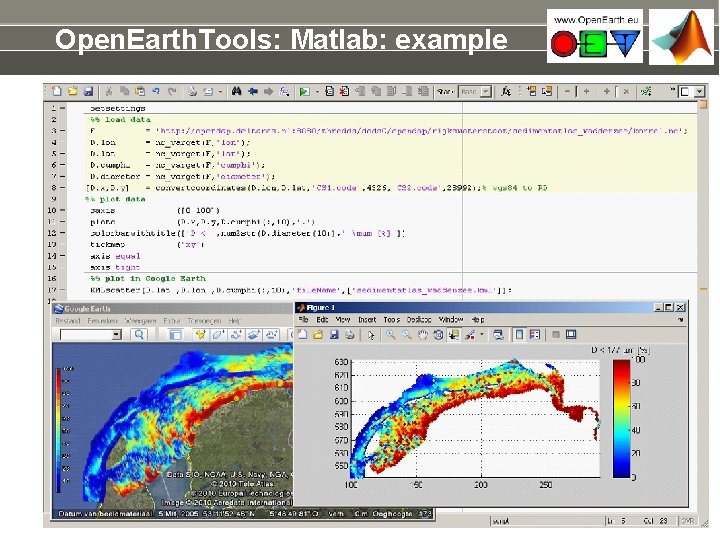
Open. Earth. Tools: Matlab: example
Open. Earth. Raw. Data Raw data are stored under https: //repos. deltares. nl/repos/Open. Earth. Raw. Data/trunk/ • Data are stored with copyright holder as main directory. This allows • copyright holders to maintain their own data • copyright holders to shift easily from private to open source • users to identify whom to acknowlegde • Data should also contain • dedicated processing scripts (if not in Open. Earth. Tools) • url file to web source • INSPIRE XML meta-data file
Open. Earth. Models Raw data are stored under https: //repos. deltares. nl/repos/Open. Earth. Models/trunk/ • Model input schematisations are stored with copyright holder as main directory. This allows • copyright holders to maintain their own data • copyright holders to shift easily from private to open source • users to identify whom to acknowlegde
Exercise • The repository is supposed to be working anytime • Do not play with the actual repository • All advanced users will by annoyed by this • But then, how I can I learn how to work with it? • Solution: use the sandbox • Play around at the highest level as much as you like • And clean up afterwards (delete) • With your browser: http: //repos. deltares. nl/repos/Open. Earth. Tools/sandbox • Now delete the addition you made in http: //repos. deltares. nl/repos/Open. Earth. Tools/sandbox • And check the log file, to see what colleagues did.
www. Open. Earth. eu workflow
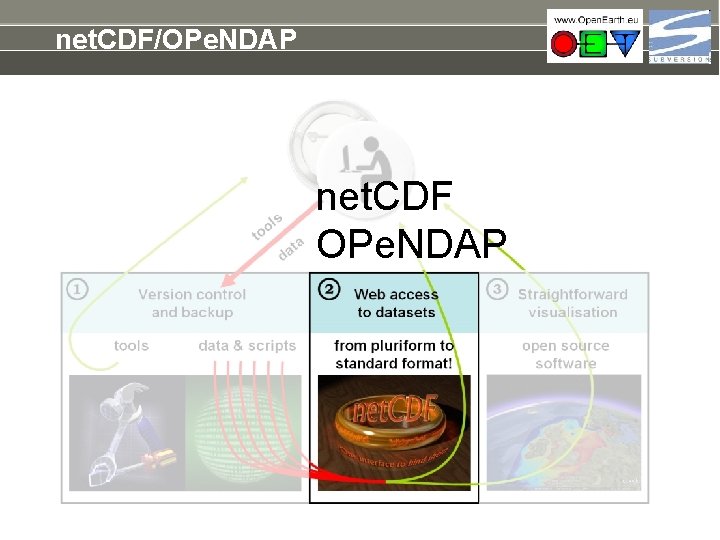
net. CDF/OPe. NDAP net. CDF OPe. NDAP
net. CDF/OPe. NDAP how to use: opendap. deltares. nl: http: //public. deltares. nl/display/OET/web+overview+of+OPe. NDAP+data
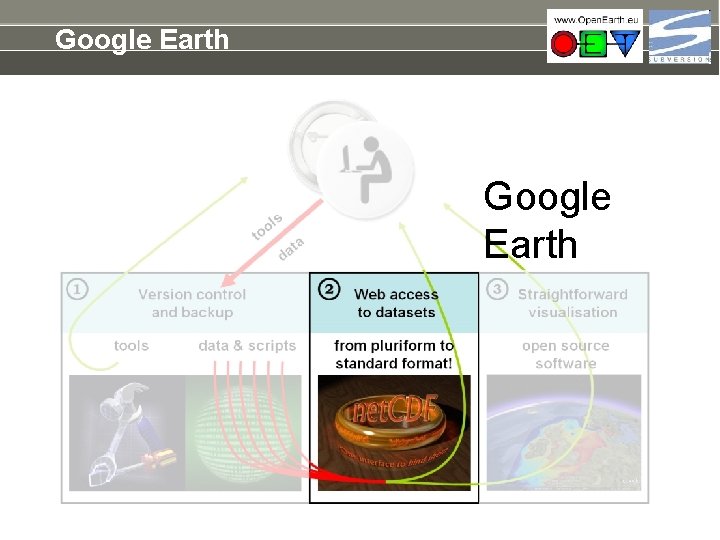
Google Earth
Google Earth how to use: kml. deltares. nl: http: //public. deltares. nl/display/OET/KML+Screenshots
- Slides: 50