
Surfaces in Orthographic ENGR 1182 Graphics 04 Todays
- Slides: 17
Surfaces in Orthographic ENGR 1182 Graphics 04
Today’s Objectives § Drawing Complex Surfaces in Orthographic • Inclined • Curved § Points, Edges, and Surfaces in Multiple Views • Tracking § GP 04 In-Class Activity § GP 04 Out-of-Class Homework Assignment
Complex Surfaces in Orthographic ENGR 1182 Graphics 04
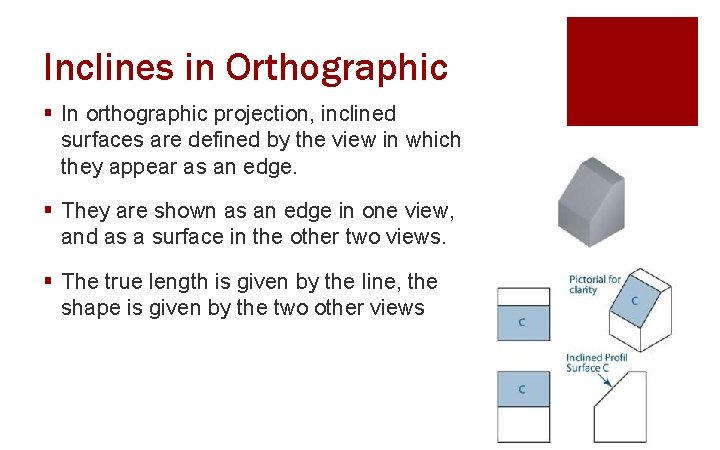
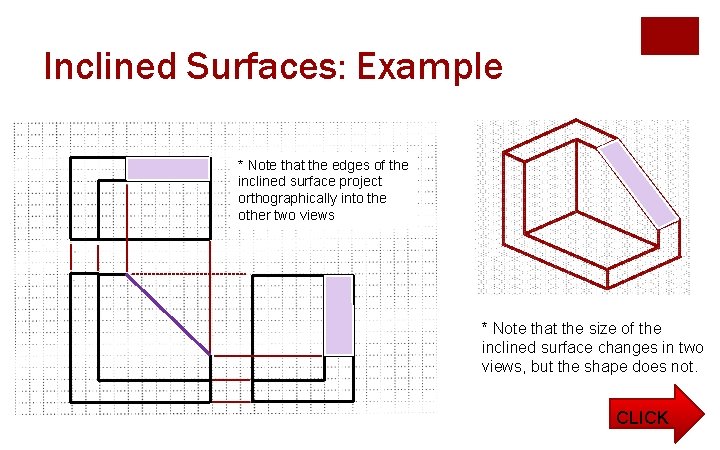
Inclines in Orthographic § In orthographic projection, inclined surfaces are defined by the view in which they appear as an edge. § They are shown as an edge in one view, and as a surface in the other two views. § The true length is given by the line, the shape is given by the two other views
Inclined Surfaces: Example * Note that the edges of the inclined surface project orthographically into the other two views * Note that the size of the inclined surface changes in two views, but the shape does not. CLICK
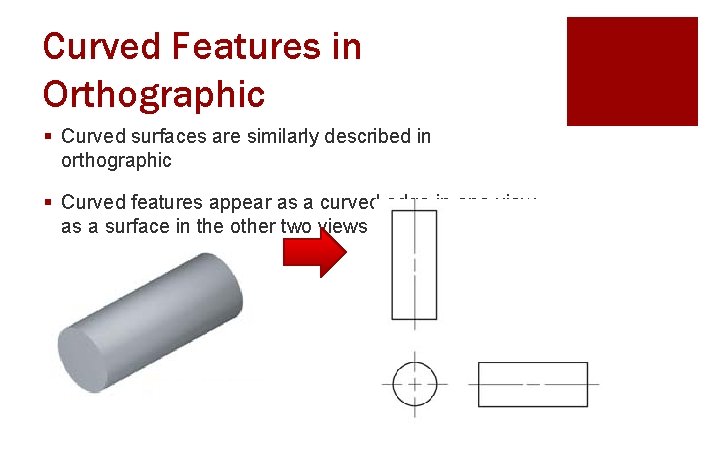
Curved Features in Orthographic § Curved surfaces are similarly described in orthographic § Curved features appear as a curved edge in one view, as a surface in the other two views
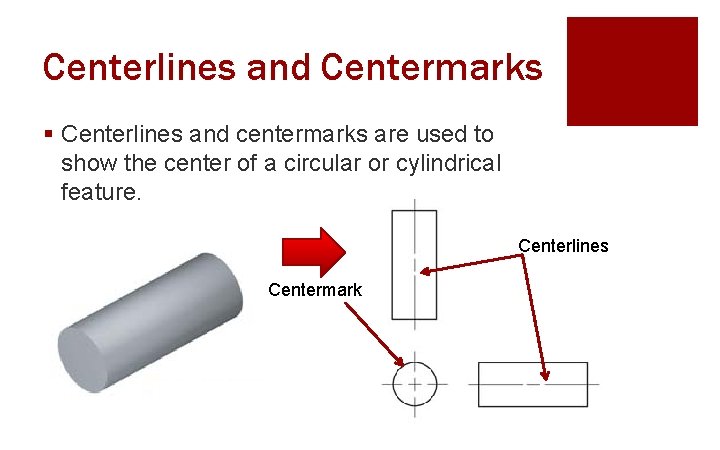
Centerlines and Centermarks § Centerlines and centermarks are used to show the center of a circular or cylindrical feature. Centerlines Centermark
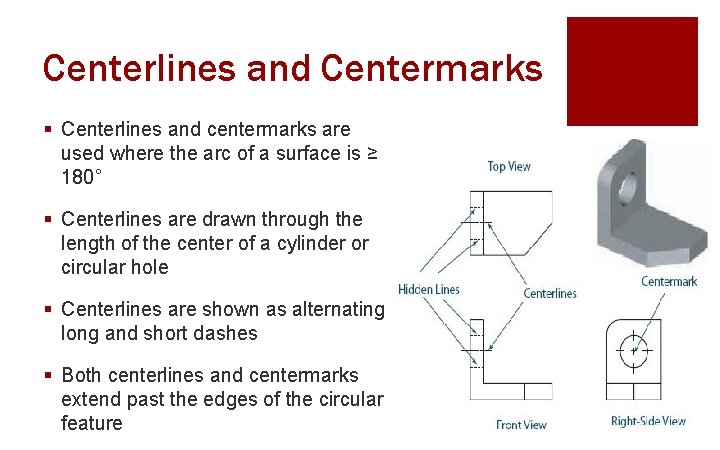
Centerlines and Centermarks § Centerlines and centermarks are used where the arc of a surface is ≥ 180° § Centerlines are drawn through the length of the center of a cylinder or circular hole § Centerlines are shown as alternating long and short dashes § Both centerlines and centermarks extend past the edges of the circular feature
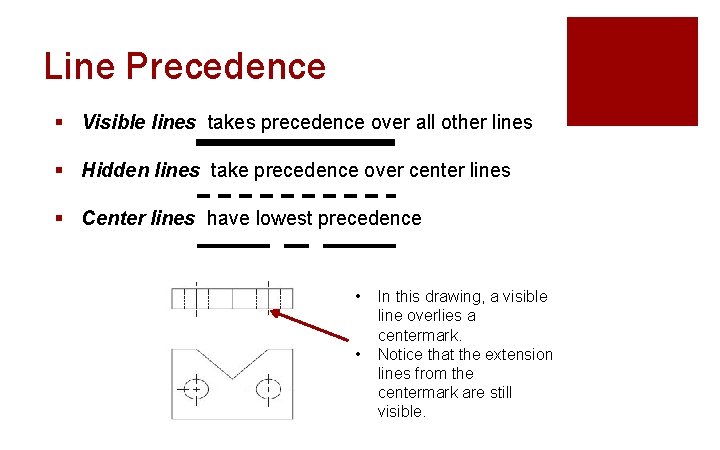
Line Precedence § Visible lines takes precedence over all other lines § Hidden lines take precedence over center lines § Center lines have lowest precedence • • In this drawing, a visible line overlies a centermark. Notice that the extension lines from the centermark are still visible.
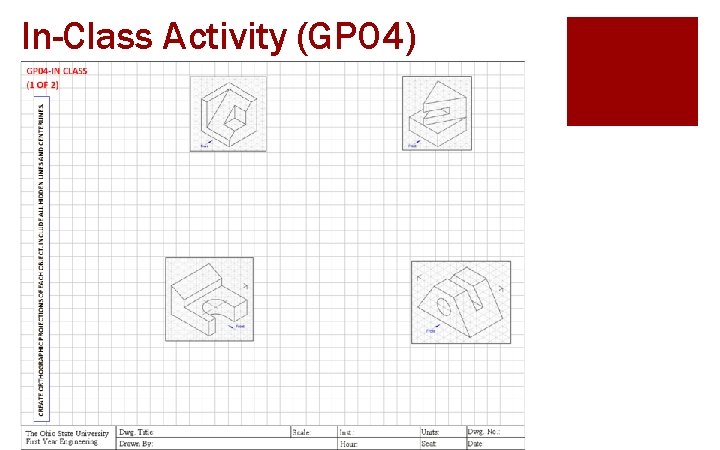
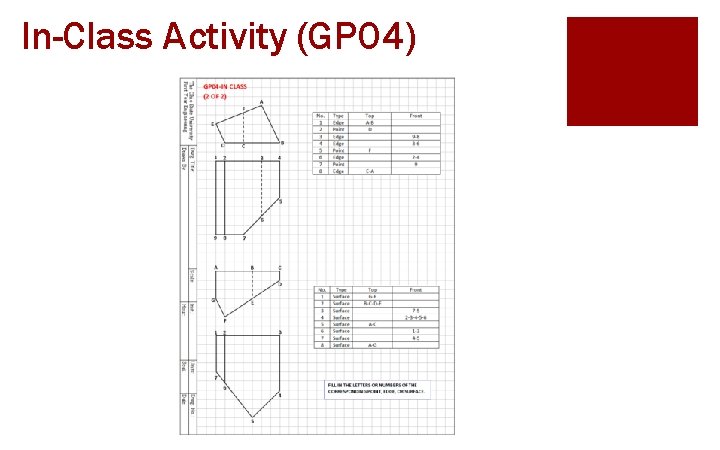
In-Class Activity (GP 04)
Point, Edge, and Surface Tracking ENGR 1182 Graphics 04
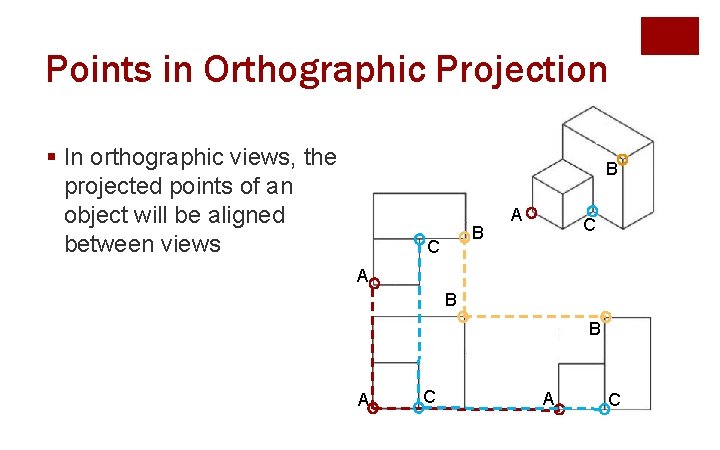
Points in Orthographic Projection § In orthographic views, the projected points of an object will be aligned between views B B C A B B A C
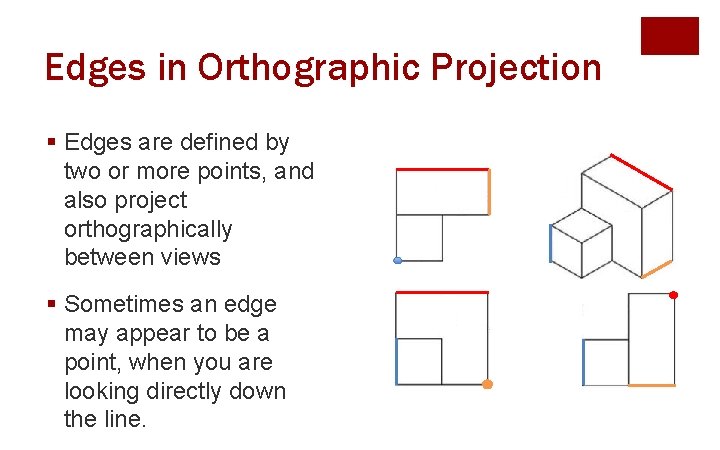
Edges in Orthographic Projection § Edges are defined by two or more points, and also project orthographically between views § Sometimes an edge may appear to be a point, when you are looking directly down the line.
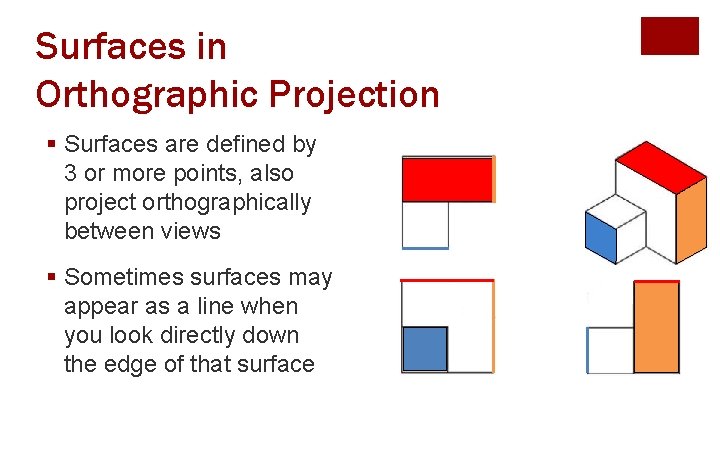
Surfaces in Orthographic Projection § Surfaces are defined by 3 or more points, also project orthographically between views § Sometimes surfaces may appear as a line when you look directly down the edge of that surface
In-Class Activity (GP 04)
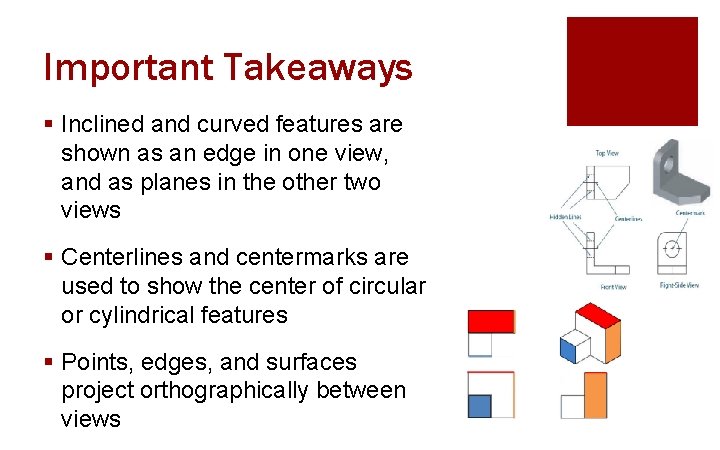
Important Takeaways § Inclined and curved features are shown as an edge in one view, and as planes in the other two views § Centerlines and centermarks are used to show the center of circular or cylindrical features § Points, edges, and surfaces project orthographically between views
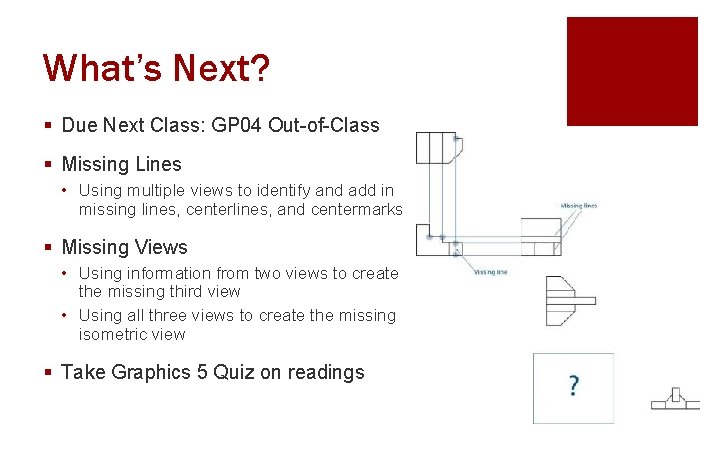
What’s Next? § Due Next Class: GP 04 Out-of-Class § Missing Lines • Using multiple views to identify and add in missing lines, centerlines, and centermarks § Missing Views • Using information from two views to create the missing third view • Using all three views to create the missing isometric view § Take Graphics 5 Quiz on readings