
Support Troubleshooting In this presentation Licensing System requirements
Support & Troubleshooting • In this presentation… – Licensing – System requirements – Troubleshooting tools
Support & Troubleshooting - Licensing • newlook client licenses – Allows access to your host – smartclient (SE) and liteclient (LE) • Business Users – newlook Developer (ND) • Standard developer tools – centric (CD) • Advanced developer tools – soarchitect (SD) • Transaction recording and Web Service creation (published via lookserver)

Support & Troubleshooting - Licensing • Host-based – – – LE, SE, ND, CD and SD licenses Concurrent usage Active. X uses either smartclient or liteclient • Client-based – – – ND, CD and SD licenses only • Evaluation download only provides smartclient (SD) functionality Temporary or permanent Per seat licensing
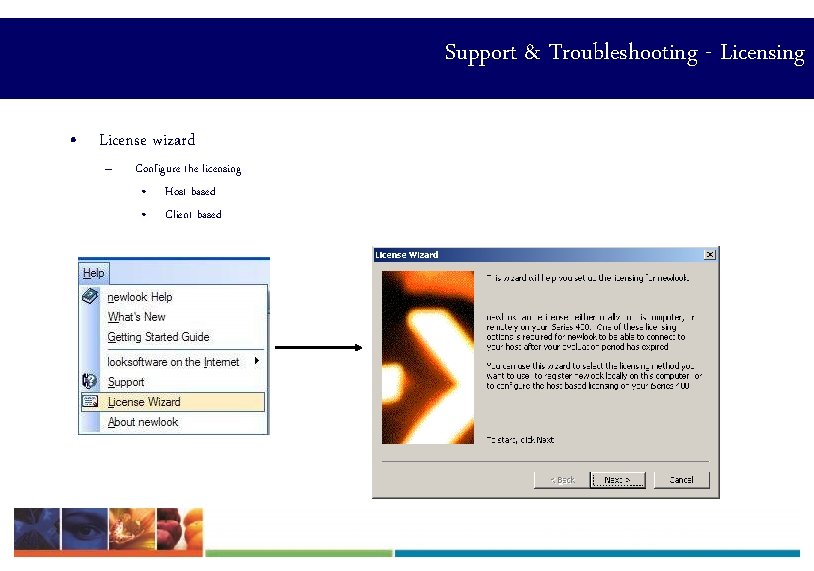
Support & Troubleshooting - Licensing • License wizard – Configure the licensing • Host based • Client based
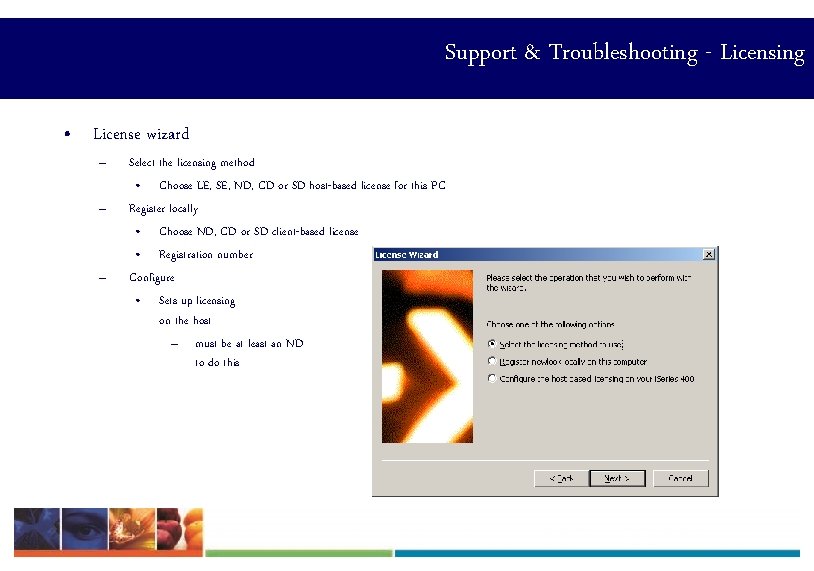
Support & Troubleshooting - Licensing • License wizard – – – Select the licensing method • Choose LE, SE, ND, CD or SD host-based license for this PC Register locally • Choose ND, CD or SD client-based license • Registration number Configure • Sets up licensing on the host – must be at least an ND to do this
Support & Troubleshooting - Licensing • Common issues – Date format • incorrectly keyed – Serial number • wrong i. Series – RPC Server not started on the host • STRHOSTSVR *RMTCMD
Minimum System Requirements • Business User PC – liteclient or smartclient – Operating system • Windows 2000/XP/Vista – Hardware • Pentium 4 (or equivalent) • 256 Mb RAM • 800 x 600 resolution • 256 colors • 10 Mb hard disk space
Minimum System Requirements • Developer PC – ND, CE, SD – Operating system • Windows 2000/XP/Vista – Hardware • Pentium 4 (or equivalent) • 512 Mb RAM • 800 x 600 resolution • 256 colors • 20 Mb hard disk space
Troubleshooting Tools • Gather information – – – Version Screen captures Connection dialog Session trace Check SID batch program
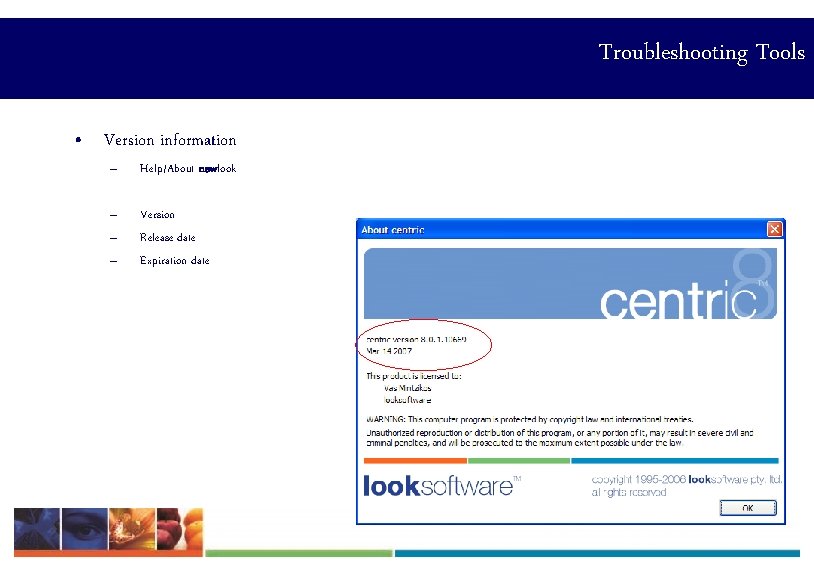
Troubleshooting Tools • Version information – Help/About newlook – – – Version Release date Expiration date
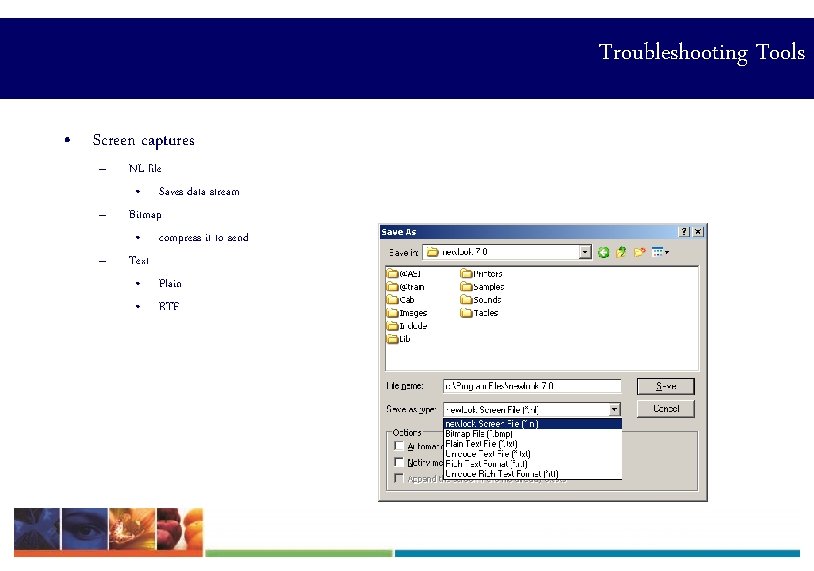
Troubleshooting Tools • Screen captures – – – NL file • Saves data stream Bitmap • compress it to send Text • Plain • RTF
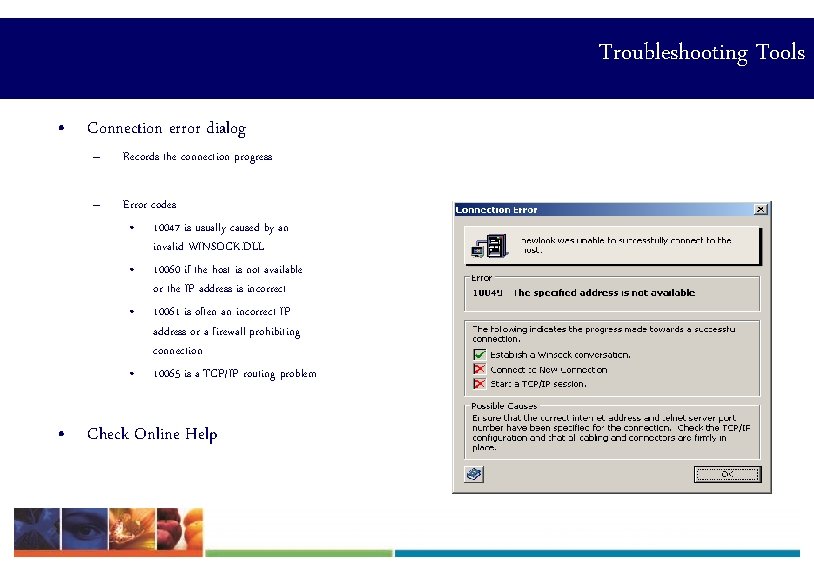
Troubleshooting Tools • Connection error dialog – Records the connection progress – Error codes • 10047 is usually caused by an invalid WINSOCK. DLL • 10060 if the host is not available or the IP address is incorrect • 10061 is often an incorrect IP address or a firewall prohibiting connection • 10065 is a TCP/IP routing problem • Check Online Help
Troubleshooting Tools • Session trace – Command line argument • Shortcut properties • Enable a FULL trace: -DTEIA • – Target: "C: Program Fileslooksoftware 8. 0nl. exe“ -dteia Saved as: newlook. trc
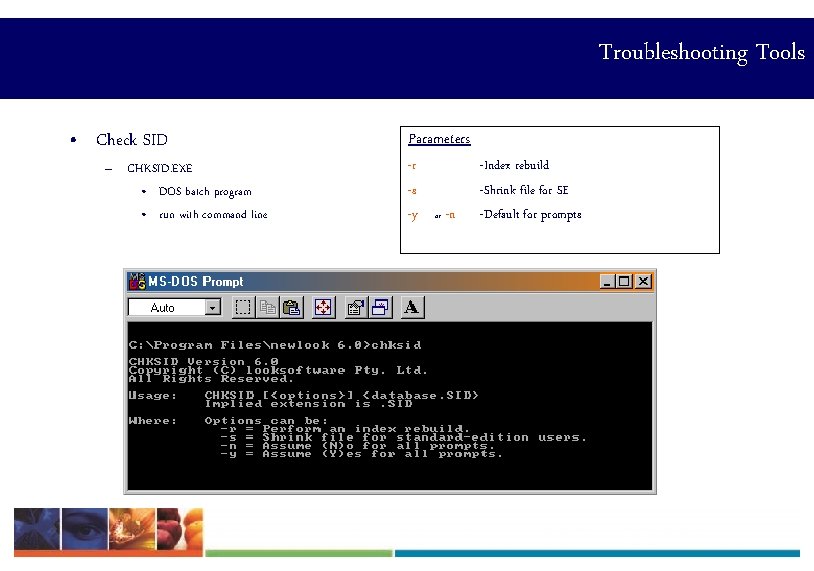
Troubleshooting Tools • Check SID – CHKSID. EXE • DOS batch program • run with command line Parameters -r -s -y or -n -Index rebuild -Shrink file for SE -Default for prompts
Troubleshooting Tools • How to assist support – Check Online Help first – Replicate problem • Provide details on how the problem is reproduced – Information required • Customer details • Problem description • Version information • Attachments – SID File – INI File – NL Files – BMP Files – Trace Files
Summary • • • The looksoftware client product suite contains multiple license formats, namely liteclient, smartclient, newlook, centric and soarchitect. liteclient and smartclient are mostly used by the business user. newlook is used by developers and provides a number of additional tools used to design the newlook UI. centric and soarchitect are used for more extensive development including integration with databases and creation of web services. newlook provides an easy-to-use license wizard to assist you in setting up PC client or host based licensing. When contacting looksoftware support with any problems, ensure you gather as much information about the error as possible. Include screen shots, version information, session trace etc. Also, try and replicate the error to see if it occurs more than once.
newlook 8 Training • Support & Troubleshooting
- Slides: 17