
Supercomputing and Science An Introduction to High Performance


![Superscalar Loops for (i = 0; i < n; i++) { z[i] = a[i]*b[i]](https://slidetodoc.com/presentation_image_h2/0ba93337ed73c951cb90883cee5d925f/image-17.jpg "Superscalar Loops for (i = 0; i < n; i++) { z[i] = a[i]*b[i]")





![A Real [4] Example DO k=2, nz-1 DO j=2, ny-1 DO i=2, nx-1 tem](https://slidetodoc.com/presentation_image_h2/0ba93337ed73c951cb90883cee5d925f/image-46.jpg "A Real [4] Example DO k=2, nz-1 DO j=2, ny-1 DO i=2, nx-1 tem")

![References [1] Ruud van der Pas, “The Ultra. SPARC-III Microprocessor: Architecture Overview, ” 2001,](https://slidetodoc.com/presentation_image_h2/0ba93337ed73c951cb90883cee5d925f/image-51.jpg "References [1] Ruud van der Pas, “The Ultra. SPARC-III Microprocessor: Architecture Overview, ” 2001,")
- Slides: 51
Supercomputing and Science An Introduction to High Performance Computing Part III: Instruction-Level Parallelism and Scalar Optimization Henry Neeman, Director OU Supercomputing Center for Education & Research
Outline n n n n What is Instruction-Level Parallelism? Scalar Operation Loops Pipelining Loop Performance Superpipelining Vectors A Real Example OU Supercomputing Center for Education & Research 2
What Is ILP? Instruction-Level Parallelism (ILP) is a set of techniques for executing multiple instructions at the same time within the same CPU. The problem: the CPU has lots of circuitry, and at any given time, most of it is idle. The solution: have different parts of the CPU work on different operations at the same time – if the CPU has the ability to work on 10 operations at a time, then the program can run as much as 10 times as fast. OU Supercomputing Center for Education & Research 3
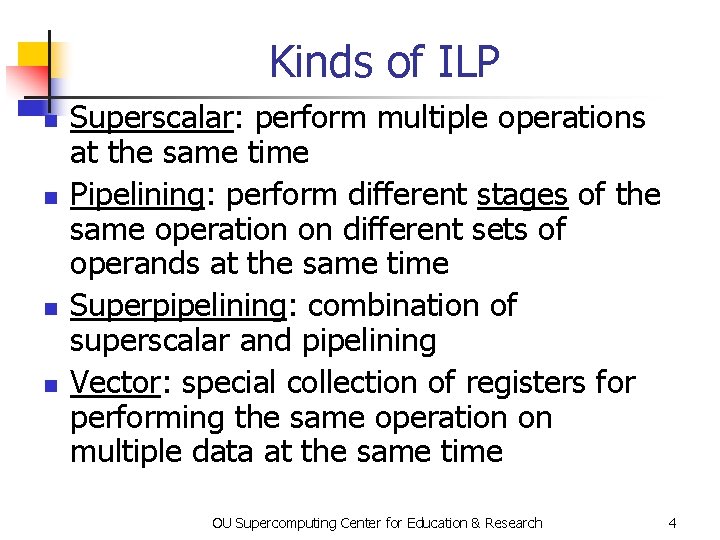
Kinds of ILP n n Superscalar: perform multiple operations at the same time Pipelining: perform different stages of the same operation on different sets of operands at the same time Superpipelining: combination of superscalar and pipelining Vector: special collection of registers for performing the same operation on multiple data at the same time OU Supercomputing Center for Education & Research 4
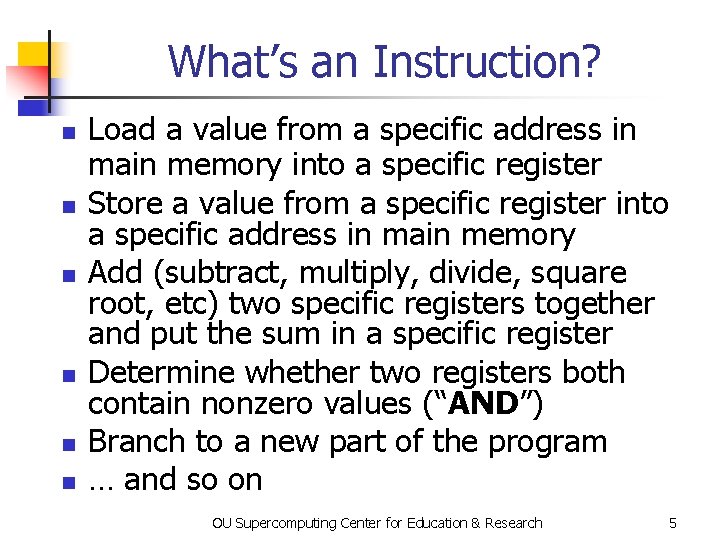
What’s an Instruction? n n n Load a value from a specific address in main memory into a specific register Store a value from a specific register into a specific address in main memory Add (subtract, multiply, divide, square root, etc) two specific registers together and put the sum in a specific register Determine whether two registers both contain nonzero values (“AND”) Branch to a new part of the program … and so on OU Supercomputing Center for Education & Research 5
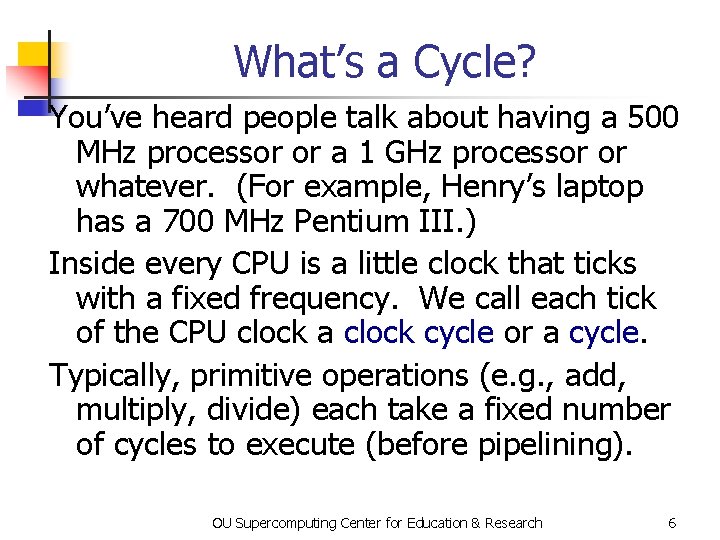
What’s a Cycle? You’ve heard people talk about having a 500 MHz processor or a 1 GHz processor or whatever. (For example, Henry’s laptop has a 700 MHz Pentium III. ) Inside every CPU is a little clock that ticks with a fixed frequency. We call each tick of the CPU clock a clock cycle or a cycle. Typically, primitive operations (e. g. , add, multiply, divide) each take a fixed number of cycles to execute (before pipelining). OU Supercomputing Center for Education & Research 6
Scalar Operation OU Supercomputing Center for Education & Research
DON’T PANIC! OU Supercomputing Center for Education & Research 8
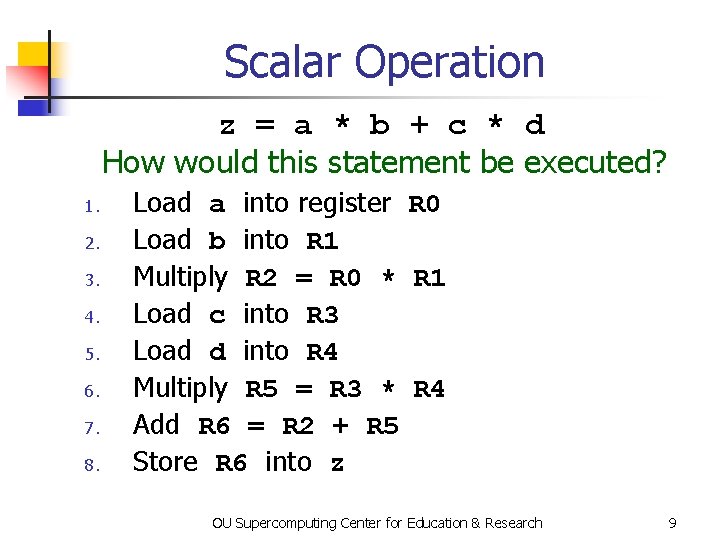
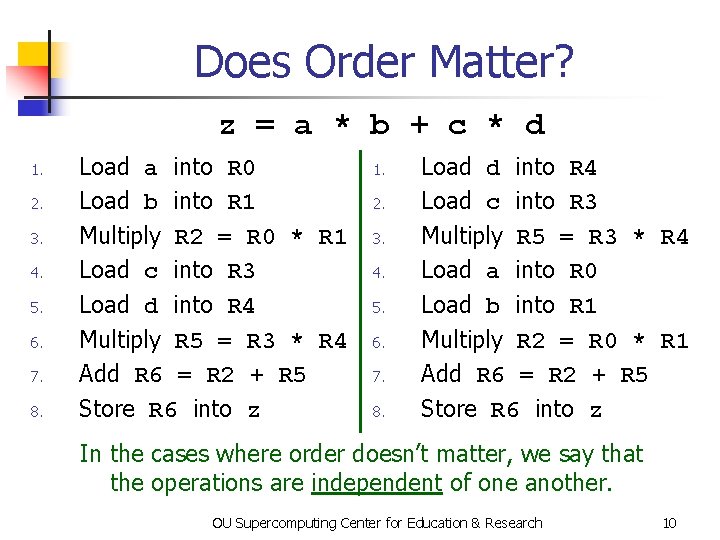
Scalar Operation z = a * b + c * d How would this statement be executed? 1. 2. 3. 4. 5. 6. 7. 8. Load a into register R 0 Load b into R 1 Multiply R 2 = R 0 * R 1 Load c into R 3 Load d into R 4 Multiply R 5 = R 3 * R 4 Add R 6 = R 2 + R 5 Store R 6 into z OU Supercomputing Center for Education & Research 9
Does Order Matter? z = a * b + c * d 1. 2. 3. 4. 5. 6. 7. 8. Load a into R 0 Load b into R 1 Multiply R 2 = R 0 * R 1 Load c into R 3 Load d into R 4 Multiply R 5 = R 3 * R 4 Add R 6 = R 2 + R 5 Store R 6 into z 1. 2. 3. 4. 5. 6. 7. 8. Load d into R 4 Load c into R 3 Multiply R 5 = R 3 * R 4 Load a into R 0 Load b into R 1 Multiply R 2 = R 0 * R 1 Add R 6 = R 2 + R 5 Store R 6 into z In the cases where order doesn’t matter, we say that the operations are independent of one another. OU Supercomputing Center for Education & Research 10
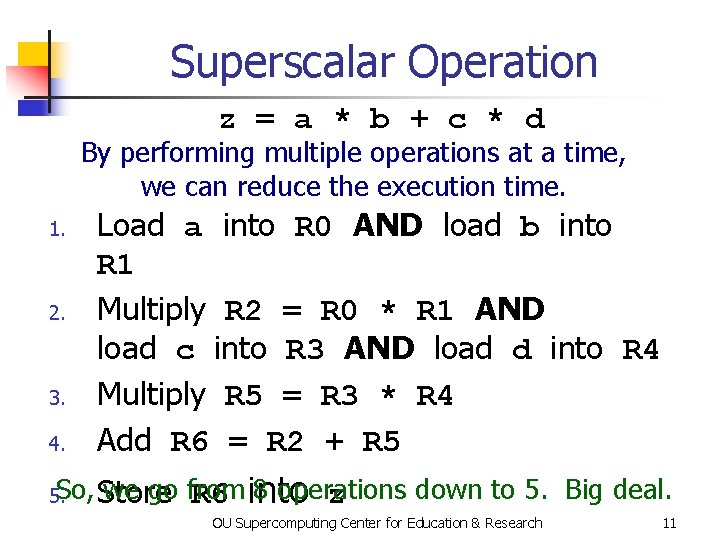
Superscalar Operation z = a * b + c * d By performing multiple operations at a time, we can reduce the execution time. 4. Load a into R 0 AND load b into R 1 Multiply R 2 = R 0 * R 1 AND load c into R 3 AND load d into R 4 Multiply R 5 = R 3 * R 4 Add R 6 = R 2 + R 5 So, 5. we go from 8 operations down to 5. Big deal. Store R 6 into z 1. 2. 3. OU Supercomputing Center for Education & Research 11
Loops OU Supercomputing Center for Education & Research
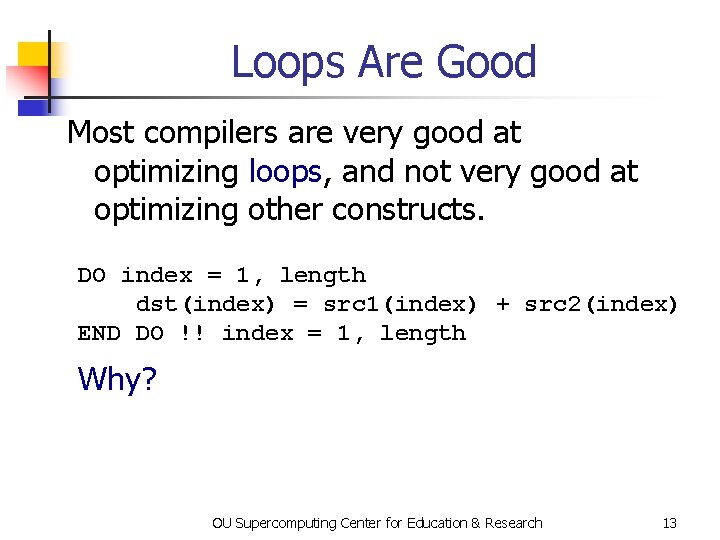
Loops Are Good Most compilers are very good at optimizing loops, and not very good at optimizing other constructs. DO index = 1, length dst(index) = src 1(index) + src 2(index) END DO !! index = 1, length Why? OU Supercomputing Center for Education & Research 13
Why Loops Are Good n n n Loops are very common in many programs. So, hardware vendors have designed their products to be able to do loops well. Also, it’s easier to optimize loops than more arbitrary sequences of instructions: when a program does the same thing over and over, it’s easier to predict what’s likely to happen next. OU Supercomputing Center for Education & Research 14
DON’T PANIC! OU Supercomputing Center for Education & Research 15
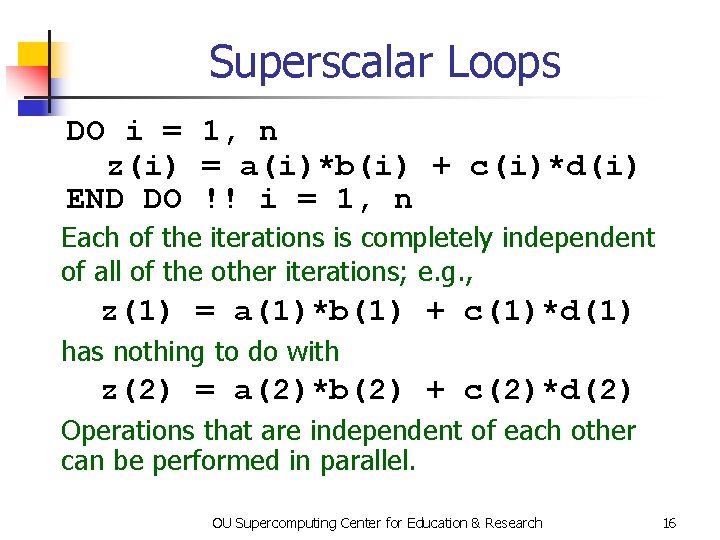
Superscalar Loops DO i = 1, n z(i) = a(i)*b(i) + c(i)*d(i) END DO !! i = 1, n Each of the iterations is completely independent of all of the other iterations; e. g. , z(1) = a(1)*b(1) + c(1)*d(1) has nothing to do with z(2) = a(2)*b(2) + c(2)*d(2) Operations that are independent of each other can be performed in parallel. OU Supercomputing Center for Education & Research 16
Superscalar Loops for (i = 0; i < n; i++) { z[i] = a[i]*b[i] + c[i]*d[i]; } /* for i */ 1. Load a[0] into R 0 AND load b[0] into R 1 2. Multiply R 2 = R 0 * R 1 AND load c[0] into R 3 AND load d[0] into R 4 3. Multiply R 5 = R 3 * R 4 AND load a[1] into R 0 AND load b[1] into R 1 4. Add R 6 = R 2 + R 5 AND load c[1] into R 3 AND load d[1] into R 4 5. Store R 6 into z[0] AND multiply R 2 = R 0 * R 1. . . Once this sequence is “in flight, ” each iteration adds only 2 operations to the total, not 8. OU Supercomputing Center for Education & Research 17
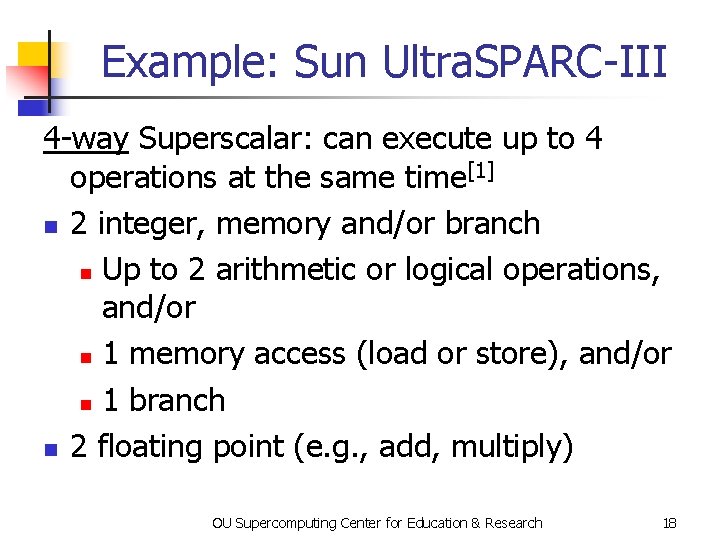
Example: Sun Ultra. SPARC-III 4 -way Superscalar: can execute up to 4 operations at the same time[1] n 2 integer, memory and/or branch n Up to 2 arithmetic or logical operations, and/or n 1 memory access (load or store), and/or n 1 branch n 2 floating point (e. g. , add, multiply) OU Supercomputing Center for Education & Research 18
Pipelining OU Supercomputing Center for Education & Research
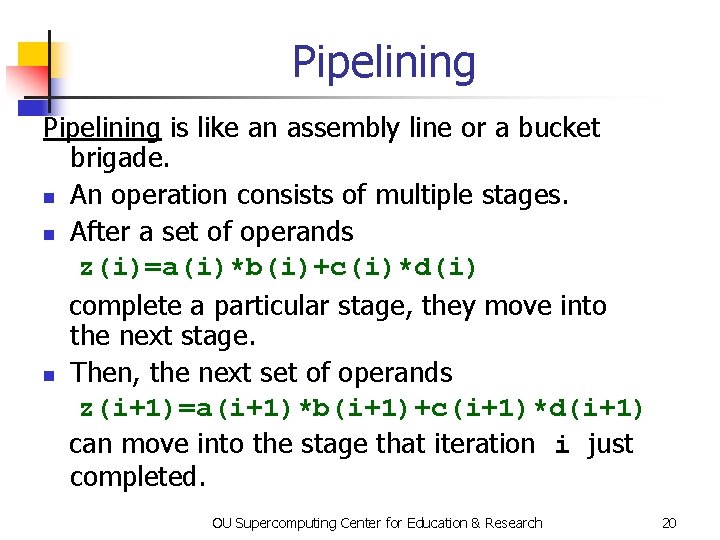
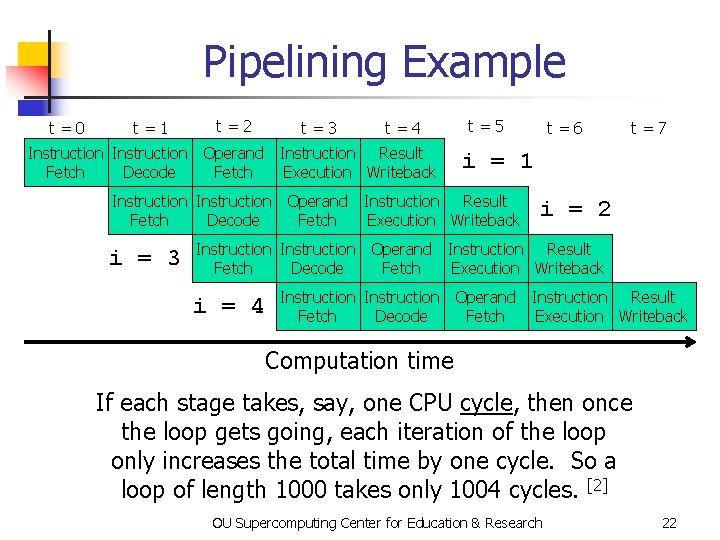
Pipelining is like an assembly line or a bucket brigade. n An operation consists of multiple stages. n After a set of operands z(i)=a(i)*b(i)+c(i)*d(i) complete a particular stage, they move into the next stage. n Then, the next set of operands z(i+1)=a(i+1)*b(i+1)+c(i+1)*d(i+1) can move into the stage that iteration i just completed. OU Supercomputing Center for Education & Research 20
DON’T PANIC! OU Supercomputing Center for Education & Research 21
Pipelining Example t=0 t=1 t=2 t=3 t=4 Instruction Operand Instruction Result Fetch Decode Fetch Execution Writeback t=5 t=7 i = 1 Instruction Operand Instruction Result Fetch Decode Fetch Execution Writeback i = 3 t=6 i = 2 Instruction Operand Instruction Result Fetch Decode Fetch Execution Writeback i = 4 Instruction Operand Instruction Result Fetch Decode Fetch Execution Writeback Computation time If each stage takes, say, one CPU cycle, then once the loop gets going, each iteration of the loop only increases the total time by one cycle. So a loop of length 1000 takes only 1004 cycles. [2] OU Supercomputing Center for Education & Research 22
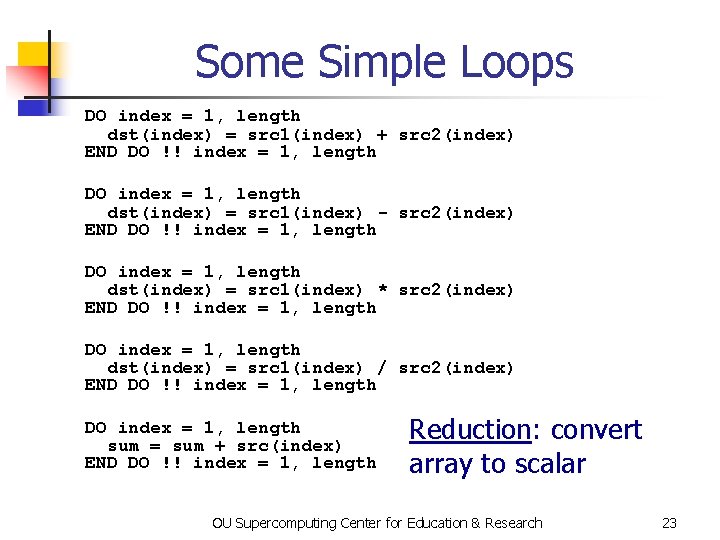
Some Simple Loops DO index = 1, length dst(index) = src 1(index) + src 2(index) END DO !! index = 1, length DO index = 1, length dst(index) = src 1(index) - src 2(index) END DO !! index = 1, length DO index = 1, length dst(index) = src 1(index) * src 2(index) END DO !! index = 1, length DO index = 1, length dst(index) = src 1(index) / src 2(index) END DO !! index = 1, length DO index = 1, length sum = sum + src(index) END DO !! index = 1, length Reduction: convert array to scalar OU Supercomputing Center for Education & Research 23
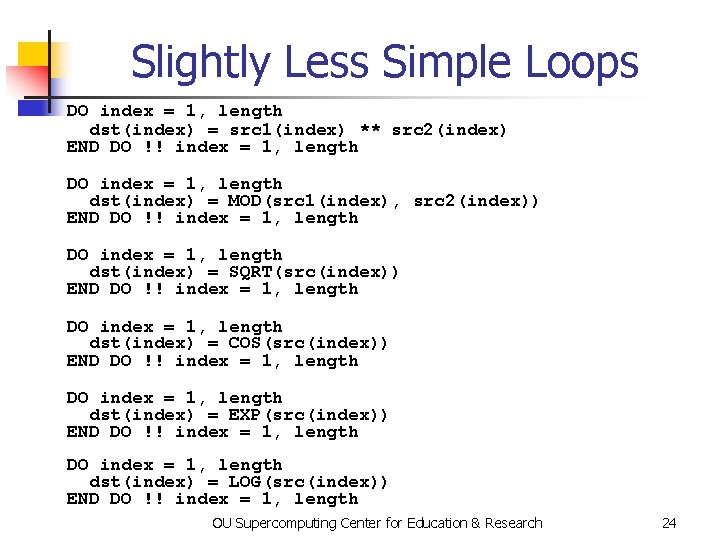
Slightly Less Simple Loops DO index = 1, length dst(index) = src 1(index) ** src 2(index) END DO !! index = 1, length DO index = 1, length dst(index) = MOD(src 1(index), src 2(index)) END DO !! index = 1, length DO index = 1, length dst(index) = SQRT(src(index)) END DO !! index = 1, length DO index = 1, length dst(index) = COS(src(index)) END DO !! index = 1, length DO index = 1, length dst(index) = EXP(src(index)) END DO !! index = 1, length DO index = 1, length dst(index) = LOG(src(index)) END DO !! index = 1, length OU Supercomputing Center for Education & Research 24
Loop Performance OU Supercomputing Center for Education & Research
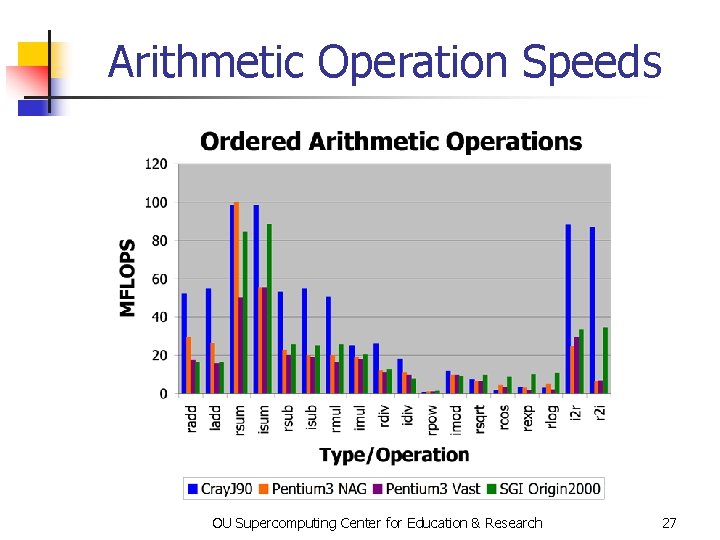
Performance Characteristics n n Different operations take different amounts of time. Different processors types have different performance characteristics, but there are some characteristics that many platforms have in common. Different compilers, even on the same hardware, perform differently. On some processors, floating point and integer speeds are similar, while on others they differ. OU Supercomputing Center for Education & Research 26
Arithmetic Operation Speeds OU Supercomputing Center for Education & Research 27
What Can Prevent Pipelining? Certain events make it very hard (maybe even impossible) for compilers to pipeline a loop, such as: n array elements accessed in random order n loop body too complicated n IF statements inside the loop (on some platforms) n premature loop exits n function/subroutine calls n I/O OU Supercomputing Center for Education & Research 28
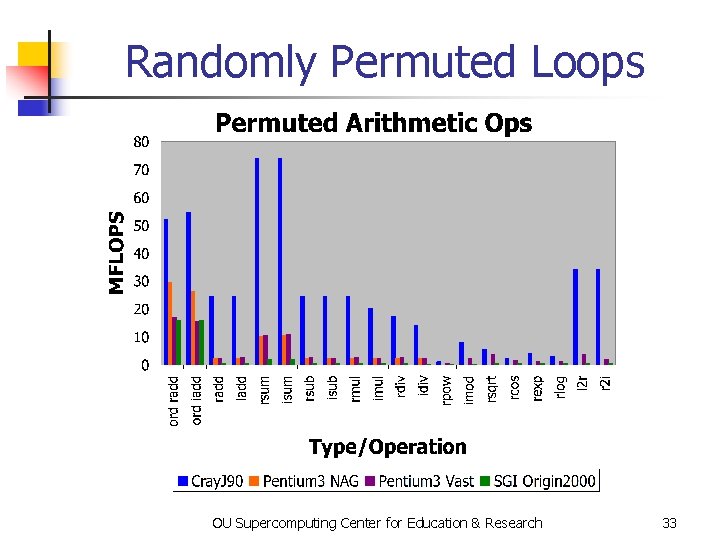
How Do They Kill Pipelining? n n Random access order: ordered array access is common, so pipelining hardware and compilers tend to be designed under the assumption that most loops will be ordered. Also, the pipeline will constantly stall because data will come from main memory, not cache. Complicated loop body: compiler gets too overwhelmed and can’t figure out how to schedule the instructions. OU Supercomputing Center for Education & Research 29
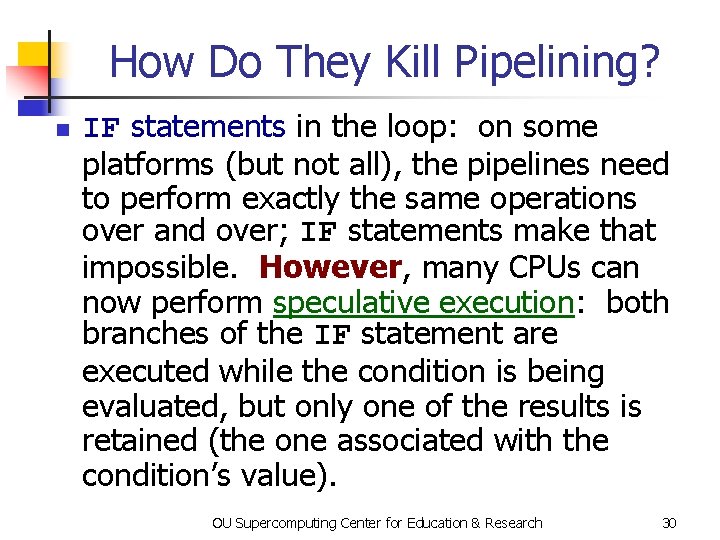
How Do They Kill Pipelining? n IF statements in the loop: on some platforms (but not all), the pipelines need to perform exactly the same operations over and over; IF statements make that impossible. However, many CPUs can now perform speculative execution: both branches of the IF statement are executed while the condition is being evaluated, but only one of the results is retained (the one associated with the condition’s value). OU Supercomputing Center for Education & Research 30
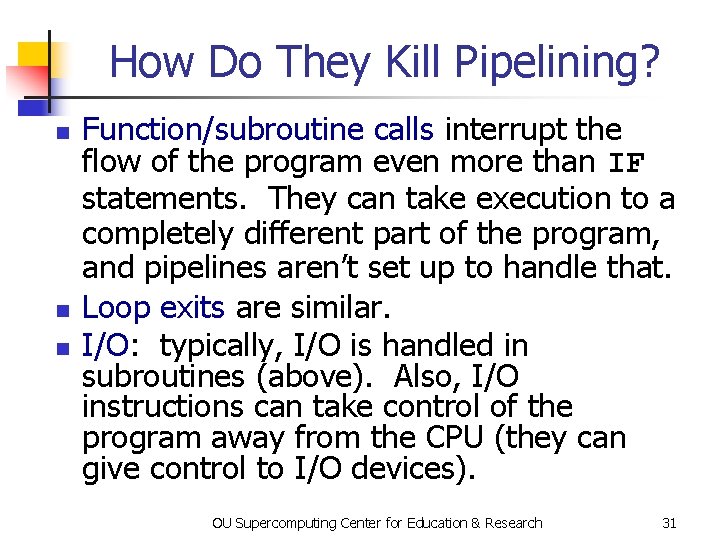
How Do They Kill Pipelining? n n n Function/subroutine calls interrupt the flow of the program even more than IF statements. They can take execution to a completely different part of the program, and pipelines aren’t set up to handle that. Loop exits are similar. I/O: typically, I/O is handled in subroutines (above). Also, I/O instructions can take control of the program away from the CPU (they can give control to I/O devices). OU Supercomputing Center for Education & Research 31
What If No Pipelining? SLOW! (on most platforms) OU Supercomputing Center for Education & Research 32
Randomly Permuted Loops OU Supercomputing Center for Education & Research 33
Superpipelining OU Supercomputing Center for Education & Research
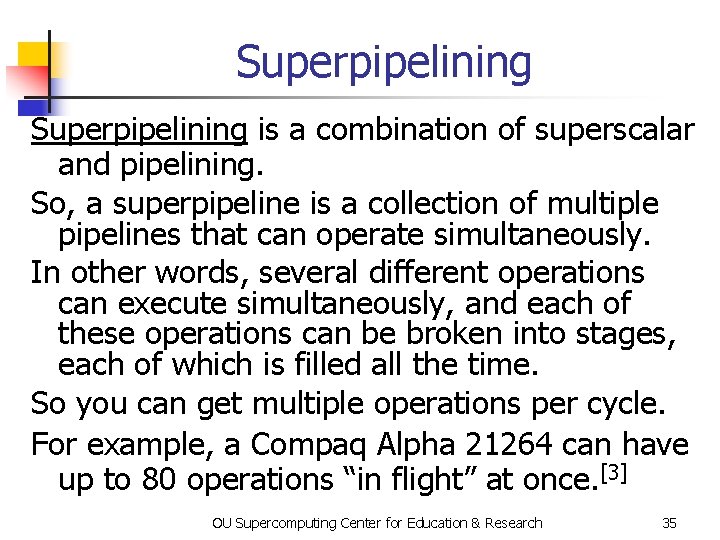
Superpipelining is a combination of superscalar and pipelining. So, a superpipeline is a collection of multiple pipelines that can operate simultaneously. In other words, several different operations can execute simultaneously, and each of these operations can be broken into stages, each of which is filled all the time. So you can get multiple operations per cycle. For example, a Compaq Alpha 21264 can have up to 80 operations “in flight” at once. [3] OU Supercomputing Center for Education & Research 35
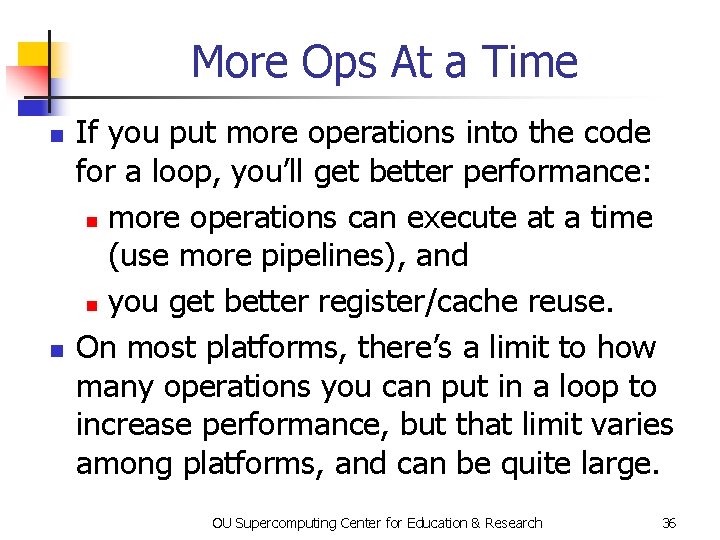
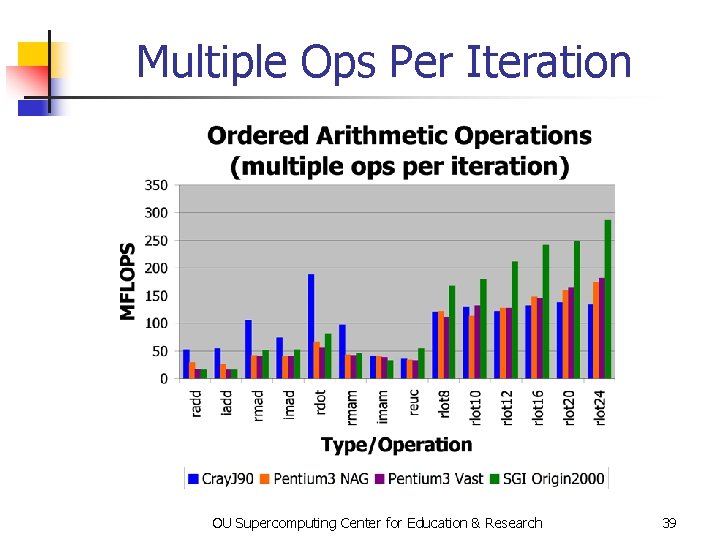
More Ops At a Time n n If you put more operations into the code for a loop, you’ll get better performance: n more operations can execute at a time (use more pipelines), and n you get better register/cache reuse. On most platforms, there’s a limit to how many operations you can put in a loop to increase performance, but that limit varies among platforms, and can be quite large. OU Supercomputing Center for Education & Research 36
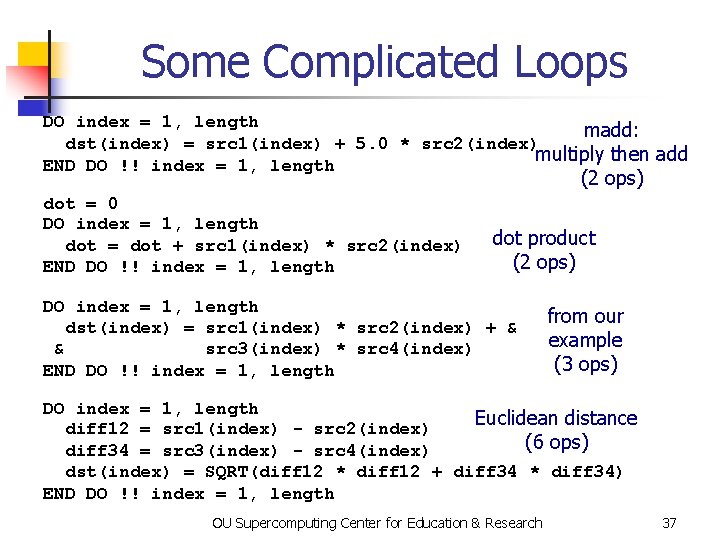
Some Complicated Loops DO index = 1, length madd: dst(index) = src 1(index) + 5. 0 * src 2(index) multiply then add END DO !! index = 1, length (2 ops) dot = 0 DO index = 1, length dot = dot + src 1(index) * src 2(index) END DO !! index = 1, length dot product (2 ops) DO index = 1, length dst(index) = src 1(index) * src 2(index) + & & src 3(index) * src 4(index) END DO !! index = 1, length from our example (3 ops) DO index = 1, length Euclidean distance diff 12 = src 1(index) - src 2(index) (6 ops) diff 34 = src 3(index) - src 4(index) dst(index) = SQRT(diff 12 * diff 12 + diff 34 * diff 34) END DO !! index = 1, length OU Supercomputing Center for Education & Research 37
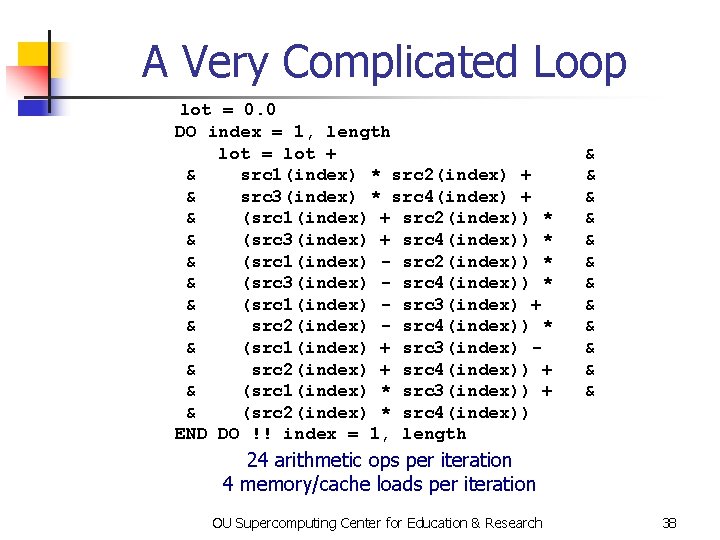
A Very Complicated Loop lot = 0. 0 DO index = 1, length lot = lot + & src 1(index) * src 2(index) + & src 3(index) * src 4(index) + & (src 1(index) + src 2(index)) * & (src 3(index) + src 4(index)) * & (src 1(index) - src 2(index)) * & (src 3(index) - src 4(index)) * & (src 1(index) - src 3(index) + & src 2(index) - src 4(index)) * & (src 1(index) + src 3(index) & src 2(index) + src 4(index)) + & (src 1(index) * src 3(index)) + & (src 2(index) * src 4(index)) END DO !! index = 1, length & & & 24 arithmetic ops per iteration 4 memory/cache loads per iteration OU Supercomputing Center for Education & Research 38
Multiple Ops Per Iteration OU Supercomputing Center for Education & Research 39
Vectors OU Supercomputing Center for Education & Research
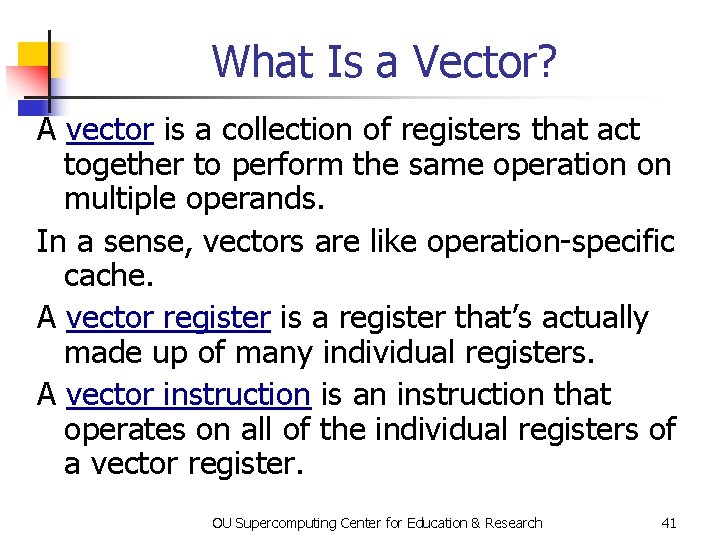
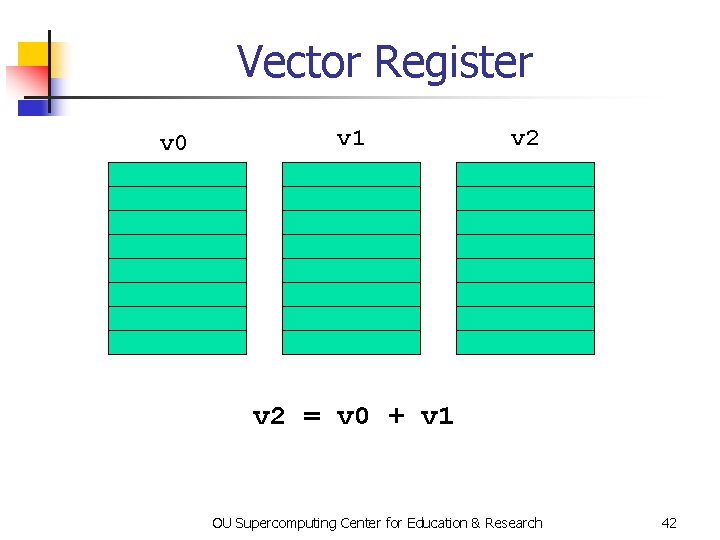
What Is a Vector? A vector is a collection of registers that act together to perform the same operation on multiple operands. In a sense, vectors are like operation-specific cache. A vector register is a register that’s actually made up of many individual registers. A vector instruction is an instruction that operates on all of the individual registers of a vector register. OU Supercomputing Center for Education & Research 41
Vector Register v 0 v 1 v 2 = v 0 + v 1 OU Supercomputing Center for Education & Research 42
Vectors Are Expensive Vectors were very popular in the 1980 s, because they’re very fast, often faster than pipelines. Today, though, they’re very unpopular. Why? Well, vectors aren’t used by most commercial codes (e. g. , MS Word). So most chip makers don’t bother with vectors. So, if you want vectors, you have to pay a lot of extra money for them. OU Supercomputing Center for Education & Research 43
The Return of Vectors are making a comeback in a very specific context: graphics hardware. It turns out that speed is incredibly important in computer graphics, because you want to render millions of objects (typically tiny triangles) per second. So some graphics hardware has vector registers and vector operations. OU Supercomputing Center for Education & Research 44
A Real Example OU Supercomputing Center for Education & Research
A Real [4] Example DO k=2, nz-1 DO j=2, ny-1 DO i=2, nx-1 tem 1(i, j, k) = u(i, j, k, 2)*(u(i+1, j, k, 2)-u(i-1, j, k, 2))*dxinv 2 tem 2(i, j, k) = v(i, j, k, 2)*(u(i, j+1, k, 2)-u(i, j-1, k, 2))*dyinv 2 tem 3(i, j, k) = w(i, j, k, 2)*(u(i, j, k+1, 2)-u(i, j, k-1, 2))*dzinv 2 END DO DO k=2, nz-1 DO j=2, ny-1 DO i=2, nx-1 u(i, j, k, 3) = u(i, j, k, 1) & & dtbig 2*(tem 1(i, j, k)+tem 2(i, j, k)+tem 3(i, j, k)) END DO. . . OU Supercomputing Center for Education & Research 46
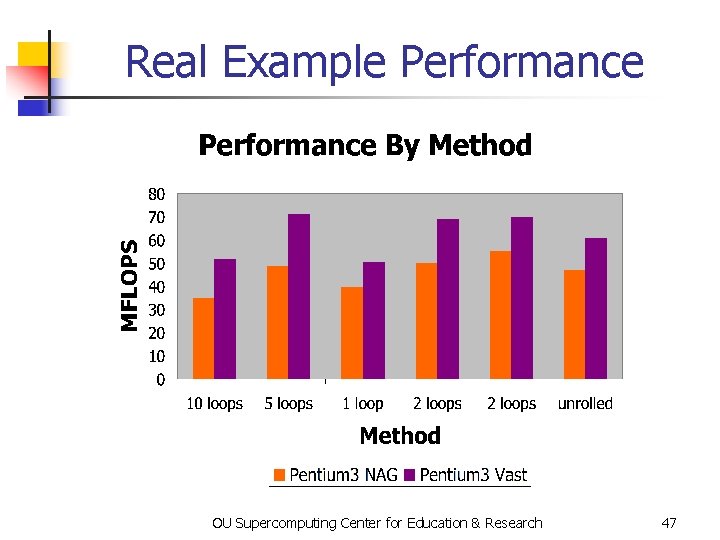
Real Example Performance OU Supercomputing Center for Education & Research 47
DON’T PANIC! OU Supercomputing Center for Education & Research 48
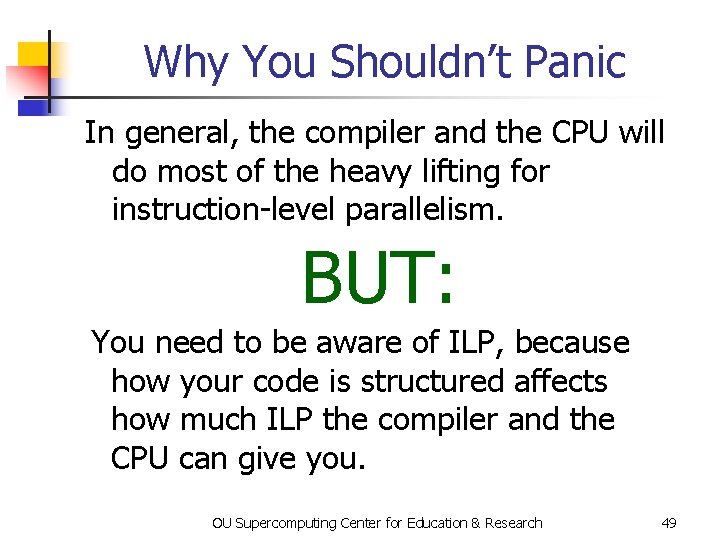
Why You Shouldn’t Panic In general, the compiler and the CPU will do most of the heavy lifting for instruction-level parallelism. BUT: You need to be aware of ILP, because how your code is structured affects how much ILP the compiler and the CPU can give you. OU Supercomputing Center for Education & Research 49
Next Time Part IV: Dependency Analysis and Stupid Compiler Tricks OU Supercomputing Center for Education & Research 50
References [1] Ruud van der Pas, “The Ultra. SPARC-III Microprocessor: Architecture Overview, ” 2001, p. 23. [2] Kevin Dowd and Charles Severance, High Performance Computing, 2 nd ed. O’Reilly, 1998, p. 16. [3] “Alpha 21264 Processor” (internal Compaq report), page 2. [4] Code courtesy of Dan Weber, 2001. OU Supercomputing Center for Education & Research 51