
SUNY Poly Police Security at SUNY Poly CNSE






- Slides: 82
SUNY Poly Police & Security at SUNY Poly CNSE Parking and Security Rules and Regulations
SUNY Poly Security and UPD • SUNY Poly Security and UPD provide: – Emergency dispatch and response – Driving/Parking enforcement – Law/Rule enforcement – Vehicular/foot patrol – Search and Seizure • SUNY Poly Security reserves the right to conduct searches of personal or other property carried onto or off of SUNY Poly premises including vehicles, handbags, lunch boxes, backpacks, briefcases, etc.
SUNY Poly UPD and Security • Emergency Number - 518 -437 -8600 or 911 • Dialing 911 from a site landline will ring the Security Desk • Dialing 911 from a cell phone will ring City of Albany Police Dispatch Non-Emergency Number - 518 -956 -7082 Security Location • Nano. Fab East (NFE) Rotunda and ZEN Lobby • • SUNY Poly University Police are contacted through Security.
Control of Access to the facility is restricted to individuals with card access clearance. • Do not allow a person to follow you into the building or into interior areas requiring proximity card access (tailgating). • Do not prop doors. • Do not allow use of your access card or ID badge by any other person. • Do not borrow another person’s access card. • Anyone found using an access card belonging to someone else will cause both persons access to be shut off pending investigation.
Control of Access Cont. Simple Security Rules to Remember • All SUNY Poly community MUST display a SUNY Poly photo identification at all times. • If security asks you for your ID, you are required to show it to them • All visitors and new employees (awaiting identification and safety training processing) MUST have a visitor ID which is obtained by signing in at security and be escorted at all times; no exceptions! • Immediately notify Security concerning any potential breaches of security or safety
Badging • All individuals must receive Safety Orientation prior to receiving an access card/badge. • You will receive an email to notify you that your badge is available to be picked up. Please wait to receive this email prior to coming to the desk asking for your badge. • Badging hours are 9: 00 -12: 30 Monday through Friday or by appointment. • To make an appointment, please email Access Control at ACCESSCONTROL@sunypoly. edu • If you have any additional questions or access needs, please speak to your supervisor and have them email Access Control.
Lost Access Cards/Keys • Lost access cards/keys must be immediately reported to Security will immediately deactivate lost access cards and request replacement of door cores/keys. • PLEASE NOTE THAT THERE IS A $20. 00 FEE TO REPLACE LOST SUNY POLY ACCESS CARDS. • Left Access Card and/or ID at Home? – Access cards are unique to each individual. Security does not possess access or identification cards for individuals who left them at home.
Roof Policy You must notify Security before accessing any site building rooftop. • If you need to access a roof, go to the Security Desk and sign the Roof Logbook. • You must have a cell phone in your possession, so Security can call you in the event of an emergency.
How to Report • Report suspicious activity and potential breaches to personal safety or security immediately by contacting site Security at 518 -437 -8600. • When reporting : – Identify Yourself – Provide Your Location (be specific; provide the phone number or location calling from) – WHO, WHAT, WHEN, WHERE, WHY and HOW. – REMAIN ON THE LINE until the Security Officer retrieves all necessary information.
Immediately Report the Following to Security: • • • Recording or monitoring activities, taking pictures. Attempts to gain information about operations. Attempts to enter restricted areas. Obtaining badges, access cards, credentials, etc. Suspicious persons out-of-place. This may include people who are in places they should not be, as well as people who do not fit into the daily routine. • Suspicious packages, bags or mail.
Ways to Assist Security • Know Routines. • Be aware of what is going on around you. • Take what you hear seriously. • Monitor and control who is entering your workspace. • Check identification • Report broken doors, locks, windows and inoperative lights. • Monitor and immediately report suspicious activity. • Suspicious looking packages/bags should be immediately reported.
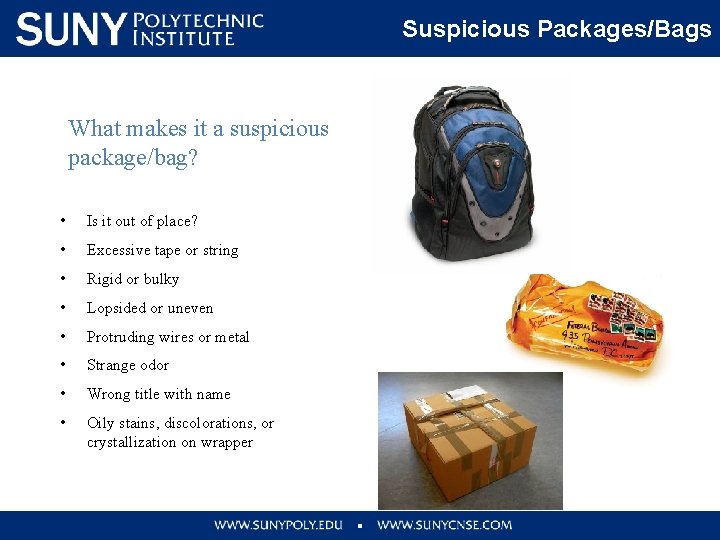
Suspicious Packages/Bags What makes it a suspicious package/bag? • Is it out of place? • Excessive tape or string • Rigid or bulky • Lopsided or uneven • Protruding wires or metal • Strange odor • Wrong title with name • Oily stains, discolorations, or crystallization on wrapper
Suspicious Packages / Bags If you think it is suspicious… • Do not shake, move, or empty the contents. • Close the door, or section off the area to prevent others from entering. • Handle with care • Don’t open, smell or touch. • Isolate immediately • Treat it as suspect. Immediately call Security.
Telephone Threats • Remain calm • Remain on the line. DO NOT HANG UP. Let the other person hang up on you. • Write down the threat verbatim. • Pay attention to background noises (music, cars, etc. ) • Listen closely to the voice. Note any accents, gender, lisp, slurs, etc. • Immediately notify Security
Practice Personal Safety • Make use of the “buddy system”. Walk with a friend. • Take advantage of the 24/7 Personal Safety Escort program provided by Security. Call or stop by the Security desk in the NFE rotunda. • Park your vehicle under a light if you are expecting to be on-site after dark. Have your keys ready for accessing your vehicle or building. • Enter/exit via the NFE rotunda, Security office location, if you are working after hours or on weekends. • Program your cell phone with the Security phone number…. . 518 -437 -8600.
Emergency Phones � “Blue light” emergency phones are located throughout the parking areas. � These phones are directly connected the Security Control Center. Security will make whatever notifications are needed. � Telephones are located throughout and on the exterior of each building on site. You must dial 518 -437 -8600 or 911 to speak with Security.
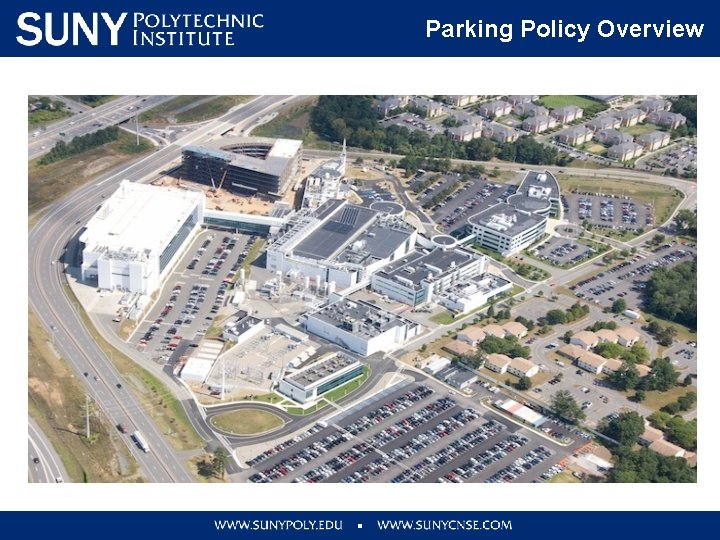
Parking Policy Overview
Parking Policy Overview • Parking by SUNY Poly Permit Only. • Vehicles must possess valid state registration and inspection. • All roadways on the site are Fire Lanes. • If there is no sign and no lines it means “NO PARKING”. Do not block: emergency lanes, loading zones, fire hydrants, sidewalks, travel lanes, etc. • All vehicles must be parked in areas that are designated for parking. • Any vehicle violating the above rules or creating a hazard will be subject to immediate tow at YOUR expense without warning.
Parking Policy Overview • DO NOT PARK in a reserved parking space that is not yours. Violators are subject to immediate tow without notice. • If you need to bring a temporary vehicle to the site, move your parking permit to the temporary vehicle each day you bring it. • Hosts are responsible for advising visitors concerning parking rules and regulations. • Over-night parking is allowed when approved in advance by Security. – Security will provide form to be completed
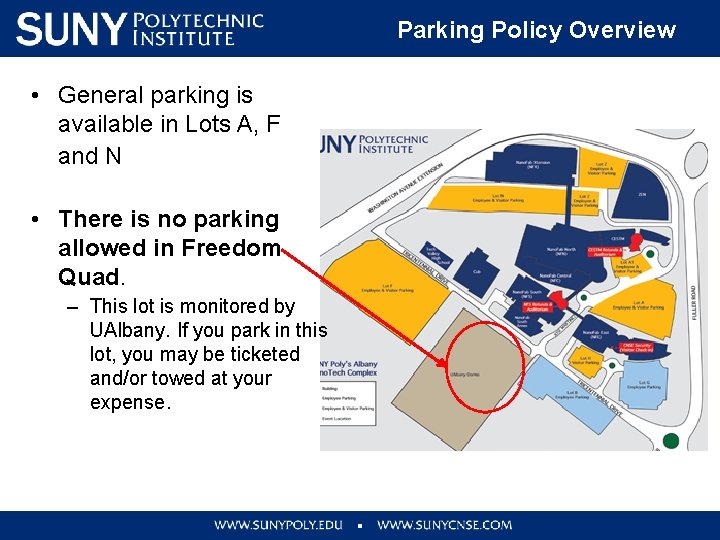
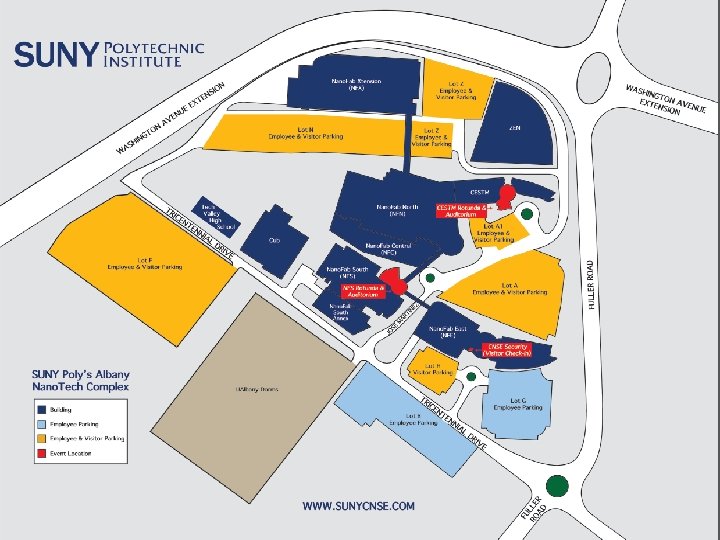
Parking Policy Overview • General parking is available in Lots A, F and N • There is no parking allowed in Freedom Quad. – This lot is monitored by UAlbany. If you park in this lot, you may be ticketed and/or towed at your expense.
Pedestrian Safety Take Steps to Avoid Injury While Walking: • Be visible, make eye contact with drivers of vehicles • Never assume a driver will give you the right of way or stop • Stay alert – head up- avoid distractions do not use a cell phone or other electronic device while walking • Walk in safe places even though it may not be the quickest or most direct path. Use crosswalks when crossing the streets • Look left, right, and left again before crossing a street • Stand clear of parked cars or other obstacles before crossing so drivers can see you.
Driver Safety on site Driving Safety Tips to Avoid Accidents on Site • • CNSE Site Speed Limit is 15 MPH. Focus 100% of your attention on driving Don’t use your phone or any other electronic device while driving Observe and Obey all traffic signs (e. g. , stop, yield, pedestrian crossing, crosswalk, speed limit) to ensure the safety of yourself and others Pedestrians have the right-of-way. Yield for pedestrians at all times such as in crosswalks. Always wear your seat belt Drive safely and defensively on site roads, in parking lots, etc. SUNY Poly Police patrol and monitor campus wide and enforce all NYS motor vehicle laws
Active Shooter
Active Shooter Options for Consideration Active Shooter Training Video Link. Video
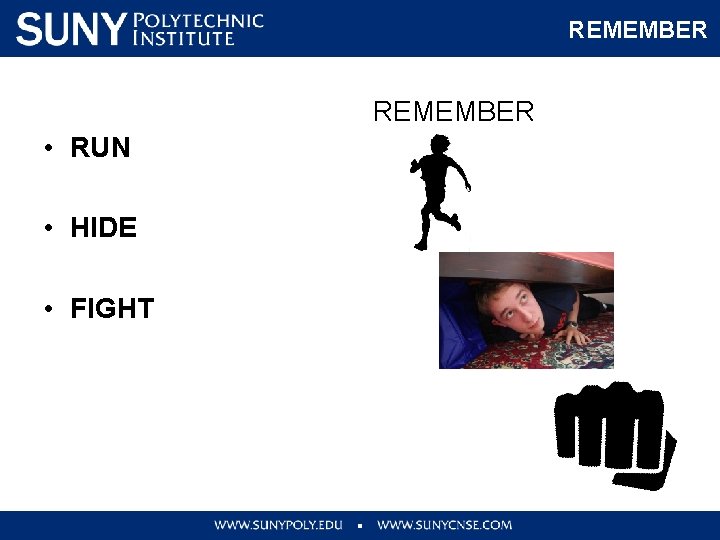
REMEMBER • RUN • HIDE • FIGHT
Run RUN if there is an accessible escape path, attempt to leave the immediate area: – Have an escape route and plan in mind – Evacuate regardless of whether others agree to follow – Leave your belongings behind – Help others escape, if possible – Prevent individuals from entering an area where the active shooter may be
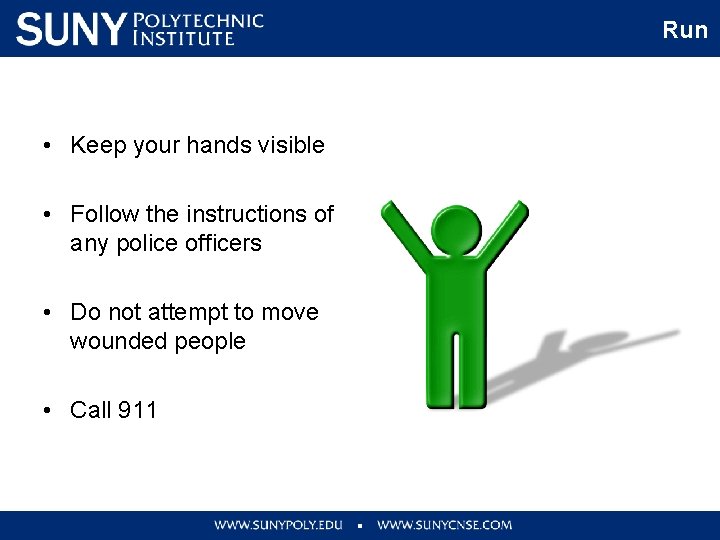
Run • Keep your hands visible • Follow the instructions of any police officers • Do not attempt to move wounded people • Call 911
Hide HIDE If evacuation is not possible. Your hiding place should: • Be out of the active shooter’s view • Provide protection if shots are fired in your direction (i. e. , an office with a closed and locked door) • Not trap you or restrict your options for movement
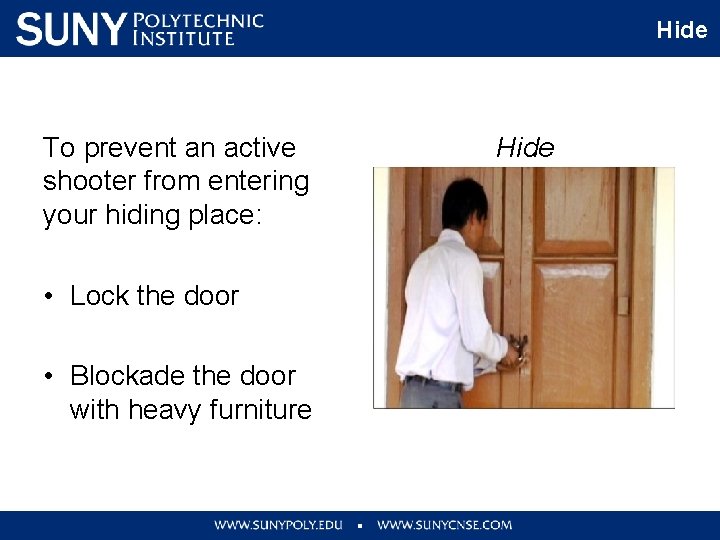
Hide To prevent an active shooter from entering your hiding place: • Lock the door • Blockade the door with heavy furniture Hide
Hide If the active shooter is nearby: • Lock the door • Silence your cell phone and/or pager • Turn off any source of noise (i. e. , radios, televisions) • Hide behind large items (i. e. , cabinets, desks) • Remain quiet
Fight FIGHT the active shooter as a last resort, and only when your life is in imminent danger by: • Acting as aggressively as possible against him/her • Throwing items and improvising weapons • Yelling • Commit to your actions and don’t stop!!
Good Practices • Good practices during an active shooter situation: – – Be aware of your environment and any possible dangers Take note of the two nearest exits If you are in an office, stay there and secure the door If you are in a hallway, get into a room and secure the door • As a last resort, attempt to fight the active shooter. When the shooter is at close range and you cannot flee, your chance of survival is much greater if you try to incapacitate him/her. • CALL 911 WHEN IT IS SAFE TO DO SO
Access Control You can assist and control access by: • only admitting persons with valid identification badges into buildings/ work areas • directing persons without badges to Security • not lending a badge to another person • entering and exiting through designated doors only • not defeating locks or latches • keep unattended doors closed, locked… not propped!
Questions ? 518 -956 -7082 or Visit us in NFE Rotunda
IT Familiarization Module Purpose: Basic understanding of what resources are available on the SUNY Poly Internet/Intranet page and clean room restrictions regarding PCs and removable media
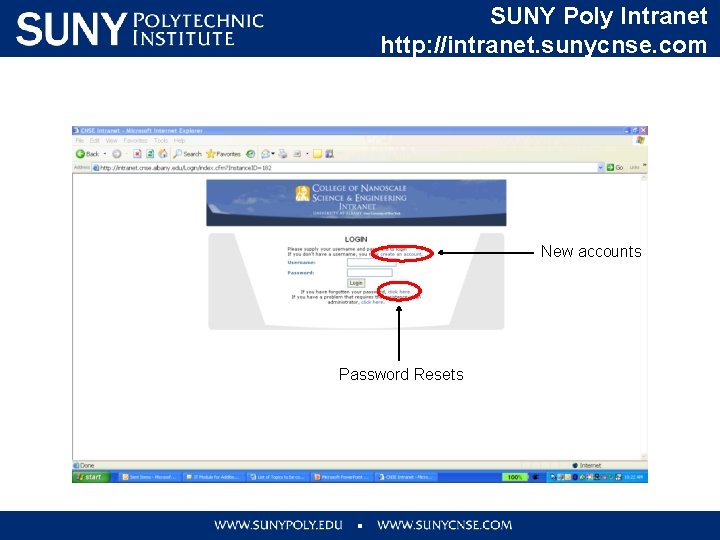
SUNY Poly Intranet http: //intranet. sunycnse. com New accounts Password Resets
Important Points to Remember • Company owned laptops can be brought into the clean rooms provided their operating system patching and anti-virus software up-to-date and the device and any removable computer storage media is scanned for viruses on a regular basis. • All removable media (flash drives, hard drives, CDs) must be scanned at the scanning station outside the gowning room before entering and after exiting the cleanroom. • Personally owned laptops, phones, i. Pods, etc. are not allowed to be connected to cleanroom wifi due to concerns for network security, data confidentiality, and malware infections.
Important Points to Remember • The SUNY Poly Help Desk is available to assist you with IT related issues. • The Help Desk can be reached by telephone at 518 -956 -7272 and by email at cnsehelp@sunypoly. edu - 24/7 Coverage • Thank you for your attention. - Questions?
SUNY Poly EH&S Training WELCOME BASIC SAFETY ORIENTATION INCLUDING HAZARD COMMUNICATION TRAINING (HAZCOM) and Initial Hazardous Waste Training
Course Objectives • Increase your awareness of Environmental, Health and Safety (EHS) • Inform you of your responsibilities and how you can promote EHS • Review SUNY Polytechnic Institute (SUNY Poly) EHS policies and requirements • Tools and resources for: – recognizing – controlling hazards 41
SUNY Poly EHS Policy Statement SUNY Poly is committed to: • Protecting the health and safety of its employees, partners, customers and public • Protecting the environment • Complying with regulatory standards 42
Employee Responsibilities • All individuals are responsible for safety at SUNY Poly • Take an active role in your safety and the safety of others • Plan for and perform tasks in a safe manner • Follow SUNY Poly and your own company’s safety policies and procedures • Understand the potential hazards you may be exposed to • Contact your manager if you feel you need additional safety training 43
Employee Responsibilities • Contractors must comply with the SUNY Poly Contractor Safety Guide (Access the Guide from the SUNY Poly website) • Be alert for maintenance concerns and report any concerns with the SUNY Poly facility (e. g. , restrooms, air conditioning, walkways, stairs, doors, lighting, parking lots) to cnsefix@sunypoly. edu for corrective action • Take action to correct potential hazards in the workplace by notifying your manager 44
Additional EHS Training • CLEANROOM SAFETY TRAINING: – For employees who go in the cleanrooms at SUNY Poly. • LABORATORY SAFETY TRAINING: – For SUNY Poly students or employees who work in laboratories. Please ask your supervisor what additional training you may need. Cleanroom and/or Laboratory Safety are required prior to access being granted for any cleanroom or lab. Both classes are available online 45
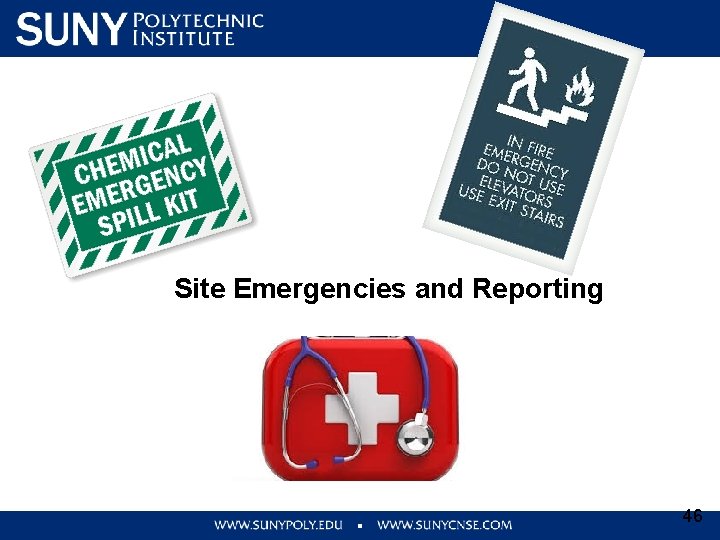
Site Emergencies and Reporting 46
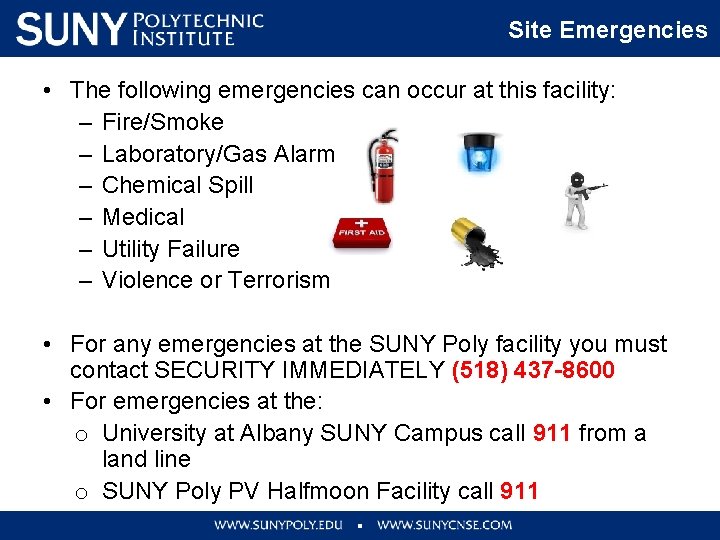
Site Emergencies • The following emergencies can occur at this facility: – Fire/Smoke – Laboratory/Gas Alarm – Chemical Spill – Medical – Utility Failure – Violence or Terrorism • For any emergencies at the SUNY Poly facility you must contact SECURITY IMMEDIATELY (518) 437 -8600 • For emergencies at the: o University at Albany SUNY Campus call 911 from a land line o SUNY Poly PV Halfmoon Facility call 911
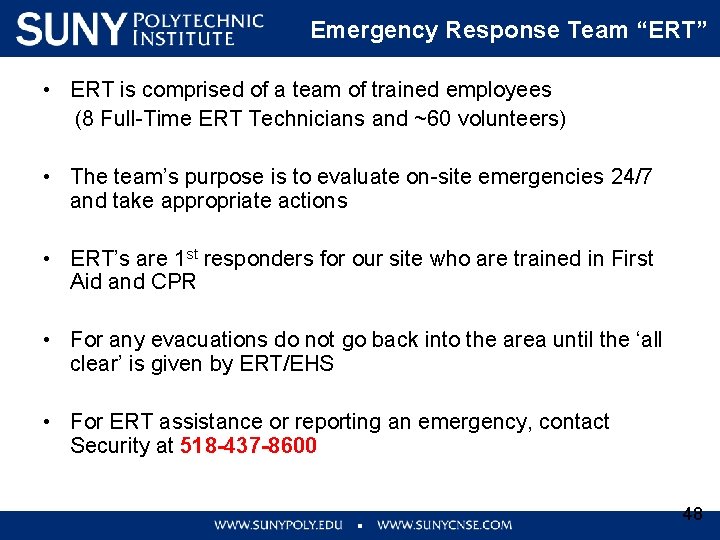
Emergency Response Team “ERT” • ERT is comprised of a team of trained employees (8 Full-Time ERT Technicians and ~60 volunteers) • The team’s purpose is to evaluate on-site emergencies 24/7 and take appropriate actions • ERT’s are 1 st responders for our site who are trained in First Aid and CPR • For any evacuations do not go back into the area until the ‘all clear’ is given by ERT/EHS • For ERT assistance or reporting an emergency, contact Security at 518 -437 -8600 48
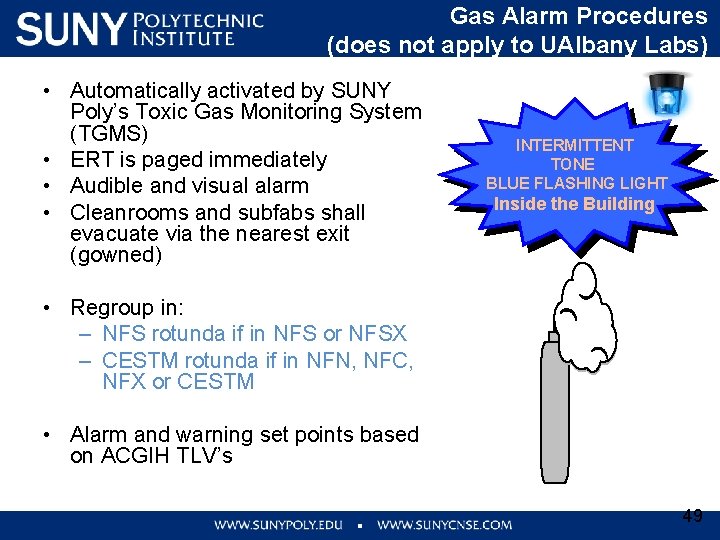
Gas Alarm Procedures (does not apply to UAlbany Labs) • Automatically activated by SUNY Poly’s Toxic Gas Monitoring System (TGMS) • ERT is paged immediately • Audible and visual alarm • Cleanrooms and subfabs shall evacuate via the nearest exit (gowned) INTERMITTENT TONE BLUE FLASHING LIGHT Inside the Building • Regroup in: – NFS rotunda if in NFS or NFSX – CESTM rotunda if in NFN, NFC, NFX or CESTM • Alarm and warning set points based on ACGIH TLV’s 49
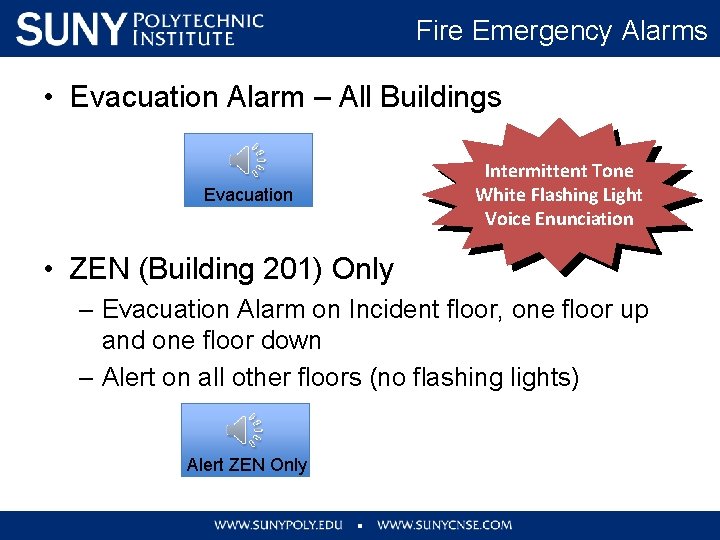
Fire Emergency Alarms • Evacuation Alarm – All Buildings Evacuation Intermittent Tone White Flashing Light Voice Enunciation • ZEN (Building 201) Only – Evacuation Alarm on Incident floor, one floor up and one floor down – Alert on all other floors (no flashing lights) Alert ZEN Only
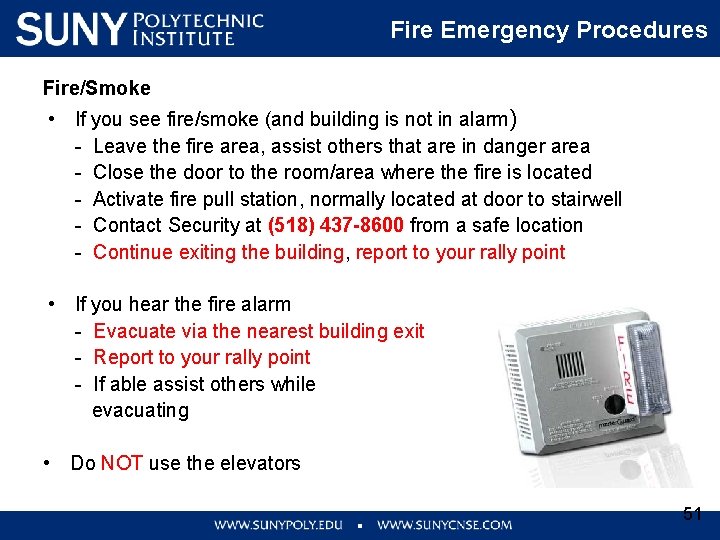
Fire Emergency Procedures Fire/Smoke • If you see fire/smoke (and building is not in alarm) - Leave the fire area, assist others that are in danger area - Close the door to the room/area where the fire is located - Activate fire pull station, normally located at door to stairwell - Contact Security at (518) 437 -8600 from a safe location - Continue exiting the building, report to your rally point • If you hear the fire alarm - Evacuate via the nearest building exit - Report to your rally point - If able assist others while evacuating • Do NOT use the elevators 51
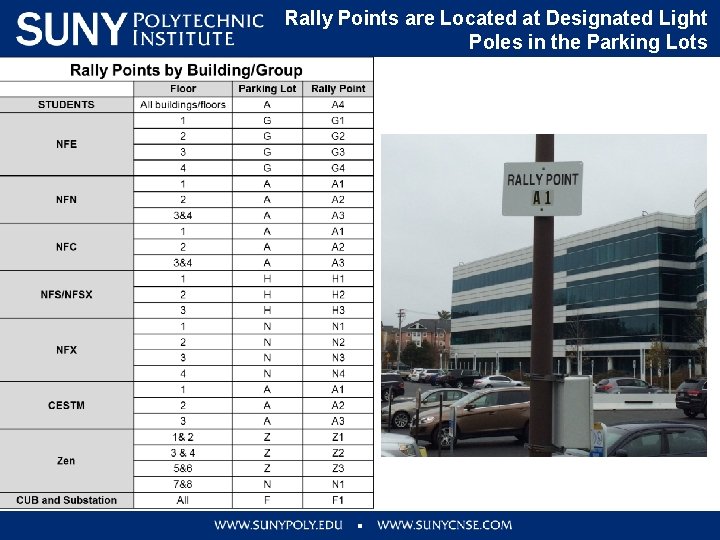
Rally Points are Located at Designated Light Poles in the Parking Lots
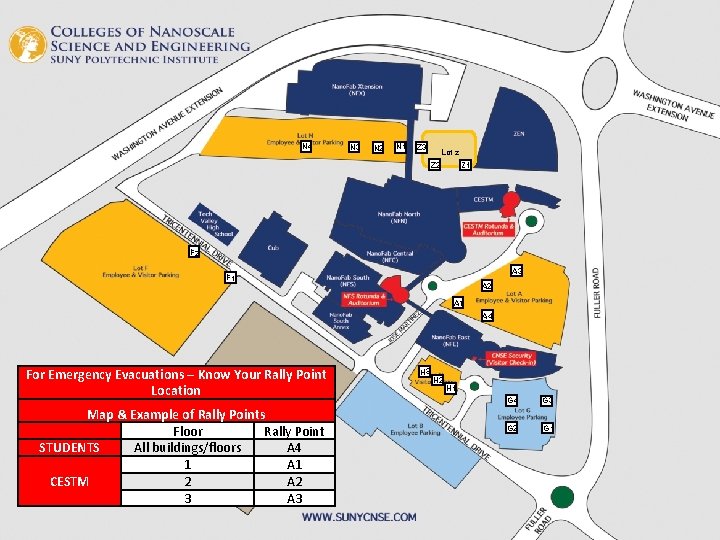
N 4 N 3 N 2 N 1 Z 3 Lot z Z 2 Z 1 F 2 A 3 F 1 A 2 A 1 A 4 For Emergency Evacuations – Know Your Rally Point Location Map & Example of Rally Points Floor Rally Point STUDENTS All buildings/floors A 4 1 A 1 CESTM 2 A 2 3 A 3 H 2 H 1 G 4 G 3 G 2 G 1
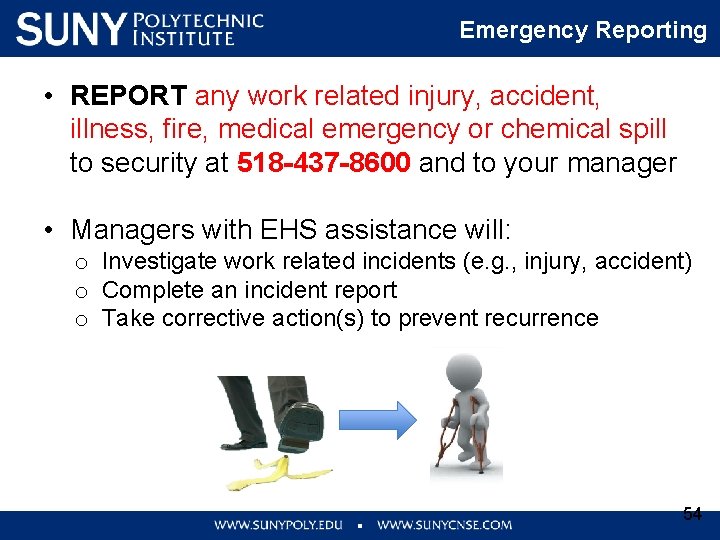
Emergency Reporting • REPORT any work related injury, accident, illness, fire, medical emergency or chemical spill to security at 518 -437 -8600 and to your manager • Managers with EHS assistance will: o Investigate work related incidents (e. g. , injury, accident) o Complete an incident report o Take corrective action(s) to prevent recurrence 54
Hazard Communication For Chemicals SDS Labeling Requirements Handling, Storage and Disposal
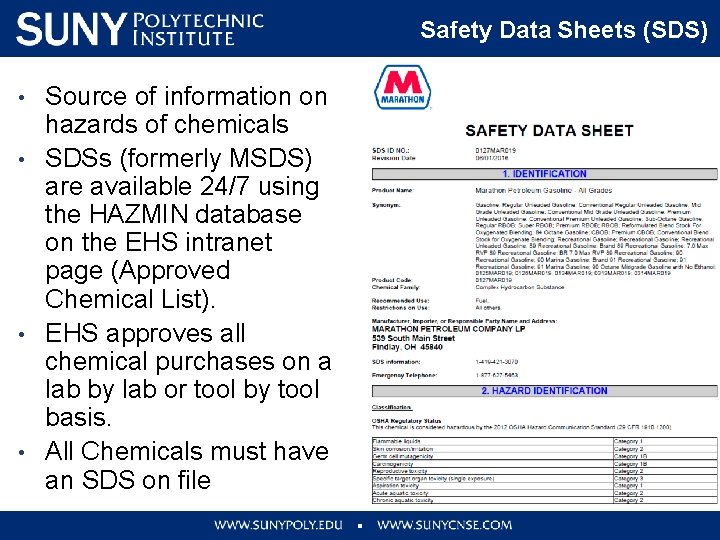
Safety Data Sheets (SDS) • • Source of information on hazards of chemicals SDSs (formerly MSDS) are available 24/7 using the HAZMIN database on the EHS intranet page (Approved Chemical List). EHS approves all chemical purchases on a lab by lab or tool by tool basis. All Chemicals must have an SDS on file
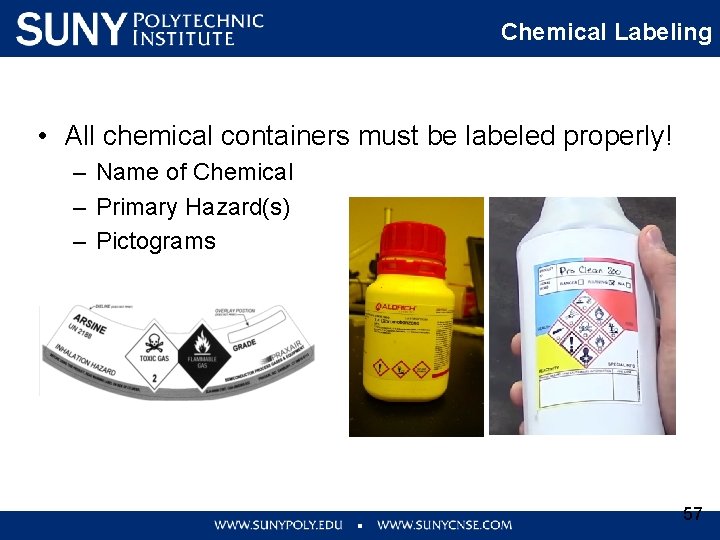
Chemical Labeling • All chemical containers must be labeled properly! – Name of Chemical – Primary Hazard(s) – Pictograms 57
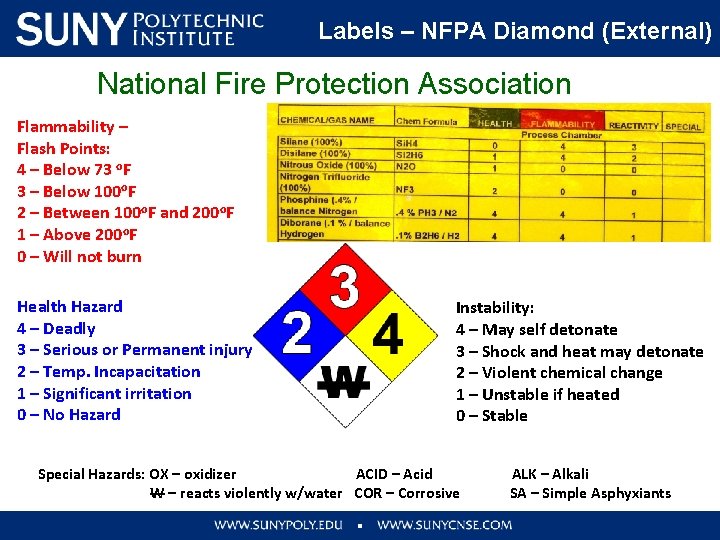
Labels – NFPA Diamond (External) National Fire Protection Association Flammability – Flash Points: 4 – Below 73 o. F 3 – Below 100 o. F 2 – Between 100 o. F and 200 o. F 1 – Above 200 o. F 0 – Will not burn Health Hazard 4 – Deadly 3 – Serious or Permanent injury 2 – Temp. Incapacitation 1 – Significant irritation 0 – No Hazard Instability: 4 – May self detonate 3 – Shock and heat may detonate 2 – Violent chemical change 1 – Unstable if heated 0 – Stable Special Hazards: OX – oxidizer ACID – Acid ALK – Alkali W – reacts violently w/water COR – Corrosive SA – Simple Asphyxiants
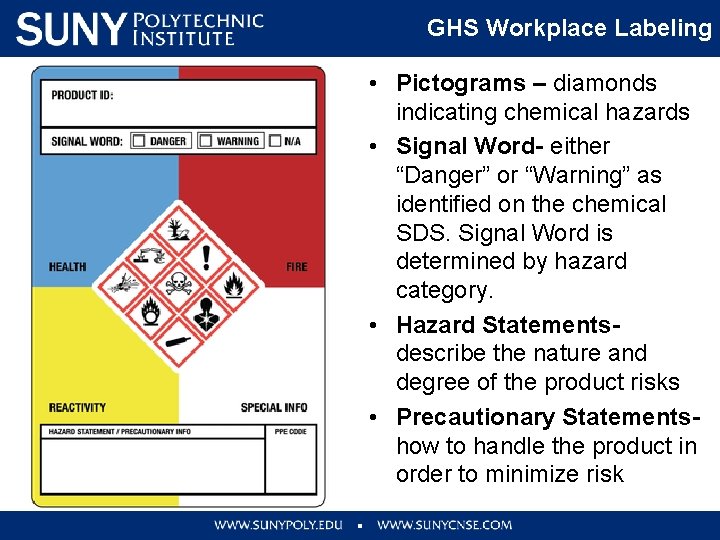
GHS Workplace Labeling • Pictograms – diamonds indicating chemical hazards • Signal Word- either “Danger” or “Warning” as identified on the chemical SDS. Signal Word is determined by hazard category. • Hazard Statementsdescribe the nature and degree of the product risks • Precautionary Statementshow to handle the product in order to minimize risk
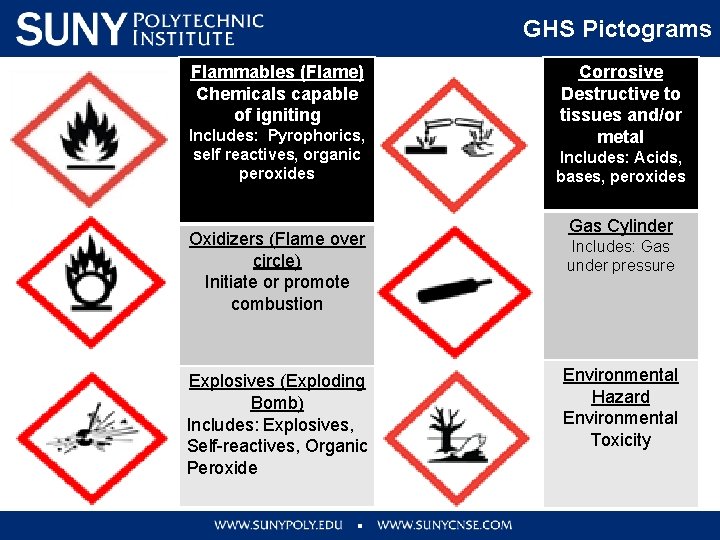
GHS Pictograms Flammables (Flame) Chemicals capable of igniting Includes: Pyrophorics, self reactives, organic peroxides Oxidizers (Flame over circle) Initiate or promote combustion Explosives (Exploding Bomb) Includes: Explosives, Self-reactives, Organic Peroxide Corrosive Destructive to tissues and/or metal Includes: Acids, bases, peroxides Gas Cylinder Includes: Gas under pressure Environmental Hazard Environmental Toxicity
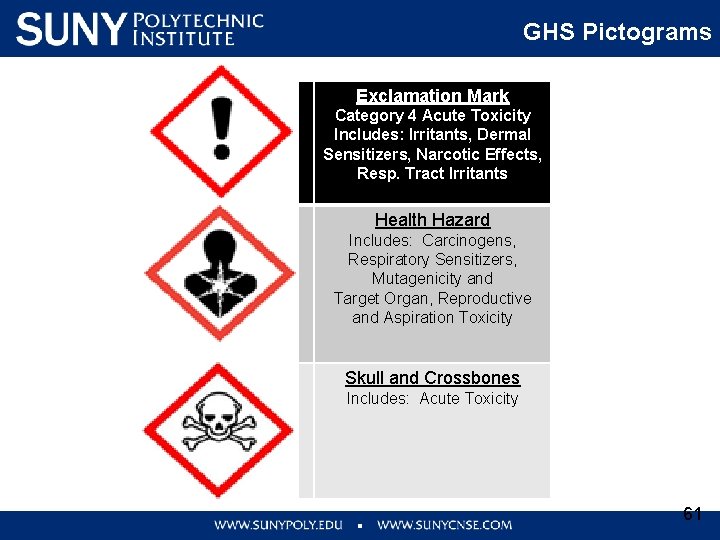
GHS Pictograms Exclamation Mark Category 4 Acute Toxicity Includes: Irritants, Dermal Sensitizers, Narcotic Effects, Resp. Tract Irritants Health Hazard Includes: Carcinogens, Respiratory Sensitizers, Mutagenicity and Target Organ, Reproductive and Aspiration Toxicity Skull and Crossbones Includes: Acute Toxicity 61
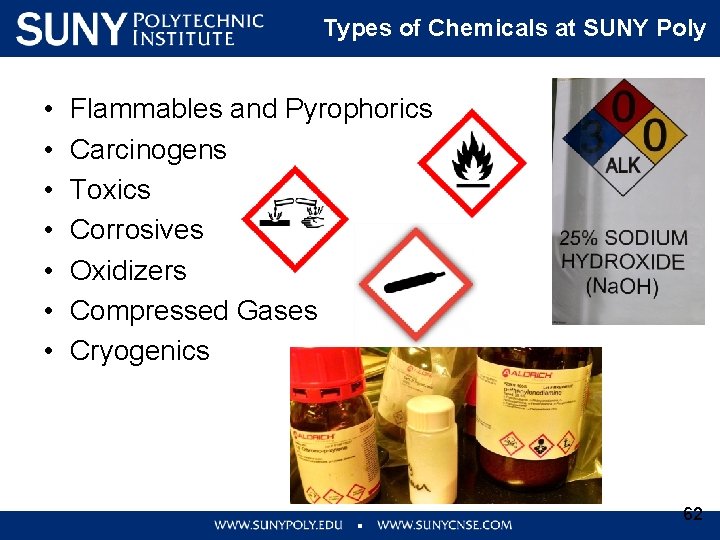
Types of Chemicals at SUNY Poly • • Flammables and Pyrophorics Carcinogens Toxics Corrosives Oxidizers Compressed Gases Cryogenics 62
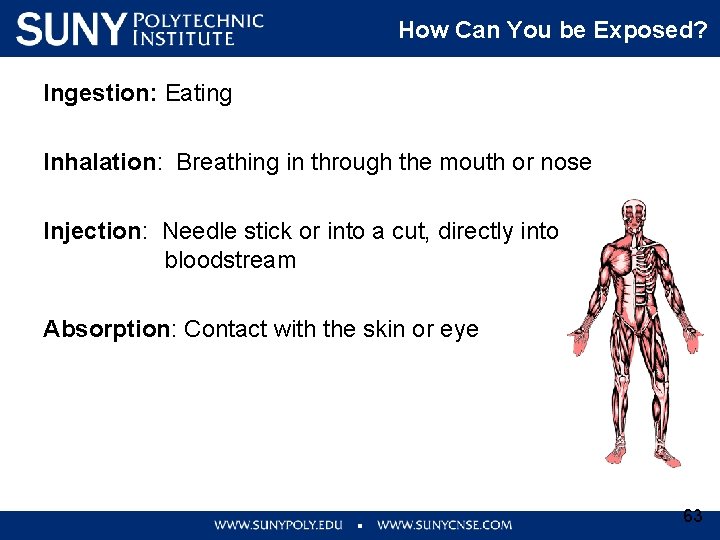
How Can You be Exposed? Ingestion: Eating How Can You be Exposed? Inhalation: Breathing in through the mouth or nose Injection: Needle stick or into a cut, directly into bloodstream Absorption: Contact with the skin or eye 63
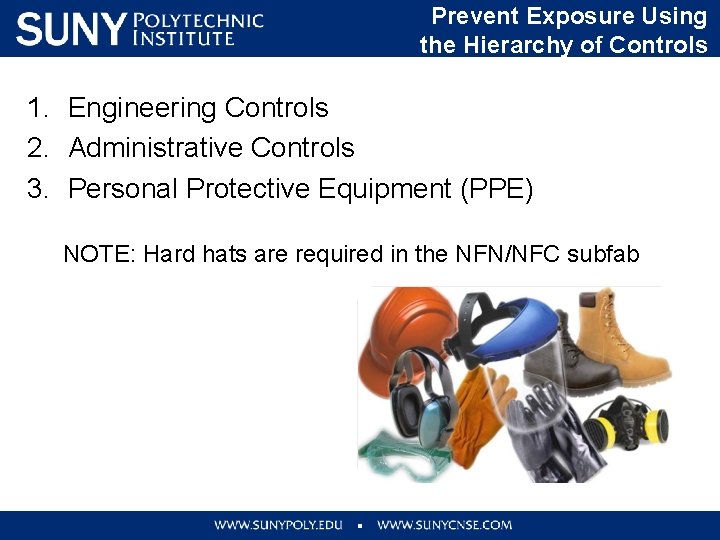
Prevent Exposure Using the Hierarchy of Controls 1. Engineering Controls 2. Administrative Controls 3. Personal Protective Equipment (PPE) NOTE: Hard hats are required in the NFN/NFC subfab
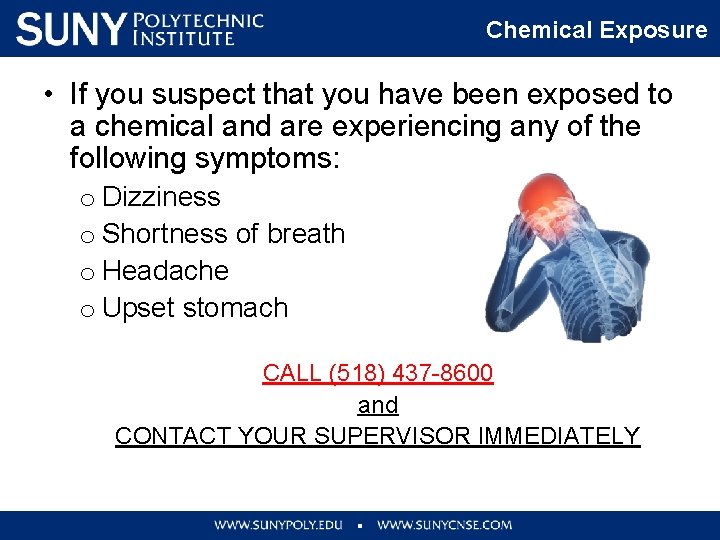
Chemical Exposure • If you suspect that you have been exposed to a chemical and are experiencing any of the following symptoms: o Dizziness o Shortness of breath o Headache o Upset stomach CALL (518) 437 -8600 and CONTACT YOUR SUPERVISOR IMMEDIATELY
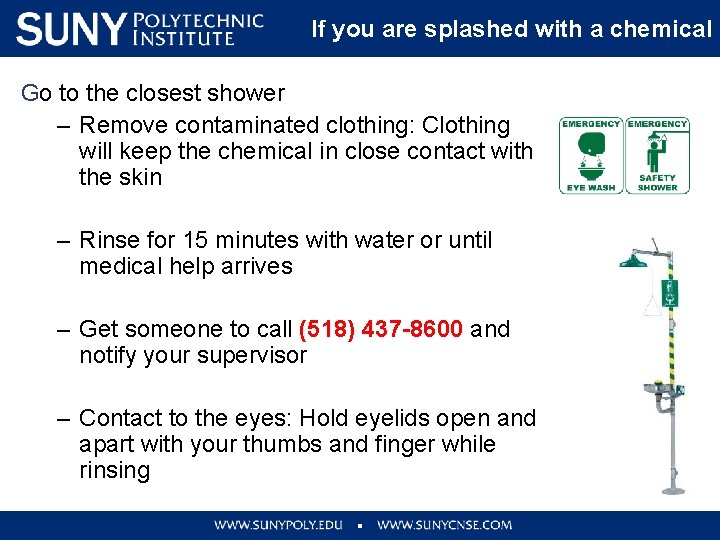
If you are splashed with a chemical Go to the closest shower – Remove contaminated clothing: Clothing will keep the chemical in close contact with the skin – Rinse for 15 minutes with water or until medical help arrives – Get someone to call (518) 437 -8600 and notify your supervisor – Contact to the eyes: Hold eyelids open and apart with your thumbs and finger while rinsing
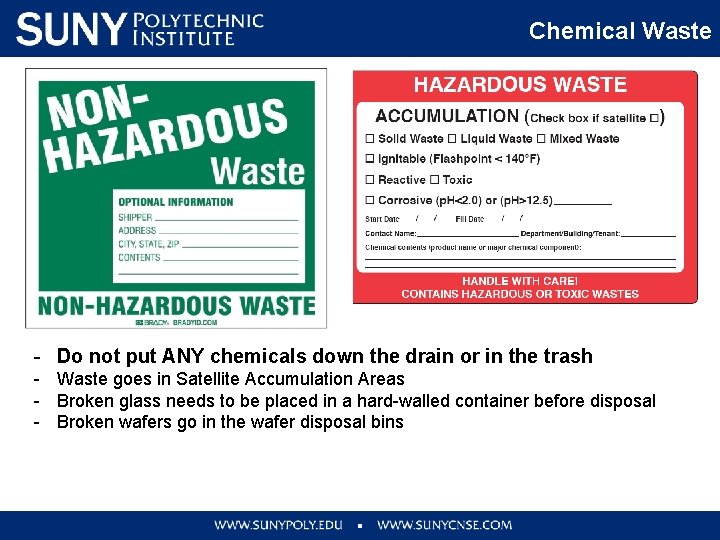
Waste Labeling 67
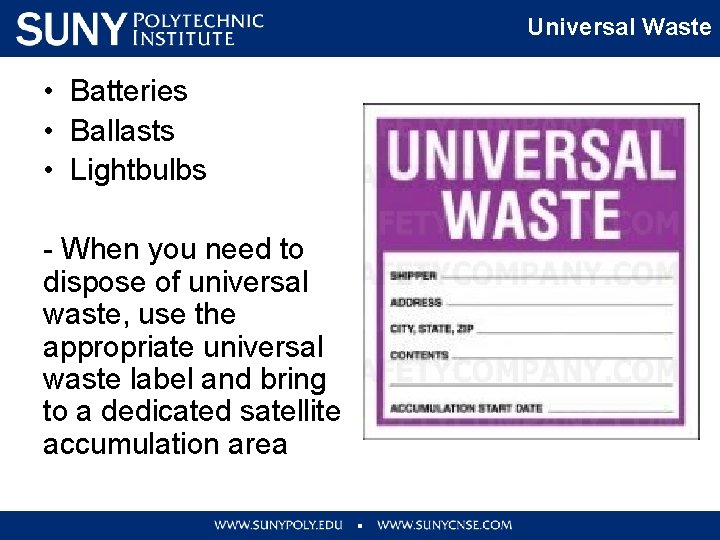
Universal Waste • Batteries • Ballasts • Lightbulbs - When you need to dispose of universal waste, use the appropriate universal waste label and bring to a dedicated satellite accumulation area
Chemical Waste - Do not put ANY chemicals down the drain or in the trash - Waste goes in Satellite Accumulation Areas - Broken glass needs to be placed in a hard-walled container before disposal - Broken wafers go in the wafer disposal bins
General Safety 70
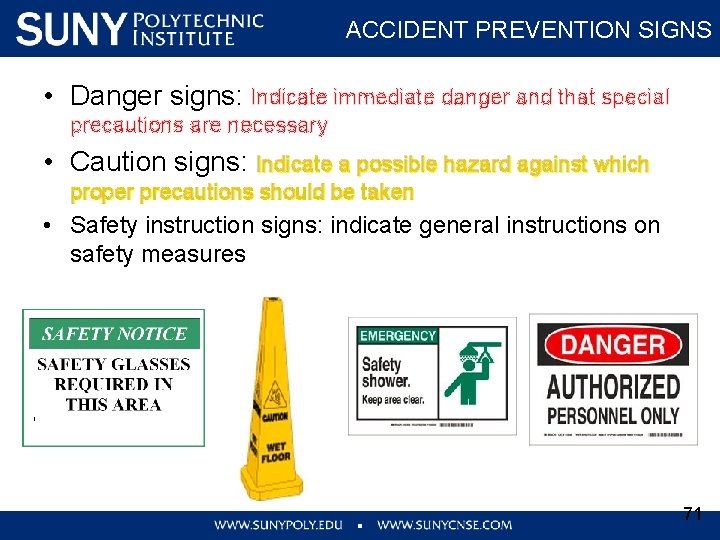
ACCIDENT PREVENTION SIGNS • Danger signs: Indicate immediate danger and that special precautions are necessary • Caution signs: Indicate a possible hazard against which proper precautions should be taken • Safety instruction signs: indicate general instructions on safety measures 71
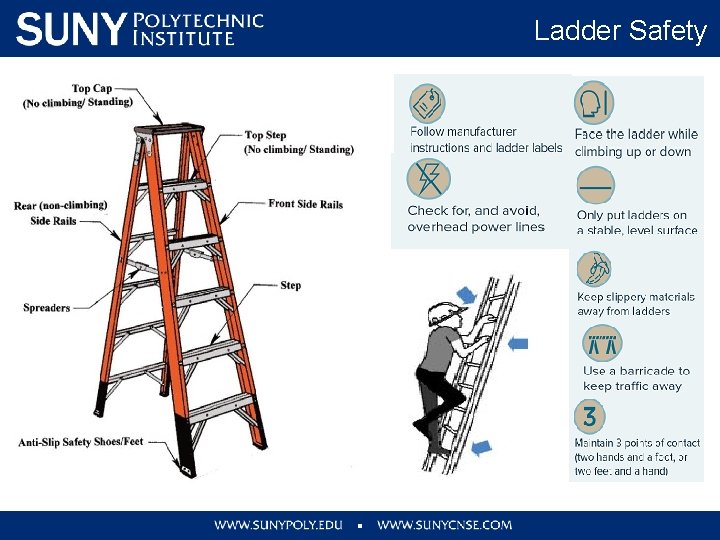
Ladder Safety
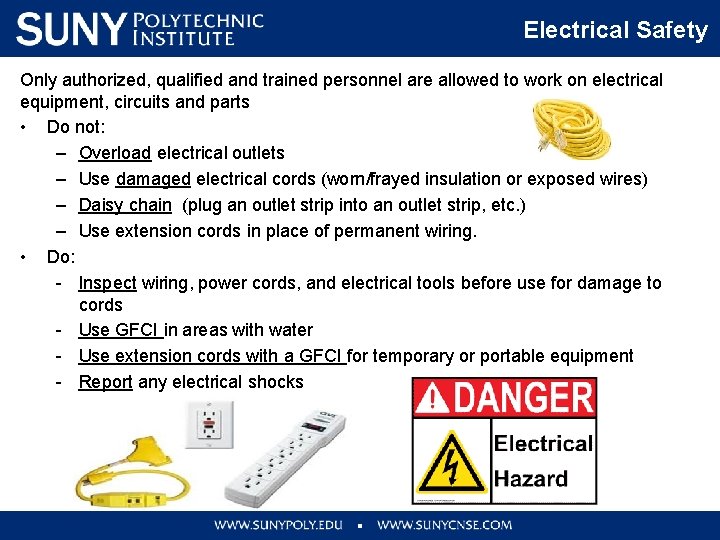
Electrical Safety Only authorized, qualified and trained personnel are allowed to work on electrical equipment, circuits and parts • Do not: – Overload electrical outlets – Use damaged electrical cords (worn/frayed insulation or exposed wires) – Daisy chain (plug an outlet strip into an outlet strip, etc. ) – Use extension cords in place of permanent wiring. • Do: - Inspect wiring, power cords, and electrical tools before use for damage to cords - Use GFCI in areas with water - Use extension cords with a GFCI for temporary or portable equipment - Report any electrical shocks
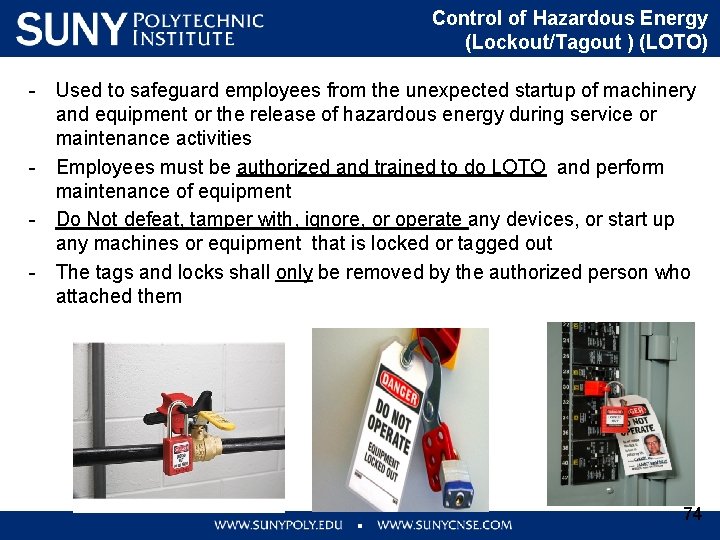
Control of Hazardous Energy (Lockout/Tagout ) (LOTO) - Used to safeguard employees from the unexpected startup of machinery and equipment or the release of hazardous energy during service or maintenance activities - Employees must be authorized and trained to do LOTO and perform maintenance of equipment - Do Not defeat, tamper with, ignore, or operate any devices, or start up any machines or equipment that is locked or tagged out - The tags and locks shall only be removed by the authorized person who attached them 74
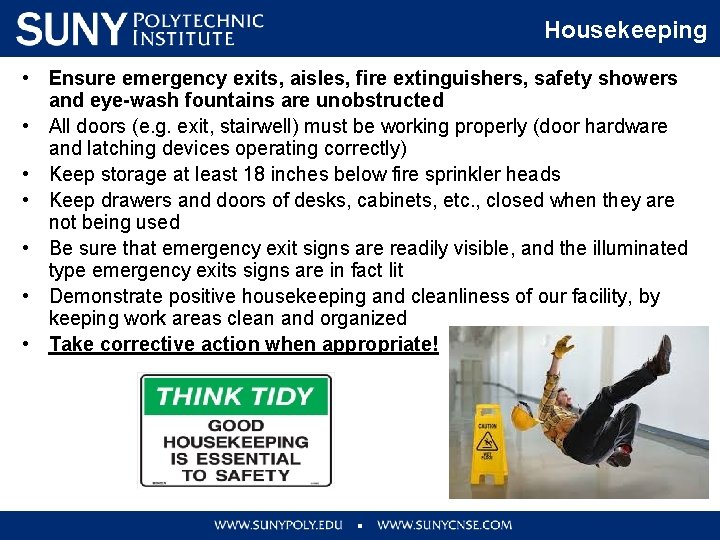
Housekeeping • Ensure emergency exits, aisles, fire extinguishers, safety showers and eye-wash fountains are unobstructed • All doors (e. g. exit, stairwell) must be working properly (door hardware and latching devices operating correctly) • Keep storage at least 18 inches below fire sprinkler heads • Keep drawers and doors of desks, cabinets, etc. , closed when they are not being used • Be sure that emergency exit signs are readily visible, and the illuminated type emergency exits signs are in fact lit • Demonstrate positive housekeeping and cleanliness of our facility, by keeping work areas clean and organized • Take corrective action when appropriate!
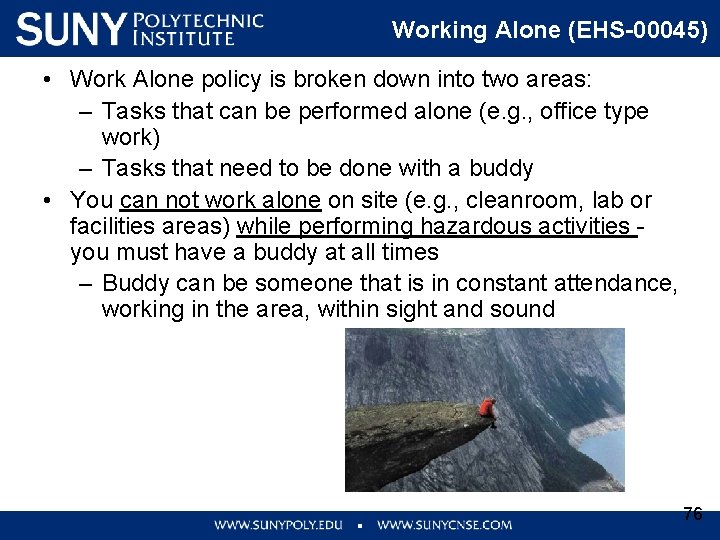
Working Alone (EHS-00045) • Work Alone policy is broken down into two areas: – Tasks that can be performed alone (e. g. , office type work) – Tasks that need to be done with a buddy • You can not work alone on site (e. g. , cleanroom, lab or facilities areas) while performing hazardous activities you must have a buddy at all times – Buddy can be someone that is in constant attendance, working in the area, within sight and sound 76
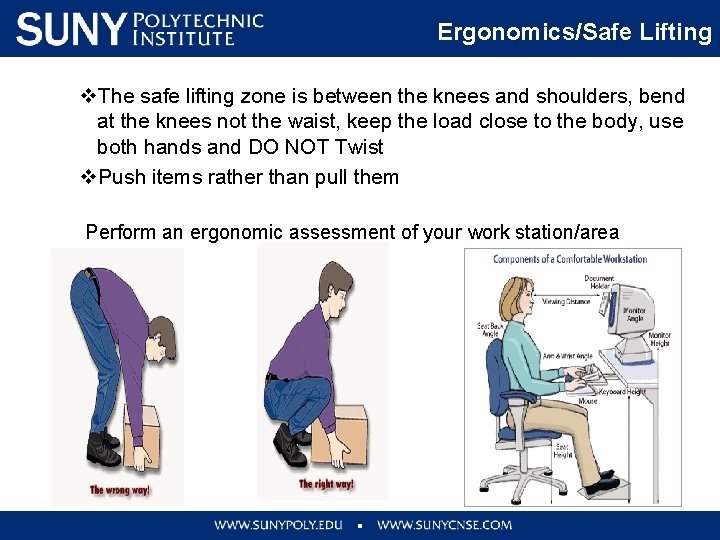
Ergonomics/Safe Lifting v. The safe lifting zone is between the knees and shoulders, bend at the knees not the waist, keep the load close to the body, use both hands and DO NOT Twist v. Push items rather than pull them Perform an ergonomic assessment of your work station/area
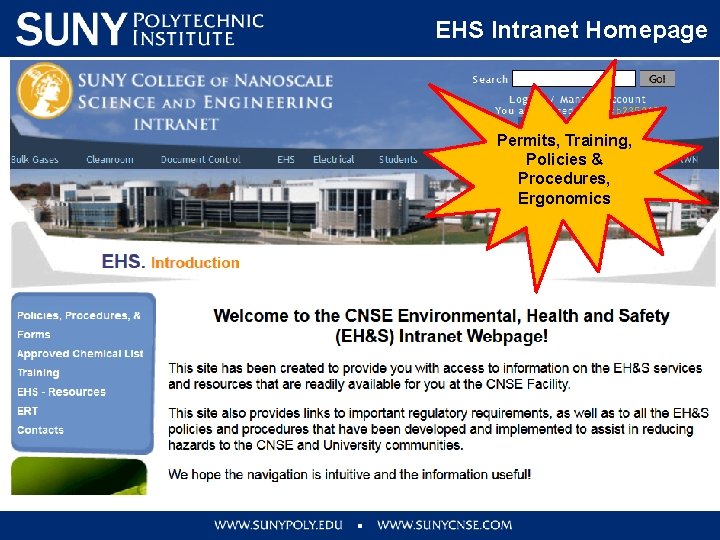
EHS Intranet Homepage Permits, Training, Policies & Procedures, Ergonomics
Internet • • Go to sunypoly. edu In the top right click on search Search EHS Click on the link for contractor training. https: //sunypoly. edu/research/albany-nanotechcomplex/contractor-training. html
Closing • SUNY Poly is committed to providing you a safe working environment • You are a key player in this effort • All individuals onsite are expected to share that commitment • Each of us must comply with safety and environmental laws and SUNY Poly safety requirements • Thank you in advance for your support and efforts toward workplace safety and health
SUNY Poly Quality Policy
Quality Policy