
Success with Model Smart 3 D PreEngineering Software
- Slides: 52
Success with Model. Smart 3 D Pre-Engineering Software Corporation Written by: Robert A. Wolf III, P. E. Show 2 Success with Model. Smart 3 D - Part Copyright 2001, Pre-Engineering Software Corporation, All Rights Reserved II
Series Outline Show # 1 I. Possible benefits II. Introduction to bridge trusses III. Modeling for structural analysis Show # 2 IV. Using Model. Smart 3 D V. Extra for Experts Show # 3 VI. Optimization VII. Printing Show # 4 VIII. Building Your Model Success with Model. Smart 3 D - Part IV 2
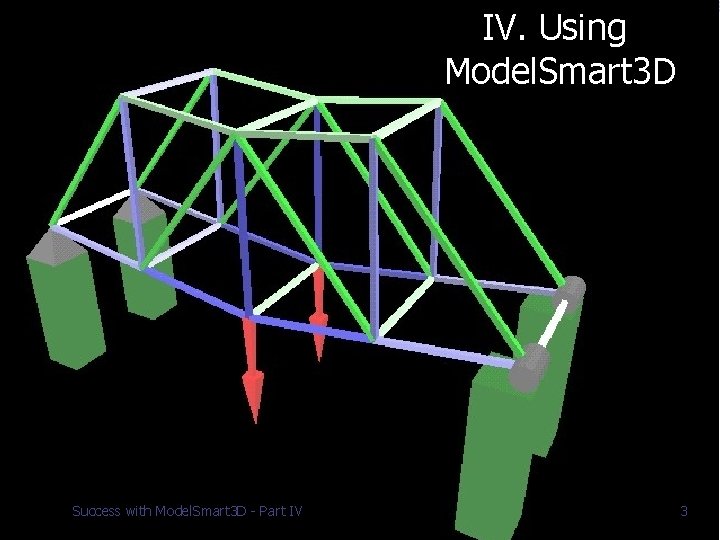
IV. Using Model. Smart 3 D Success with Model. Smart 3 D - Part IV 3
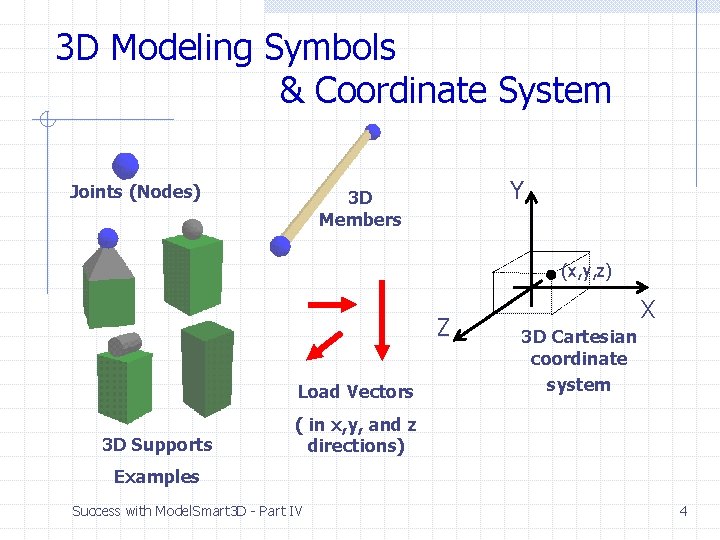
3 D Modeling Symbols & Coordinate System Joints (Nodes) Y 3 D Members (x, y, z) Z Load Vectors 3 D Supports X 3 D Cartesian coordinate system ( in x, y, and z directions) Examples Success with Model. Smart 3 D - Part IV 4
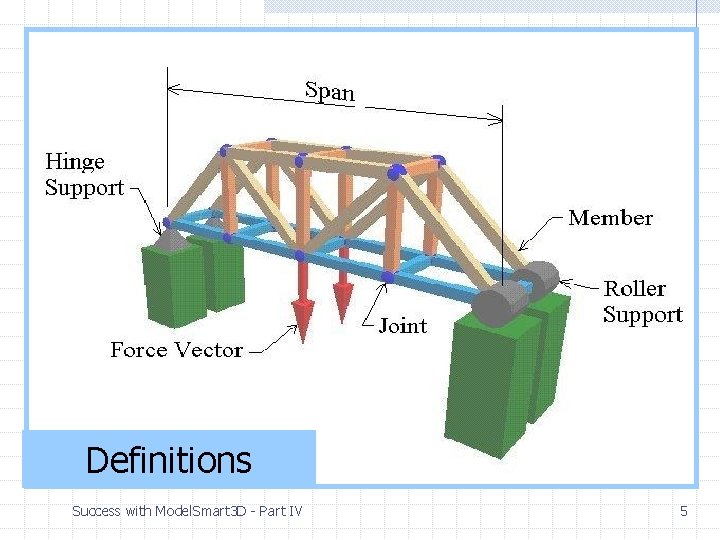
Definitions Success with Model. Smart 3 D - Part IV 5
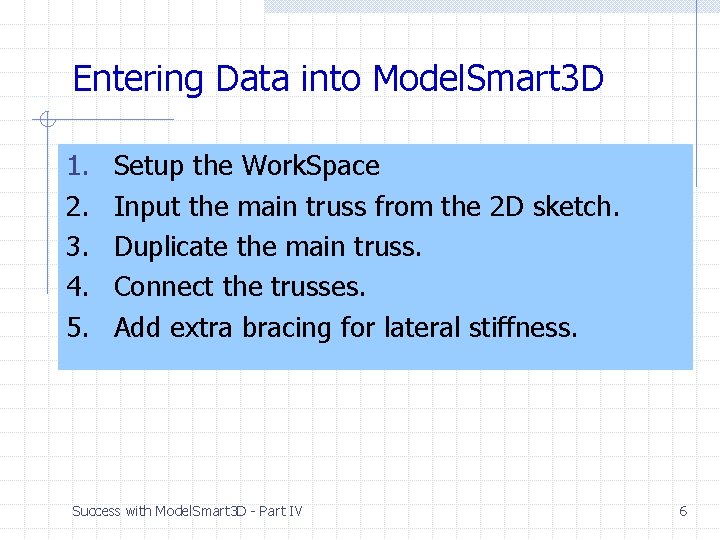
Entering Data into Model. Smart 3 D 1. 2. 3. 4. 5. Setup the Work. Space Input the main truss from the 2 D sketch. Duplicate the main truss. Connect the trusses. Add extra bracing for lateral stiffness. Success with Model. Smart 3 D - Part IV 6
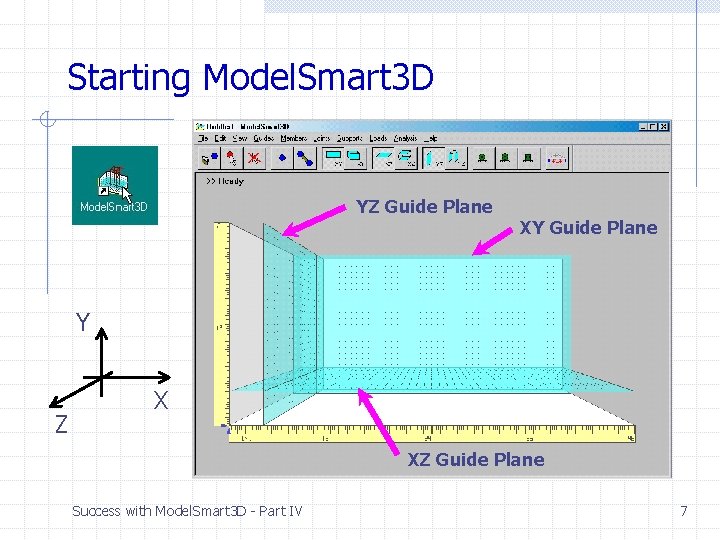
Starting Model. Smart 3 D YZ Guide Plane XY Guide Plane Y Z X XZ Guide Plane Success with Model. Smart 3 D - Part IV 7
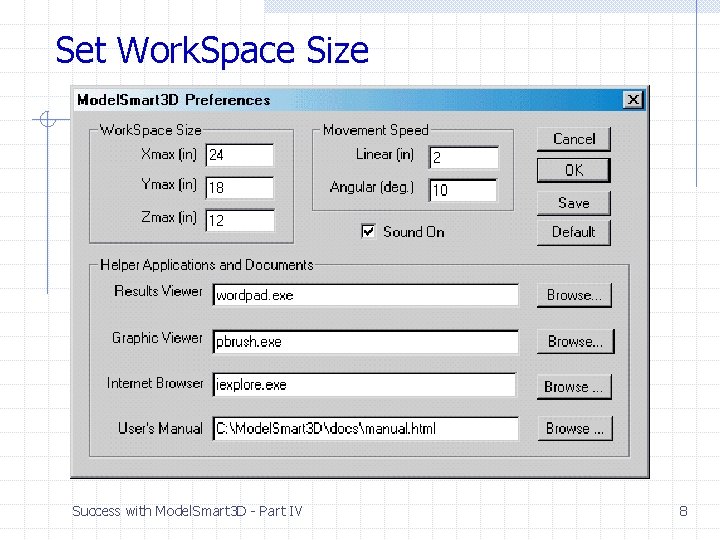
Set Work. Space Size Success with Model. Smart 3 D - Part IV 8
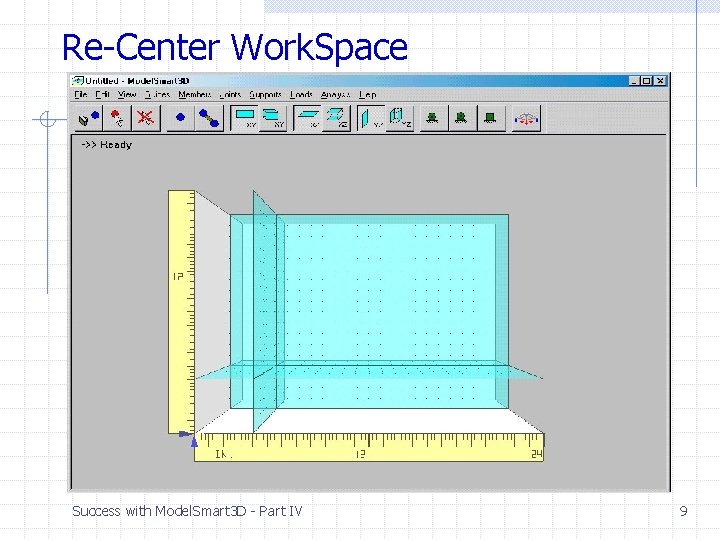
Re-Center Work. Space Success with Model. Smart 3 D - Part IV 9
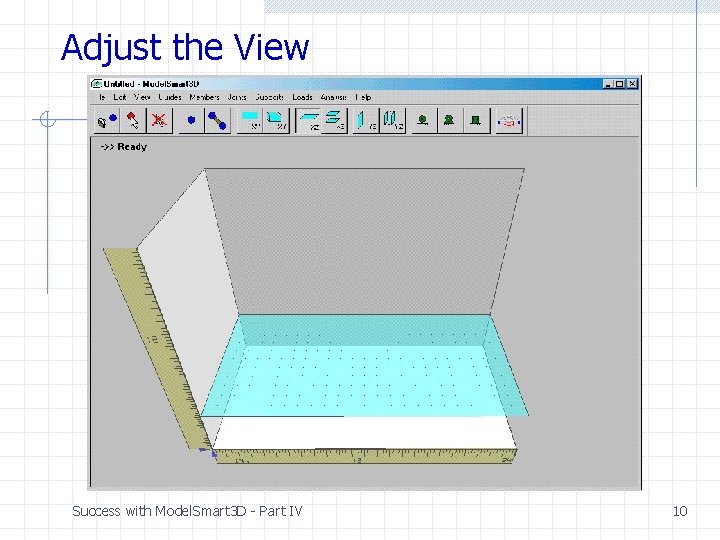
Adjust the View Success with Model. Smart 3 D - Part IV 10
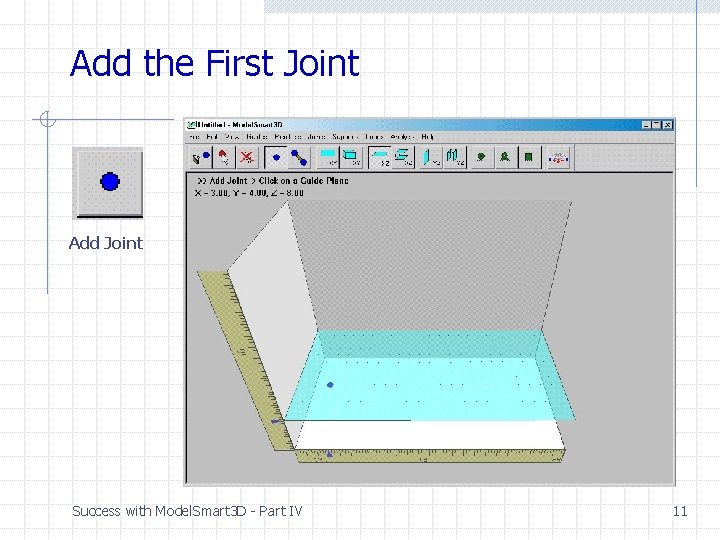
Add the First Joint Add Joint Success with Model. Smart 3 D - Part IV 11
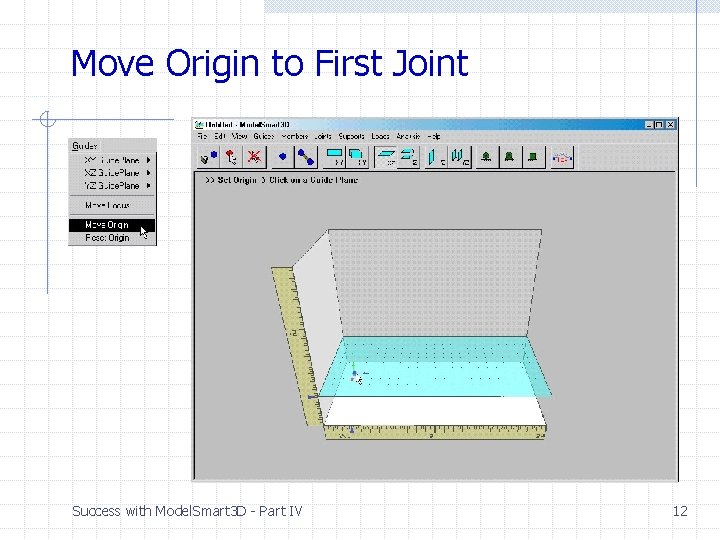
Move Origin to First Joint Success with Model. Smart 3 D - Part IV 12
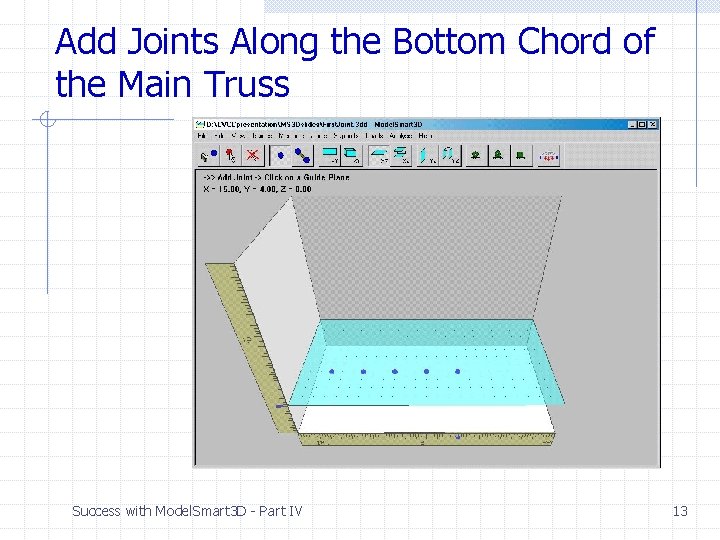
Add Joints Along the Bottom Chord of the Main Truss Success with Model. Smart 3 D - Part IV 13
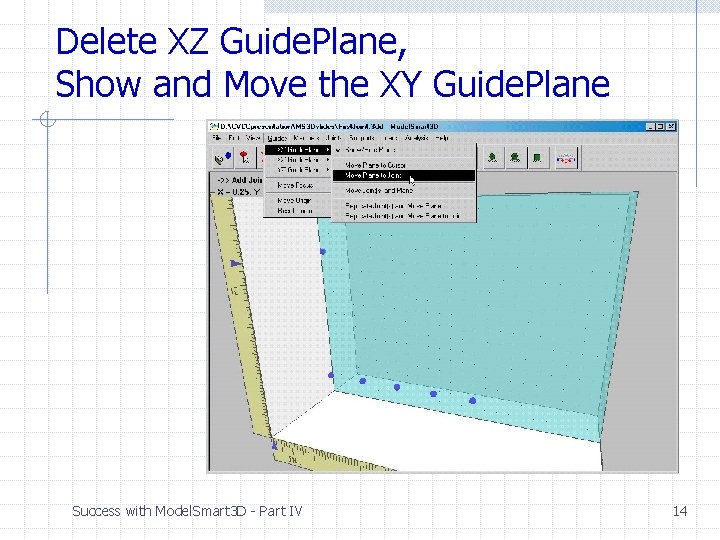
Delete XZ Guide. Plane, Show and Move the XY Guide. Plane Success with Model. Smart 3 D - Part IV 14
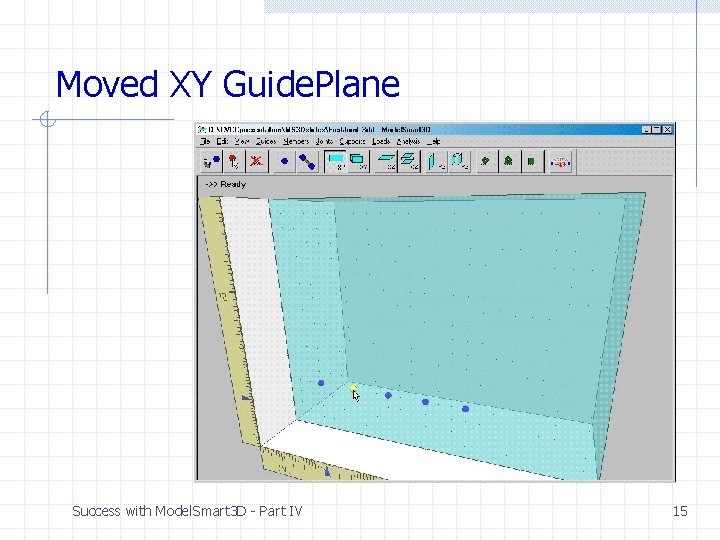
Moved XY Guide. Plane Success with Model. Smart 3 D - Part IV 15
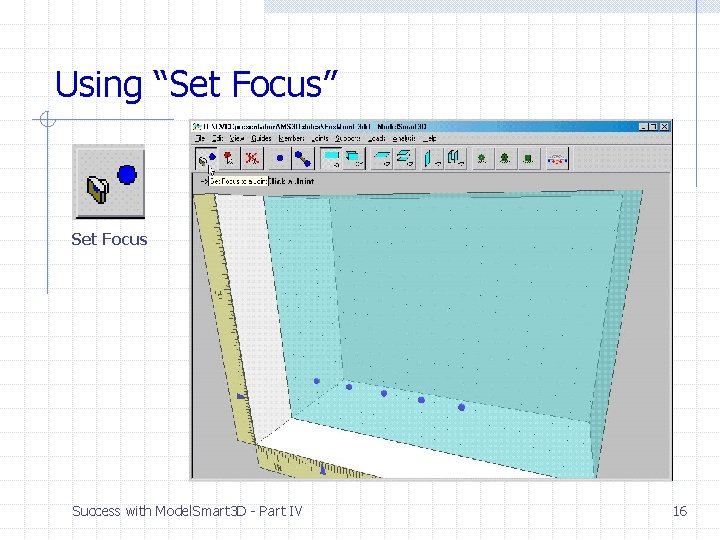
Using “Set Focus” Set Focus Success with Model. Smart 3 D - Part IV 16
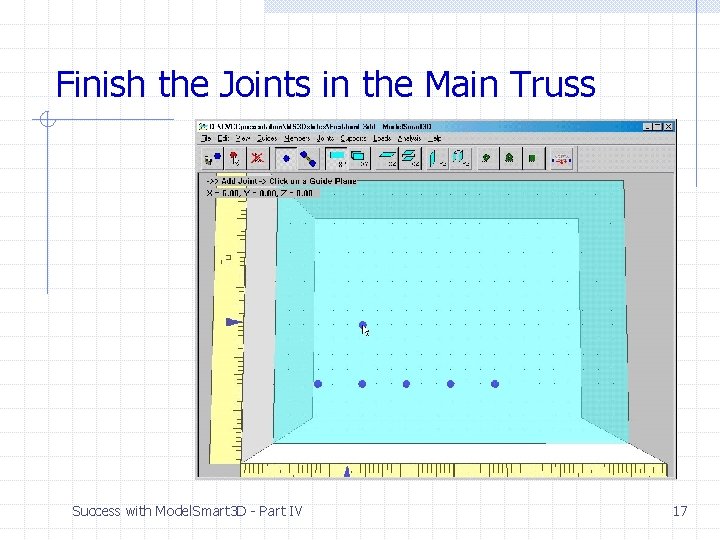
Finish the Joints in the Main Truss Success with Model. Smart 3 D - Part IV 17
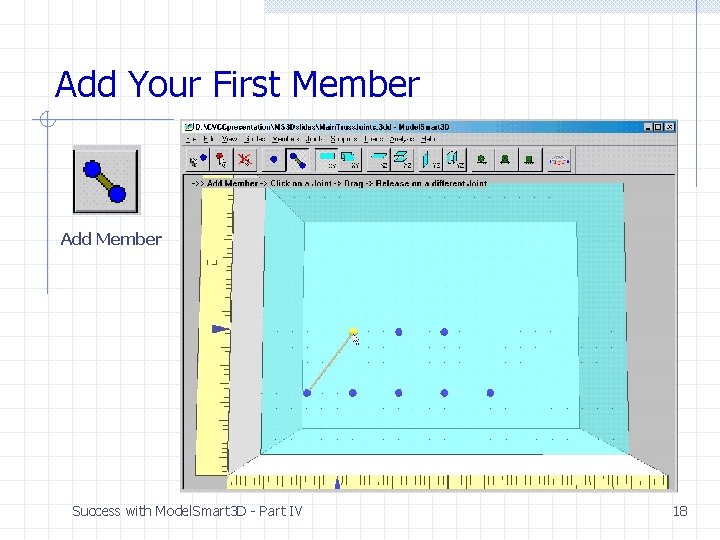
Add Your First Member Add Member Success with Model. Smart 3 D - Part IV 18
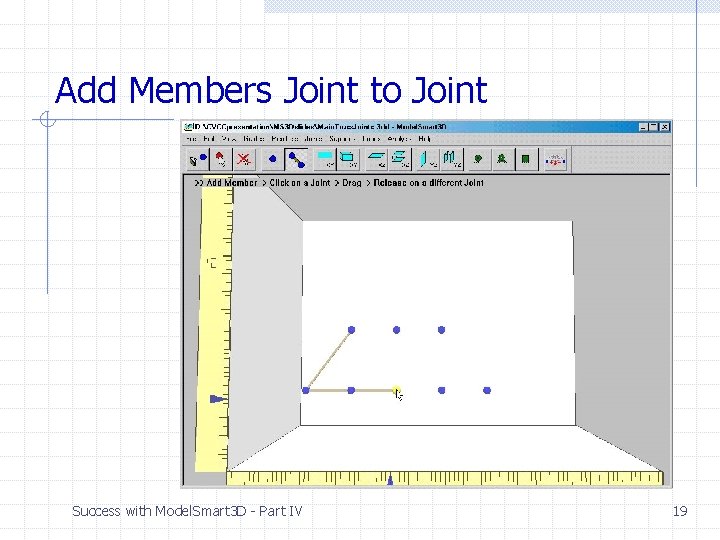
Add Members Joint to Joint Success with Model. Smart 3 D - Part IV 19
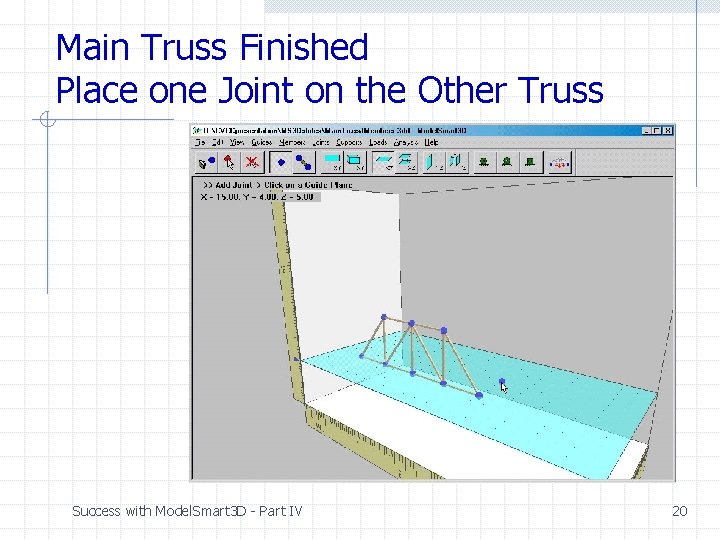
Main Truss Finished Place one Joint on the Other Truss Success with Model. Smart 3 D - Part IV 20
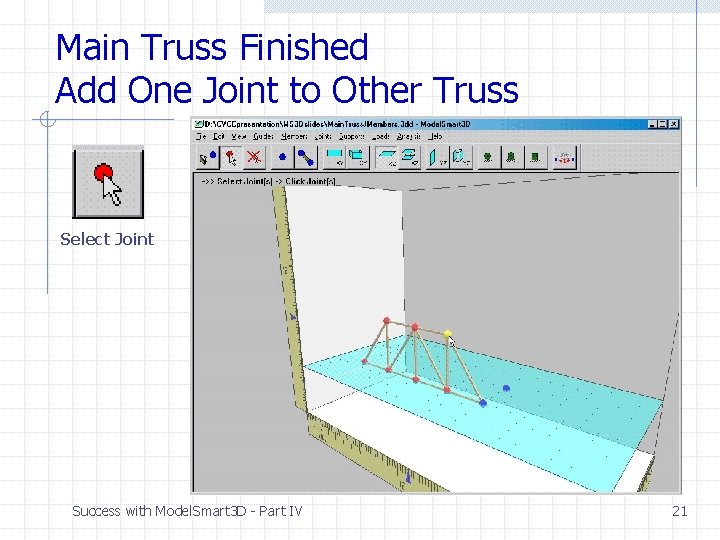
Main Truss Finished Add One Joint to Other Truss Select Joint Success with Model. Smart 3 D - Part IV 21
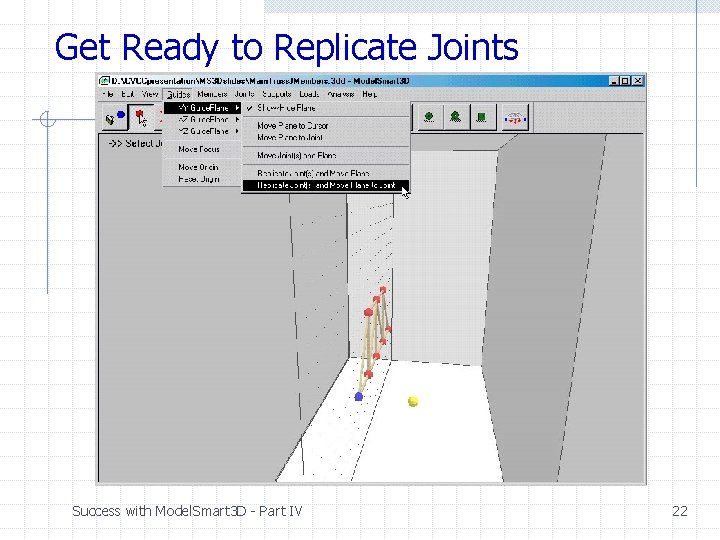
Get Ready to Replicate Joints Success with Model. Smart 3 D - Part IV 22
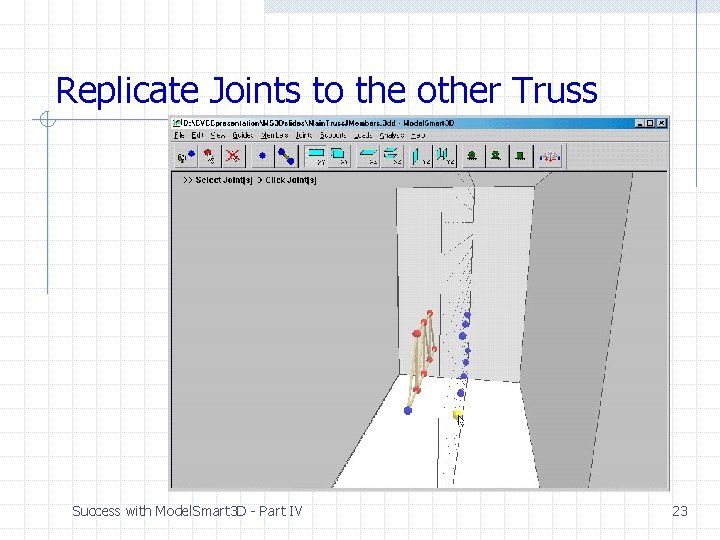
Replicate Joints to the other Truss Success with Model. Smart 3 D - Part IV 23
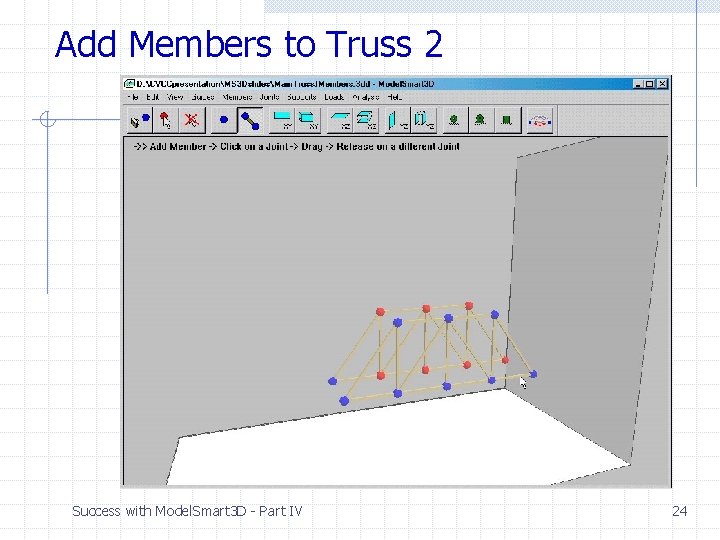
Add Members to Truss 2 Success with Model. Smart 3 D - Part IV 24
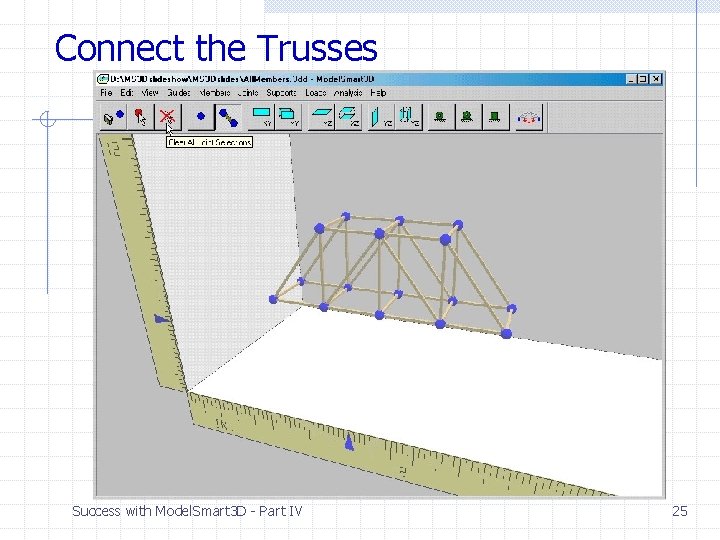
Connect the Trusses Success with Model. Smart 3 D - Part IV 25
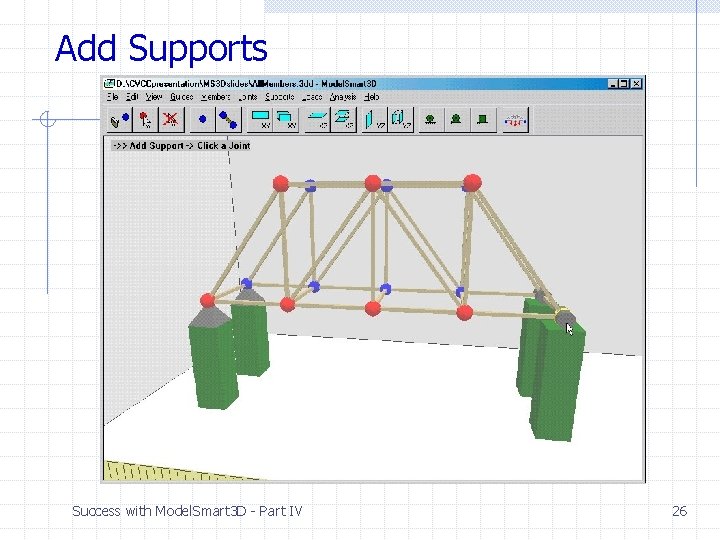
Add Supports Success with Model. Smart 3 D - Part IV 26
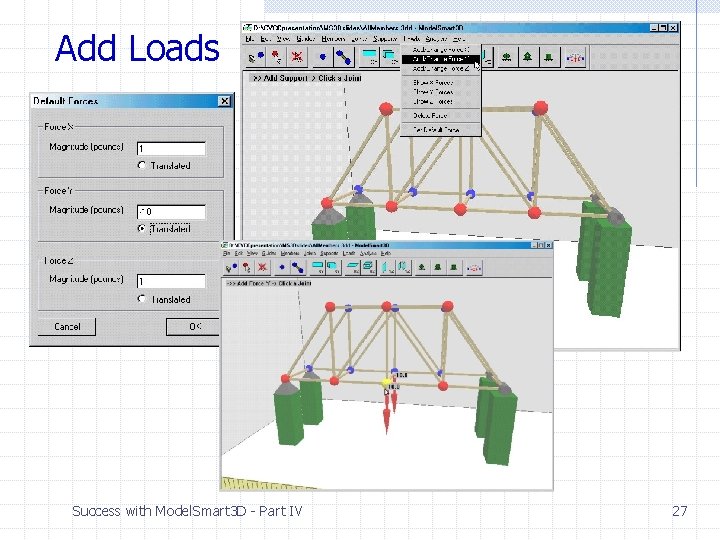
Add Loads Success with Model. Smart 3 D - Part IV 27
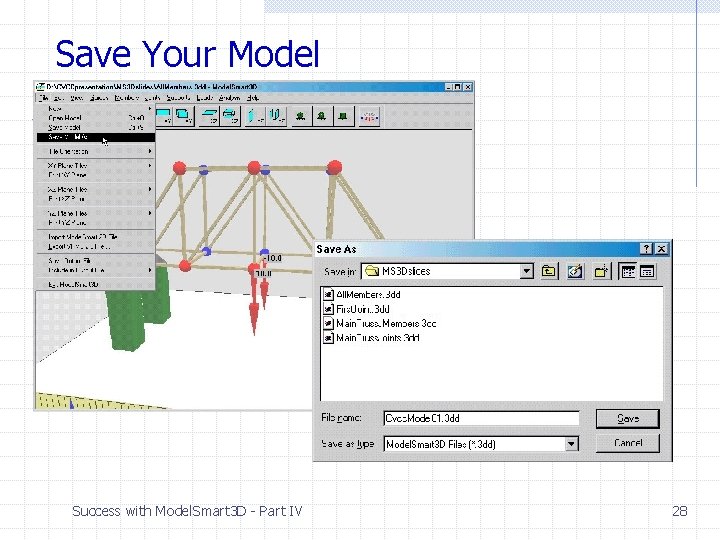
Save Your Model Success with Model. Smart 3 D - Part IV 28
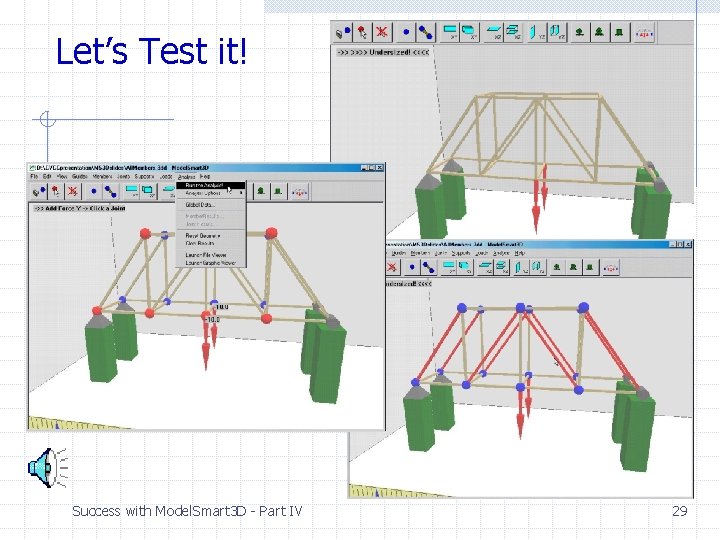
Let’s Test it! Success with Model. Smart 3 D - Part IV 29
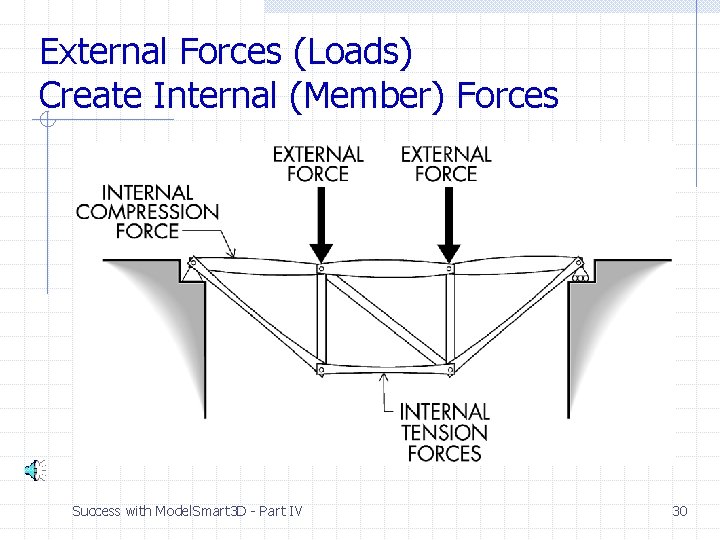
External Forces (Loads) Create Internal (Member) Forces Success with Model. Smart 3 D - Part IV 30
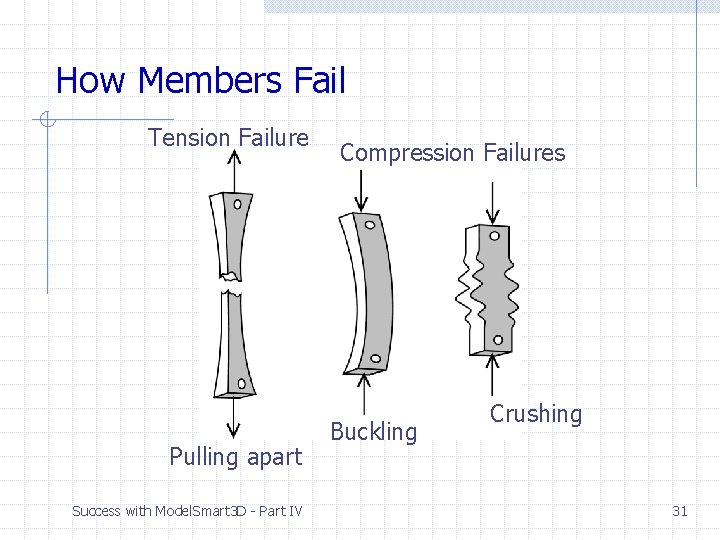
How Members Fail Tension Failure Pulling apart Success with Model. Smart 3 D - Part IV Compression Failures Buckling Crushing 31
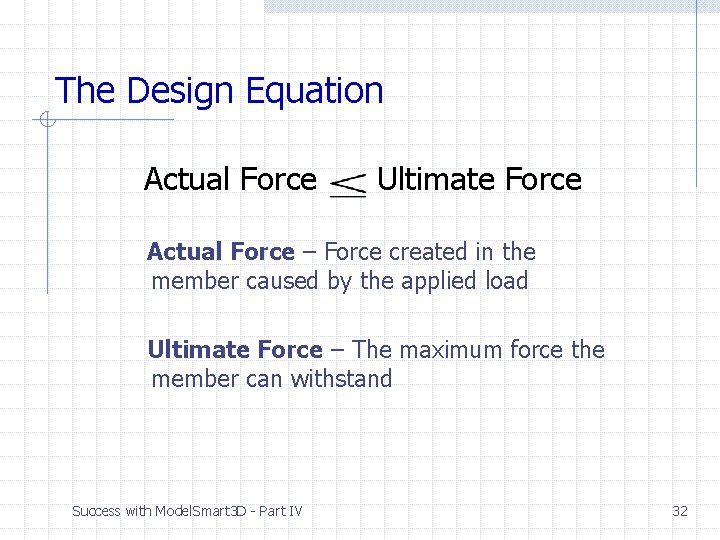
The Design Equation Actual Force Ultimate Force Actual Force – Force created in the member caused by the applied load Ultimate Force – The maximum force the member can withstand Success with Model. Smart 3 D - Part IV 32
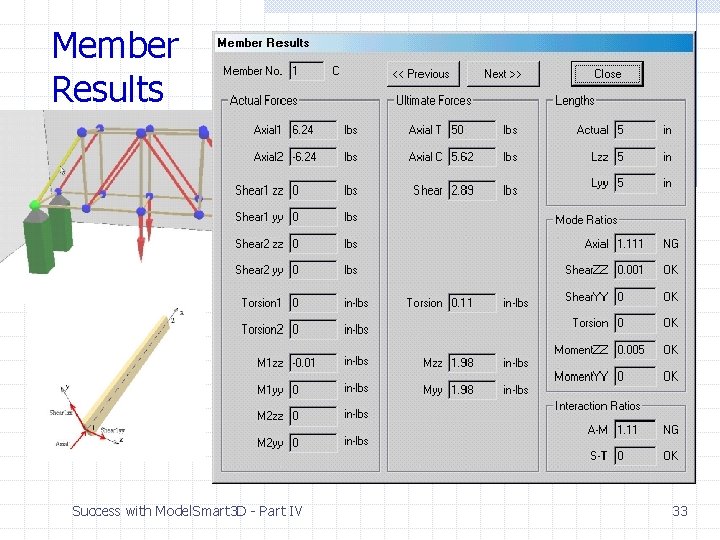
Member Results Success with Model. Smart 3 D - Part IV 33
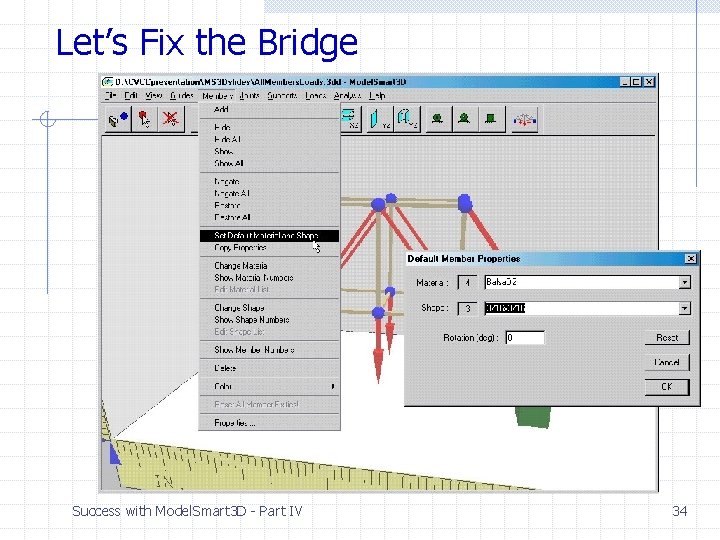
Let’s Fix the Bridge Success with Model. Smart 3 D - Part IV 34
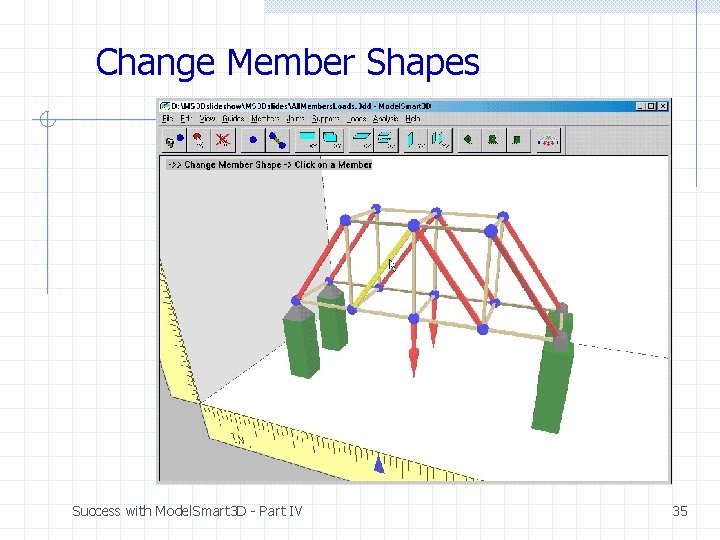
Change Member Shapes Success with Model. Smart 3 D - Part IV 35
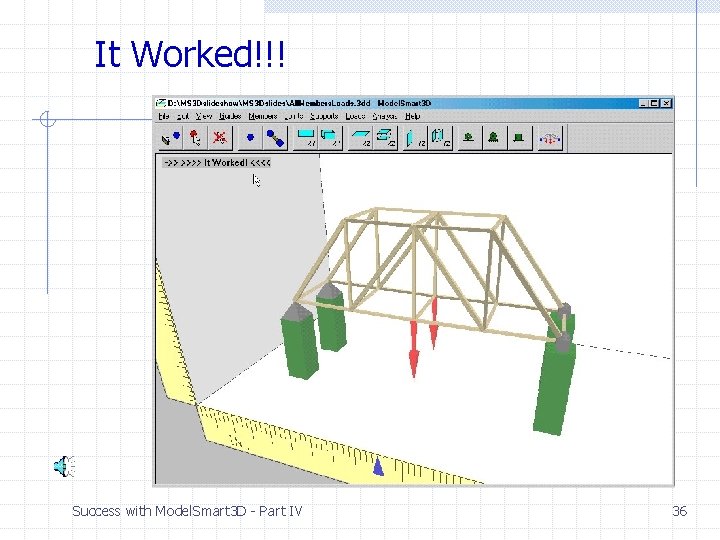
It Worked!!! Success with Model. Smart 3 D - Part IV 36
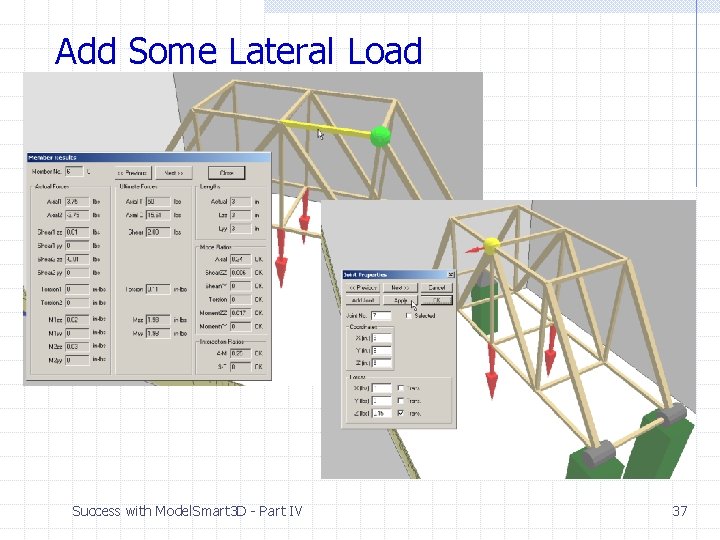
Add Some Lateral Load Success with Model. Smart 3 D - Part IV 37
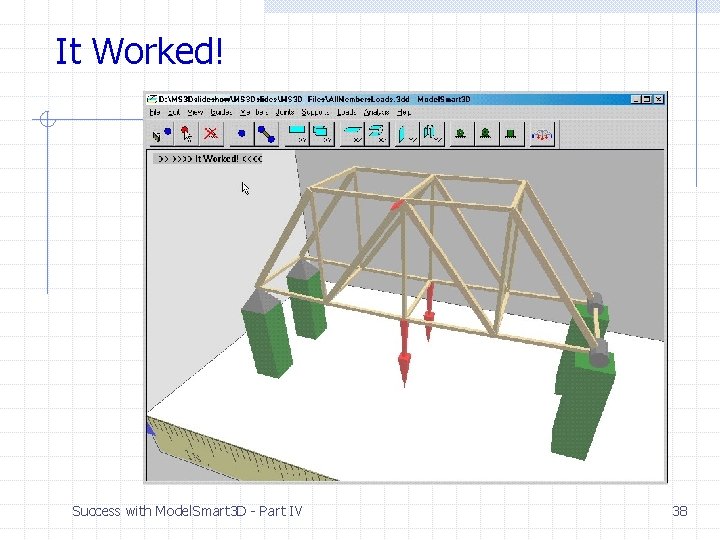
It Worked! Success with Model. Smart 3 D - Part IV 38
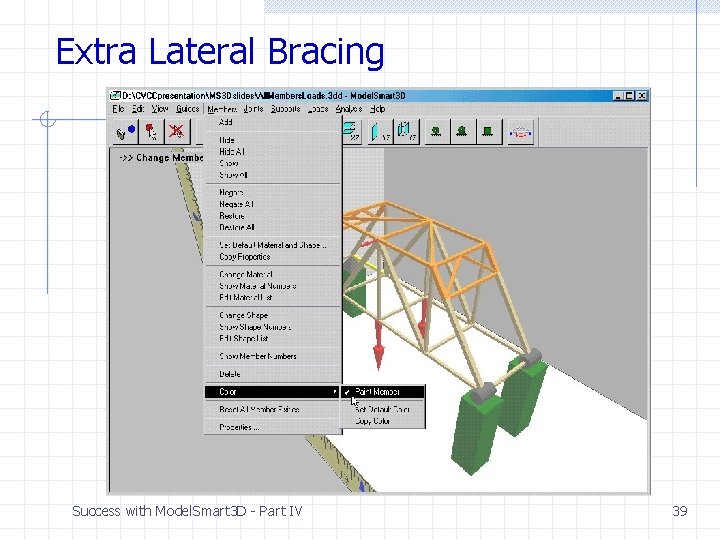
Extra Lateral Bracing Success with Model. Smart 3 D - Part IV 39
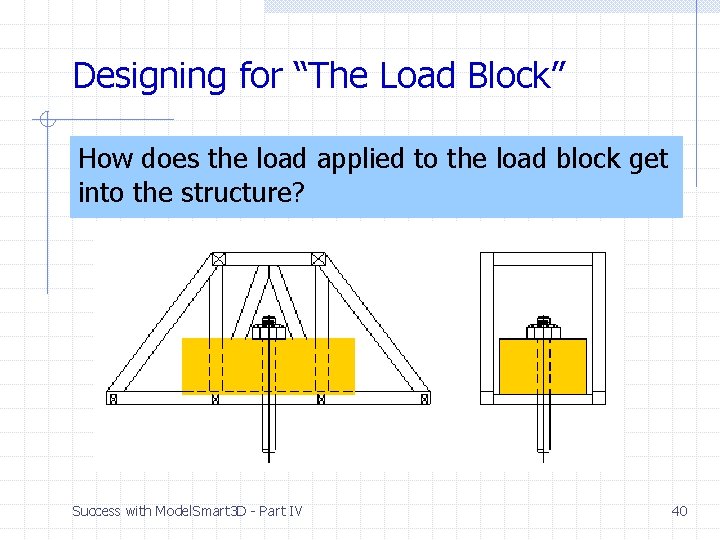
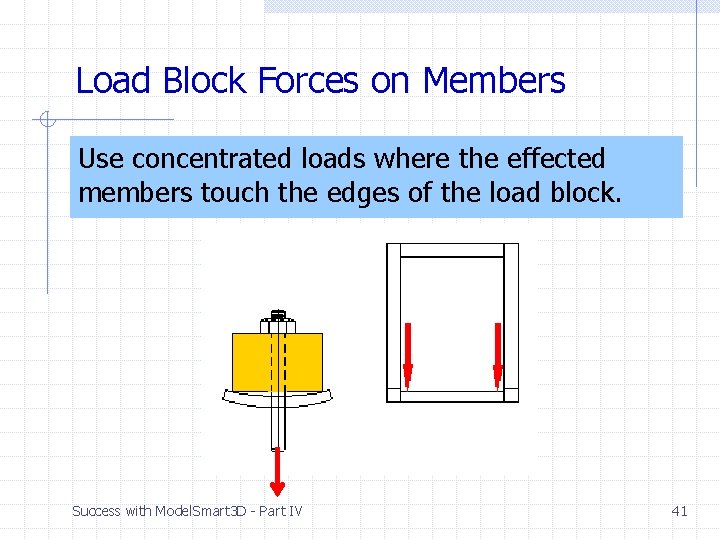
Designing for “The Load Block” How does the load applied to the load block get into the structure? Success with Model. Smart 3 D - Part IV 40
Load Block Forces on Members Use concentrated loads where the effected members touch the edges of the load block. Success with Model. Smart 3 D - Part IV 41
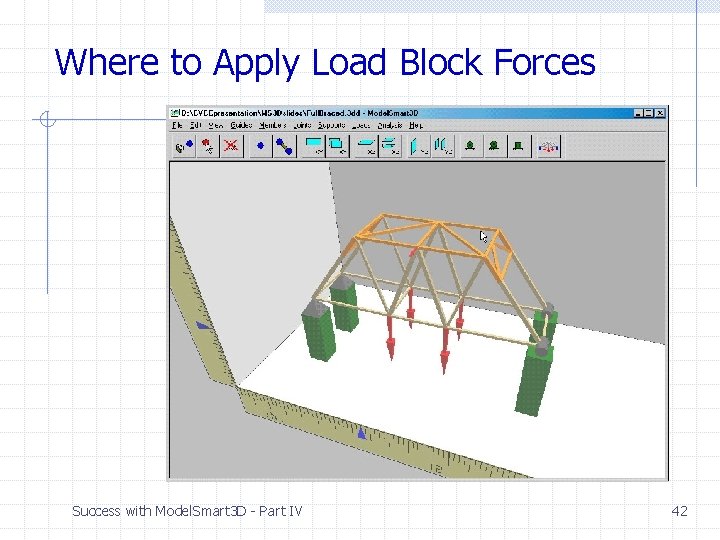
Where to Apply Load Block Forces Success with Model. Smart 3 D - Part IV 42
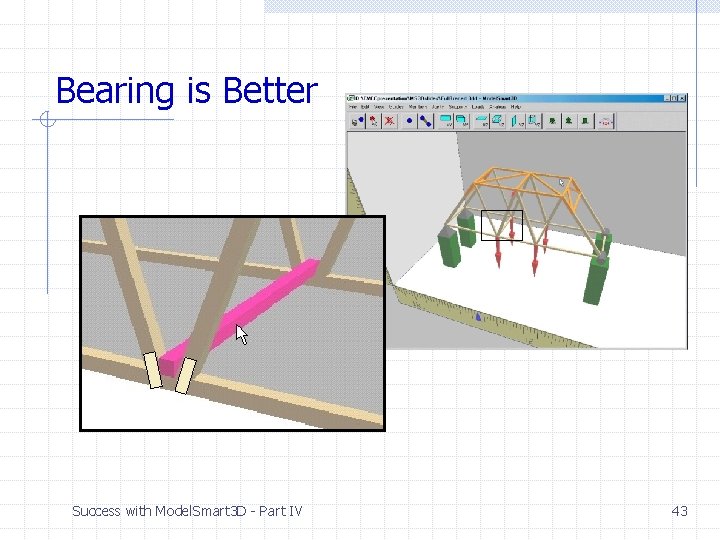
Bearing is Better Success with Model. Smart 3 D - Part IV 43
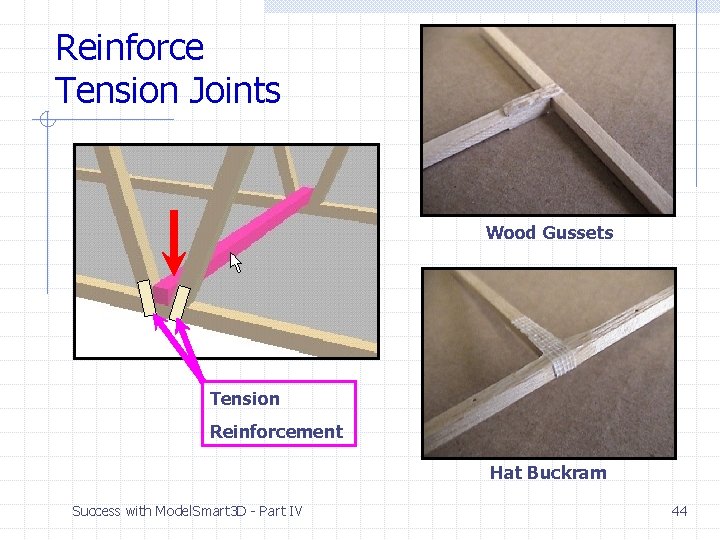
Reinforce Tension Joints Wood Gussets Tension Reinforcement Hat Buckram Success with Model. Smart 3 D - Part IV 44
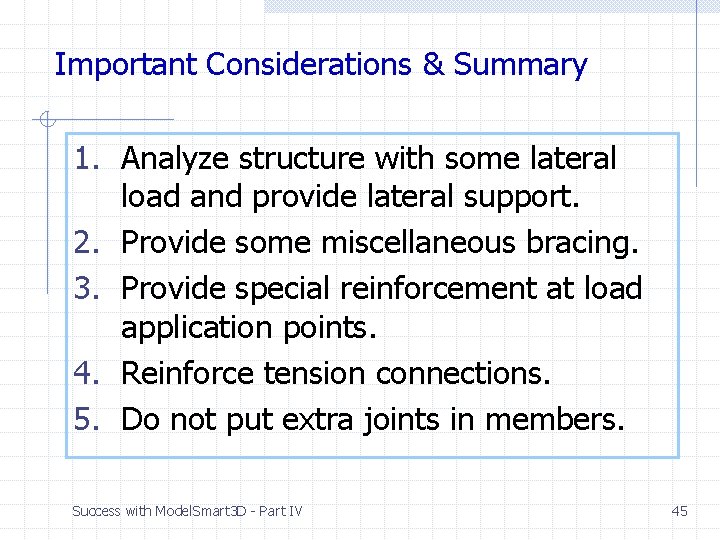
Important Considerations & Summary 1. Analyze structure with some lateral load and provide lateral support. 2. Provide some miscellaneous bracing. 3. Provide special reinforcement at load application points. 4. Reinforce tension connections. 5. Do not put extra joints in members. Success with Model. Smart 3 D - Part IV 45
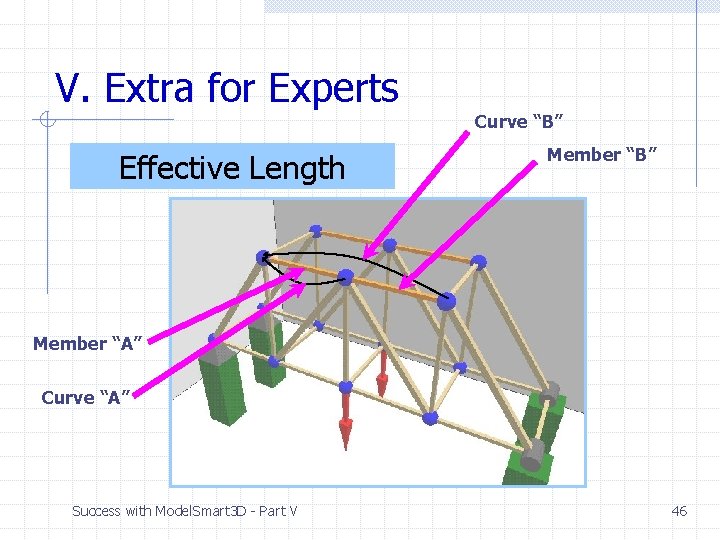
V. Extra for Experts Effective Length Curve “B” Member “A” Curve “A” Success with Model. Smart 3 D - Part V 46
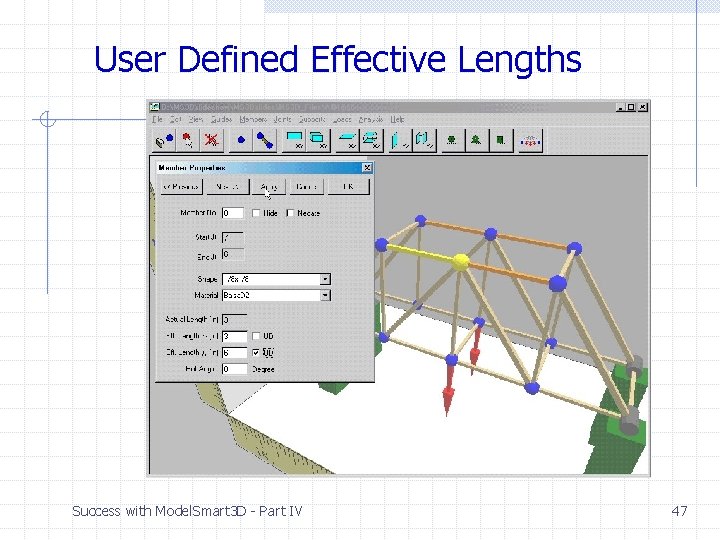
User Defined Effective Lengths Success with Model. Smart 3 D - Part IV 47
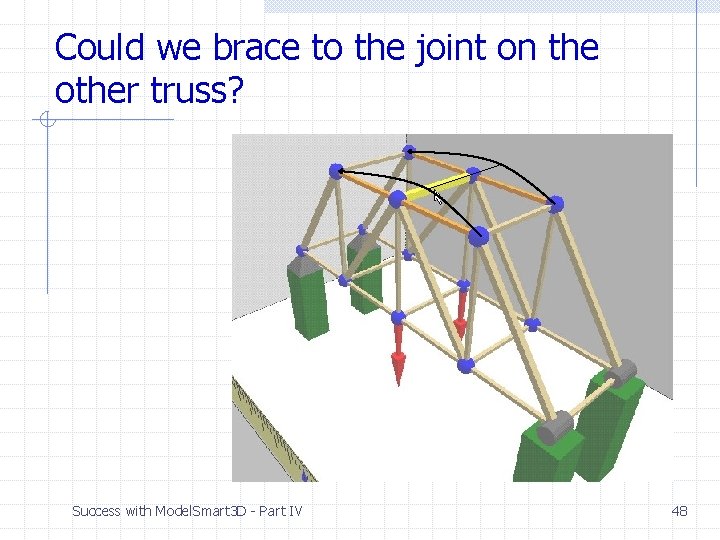
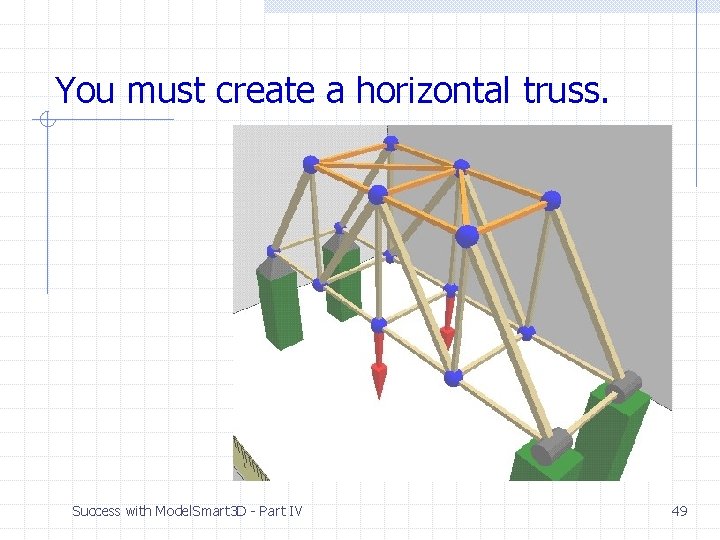
Could we brace to the joint on the other truss? Success with Model. Smart 3 D - Part IV 48
You must create a horizontal truss. Success with Model. Smart 3 D - Part IV 49
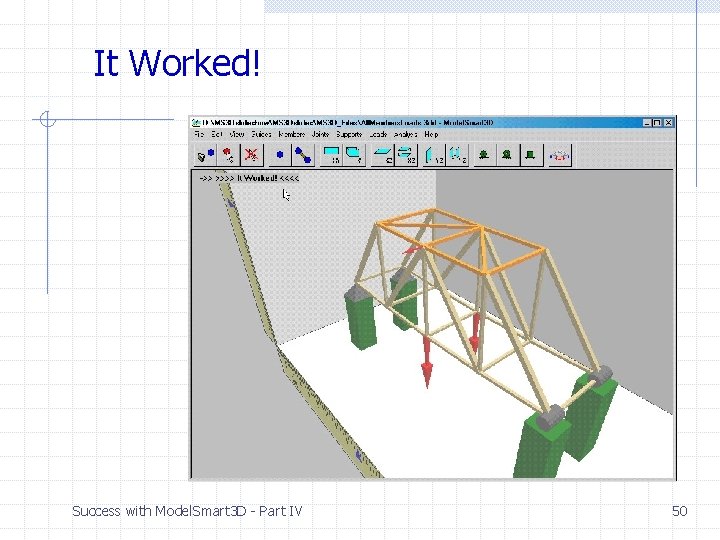
It Worked! Success with Model. Smart 3 D - Part IV 50
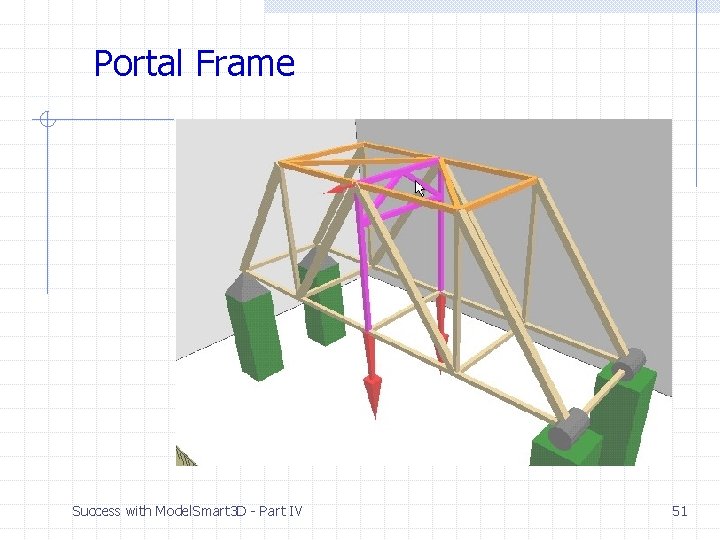
Portal Frame Success with Model. Smart 3 D - Part IV 51
End of Show 2 Success with Model. Smart 3 D - Part IV 52