
Stylin with CSS Monday October 8 th and
Stylin’ with CSS Monday October 8 th and Tuesday October 9 th
Topics l l l What is CSS Why CSS Examples 2
What is CSS? l l l Stands for Cascading Style Sheets Used to change the “presentation” of a Web page Used in conjunction with HTML in several ways l l l Inline -- embedded within the HTML element Internal -- placed within the header information External -- coded in a separate document l Allows style control of multiple pages all at once 3
HTML vs. CSS l HTML intended to show what the text is being used for l l l Defines it’s semantic meaning Designed to say things like “This is a paragraph” not “This is a paragraph that is centered with a font color of blue” CSS used for presentation only l Defines how the HTML should be displayed 4

Inline Style l l Should only be used sparingly Applies to a single tag Used as a “quick fix” For example: <h 1>This is an h 1 without style</h 1> <h 1 style=“font-family: verdana; text-align: center“>This is an h 1 with style</h 1> 5
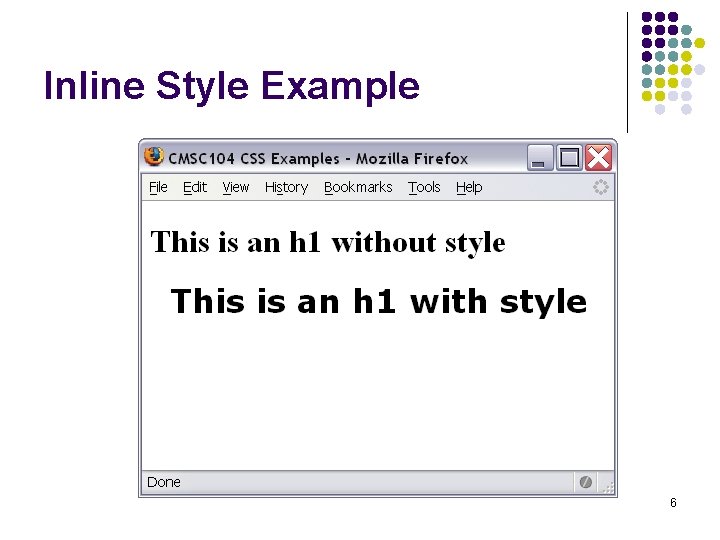
Inline Style Example 6
Internal Style l l l Placed in the header of the page between the <head>…</head> tags. Contains styles that are used throughout the whole page rather than on a single tag. Enclose each “rule” in the <style>…</style> tag. 7
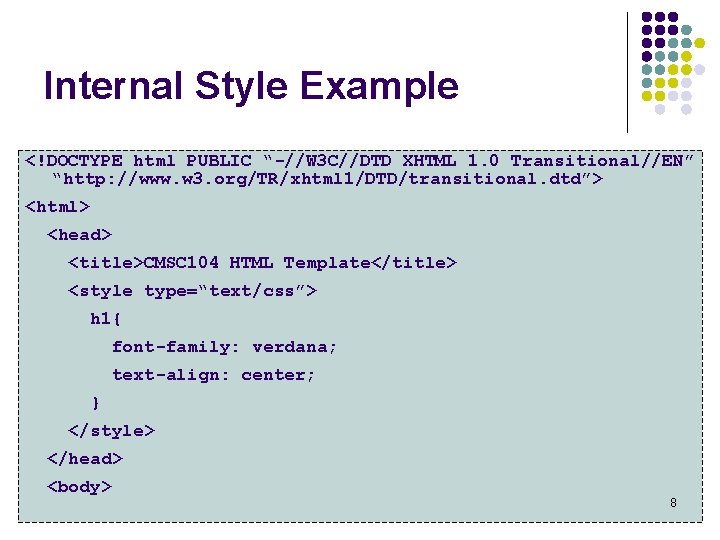
Internal Style Example <!DOCTYPE html PUBLIC “-//W 3 C//DTD XHTML 1. 0 Transitional//EN” “http: //www. w 3. org/TR/xhtml 1/DTD/transitional. dtd”> <html> <head> <title>CMSC 104 HTML Template</title> <style type=“text/css”> h 1{ font-family: verdana; text-align: center; } </style> </head> <body> 8
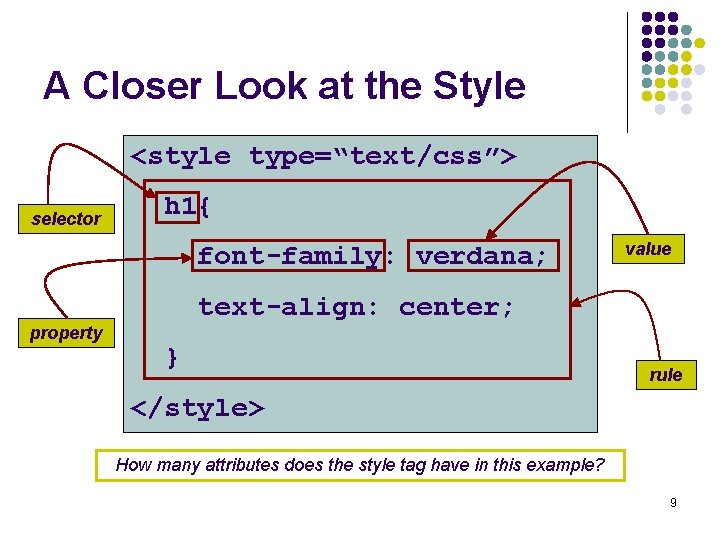
A Closer Look at the Style <style type=“text/css”> selector h 1{ font-family: verdana; property value text-align: center; } rule </style> How many attributes does the style tag have in this example? 9
Changing the Font Face l l l Use the font-family property Will only display fonts already installed on the end user’s computer If the font is not installed, displays the browser’s default font, usually Times New Roman. Can give more than one value in the CSS, just in case To see a list of Web fonts: http: //www. angelfire. com/al 4/rcollins/style/fonts. html 10
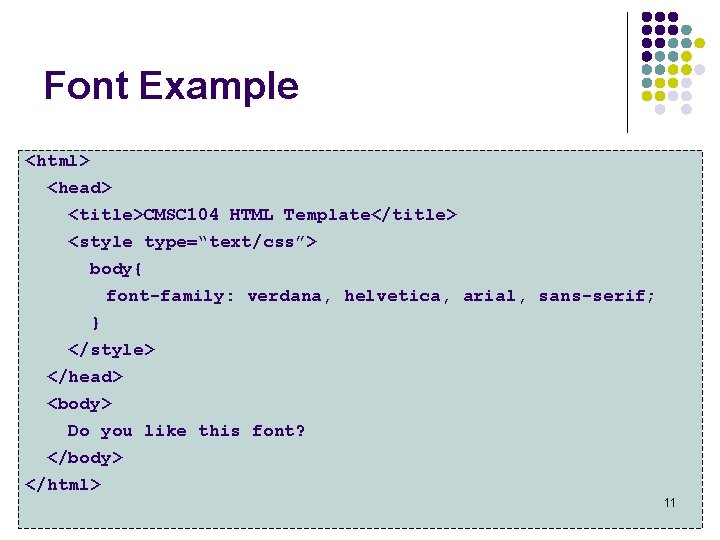
Font Example <html> <head> <title>CMSC 104 HTML Template</title> <style type=“text/css”> body{ font-family: verdana, helvetica, arial, sans-serif; } </style> </head> <body> Do you like this font? </body> </html> 11
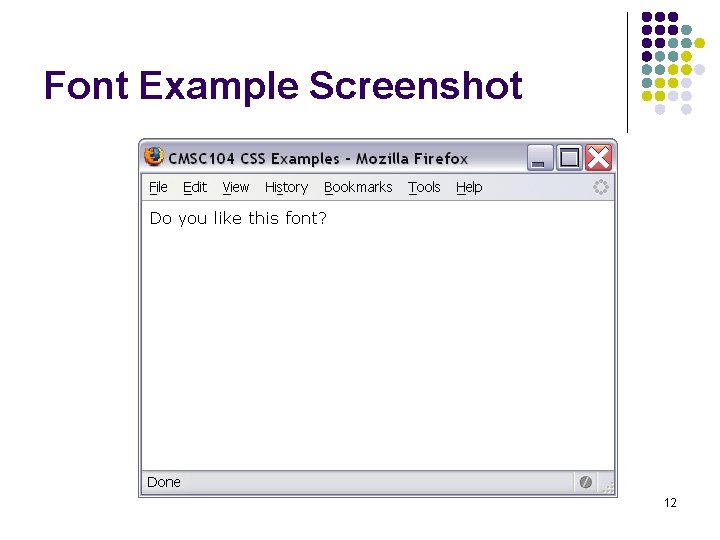
Font Example Screenshot 12
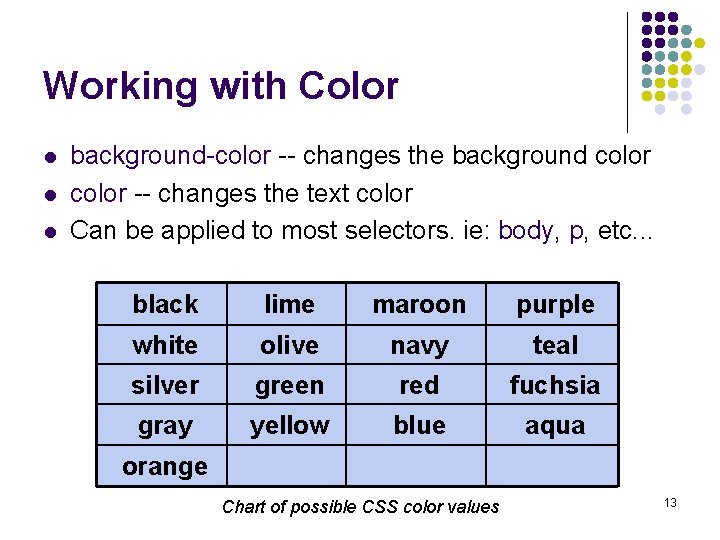
Working with Color l l l background-color -- changes the background color -- changes the text color Can be applied to most selectors. ie: body, p, etc. . . black lime maroon purple white olive navy teal silver green red fuchsia gray yellow blue aqua orange Chart of possible CSS color values 13
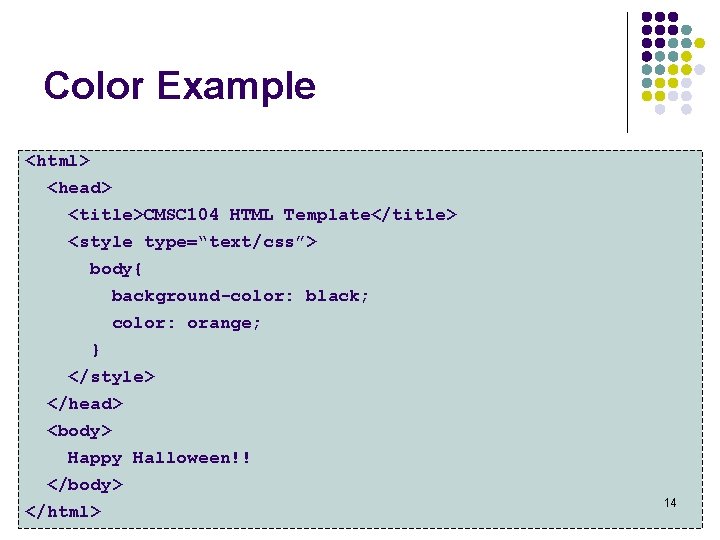
Color Example <html> <head> <title>CMSC 104 HTML Template</title> <style type=“text/css”> body{ background-color: black; color: orange; } </style> </head> <body> Happy Halloween!! </body> </html> 14
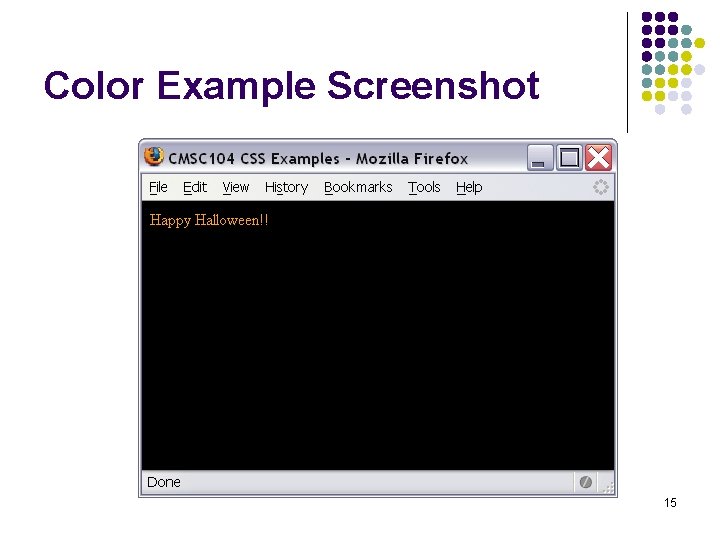
Color Example Screenshot 15
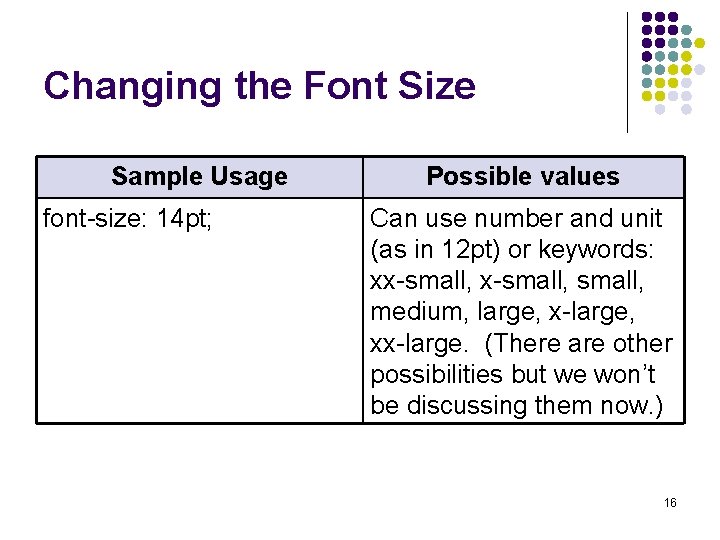
Changing the Font Size Sample Usage font-size: 14 pt; Possible values Can use number and unit (as in 12 pt) or keywords: xx-small, medium, large, x-large, xx-large. (There are other possibilities but we won’t be discussing them now. ) 16
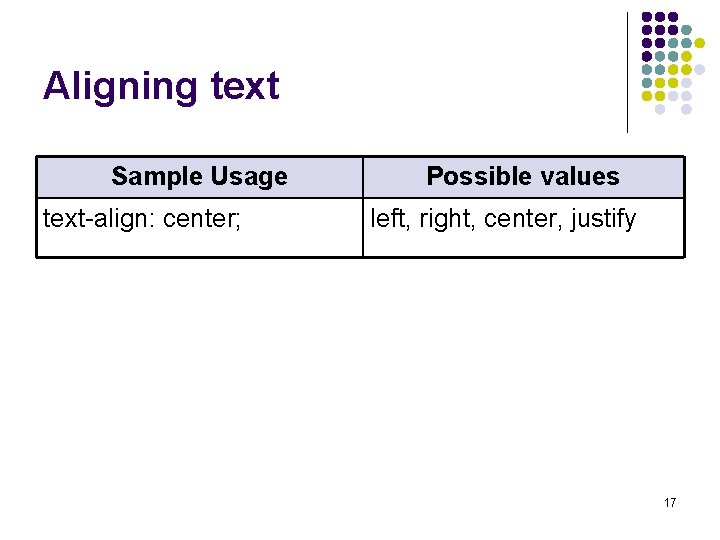
Aligning text Sample Usage text-align: center; Possible values left, right, center, justify 17
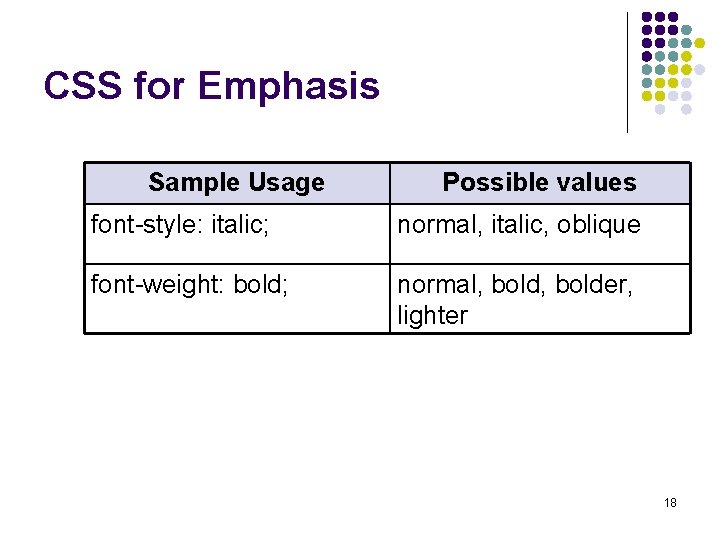
CSS for Emphasis Sample Usage Possible values font-style: italic; normal, italic, oblique font-weight: bold; normal, bolder, lighter 18
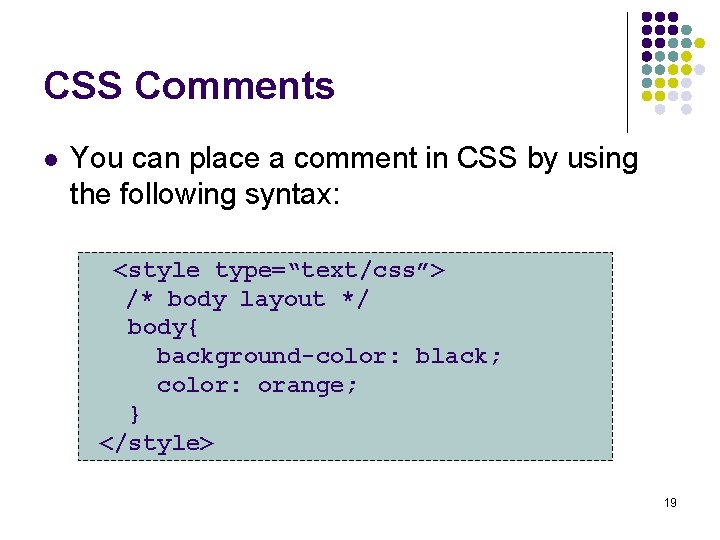
CSS Comments l You can place a comment in CSS by using the following syntax: <style type=“text/css”> /* body layout */ body{ background-color: black; color: orange; } </style> 19
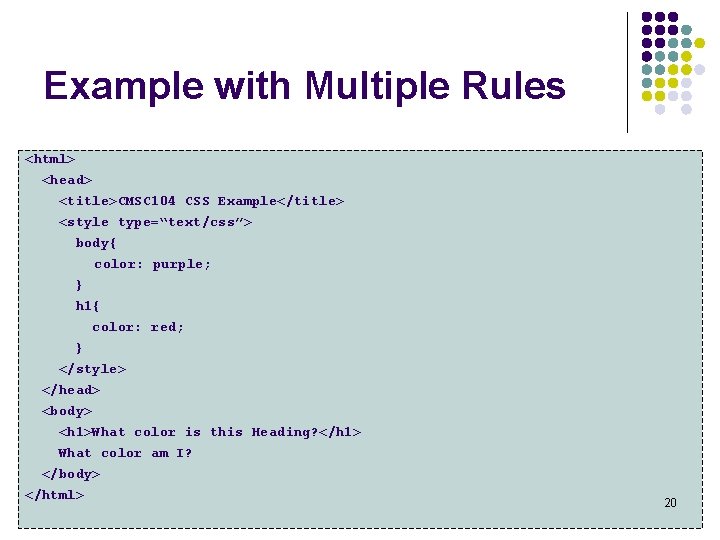
Example with Multiple Rules <html> <head> <title>CMSC 104 CSS Example</title> <style type=“text/css”> body{ color: purple; } h 1{ color: red; } </style> </head> <body> <h 1>What color is this Heading? </h 1> What color am I? </body> </html> 20
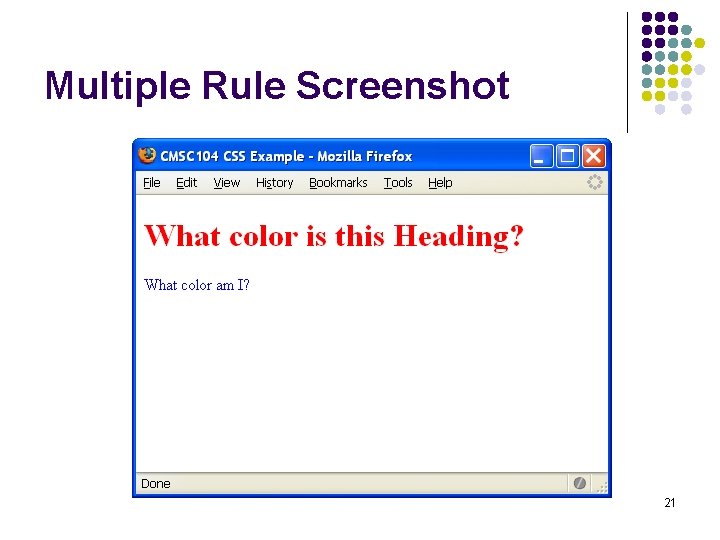
Multiple Rule Screenshot 21
- Slides: 21