
STUDENTWEB Semester registration You use this login You

STUDENTWEB Semester registration
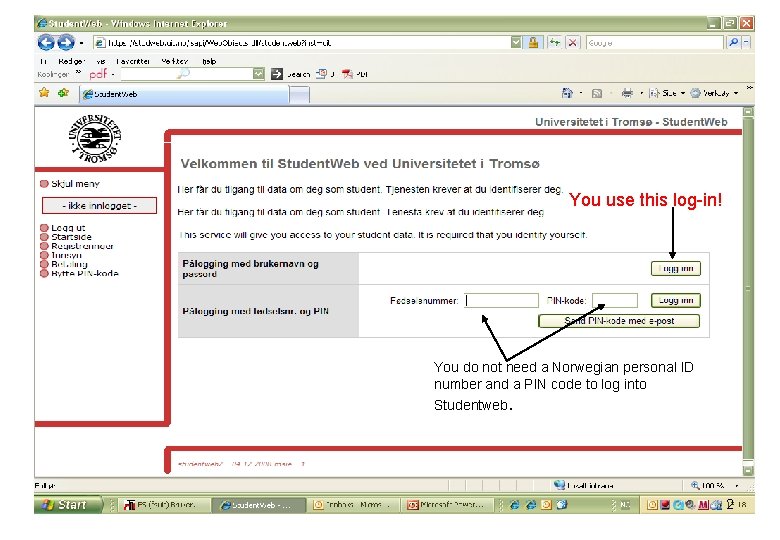
You use this log-in! You do not need a Norwegian personal ID number and a PIN code to log into Studentweb. 2
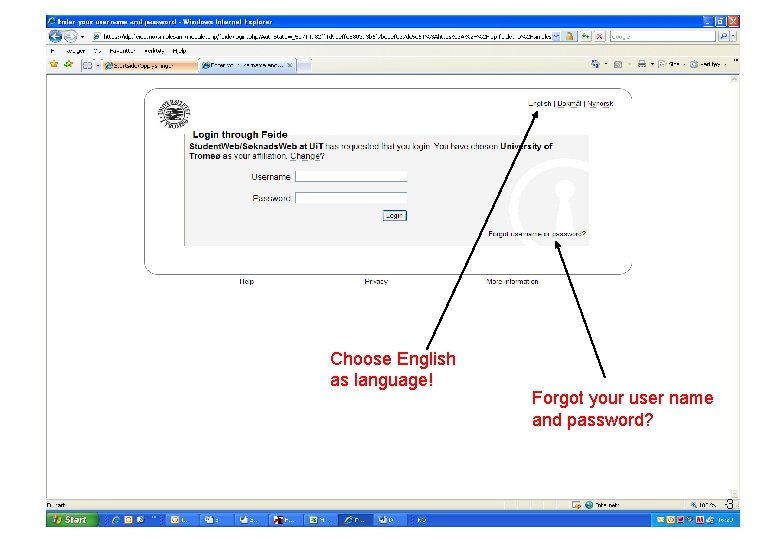
Choose English as language! Forgot your user name and password? 3
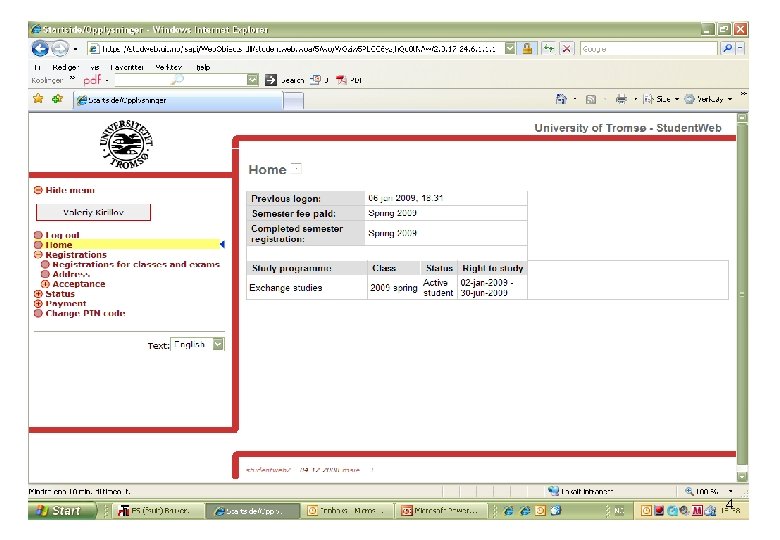
4
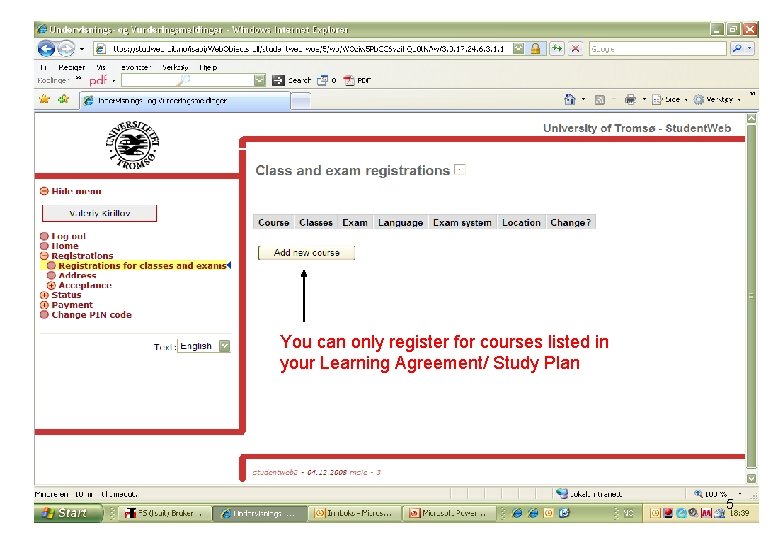
You can only register for courses listed in your Learning Agreement/ Study Plan 5
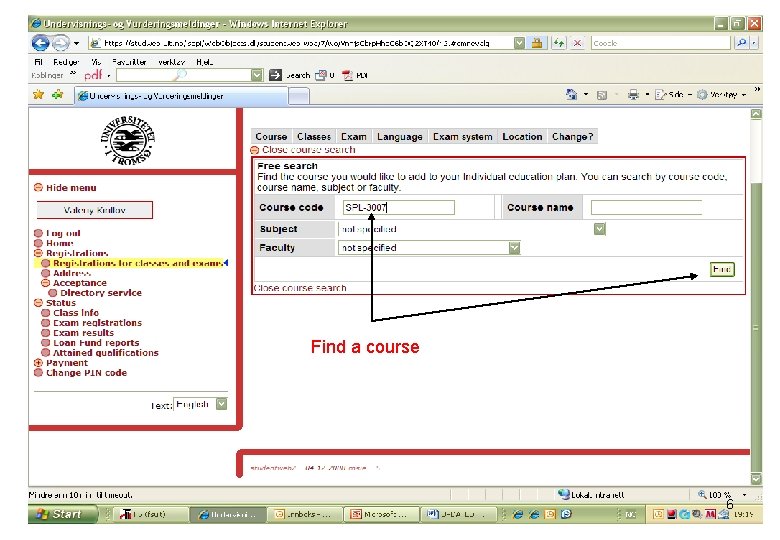
Find a course 6

Select and add 7
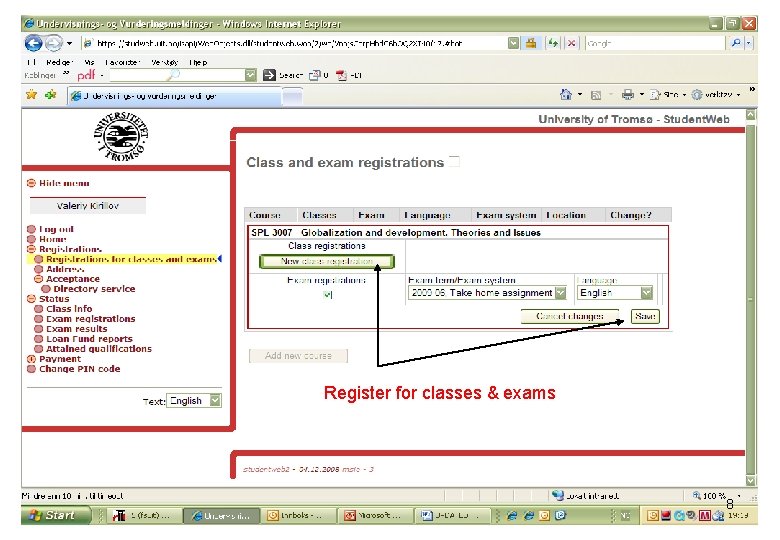
Register for classes & exams 8
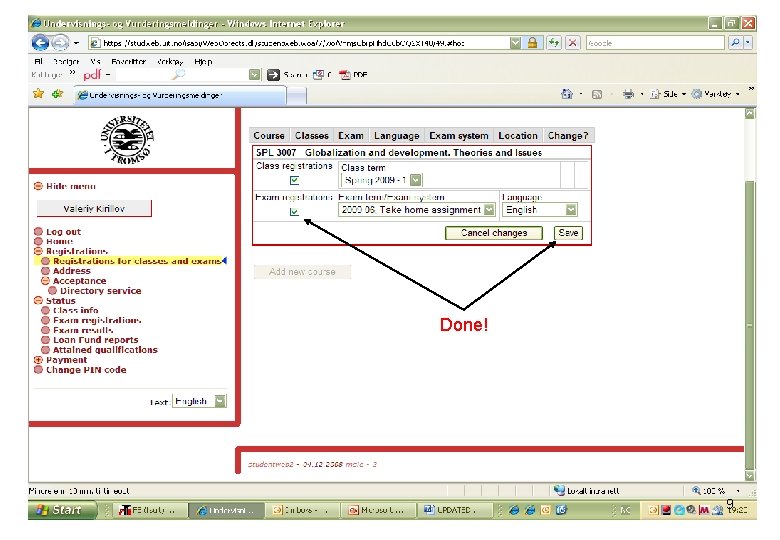
Done! 9
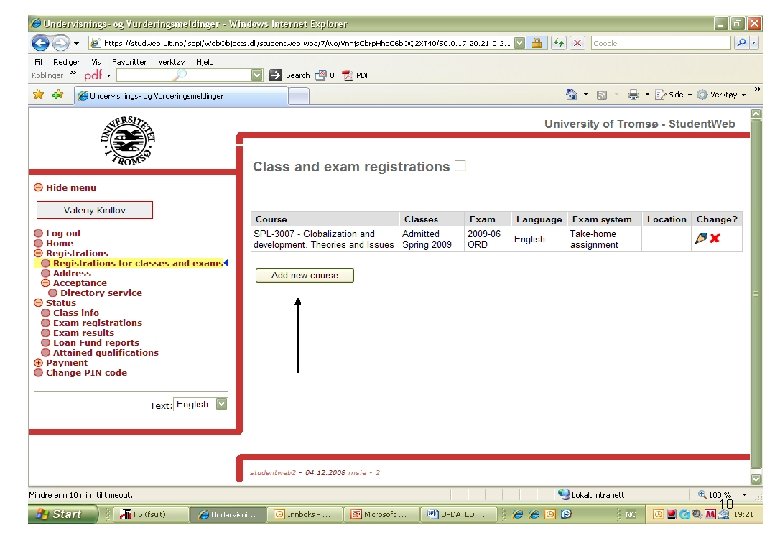
10
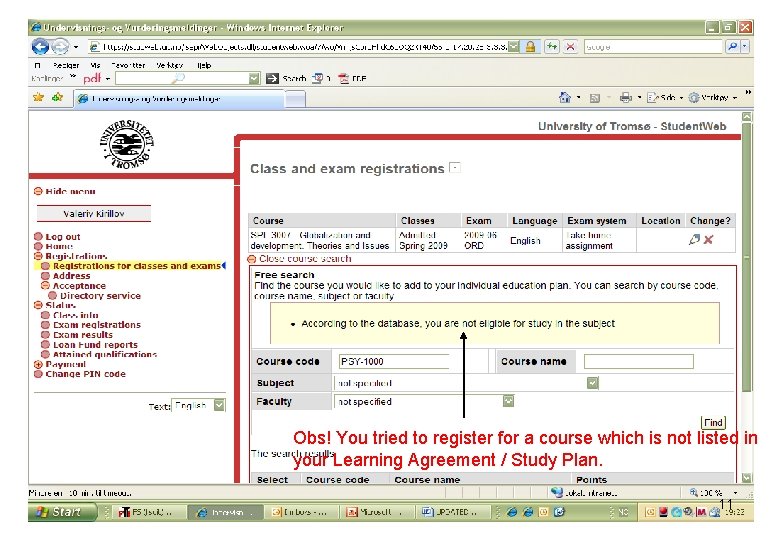
Obs! You tried to register for a course which is not listed in your Learning Agreement / Study Plan. 11
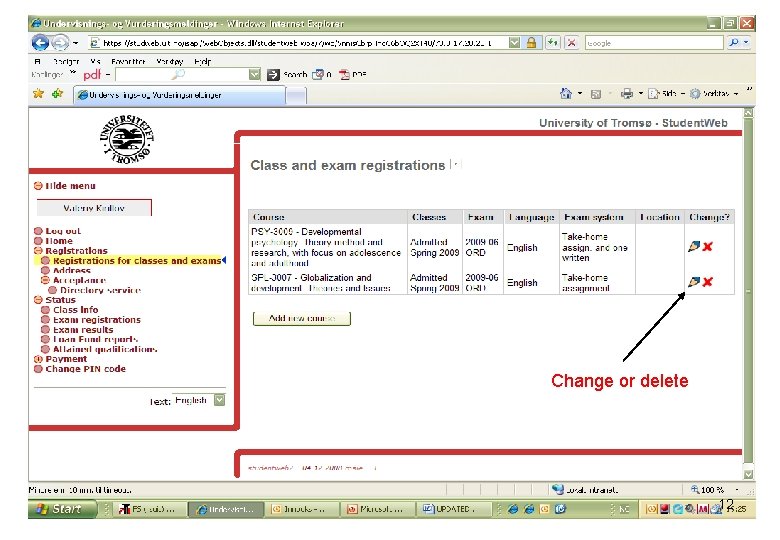
Change or delete 12
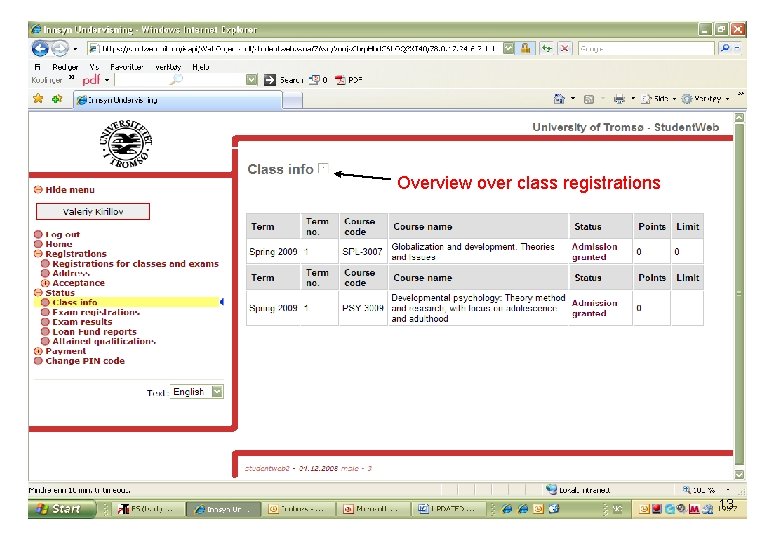
Overview over class registrations 13
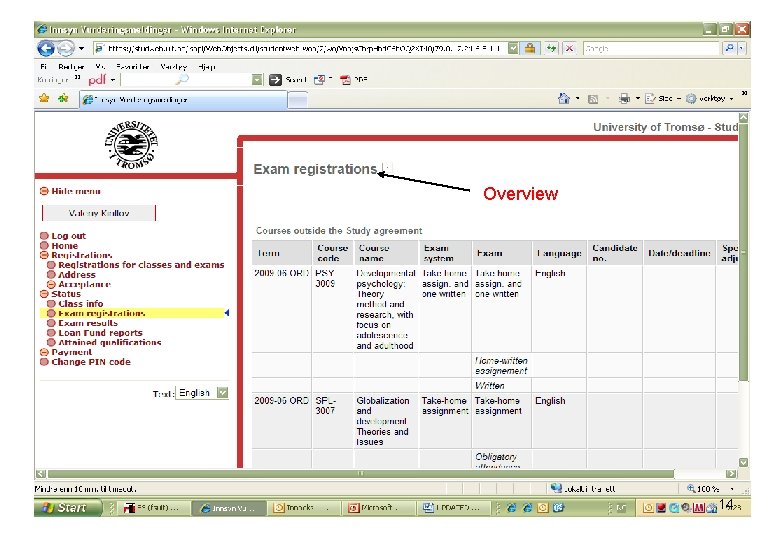
Overview 14
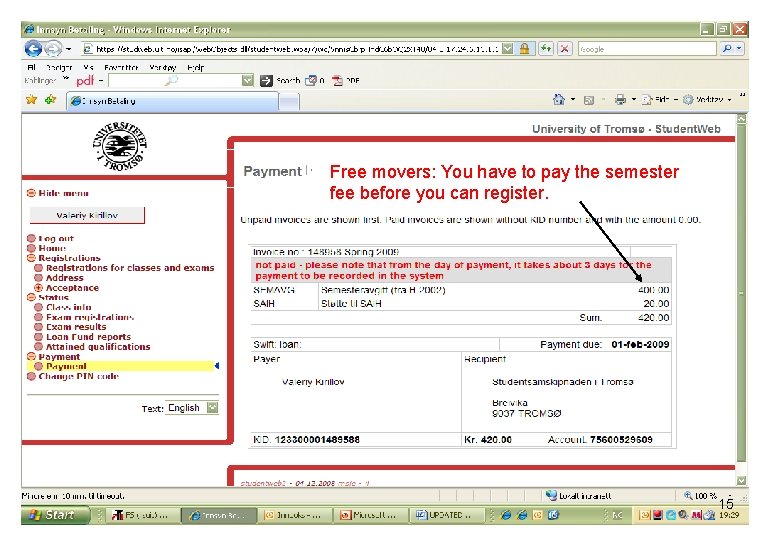
Free movers: You have to pay the semester fee before you can register. 15
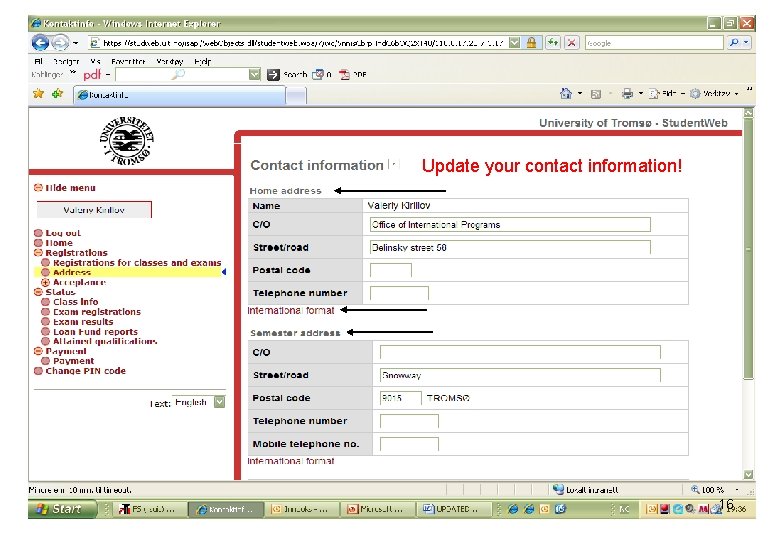
Update your contact information! 16
Semester fee: • Free-movers: You have to pay the semester fee before you can register. (You get your giro at the Student Welfare Organisation during Practical matters III tomorrow). • Exchange students: You do not pay any semester or registration fee to Ui. T. 17
Registration process: • Your can register only for courses listed in your Learning Agreement/Study Plan • Courses: You have to register for classes and exams • You should always update your contact information, also before you leave at the end of the semester! 18
Class & exam registration • For class registrations: – Leave the class term unaltered – Choose a seminar/colloquium/lab group from the scroll-down menu on the right. NB! Not all courses have this kind of work groups • For exam registrations: – Leave the exam term/exam system unaltered – Choose language of examination 19
Change of courses: • Exchange students: Requires changes to your Learning Agreement. Contact your Ui. T faculty coordinator. • Free-movers: Study plan should not be changed. Under special circumstances a change is possible. Contact your student adviser at the International Office 20
Deadlines: • Signing up for additional courses: – 1 February – 1 September • Withdrawal from exams: – 15 April – 1 November 21
- Slides: 21