Students Guide to Thesis Topic Application in Neptun
- Slides: 9
Student’s Guide to Thesis Topic Application in Neptun Budapest, 14 May 2020 1
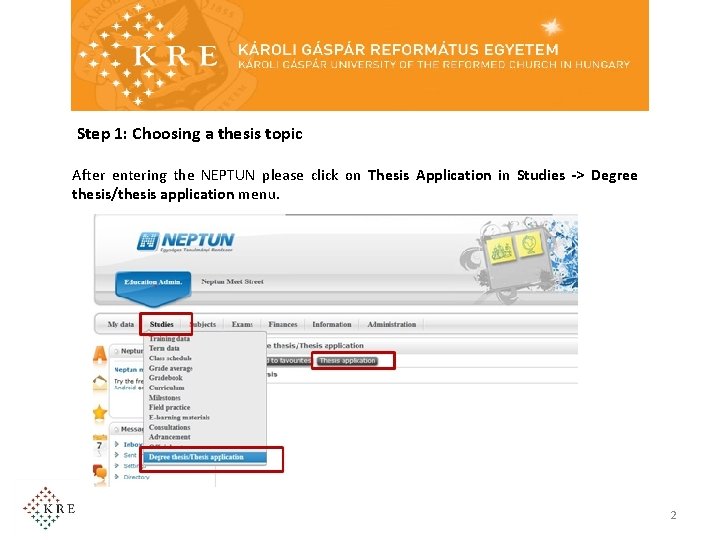
Step 1: Choosing a thesis topic After entering the NEPTUN please click on Thesis Application in Studies -> Degree thesis/thesis application menu. 2
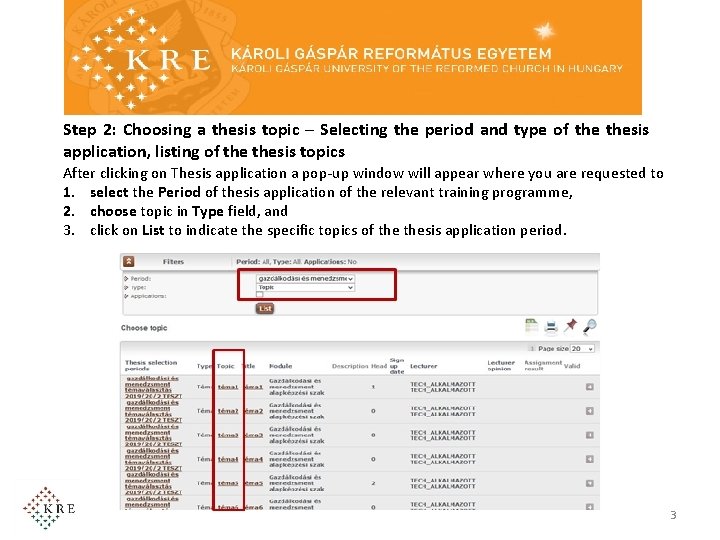
Step 2: Choosing a thesis topic – Selecting the period and type of thesis application, listing of thesis topics After clicking on Thesis application a pop-up window will appear where you are requested to 1. select the Period of thesis application of the relevant training programme, 2. choose topic in Type field, and 3. click on List to indicate the specific topics of thesis application period. 3
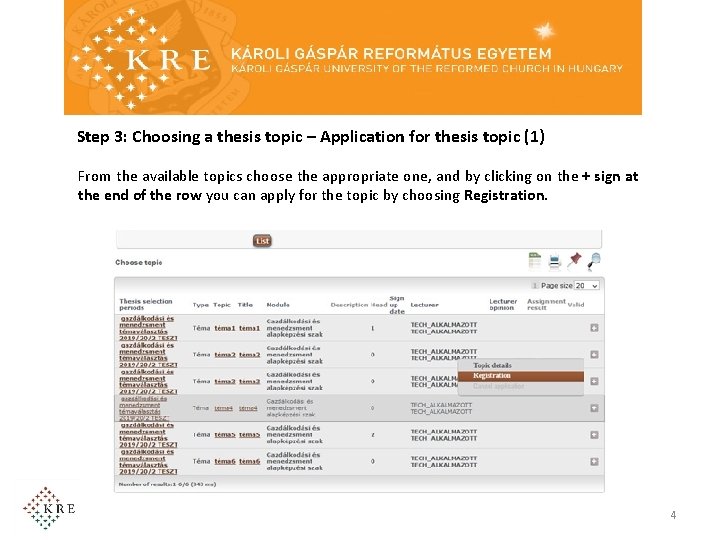
Step 3: Choosing a thesis topic – Application for thesis topic (1) From the available topics choose the appropriate one, and by clicking on the + sign at the end of the row you can apply for the topic by choosing Registration. 4
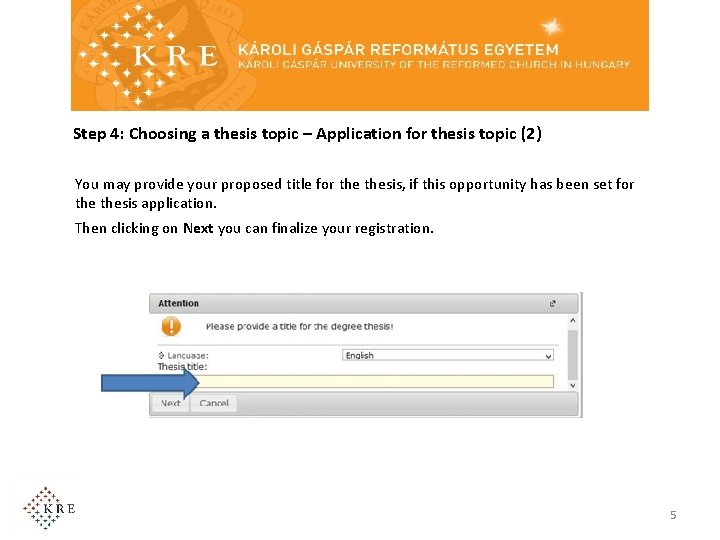
Step 4: Choosing a thesis topic – Application for thesis topic (2) You may provide your proposed title for thesis, if this opportunity has been set for thesis application. Then clicking on Next you can finalize your registration. 5
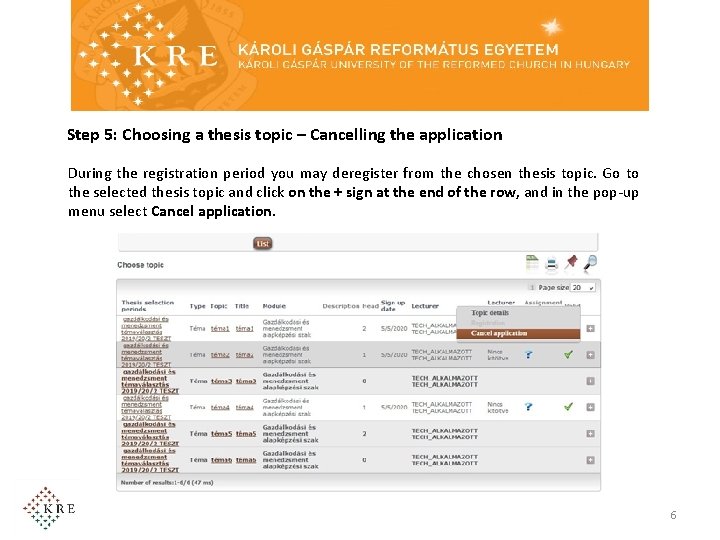
Step 5: Choosing a thesis topic – Cancelling the application During the registration period you may deregister from the chosen thesis topic. Go to the selected thesis topic and click on the + sign at the end of the row, and in the pop-up menu select Cancel application. 6
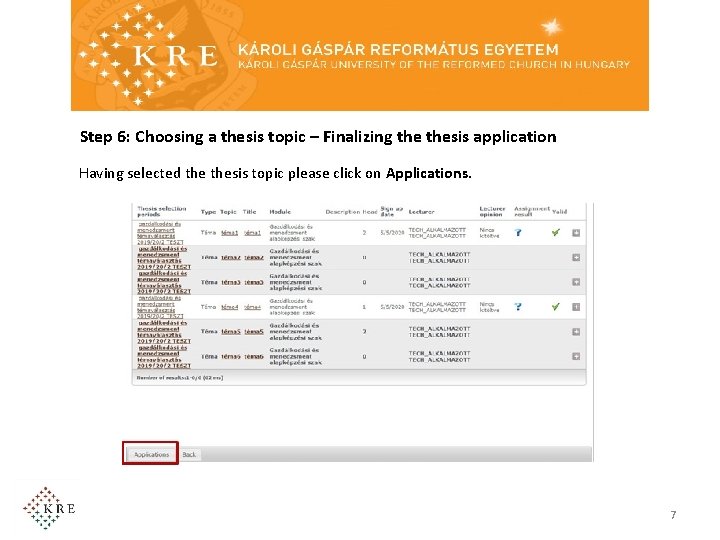
Step 6: Choosing a thesis topic – Finalizing thesis application Having selected thesis topic please click on Applications. 7
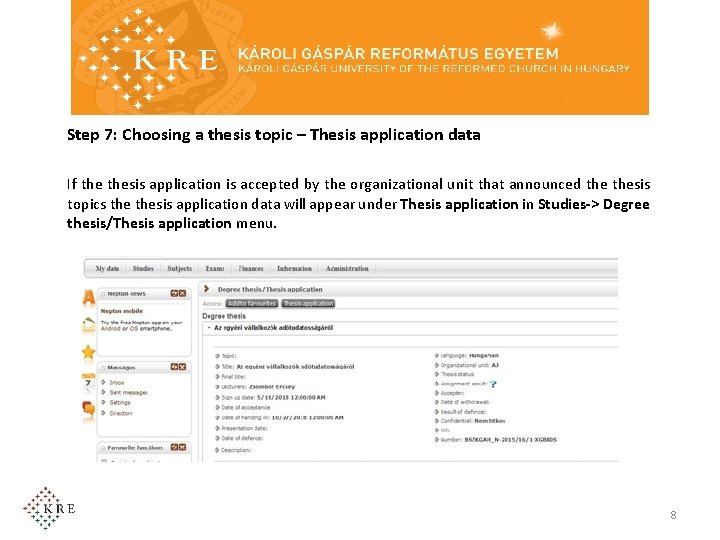
Step 7: Choosing a thesis topic – Thesis application data If thesis application is accepted by the organizational unit that announced thesis topics thesis application data will appear under Thesis application in Studies-> Degree thesis/Thesis application menu. 8
Should you have any problem during thesis application, please contact your faculty at the following email address and attach the print screen of the error message: • Faculty of Law • ajk. tanulmanyi@kre. hu • Faculty of Humanities and Social Sciences • Dancs Beáta: dancs. beata@kre. hu • Faculty of Theology • florik. gyongyi@kre. hu • Faculty of Social Studies and Health Science • Budapest: tanulmanyi. osztaly. szek@kre. hu • Nagykőrös: tanulmanyi. osztaly. szek. nk@kre. hu • Faculty of Teacher Training • Budapest: tfk. szakdolgozatbp@kre. hu • Nagykőrös: tfk. szakdolgozatnk@kre. hu 9