
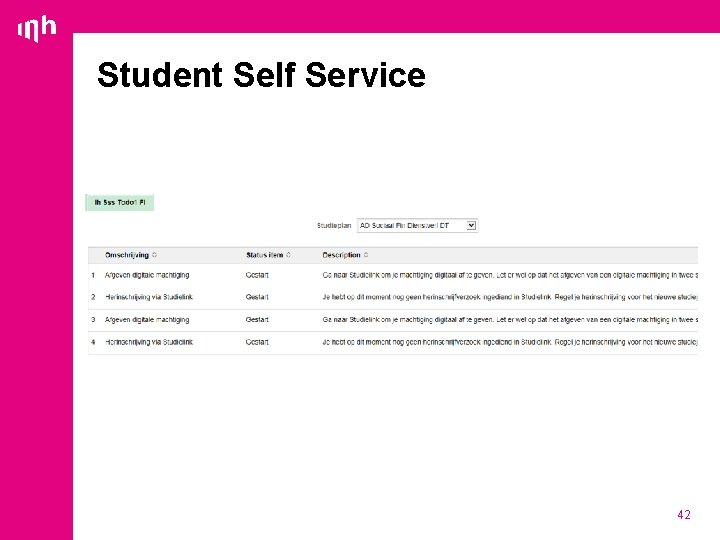
Student Self Service The elaborate use of Student
Student Self Service The elaborate use of Student Self Service in the Enrolment Process at Inholland University of Applied Sciences Barcelona, Spain Jack Bommer Paulien van Londen 17 October 2017
Inholland Personal introduction Jack Bommer Functional Application Specialist (Student Adm. ) jack. bommer@inholland. nl Paulien van Londen Process Management (Student Adm. ) paulien. vanlonden@inholland. nl 2
Content 1. Introduction 2. Student Self Service illustrated 3. Active study programmes 4. To-do-list 5. Step-by-step plan 6. “Signed” agreement 7. Supporting processes 8. Future development 3
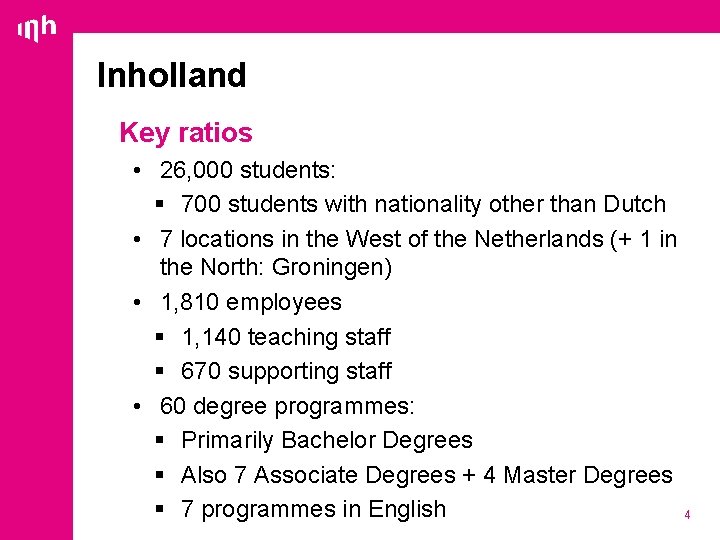
Inholland Key ratios • 26, 000 students: § 700 students with nationality other than Dutch • 7 locations in the West of the Netherlands (+ 1 in the North: Groningen) • 1, 810 employees § 1, 140 teaching staff § 670 supporting staff • 60 degree programmes: § Primarily Bachelor Degrees § Also 7 Associate Degrees + 4 Master Degrees § 7 programmes in English 4
Inholland Key ratios Oracle Peoplesoft Campus Solutions: • 1 Technical Application Management • 5, 5 Functional Application Management • 2, 5 Student Administration • 3, 0 Study Progress • 2 Process Management / Business Analyst SA In FTE - full-time equivalent 5
Current Student Self Service 6
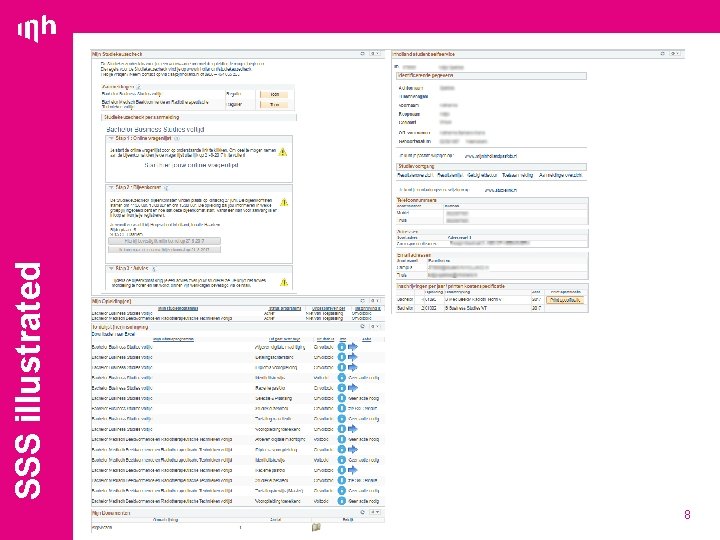
SSS illustrated SSS in Enrolment Process • SSS shows data specifically for the student that is logged on • No standard Peoplesoft SSS used • Standard and customised pagelets • To-do-list with all specific enrolment conditions • Step-by-step plan for the Study Check (compulsory by law) • Digitally “signed” educational agreement for flexible programmes (only part-time) • CAF for full name of the degree programme 7
8 SSS illustrated
Active Study Programme 9
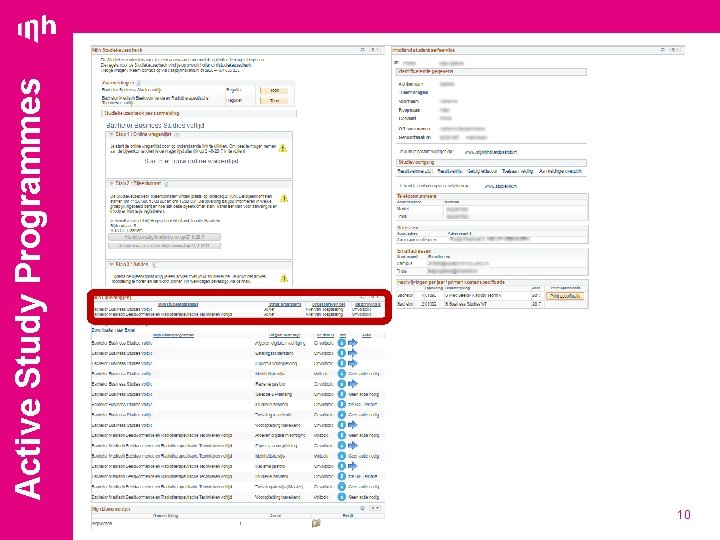
10 Active Study Programmes
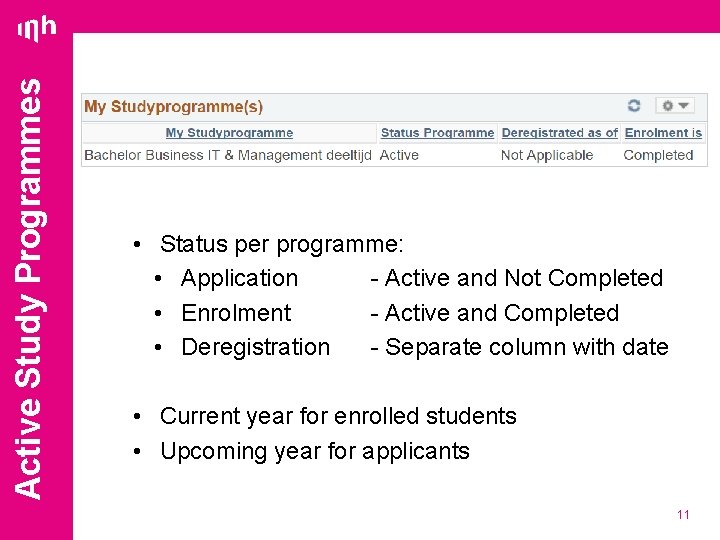
Active Study Programmes • Status per programme: • Application - Active and Not Completed • Enrolment - Active and Completed • Deregistration - Separate column with date • Current year for enrolled students • Upcoming year for applicants 11
To-do-list 12
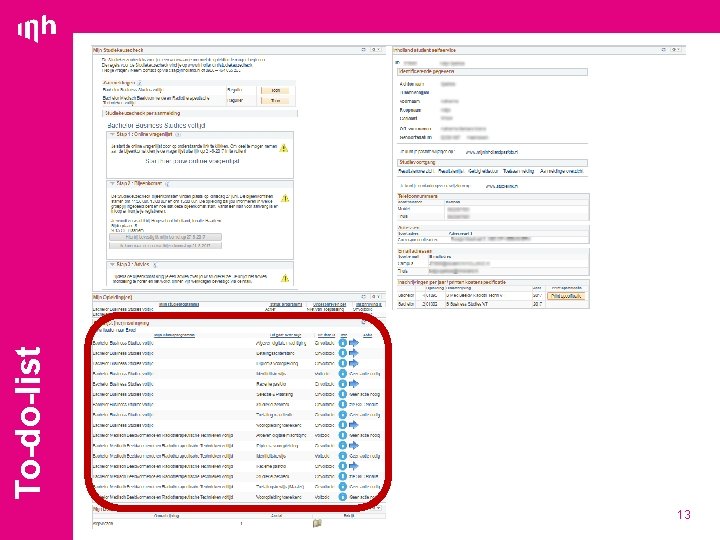
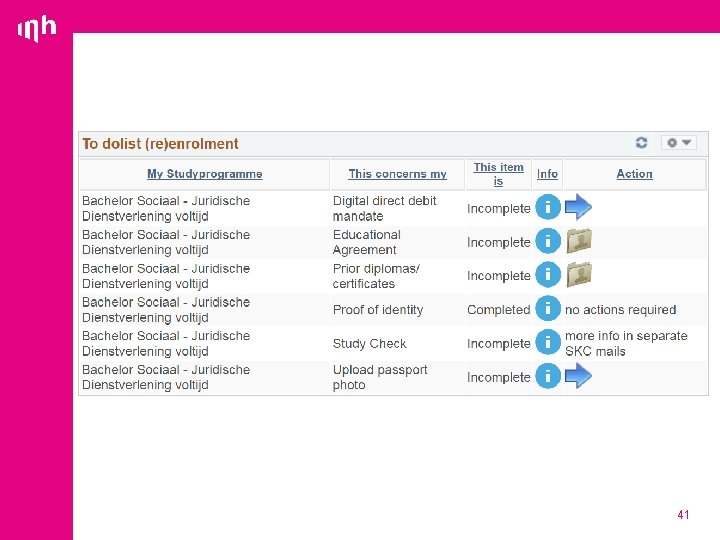
13 To-do-list
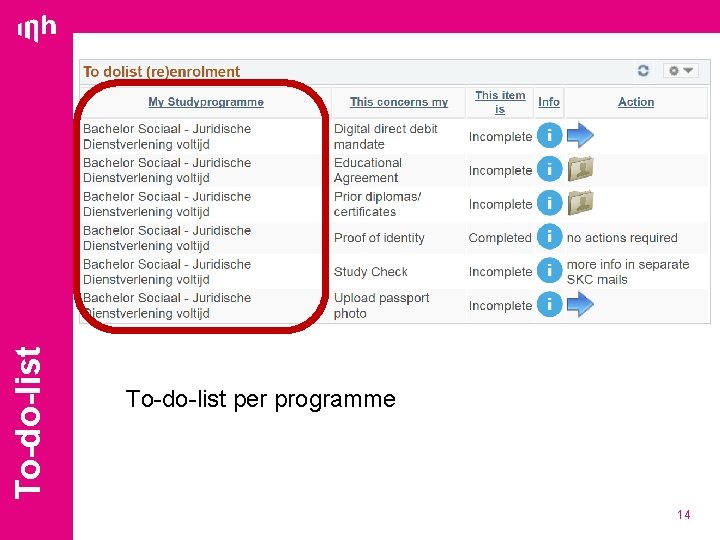
To-do-list per programme 14
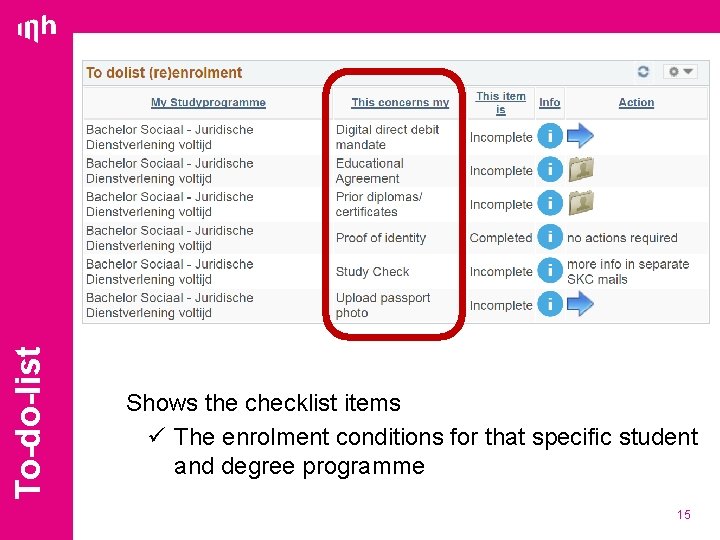
To-do-list Shows the checklist items ü The enrolment conditions for that specific student and degree programme 15
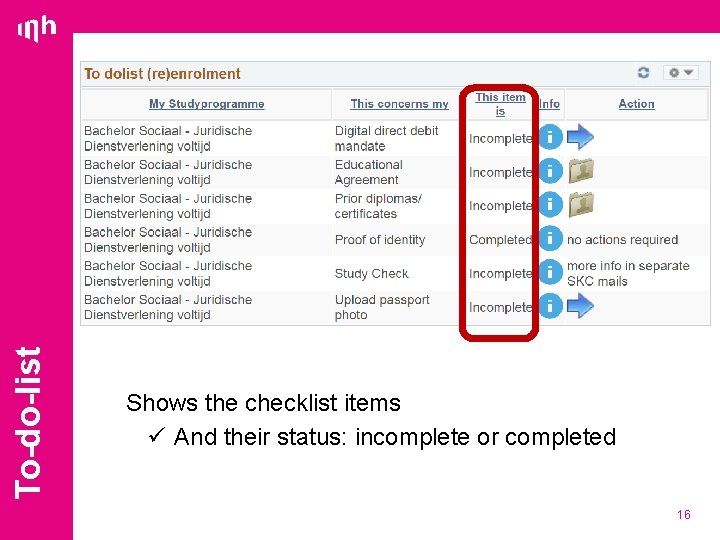
To-do-list Shows the checklist items ü And their status: incomplete or completed 16
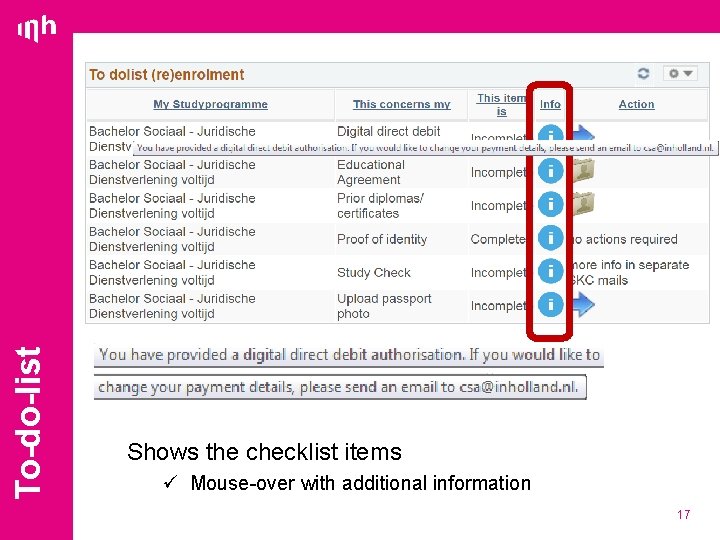
To-do-list Shows the checklist items ü Mouse-over with additional information 17

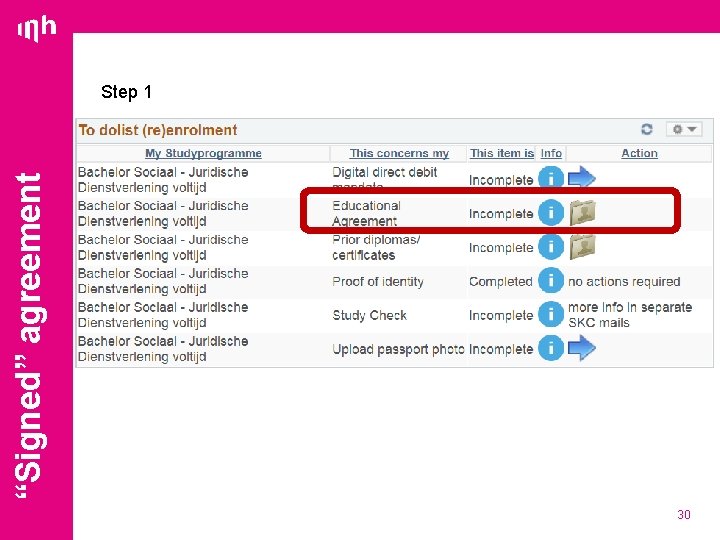
To-do-list Shows the checklist items ü Incomplete > follow-up action per item: o Blue arrow: link to website (where action has to take place) o Folder: link to transaction page (uploading documents / educational agreement) o Text: Explanation 18
Step-by-step plan 19
20 Step-by-step plan
Student Self Service Step-by-step plan Content • Study Check: compulsory by law • Overall the same, but considerably customised per degree programme • Resulting in different combinations of steps and dates/times 21
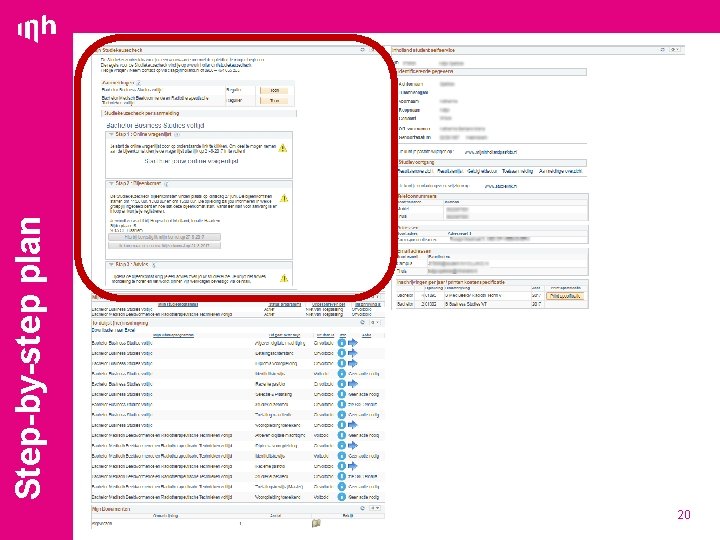
Student Self Service Step-by-step plan Steps 1. Fill in online questionnaire 2. Confirm the date of the upcoming session or the next one 3. Homework assignment (for some degree programmes) 4. Session at Inholland and/or personal interview 5. Result: recommendation > positive, positive with areas of attention, negative binding 22
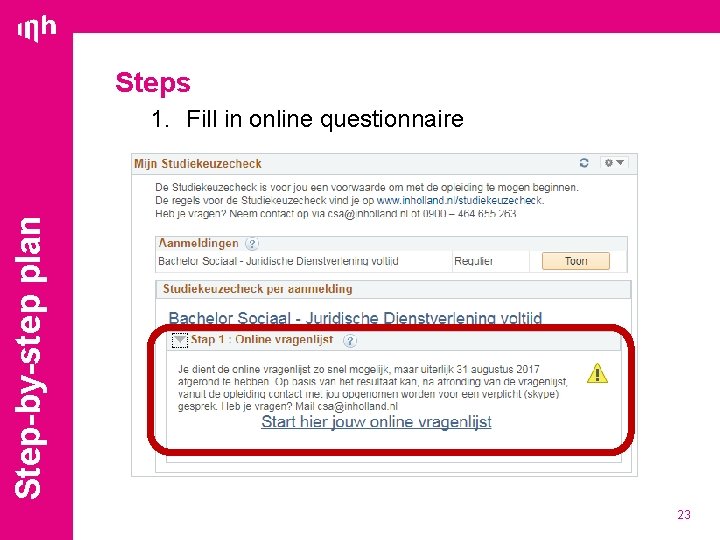
Steps Step-by-step plan 1. Fill in online questionnaire 23
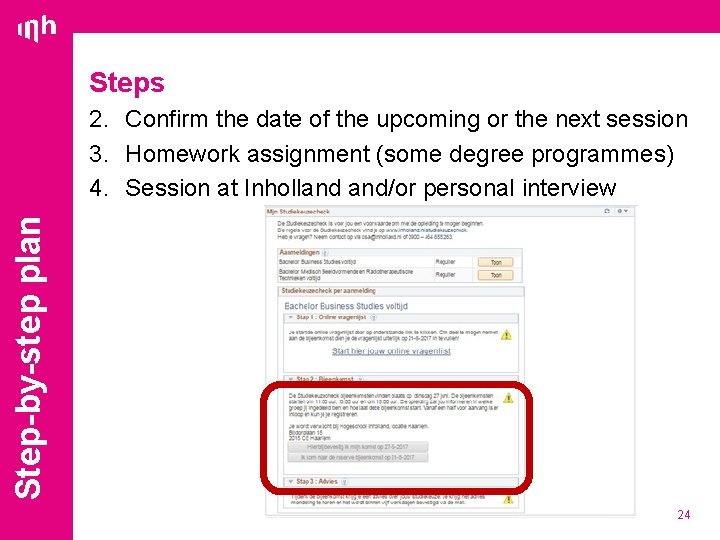
Steps Step-by-step plan 2. Confirm the date of the upcoming or the next session 3. Homework assignment (some degree programmes) 4. Session at Inholland and/or personal interview 24
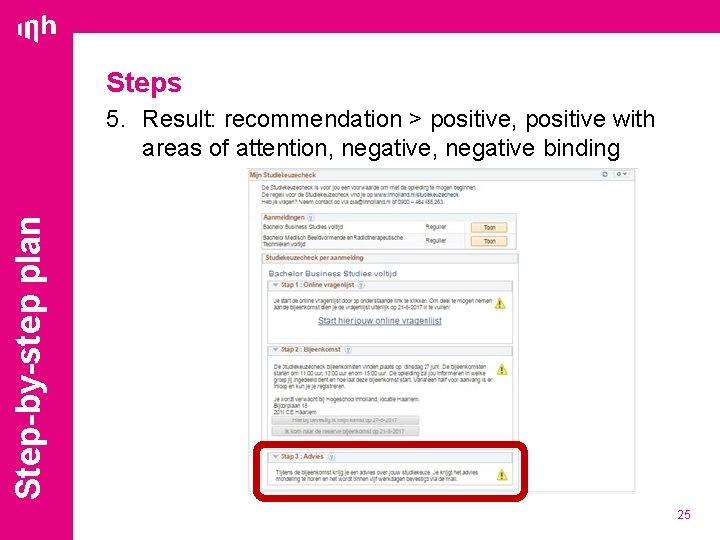
Steps Step-by-step plan 5. Result: recommendation > positive, positive with areas of attention, negative binding 25
“Signed” agreement 26
27 “Signed” agreement
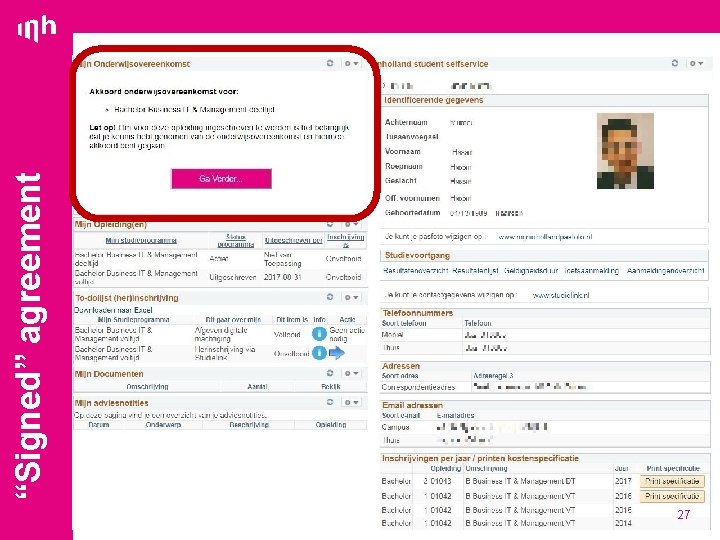
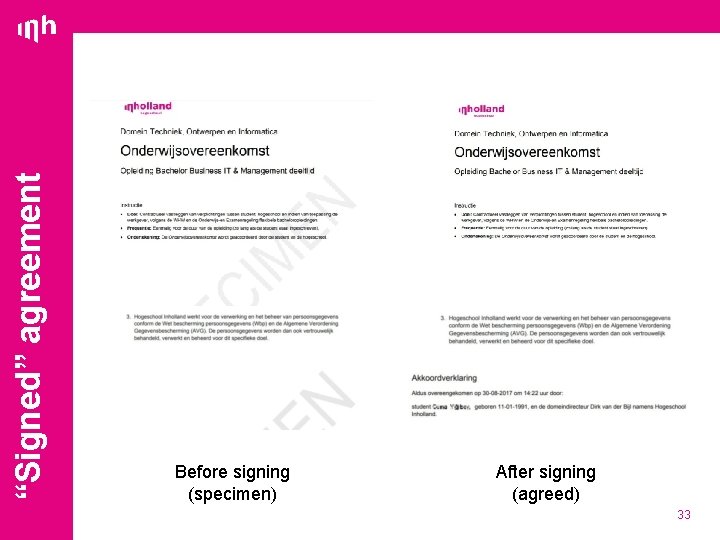
“Signed” agreement Student Self Service Highlights • Educational agreement for flexible programmes (compulsory by law) • Only visible for students of these programmes • Agreement customised per student and programme • Two versions of the document (specimen and signed) • Digitally signed: authorisation by log in SSS 28
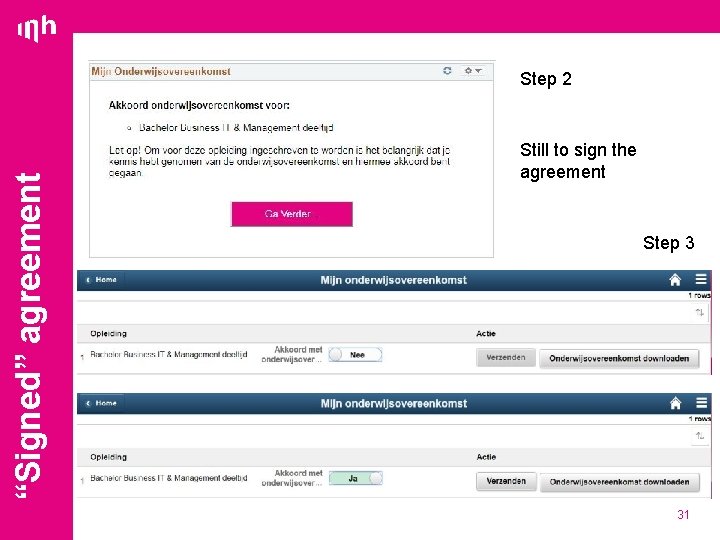
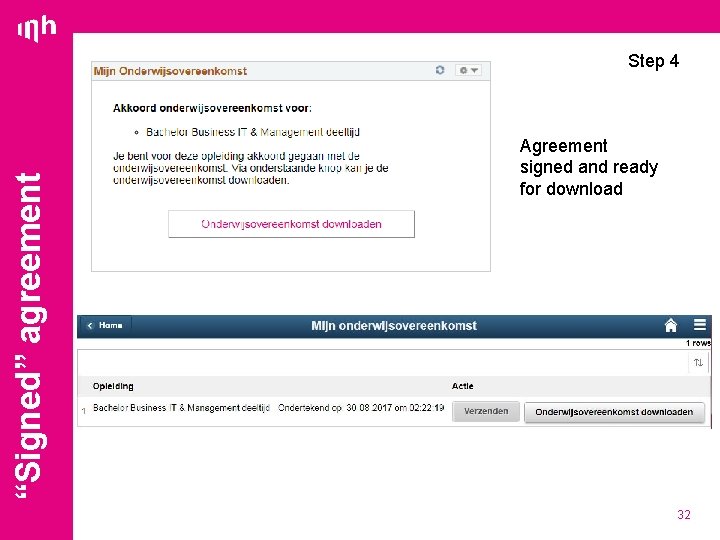
Student Self Service “Signed” agreement Steps 1. Checklist item in to-do-list 2. Pagelet: • Name of degree programme • Explanation • Button to navigate to transaction page 3. Transaction page: • Possibility to download and read the specimen • Two-step confirmation by slider button and send button 4. Possibility to download the signed document 29
“Signed” agreement Step 1 30
“Signed” agreement Step 2 Still to sign the agreement Step 3 31
“Signed” agreement Step 4 Agreement signed and ready for download 32
“Signed” agreement Before signing (specimen) After signing (agreed) 33
Supporting Processes 34
Student Self Service Supporting processes Automated reminders by email • Personalised and current content • SSS = current, contrary to a to-do-list in an email • Personalised timing triggered by: • application date • sent date of previous (other types of) emails • recently changed status of a checklist item 35

Student Self Service Supporting processes Occasional text message • Used when deadlines are approaching • Triggering students by using a different channel • Source: external excel document or PS query • Use of external provider for sending the actual text messages • Linked to Peoplesoft using the notification framework • Text messages are sent to provider by way of email > provider converts to text messages 36

Future Developments 37
Student Self Service Future development November 2017: upgrade to CS 9. 2 PT 8. 55 • Current: Start page with all classic pagelets (only the agreement is already fluid) • First stage: fluid landing page with tiles which direct to the separate, pre-existing pagelets • Second stage: replace classic pagelets with fluid pagelets one by one 38
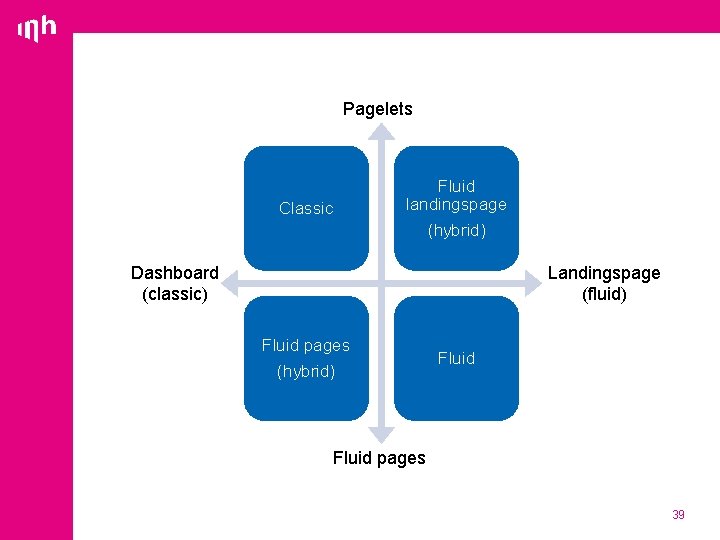
Pagelets Classic Fluid landingspage (hybrid) Dashboard (classic) Landingspage (fluid) Fluid pages (hybrid) Fluid pages 39

Student Self Service 40
41
Student Self Service 42

- Slides: 43