
Student Ownership in Personal Learning and the Use

- Slides: 18
Student Ownership in Personal Learning and the Use of Educational Technology OLEAN CITY SCHOOLS LEARNING TECHNOLOGY GRANT
What Do You Know? Thank you for joining us for this short training module on Student Ownership in Personal Learning and the Use of Educational Technology. Before continuing please take this short pre-module survey that will assist us in measuring your familiarity with Personalized Learning and Educational Technology. Click Here Pre-Module Survey
Objectives 1. Develop an understanding of Personal Learning Plans (PLPs) 2. Become familiar with available PLP forms 3. Become familiar with the Menu of Supports 4. Knowledge and understanding of continued student/ classroom technology intergration
What is a Personal Learning Plan? A personal learning plan (or PLP) is developed by students—typically in collaboration with teachers, counselors, and parents—as a way to help them achieve short- and long-term learning goals, most commonly at the middle school and high school levels. Personal learning plans are generally based on the belief that students will be more motivated to learn, will achieve more in school, and will feel a stronger sense of ownership over their education if they decide what they want to learn, how they are going to learn it, and why they need learn it to achieve their personal goals. (https: //www. edglossary. org/personal-learning-plan/)
How can PLP's help with Power Goals, IEP Goals, and LPP Plans? A PLP is not meant to replace Power Goals, IEP Goals, or LPP Plans. But meant to be a supportive tool to help meet these objectives. A PLP assists in empowering the student to take initiative in their own learning. This can be guided by a teacher to connect back to the objectives needed for school plans. Conferencing is an already existing practice Teaches students to be self guided motivated to set and meet goals
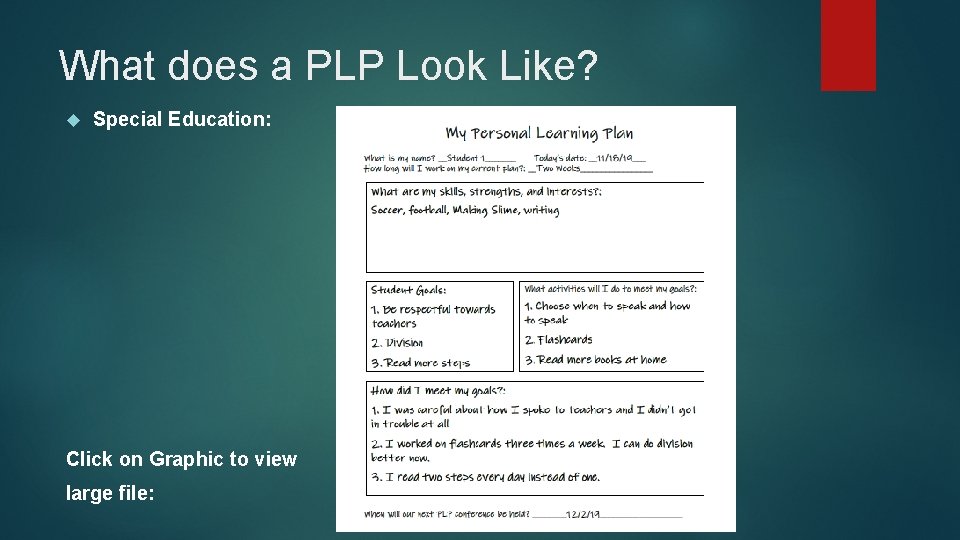
What does a PLP Look Like? Special Education: Click on Graphic to view large file:
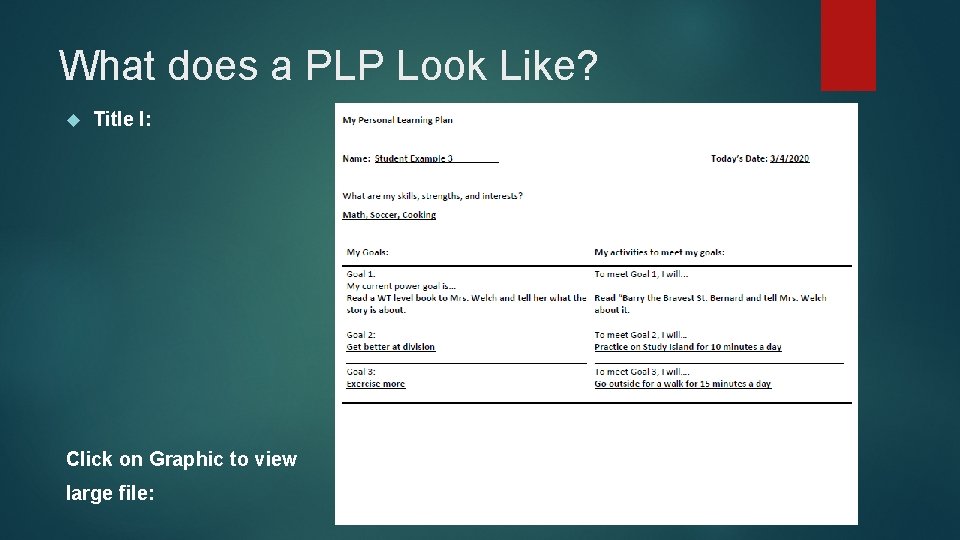
What does a PLP Look Like? Title I: Click on Graphic to view large file:
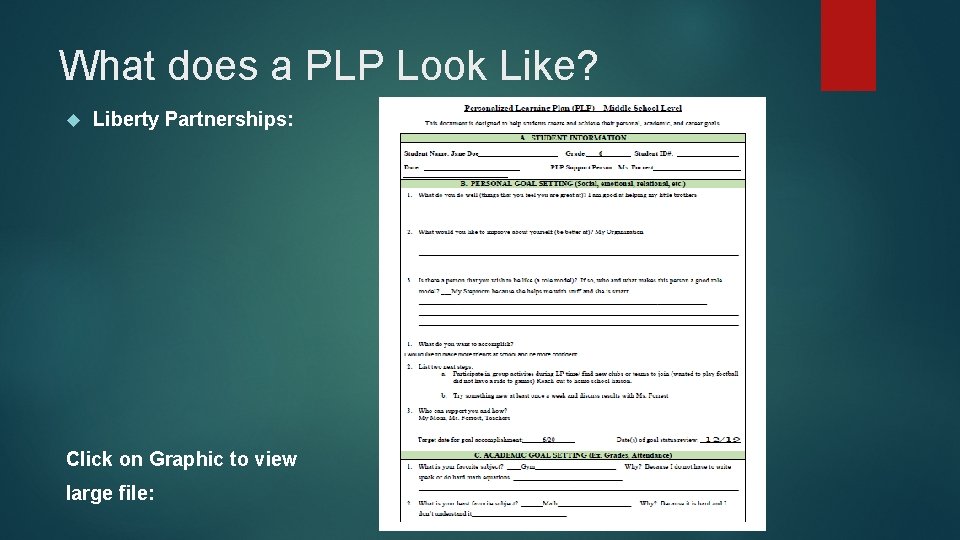
What does a PLP Look Like? Liberty Partnerships: Click on Graphic to view large file:
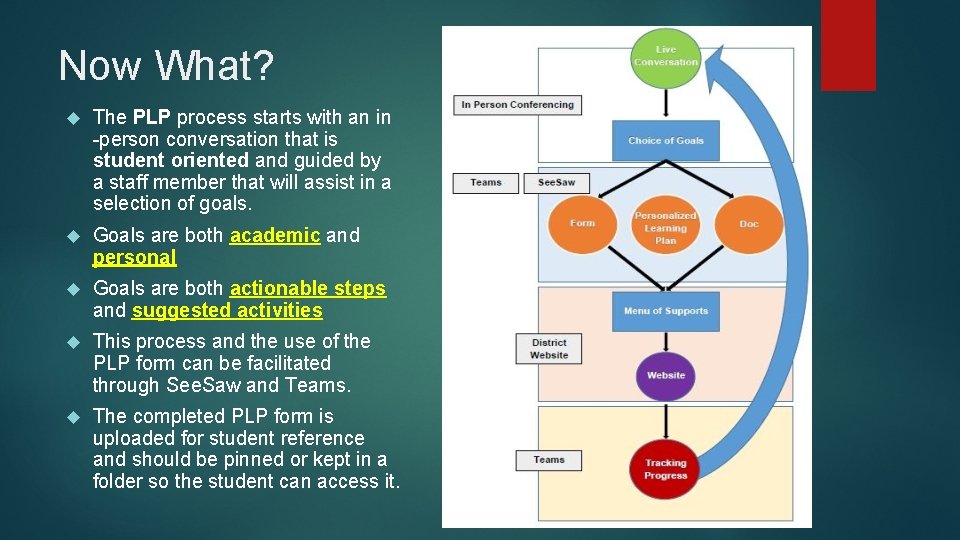
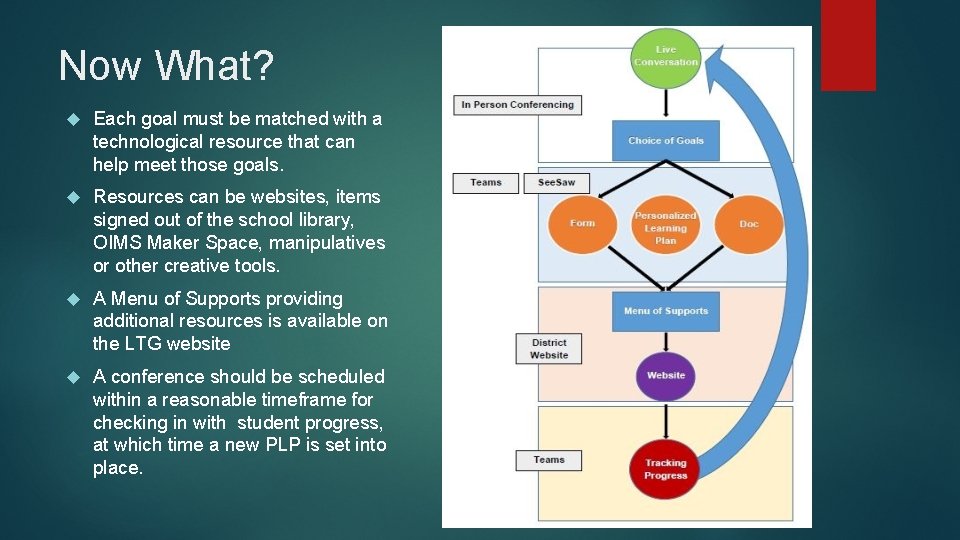
Now What? The PLP process starts with an in -person conversation that is student oriented and guided by a staff member that will assist in a selection of goals. Goals are both academic and personal Goals are both actionable steps and suggested activities This process and the use of the PLP form can be facilitated through See. Saw and Teams. The completed PLP form is uploaded for student reference and should be pinned or kept in a folder so the student can access it.
Now What? Each goal must be matched with a technological resource that can help meet those goals. Resources can be websites, items signed out of the school library, OIMS Maker Space, manipulatives or other creative tools. A Menu of Supports providing additional resources is available on the LTG website A conference should be scheduled within a reasonable timeframe for checking in with student progress, at which time a new PLP is set into place.
How Can a PLP Work in Microsoft Teams? Whether you are remote learning or in person, Microsoft Teams is a perfect place from beginning to end for the whole Personal Learning Plan process. If using Teams for remote learning, individual conferencing chats can be started with a student. A fillable PLP can either be completed by the student as the teacher is guiding them along through this process or the teacher can fill the form out and provide a saved or scanned copy to the student on Teams. Once the PLP is completed a copy of this can be pinned to the top of the Teams Tab section for an easy reference for both the teacher and student. Websites or resources that are tied to the PLP can also be pinned to the top of the Teams Tab section for easy access as well.
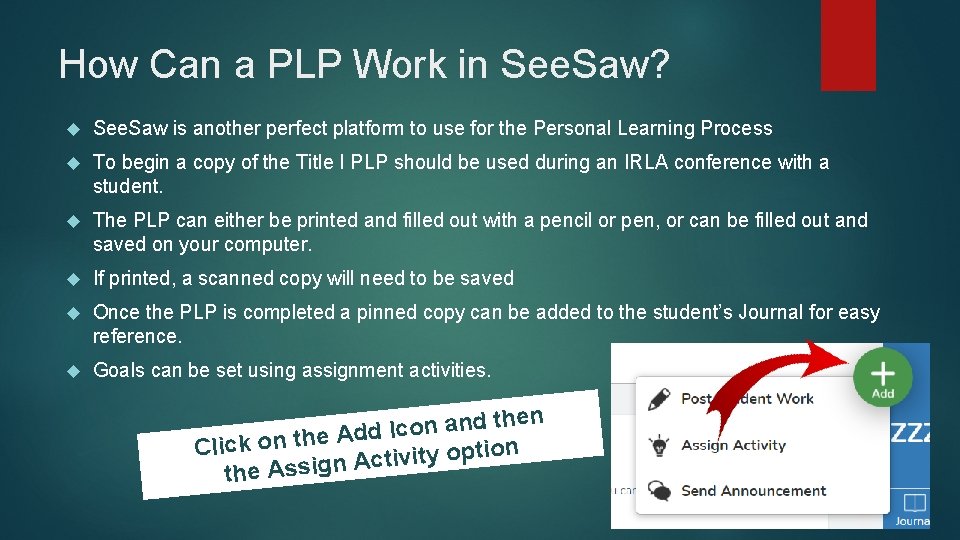
How Can a PLP Work in See. Saw? See. Saw is another perfect platform to use for the Personal Learning Process To begin a copy of the Title I PLP should be used during an IRLA conference with a student. The PLP can either be printed and filled out with a pencil or pen, or can be filled out and saved on your computer. If printed, a scanned copy will need to be saved Once the PLP is completed a pinned copy can be added to the student’s Journal for easy reference. Goals can be set using assignment activities. then d n a n o c I d Ad e h t n o k c i l n C o i t p o y t i v i t Ac the Assign
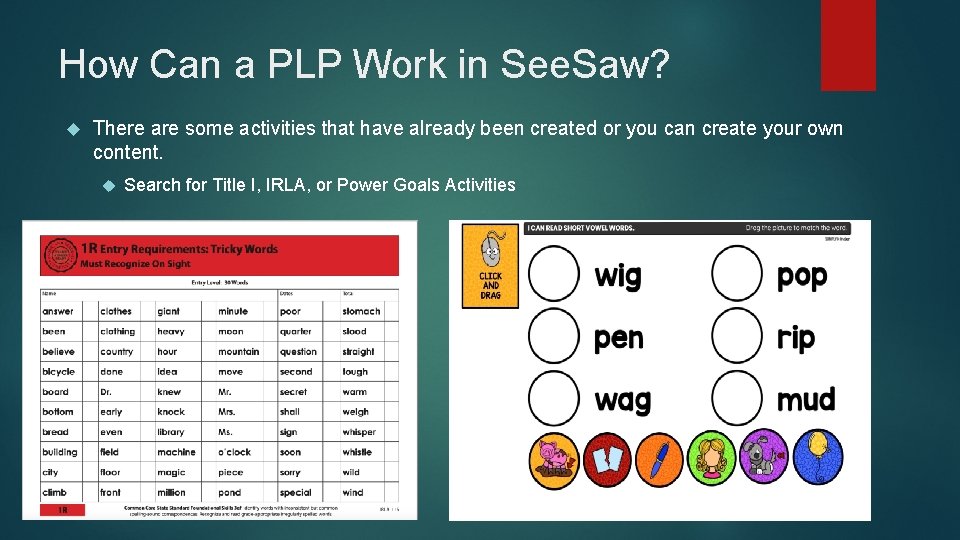
How Can a PLP Work in See. Saw? There are some activities that have already been created or you can create your own content. Search for Title I, IRLA, or Power Goals Activities
Educational Technology When thinking about the word “Technology” we can often get overwhelmed. But technology isn’t always computers and robotics. The purpose of this grant is to connect your students to a vast world of possibilities in Educational Technology, which can include non-digital options such as engineering with Brick. Lab Bricks, using the Keva Plank, creating a structure out of popsicle sticks, or even using toothpicks and marshmellows. Technology resources are available and can be signed out through your school library. You can also find additional resources through our Learning Technology Menu of Supports page on the Olean City Schools District Website: Click Here A catalogue of all of the items available through the Learning Technology Grant is also available on our LGT page
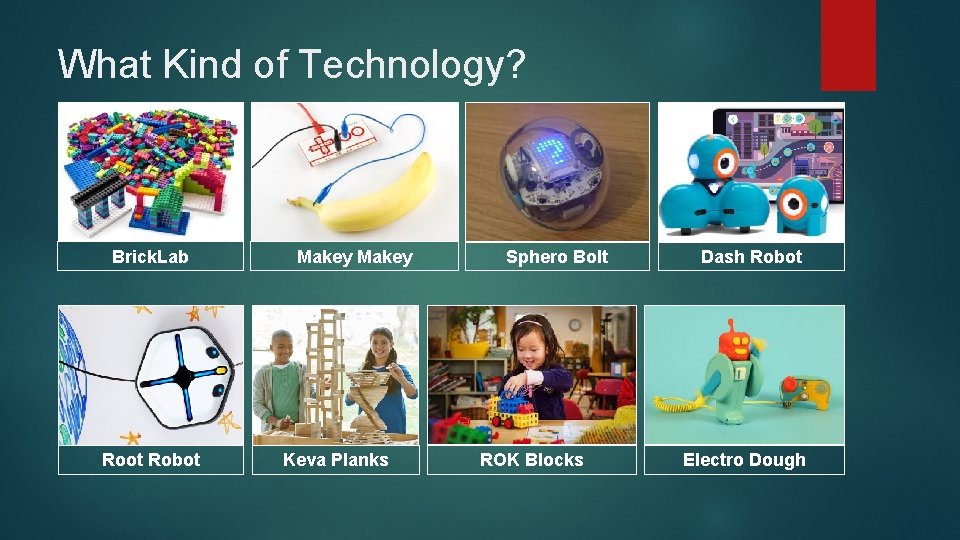
What Kind of Technology? Brick. Lab Root Robot Makey Keva Planks Sphero Bolt ROK Blocks Dash Robot Electro Dough
What Kind of Technology? Si. LAS Social-Emotional Virtual Reality Software Please click on video to play We offer Professional Development opportunities through Si. LAS (www. silassolutions. com) Also additional PD through Why. Maker (www. whymaker. co) What technology resources can you think of?
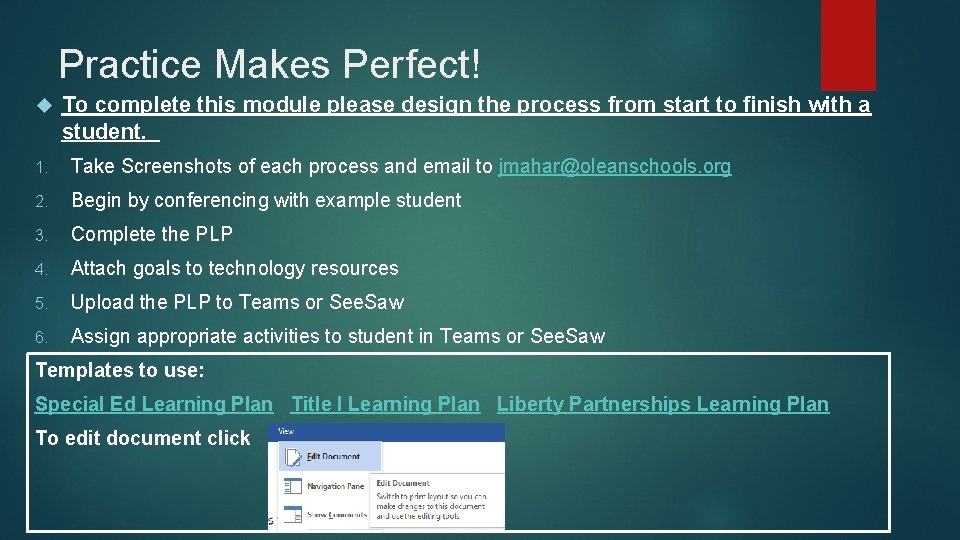
Practice Makes Perfect! To complete this module please design the process from start to finish with a student. 1. Take Screenshots of each process and email to jmahar@oleanschools. org 2. Begin by conferencing with example student 3. Complete the PLP 4. Attach goals to technology resources 5. Upload the PLP to Teams or See. Saw 6. Assign appropriate activities to student in Teams or See. Saw Templates to use: Special Ed Learning Plan Title I Learning Plan Liberty Partnerships Learning Plan To edit document click
What Do You Know? We want to thank you for taking the time out of your busy schedule to go through this training module. There are many more resources available including Personal Development opportunities. Please take this brief Post-Module Survey to help us assess further technology needs in our district. Click Here Post-Module Survey For more information on the Learning Technology Grant and available resources please contact Jennifer Mahar, District Coordinator of State and Federal Aid Programs at ext # 8039 or email jmahar@oleanschools. org