
Student Learning Distance System Teacher Resource Link Workshop
- Slides: 13
Student Learning Distance System Teacher Resource Link Workshop By Toni Odom
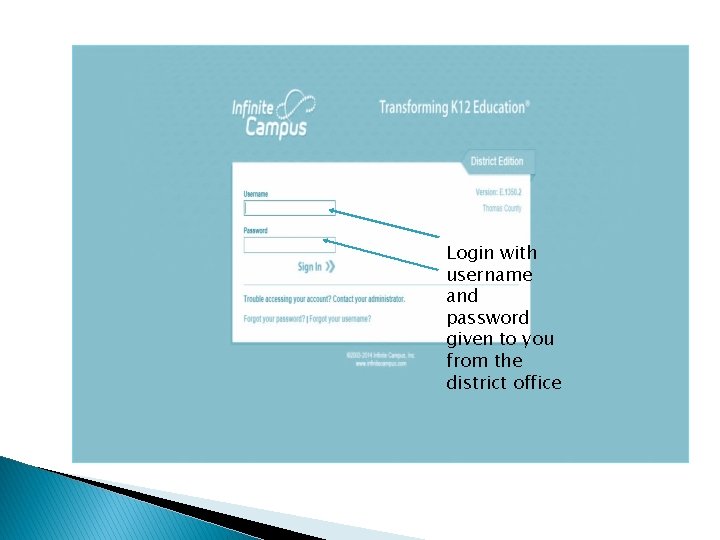
Login with username and password given to you from the district office
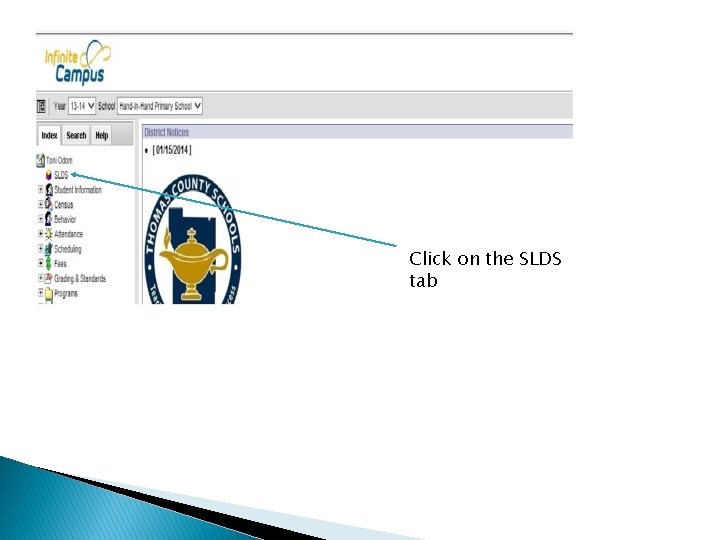
Click on the SLDS tab
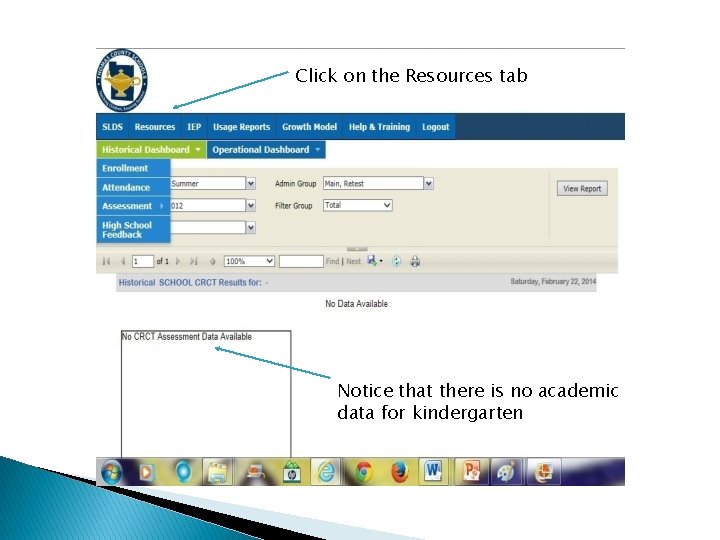
Click on the Resources tab Notice that there is no academic data for kindergarten
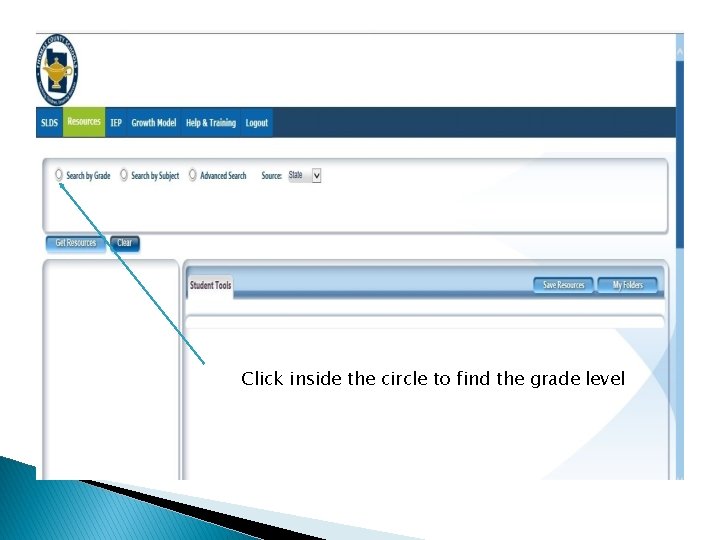
Click inside the circle to find the grade level
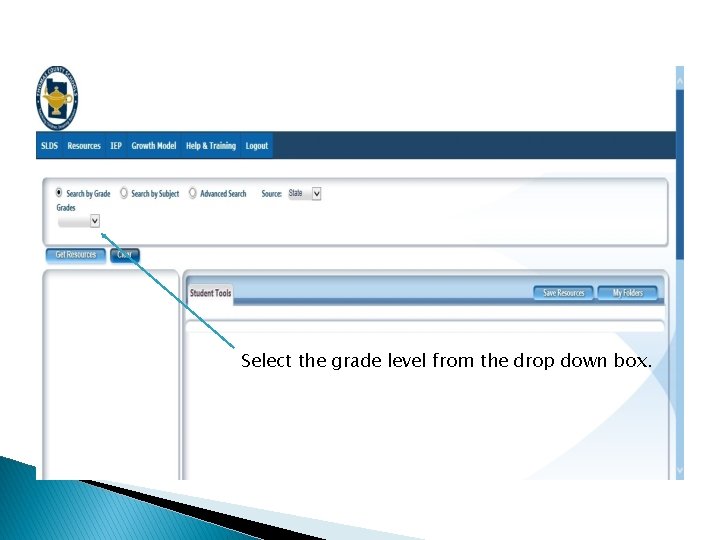
Select the grade level from the drop down box.
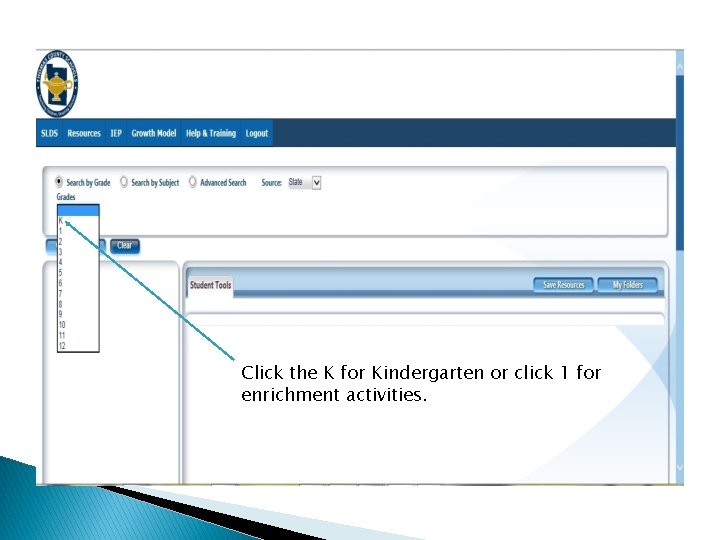
Click the K for Kindergarten or click 1 for enrichment activities.
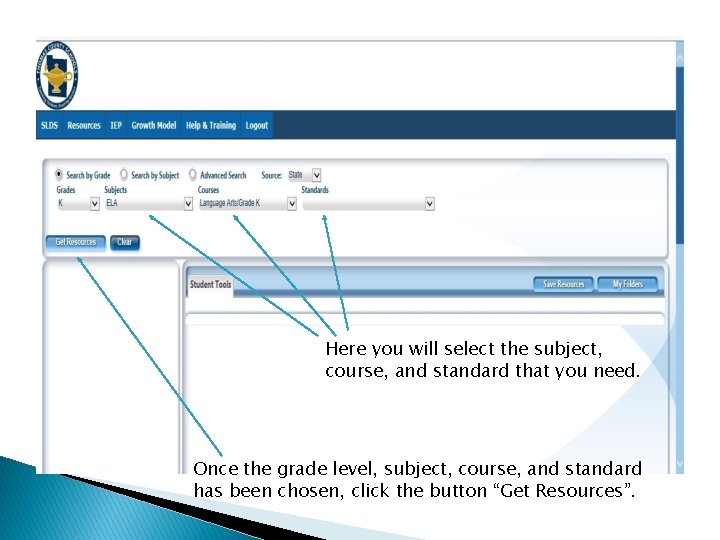
Here you will select the subject, course, and standard that you need. Once the grade level, subject, course, and standard has been chosen, click the button “Get Resources”.
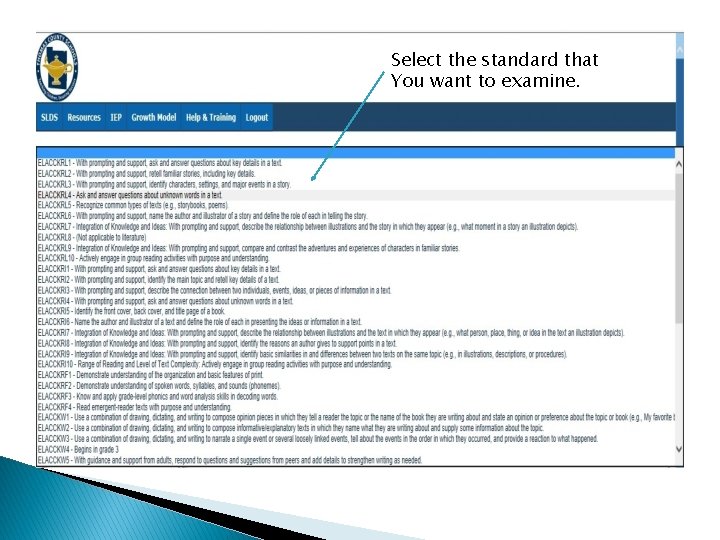
Select the standard that You want to examine.
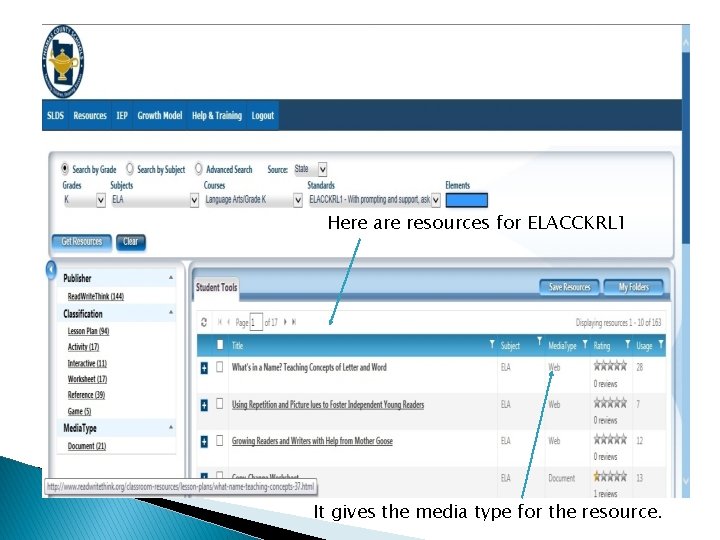
Here are resources for ELACCKRL 1 It gives the media type for the resource.
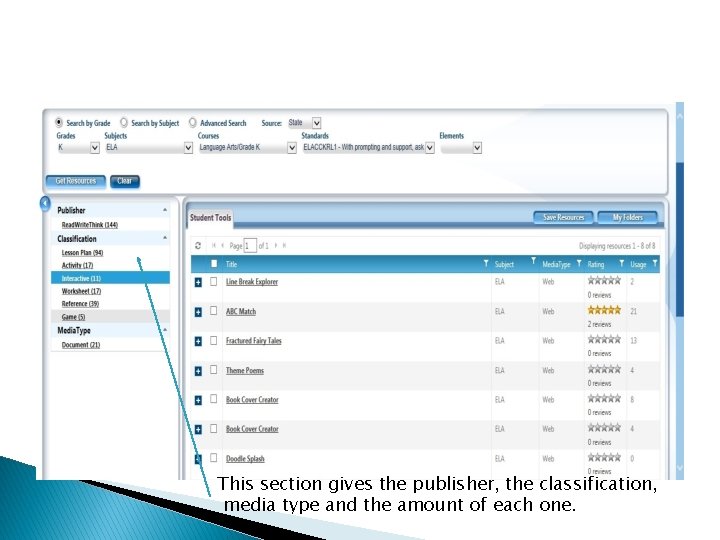
This section gives the publisher, the classification, media type and the amount of each one.
When you are finished exploring the standards, log out of your Infinite Campus account at the right corner of the screen. Remember that it is very important that you visit this site often to find engaging activities to enhance your students’ learning. If you have any questions, contact your schools academic coach.
Resources and Credits: Georgia Department of Education. (n. d. ). Statewide Longitudinal Data System (SLDS). Retrieved April 16, 2014 from http: //www. gadoe. org/Technology. Services/SLDS/Pages/SLDS. aspx QUICK LINKS. (n. d. ). Thomas County Schools-Infinite Campus. Retrieved April 16, 2014, from http: //www. thomas. k 12. ga. us