
Student Employment on Campus Student briefing From Newcastle
Student Employment on Campus – Student briefing From Newcastle. For the world.
Student Employment on Campus Background • On 29 July 2019 a new policy on Student Employment, new student pay rates and administrative processes around commissioning and paying student workers were launched • Affects all student casual workers, including those in teaching, demonstrating and research roles Four changes: 1. New way to create your student worker record • Fill in form on S 3 P, then attend Right to Work check to complete your employee record 2. Policy – • You’ll be engaged to work with fair, transparent, equitable, inclusive processes • Can only work on campus for up to 20 hours per week in term time (for full time students) 3. New pay levels – • Student casual worker pay levels changed on 29 July 2019 • Real Living Wage implementation included 4. Student Employment on Campus apps – • New app – ‘My Working Hours’ – to access details of assignments and submit hours worked for approval From Newcastle. For the world. 2
Creating your student worker record ncl. ac. uk 3
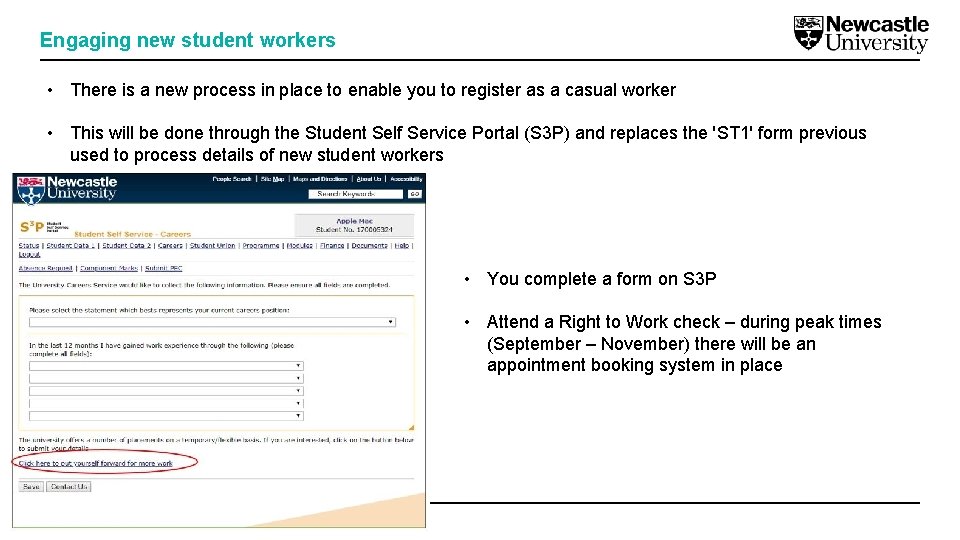
Engaging new student workers • There is a new process in place to enable you to register as a casual worker • This will be done through the Student Self Service Portal (S 3 P) and replaces the 'ST 1' form previous used to process details of new student workers • You complete a form on S 3 P • Attend a Right to Work check – during peak times (September – November) there will be an appointment booking system in place From Newcastle. For the world.

Policy ncl. ac. uk 5
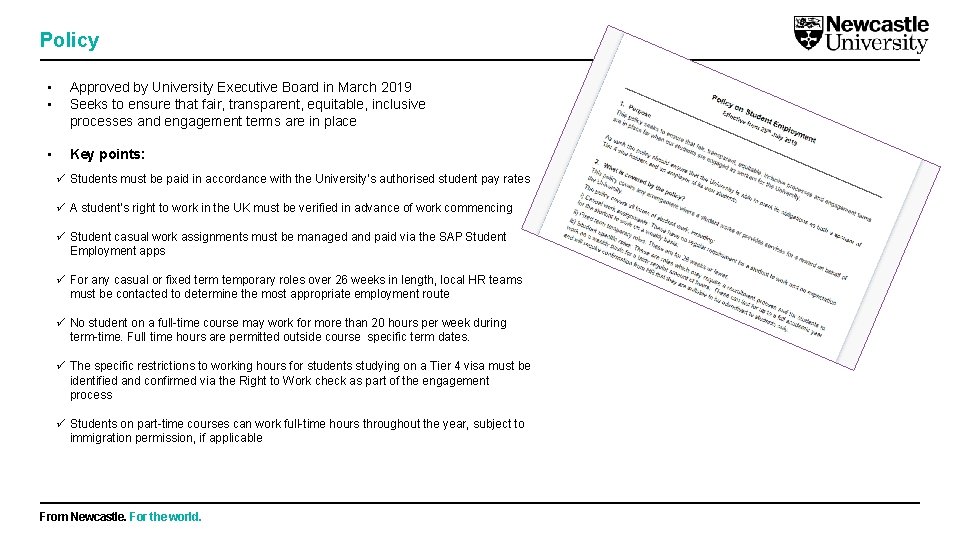
Policy • • Approved by University Executive Board in March 2019 Seeks to ensure that fair, transparent, equitable, inclusive processes and engagement terms are in place • Key points: ü Students must be paid in accordance with the University’s authorised student pay rates ü A student’s right to work in the UK must be verified in advance of work commencing ü Student casual work assignments must be managed and paid via the SAP Student Employment apps ü For any casual or fixed term temporary roles over 26 weeks in length, local HR teams must be contacted to determine the most appropriate employment route ü No student on a full-time course may work for more than 20 hours per week during term-time. Full time hours are permitted outside course specific term dates. ü The specific restrictions to working hours for students studying on a Tier 4 visa must be identified and confirmed via the Right to Work check as part of the engagement process ü Students on part-time courses can work full-time hours throughout the year, subject to immigration permission, if applicable From Newcastle. For the world.
Pay rates ncl. ac. uk 7
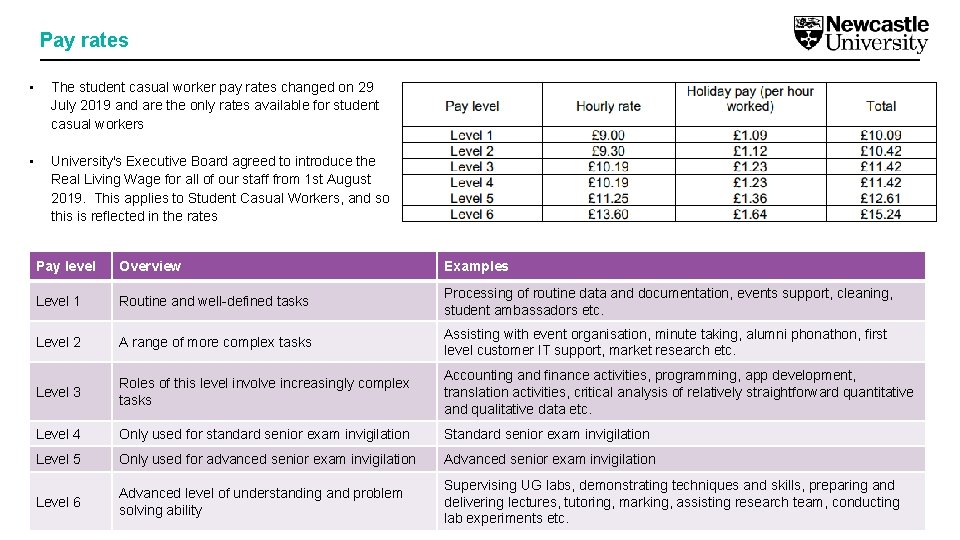
Pay rates • The student casual worker pay rates changed on 29 July 2019 and are the only rates available for student casual workers • University's Executive Board agreed to introduce the Real Living Wage for all of our staff from 1 st August 2019. This applies to Student Casual Workers, and so this is reflected in the rates Pay level Overview Examples Level 1 Routine and well-defined tasks Processing of routine data and documentation, events support, cleaning, student ambassadors etc. Level 2 A range of more complex tasks Assisting with event organisation, minute taking, alumni phonathon, first level customer IT support, market research etc. Level 3 Roles of this level involve increasingly complex tasks Accounting and finance activities, programming, app development, translation activities, critical analysis of relatively straightforward quantitative and qualitative data etc. Level 4 Only used for standard senior exam invigilation Standard senior exam invigilation Level 5 Only used for advanced senior exam invigilation Advanced level of understanding and problem Level 6 solving ability From Newcastle. For the world. Supervising UG labs, demonstrating techniques and skills, preparing and delivering lectures, tutoring, marking, assisting research team, conducting lab experiments etc.
Student Employment on Campus apps ncl. ac. uk 9

FOR STUDENTS - My working hours • When an assignment is created, you will receive an email alerting you to the assignment, giving you access to the 'My Working Hours' app and directing them to watch a demo video • Students use app this to confirm the hours they have worked and submit for approval and payment From Newcastle. For the world. 10
Next steps ncl. ac. uk 11
Get ready and find out more. . . q You have to be registered for the academic year when the work takes place q Check you are set up as a casual worker so that you can be assigned work (or complete an employee record form on S 3 P) q Visit the website: https: //www. ncl. ac. uk/studentservices/working-on-campus/ q Watch the video: https: //saptraining. ncl. ac. uk/myapps/myworkinghoursapp. mp 4 From Newcastle. For the world.
SEOC@ncl. ac. uk 13
- Slides: 13