
Strings Dr Soha S Zaghloul updated by Rasha
Strings Dr. Soha S. Zaghloul updated by Rasha ALEidan 1 Dr. Soha S. Zaghloul 1 updated by Rasha ALEidan
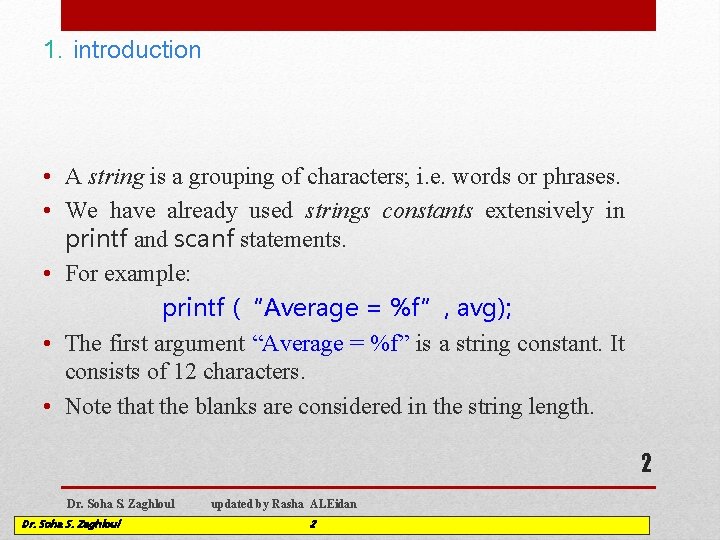
1. introduction • A string is a grouping of characters; i. e. words or phrases. • We have already used strings constants extensively in printf and scanf statements. • For example: printf (“Average = %f”, avg); • The first argument “Average = %f” is a string constant. It consists of 12 characters. • Note that the blanks are considered in the string length. 2 Dr. Soha S. Zaghloul updated by Rasha ALEidan 2
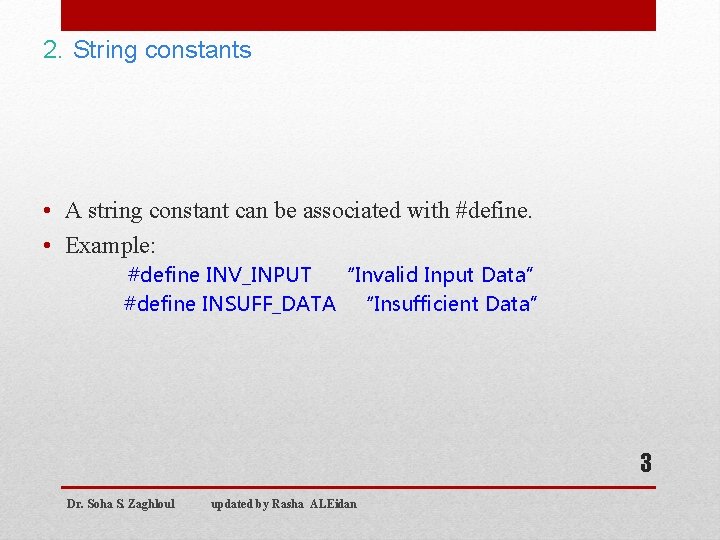
2. String constants • A string constant can be associated with #define. • Example: #define INV_INPUT “Invalid Input Data” #define INSUFF_DATA “Insufficient Data” 3 Dr. Soha S. Zaghloul updated by Rasha ALEidan
![3. Strings declaration • Consider the following statement char string_var[30]; • The previous statement](http://slidetodoc.com/presentation_image_h2/5c776aef23652e601472e4317dea4386/image-4.jpg "3. Strings declaration • Consider the following statement char string_var[30]; • The previous statement")
3. Strings declaration • Consider the following statement char string_var[30]; • The previous statement declares a variable named string_var. Its type is char with length 30: i. e. a string consisting of 30 characters. 4 Dr. Soha S. Zaghloul updated by Rasha ALEidan 4
![4. Strings initialization • Consider the following statement char str[20] = “Initial Value”; •](http://slidetodoc.com/presentation_image_h2/5c776aef23652e601472e4317dea4386/image-5.jpg "4. Strings initialization • Consider the following statement char str[20] = “Initial Value”; •")
4. Strings initialization • Consider the following statement char str[20] = “Initial Value”; • The previous statement initializes a string variable named str. The value given is “Initial Value”. • Let us look to str in memory after this declaration and initialization: I n i t i a l 0 1 2 3 4 5 6 7 V a l u e 8 10 11 12 13 14 9 ? ? 15 16 17 ? ? 18 19 • Note that the first letter is positioned at 0 and the last one at position 19. • Position 13, , read as the null character marks the end of 5 the string. Dr. Soha S. Zaghloul updated by Rasha ALEidan 5
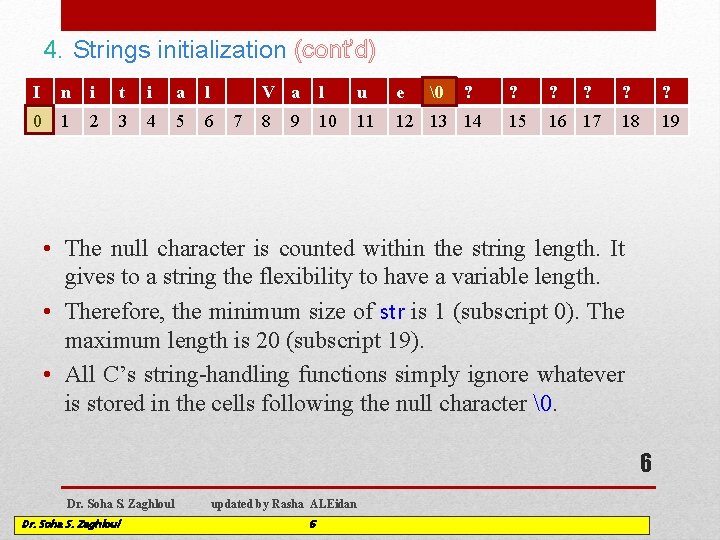
4. Strings initialization (cont’d) I n i t i a l 0 1 2 3 4 5 6 7 V a l u e 8 10 11 12 13 14 9 ? ? 15 16 17 ? ? 18 19 • The null character is counted within the string length. It gives to a string the flexibility to have a variable length. • Therefore, the minimum size of str is 1 (subscript 0). The maximum length is 20 (subscript 19). • All C’s string-handling functions simply ignore whatever is stored in the cells following the null character . 6 Dr. Soha S. Zaghloul updated by Rasha ALEidan 6
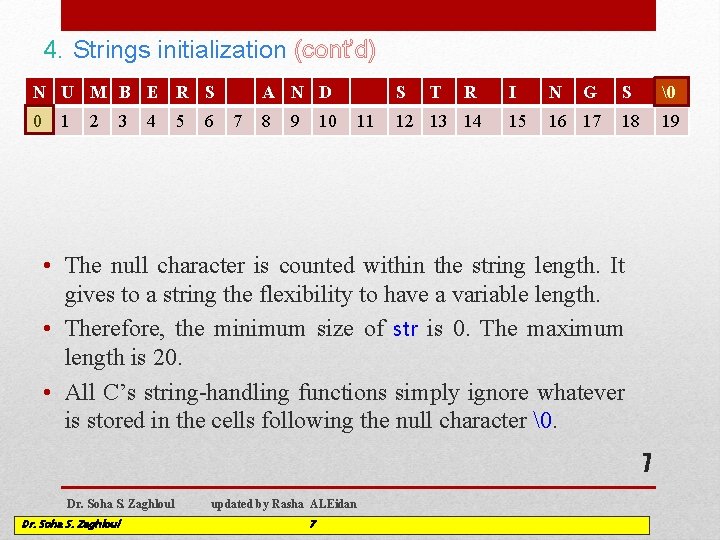
4. Strings initialization (cont’d) N U M B E R S 0 1 2 3 4 5 6 A N D 7 8 9 10 S 11 T R 12 13 14 I N G 15 16 17 S 18 19 • The null character is counted within the string length. It gives to a string the flexibility to have a variable length. • Therefore, the minimum size of str is 0. The maximum length is 20. • All C’s string-handling functions simply ignore whatever is stored in the cells following the null character . 7 Dr. Soha S. Zaghloul updated by Rasha ALEidan 7

5. Strings with printf • Use the conversion specifier %s to handle string variables in printf. • Example: printf (“Topics: %s n”, str_var); • The characters of the string are printed until a terminating null character is encountered. • Example: 8 Dr. Soha S. Zaghloul updated by Rasha ALEidan 8
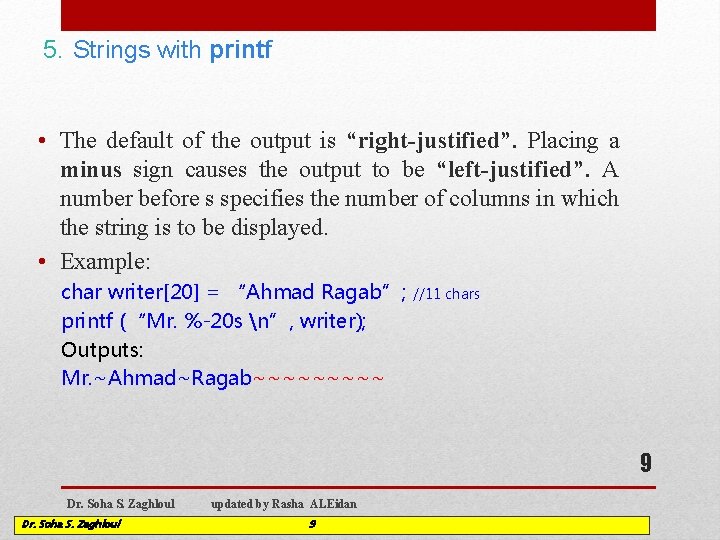
5. Strings with printf • The default of the output is “right-justified”. Placing a minus sign causes the output to be “left-justified”. A number before s specifies the number of columns in which the string is to be displayed. • Example: char writer[20] = “Ahmad Ragab”; printf (“Mr. %-20 s n”, writer); Outputs: Mr. ~Ahmad~Ragab~~~~~ //11 chars 9 Dr. Soha S. Zaghloul updated by Rasha ALEidan 9
6. Strings with scanf • Use %s to handle string variables in scanf. • Do not put the & for strings in scanf. (This will be justified later when you study arrays). • Scanf() : Reads characters until the first whitespace character is encountered. It does not care how large the array is. ( scanf() can write beyond the end of the array). 10 Dr. Soha S. Zaghloul updated by Rasha ALEidan 10
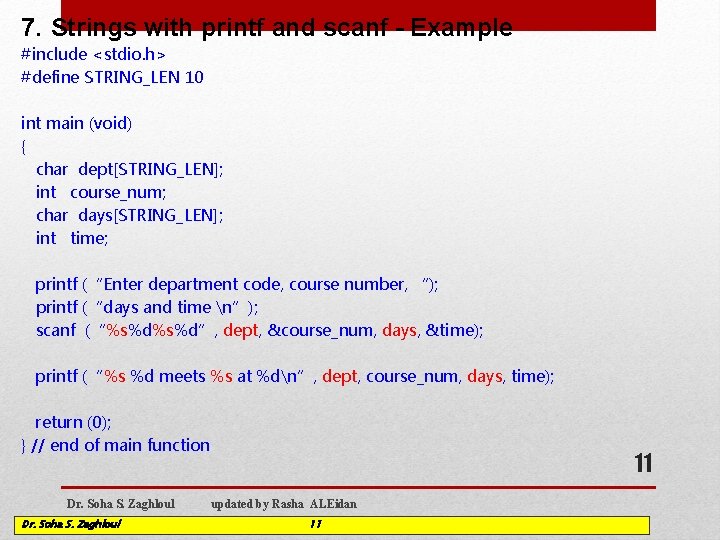
7. Strings with printf and scanf - Example #include <stdio. h> #define STRING_LEN 10 int main (void) { char dept[STRING_LEN]; int course_num; char days[STRING_LEN]; int time; printf (“Enter department code, course number, “); printf (“days and time n”); scanf (“%s%d”, dept, &course_num, days, &time); printf (“%s %d meets %s at %dn”, dept, course_num, days, time); return (0); } // end of main function Dr. Soha S. Zaghloul 11 updated by Rasha ALEidan 11
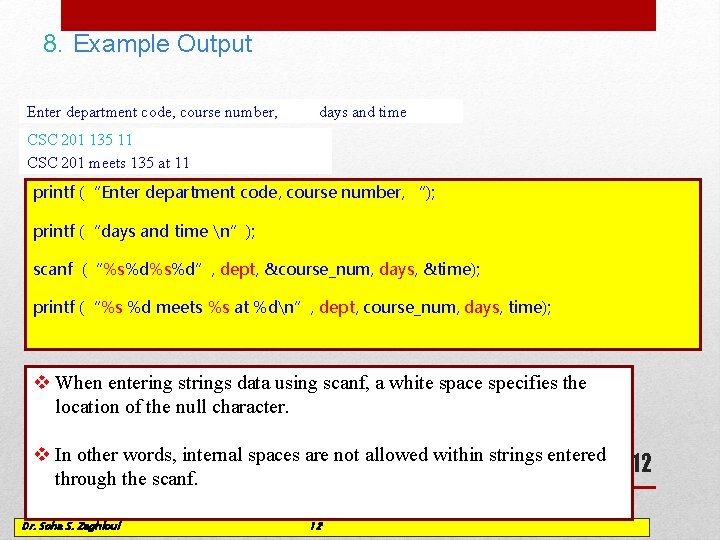
8. Example Output Enter department code, course number, days and time CSC _ 201 135 11 CSC 201 meets 135 at 11 printf (“Enter department code, course number, “); printf (“days and time n”); scanf (“%s%d”, dept, &course_num, days, &time); printf (“%s %d meets %s at %dn”, dept, course_num, days, time); v When entering strings data using scanf, a white space specifies the location of the null character. v In other words, internal spaces are not allowed within strings entered through the scanf. Dr. Soha S. Zaghloul updated by Rasha ALEidan 12 12
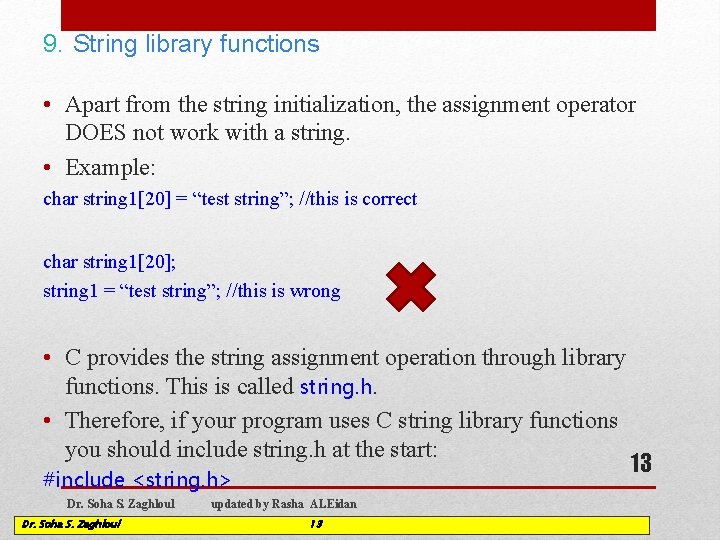
9. String library functions • Apart from the string initialization, the assignment operator DOES not work with a string. • Example: char string 1[20] = “test string”; //this is correct char string 1[20]; string 1 = “test string”; //this is wrong • C provides the string assignment operation through library functions. This is called string. h. • Therefore, if your program uses C string library functions you should include string. h at the start: #include <string. h> Dr. Soha S. Zaghloul updated by Rasha ALEidan 13 13
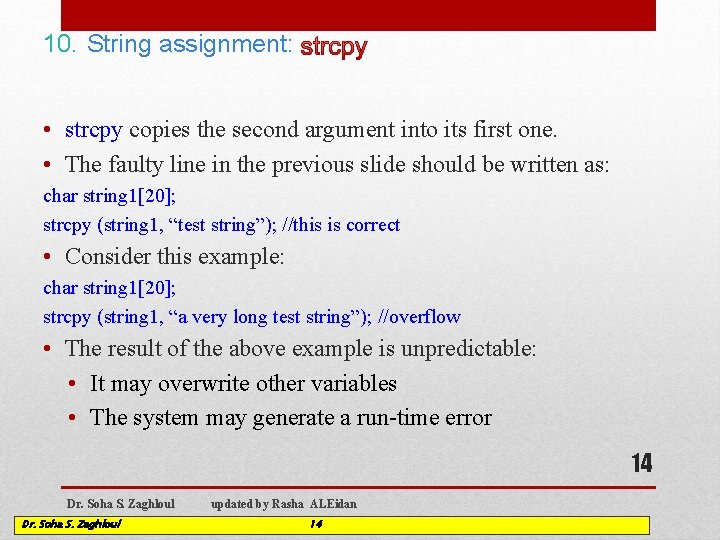
10. String assignment: • strcpy copies the second argument into its first one. • The faulty line in the previous slide should be written as: char string 1[20]; strcpy (string 1, “test string”); //this is correct • Consider this example: char string 1[20]; strcpy (string 1, “a very long test string”); //overflow • The result of the above example is unpredictable: • It may overwrite other variables • The system may generate a run-time error 14 Dr. Soha S. Zaghloul updated by Rasha ALEidan 14
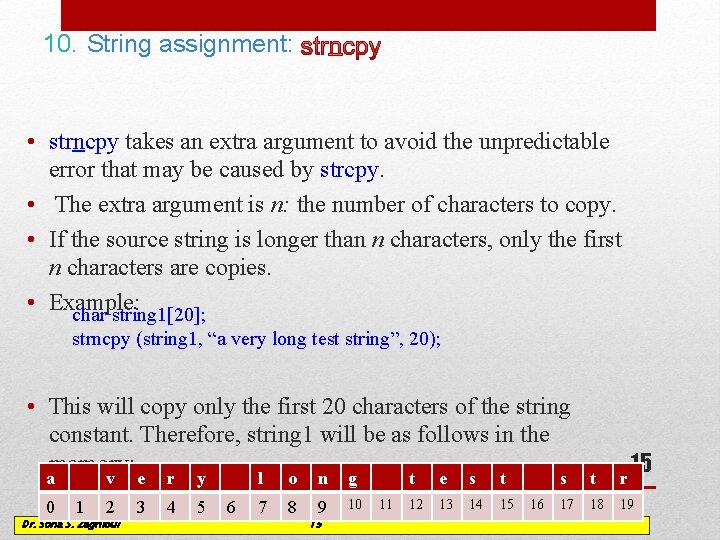
10. String assignment: • strncpy takes an extra argument to avoid the unpredictable error that may be caused by strcpy. • The extra argument is n: the number of characters to copy. • If the source string is longer than n characters, only the first n characters are copies. • Example: char string 1[20]; strncpy (string 1, “a very long test string”, 20); • This will copy only the first 20 characters of the string constant. Therefore, string 1 will be as follows in the memory: a 0 v e r Dr. 1 Soha 2 S. Zaghloul 3 4 Dr. Soha S. Zaghloul y l o n g 5 updated 6 by 7 Rasha 8 ALEidan 9 10 15 11 t e s t 12 13 14 15 16 15 s t r 17 18 19
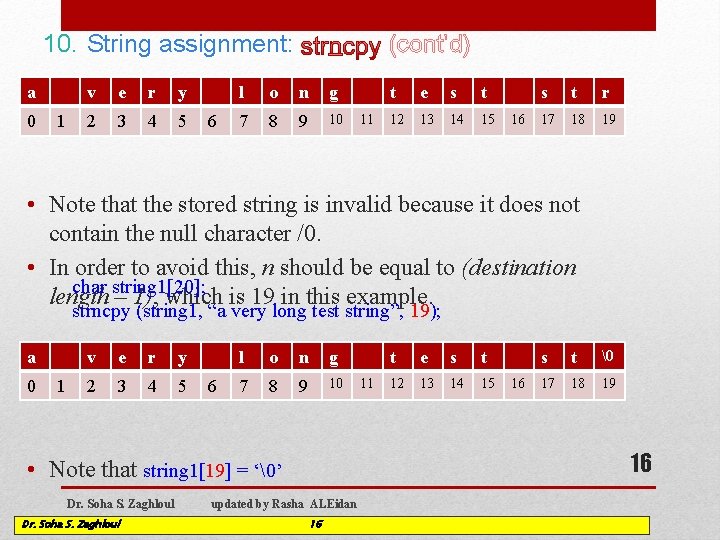
10. String assignment: a 0 1 v e r y 2 3 4 5 6 (cont’d) l o n g 7 8 9 10 11 t e s t 12 13 14 15 16 s t r 17 18 19 • Note that the stored string is invalid because it does not contain the null character /0. • In order to avoid this, n should be equal to (destination char string 1[20]; length – 1), which is 19 in this example. strncpy (string 1, “a very long test string”, 19); a 0 1 v e r y 2 3 4 5 6 l o n g 7 8 9 10 Dr. Soha S. Zaghloul e s t 12 13 14 15 16 s t 17 18 19 16 • Note that string 1[19] = ‘’ Dr. Soha S. Zaghloul 11 t updated by Rasha ALEidan 16
![10. Substring: char result 1[10], s 1[15] = “Sep. 18, 2014”; strncpy (result 1,](http://slidetodoc.com/presentation_image_h2/5c776aef23652e601472e4317dea4386/image-17.jpg "10. Substring: char result 1[10], s 1[15] = “Sep. 18, 2014”; strncpy (result 1,")
10. Substring: char result 1[10], s 1[15] = “Sep. 18, 2014”; strncpy (result 1, s 1, 9); Copies 9 characters from s 1 to result 1 starting from s 1[0] strncpy (result 1, &s 1[0], 9); S e p . 0 1 2 3 4 1 8 , 5 6 7 8 2 0 1 4 ? 9 10 11 12 13 14 s 1 segment: e p. the following 1 8 , code • SConsider 0 1 2 3 4 5 6 7 8 9 result 1 char result 2[10], s 1[15] = “Sep. 18, 2014”; strncpy (result 2, &s 1[5], 2) 1 8 ? ? 0 1 2 3 4 5 6 7 8 9 Dr. Soha S. Zaghloul result 2 updated by Rasha ALEidan 17 Copies 2 characters from s 1 to result 2 starting from s 1[5] 17
- Slides: 17