
Strings Chapter 6 Python for Everybody www py
Strings Chapter 6 Python for Everybody www. py 4 e. com
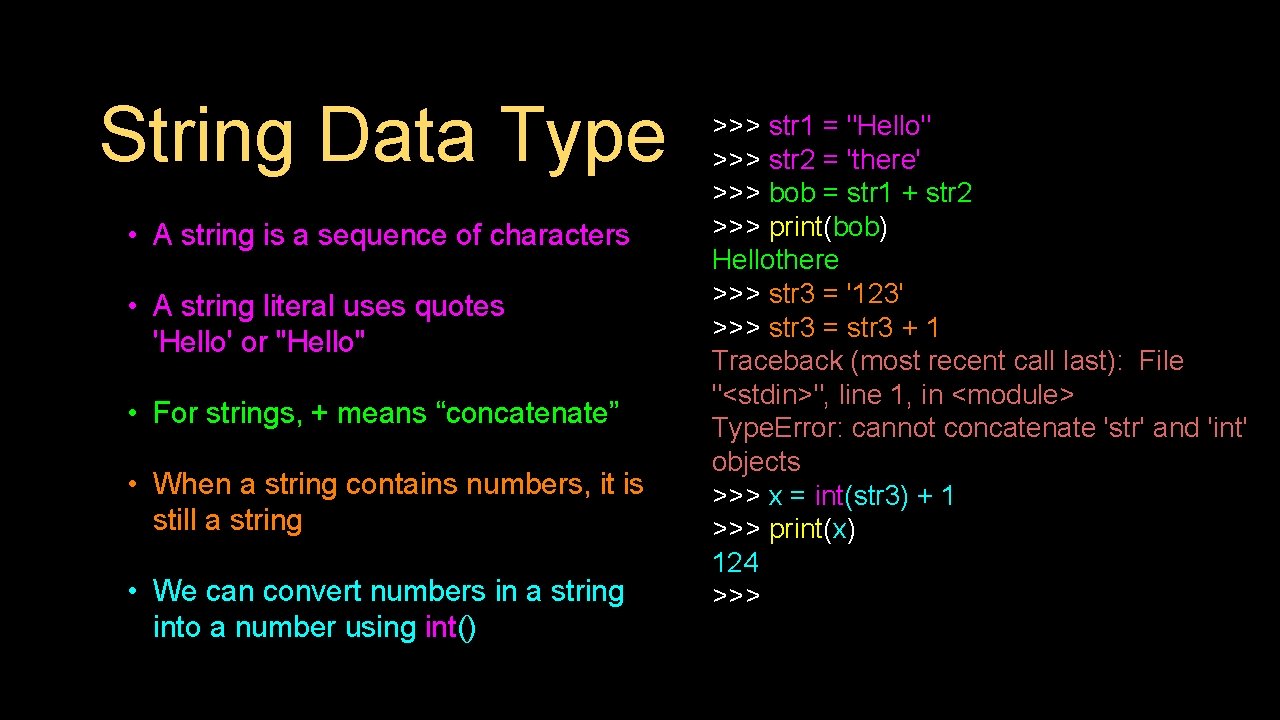
String Data Type • A string is a sequence of characters • A string literal uses quotes 'Hello' or "Hello" • For strings, + means “concatenate” • When a string contains numbers, it is still a string • We can convert numbers in a string into a number using int() >>> str 1 = "Hello" >>> str 2 = 'there' >>> bob = str 1 + str 2 >>> print(bob) Hellothere >>> str 3 = '123' >>> str 3 = str 3 + 1 Traceback (most recent call last): File "<stdin>", line 1, in <module> Type. Error: cannot concatenate 'str' and 'int' objects >>> x = int(str 3) + 1 >>> print(x) 124 >>>
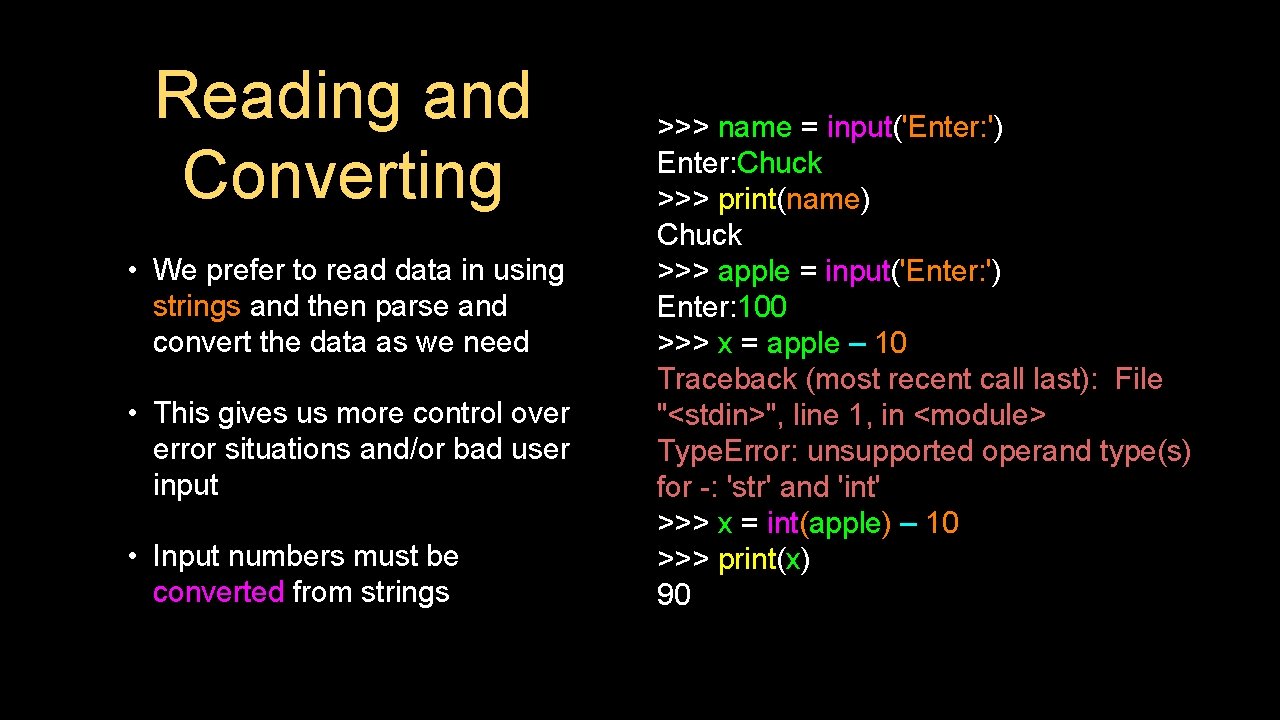
Reading and Converting • We prefer to read data in using strings and then parse and convert the data as we need • This gives us more control over error situations and/or bad user input • Input numbers must be converted from strings >>> name = input('Enter: ') Enter: Chuck >>> print(name) Chuck >>> apple = input('Enter: ') Enter: 100 >>> x = apple – 10 Traceback (most recent call last): File "<stdin>", line 1, in <module> Type. Error: unsupported operand type(s) for -: 'str' and 'int' >>> x = int(apple) – 10 >>> print(x) 90
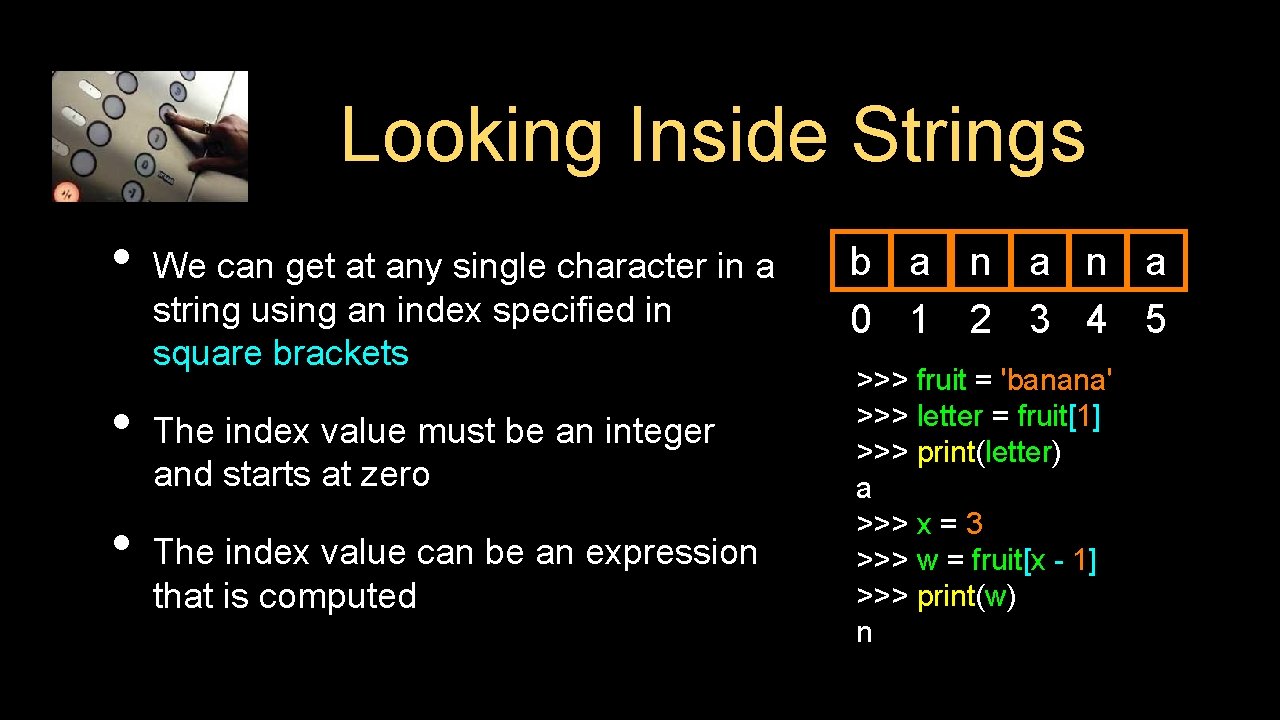
Looking Inside Strings • • • We can get at any single character in a string using an index specified in square brackets The index value must be an integer and starts at zero The index value can be an expression that is computed b a n a 0 1 2 3 4 5 >>> fruit = 'banana' >>> letter = fruit[1] >>> print(letter) a >>> x = 3 >>> w = fruit[x - 1] >>> print(w) n
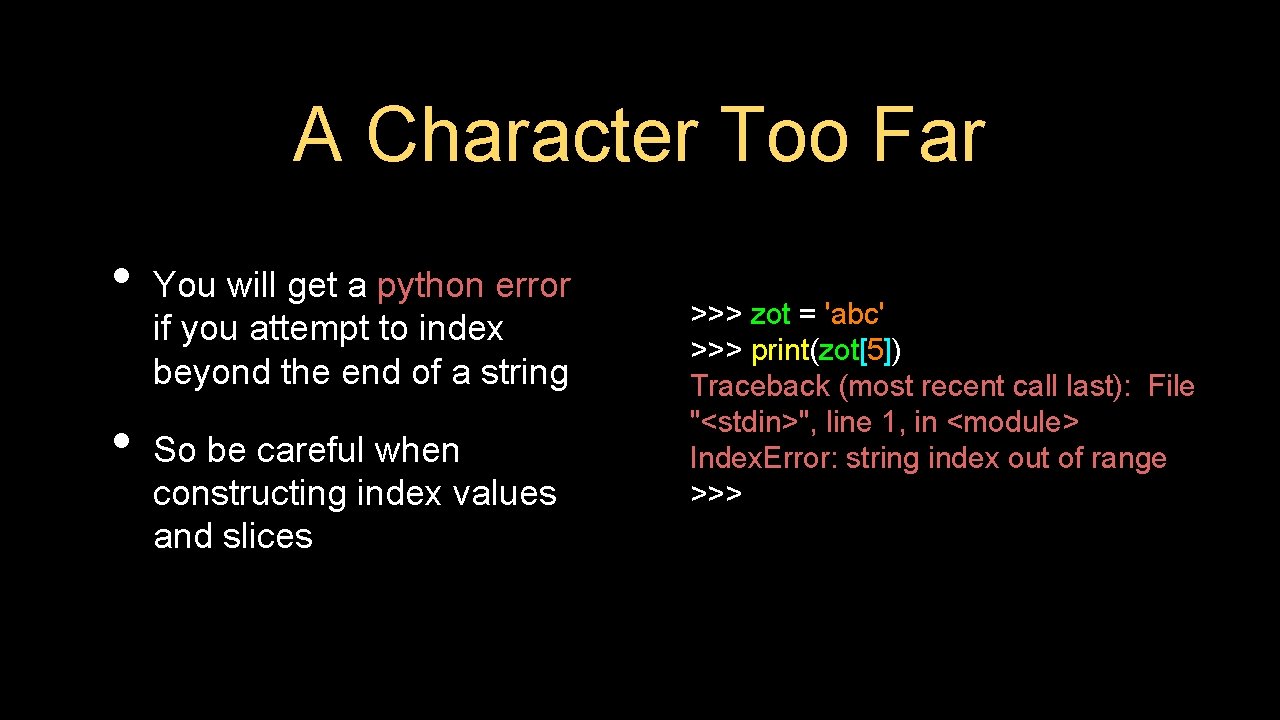
A Character Too Far • • You will get a python error if you attempt to index beyond the end of a string So be careful when constructing index values and slices >>> zot = 'abc' >>> print(zot[5]) Traceback (most recent call last): File "<stdin>", line 1, in <module> Index. Error: string index out of range >>>

Strings Have Length The built-in function len gives us the length of a string b a n a 0 1 2 3 4 5 >>> fruit = 'banana' >>> print(len(fruit)) 6
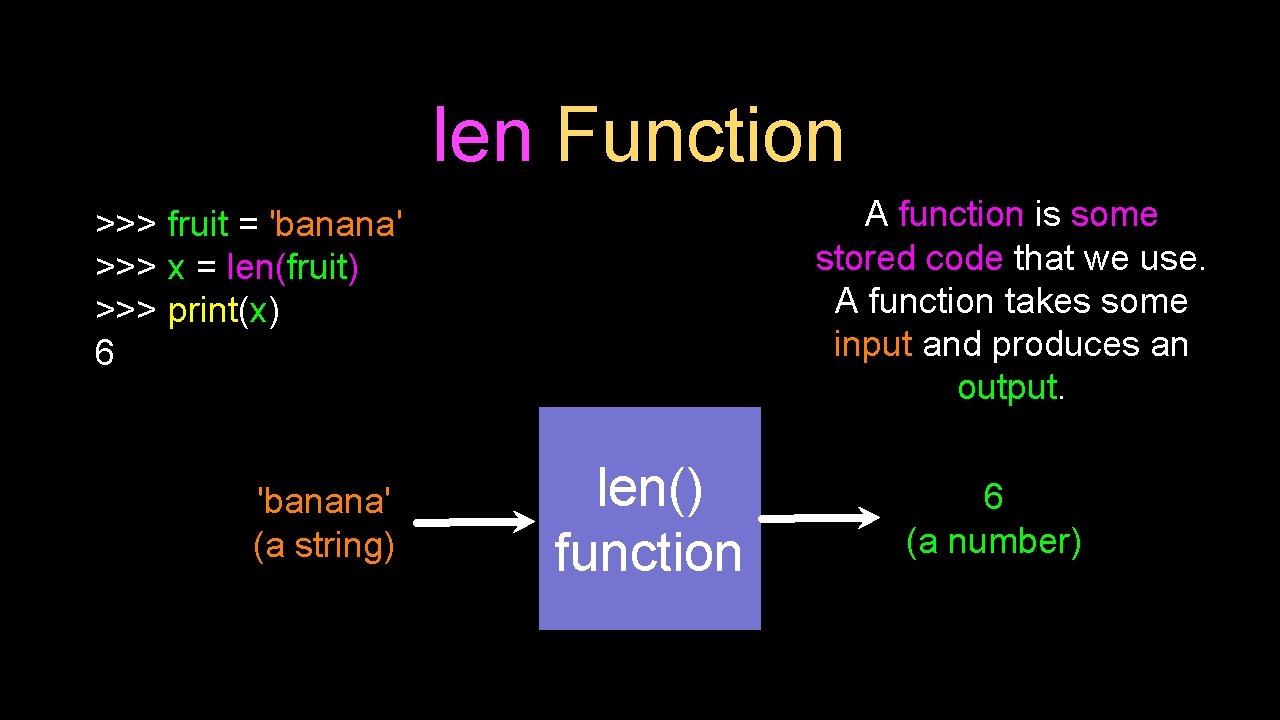
len Function A function is some stored code that we use. A function takes some input and produces an output. >>> fruit = 'banana' >>> x = len(fruit) >>> print(x) 6 'banana' (a string) len() function 6 (a number)
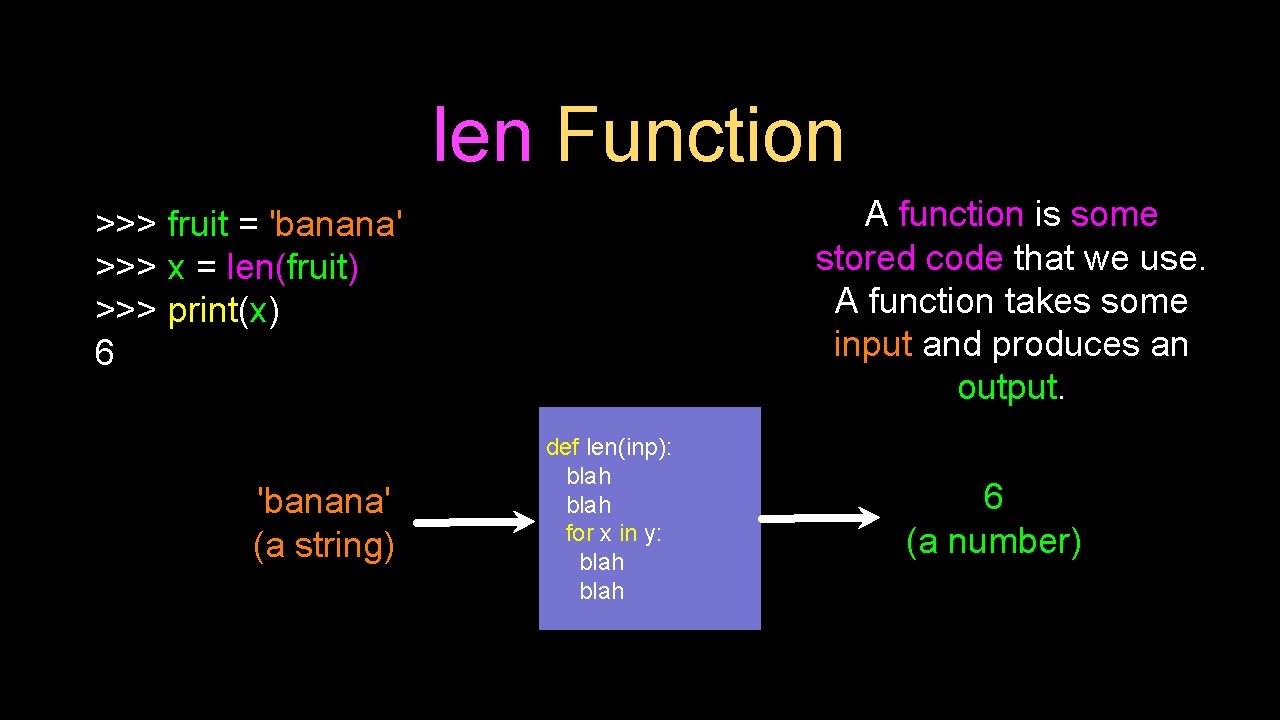
len Function A function is some stored code that we use. A function takes some input and produces an output. >>> fruit = 'banana' >>> x = len(fruit) >>> print(x) 6 'banana' (a string) def len(inp): blah for x in y: blah 6 (a number)
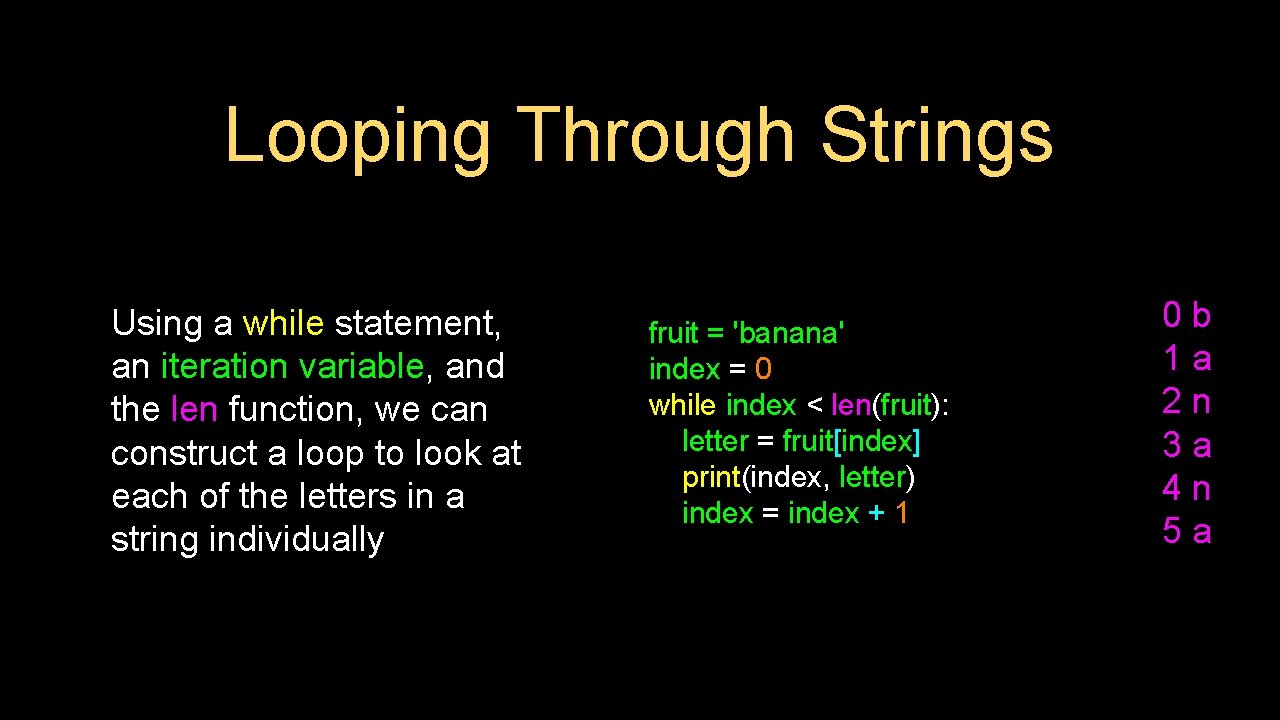
Looping Through Strings Using a while statement, an iteration variable, and the len function, we can construct a loop to look at each of the letters in a string individually fruit = 'banana' index = 0 while index < len(fruit): letter = fruit[index] print(index, letter) index = index + 1 0 b 1 a 2 n 3 a 4 n 5 a
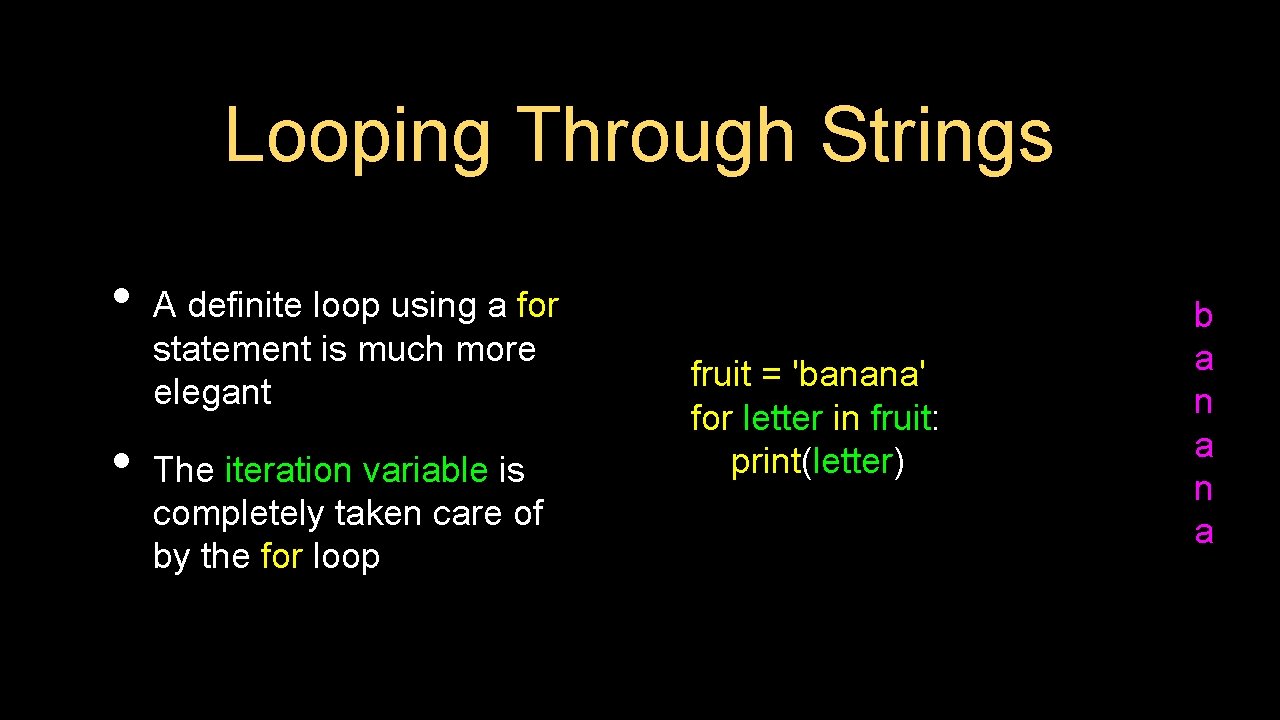
Looping Through Strings • • A definite loop using a for statement is much more elegant The iteration variable is completely taken care of by the for loop fruit = 'banana' for letter in fruit: print(letter) b a n a
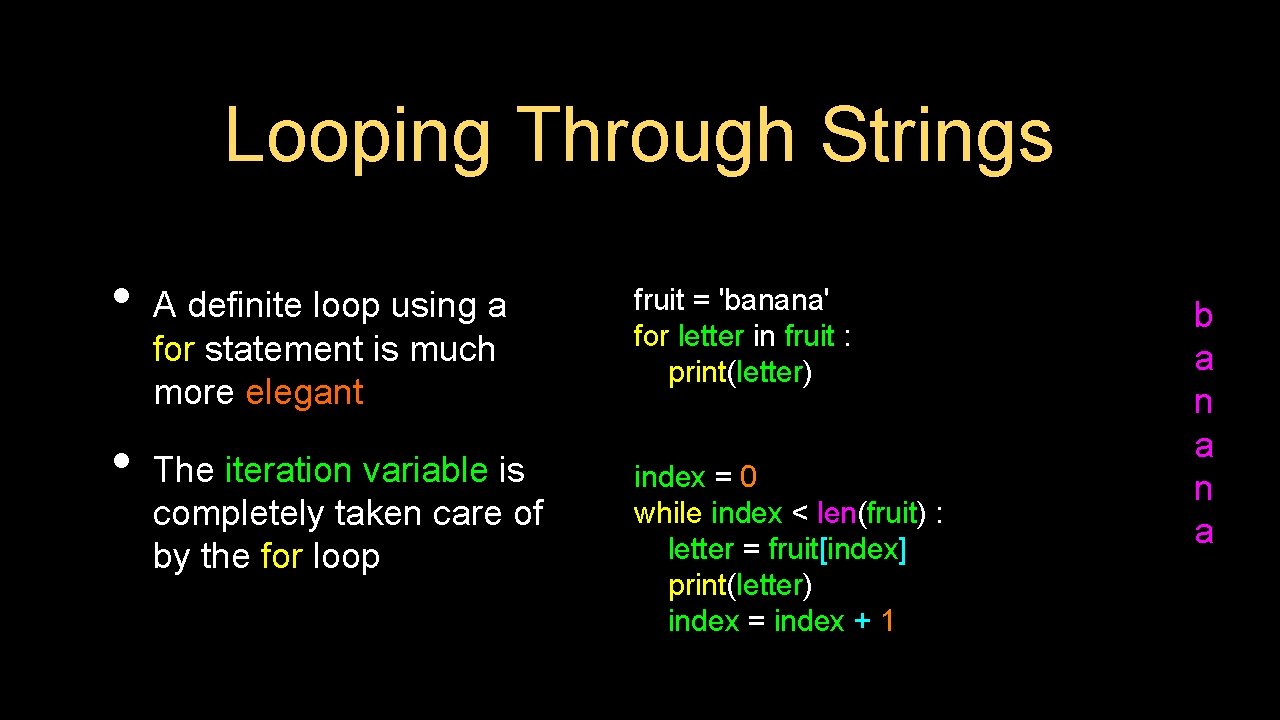
Looping Through Strings • • A definite loop using a for statement is much more elegant fruit = 'banana' for letter in fruit : print(letter) The iteration variable is completely taken care of by the for loop index = 0 while index < len(fruit) : letter = fruit[index] print(letter) index = index + 1 b a n a
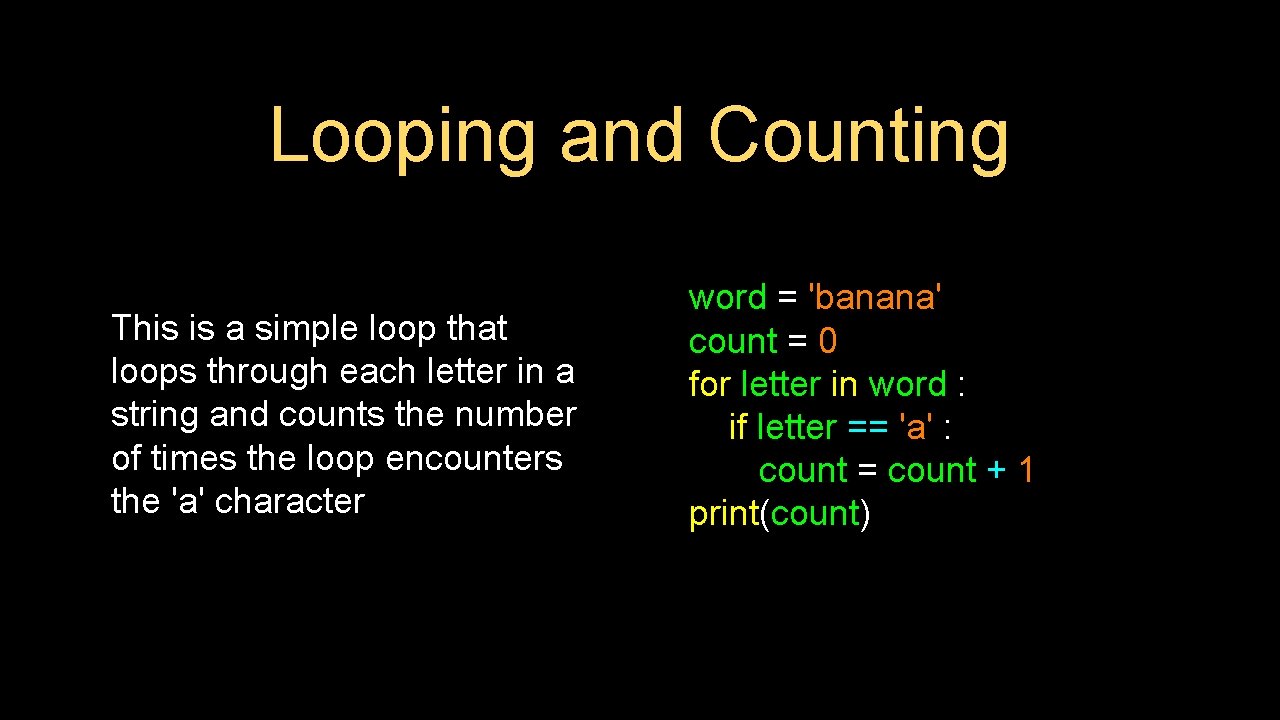
Looping and Counting This is a simple loop that loops through each letter in a string and counts the number of times the loop encounters the 'a' character word = 'banana' count = 0 for letter in word : if letter == 'a' : count = count + 1 print(count)
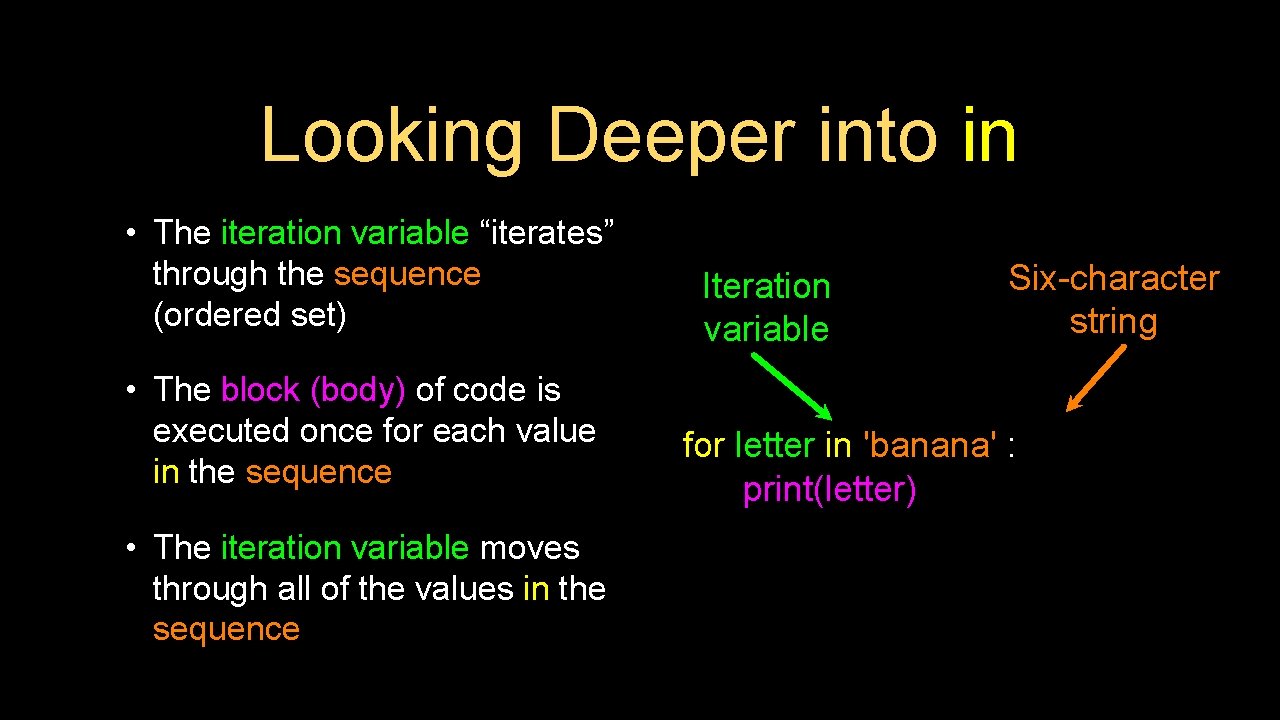
Looking Deeper into in • The iteration variable “iterates” through the sequence (ordered set) • The block (body) of code is executed once for each value in the sequence • The iteration variable moves through all of the values in the sequence Iteration variable Six-character string for letter in 'banana' : print(letter)
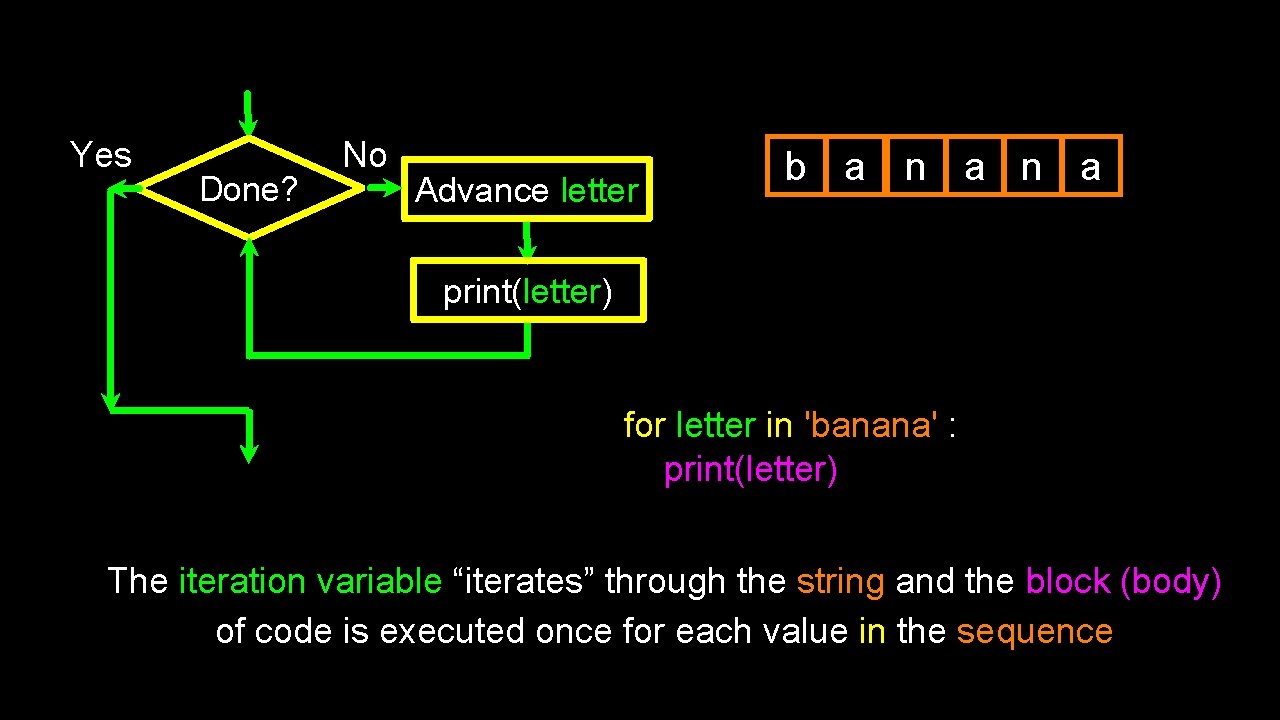
Yes Done? No Advance letter b a n a print(letter) for letter in 'banana' : print(letter) The iteration variable “iterates” through the string and the block (body) of code is executed once for each value in the sequence
More String Operations
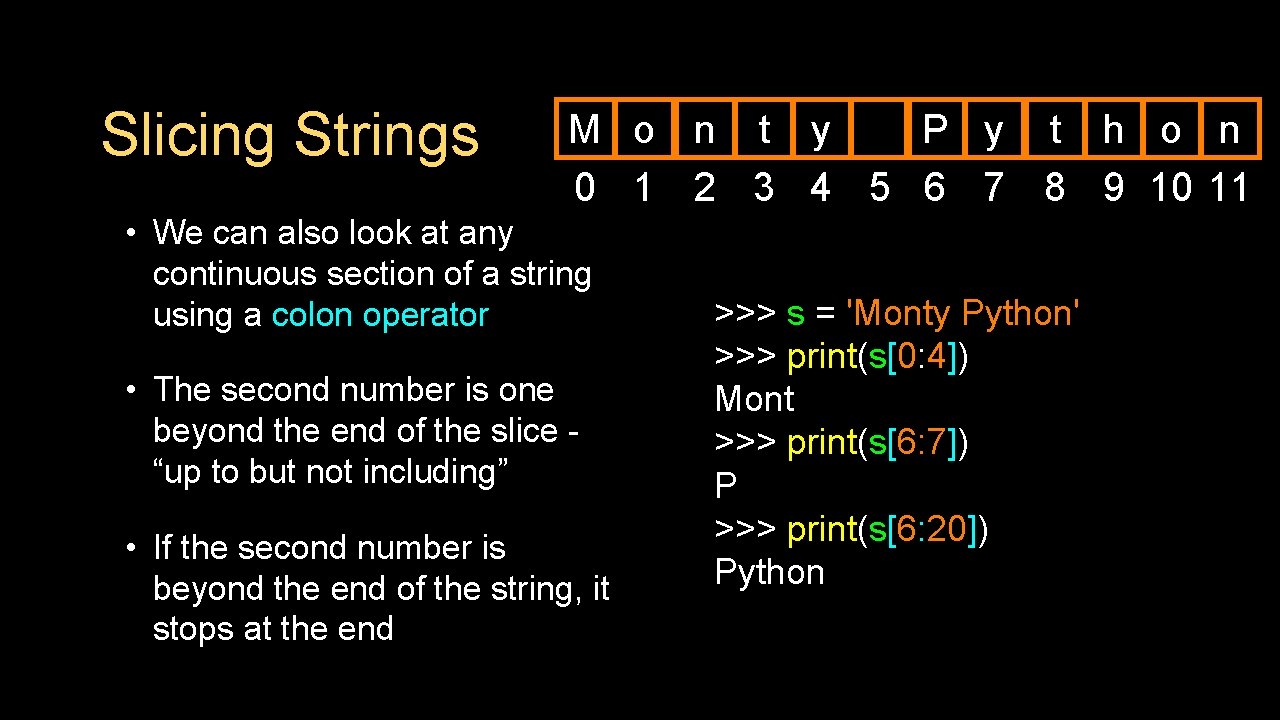
Slicing Strings M o n t y P y t h o n 0 1 2 3 4 5 6 7 8 9 10 11 • We can also look at any continuous section of a string using a colon operator • The second number is one beyond the end of the slice “up to but not including” • If the second number is beyond the end of the string, it stops at the end >>> s = 'Monty Python' >>> print(s[0: 4]) Mont >>> print(s[6: 7]) P >>> print(s[6: 20]) Python
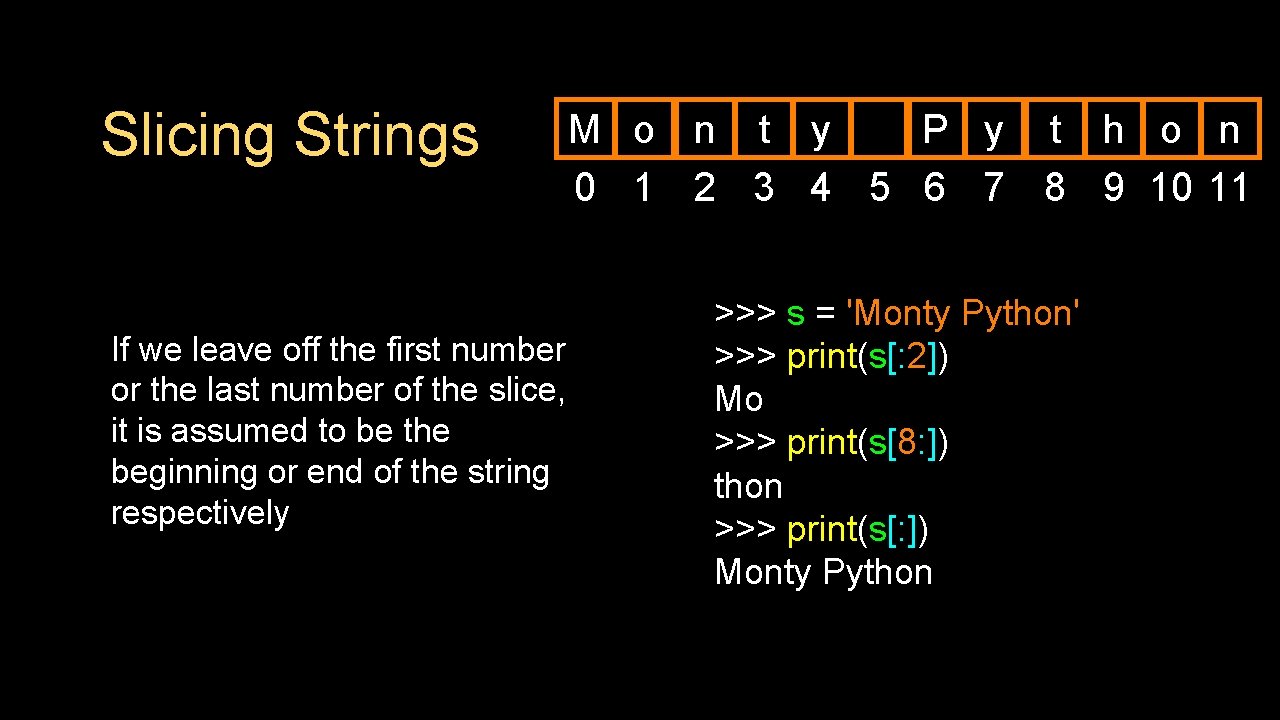
Slicing Strings If we leave off the first number or the last number of the slice, it is assumed to be the beginning or end of the string respectively M o n t y P y t h o n 0 1 2 3 4 5 6 7 8 9 10 11 >>> s = 'Monty Python' >>> print(s[: 2]) Mo >>> print(s[8: ]) thon >>> print(s[: ]) Monty Python
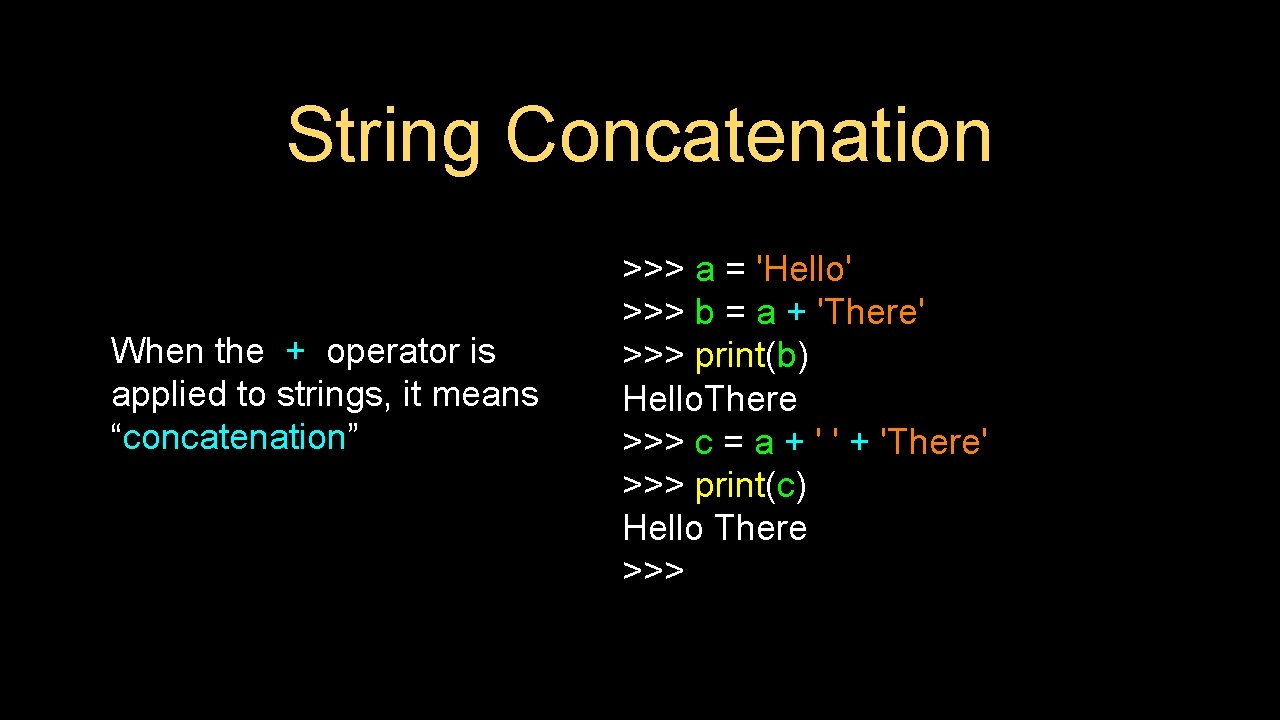
String Concatenation When the + operator is applied to strings, it means “concatenation” >>> a = 'Hello' >>> b = a + 'There' >>> print(b) Hello. There >>> c = a + ' ' + 'There' >>> print(c) Hello There >>>
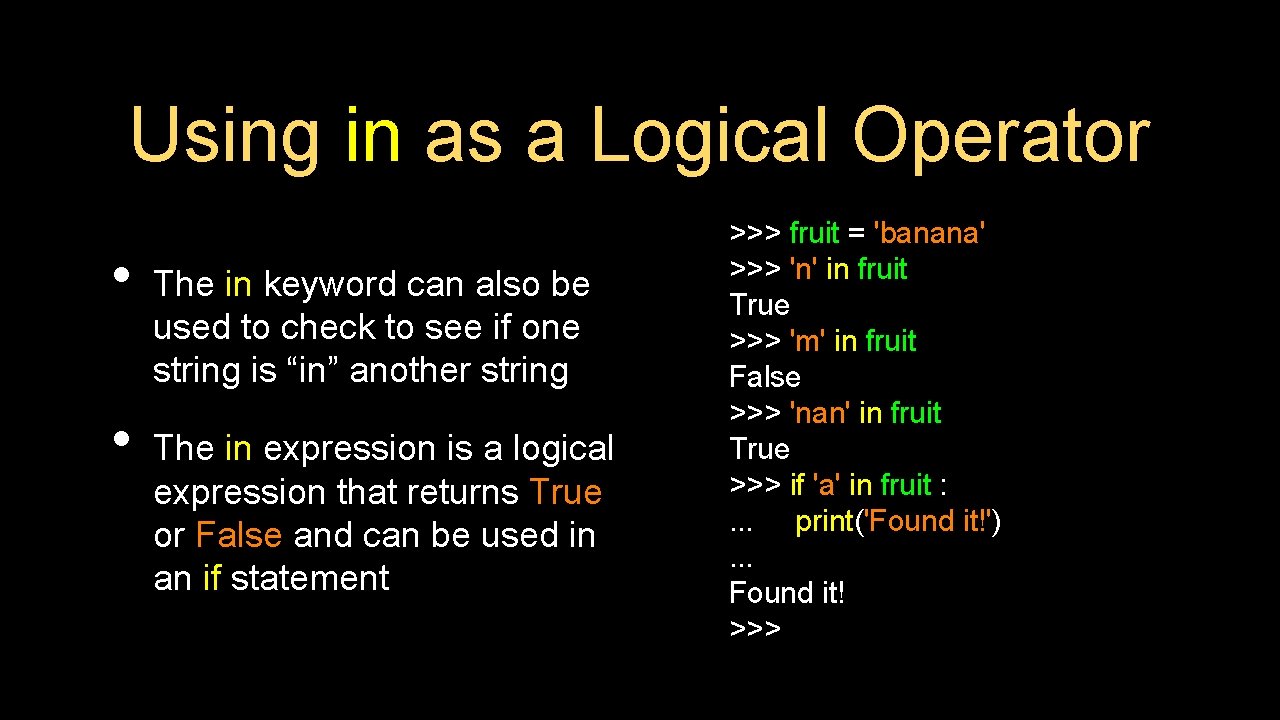
Using in as a Logical Operator • • The in keyword can also be used to check to see if one string is “in” another string The in expression is a logical expression that returns True or False and can be used in an if statement >>> fruit = 'banana' >>> 'n' in fruit True >>> 'm' in fruit False >>> 'nan' in fruit True >>> if 'a' in fruit : . . . print('Found it!'). . . Found it! >>>
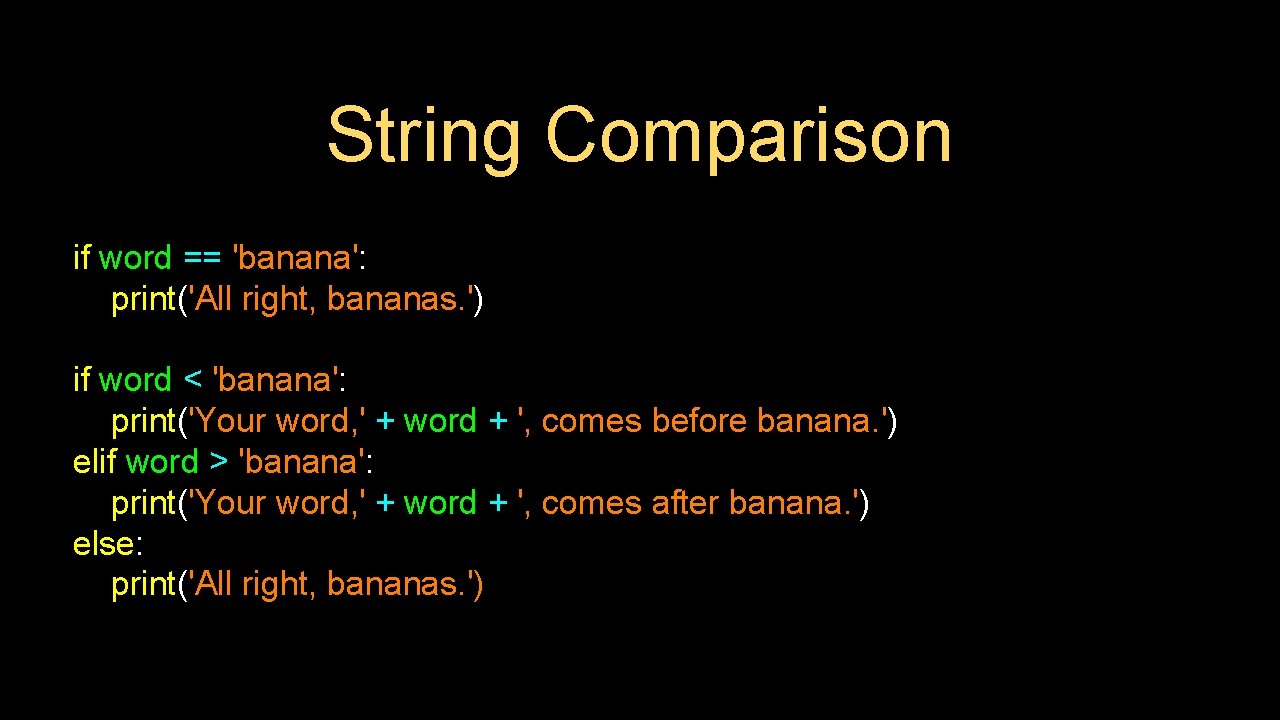
String Comparison if word == 'banana': print('All right, bananas. ') if word < 'banana': print('Your word, ' + word + ', comes before banana. ') elif word > 'banana': print('Your word, ' + word + ', comes after banana. ') else: print('All right, bananas. ')
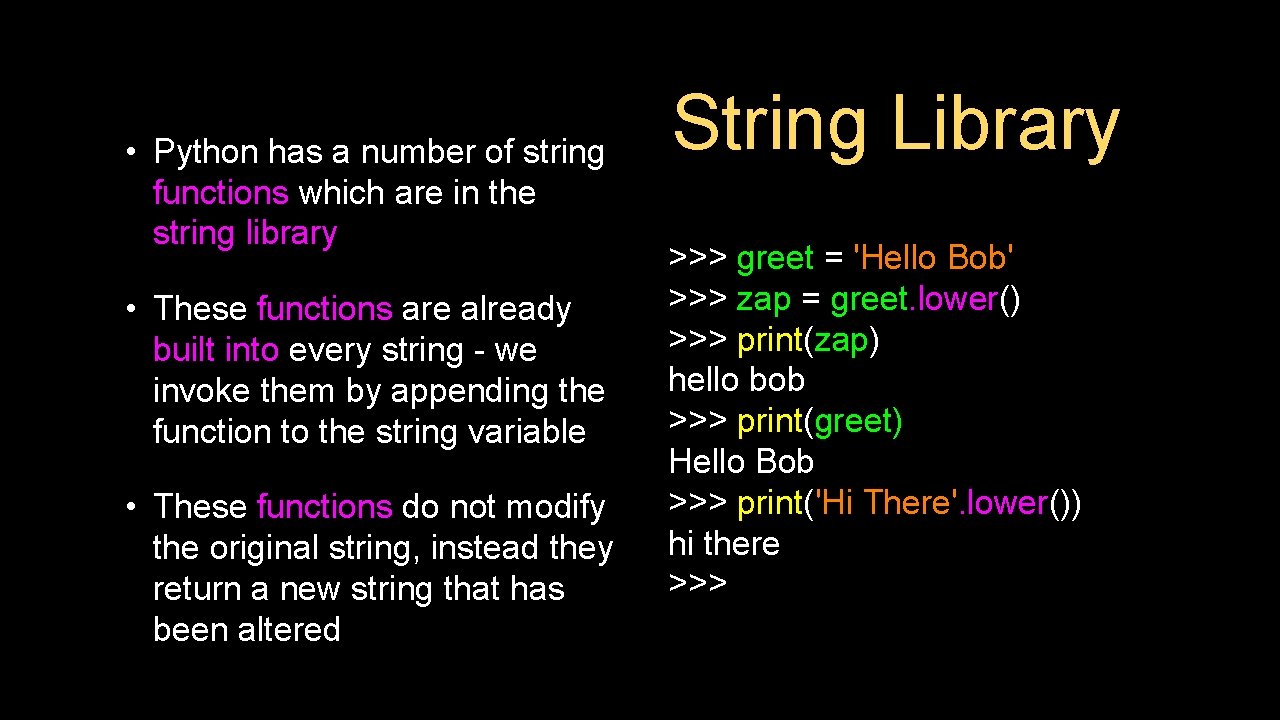
• Python has a number of string functions which are in the string library • These functions are already built into every string - we invoke them by appending the function to the string variable • These functions do not modify the original string, instead they return a new string that has been altered String Library >>> greet = 'Hello Bob' >>> zap = greet. lower() >>> print(zap) hello bob >>> print(greet) Hello Bob >>> print('Hi There'. lower()) hi there >>>
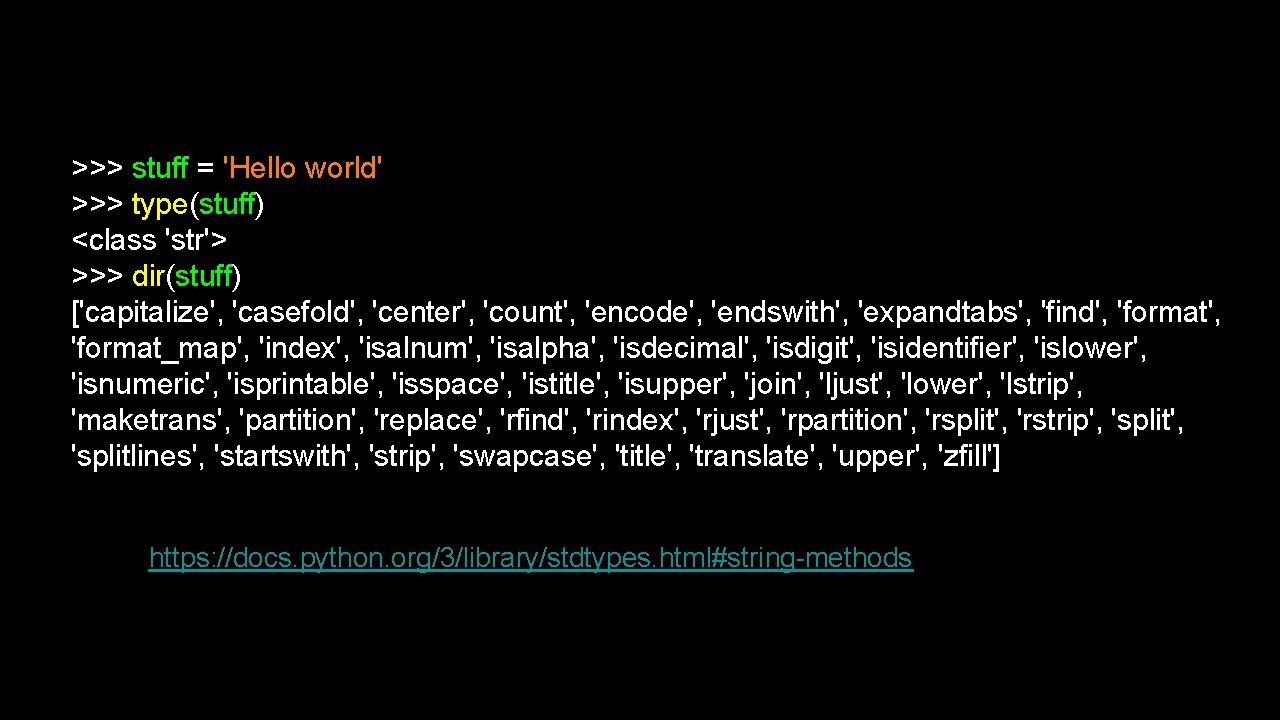
>>> stuff = 'Hello world' >>> type(stuff) <class 'str'> >>> dir(stuff) ['capitalize', 'casefold', 'center', 'count', 'encode', 'endswith', 'expandtabs', 'find', 'format_map', 'index', 'isalnum', 'isalpha', 'isdecimal', 'isdigit', 'isidentifier', 'islower', 'isnumeric', 'isprintable', 'isspace', 'istitle', 'isupper', 'join', 'ljust', 'lower', 'lstrip', 'maketrans', 'partition', 'replace', 'rfind', 'rindex', 'rjust', 'rpartition', 'rsplit', 'rstrip', 'splitlines', 'startswith', 'strip', 'swapcase', 'title', 'translate', 'upper', 'zfill'] https: //docs. python. org/3/library/stdtypes. html#string-methods

![String Library str. capitalize() str. center(width[, fillchar]) str. endswith(suffix[, start[, end]]) str. find(sub[, start[,](http://slidetodoc.com/presentation_image/13ccf0098229152dccd381a1f90a4191/image-24.jpg "String Library str. capitalize() str. center(width[, fillchar]) str. endswith(suffix[, start[, end]]) str. find(sub[, start[,")
String Library str. capitalize() str. center(width[, fillchar]) str. endswith(suffix[, start[, end]]) str. find(sub[, start[, end]]) str. lstrip([chars]) str. replace(old, new[, count]) str. lower() str. rstrip([chars]) str. upper()
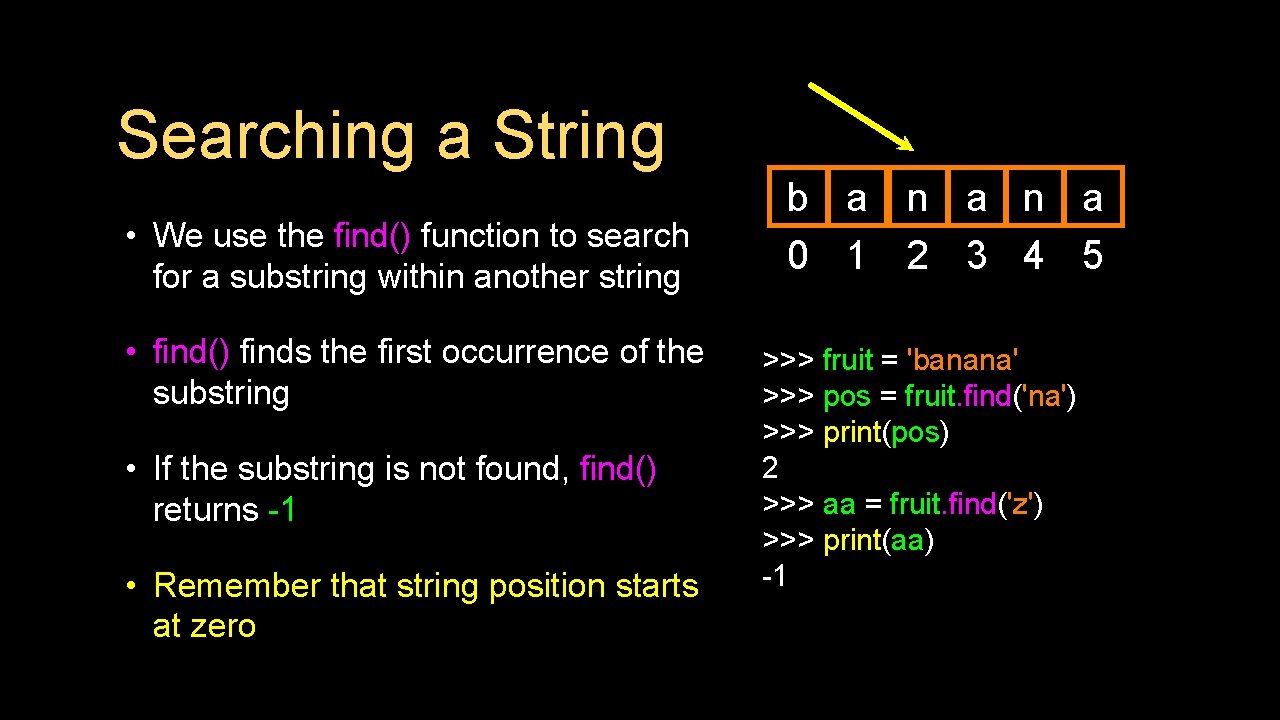
Searching a String • We use the find() function to search for a substring within another string • find() finds the first occurrence of the substring • If the substring is not found, find() returns -1 • Remember that string position starts at zero b a n a 0 1 2 3 4 5 >>> fruit = 'banana' >>> pos = fruit. find('na') >>> print(pos) 2 >>> aa = fruit. find('z') >>> print(aa) -1
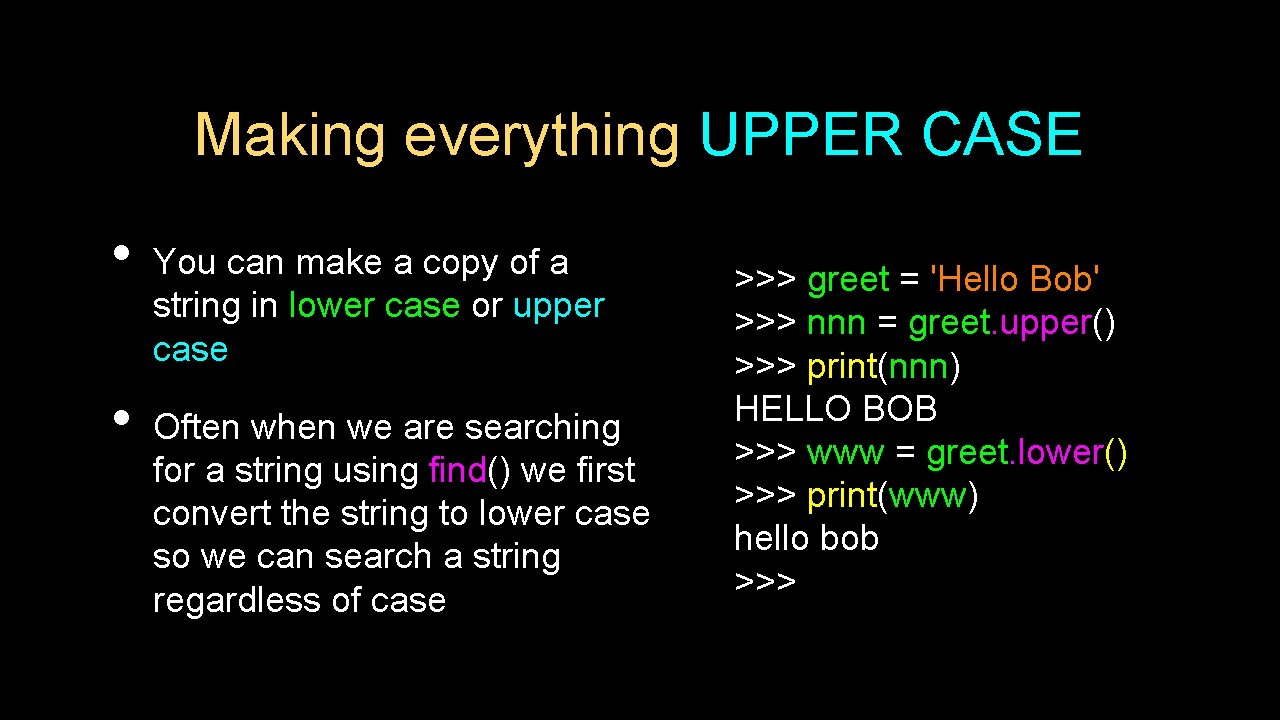
Making everything UPPER CASE • • You can make a copy of a string in lower case or upper case Often when we are searching for a string using find() we first convert the string to lower case so we can search a string regardless of case >>> greet = 'Hello Bob' >>> nnn = greet. upper() >>> print(nnn) HELLO BOB >>> www = greet. lower() >>> print(www) hello bob >>>
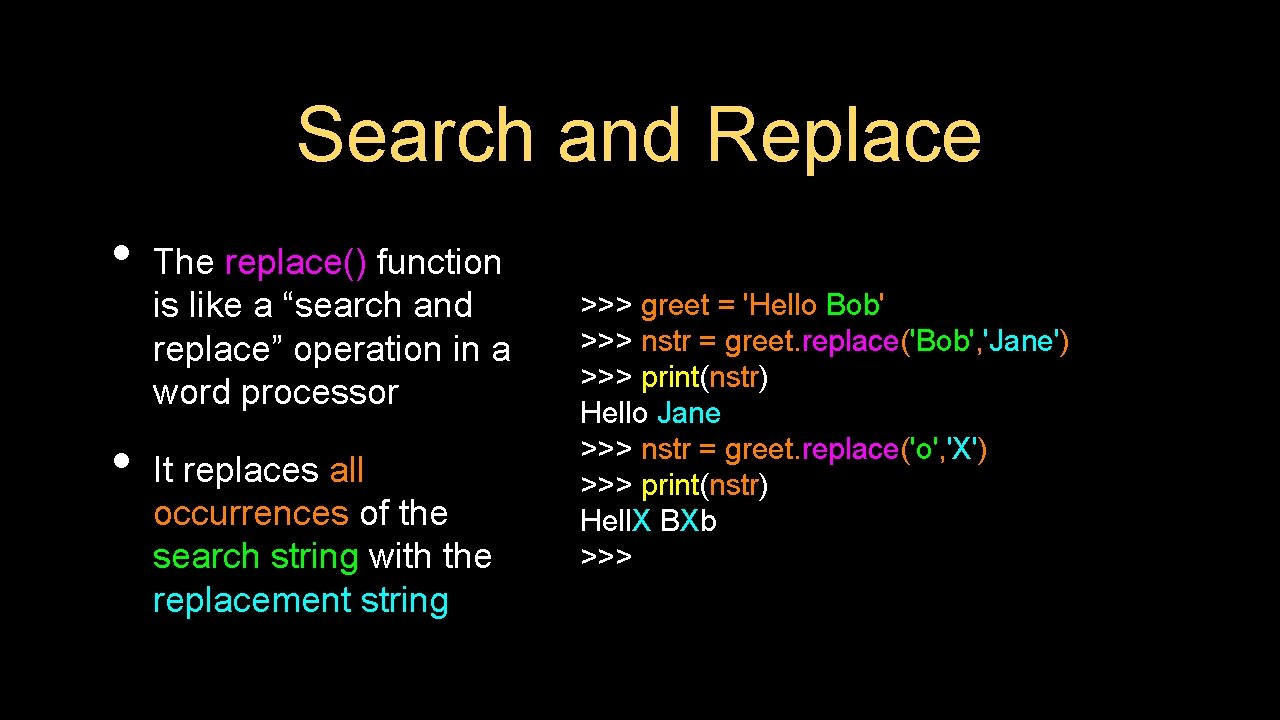
Search and Replace • • The replace() function is like a “search and replace” operation in a word processor It replaces all occurrences of the search string with the replacement string >>> greet = 'Hello Bob' >>> nstr = greet. replace('Bob', 'Jane') >>> print(nstr) Hello Jane >>> nstr = greet. replace('o', 'X') >>> print(nstr) Hell. X BXb >>>
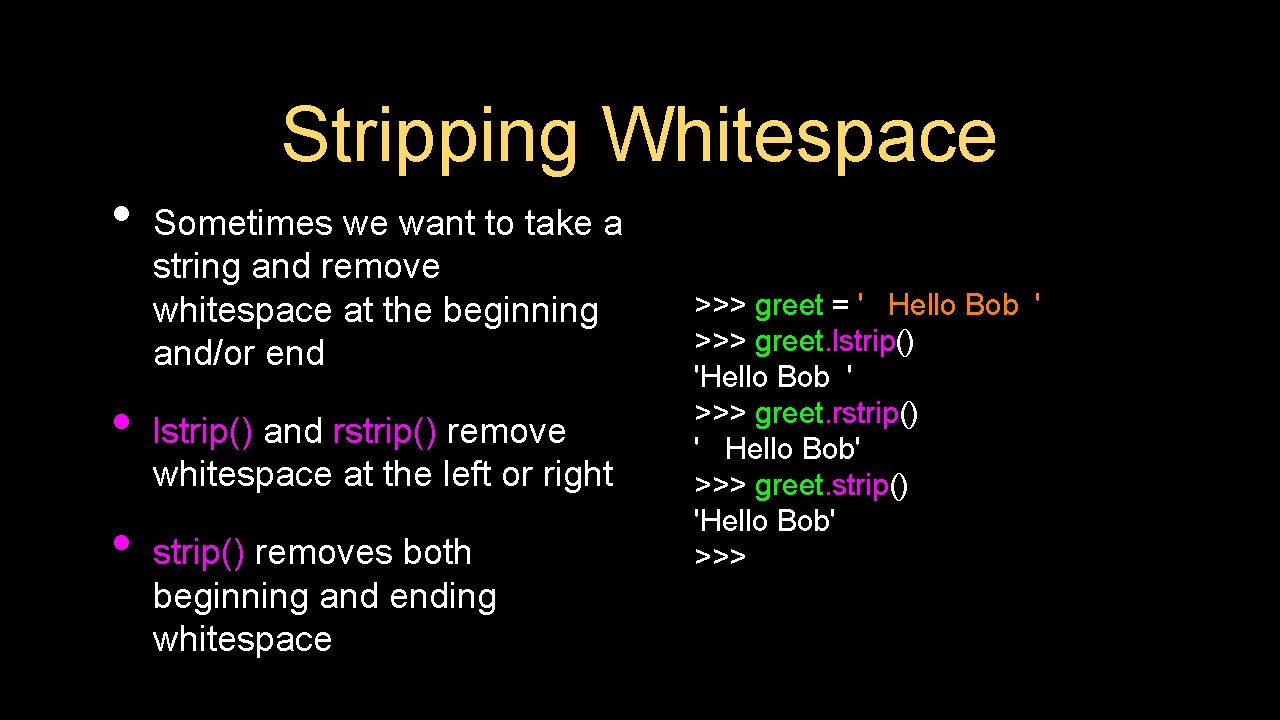
Stripping Whitespace • • • Sometimes we want to take a string and remove whitespace at the beginning and/or end lstrip() and rstrip() remove whitespace at the left or right strip() removes both beginning and ending whitespace >>> greet = ' Hello Bob ' >>> greet. lstrip() 'Hello Bob ' >>> greet. rstrip() ' Hello Bob' >>> greet. strip() 'Hello Bob' >>>
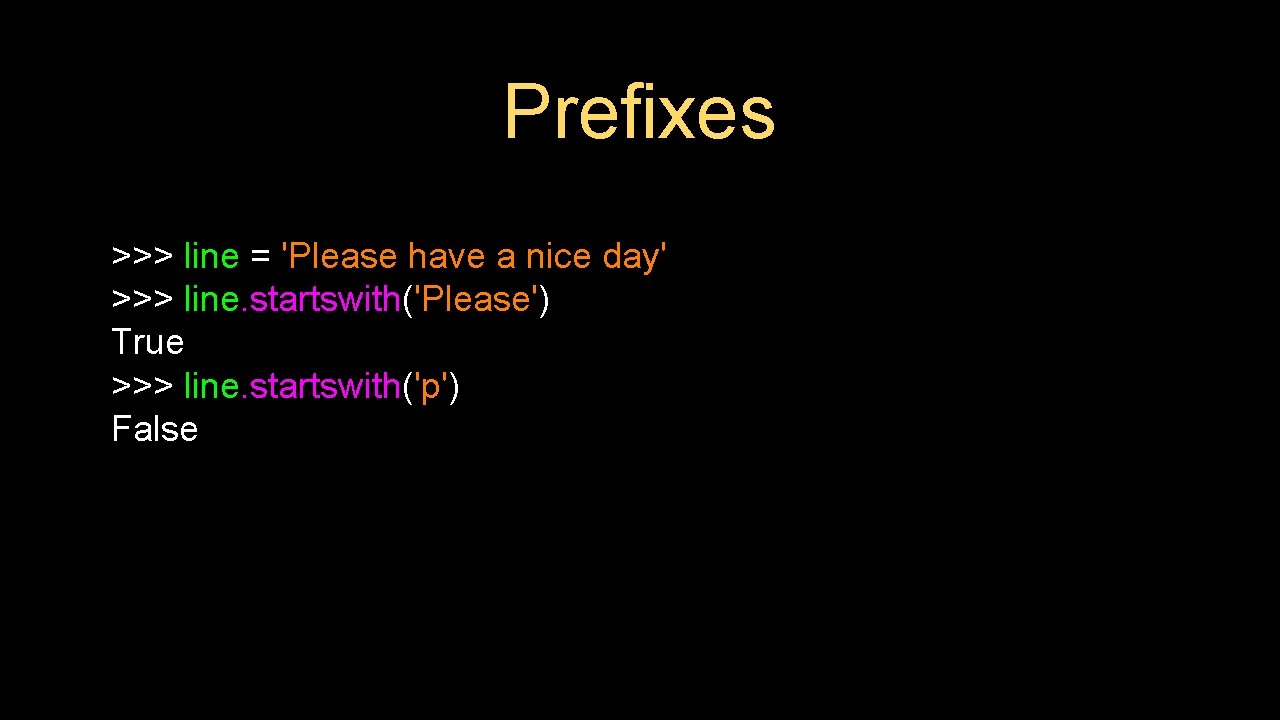
Prefixes >>> line = 'Please have a nice day' >>> line. startswith('Please') True >>> line. startswith('p') False
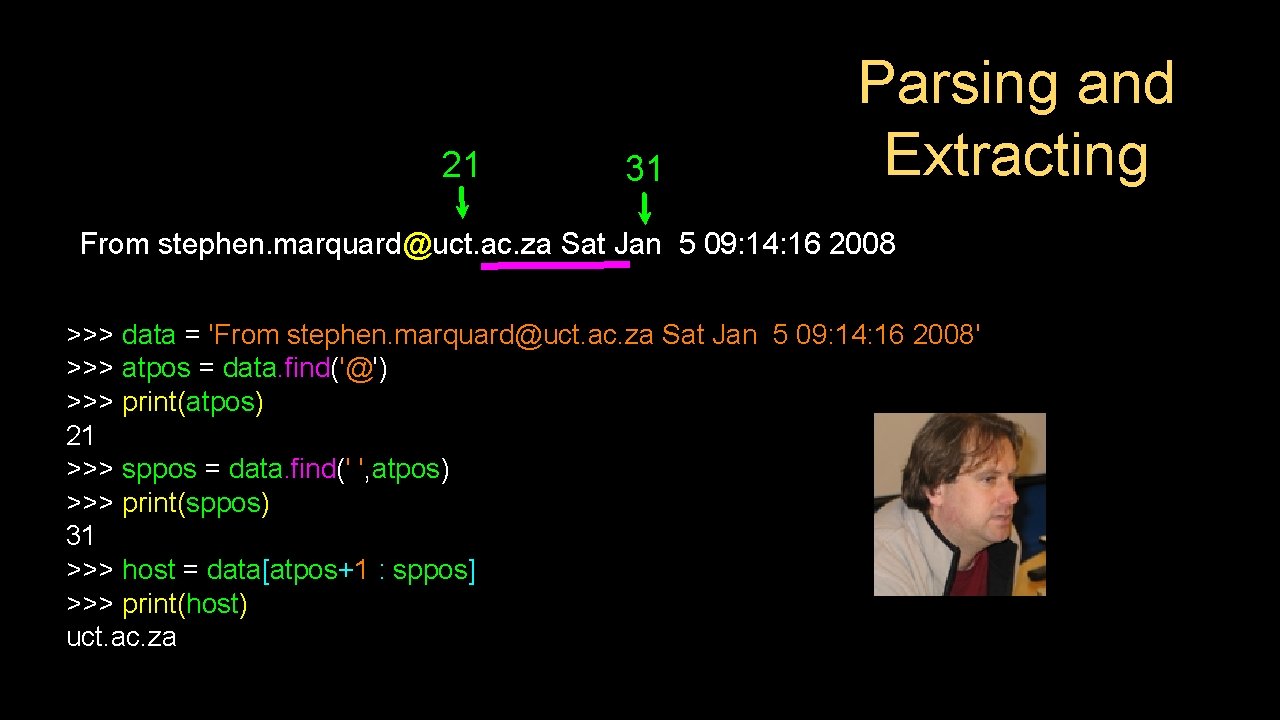
21 31 Parsing and Extracting From stephen. marquard@uct. ac. za Sat Jan 5 09: 14: 16 2008 >>> data = 'From stephen. marquard@uct. ac. za Sat Jan 5 09: 14: 16 2008' >>> atpos = data. find('@') >>> print(atpos) 21 >>> sppos = data. find(' ', atpos) >>> print(sppos) 31 >>> host = data[atpos+1 : sppos] >>> print(host) uct. ac. za

Two Kinds of Strings Python 2. 7. 10 >>> x = '이광춘' >>> type(x) <type 'str'> >>> x = u'이광춘' >>> type(x) <type 'unicode'> >>> Python 3. 5. 1 >>> x = '이광춘' >>> type(x) <class 'str'> >>> x = u'이광춘' >>> type(x) <class 'str'> >>> In Python 3, all strings are Unicode
Summary • String type • String operations • Read/Convert • String library • Indexing strings [] • String comparisons • Slicing strings [2: 4] • Searching in strings • Looping through strings with for and while • Replacing text • Concatenating strings with + • Stripping white space
Acknowledgements / Contributions These slides are Copyright 2010 - Charles R. Severance (www. dr-chuck. com) of the University of Michigan School of Information and open. umich. edu and made available under a Creative Commons Attribution 4. 0 License. Please maintain this last slide in all copies of the document to comply with the attribution requirements of the license. If you make a change, feel free to add your name and organization to the list of contributors on this page as you republish the materials. Initial Development: Charles Severance, University of Michigan School of Information … Insert new Contributors and Translators here . . .
- Slides: 33