
Strings A string is a sequence of characters
![String Input (cont) • Edit set input %[Listof. Chars] – – – Listof. Chars](https://slidetodoc.com/presentation_image_h2/167c3cd116ea39ef8724944ef8bc37f4/image-12.jpg "String Input (cont) • Edit set input %[Listof. Chars] – – – Listof. Chars")
![Input/Output Example #include <stdio. h> void main() { char Last. Name[11]; char First. Name[11];](https://slidetodoc.com/presentation_image_h2/167c3cd116ea39ef8724944ef8bc37f4/image-14.jpg "Input/Output Example #include <stdio. h> void main() { char Last. Name[11]; char First. Name[11];")
![fgets/fputs Example #include <stdio. h> void main() { char fname[81]; char buffer[101]; FILE *instream;](https://slidetodoc.com/presentation_image_h2/167c3cd116ea39ef8724944ef8bc37f4/image-17.jpg "fgets/fputs Example #include <stdio. h> void main() { char fname[81]; char buffer[101]; FILE *instream;")
![Array of Strings Example #include <stdio. h> void main() { char *days[7]; char The.](https://slidetodoc.com/presentation_image_h2/167c3cd116ea39ef8724944ef8bc37f4/image-20.jpg "Array of Strings Example #include <stdio. h> void main() { char *days[7]; char The.")
![strcpy/strcmp Example #include <stdio. h> #include <string. h> void main() { char fname[81]; char](https://slidetodoc.com/presentation_image_h2/167c3cd116ea39ef8724944ef8bc37f4/image-29.jpg "strcpy/strcmp Example #include <stdio. h> #include <string. h> void main() { char fname[81]; char")
![strcat Example #include <stdio. h> #include <string. h> void main() { char fname[81]; char](https://slidetodoc.com/presentation_image_h2/167c3cd116ea39ef8724944ef8bc37f4/image-33.jpg "strcat Example #include <stdio. h> #include <string. h> void main() { char fname[81]; char")
![strchr Example #include <stdio. h> #include <string. h> void main() { char fname[81]; char](https://slidetodoc.com/presentation_image_h2/167c3cd116ea39ef8724944ef8bc37f4/image-36.jpg "strchr Example #include <stdio. h> #include <string. h> void main() { char fname[81]; char")
- Slides: 48
Strings • A string is a sequence of characters treated as a group • We have already used some string literals: – “filename” – “output string” • Strings are important in many programming contexts: – names – other objects (numbers, identifiers, etc. )
Outline Strings Representation in C String Literals String Variables String Input/Output printf, scanf, gets, fgets, puts, fputs String Functions strlen, strcpy, strncpy, strcmp, strncmp, strcat, strncat, strchr, strstr, strspn, strcspn, strtok Reading from/Printing to Strings sprintf, sscanf
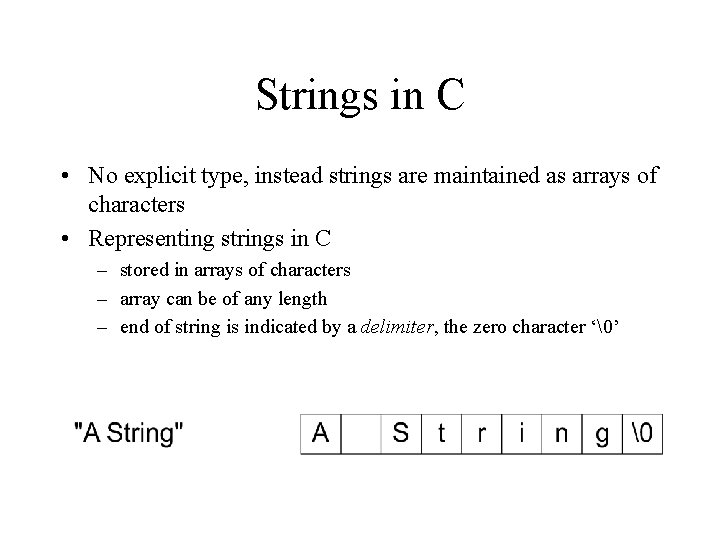
Strings in C • No explicit type, instead strings are maintained as arrays of characters • Representing strings in C – stored in arrays of characters – array can be of any length – end of string is indicated by a delimiter, the zero character ‘’
String Literals • String literal values are represented by sequences of characters between double quotes (“) • Examples – “” - empty string – “hello” • “a” versus ‘a’ – ‘a’ is a single character value (stored in 1 byte) as the ASCII value for a – “a” is an array with two characters, the first is a, the second is the character value
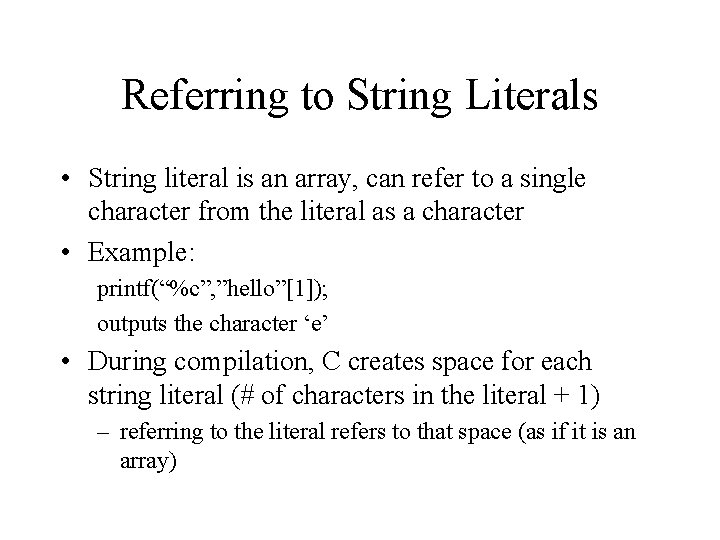
Referring to String Literals • String literal is an array, can refer to a single character from the literal as a character • Example: printf(“%c”, ”hello”[1]); outputs the character ‘e’ • During compilation, C creates space for each string literal (# of characters in the literal + 1) – referring to the literal refers to that space (as if it is an array)
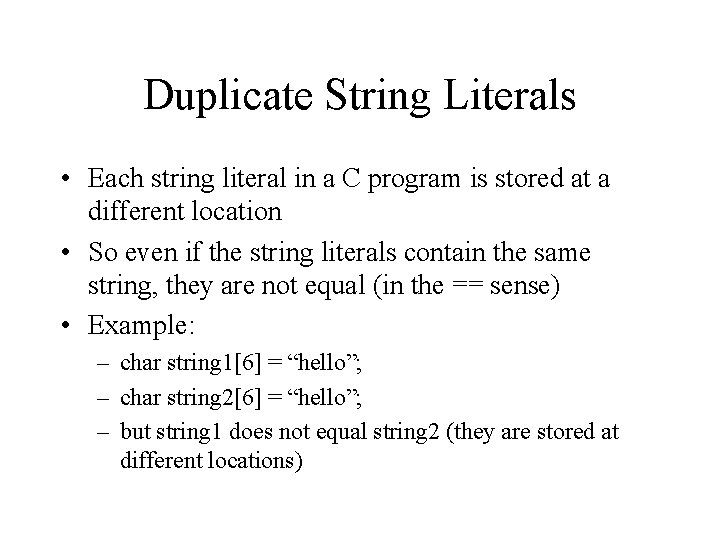
Duplicate String Literals • Each string literal in a C program is stored at a different location • So even if the string literals contain the same string, they are not equal (in the == sense) • Example: – char string 1[6] = “hello”; – char string 2[6] = “hello”; – but string 1 does not equal string 2 (they are stored at different locations)
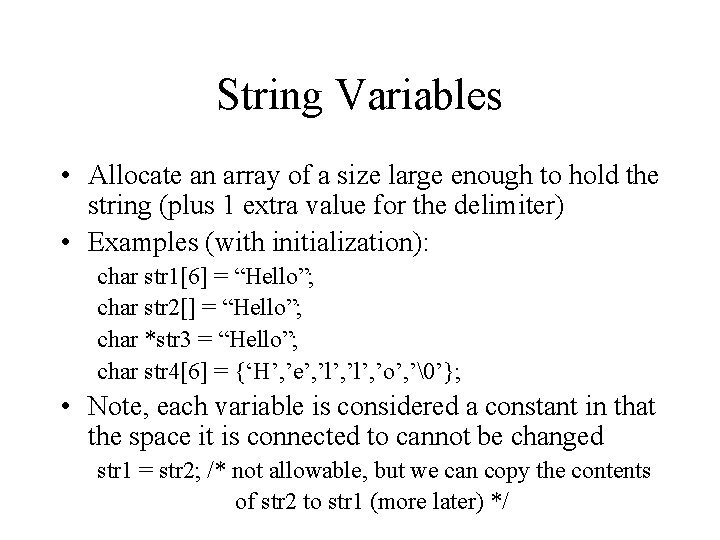
String Variables • Allocate an array of a size large enough to hold the string (plus 1 extra value for the delimiter) • Examples (with initialization): char str 1[6] = “Hello”; char str 2[] = “Hello”; char *str 3 = “Hello”; char str 4[6] = {‘H’, ’e’, ’l’, ’o’, ’’}; • Note, each variable is considered a constant in that the space it is connected to cannot be changed str 1 = str 2; /* not allowable, but we can copy the contents of str 2 to str 1 (more later) */
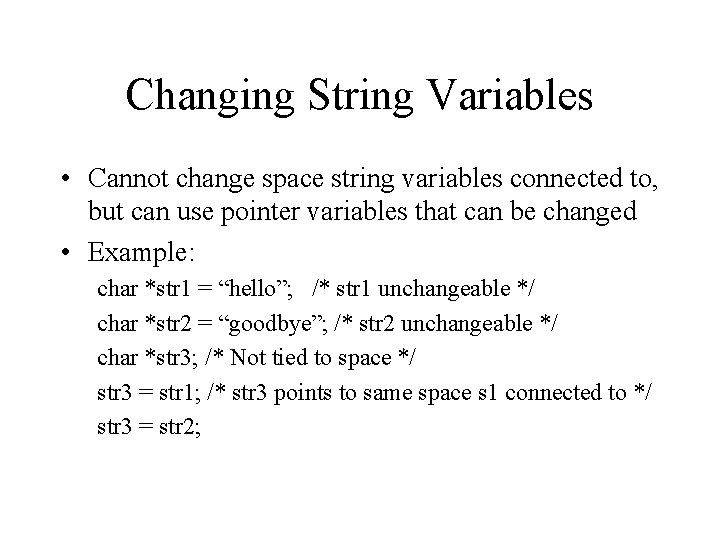
Changing String Variables • Cannot change space string variables connected to, but can use pointer variables that can be changed • Example: char *str 1 = “hello”; /* str 1 unchangeable */ char *str 2 = “goodbye”; /* str 2 unchangeable */ char *str 3; /* Not tied to space */ str 3 = str 1; /* str 3 points to same space s 1 connected to */ str 3 = str 2;
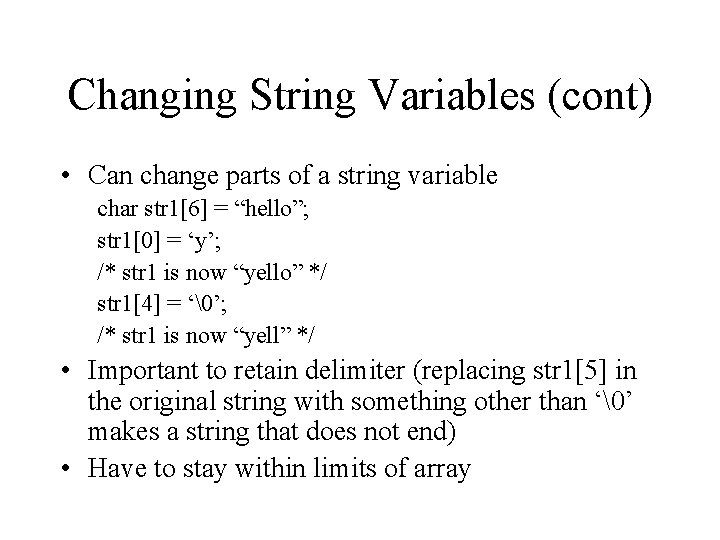
Changing String Variables (cont) • Can change parts of a string variable char str 1[6] = “hello”; str 1[0] = ‘y’; /* str 1 is now “yello” */ str 1[4] = ‘’; /* str 1 is now “yell” */ • Important to retain delimiter (replacing str 1[5] in the original string with something other than ‘’ makes a string that does not end) • Have to stay within limits of array
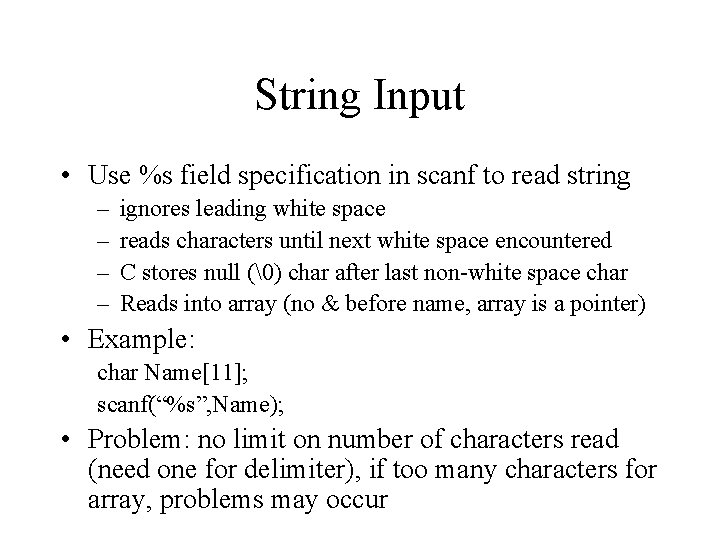
String Input • Use %s field specification in scanf to read string – – ignores leading white space reads characters until next white space encountered C stores null () char after last non-white space char Reads into array (no & before name, array is a pointer) • Example: char Name[11]; scanf(“%s”, Name); • Problem: no limit on number of characters read (need one for delimiter), if too many characters for array, problems may occur
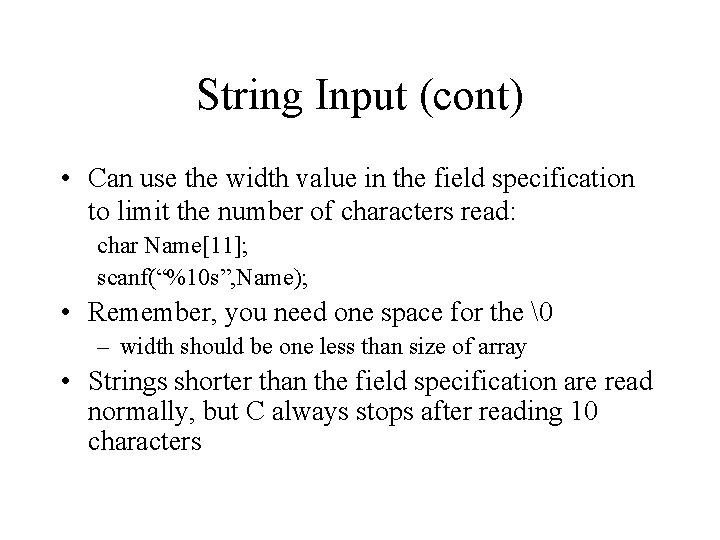
String Input (cont) • Can use the width value in the field specification to limit the number of characters read: char Name[11]; scanf(“%10 s”, Name); • Remember, you need one space for the – width should be one less than size of array • Strings shorter than the field specification are read normally, but C always stops after reading 10 characters
String Input (cont) • Edit set input %[Listof. Chars] – – – Listof. Chars specifies set of characters (called scan set) Characters read as long as character falls in scan set Stops when first non scan set character encountered Note, does not ignored leading white space Any character may be specified except ] Putting ^ at the start to negate the set (any character BUT list is allowed) • Examples: scanf(“%[-+0123456789]”, Number); scanf(“%[^n]”, Line); /* read until newline char */
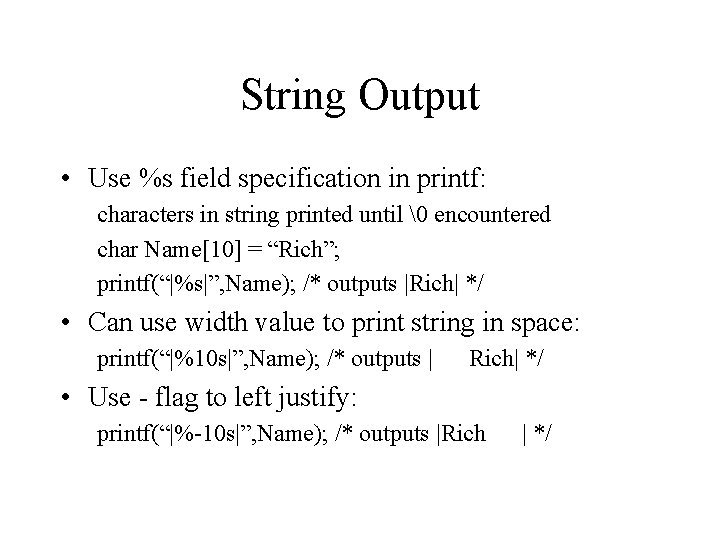
String Output • Use %s field specification in printf: characters in string printed until encountered char Name[10] = “Rich”; printf(“|%s|”, Name); /* outputs |Rich| */ • Can use width value to print string in space: printf(“|%10 s|”, Name); /* outputs | Rich| */ • Use - flag to left justify: printf(“|%-10 s|”, Name); /* outputs |Rich | */
Input/Output Example #include <stdio. h> void main() { char Last. Name[11]; char First. Name[11]; printf("Enter your name (last , first): "); scanf("%10 s%*[^, ], %10 s", Last. Name, First. Name); printf("Nice to meet you %s %sn", First. Name, Last. Name); }
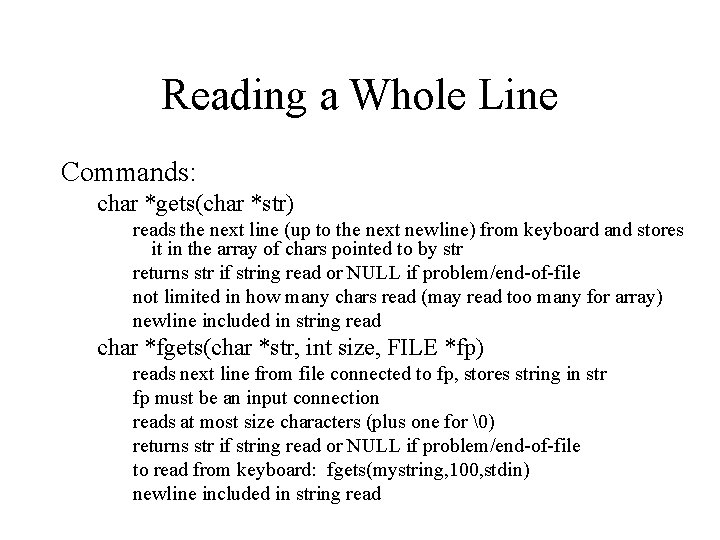
Reading a Whole Line Commands: char *gets(char *str) reads the next line (up to the next newline) from keyboard and stores it in the array of chars pointed to by str returns str if string read or NULL if problem/end-of-file not limited in how many chars read (may read too many for array) newline included in string read char *fgets(char *str, int size, FILE *fp) reads next line from file connected to fp, stores string in str fp must be an input connection reads at most size characters (plus one for ) returns str if string read or NULL if problem/end-of-file to read from keyboard: fgets(mystring, 100, stdin) newline included in string read
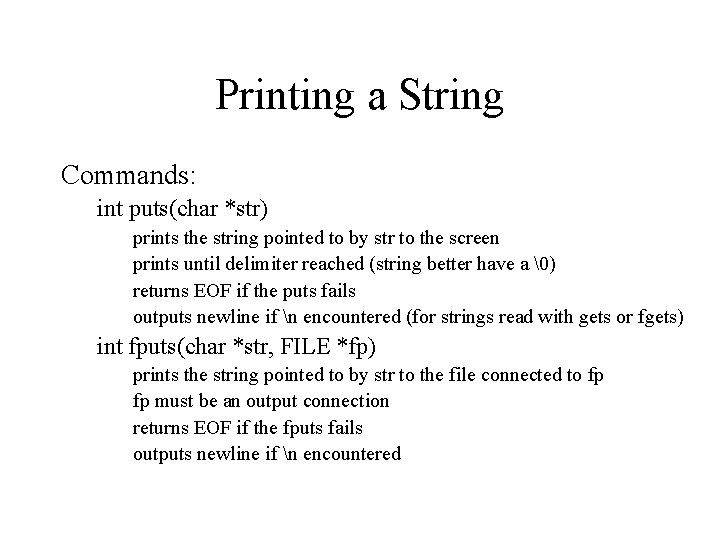
Printing a String Commands: int puts(char *str) prints the string pointed to by str to the screen prints until delimiter reached (string better have a ) returns EOF if the puts fails outputs newline if n encountered (for strings read with gets or fgets) int fputs(char *str, FILE *fp) prints the string pointed to by str to the file connected to fp fp must be an output connection returns EOF if the fputs fails outputs newline if n encountered
fgets/fputs Example #include <stdio. h> void main() { char fname[81]; char buffer[101]; FILE *instream; printf("Show file: "); scanf("%80 s", fname); if ((instream = fopen(fname, "r")) == NULL) { printf("Unable to open file %sn", fname); exit(-1); }
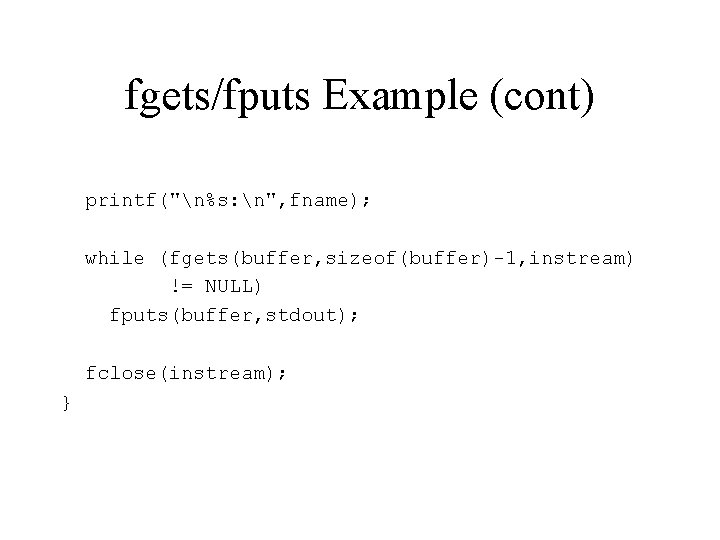
fgets/fputs Example (cont) printf("n%s: n", fname); while (fgets(buffer, sizeof(buffer)-1, instream) != NULL) fputs(buffer, stdout); fclose(instream); }
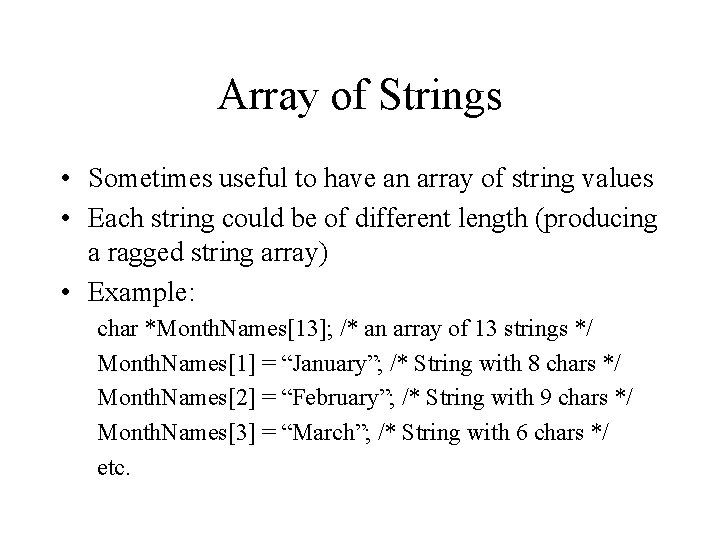
Array of Strings • Sometimes useful to have an array of string values • Each string could be of different length (producing a ragged string array) • Example: char *Month. Names[13]; /* an array of 13 strings */ Month. Names[1] = “January”; /* String with 8 chars */ Month. Names[2] = “February”; /* String with 9 chars */ Month. Names[3] = “March”; /* String with 6 chars */ etc.
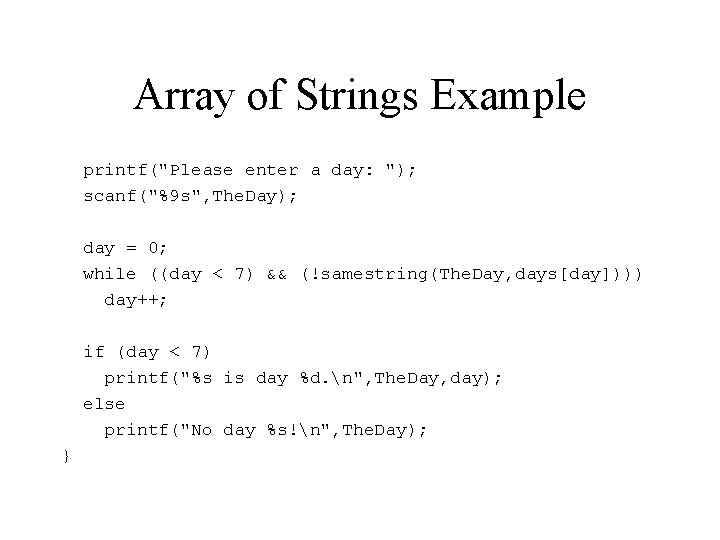
Array of Strings Example #include <stdio. h> void main() { char *days[7]; char The. Day[10]; int day; days[0] days[1] days[2] days[3] days[4] days[5] days[6] = = = = "Sunday"; "Monday"; "Tuesday"; "Wednesday"; "Thursday"; "Friday"; "Saturday";
Array of Strings Example printf("Please enter a day: "); scanf("%9 s", The. Day); day = 0; while ((day < 7) && (!samestring(The. Day, days[day]))) day++; if (day < 7) printf("%s is day %d. n", The. Day, day); else printf("No day %s!n", The. Day); }
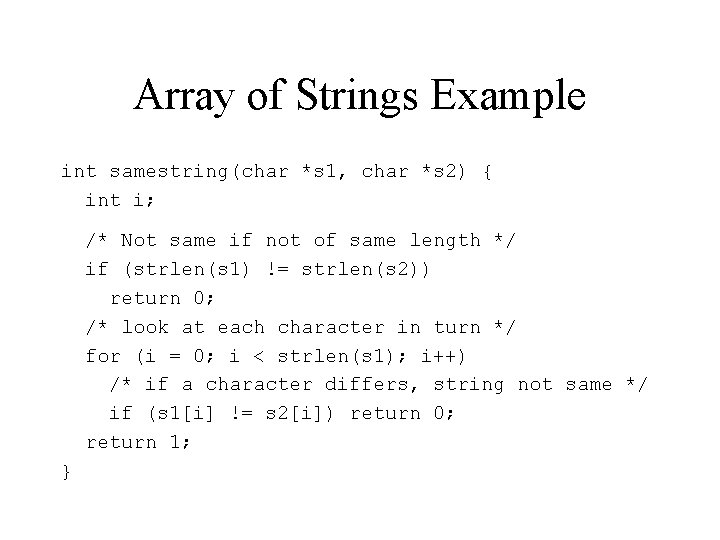
Array of Strings Example int samestring(char *s 1, char *s 2) { int i; /* Not same if not of same length */ if (strlen(s 1) != strlen(s 2)) return 0; /* look at each character in turn */ for (i = 0; i < strlen(s 1); i++) /* if a character differs, string not same */ if (s 1[i] != s 2[i]) return 0; return 1; }
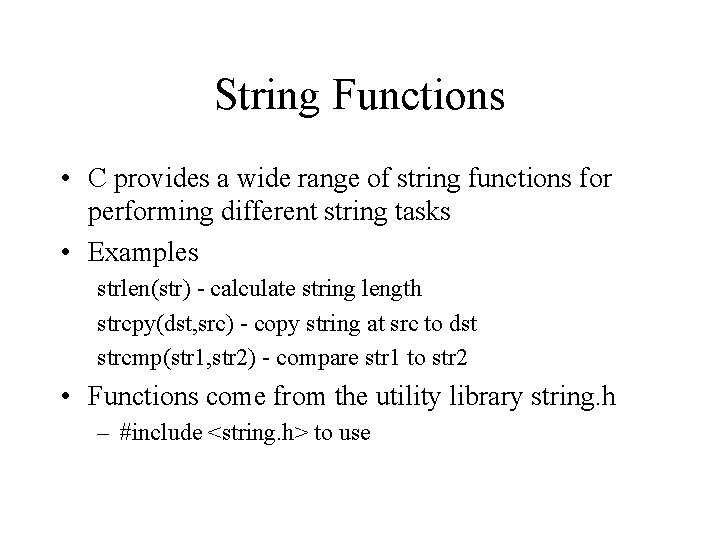
String Functions • C provides a wide range of string functions for performing different string tasks • Examples strlen(str) - calculate string length strcpy(dst, src) - copy string at src to dst strcmp(str 1, str 2) - compare str 1 to str 2 • Functions come from the utility library string. h – #include <string. h> to use
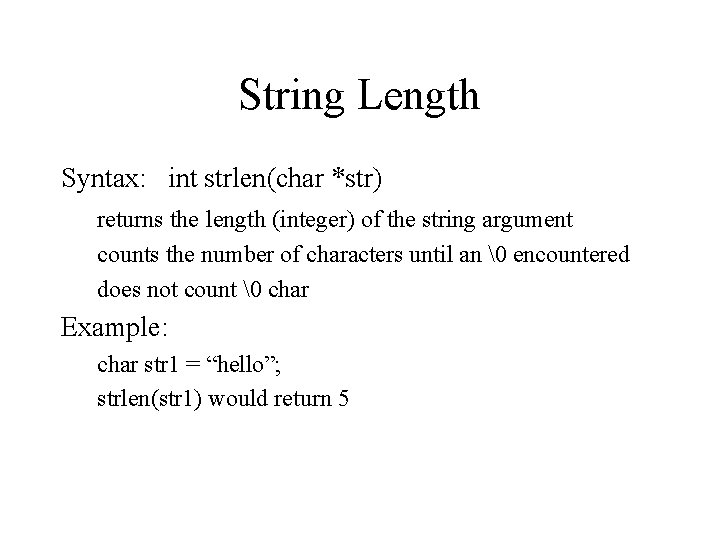
String Length Syntax: int strlen(char *str) returns the length (integer) of the string argument counts the number of characters until an encountered does not count char Example: char str 1 = “hello”; strlen(str 1) would return 5
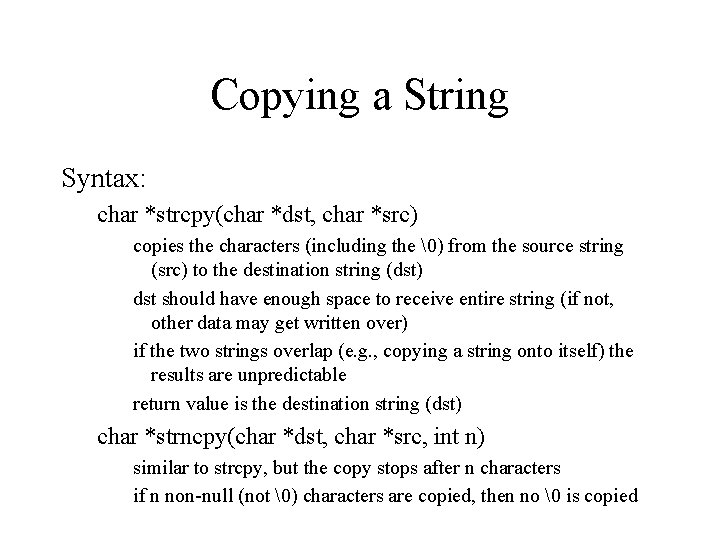
Copying a String Syntax: char *strcpy(char *dst, char *src) copies the characters (including the ) from the source string (src) to the destination string (dst) dst should have enough space to receive entire string (if not, other data may get written over) if the two strings overlap (e. g. , copying a string onto itself) the results are unpredictable return value is the destination string (dst) char *strncpy(char *dst, char *src, int n) similar to strcpy, but the copy stops after n characters if n non-null (not ) characters are copied, then no is copied
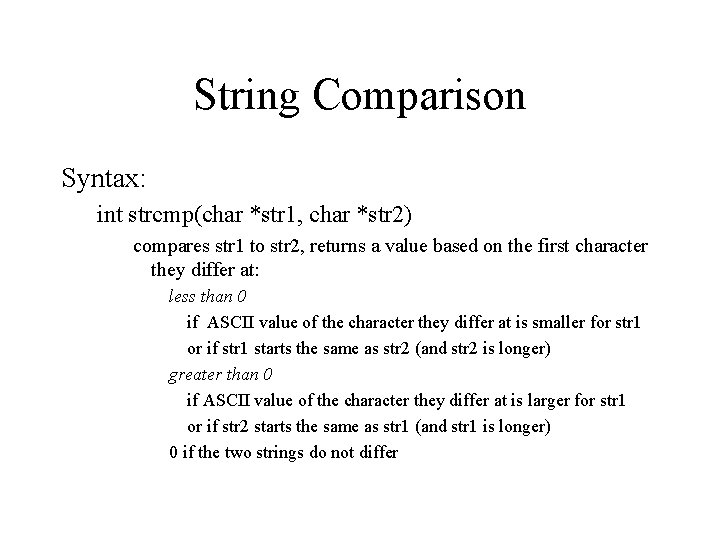
String Comparison Syntax: int strcmp(char *str 1, char *str 2) compares str 1 to str 2, returns a value based on the first character they differ at: less than 0 if ASCII value of the character they differ at is smaller for str 1 or if str 1 starts the same as str 2 (and str 2 is longer) greater than 0 if ASCII value of the character they differ at is larger for str 1 or if str 2 starts the same as str 1 (and str 1 is longer) 0 if the two strings do not differ
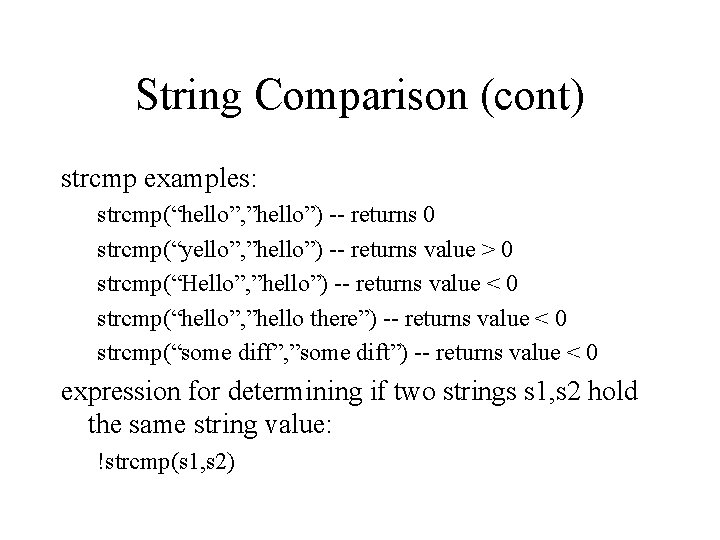
String Comparison (cont) strcmp examples: strcmp(“hello”, ”hello”) -- returns 0 strcmp(“yello”, ”hello”) -- returns value > 0 strcmp(“Hello”, ”hello”) -- returns value < 0 strcmp(“hello”, ”hello there”) -- returns value < 0 strcmp(“some diff”, ”some dift”) -- returns value < 0 expression for determining if two strings s 1, s 2 hold the same string value: !strcmp(s 1, s 2)
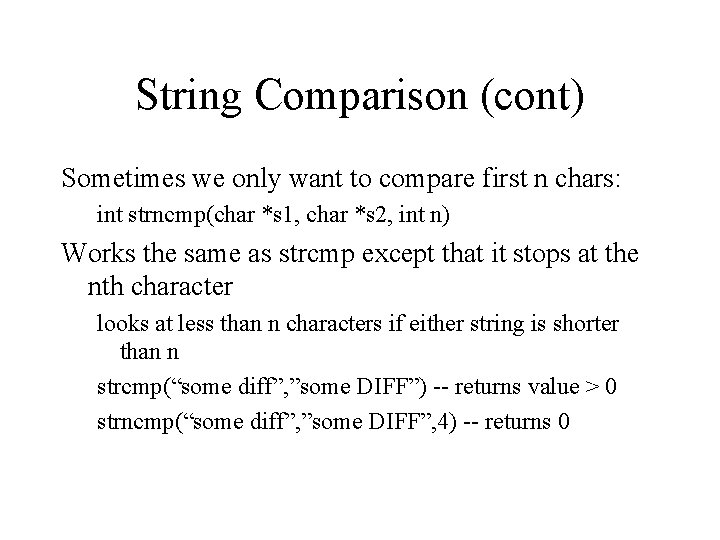
String Comparison (cont) Sometimes we only want to compare first n chars: int strncmp(char *s 1, char *s 2, int n) Works the same as strcmp except that it stops at the nth character looks at less than n characters if either string is shorter than n strcmp(“some diff”, ”some DIFF”) -- returns value > 0 strncmp(“some diff”, ”some DIFF”, 4) -- returns 0
strcpy/strcmp Example #include <stdio. h> #include <string. h> void main() { char fname[81]; char prevline[101] = ""; char buffer[101]; FILE *instream; printf("Check which file: "); scanf("%80 s", fname); if ((instream = fopen(fname, "r")) == NULL) { printf("Unable to open file %sn", fname); exit(-1); }
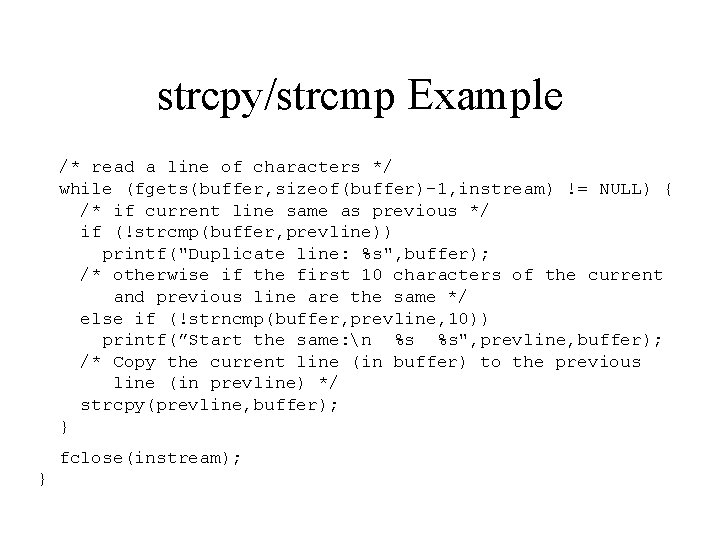
strcpy/strcmp Example /* read a line of characters */ while (fgets(buffer, sizeof(buffer)-1, instream) != NULL) { /* if current line same as previous */ if (!strcmp(buffer, prevline)) printf("Duplicate line: %s", buffer); /* otherwise if the first 10 characters of the current and previous line are the same */ else if (!strncmp(buffer, prevline, 10)) printf(”Start the same: n %s %s", prevline, buffer); /* Copy the current line (in buffer) to the previous line (in prevline) */ strcpy(prevline, buffer); } fclose(instream); }
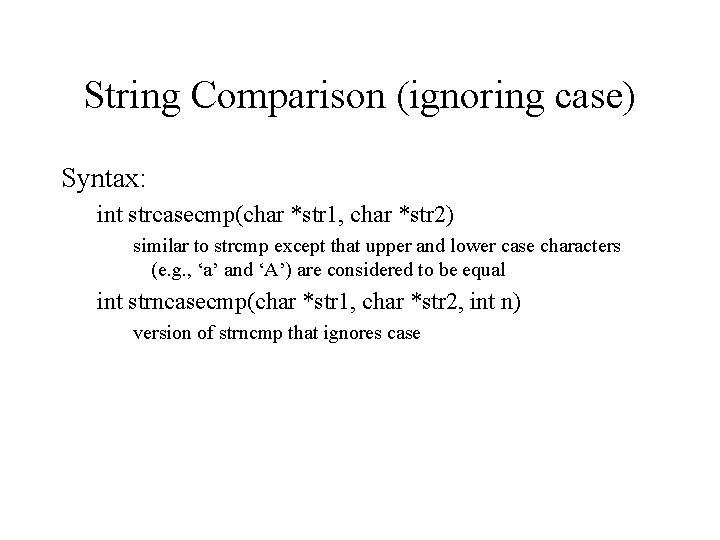
String Comparison (ignoring case) Syntax: int strcasecmp(char *str 1, char *str 2) similar to strcmp except that upper and lower case characters (e. g. , ‘a’ and ‘A’) are considered to be equal int strncasecmp(char *str 1, char *str 2, int n) version of strncmp that ignores case
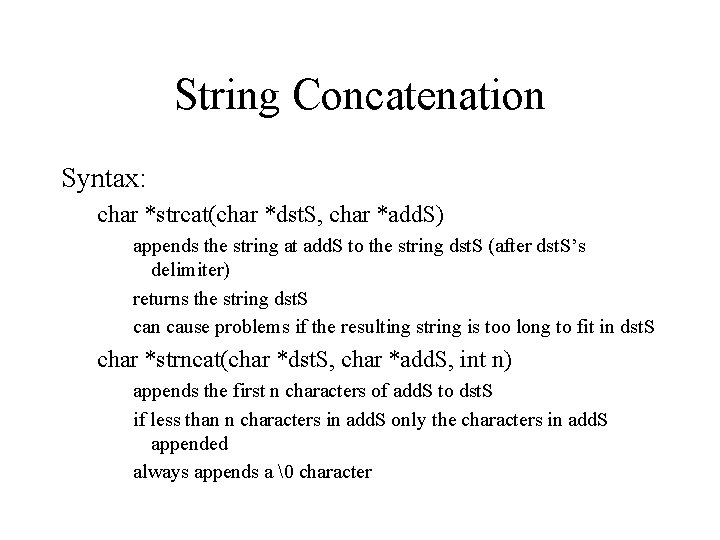
String Concatenation Syntax: char *strcat(char *dst. S, char *add. S) appends the string at add. S to the string dst. S (after dst. S’s delimiter) returns the string dst. S can cause problems if the resulting string is too long to fit in dst. S char *strncat(char *dst. S, char *add. S, int n) appends the first n characters of add. S to dst. S if less than n characters in add. S only the characters in add. S appended always appends a character
strcat Example #include <stdio. h> #include <string. h> void main() { char fname[81]; char buffer[101]; char curraddress[201] = ""; FILE *instream; int first = 1; printf("Address file: "); scanf("%80 s", fname); if ((instream = fopen(fname, "r")) == NULL) { printf("Unable to open file %sn", fname); exit(-1); }
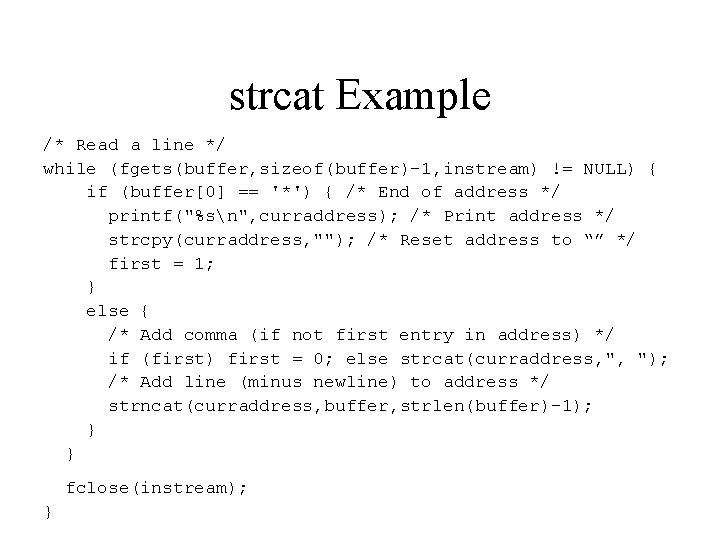
strcat Example /* Read a line */ while (fgets(buffer, sizeof(buffer)-1, instream) != NULL) { if (buffer[0] == '*') { /* End of address */ printf("%sn", curraddress); /* Print address */ strcpy(curraddress, ""); /* Reset address to “” */ first = 1; } else { /* Add comma (if not first entry in address) */ if (first) first = 0; else strcat(curraddress, ", "); /* Add line (minus newline) to address */ strncat(curraddress, buffer, strlen(buffer)-1); } } fclose(instream); }
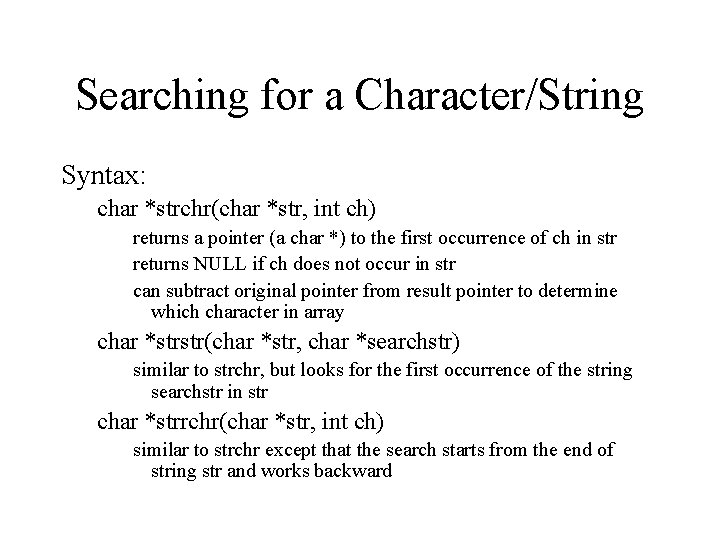
Searching for a Character/String Syntax: char *strchr(char *str, int ch) returns a pointer (a char *) to the first occurrence of ch in str returns NULL if ch does not occur in str can subtract original pointer from result pointer to determine which character in array char *strstr(char *str, char *searchstr) similar to strchr, but looks for the first occurrence of the string searchstr in str char *strrchr(char *str, int ch) similar to strchr except that the search starts from the end of string str and works backward
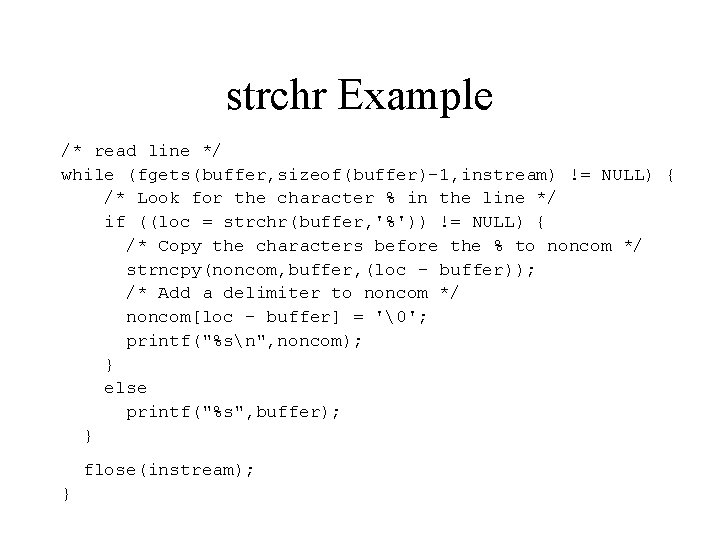
strchr Example #include <stdio. h> #include <string. h> void main() { char fname[81]; char buffer[101]; char noncom[101]; FILE *instream; char *loc; printf("File: "); scanf("%80 s", fname); if ((instream = fopen(fname, "r")) == NULL) { printf("Unable to open file %sn", fname); exit(-1); }
strchr Example /* read line */ while (fgets(buffer, sizeof(buffer)-1, instream) != NULL) { /* Look for the character % in the line */ if ((loc = strchr(buffer, '%')) != NULL) { /* Copy the characters before the % to noncom */ strncpy(noncom, buffer, (loc - buffer)); /* Add a delimiter to noncom */ noncom[loc - buffer] = ''; printf("%sn", noncom); } else printf("%s", buffer); } flose(instream); }
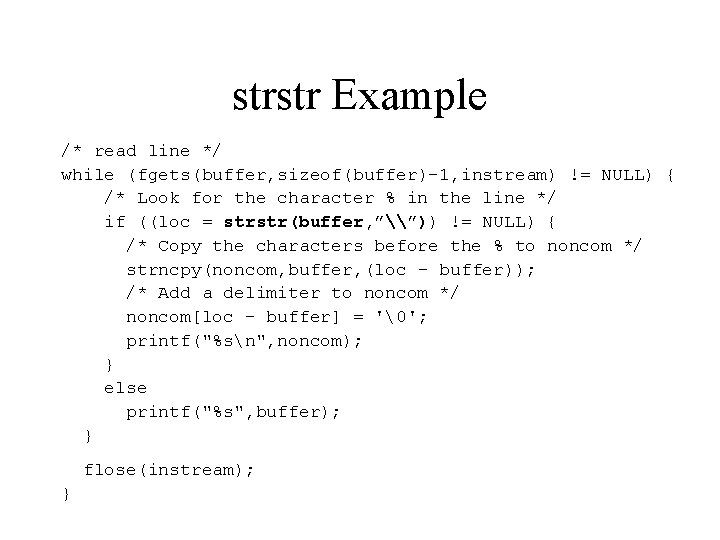
strstr Example /* read line */ while (fgets(buffer, sizeof(buffer)-1, instream) != NULL) { /* Look for the character % in the line */ if ((loc = strstr(buffer, ”\”)) != NULL) { /* Copy the characters before the % to noncom */ strncpy(noncom, buffer, (loc - buffer)); /* Add a delimiter to noncom */ noncom[loc - buffer] = ''; printf("%sn", noncom); } else printf("%s", buffer); } flose(instream); }
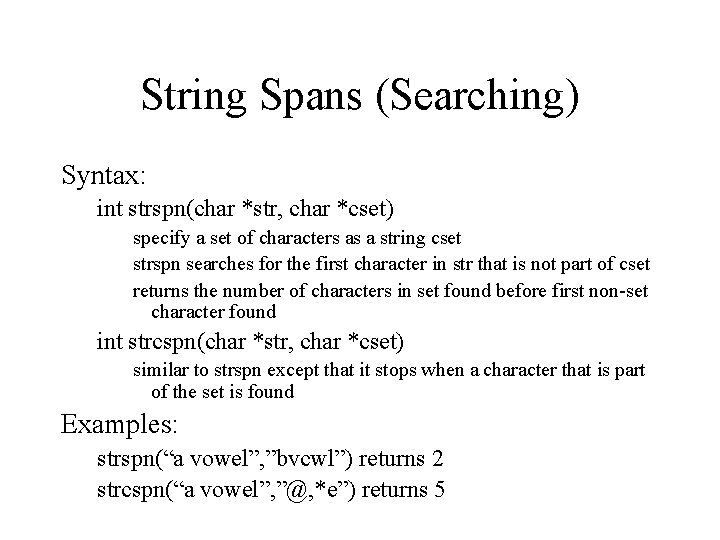
String Spans (Searching) Syntax: int strspn(char *str, char *cset) specify a set of characters as a string cset strspn searches for the first character in str that is not part of cset returns the number of characters in set found before first non-set character found int strcspn(char *str, char *cset) similar to strspn except that it stops when a character that is part of the set is found Examples: strspn(“a vowel”, ”bvcwl”) returns 2 strcspn(“a vowel”, ”@, *e”) returns 5
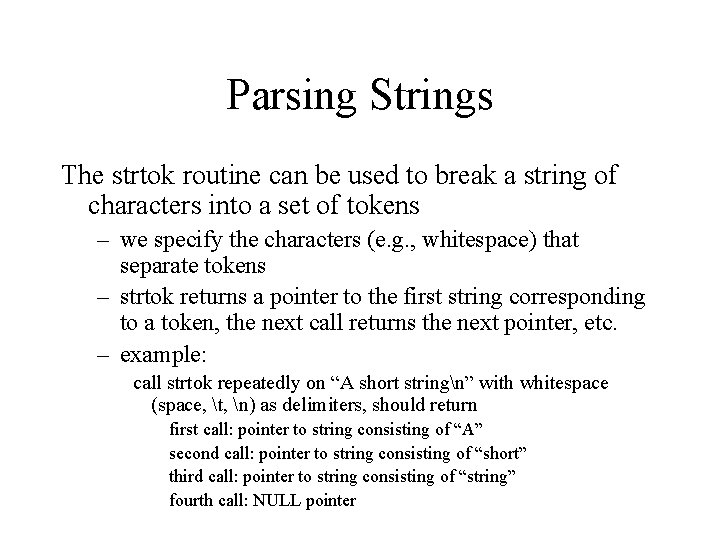
Parsing Strings The strtok routine can be used to break a string of characters into a set of tokens – we specify the characters (e. g. , whitespace) that separate tokens – strtok returns a pointer to the first string corresponding to a token, the next call returns the next pointer, etc. – example: call strtok repeatedly on “A short stringn” with whitespace (space, t, n) as delimiters, should return first call: pointer to string consisting of “A” second call: pointer to string consisting of “short” third call: pointer to string consisting of “string” fourth call: NULL pointer
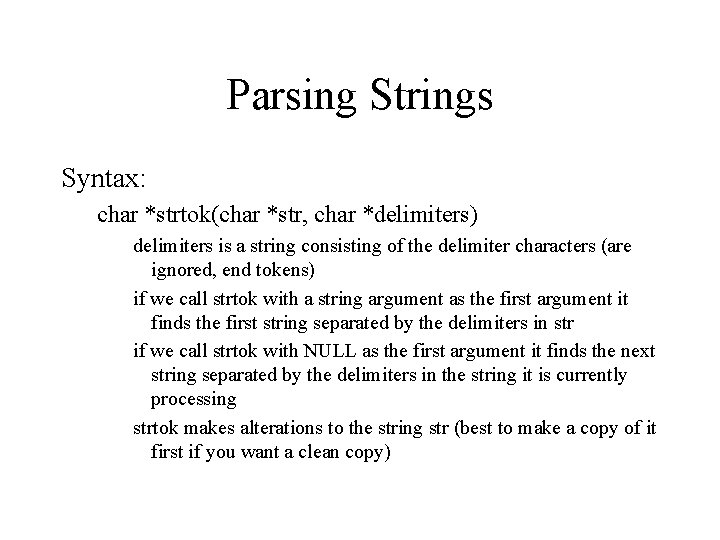
Parsing Strings Syntax: char *strtok(char *str, char *delimiters) delimiters is a string consisting of the delimiter characters (are ignored, end tokens) if we call strtok with a string argument as the first argument it finds the first string separated by the delimiters in str if we call strtok with NULL as the first argument it finds the next string separated by the delimiters in the string it is currently processing strtok makes alterations to the string str (best to make a copy of it first if you want a clean copy)
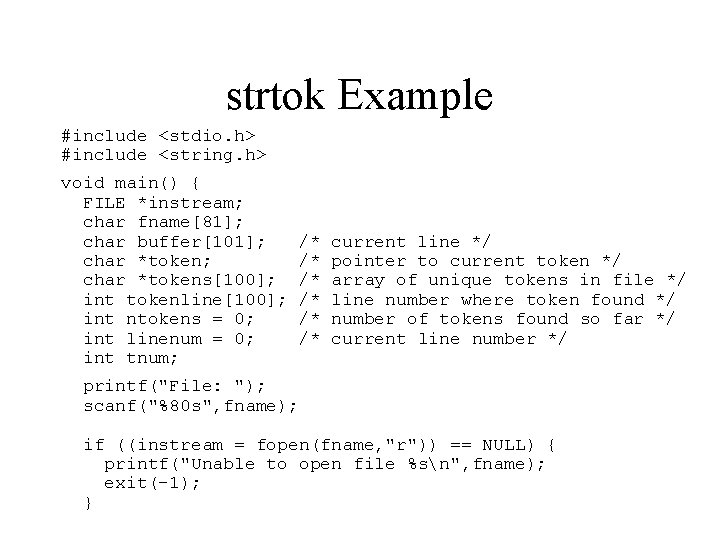
strtok Example #include <stdio. h> #include <string. h> void main() { FILE *instream; char fname[81]; char buffer[101]; char *tokens[100]; int tokenline[100]; int ntokens = 0; int linenum = 0; int tnum; /* /* /* current line */ pointer to current token */ array of unique tokens in file */ line number where token found */ number of tokens found so far */ current line number */ printf("File: "); scanf("%80 s", fname); if ((instream = fopen(fname, "r")) == NULL) { printf("Unable to open file %sn", fname); exit(-1); }
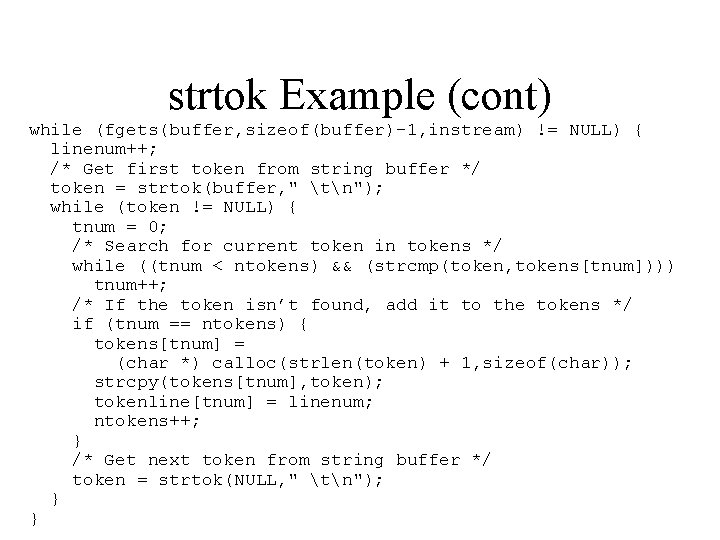
strtok Example (cont) while (fgets(buffer, sizeof(buffer)-1, instream) != NULL) { linenum++; /* Get first token from string buffer */ token = strtok(buffer, " tn"); while (token != NULL) { tnum = 0; /* Search for current token in tokens */ while ((tnum < ntokens) && (strcmp(token, tokens[tnum]))) tnum++; /* If the token isn’t found, add it to the tokens */ if (tnum == ntokens) { tokens[tnum] = (char *) calloc(strlen(token) + 1, sizeof(char)); strcpy(tokens[tnum], token); tokenline[tnum] = linenum; ntokens++; } /* Get next token from string buffer */ token = strtok(NULL, " tn"); } }
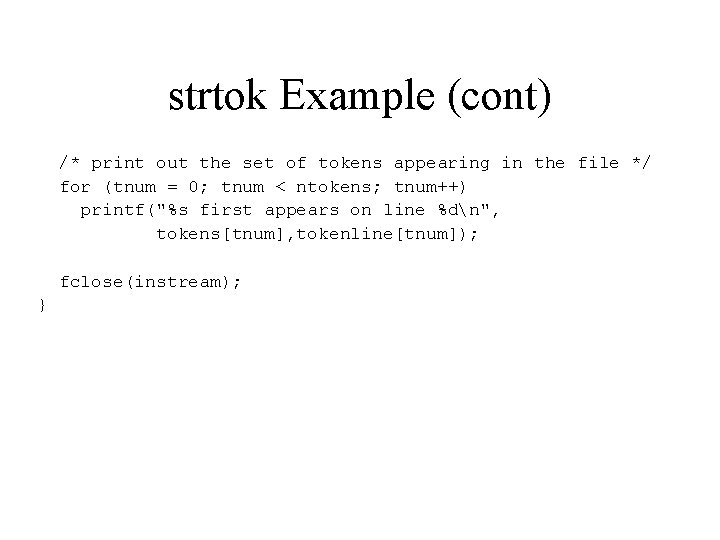
strtok Example (cont) /* print out the set of tokens appearing in the file */ for (tnum = 0; tnum < ntokens; tnum++) printf("%s first appears on line %dn", tokens[tnum], tokenline[tnum]); fclose(instream); }
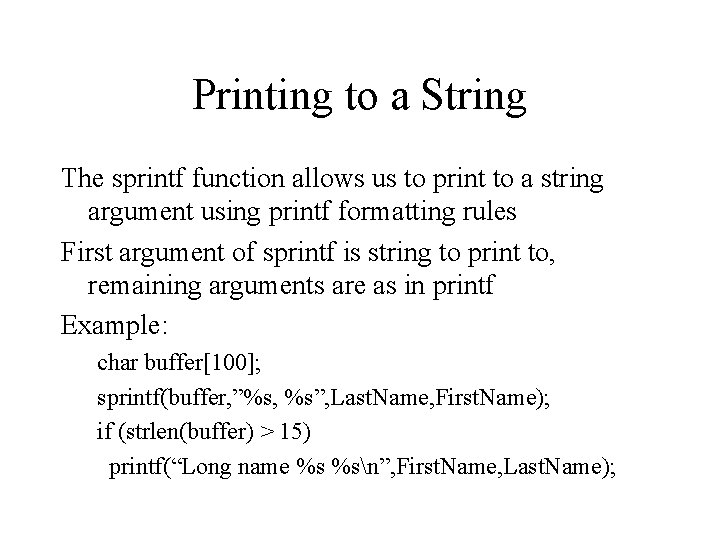
Printing to a String The sprintf function allows us to print to a string argument using printf formatting rules First argument of sprintf is string to print to, remaining arguments are as in printf Example: char buffer[100]; sprintf(buffer, ”%s, %s”, Last. Name, First. Name); if (strlen(buffer) > 15) printf(“Long name %s %sn”, First. Name, Last. Name);
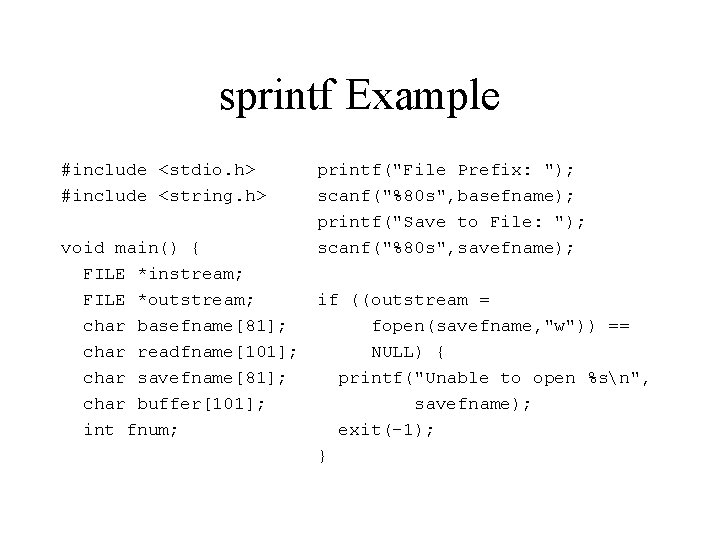
sprintf Example #include <stdio. h> #include <string. h> printf("File Prefix: "); scanf("%80 s", basefname); printf("Save to File: "); scanf("%80 s", savefname); void main() { FILE *instream; FILE *outstream; if ((outstream = char basefname[81]; fopen(savefname, "w")) == char readfname[101]; NULL) { char savefname[81]; printf("Unable to open %sn", char buffer[101]; savefname); int fnum; exit(-1); }
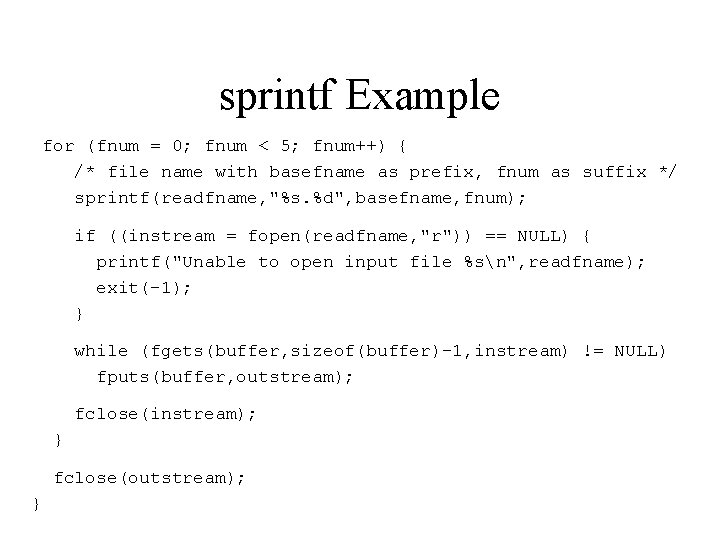
sprintf Example for (fnum = 0; fnum < 5; fnum++) { /* file name with basefname as prefix, fnum as suffix */ sprintf(readfname, "%s. %d", basefname, fnum); if ((instream = fopen(readfname, "r")) == NULL) { printf("Unable to open input file %sn", readfname); exit(-1); } while (fgets(buffer, sizeof(buffer)-1, instream) != NULL) fputs(buffer, outstream); fclose(instream); } fclose(outstream); }
Reading from a String The sscanf function allows us to read from a string argument using scanf rules First argument of sscanf is string to read from, remaining arguments are as in scanf Example: char buffer[100] = “A 10 50. 0”; sscanf(buffer, ”%c%d%f”, &ch, &inum, &fnum); /* puts ‘A’ in ch, 10 in inum and 50. 0 in fnum */