
Streamserve 5 6 2 Vista Plus Ouptut Manager

- Slides: 20
Streamserve 5. 6. 2 Vista Plus Ouptut Manager Integration Karim El Cheikh Product Manager Oct 2015 Copyright © Open Text Corporation. All rights reserved.
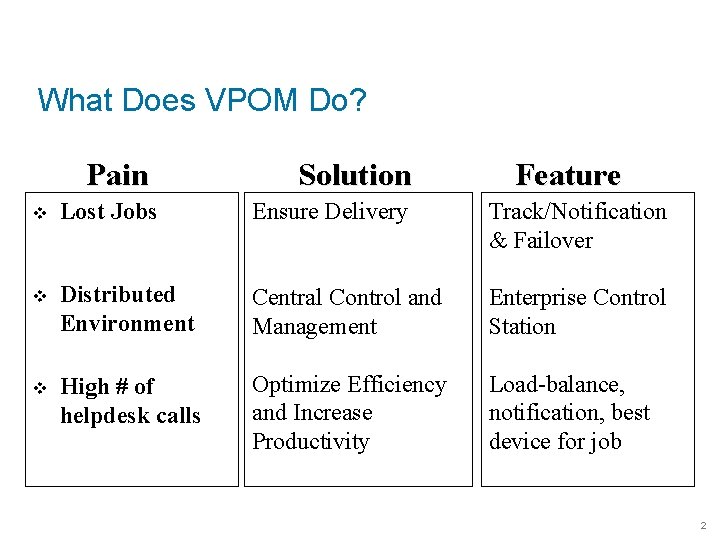
What Does VPOM Do? Pain Solution Feature v Lost Jobs Ensure Delivery Track/Notification & Failover v Distributed Environment Central Control and Management Enterprise Control Station v High # of helpdesk calls Optimize Efficiency and Increase Productivity Load-balance, notification, best device for job 2
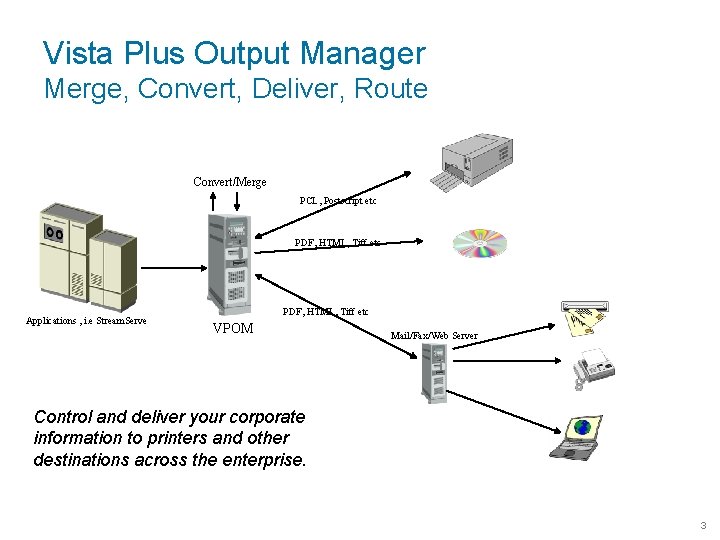
Vista Plus Output Manager Merge, Convert, Deliver, Route Convert/Merge PCL, Postscript etc PDF, HTML, Tiff etc Applications , i. e Stream. Serve PDF, HTML, Tiff etc VPOM Mail/Fax/Web Server Control and deliver your corporate information to printers and other destinations across the enterprise. 3
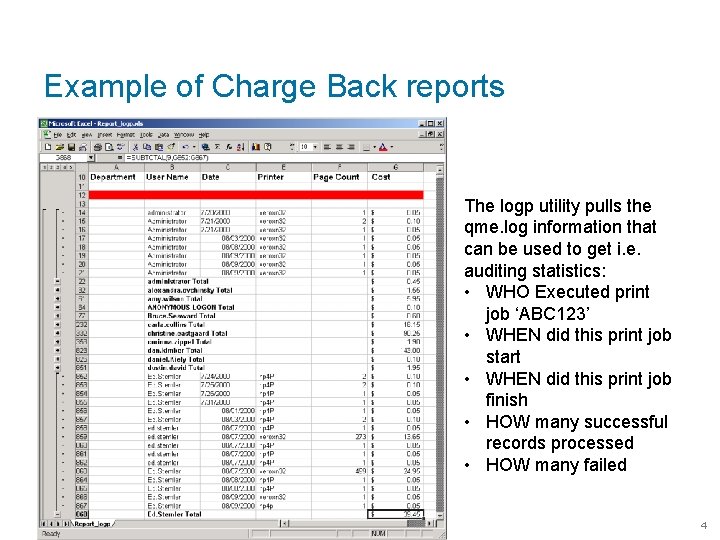
Example of Charge Back reports The logp utility pulls the qme. log information that can be used to get i. e. auditing statistics: • WHO Executed print job ‘ABC 123’ • WHEN did this print job start • WHEN did this print job finish • HOW many successful records processed • HOW many failed 4
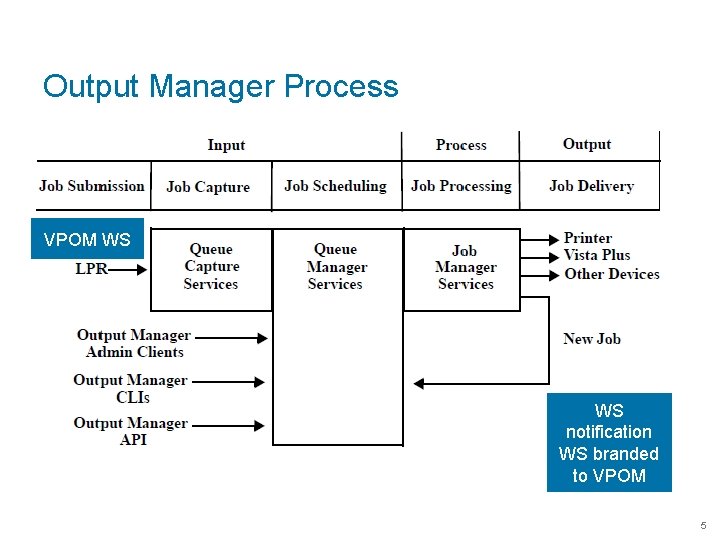
Output Manager Process VPOM WS notification WS branded to VPOM 5
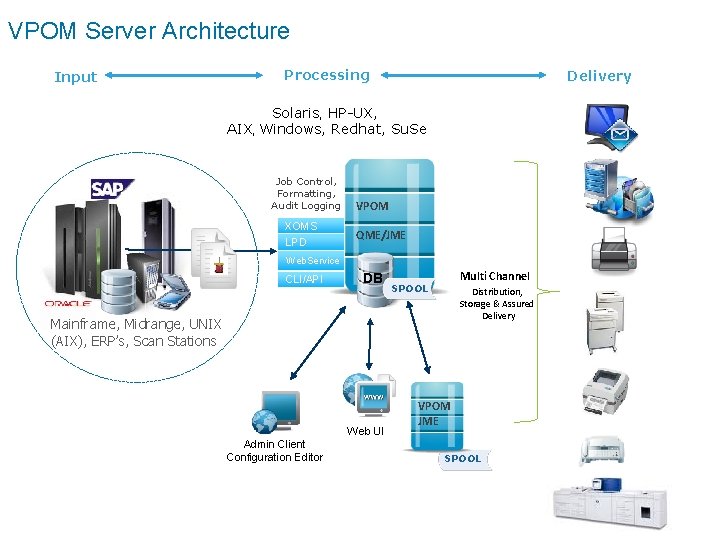
VPOM Server Architecture Input Processing Delivery Solaris, HP-UX, AIX, Windows, Redhat, Su. Se Job Control, Formatting, Audit Logging XOMS LPD VPOM QME/JME Web. Service CLI/API DB Multi Channel SPOOL Distribution, Storage & Assured Delivery Mainframe, Midrange, UNIX (AIX), ERP’s, Scan Stations Web UI Admin Client Configuration Editor VPOM JME SPOOL
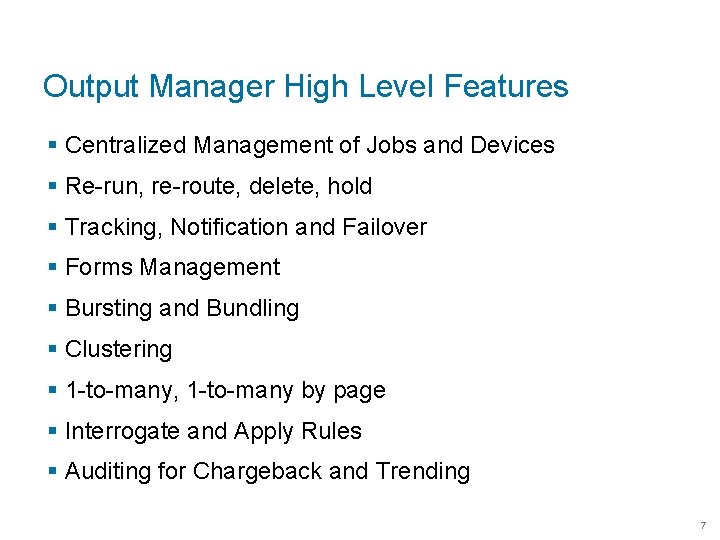
Output Manager High Level Features § Centralized Management of Jobs and Devices § Re-run, re-route, delete, hold § Tracking, Notification and Failover § Forms Management § Bursting and Bundling § Clustering § 1 -to-many, 1 -to-many by page § Interrogate and Apply Rules § Auditing for Chargeback and Trending 7
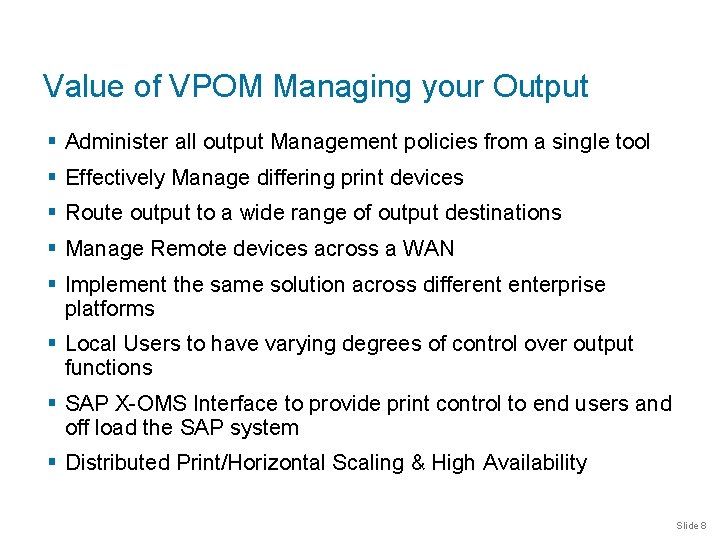
Value of VPOM Managing your Output § Administer all output Management policies from a single tool § Effectively Manage differing print devices § Route output to a wide range of output destinations § Manage Remote devices across a WAN § Implement the same solution across different enterprise platforms § Local Users to have varying degrees of control over output functions § SAP X-OMS Interface to provide print control to end users and off load the SAP system § Distributed Print/Horizontal Scaling & High Availability Slide 8
Example of a HA DR Environment 9
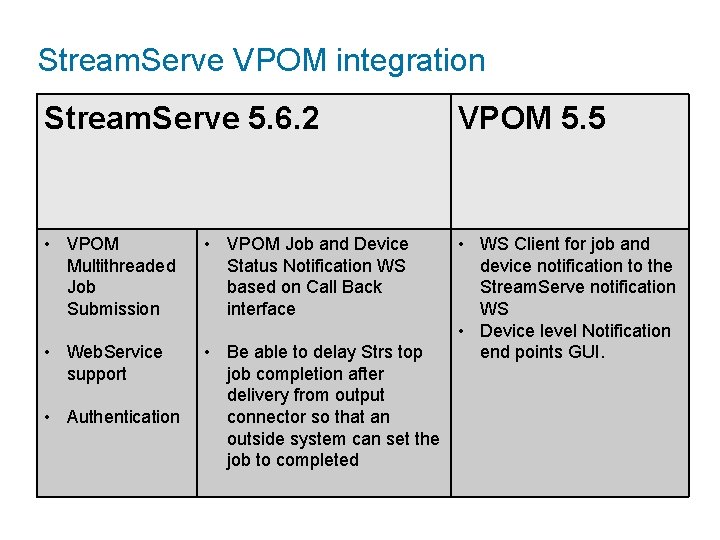
Stream. Serve VPOM integration Stream. Serve 5. 6. 2 VPOM 5. 5 • VPOM Multithreaded Job Submission • VPOM Job and Device Status Notification WS based on Call Back interface • Web. Service support • Be able to delay Strs top job completion after delivery from output connector so that an outside system can set the job to completed • WS Client for job and device notification to the Stream. Serve notification WS • Device level Notification end points GUI. • Authentication
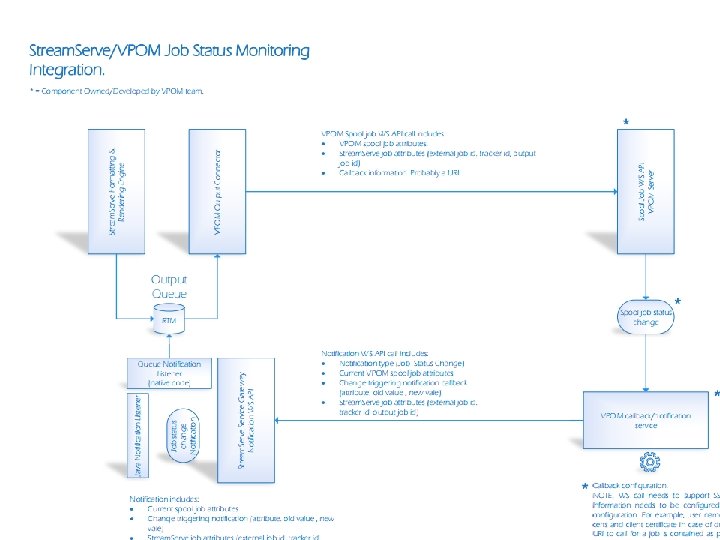
Job Status Change 11
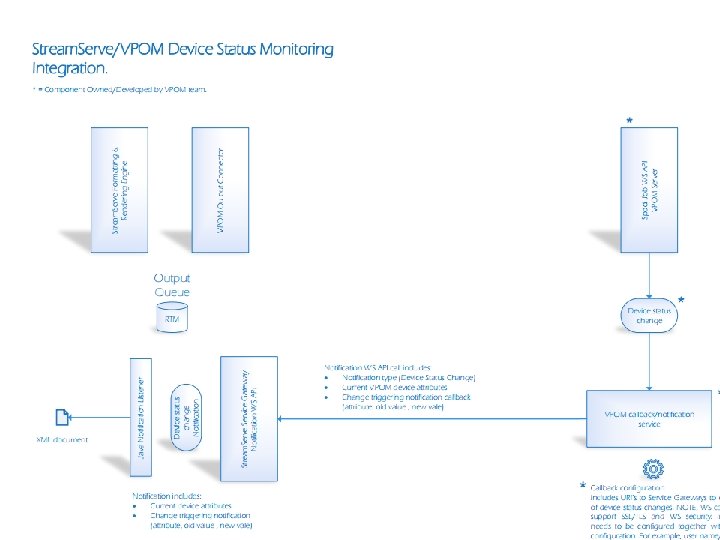
Device Status Change 12
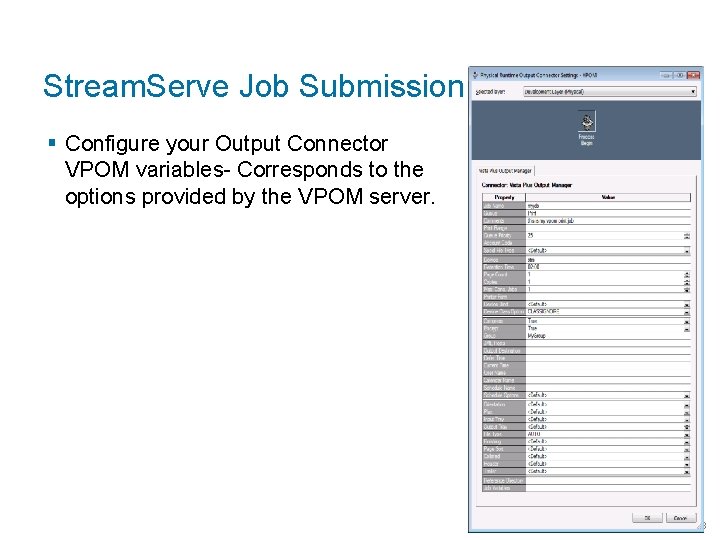
Stream. Serve Job Submission § Configure your Output Connector VPOM variables- Corresponds to the options provided by the VPOM server. 13
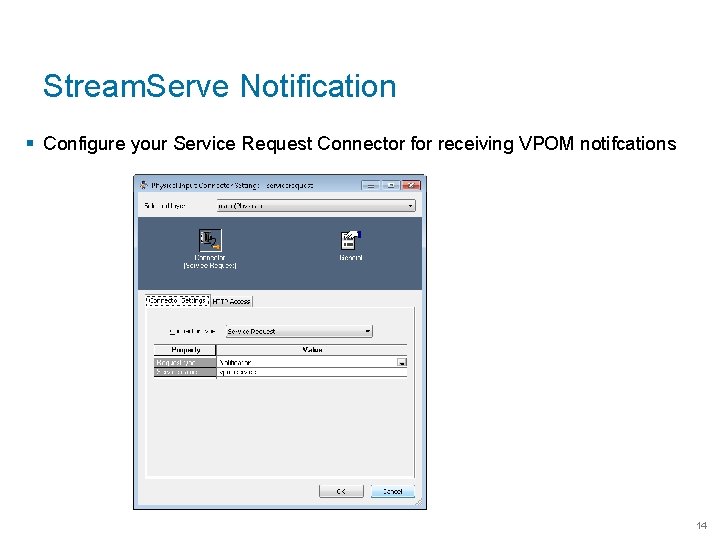
Stream. Serve Notification § Configure your Service Request Connector for receiving VPOM notifcations 14
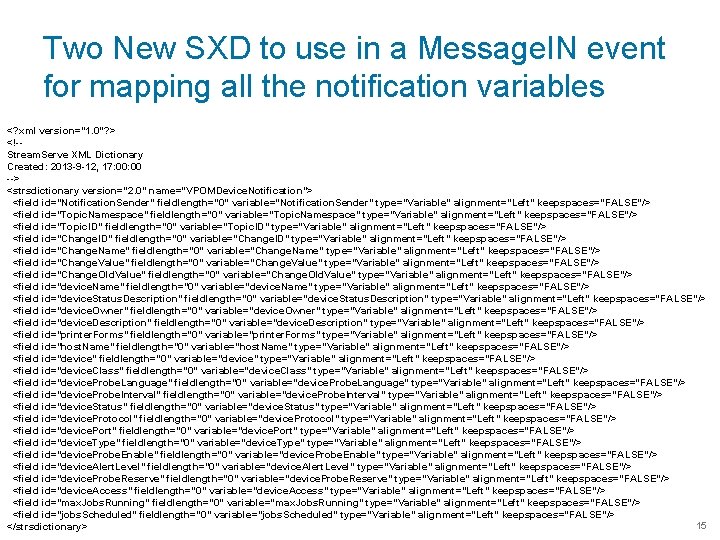
Two New SXD to use in a Message. IN event for mapping all the notification variables <? xml version="1. 0"? > <!-Stream. Serve XML Dictionary Created: 2013 -9 -12, 17: 00 --> <strsdictionary version="2. 0" name="VPOMDevice. Notification"> <field id="Notification. Sender" fieldlength="0" variable="Notification. Sender" type="Variable" alignment="Left" keepspaces="FALSE"/> <field id="Topic. Namespace" fieldlength="0" variable="Topic. Namespace" type="Variable" alignment="Left" keepspaces="FALSE"/> <field id="Topic. ID" fieldlength="0" variable="Topic. ID" type="Variable" alignment="Left" keepspaces="FALSE"/> <field id="Change. ID" fieldlength="0" variable="Change. ID" type="Variable" alignment="Left" keepspaces="FALSE"/> <field id="Change. Name" fieldlength="0" variable="Change. Name" type="Variable" alignment="Left" keepspaces="FALSE"/> <field id="Change. Value" fieldlength="0" variable="Change. Value" type="Variable" alignment="Left" keepspaces="FALSE"/> <field id="Change. Old. Value" fieldlength="0" variable="Change. Old. Value" type="Variable" alignment="Left" keepspaces="FALSE"/> <field id="device. Name" fieldlength="0" variable="device. Name" type="Variable" alignment="Left" keepspaces="FALSE"/> <field id="device. Status. Description" fieldlength="0" variable="device. Status. Description" type="Variable" alignment="Left" keepspaces="FALSE"/> <field id="device. Owner" fieldlength="0" variable="device. Owner" type="Variable" alignment="Left" keepspaces="FALSE"/> <field id="device. Description" fieldlength="0" variable="device. Description" type="Variable" alignment="Left" keepspaces="FALSE"/> <field id="printer. Forms" fieldlength="0" variable="printer. Forms" type="Variable" alignment="Left" keepspaces="FALSE"/> <field id="host. Name" fieldlength="0" variable="host. Name" type="Variable" alignment="Left" keepspaces="FALSE"/> <field id="device" fieldlength="0" variable="device" type="Variable" alignment="Left" keepspaces="FALSE"/> <field id="device. Class" fieldlength="0" variable="device. Class" type="Variable" alignment="Left" keepspaces="FALSE"/> <field id="device. Probe. Language" fieldlength="0" variable="device. Probe. Language" type="Variable" alignment="Left" keepspaces="FALSE"/> <field id="device. Probe. Interval" fieldlength="0" variable="device. Probe. Interval" type="Variable" alignment="Left" keepspaces="FALSE"/> <field id="device. Status" fieldlength="0" variable="device. Status" type="Variable" alignment="Left" keepspaces="FALSE"/> <field id="device. Protocol" fieldlength="0" variable="device. Protocol" type="Variable" alignment="Left" keepspaces="FALSE"/> <field id="device. Port" fieldlength="0" variable="device. Port" type="Variable" alignment="Left" keepspaces="FALSE"/> <field id="device. Type" fieldlength="0" variable="device. Type" type="Variable" alignment="Left" keepspaces="FALSE"/> <field id="device. Probe. Enable" fieldlength="0" variable="device. Probe. Enable" type="Variable" alignment="Left" keepspaces="FALSE"/> <field id="device. Alert. Level" fieldlength="0" variable="device. Alert. Level" type="Variable" alignment="Left" keepspaces="FALSE"/> <field id="device. Probe. Reserve" fieldlength="0" variable="device. Probe. Reserve" type="Variable" alignment="Left" keepspaces="FALSE"/> <field id="device. Access" fieldlength="0" variable="device. Access" type="Variable" alignment="Left" keepspaces="FALSE"/> <field id="max. Jobs. Running" fieldlength="0" variable="max. Jobs. Running" type="Variable" alignment="Left" keepspaces="FALSE"/> <field id="jobs. Scheduled" fieldlength="0" variable="jobs. Scheduled" type="Variable" alignment="Left" keepspaces="FALSE"/> 15 </strsdictionary>
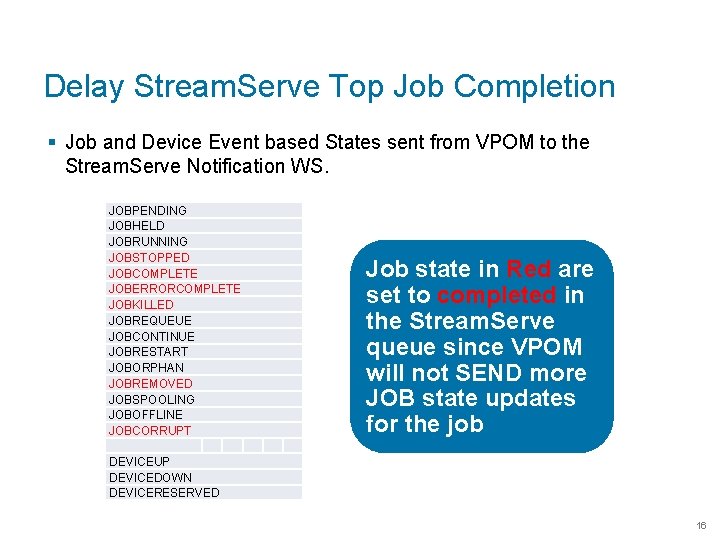
Delay Stream. Serve Top Job Completion § Job and Device Event based States sent from VPOM to the Stream. Serve Notification WS. JOBPENDING JOBHELD JOBRUNNING JOBSTOPPED JOBCOMPLETE JOBERRORCOMPLETE JOBKILLED JOBREQUEUE JOBCONTINUE JOBRESTART JOBORPHAN JOBREMOVED JOBSPOOLING JOBOFFLINE JOBCORRUPT Job state in Red are set to completed in the Stream. Serve queue since VPOM will not SEND more JOB state updates for the job DEVICEUP DEVICEDOWN DEVICERESERVED 16
Key Benefits § Additional device support: i. e. Content Server, Vista Plus, Email, Fax, AFP § Several Probing protocol support i. e. IPP, device native protocol, customized § Simplified Web. UI § LDAP support SSO § Advanced and Tailored Workflow Management § Active-Active Cluster Support § No RDBMS / Database Vendor dependency § Quick Setup § Burst and Bundle § SAP X-OMS certified § Follow-Me printing customized implementation 17
Key Benefits § Operator User Type: intermediate between normal users and queue or device administrators. § Region Display Option § Single Sign On (SSO) Support § Support for IPP Output Devices § Content Server Integration: new queue type and new commands to send files and metadata about them for capture to Content Server § Stream. Serve Integration: Using Output Manager’s new Web Service API. § Web Service API § Standardized Field Lengths standardized field lengths across all clients so all clients can use the same API calls to the QDB 18
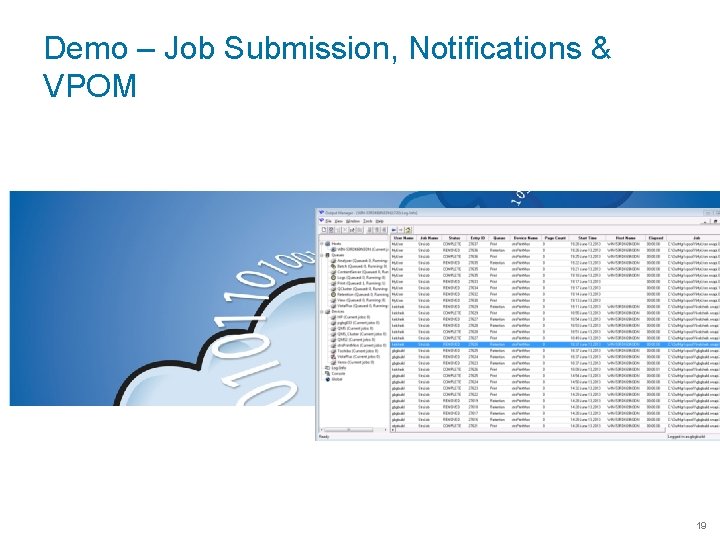
Demo – Job Submission, Notifications & VPOM 19
www. opentext. com @opentext www. facebook. com/opentext www. linkedin. com/company/open-text