
Streams and Watersheds Much of the terrestrial ecosystems





- Slides: 22
Streams and Watersheds • Much of the terrestrial ecosystems are characterized by “watersheds”. • Watershed: an area of land where all the surface water flows through a single exit point • Streams (aka rivers, creeks, lakes, swamps) drain a watershed • Streams are important for ecosystems and habitat for a wide variety of organisms
Watersheds www. raritanbasin. org
Watersheds in the CONUS http: //water. usgs. gov/wsc/watershed_finder. html
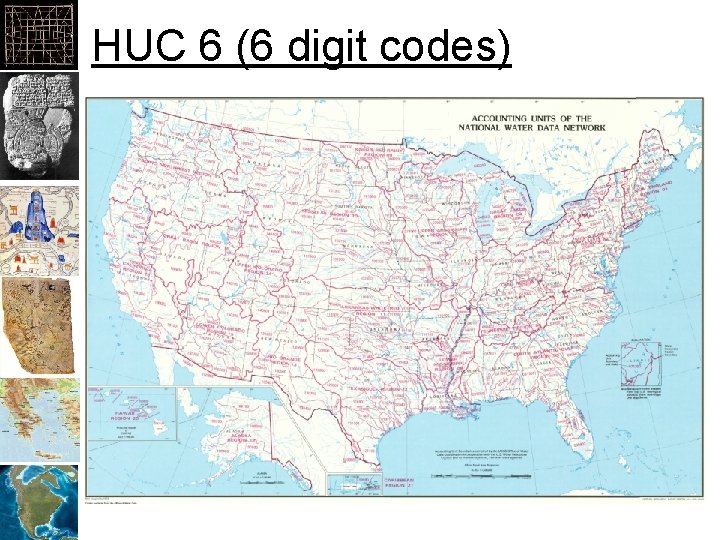
Hydrologic Unit Codes http: //water. usgs. gov/GIS/regions. html
HUC 6 (6 digit codes)
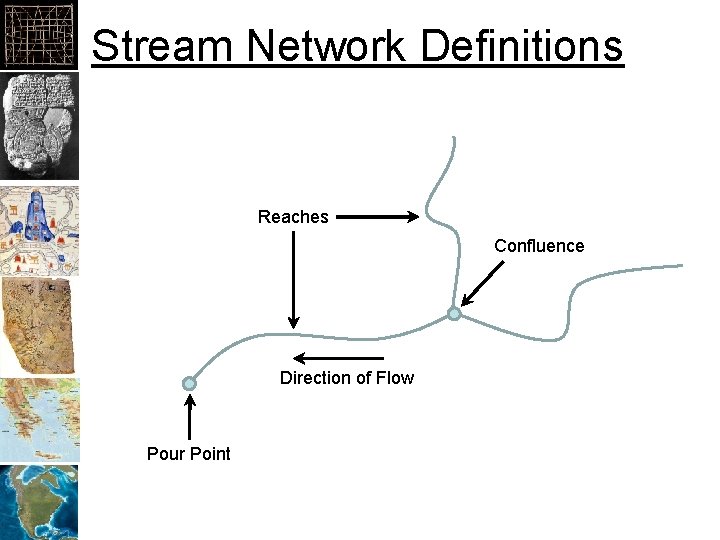
Stream Networks • • AKA rivers, creeks, etc. Provide drainage for a watershed Divided into segments or “reaches” Reaches are connected into a “stream network” • Have a “direction of flow” • “Good” stream data should connect all reaches together to an exit location (typically one exit).
Stream Network Definitions Reaches Confluence Direction of Flow Pour Point
Google. Maps
Arcata Forest Streams Data
Li. DAR Improvements? http: //www. netmaptools. org
National Hydrography Dataset • AKA NHD • NHD Viewer
Creating Stream Networks • • • Begin with a “good” DEM Fill Sinks Find the “flow direction” Find the “accumulation” of pixels Threshold the accumulation to create a raster with 1’s in pixels that have “streams flowing through them” • Convert the streams to a polyline
Quality Issues • Is the DEM high enough resolution? – 10 Meter DEMs available for CONUS • Download at Earth. Explorer – 1 meter requires Li. DAR • Fill “Sinks” • Remove “Artifacts” • Minimize processing (don’t re-project) – If you do, don’t use “nearest neighbor”
Fill Sinks • Most DEMs include 0 values where the sensor had dust on the “lens” • Sinks must be filled before streams can be created
Artifacts • Water will “follow” artifacts in a DEM • Minimize processing and resample with interpolation to avoid this. • Use a smoothing filter to remove artifacts
Direction Raster • Each pixel contains a number for one of the eight “cardinal” directions.
Accumulation Raster • Counts pixels that “drain” through each pixel
Threshold Pixel Values • Classify pixels with >1000 pixels accumulated as 1, others as 0
Raster to Polyline • Creates a “stream network”
Stream Networks • Note that a stream network is only a line segment that represents the “lowest” portion of the stream/river. Optimally, this would be thalweg (lowest line along the stream bed). However, sensors used to create DEMs do not penetrate water so it may be just about anywhere on the surface.
Create a Watershed • Create “Pour Points” – “Points” that water will “flow” out of the watershed – Must “snap” pour points to the accumulation raster to make sure they are on the pixels that contains the highest “flow” • Run a watershed tool to find the water shed by working backwards from the pour points. – Direction raster – Pour Points