
Streaming Objectives Define streaming Identify major protocols and
Streaming Objectives: • Define streaming • Identify major protocols and standards • Identify issues • Performance • Observe Real Networks 1
Streaming models • Stored (prerecorded media) • Live Audio/Video (webcast, broadcast) • Real-time interactive audio/video: video conferencing 2
Streaming • Data is ‘streamed’ from a server to one or more clients. • Client can start to view data before all of the ‘content’ has arrived. • Different from downloading a file and then viewing! • Content is ‘multimedia’ (i. e. , includes one or more data types: data, audio, video). • Streaming is a communications paradigm that is used for various purposes: • To deliver audio/video content to end users • To allow end users to communicate with each other • videoconferencing • telephony 3
Coder/Decoder: Codec • Analog video/audio digitized format • POTS telephone system encodes using Pulse Code Modulation (8 -bit sample every 125 useconds) requires a bit rate of 64 Kbps – G. 729 compresses to 8 Kbps • An audio CD also uses PCM (16 -bit samples 44, 100 times per second) requires a bit rate of 1. 411 Mbps – MPEG 1 layer 3 (MP 3) compresses to rates of 96 Kbps, 128 Kbps, or 160 Kbps 4
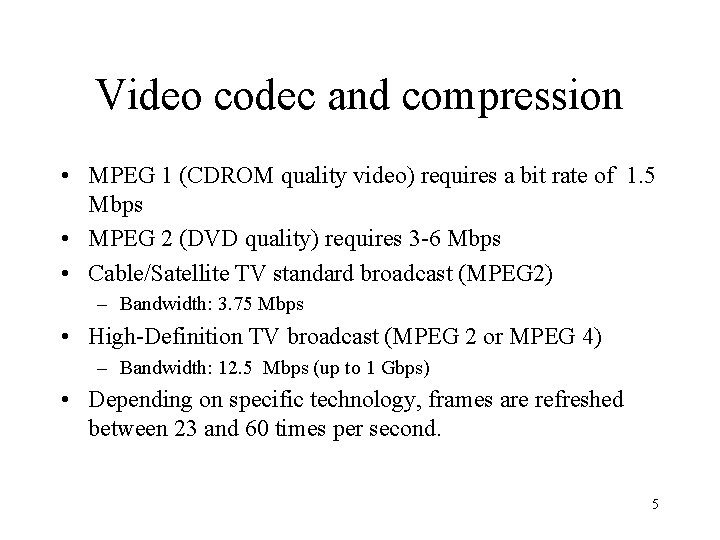
Video codec and compression • MPEG 1 (CDROM quality video) requires a bit rate of 1. 5 Mbps • MPEG 2 (DVD quality) requires 3 -6 Mbps • Cable/Satellite TV standard broadcast (MPEG 2) – Bandwidth: 3. 75 Mbps • High-Definition TV broadcast (MPEG 2 or MPEG 4) – Bandwidth: 12. 5 Mbps (up to 1 Gbps) • Depending on specific technology, frames are refreshed between 23 and 60 times per second. 5
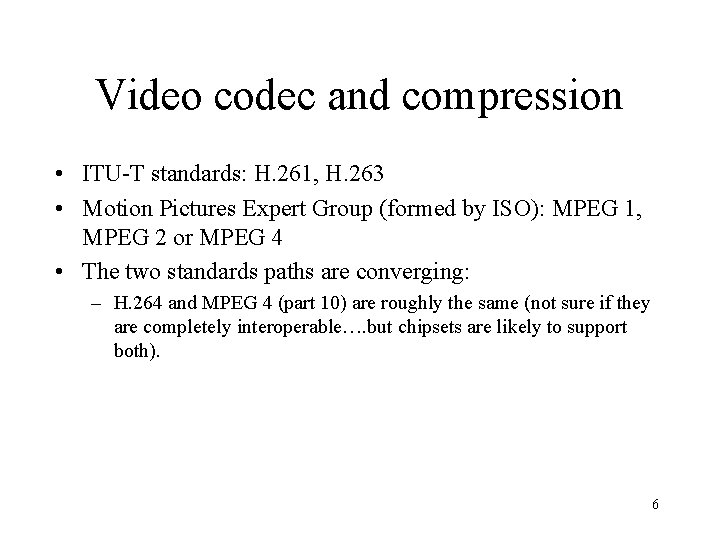
Video codec and compression • ITU-T standards: H. 261, H. 263 • Motion Pictures Expert Group (formed by ISO): MPEG 1, MPEG 2 or MPEG 4 • The two standards paths are converging: – H. 264 and MPEG 4 (part 10) are roughly the same (not sure if they are completely interoperable…. but chipsets are likely to support both). 6
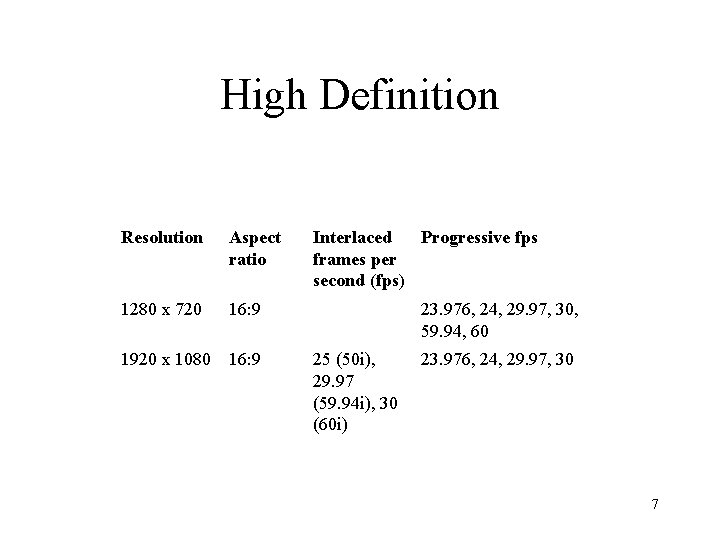
High Definition Resolution Aspect ratio 1280 x 720 16: 9 1920 x 1080 16: 9 Interlaced Progressive fps frames per second (fps) 23. 976, 24, 29. 97, 30, 59. 94, 60 25 (50 i), 29. 97 (59. 94 i), 30 (60 i) 23. 976, 24, 29. 97, 30 7
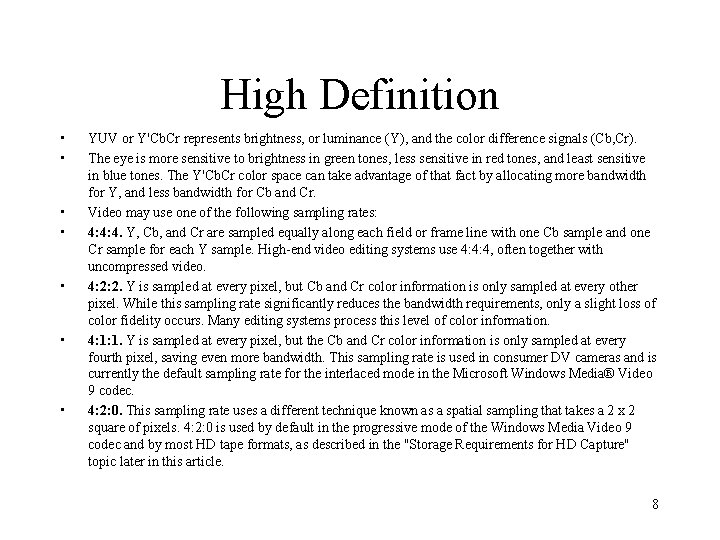
High Definition • • YUV or Y'Cb. Cr represents brightness, or luminance (Y), and the color difference signals (Cb, Cr). The eye is more sensitive to brightness in green tones, less sensitive in red tones, and least sensitive in blue tones. The Y'Cb. Cr color space can take advantage of that fact by allocating more bandwidth for Y, and less bandwidth for Cb and Cr. Video may use one of the following sampling rates: 4: 4: 4. Y, Cb, and Cr are sampled equally along each field or frame line with one Cb sample and one Cr sample for each Y sample. High-end video editing systems use 4: 4: 4, often together with uncompressed video. 4: 2: 2. Y is sampled at every pixel, but Cb and Cr color information is only sampled at every other pixel. While this sampling rate significantly reduces the bandwidth requirements, only a slight loss of color fidelity occurs. Many editing systems process this level of color information. 4: 1: 1. Y is sampled at every pixel, but the Cb and Cr color information is only sampled at every fourth pixel, saving even more bandwidth. This sampling rate is used in consumer DV cameras and is currently the default sampling rate for the interlaced mode in the Microsoft Windows Media® Video 9 codec. 4: 2: 0. This sampling rate uses a different technique known as a spatial sampling that takes a 2 x 2 square of pixels. 4: 2: 0 is used by default in the progressive mode of the Windows Media Video 9 codec and by most HD tape formats, as described in the "Storage Requirements for HD Capture" topic later in this article. 8
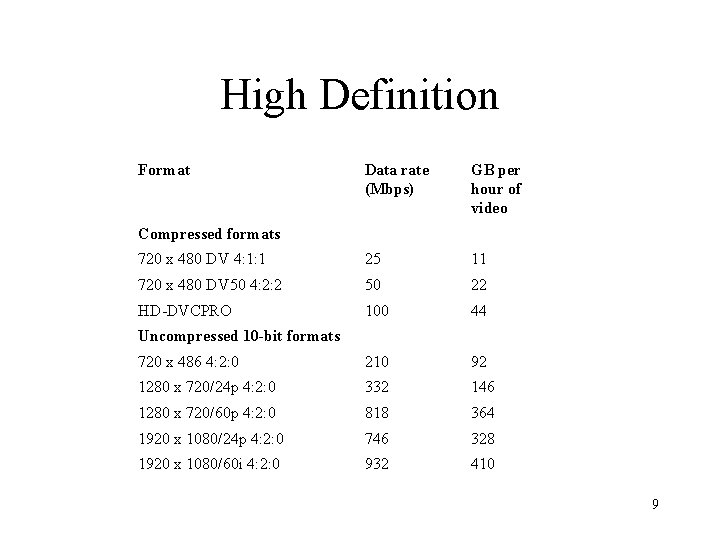
High Definition Format Data rate (Mbps) GB per hour of video 720 x 480 DV 4: 1: 1 25 11 720 x 480 DV 50 4: 2: 2 50 22 HD-DVCPRO 100 44 720 x 486 4: 2: 0 210 92 1280 x 720/24 p 4: 2: 0 332 146 1280 x 720/60 p 4: 2: 0 818 364 1920 x 1080/24 p 4: 2: 0 746 328 1920 x 1080/60 i 4: 2: 0 932 410 Compressed formats Uncompressed 10 -bit formats 9
“The Container” • A ‘container’ is required to manage sending one or more encoded streams over a network. • Examples: AVI, Ogg, MOV, ASF, MP 4 • The streams contained can be encoded using different codecs. In a perfect world, you could put any codec in any container. • Slightly confusing is that MPEG can refer to both the codec AND the container (it does both). 10
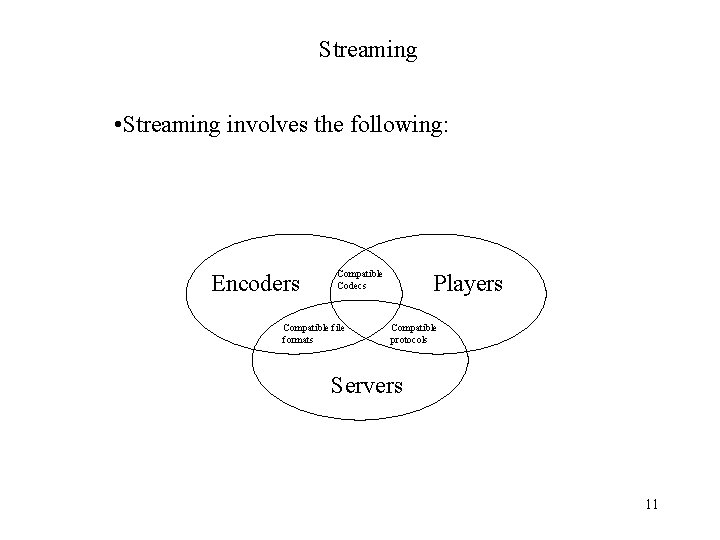
Streaming • Streaming involves the following: Encoders Compatible Codecs Compatible file formats Players Compatible protocols Servers 11
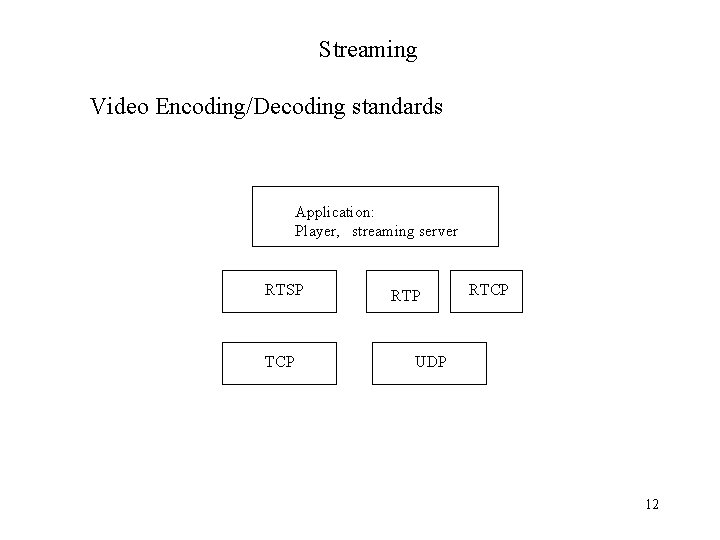
Streaming Video Encoding/Decoding standards Application: Player, streaming server RTSP TCP RTCP UDP 12
Real Time Streaming Protocol: RTSP • RTSP (RFC 2326) is a client-server multimedia presentation control protocol. • Uses TCP (UDP optional) • Similar to how HTTP works…. . but all designed to provide a ‘remote control’ capability to a client machine • Supports commands such as: • SETUP, TEARDOWN • PLAY, PAUSE, RECORD 13
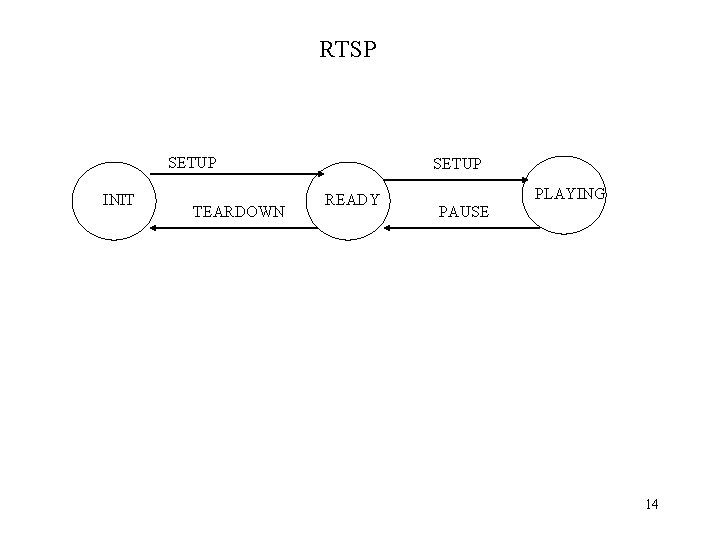
RTSP SETUP INIT TEARDOWN SETUP READY PLAYING PAUSE 14
Streaming • Real-time transport protocol (RTP): carries data that has real-time properties • RTP control protocol (RTCP): monitors Qo. S and conveys information about the participants in an ongoing session. • RTP represents a protocol framework • not a complete protocol • to be implemented at the application level • A Complete description required additional info: • profile specification: defines a set of payload type codes and their mapping to payload formats. • Payload format specification: defines how a particular payload, such as an audio/video encoding, is to be carried in RTP. 15
Streaming RTCP: • provides feedback to the source on the quality of the distribution. • RTCP packets broadcast to multicast group- this allows all participants to be aware of group size and can set RTCP packet rate accordingly. • Group membership control (if desired). 16
- Slides: 16