
Storyboarding How to Develop for elearning Why Storyboard
Storyboarding How to Develop for e-learning
Why Storyboard? • Help to develop a good user system • Help you to understand the development process • Explain to developer what is to be achieved • Will help you in the incorporation of media elements
What media elements should be included? • Video - as a means to show a narrative process or explain stages in learning • Graphics - visual representation to reinforce text, or to replace text. • Text - for information on a topic, to explain assessment etc. • Sound - as a podcast or part of another media element • Colour - as part of the design of the interface or elements within the design.
Stages of Storyboard • Spider Diagram • Navigation Structure • Wireframe Diagrams
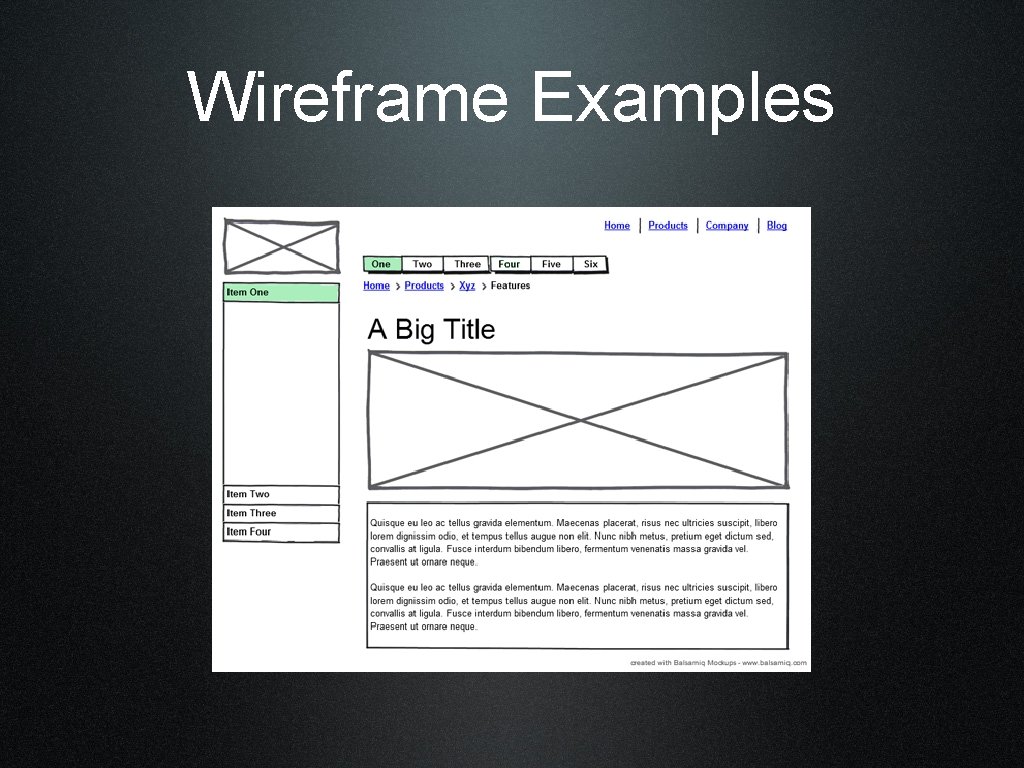
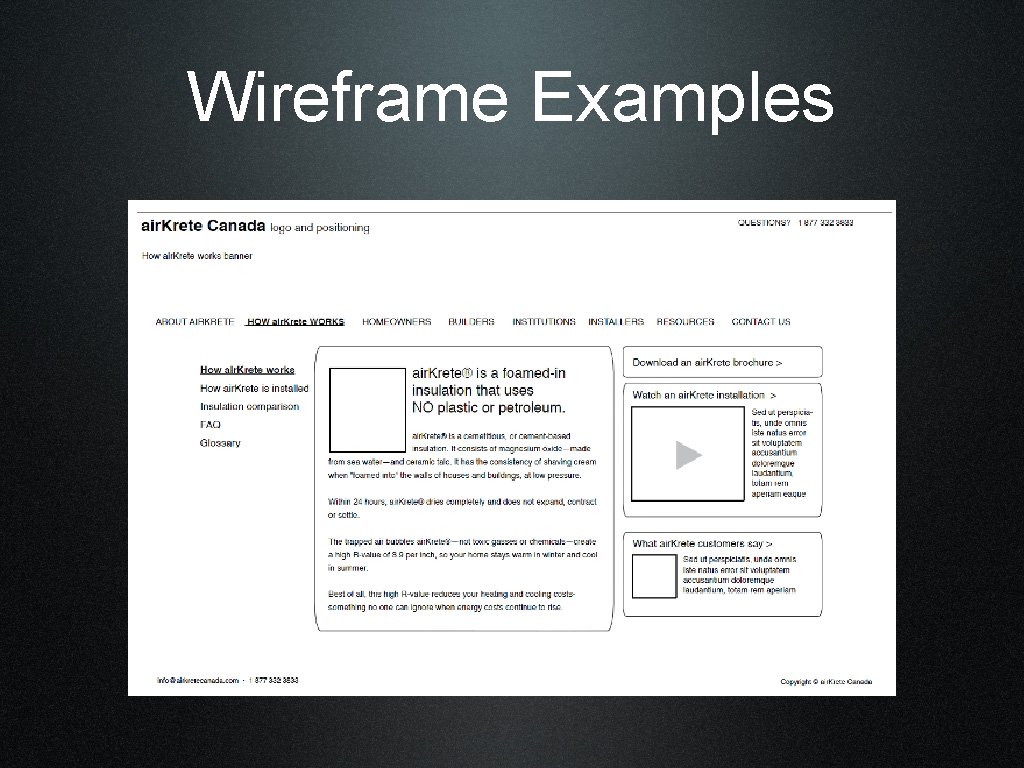
Wireframes • Good for simplifying interface design • Should include a range of media elements in the design • Simple drawings or sketches to show layout and objects within an interface • Should contain written information on objects and content

Spider Diagrams
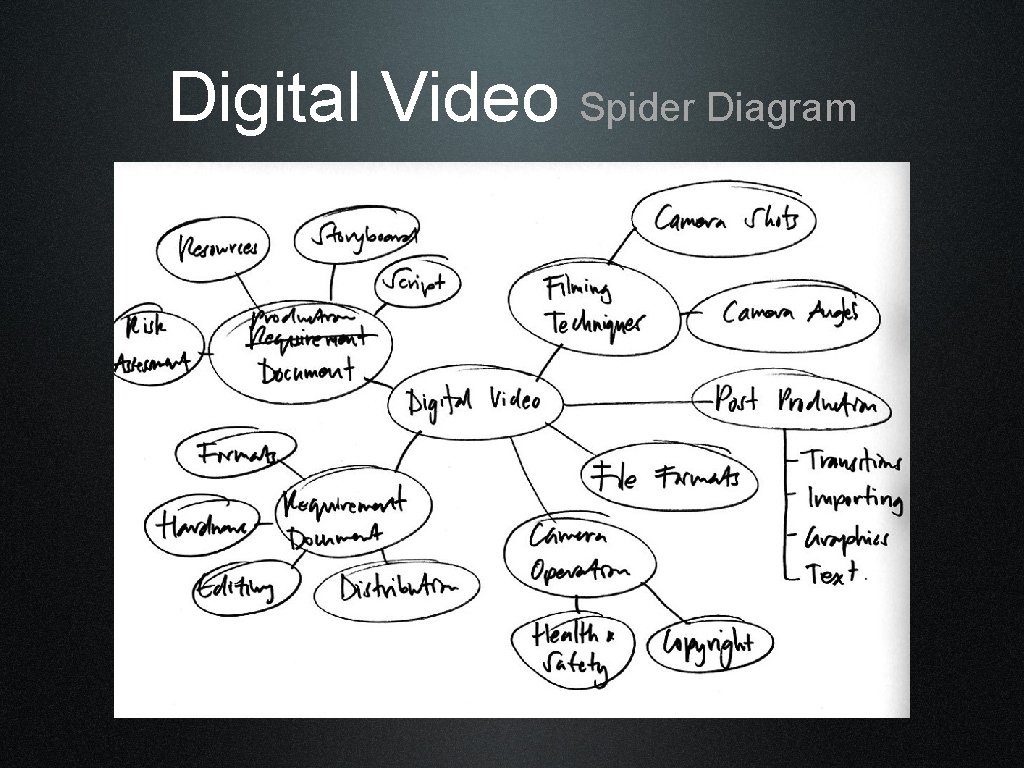
Digital Video Spider Diagram
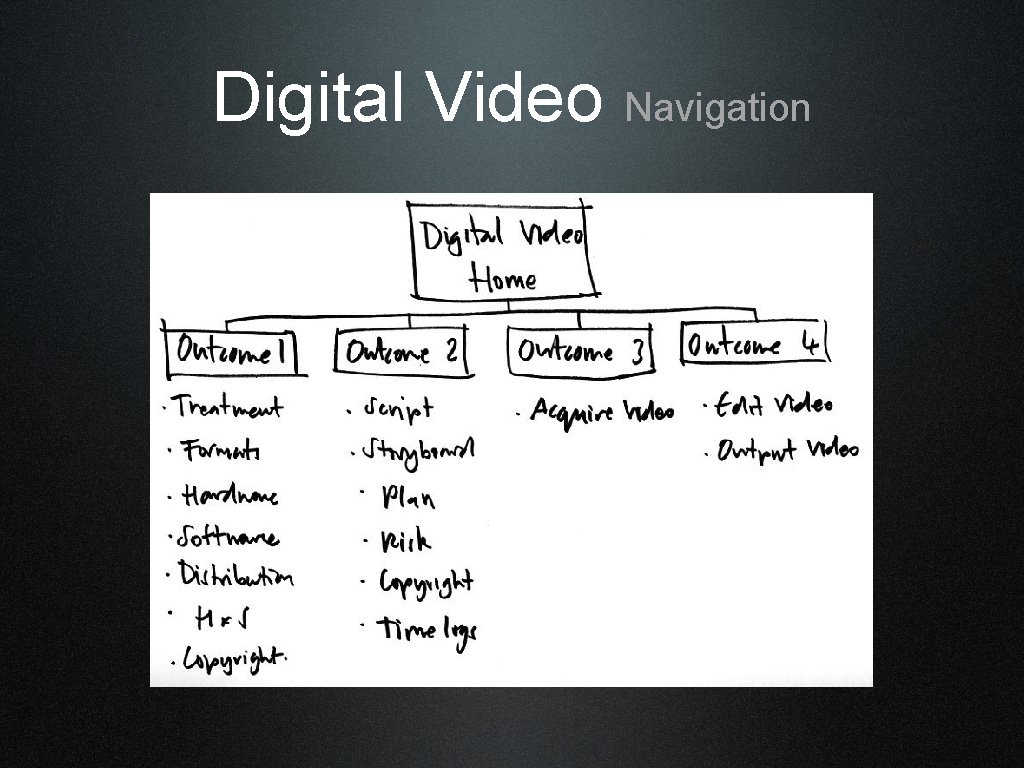
Digital Video Navigation
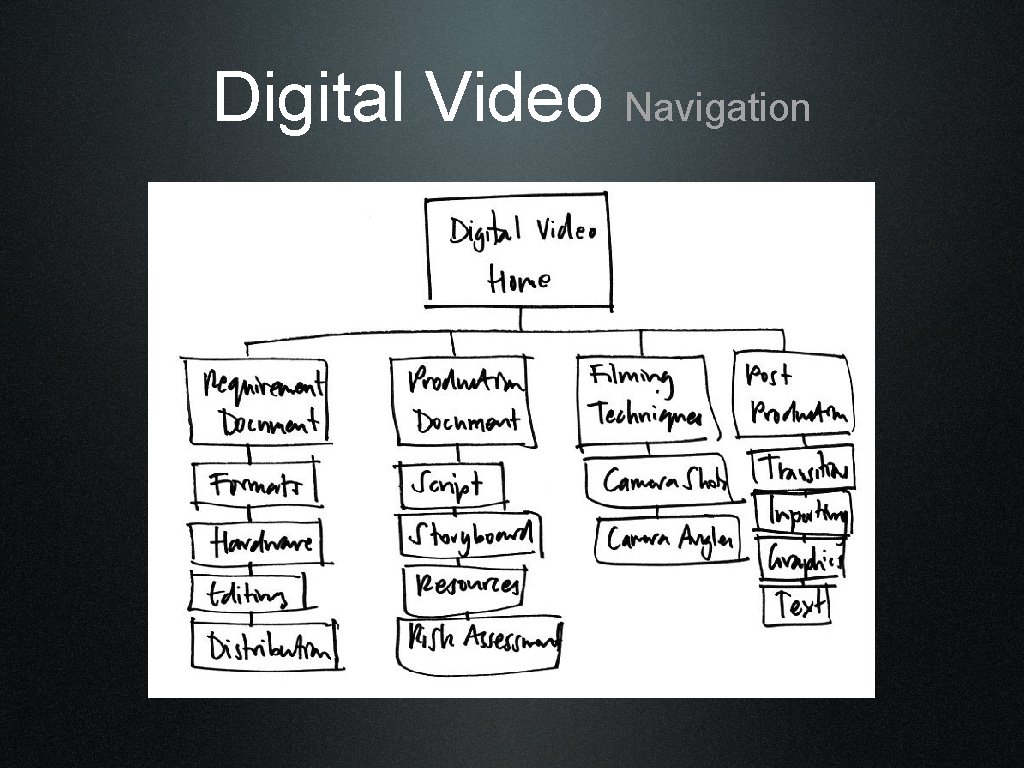
Digital Video Navigation
Task • Choose a section of your own unit and develop it initially as a spider diagram • Create a navigation system from this
Wireframe Examples
Wireframe Examples
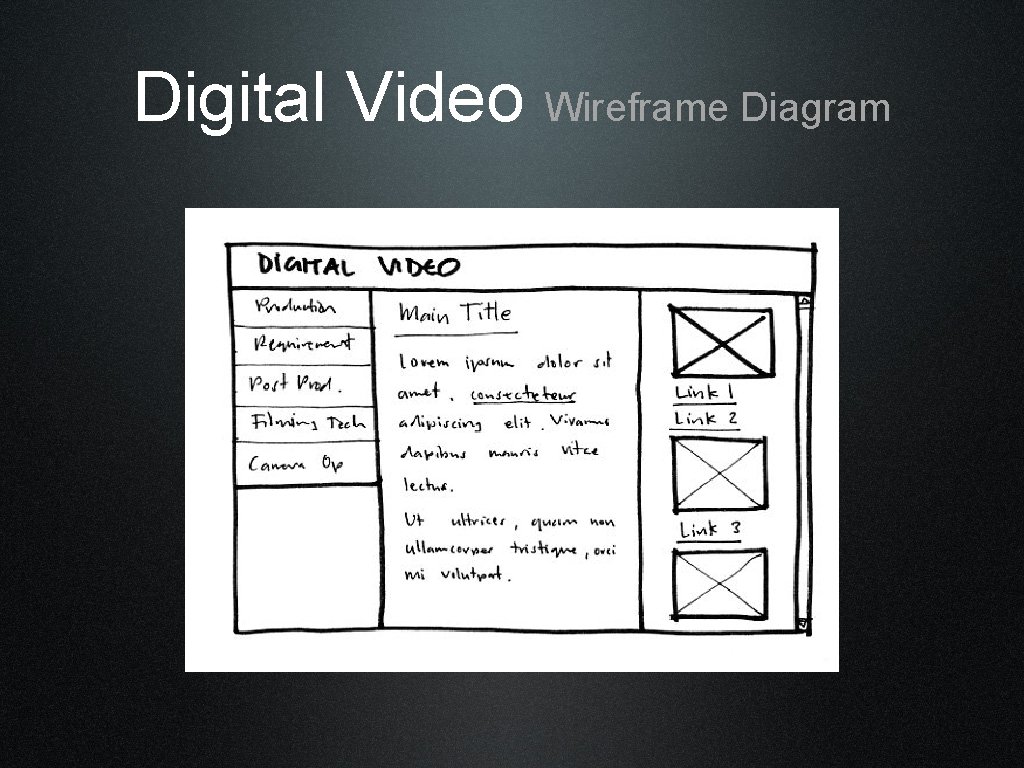
Digital Video Wireframe Diagram
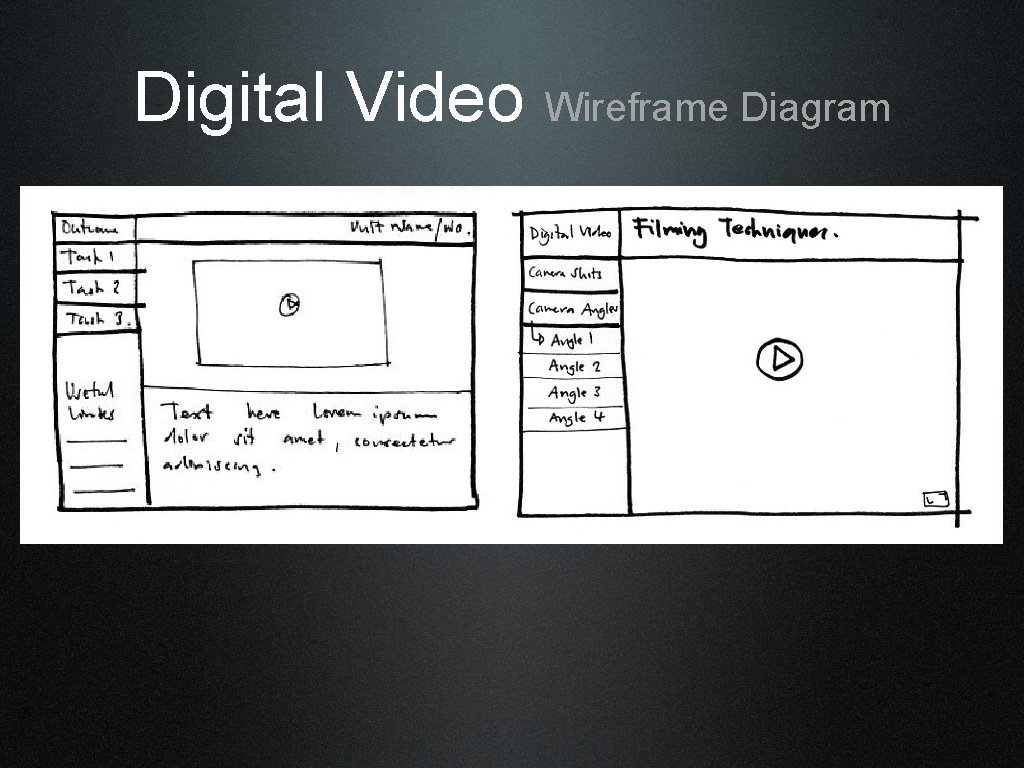
Digital Video Wireframe Diagram
Task • Create a series of wireframes to show different layouts for alternative media elements • Include hex colour values and font style and size • Useful links: • http: //colorschemedesigner. com/ • http: //www. articulate. com/community/ • showcase/? page_id=96
- Slides: 15