
Storing Time Series Metrics Implementing MultiDimensional Aggregate Composites

- Slides: 14
Storing Time Series Metrics Implementing Multi-Dimensional Aggregate Composites with Counters For Reporting /* Joe Stein http: //www. linkedin. com/in/charmalloc @allthingshadoop @cassandranosql @allthingsscala @charmalloc */ Sample code project up at https: //github. com/joestein/apophis 1
Medialets What we do 2
Medialets • • • Largest deployment of rich media ads for mobile devices Over 300, 000 devices supported 3 -4 TB of new data every day Thousands of services in production Hundreds of Thousands of simultaneous requests per second Keeping track of what is and was going on when and where used to be difficult before we started using Cassandra • What do I do for Medialets? – Chief Architect and Head of Server Engineering Development & Operations. 3
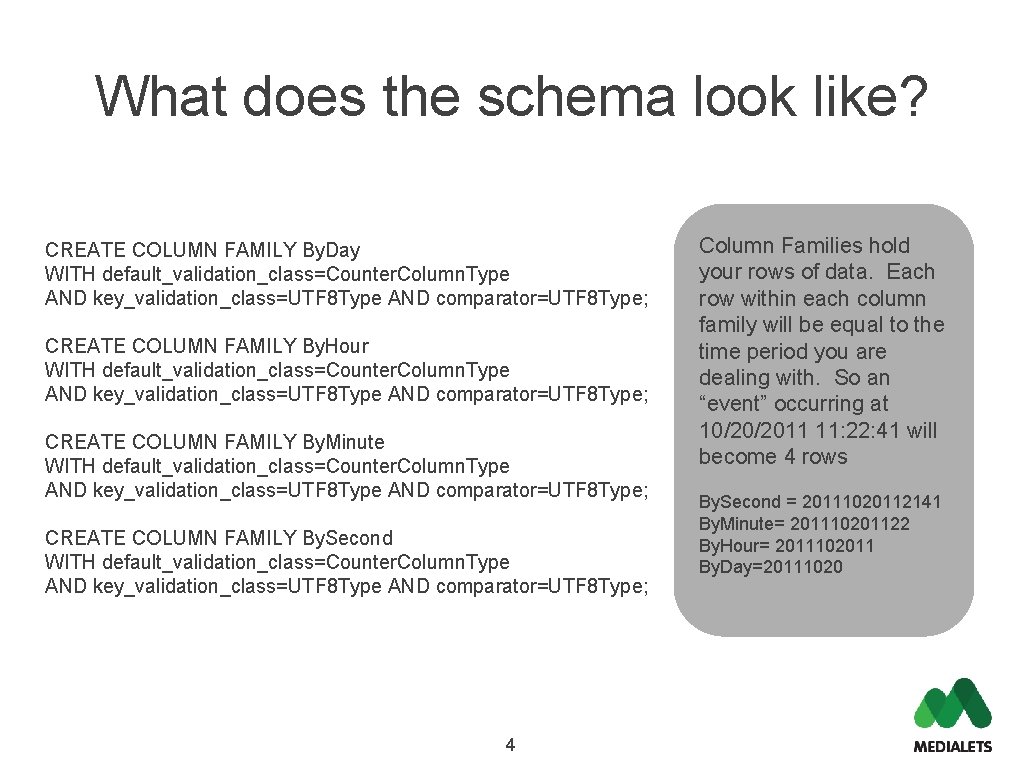
What does the schema look like? CREATE COLUMN FAMILY By. Day WITH default_validation_class=Counter. Column. Type AND key_validation_class=UTF 8 Type AND comparator=UTF 8 Type; CREATE COLUMN FAMILY By. Hour WITH default_validation_class=Counter. Column. Type AND key_validation_class=UTF 8 Type AND comparator=UTF 8 Type; CREATE COLUMN FAMILY By. Minute WITH default_validation_class=Counter. Column. Type AND key_validation_class=UTF 8 Type AND comparator=UTF 8 Type; CREATE COLUMN FAMILY By. Second WITH default_validation_class=Counter. Column. Type AND key_validation_class=UTF 8 Type AND comparator=UTF 8 Type; 4 Column Families hold your rows of data. Each row within each column family will be equal to the time period you are dealing with. So an “event” occurring at 10/20/2011 11: 22: 41 will become 4 rows By. Second = 20111020112141 By. Minute= 201110201122 By. Hour= 2011102011 By. Day=20111020
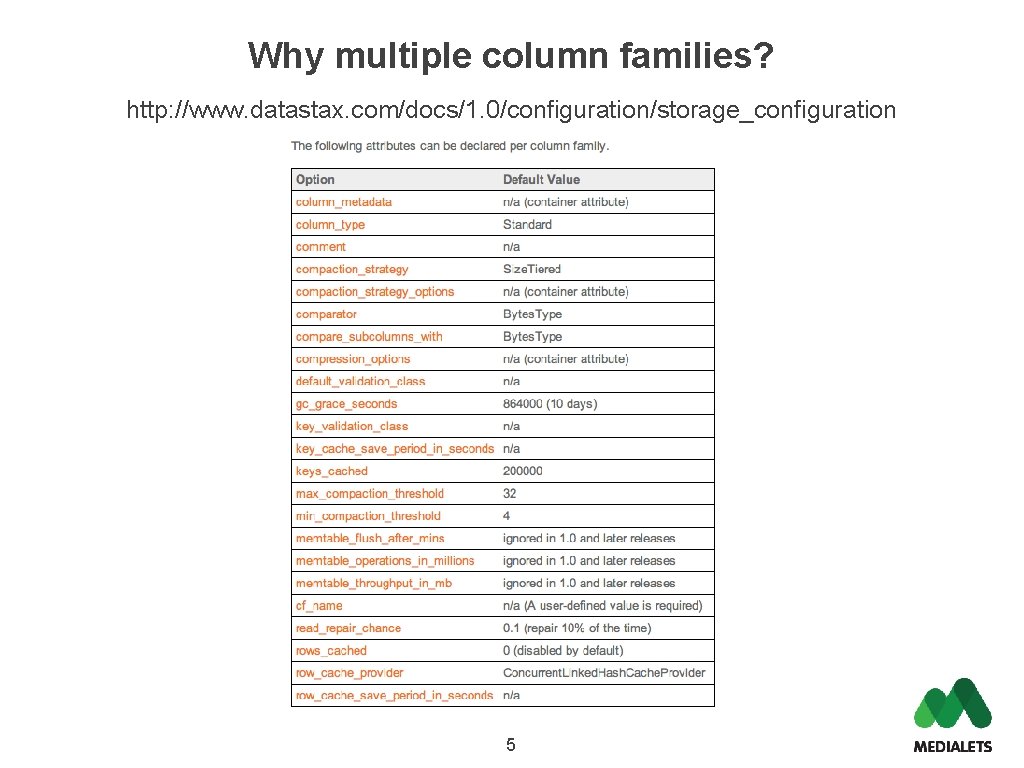
Why multiple column families? http: //www. datastax. com/docs/1. 0/configuration/storage_configuration 5
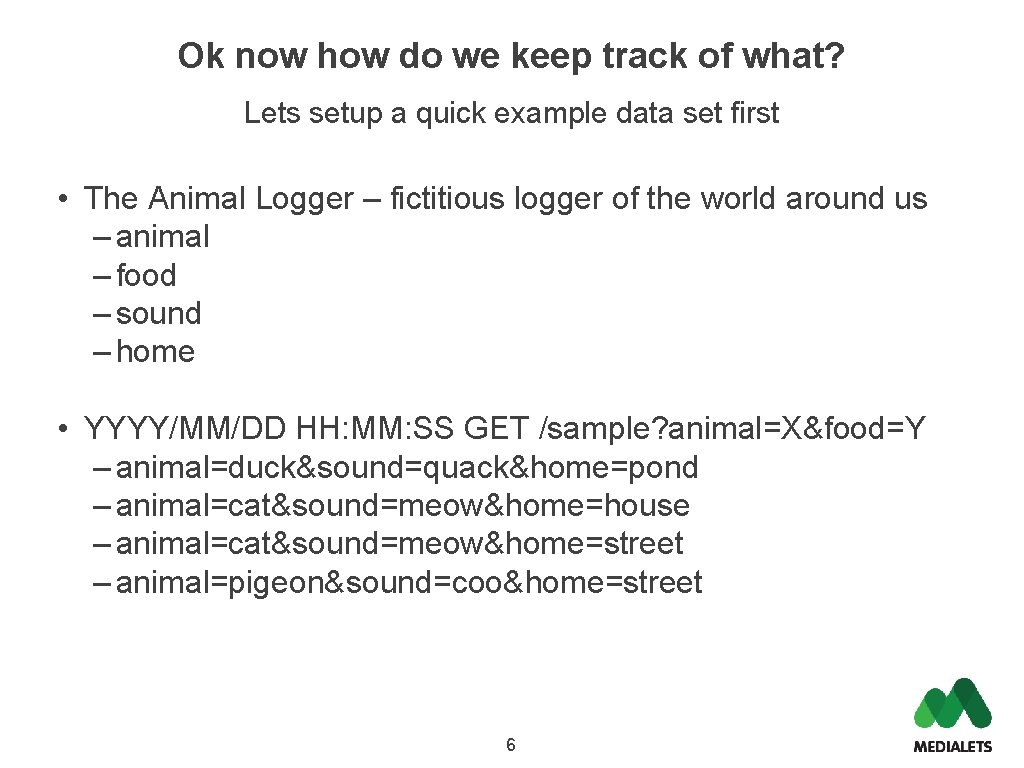
Ok now how do we keep track of what? Lets setup a quick example data set first • The Animal Logger – fictitious logger of the world around us – animal – food – sound – home • YYYY/MM/DD HH: MM: SS GET /sample? animal=X&food=Y – animal=duck&sound=quack&home=pond – animal=cat&sound=meow&home=house – animal=cat&sound=meow&home=street – animal=pigeon&sound=coo&home=street 6
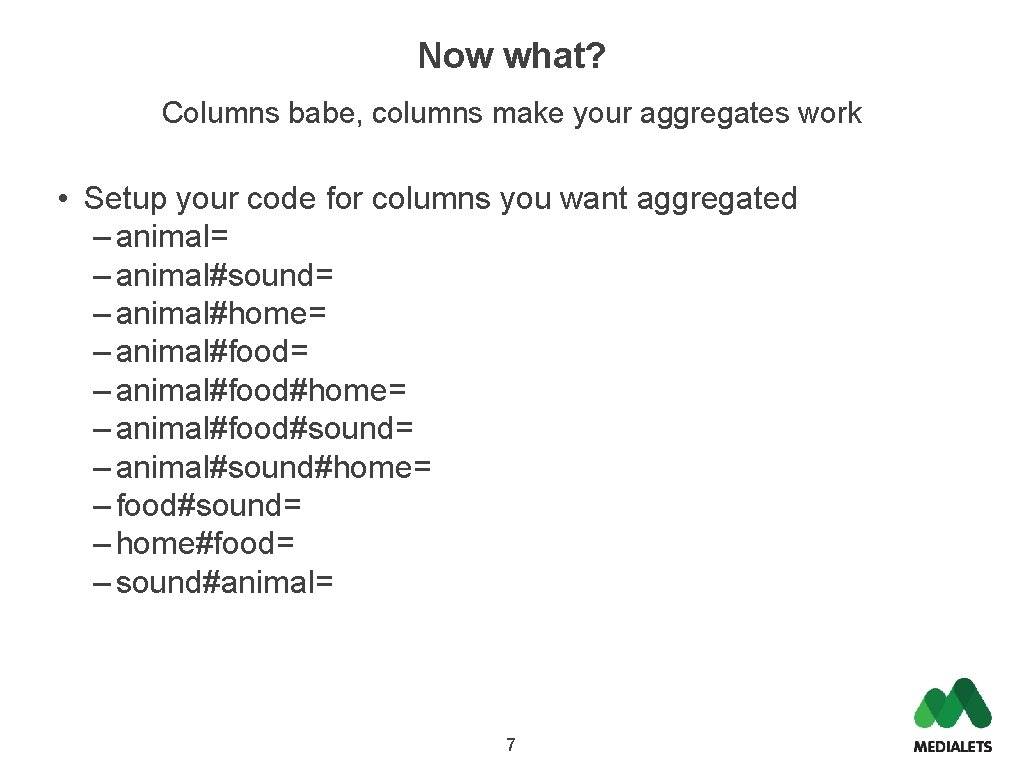
Now what? Columns babe, columns make your aggregates work • Setup your code for columns you want aggregated – animal= – animal#sound= – animal#home= – animal#food#home= – animal#food#sound= – animal#sound#home= – food#sound= – home#food= – sound#animal= 7
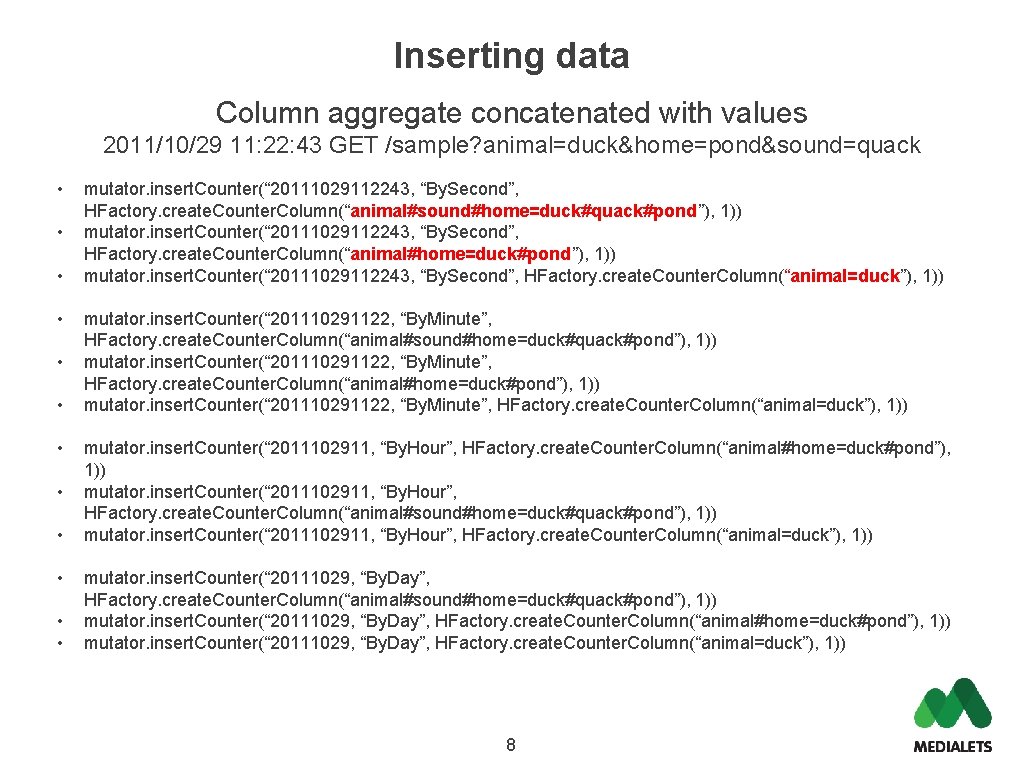
Inserting data Column aggregate concatenated with values 2011/10/29 11: 22: 43 GET /sample? animal=duck&home=pond&sound=quack • • • mutator. insert. Counter(“ 20111029112243, “By. Second”, HFactory. create. Counter. Column(“animal#sound#home=duck#quack#pond”), 1)) mutator. insert. Counter(“ 20111029112243, “By. Second”, HFactory. create. Counter. Column(“animal#home=duck#pond”), 1)) mutator. insert. Counter(“ 20111029112243, “By. Second”, HFactory. create. Counter. Column(“animal=duck”), 1)) mutator. insert. Counter(“ 201110291122, “By. Minute”, HFactory. create. Counter. Column(“animal#sound#home=duck#quack#pond”), 1)) mutator. insert. Counter(“ 201110291122, “By. Minute”, HFactory. create. Counter. Column(“animal#home=duck#pond”), 1)) mutator. insert. Counter(“ 201110291122, “By. Minute”, HFactory. create. Counter. Column(“animal=duck”), 1)) mutator. insert. Counter(“ 2011102911, “By. Hour”, HFactory. create. Counter. Column(“animal#home=duck#pond”), 1)) mutator. insert. Counter(“ 2011102911, “By. Hour”, HFactory. create. Counter. Column(“animal#sound#home=duck#quack#pond”), 1)) mutator. insert. Counter(“ 2011102911, “By. Hour”, HFactory. create. Counter. Column(“animal=duck”), 1)) mutator. insert. Counter(“ 20111029, “By. Day”, HFactory. create. Counter. Column(“animal#sound#home=duck#quack#pond”), 1)) mutator. insert. Counter(“ 20111029, “By. Day”, HFactory. create. Counter. Column(“animal#home=duck#pond”), 1)) mutator. insert. Counter(“ 20111029, “By. Day”, HFactory. create. Counter. Column(“animal=duck”), 1)) 8
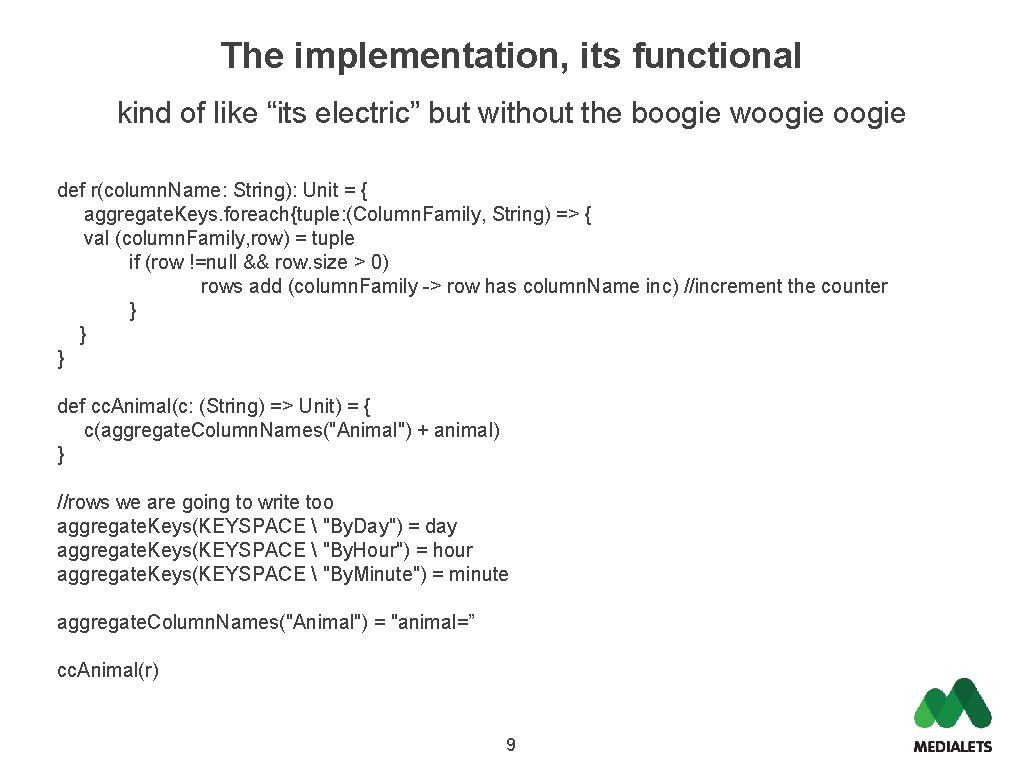
The implementation, its functional kind of like “its electric” but without the boogie woogie def r(column. Name: String): Unit = { aggregate. Keys. foreach{tuple: (Column. Family, String) => { val (column. Family, row) = tuple if (row !=null && row. size > 0) rows add (column. Family -> row has column. Name inc) //increment the counter } } } def cc. Animal(c: (String) => Unit) = { c(aggregate. Column. Names("Animal") + animal) } //rows we are going to write too aggregate. Keys(KEYSPACE "By. Day") = day aggregate. Keys(KEYSPACE "By. Hour") = hour aggregate. Keys(KEYSPACE "By. Minute") = minute aggregate. Column. Names("Animal") = "animal=” cc. Animal(r) 9
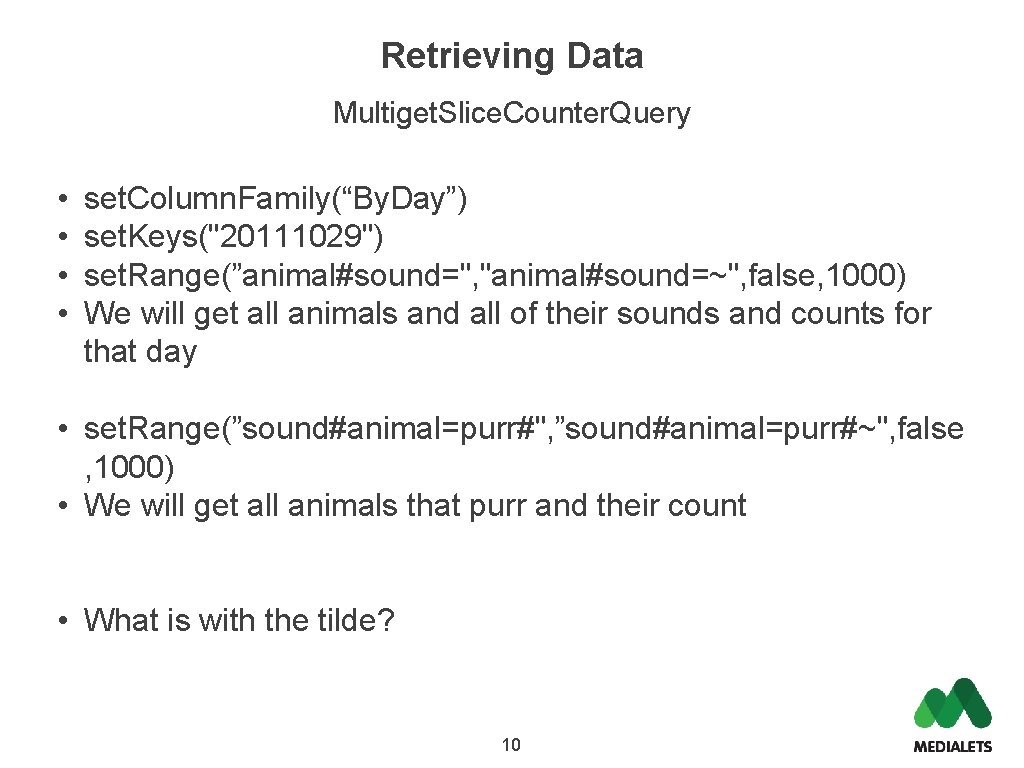
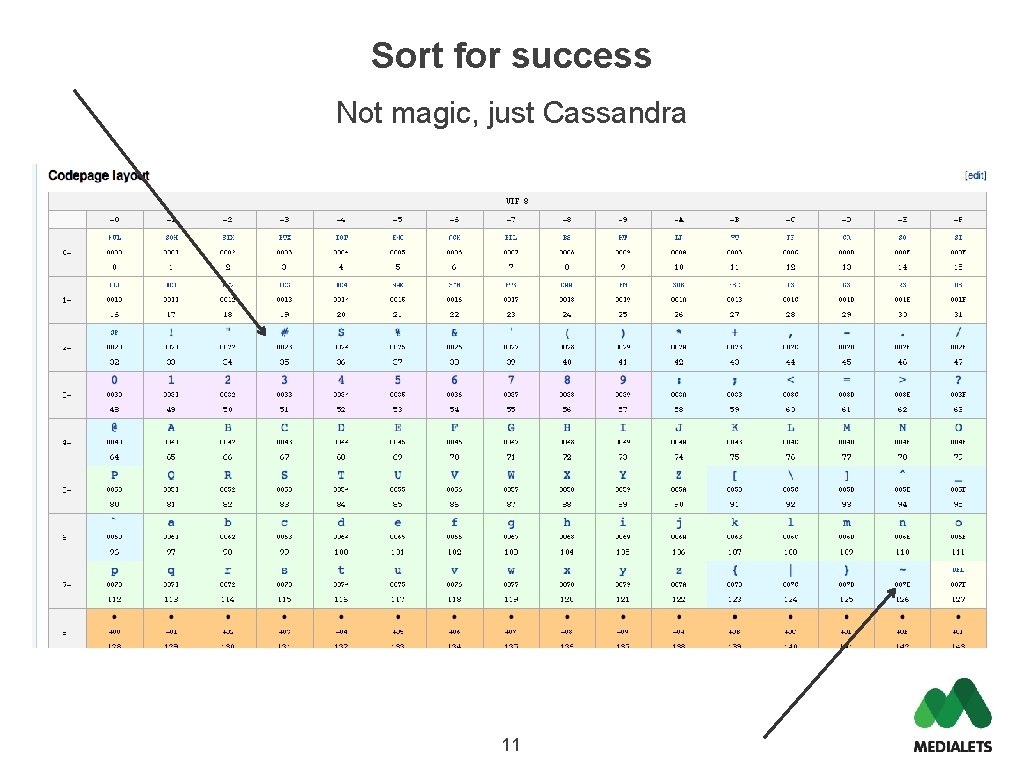
Retrieving Data Multiget. Slice. Counter. Query • • set. Column. Family(“By. Day”) set. Keys("20111029") set. Range(”animal#sound=", "animal#sound=~", false, 1000) We will get all animals and all of their sounds and counts for that day • set. Range(”sound#animal=purr#", ”sound#animal=purr#~", false , 1000) • We will get all animals that purr and their count • What is with the tilde? 10
Sort for success Not magic, just Cassandra 11
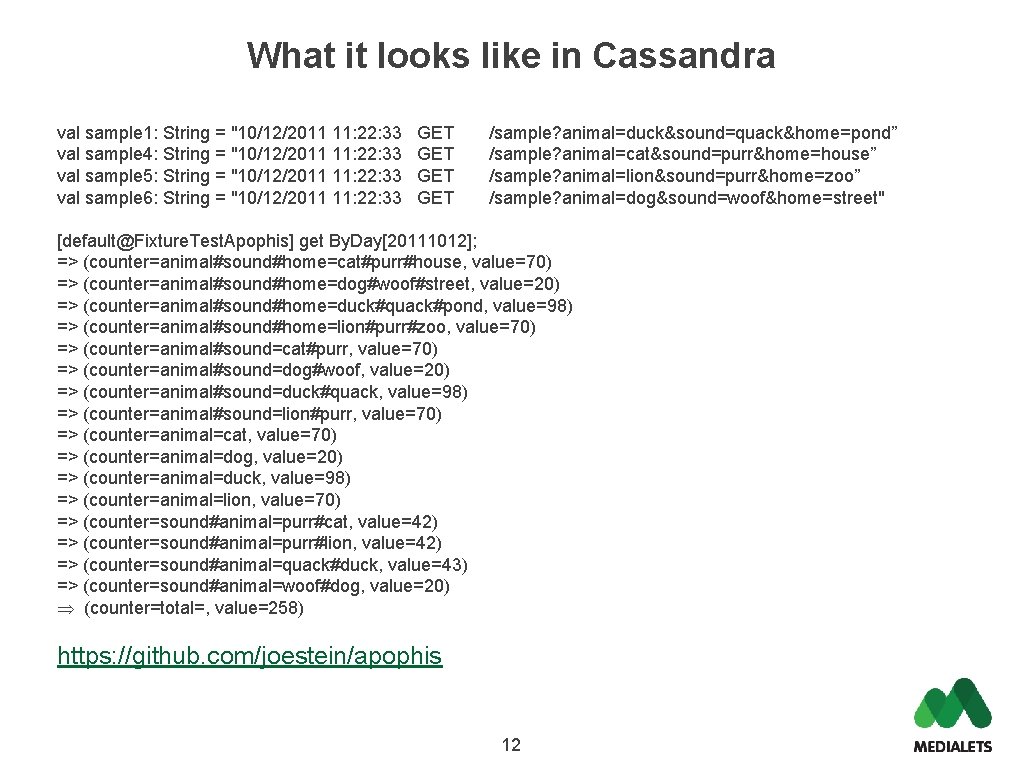
What it looks like in Cassandra val sample 1: String = "10/12/2011 11: 22: 33 val sample 4: String = "10/12/2011 11: 22: 33 val sample 5: String = "10/12/2011 11: 22: 33 val sample 6: String = "10/12/2011 11: 22: 33 GET GET /sample? animal=duck&sound=quack&home=pond” /sample? animal=cat&sound=purr&home=house” /sample? animal=lion&sound=purr&home=zoo” /sample? animal=dog&sound=woof&home=street" [default@Fixture. Test. Apophis] get By. Day[20111012]; => (counter=animal#sound#home=cat#purr#house, value=70) => (counter=animal#sound#home=dog#woof#street, value=20) => (counter=animal#sound#home=duck#quack#pond, value=98) => (counter=animal#sound#home=lion#purr#zoo, value=70) => (counter=animal#sound=cat#purr, value=70) => (counter=animal#sound=dog#woof, value=20) => (counter=animal#sound=duck#quack, value=98) => (counter=animal#sound=lion#purr, value=70) => (counter=animal=cat, value=70) => (counter=animal=dog, value=20) => (counter=animal=duck, value=98) => (counter=animal=lion, value=70) => (counter=sound#animal=purr#cat, value=42) => (counter=sound#animal=purr#lion, value=42) => (counter=sound#animal=quack#duck, value=43) => (counter=sound#animal=woof#dog, value=20) (counter=total=, value=258) https: //github. com/joestein/apophis 12
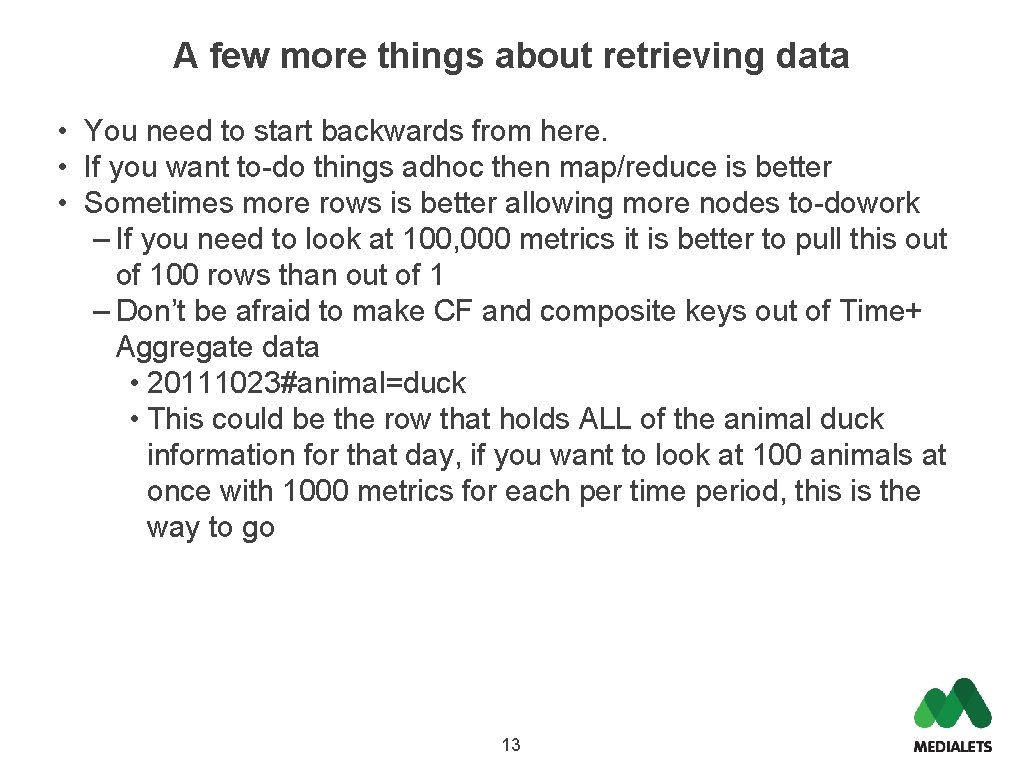
A few more things about retrieving data • You need to start backwards from here. • If you want to-do things adhoc then map/reduce is better • Sometimes more rows is better allowing more nodes to-dowork – If you need to look at 100, 000 metrics it is better to pull this out of 100 rows than out of 1 – Don’t be afraid to make CF and composite keys out of Time+ Aggregate data • 20111023#animal=duck • This could be the row that holds ALL of the animal duck information for that day, if you want to look at 100 animals at once with 1000 metrics for each per time period, this is the way to go 13
Q&A Medialets The rich media ad platform for mobile. connect@medialets. com www. medialets. com/showcase 14