
Stored Procedure used in Posgre SQL Professor Dr
- Slides: 50
Stored Procedure used in Posgre. SQL Professor: Dr. Shu-Ching Chen TA: Haiman Tian
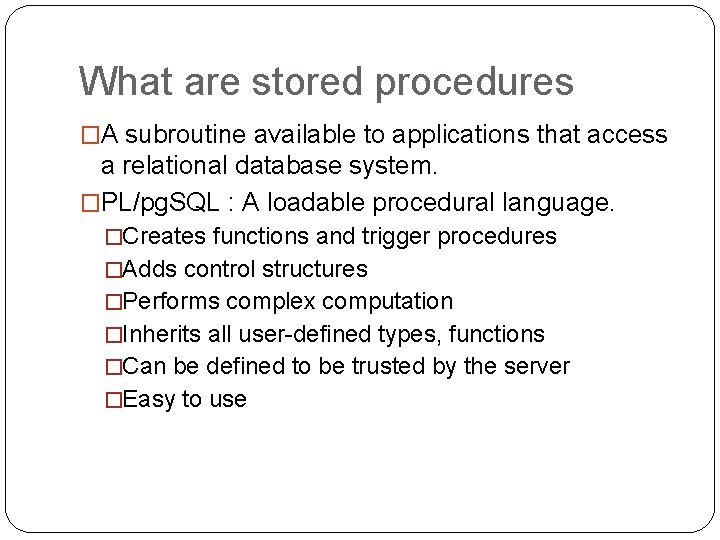
What are stored procedures �A subroutine available to applications that access a relational database system. �PL/pg. SQL : A loadable procedural language. �Creates functions and trigger procedures �Adds control structures �Performs complex computation �Inherits all user-defined types, functions �Can be defined to be trusted by the server �Easy to use
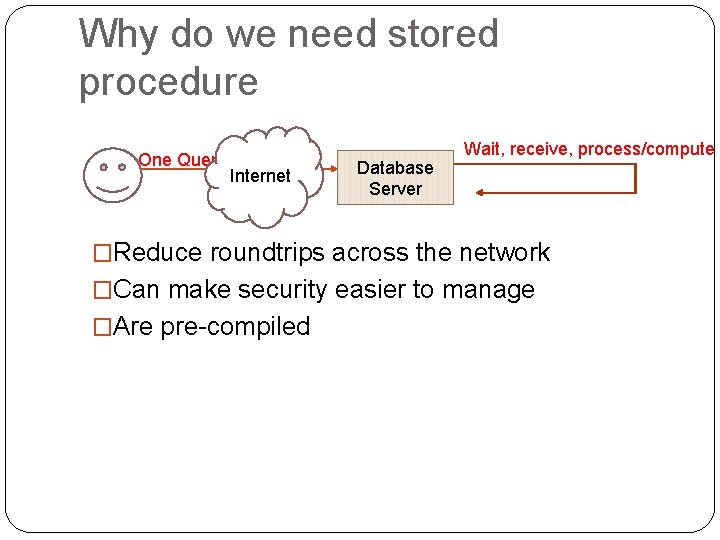
Why do we need stored procedure One Query Internet Database Server Wait, receive, process/compute �Reduce roundtrips across the network �Can make security easier to manage �Are pre-compiled
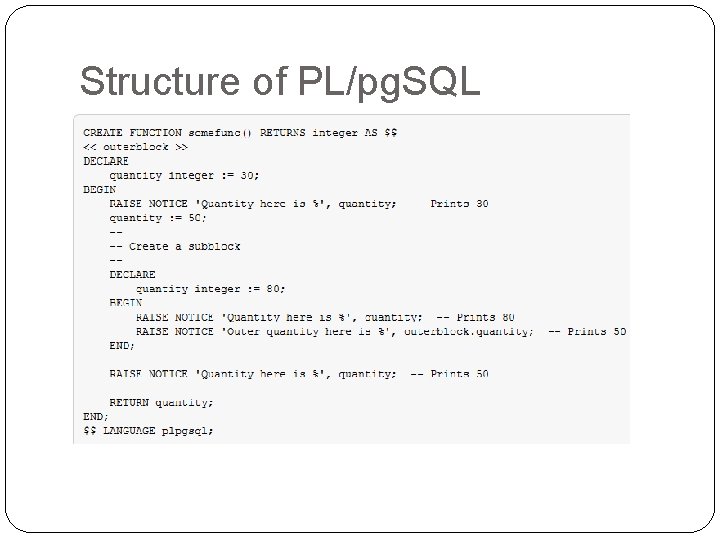
Structure of PL/pg. SQL
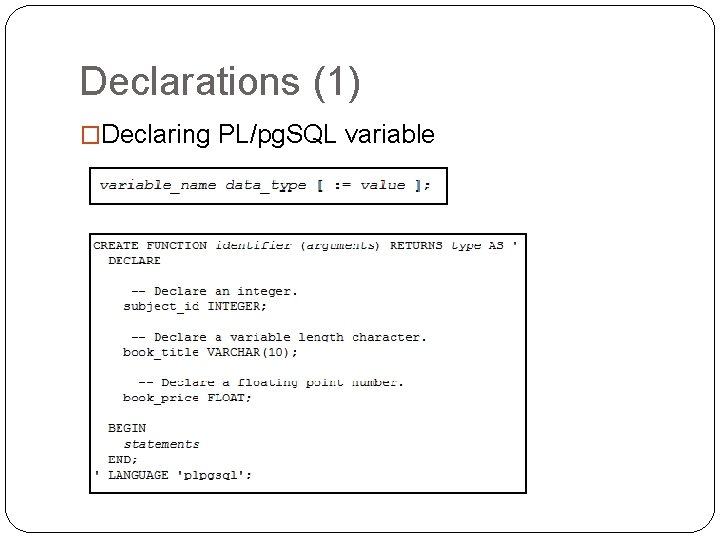
Declarations (1) �Declaring PL/pg. SQL variable
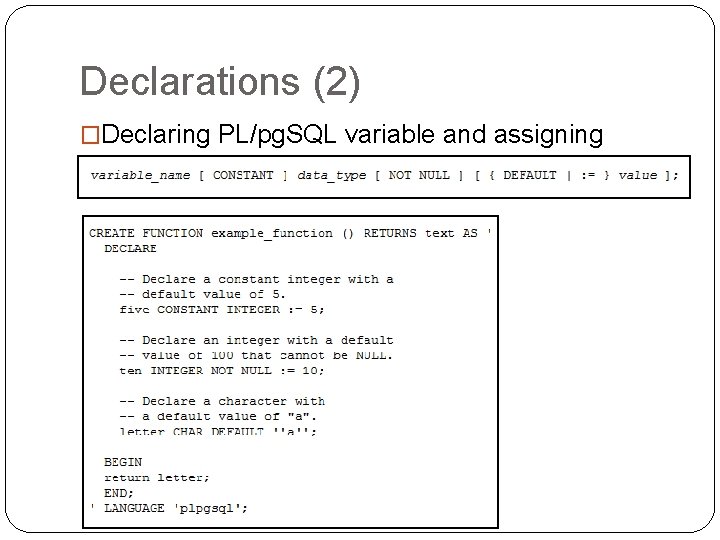
Declarations (2) �Declaring PL/pg. SQL variable and assigning values
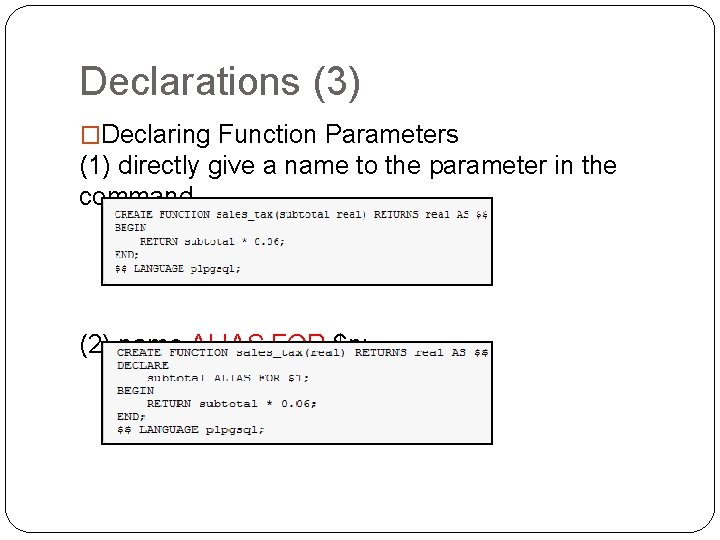
Declarations (3) �Declaring Function Parameters (1) directly give a name to the parameter in the command (2) name ALIAS FOR $n;
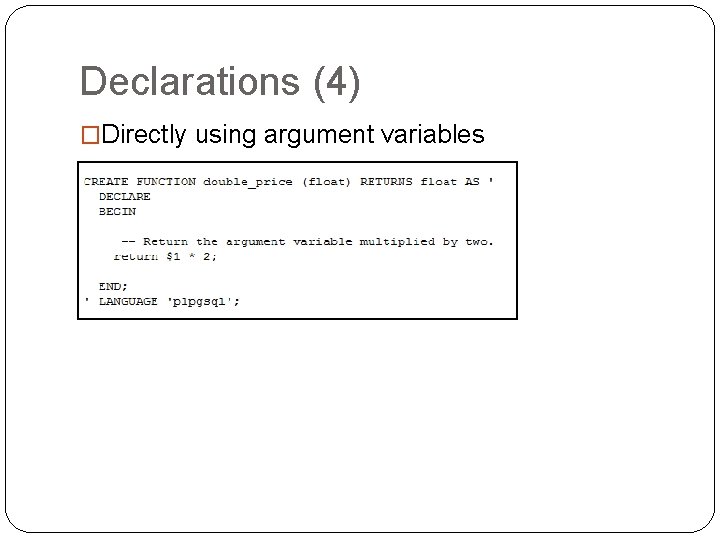
Declarations (4) �Directly using argument variables
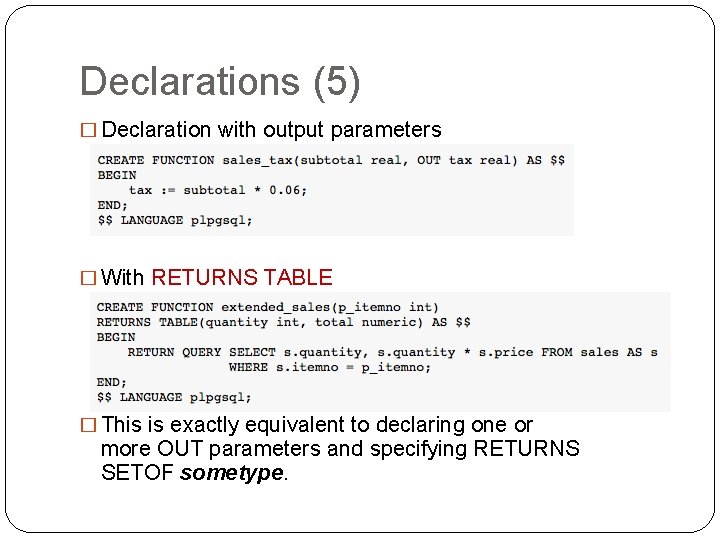
Declarations (5) � Declaration with output parameters � With RETURNS TABLE � This is exactly equivalent to declaring one or more OUT parameters and specifying RETURNS SETOF sometype.
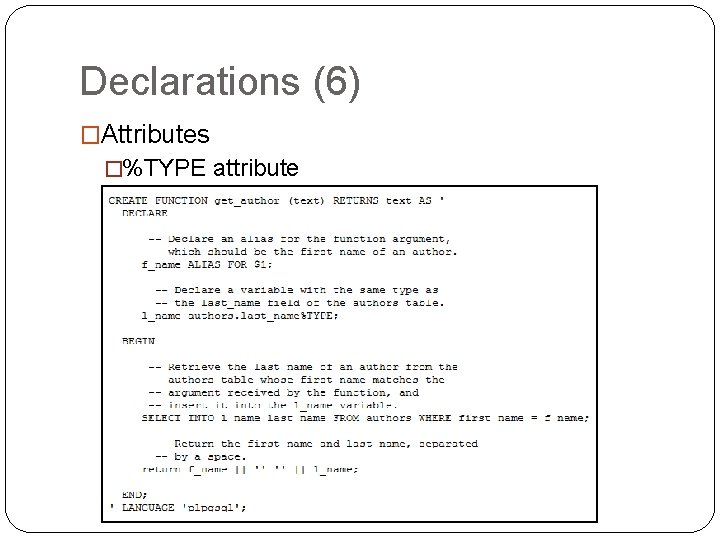
Declarations (6) �Attributes �%TYPE attribute
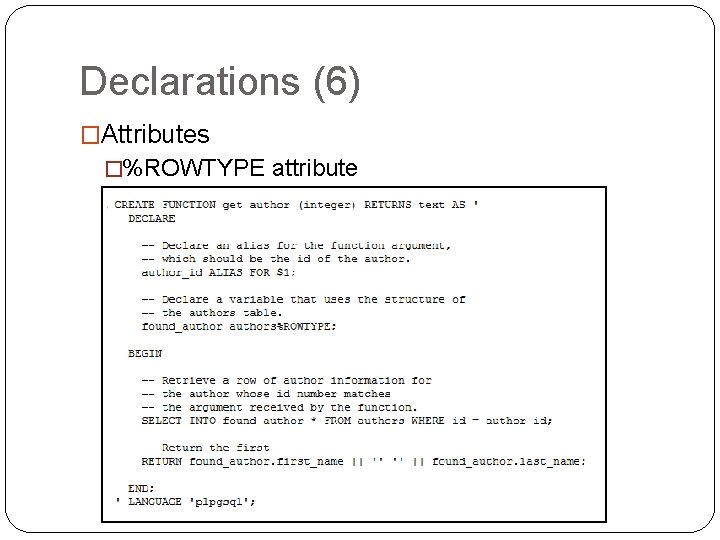
Declarations (6) �Attributes �%ROWTYPE attribute
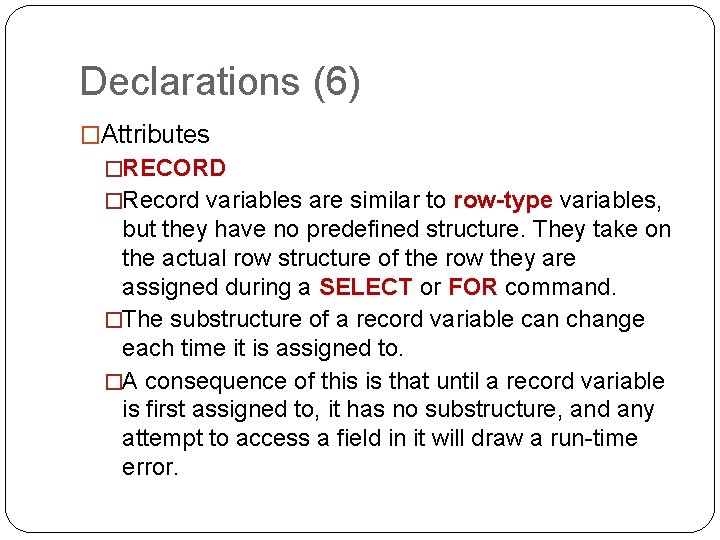
Declarations (6) �Attributes �RECORD �Record variables are similar to row-type variables, but they have no predefined structure. They take on the actual row structure of the row they are assigned during a SELECT or FOR command. �The substructure of a record variable can change each time it is assigned to. �A consequence of this is that until a record variable is first assigned to, it has no substructure, and any attempt to access a field in it will draw a run-time error.
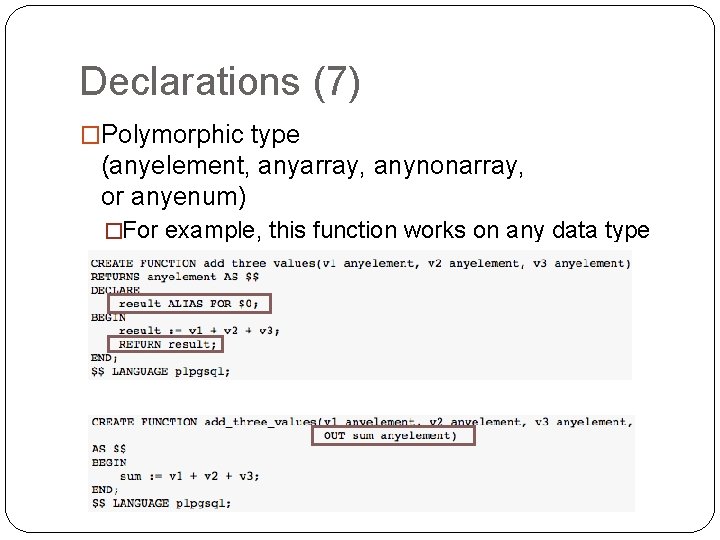
Declarations (7) �Polymorphic type (anyelement, anyarray, anynonarray, or anyenum) �a special parameter $0 is created �$0 is initialized to null and can be modified by the function, so it can be used to hold the return value if desired, though that is not required. �$0 can also be given an alias.
Declarations (7) �Polymorphic type (anyelement, anyarray, anynonarray, or anyenum) �For example, this function works on any data type that has a +operator:
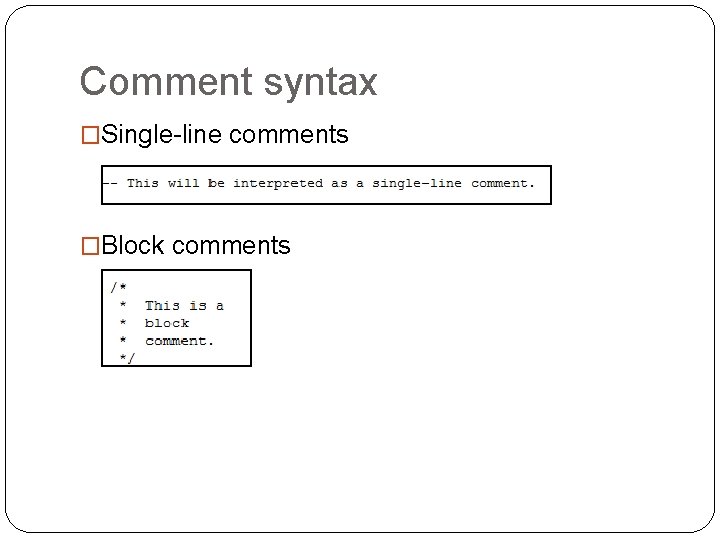
Comment syntax �Single-line comments �Block comments
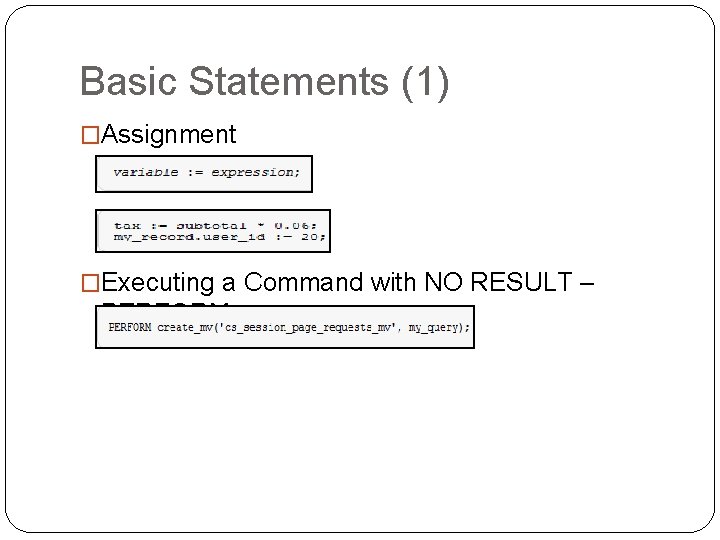
Basic Statements (1) �Assignment �Executing a Command with NO RESULT – PERFORM
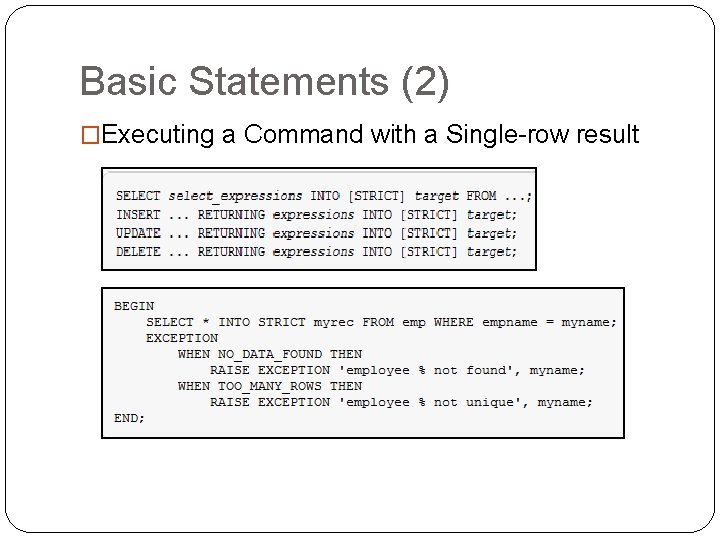
Basic Statements (2) �Executing a Command with a Single-row result
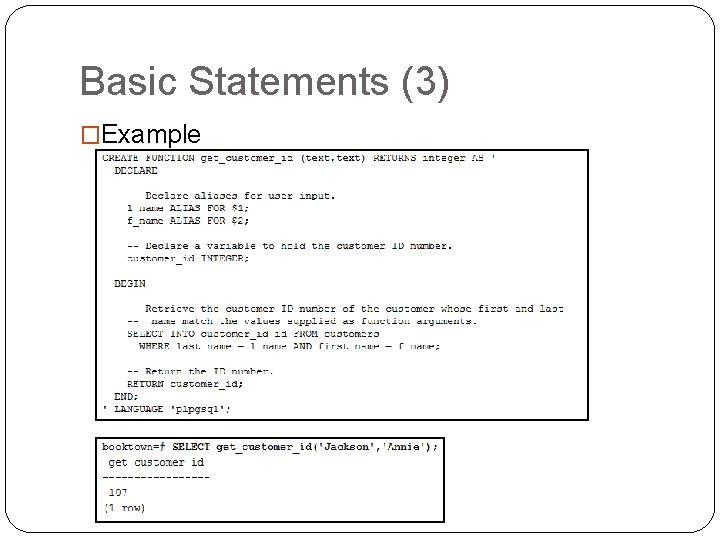
Basic Statements (3) �Example
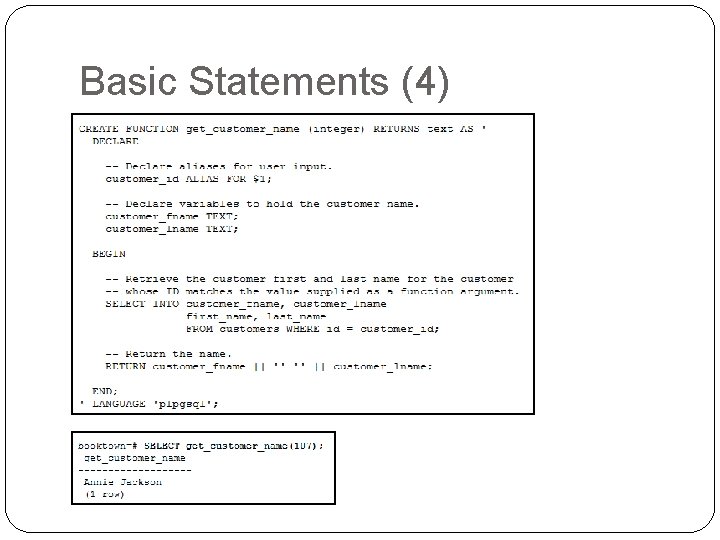
Basic Statements (4)
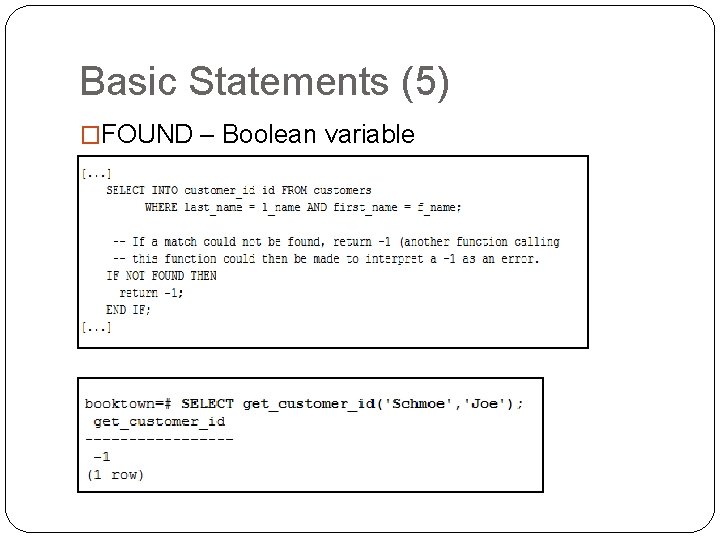
Basic Statements (5) �FOUND – Boolean variable
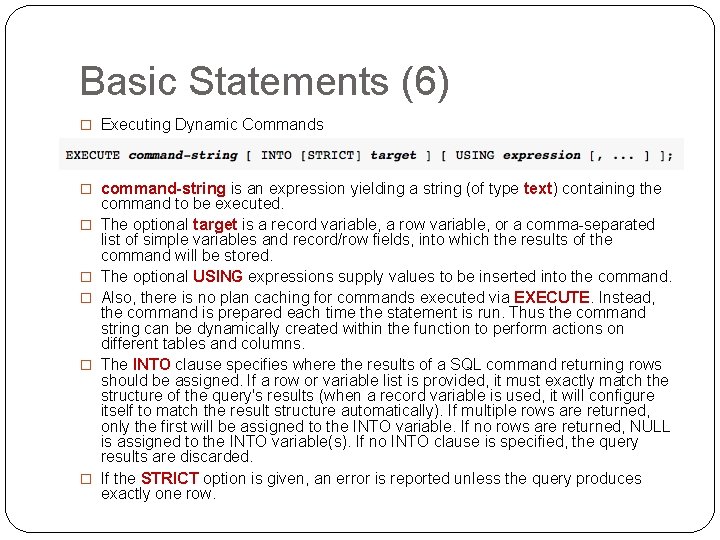
Basic Statements (6) � Executing Dynamic Commands � command-string is an expression yielding a string (of type text) containing the � � � command to be executed. The optional target is a record variable, a row variable, or a comma-separated list of simple variables and record/row fields, into which the results of the command will be stored. The optional USING expressions supply values to be inserted into the command. Also, there is no plan caching for commands executed via EXECUTE. Instead, the command is prepared each time the statement is run. Thus the command string can be dynamically created within the function to perform actions on different tables and columns. The INTO clause specifies where the results of a SQL command returning rows should be assigned. If a row or variable list is provided, it must exactly match the structure of the query's results (when a record variable is used, it will configure itself to match the result structure automatically). If multiple rows are returned, only the first will be assigned to the INTO variable. If no rows are returned, NULL is assigned to the INTO variable(s). If no INTO clause is specified, the query results are discarded. If the STRICT option is given, an error is reported unless the query produces exactly one row.
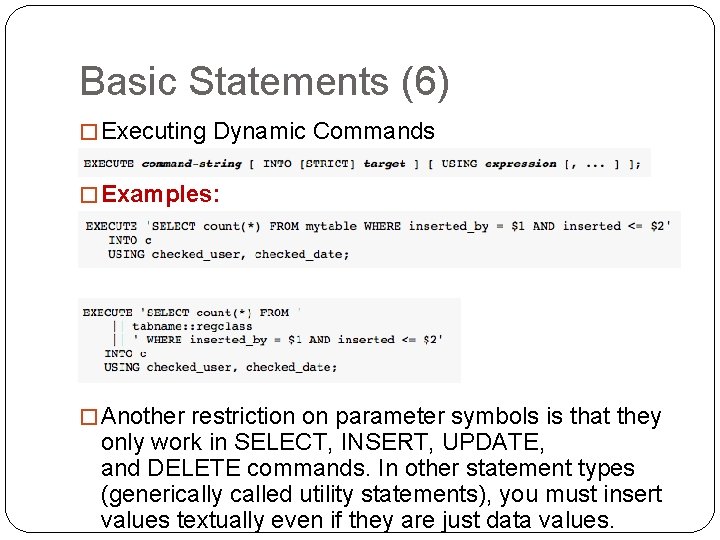
Basic Statements (6) � Executing Dynamic Commands � Examples: � Another restriction on parameter symbols is that they only work in SELECT, INSERT, UPDATE, and DELETE commands. In other statement types (generically called utility statements), you must insert values textually even if they are just data values.
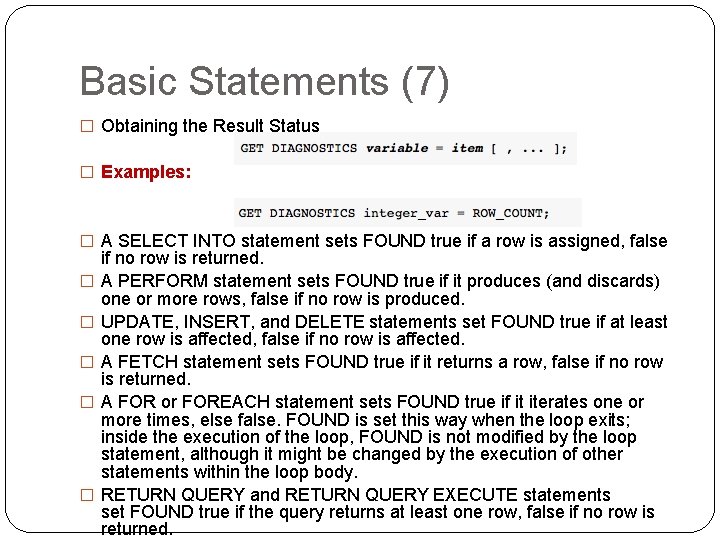
Basic Statements (7) � Obtaining the Result Status � Examples: � A SELECT INTO statement sets FOUND true if a row is assigned, false � � � if no row is returned. A PERFORM statement sets FOUND true if it produces (and discards) one or more rows, false if no row is produced. UPDATE, INSERT, and DELETE statements set FOUND true if at least one row is affected, false if no row is affected. A FETCH statement sets FOUND true if it returns a row, false if no row is returned. A FOR or FOREACH statement sets FOUND true if it iterates one or more times, else false. FOUND is set this way when the loop exits; inside the execution of the loop, FOUND is not modified by the loop statement, although it might be changed by the execution of other statements within the loop body. RETURN QUERY and RETURN QUERY EXECUTE statements set FOUND true if the query returns at least one row, false if no row is returned.
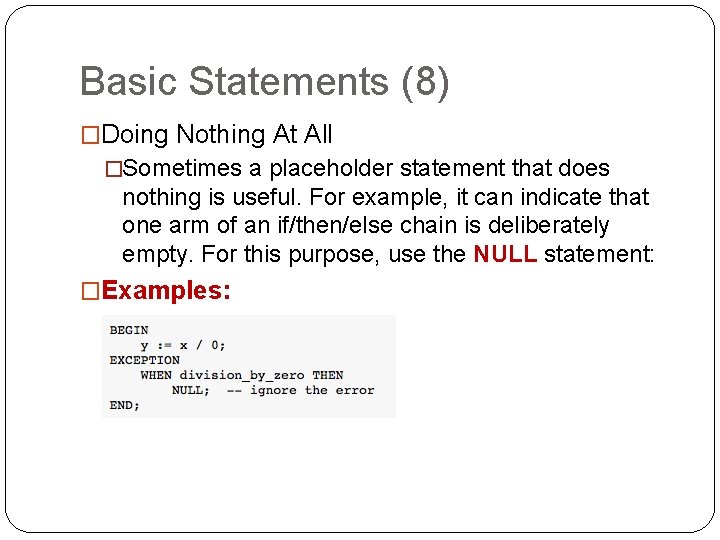
Basic Statements (8) �Doing Nothing At All �Sometimes a placeholder statement that does nothing is useful. For example, it can indicate that one arm of an if/then/else chain is deliberately empty. For this purpose, use the NULL statement: �Examples:
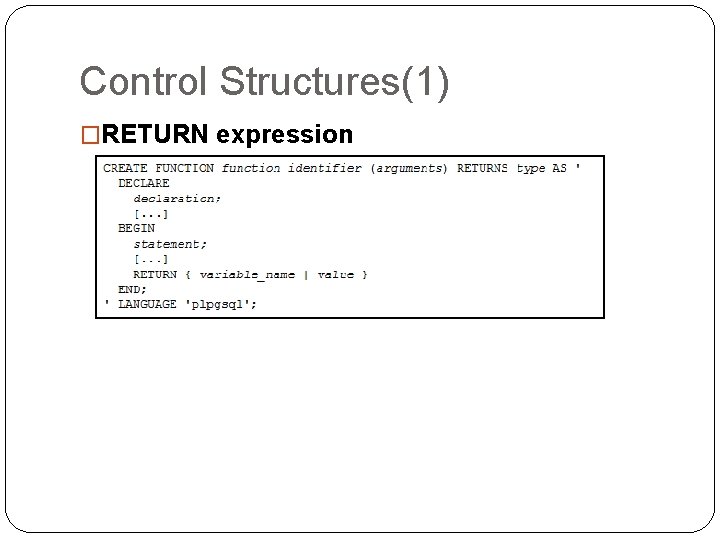
Control Structures(1) �RETURN expression
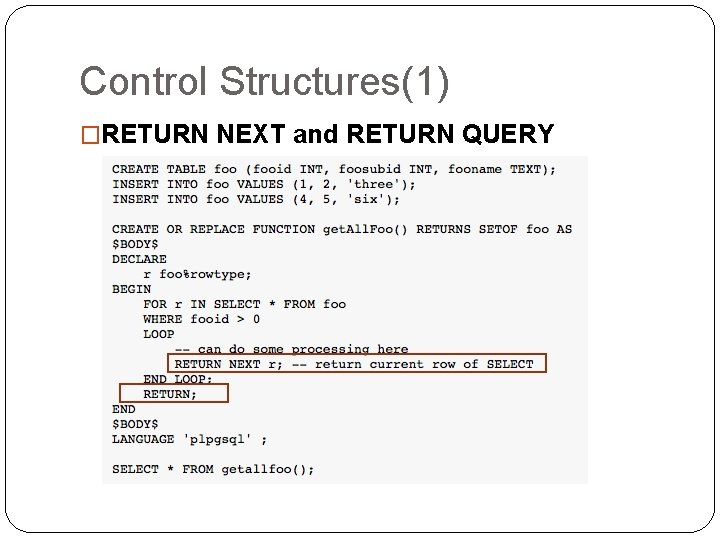
Control Structures(1) �RETURN NEXT and RETURN QUERY
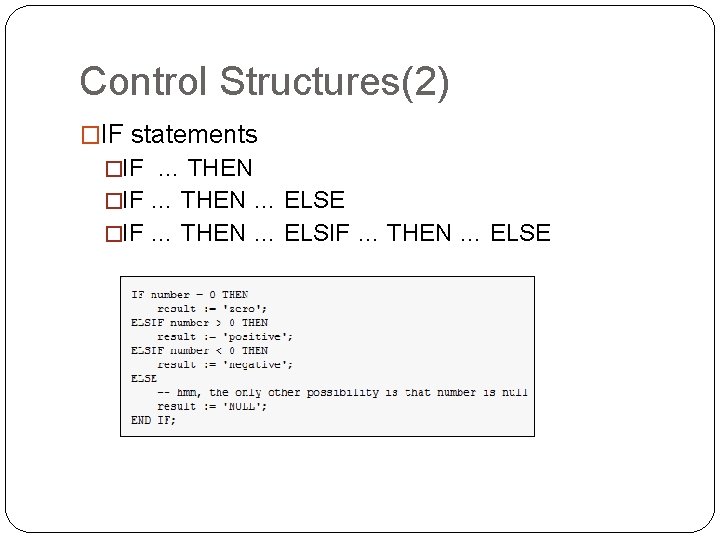
Control Structures(2) �IF statements �IF … THEN … ELSE
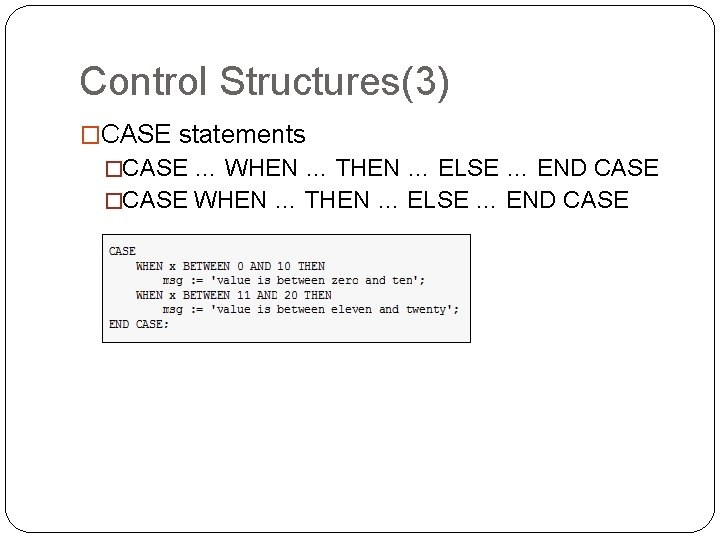
Control Structures(3) �CASE statements �CASE … WHEN … THEN … ELSE … END CASE �CASE WHEN … THEN … ELSE … END CASE
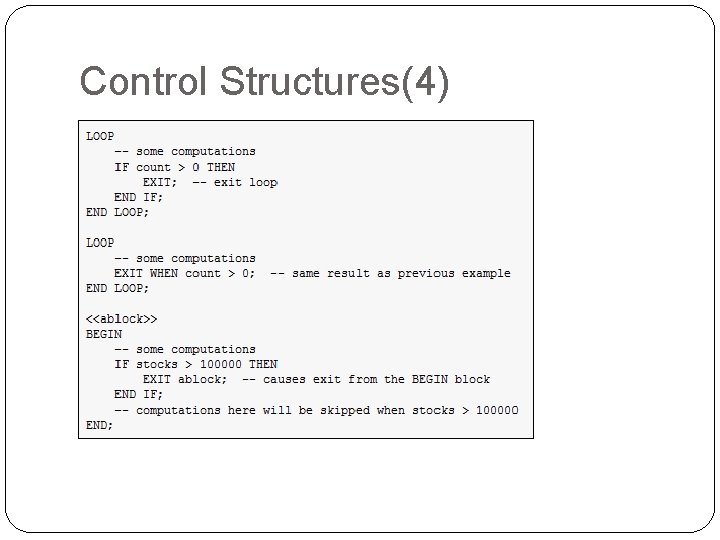
Control Structures(4) �LOOP �EXIT
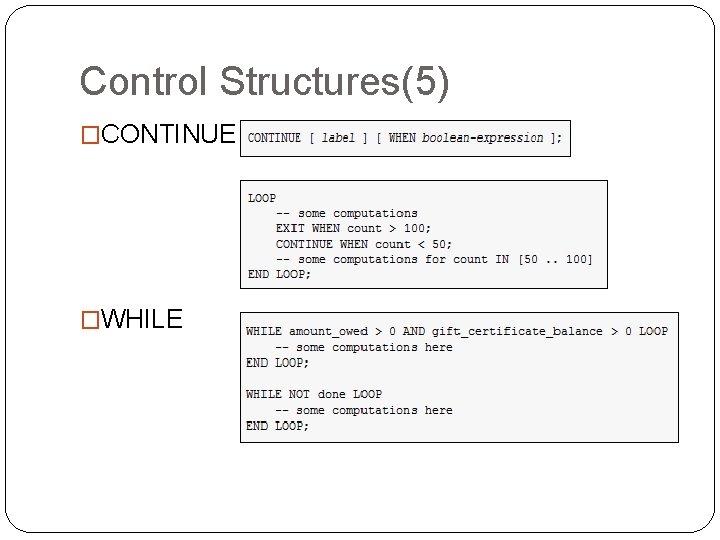
Control Structures(5) �CONTINUE �WHILE
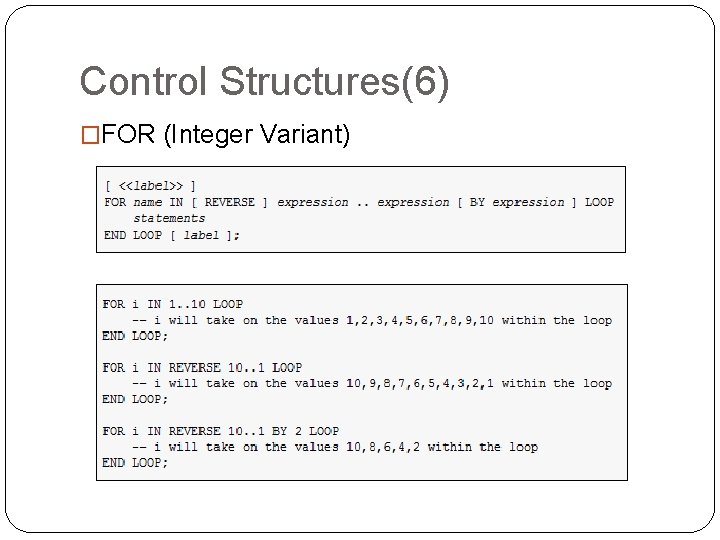
Control Structures(6) �FOR (Integer Variant)
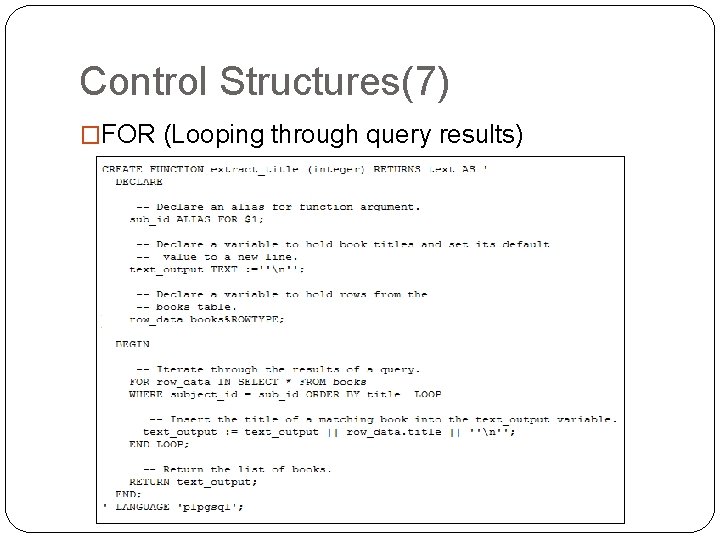
Control Structures(7) �FOR (Looping through query results)
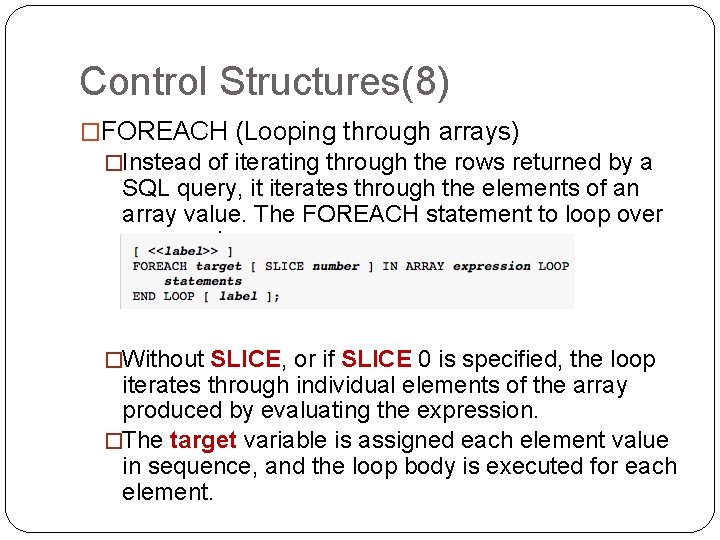
Control Structures(8) �FOREACH (Looping through arrays) �Instead of iterating through the rows returned by a SQL query, it iterates through the elements of an array value. The FOREACH statement to loop over an array is: �Without SLICE, or if SLICE 0 is specified, the loop iterates through individual elements of the array produced by evaluating the expression. �The target variable is assigned each element value in sequence, and the loop body is executed for each element.
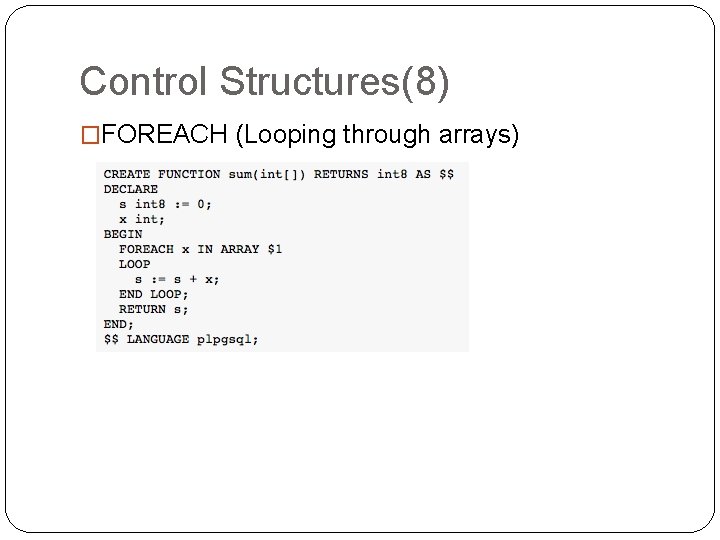
Control Structures(8) �FOREACH (Looping through arrays)
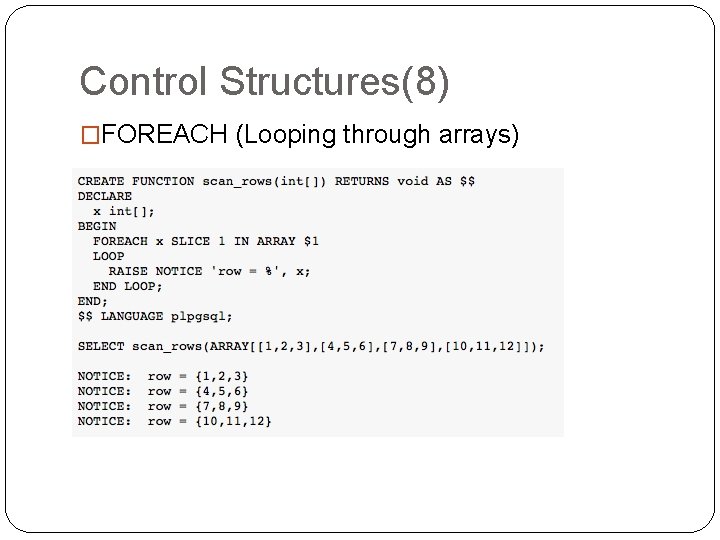
Control Structures(8) �FOREACH (Looping through arrays)
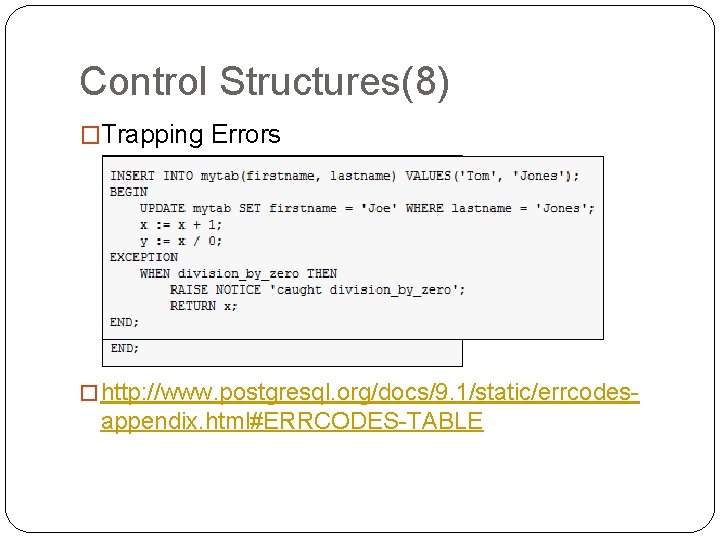
Control Structures(8) �Trapping Errors � http: //www. postgresql. org/docs/9. 1/static/errcodes- appendix. html#ERRCODES-TABLE
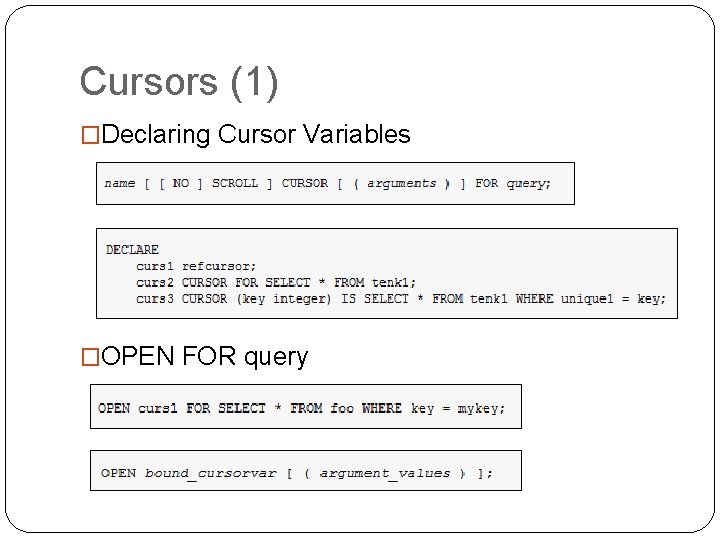
Cursors (1) �Declaring Cursor Variables �OPEN FOR query
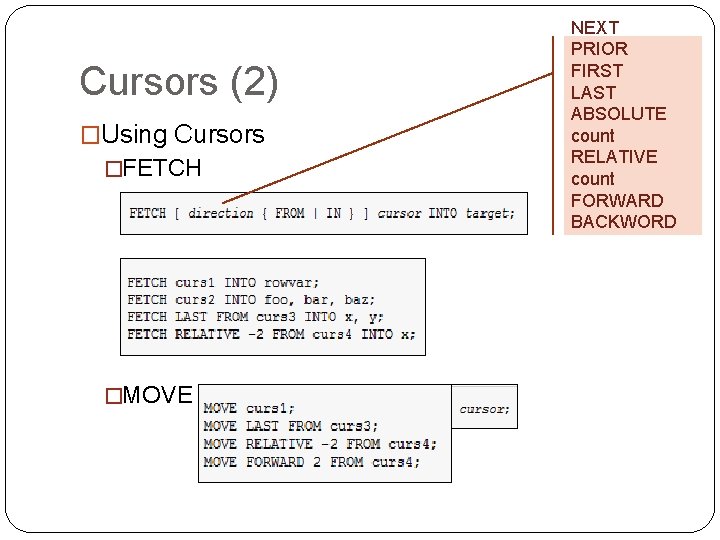
Cursors (2) �Using Cursors �FETCH �MOVE NEXT PRIOR FIRST LAST ABSOLUTE count RELATIVE count FORWARD BACKWORD
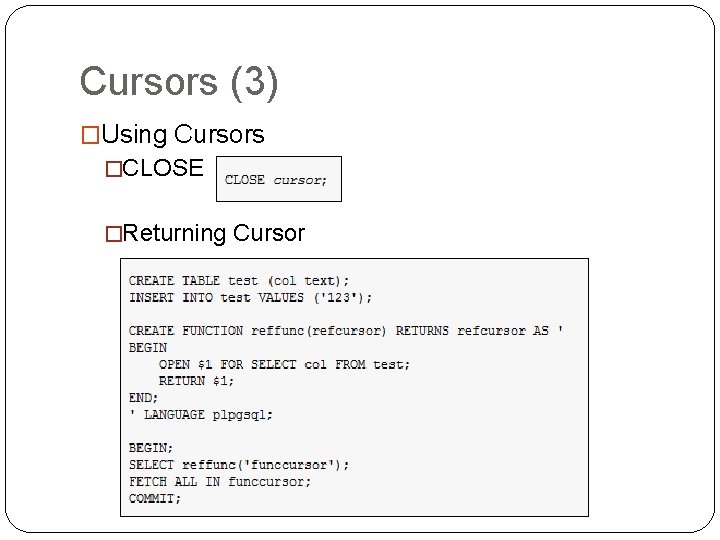
Cursors (3) �Using Cursors �CLOSE �Returning Cursor
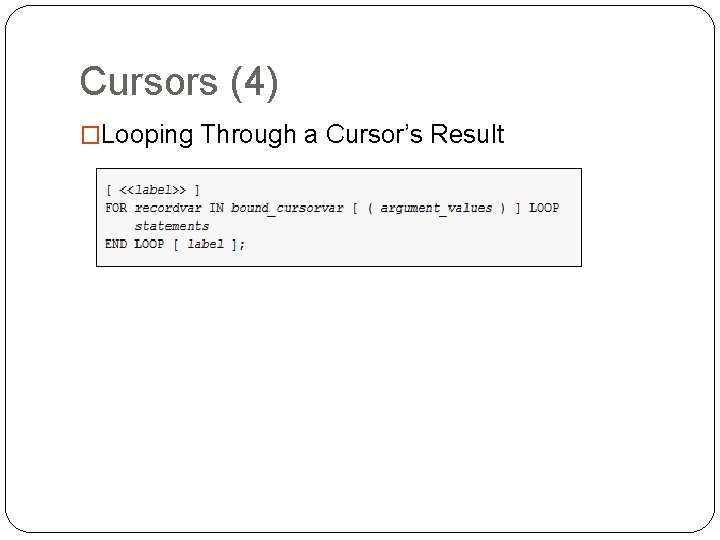
Cursors (4) �Looping Through a Cursor’s Result
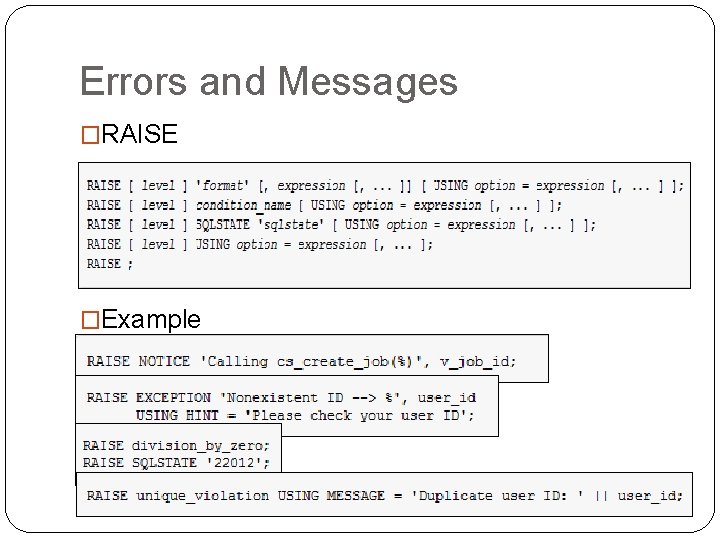
Errors and Messages �RAISE �Example
Reference �Postgre. SQL Manuals Postgre. SQL 9. 1 �http: //www. postgresql. org/docs/9. 1/static/index. html �Practical Postgre. SQL �http: //www. faqs. org/docs/ppbook/c 19610. htm
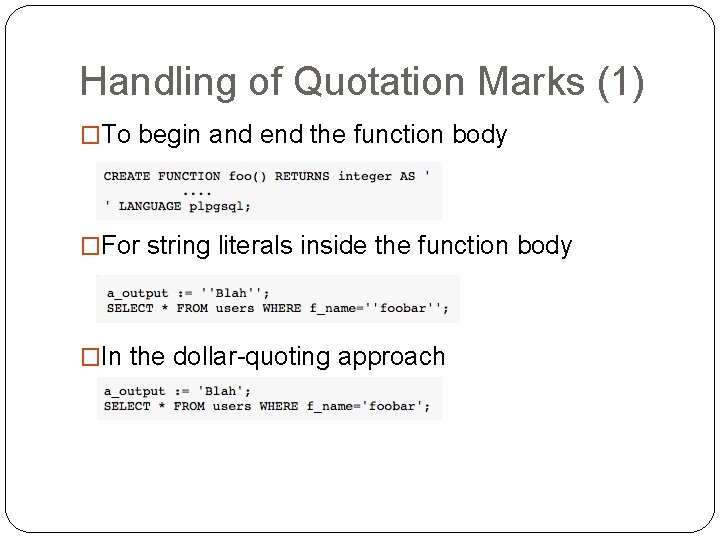
Handling of Quotation Marks (1) �To begin and end the function body �For string literals inside the function body �In the dollar-quoting approach
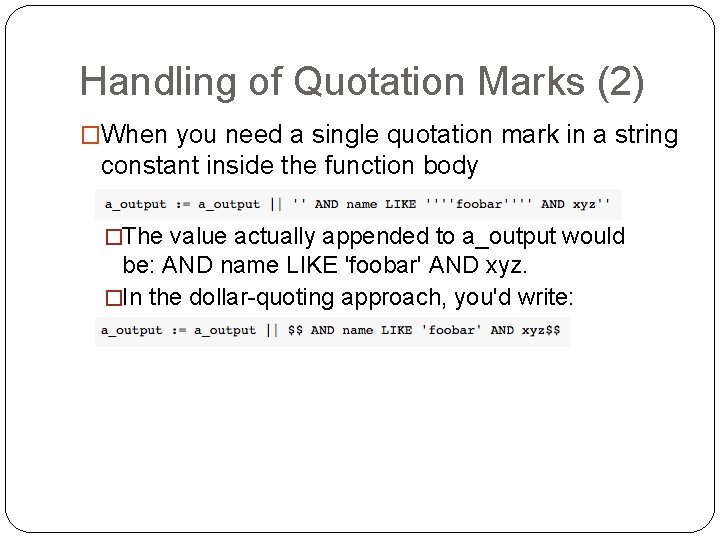
Handling of Quotation Marks (2) �When you need a single quotation mark in a string constant inside the function body �The value actually appended to a_output would be: AND name LIKE 'foobar' AND xyz. �In the dollar-quoting approach, you'd write:
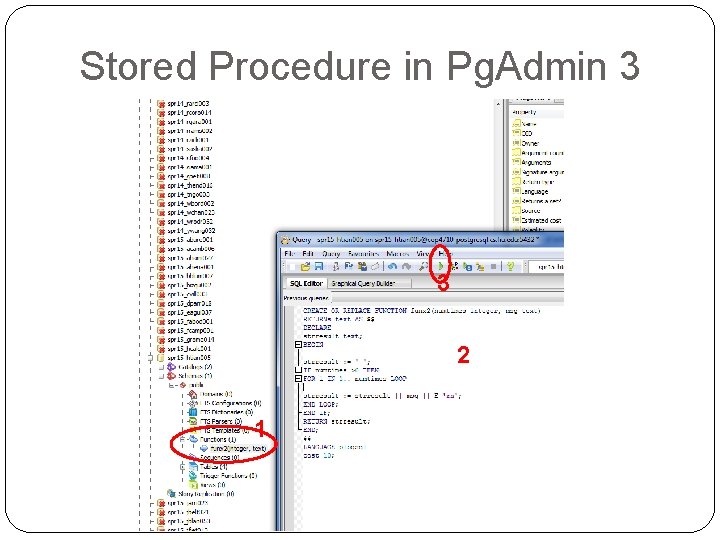
Stored Procedure in Pg. Admin 3 3 2 1
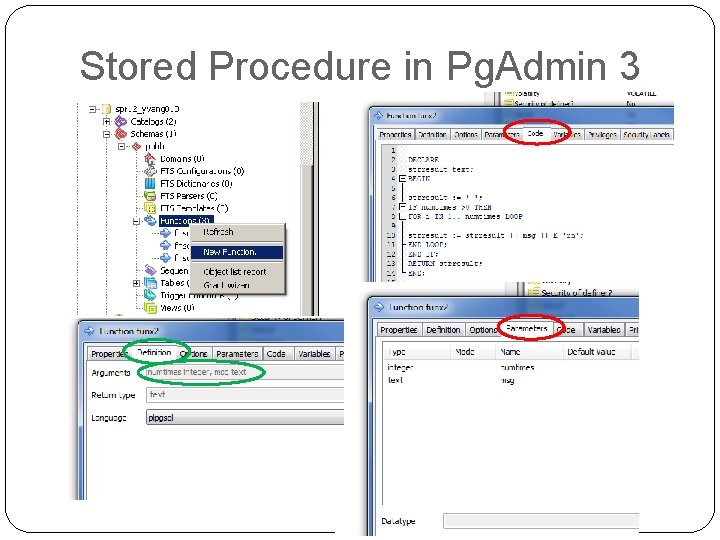
Stored Procedure in Pg. Admin 3
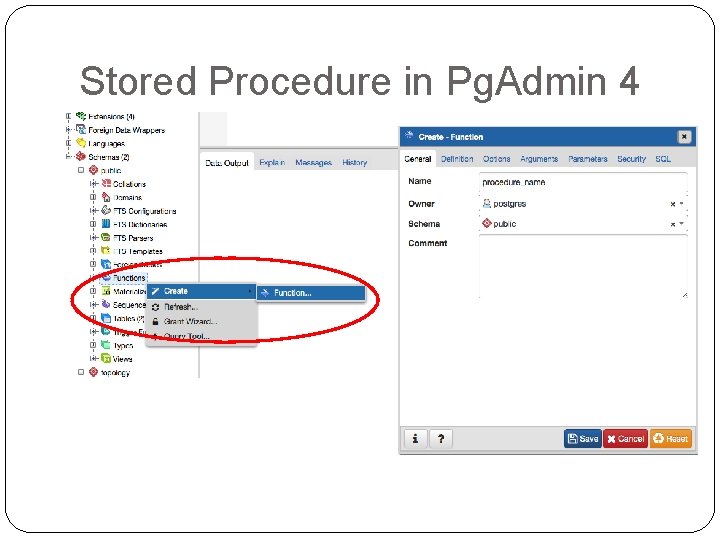
Stored Procedure in Pg. Admin 4
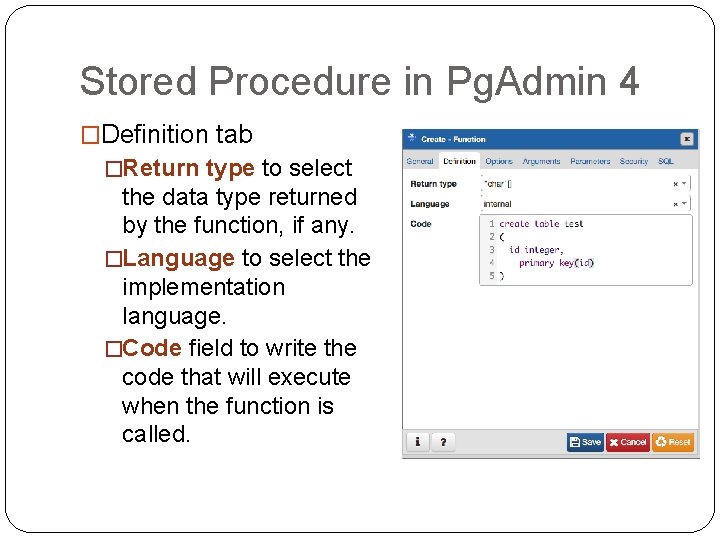
Stored Procedure in Pg. Admin 4 �Definition tab �Return type to select the data type returned by the function, if any. �Language to select the implementation language. �Code field to write the code that will execute when the function is called.
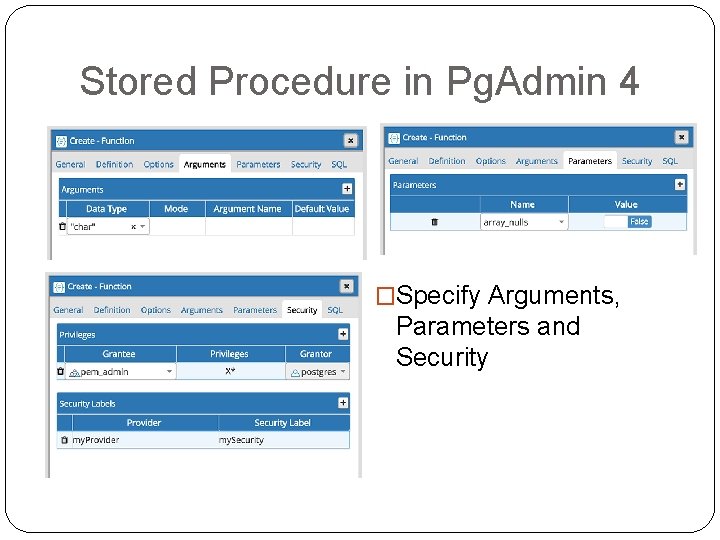
Stored Procedure in Pg. Admin 4 �Specify Arguments, Parameters and Security
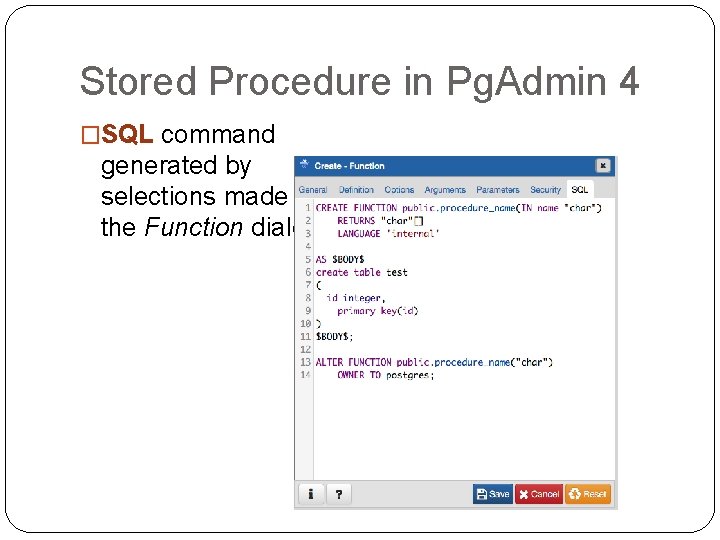
Stored Procedure in Pg. Admin 4 �SQL command generated by selections made in the Function dialog