
Storage tank scanning with Trimble TX 5 Scanner
Storage tank scanning with Trimble TX 5 Scanner and Storage Tank Application Filip Jinnestrand, 2013

Storage tank scanning Introduction • Industries using vertical and horizontal storage tanks needs to determine and certify accurate tank volume • Nominal tank volume can differ from actual volume with one to several per cent. (Example: 1 per cent of total oil import in Sweden equals 300 000 m 3) • 3 D laser scanning of storage tanks provides the tank owner with important geometrical information about their tanks • Most importantly: the tank owner knows the exact amount of liquid that is being transferred to/from their storage tanks

Storage tank scanning • DEKRA offers a wide variety of services within tank inspection • The tank inspection market is increasingly competitive • With 3 D-scanning, DEKRA has a unique combination of services

The equipment Trimble TX 5 Scanner • 3 D laser scanner with integrated 70 megapixels camera • Easy to handle: 240 x 200 x 100 mm, 5 kg • Range: 0, 6 to 120 m • 122, 000 – 976, 000 measurements/second • Featured with new software (July 2013) specifically developed for storage tank scanning/measurement • 3 -10 minutes/scan
Possibilities With the 3 D-scanner, DEKRA can offer: 1. 2. 3. Volume calculation of vertically and horizontally positioned storage tanks Inspection: indicate deformations in storage tank walls Calculate volume of storage tank containment DEKRA can also perform: • Visual inspection with the 70 megapixle camera • 3 D drawing of storage tank The tank owner gains a full view of pipes and other internal installations • Indicate settings/tilted storage tanks By scanning the outside of the storage tank

1. Volume calculation in Real. Works software The millions of measurement points create a point cloud when transferred and opened in Real. Works software.
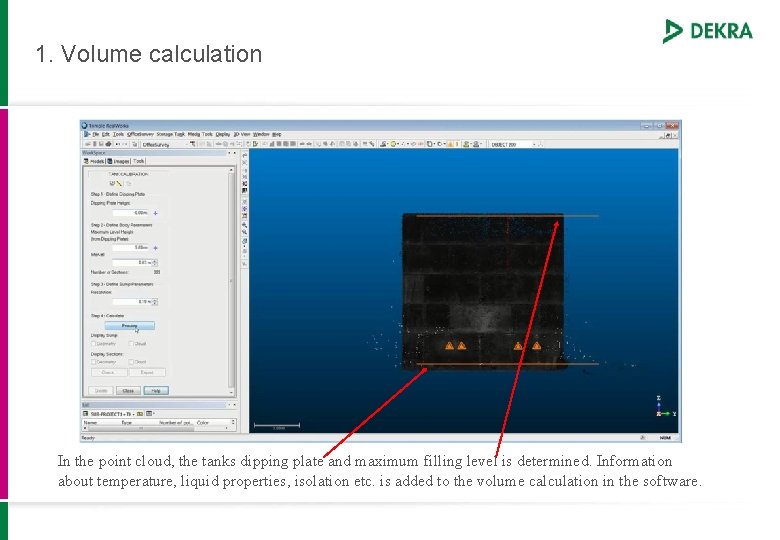
1. Volume calculation In the point cloud, the tanks dipping plate and maximum filling level is determined. Information about temperature, liquid properties, isolation etc. is added to the volume calculation in the software.
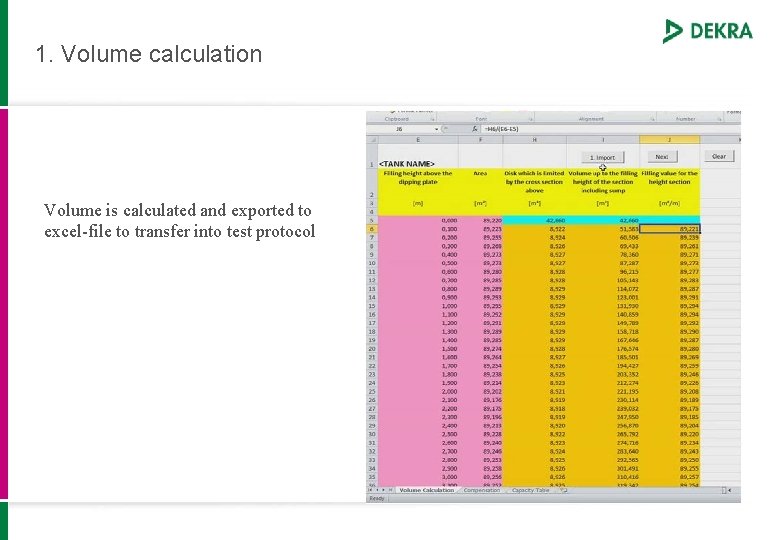
1. Volume calculation Volume is calculated and exported to excel-file to transfer into test protocol
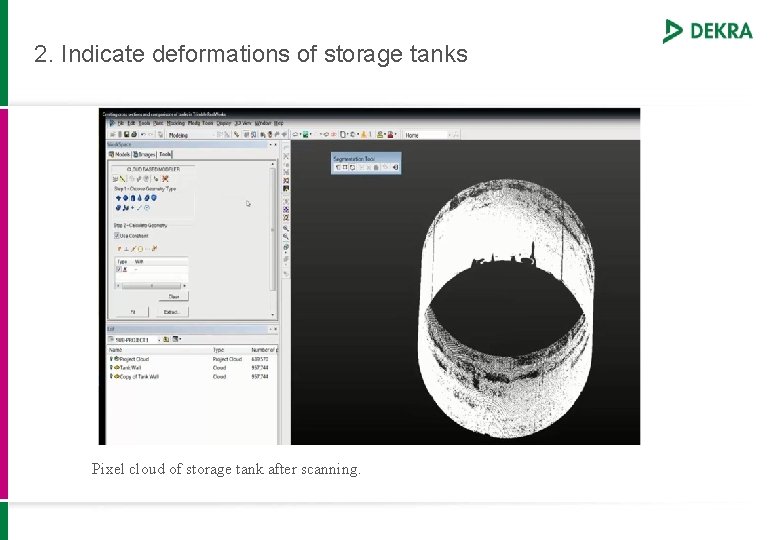
2. Indicate deformations of storage tanks Pixel cloud of storage tank after scanning.
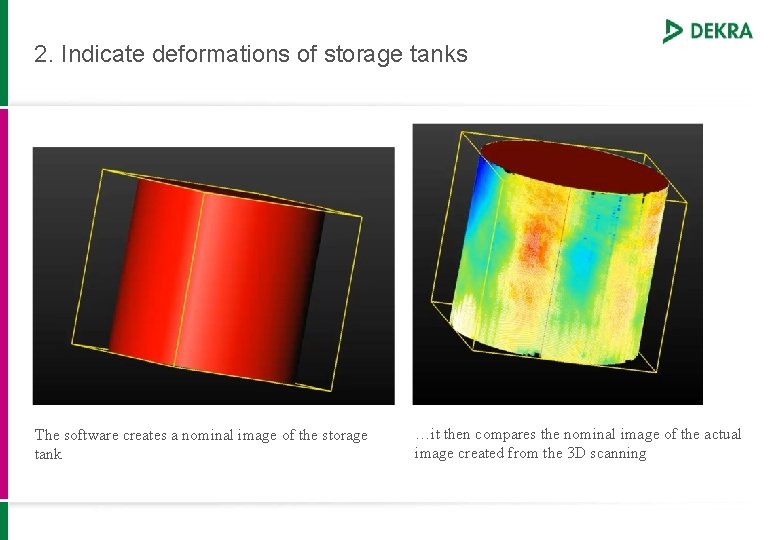
2. Indicate deformations of storage tanks The software creates a nominal image of the storage tank …it then compares the nominal image of the actual image created from the 3 D scanning
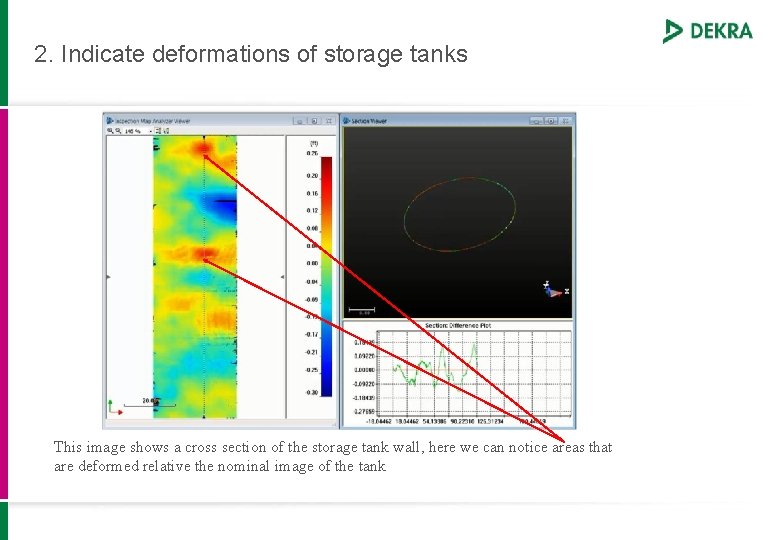
2. Indicate deformations of storage tanks This image shows a cross section of the storage tank wall, here we can notice areas that are deformed relative the nominal image of the tank
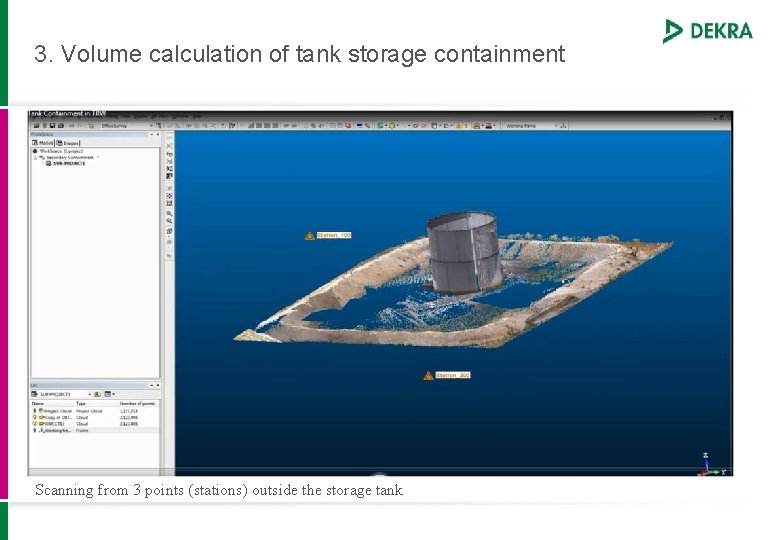
3. Volume calculation of tank storage containment Scanning from 3 points (stations) outside the storage tank
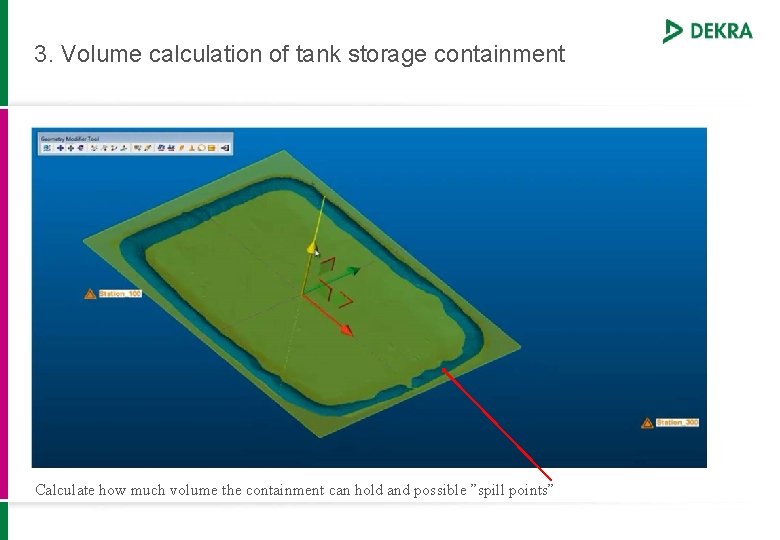
3. Volume calculation of tank storage containment Calculate how much volume the containment can hold and possible ”spill points”
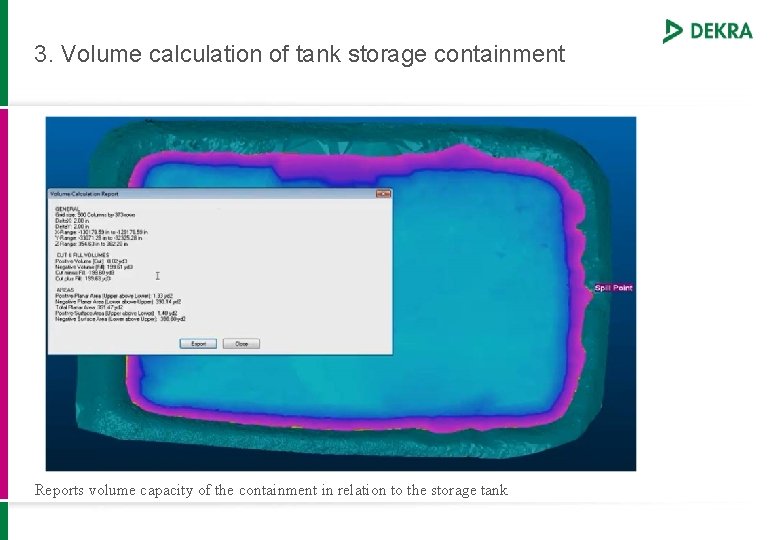
3. Volume calculation of tank storage containment Reports volume capacity of the containment in relation to the storage tank
3 D-scaning Benefits • Streamlined solution for teams dedicated to this activity (productivity) • More accurate results than other methods of measurement • Scanning is fast and easy to perform • Data can easily be transferred and calculated by anyone, anywhere • Unique combination of services increases competitiveness • 3 D-scanning can be performed by storage tank inspectors/NDT personnel Future • 3 D-laser scanning is used in a wide variety of industries and markets. The technique is for instance well established within the Swedish nuclear sector for measurement and as-built drawing at installations.
- Slides: 15