
Storage Optimization Strategies Techniques for configuring your Progress


- Slides: 48
Storage Optimization Strategies Techniques for configuring your Progress Open. Edge Database in order to minimize IO operations Tom Bascom, White Star Software tom@wss. com
A Few Words about the Speaker • Tom Bascom; Progress user & roaming DBA since 1987 • President, DBAppraise, LLC – Remote database management service for Open. Edge. – Simplifying the job of managing and monitoring the world’s best business applications. – tom@dbappraise. com • VP, White Star Software, LLC – Expert consulting services related to all aspects of Progress and Open. Edge. – tom@wss. com 2
We Will NOT be Talking about: • • • SANs Servers Operating systems RAID levels … and so forth. 3
What Do We Mean by “Storage Optimization”? • • The trade press thinks it means BIG DISKS. Your CFO thinks it means BIG SAVINGS. Programmers think it means BIG DATABASES. SAN vendors think it means BIG COMMISSIONS. • DBAs seek the best possible reliability and performance at a reasonable cost. 4
The Foundation of Open. Edge Storage Optimization 5
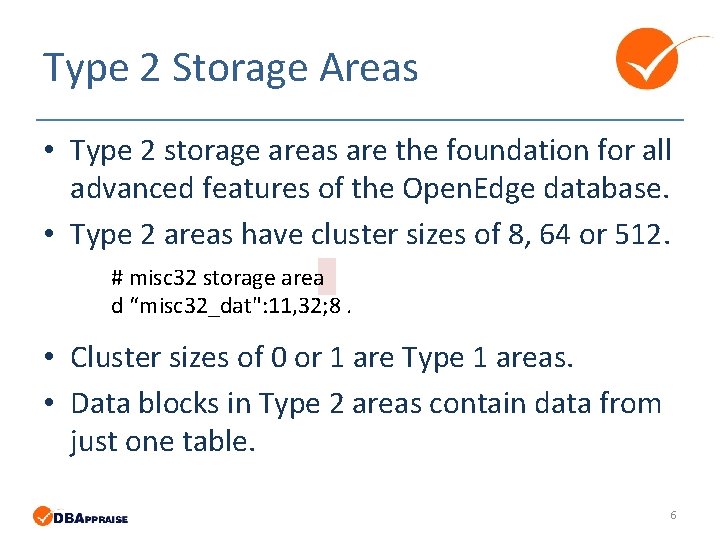
Type 2 Storage Areas • Type 2 storage areas are the foundation for all advanced features of the Open. Edge database. • Type 2 areas have cluster sizes of 8, 64 or 512. # misc 32 storage area d “misc 32_dat": 11, 32; 8. • Cluster sizes of 0 or 1 are Type 1 areas. • Data blocks in Type 2 areas contain data from just one table. 6
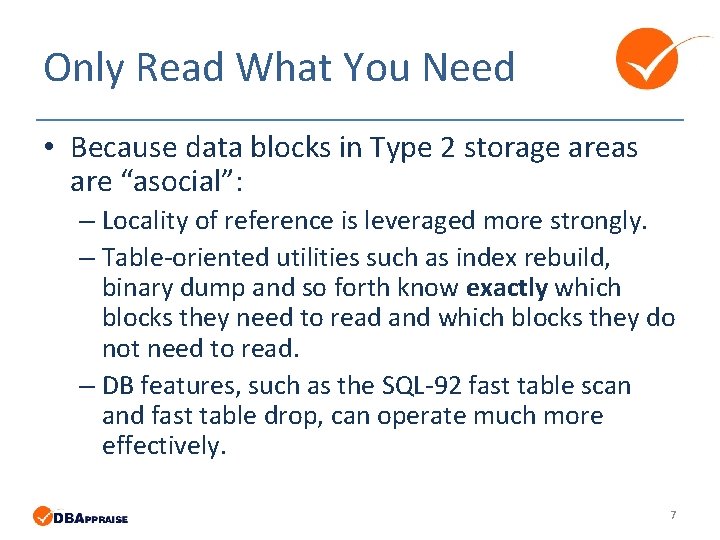
Only Read What You Need • Because data blocks in Type 2 storage areas are “asocial”: – Locality of reference is leveraged more strongly. – Table-oriented utilities such as index rebuild, binary dump and so forth know exactly which blocks they need to read and which blocks they do not need to read. – DB features, such as the SQL-92 fast table scan and fast table drop, can operate much more effectively. 7
MYTH • Storage optimization is just for large tables. • Type 2 storage areas are just for large tables. 8
Truth • Very small, yet active tables often dominate an application’s IO profile. • And type 2 areas are a very powerful tool for addressing this. 9
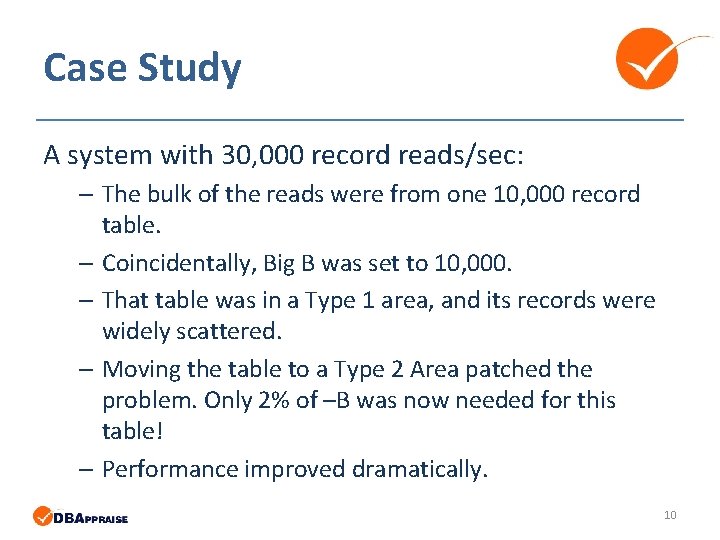
Case Study A system with 30, 000 record reads/sec: – The bulk of the reads were from one 10, 000 record table. – Coincidentally, Big B was set to 10, 000. – That table was in a Type 1 area, and its records were widely scattered. – Moving the table to a Type 2 Area patched the problem. Only 2% of –B was now needed for this table! – Performance improved dramatically. 10
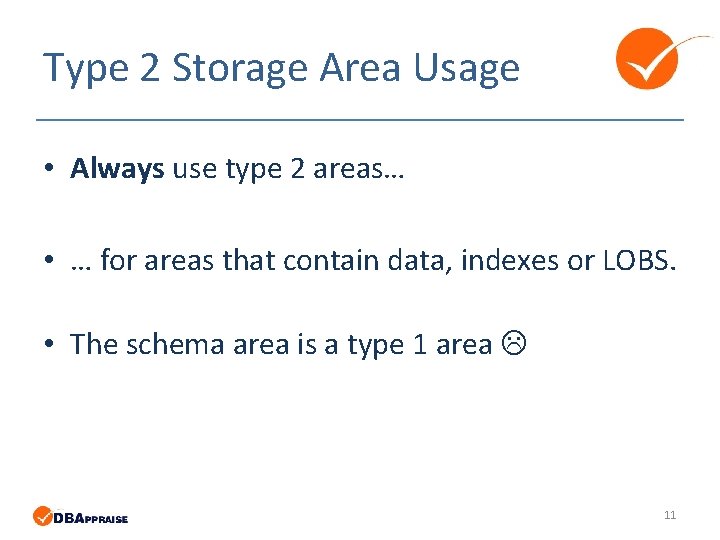
Type 2 Storage Area Usage • Always use type 2 areas… • … for areas that contain data, indexes or LOBS. • The schema area is a type 1 area 11
How to Define Your Storage Areas 12
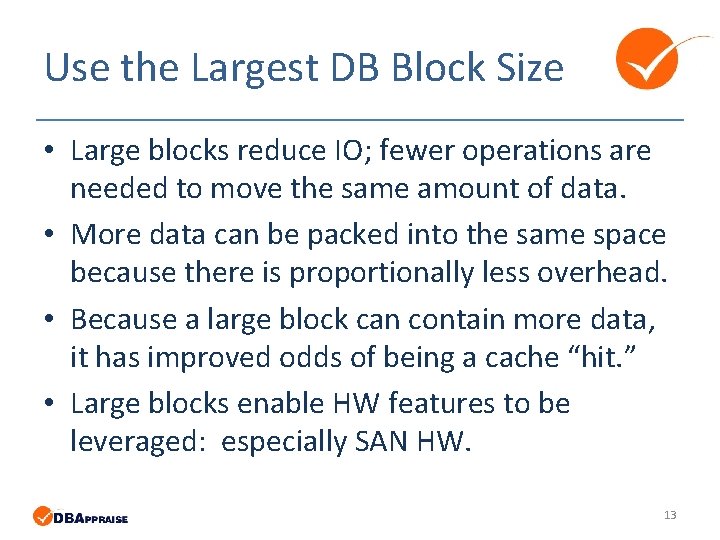
Use the Largest DB Block Size • Large blocks reduce IO; fewer operations are needed to move the same amount of data. • More data can be packed into the same space because there is proportionally less overhead. • Because a large block can contain more data, it has improved odds of being a cache “hit. ” • Large blocks enable HW features to be leveraged: especially SAN HW. 13
What about Windows? • There are those who would say “except for Windows. ” • (Because Windows is a 4 K-oriented OS. ) • I have had good success with Windows & 8 k blocks. • NTFS can be changed to use an 8 k block… 14
Use Many (Type 2) Storage Areas • Do NOT assign tables to areas based on “function. ” • Instead group objects by common “technical attributes. ” • Create distinct storage areas for: – Each very large table – Tables with common Rows Per Block settings – Indexes versus data 15
Record Fragmentation 16
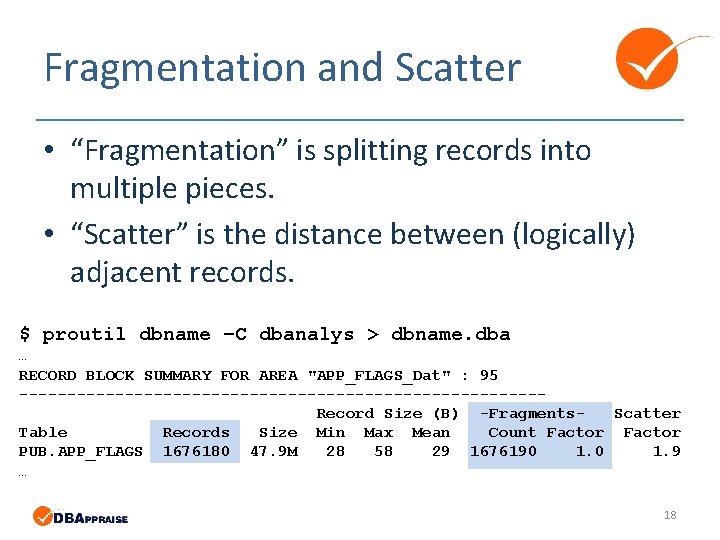
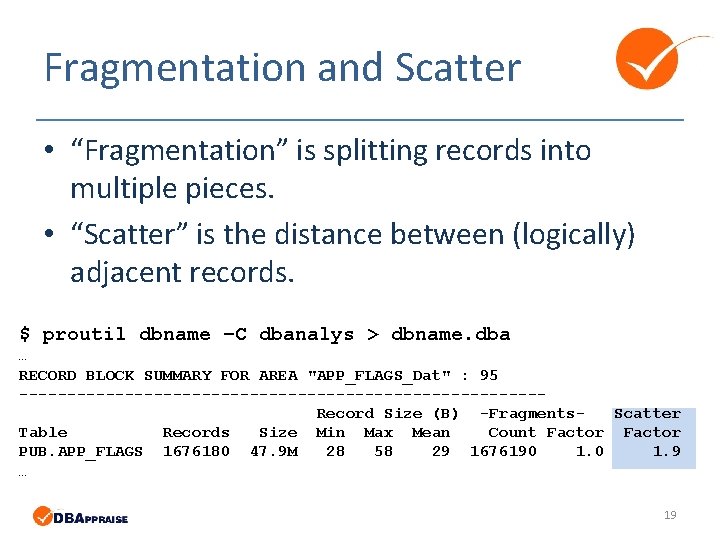
Fragmentation and Scatter • “Fragmentation” is splitting records into multiple pieces. • “Scatter” is the distance between (logically) adjacent records. 17
Fragmentation and Scatter • “Fragmentation” is splitting records into multiple pieces. • “Scatter” is the distance between (logically) adjacent records. $ proutil dbname –C dbanalys > dbname. dba … RECORD BLOCK SUMMARY FOR AREA "APP_FLAGS_Dat" : 95 ---------------------------Record Size (B) -Fragments. Scatter Table Records Size Min Max Mean Count Factor PUB. APP_FLAGS 1676180 47. 9 M 28 58 29 1676190 1. 9 … 18
Fragmentation and Scatter • “Fragmentation” is splitting records into multiple pieces. • “Scatter” is the distance between (logically) adjacent records. $ proutil dbname –C dbanalys > dbname. dba … RECORD BLOCK SUMMARY FOR AREA "APP_FLAGS_Dat" : 95 ---------------------------Record Size (B) -Fragments. Scatter Table Records Size Min Max Mean Count Factor PUB. APP_FLAGS 1676180 47. 9 M 28 58 29 1676190 1. 9 … 19
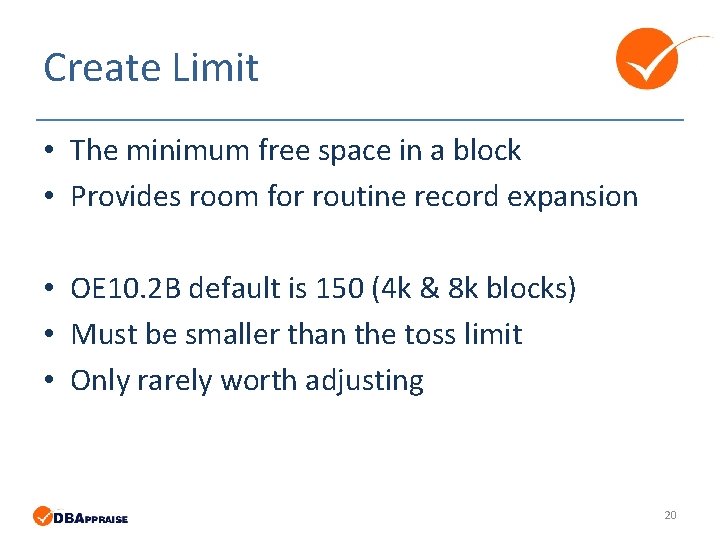
Create Limit • The minimum free space in a block • Provides room for routine record expansion • OE 10. 2 B default is 150 (4 k & 8 k blocks) • Must be smaller than the toss limit • Only rarely worth adjusting 20
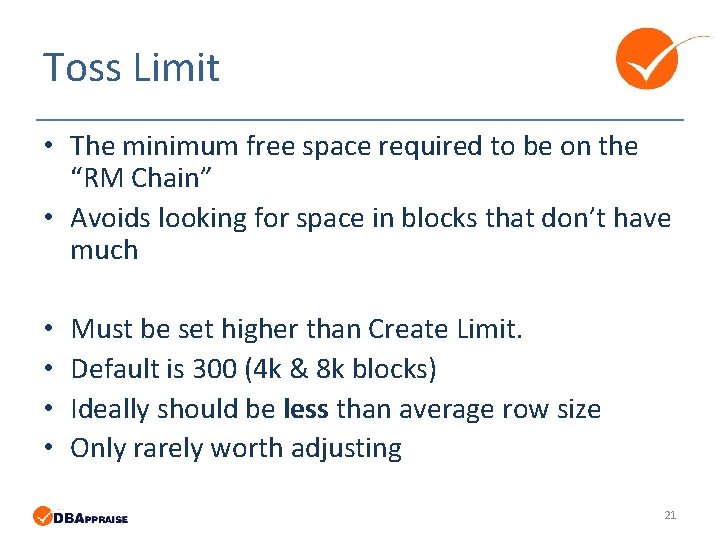
Toss Limit • The minimum free space required to be on the “RM Chain” • Avoids looking for space in blocks that don’t have much • • Must be set higher than Create Limit. Default is 300 (4 k & 8 k blocks) Ideally should be less than average row size Only rarely worth adjusting 21
Fragmentation, Create & Toss Summary 22
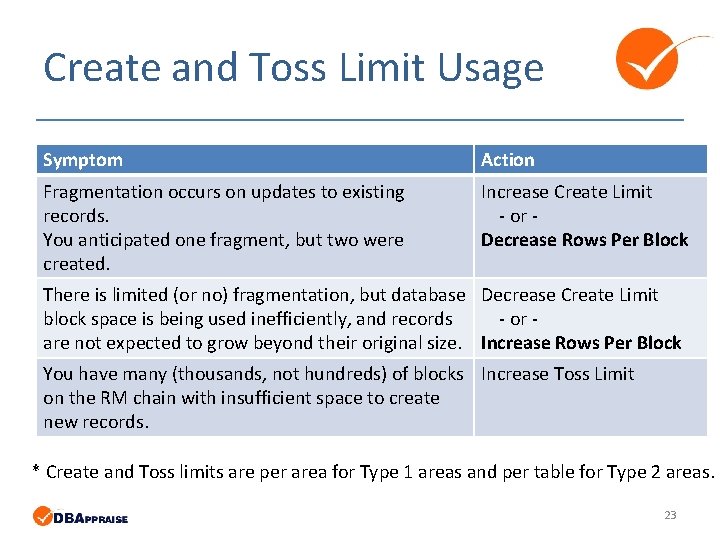
Create and Toss Limit Usage Symptom Action Fragmentation occurs on updates to existing records. You anticipated one fragment, but two were created. Increase Create Limit - or Decrease Rows Per Block There is limited (or no) fragmentation, but database Decrease Create Limit block space is being used inefficiently, and records - or are not expected to grow beyond their original size. Increase Rows Per Block You have many (thousands, not hundreds) of blocks Increase Toss Limit on the RM chain with insufficient space to create new records. * Create and Toss limits are per area for Type 1 areas and per table for Type 2 areas. 23
Rows Per Block 24
Why not “One Size Fits All”? • A universal setting such as 128 rows per block seems simple. • And for many situations it is adequate. • But… • Too large a value may lead to fragmentation and too small to wasted space. • It also makes advanced data analysis more difficult. • And it really isn’t that hard to pick good values for RPB. 25
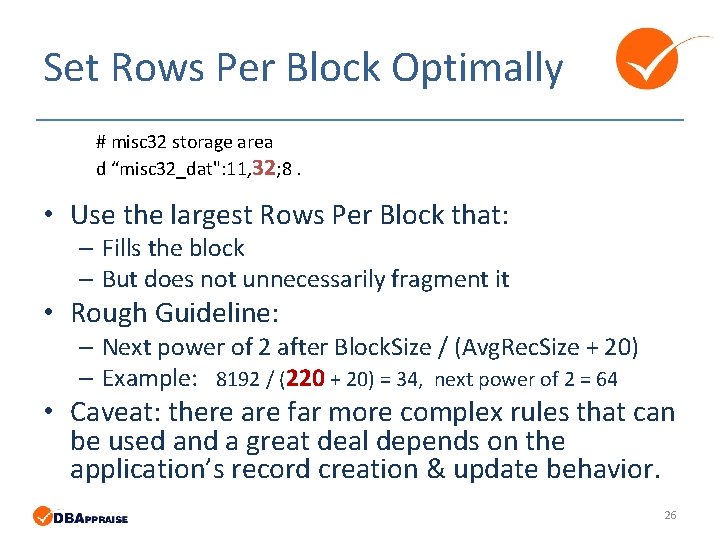
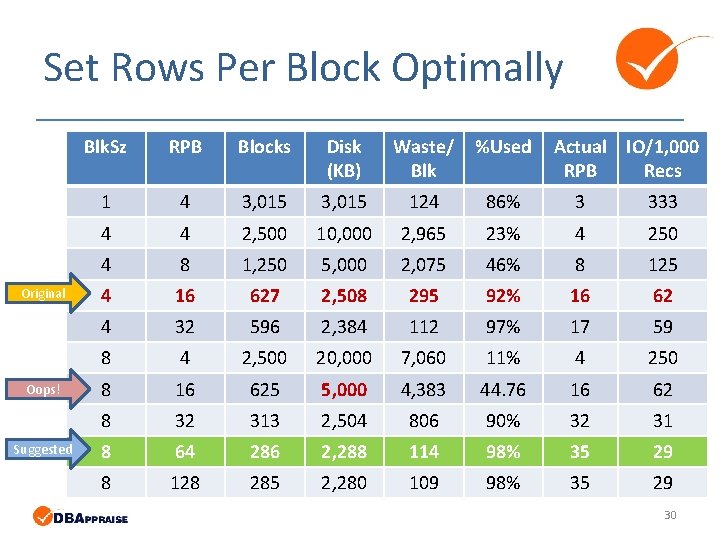
Set Rows Per Block Optimally # misc 32 storage area d “misc 32_dat": 11, 32; 8. • Use the largest Rows Per Block that: – Fills the block – But does not unnecessarily fragment it • Rough Guideline: – Next power of 2 after Block. Size / (Avg. Rec. Size + 20) – Example: 8192 / (220 + 20) = 34, next power of 2 = 64 • Caveat: there are far more complex rules that can be used and a great deal depends on the application’s record creation & update behavior. 26
RPB Example 27
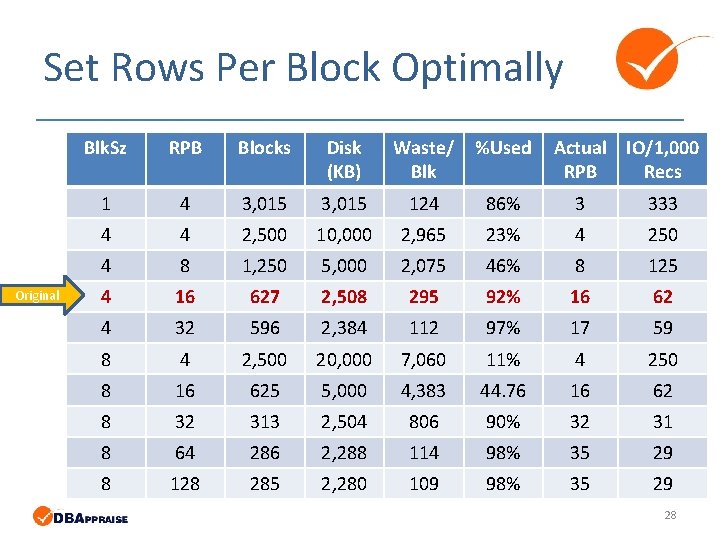
Set Rows Per Block Optimally Original Blk. Sz RPB Blocks Disk (KB) Waste/ Blk %Used Actual IO/1, 000 RPB Recs 1 4 3, 015 124 86% 3 333 4 4 2, 500 10, 000 2, 965 23% 4 250 4 8 1, 250 5, 000 2, 075 46% 8 125 4 16 627 2, 508 295 92% 16 62 4 32 596 2, 384 112 97% 17 59 8 4 2, 500 20, 000 7, 060 11% 4 250 8 16 625 5, 000 4, 383 44. 76 16 62 8 32 313 2, 504 806 90% 32 31 8 64 286 2, 288 114 98% 35 29 8 128 285 2, 280 109 98% 35 29 28
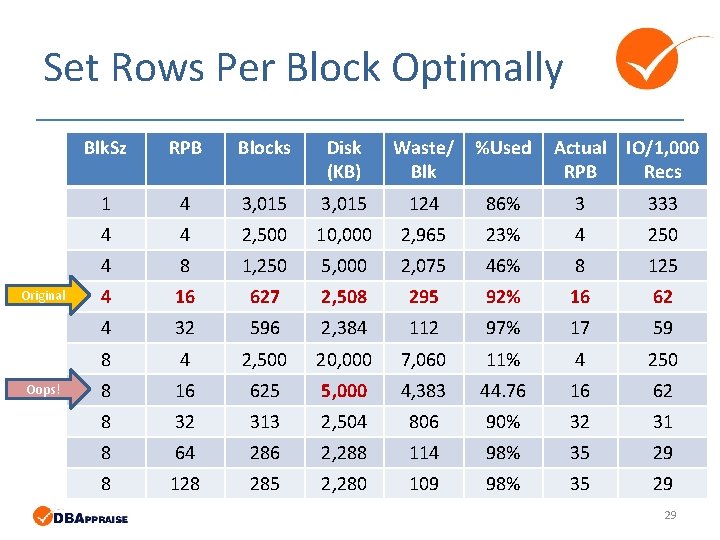
Set Rows Per Block Optimally Original Oops! Blk. Sz RPB Blocks Disk (KB) Waste/ Blk %Used Actual IO/1, 000 RPB Recs 1 4 3, 015 124 86% 3 333 4 4 2, 500 10, 000 2, 965 23% 4 250 4 8 1, 250 5, 000 2, 075 46% 8 125 4 16 627 2, 508 295 92% 16 62 4 32 596 2, 384 112 97% 17 59 8 4 2, 500 20, 000 7, 060 11% 4 250 8 16 625 5, 000 4, 383 44. 76 16 62 8 32 313 2, 504 806 90% 32 31 8 64 286 2, 288 114 98% 35 29 8 128 285 2, 280 109 98% 35 29 29
Set Rows Per Block Optimally Original Oops! Suggested Blk. Sz RPB Blocks Disk (KB) Waste/ Blk %Used Actual IO/1, 000 RPB Recs 1 4 3, 015 124 86% 3 333 4 4 2, 500 10, 000 2, 965 23% 4 250 4 8 1, 250 5, 000 2, 075 46% 8 125 4 16 627 2, 508 295 92% 16 62 4 32 596 2, 384 112 97% 17 59 8 4 2, 500 20, 000 7, 060 11% 4 250 8 16 625 5, 000 4, 383 44. 76 16 62 8 32 313 2, 504 806 90% 32 31 8 64 286 2, 288 114 98% 35 29 8 128 285 2, 280 109 98% 35 29 30
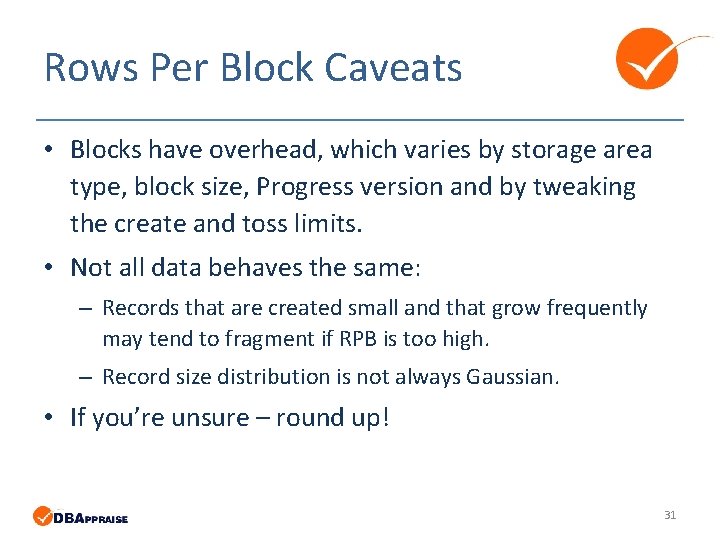
Rows Per Block Caveats • Blocks have overhead, which varies by storage area type, block size, Progress version and by tweaking the create and toss limits. • Not all data behaves the same: – Records that are created small and that grow frequently may tend to fragment if RPB is too high. – Record size distribution is not always Gaussian. • If you’re unsure – round up! 31
Cluster Size 32
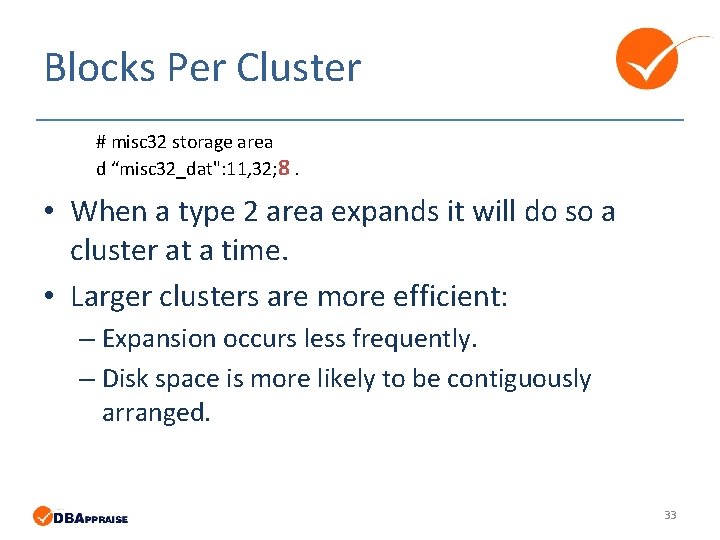
Blocks Per Cluster # misc 32 storage area d “misc 32_dat": 11, 32; 8. • When a type 2 area expands it will do so a cluster at a time. • Larger clusters are more efficient: – Expansion occurs less frequently. – Disk space is more likely to be contiguously arranged. 33
Why not “One Size Fits All”? • A universal setting such as 512 blocks per cluster seems simple… 34
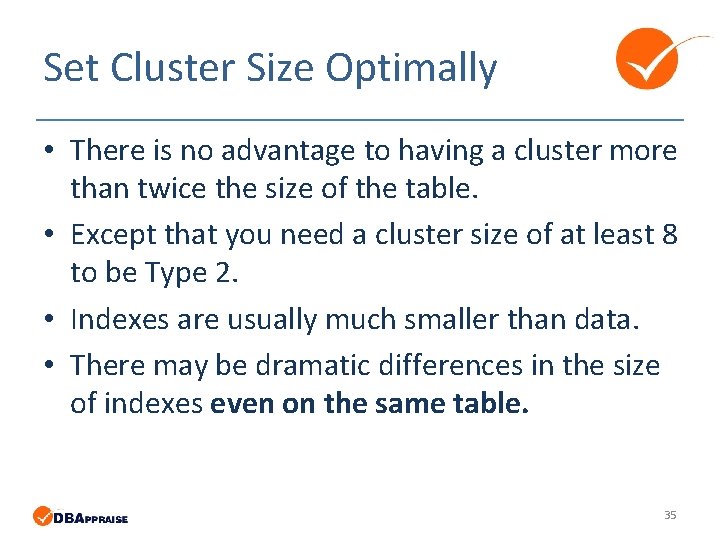
Set Cluster Size Optimally • There is no advantage to having a cluster more than twice the size of the table. • Except that you need a cluster size of at least 8 to be Type 2. • Indexes are usually much smaller than data. • There may be dramatic differences in the size of indexes even on the same table. 35
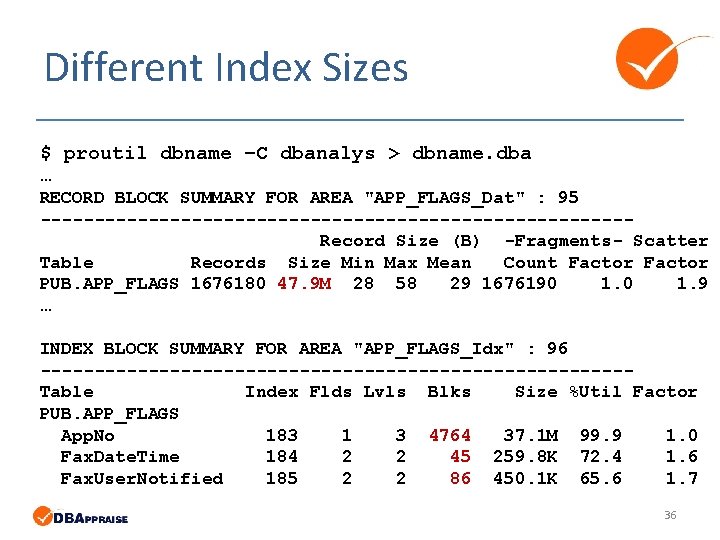
Different Index Sizes $ proutil dbname –C dbanalys > dbname. dba … RECORD BLOCK SUMMARY FOR AREA "APP_FLAGS_Dat" : 95 ---------------------------Record Size (B) -Fragments- Scatter Table Records Size Min Max Mean Count Factor PUB. APP_FLAGS 1676180 47. 9 M 28 58 29 1676190 1. 9 … INDEX BLOCK SUMMARY FOR AREA "APP_FLAGS_Idx" : 96 ---------------------------Table Index Flds Lvls Blks Size %Util Factor PUB. APP_FLAGS App. No 183 1 3 4764 37. 1 M 99. 9 1. 0 Fax. Date. Time 184 2 2 45 259. 8 K 72. 4 1. 6 Fax. User. Notified 185 2 2 86 450. 1 K 65. 6 1. 7 36
Logical Scatter 37
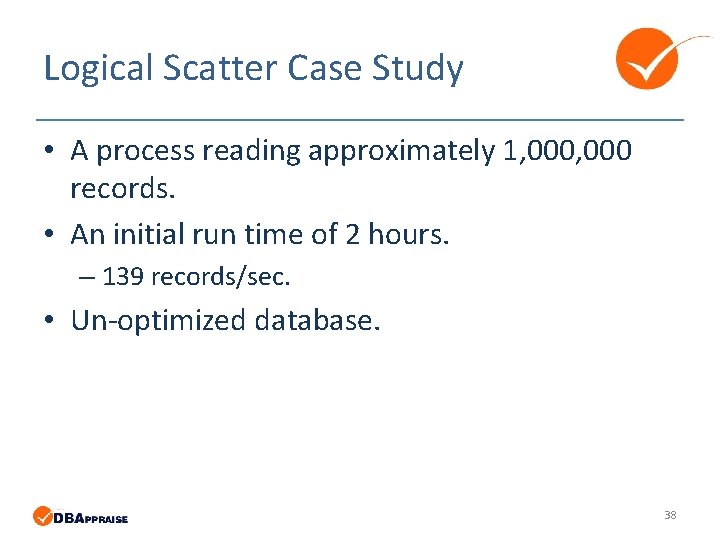
Logical Scatter Case Study • A process reading approximately 1, 000 records. • An initial run time of 2 hours. – 139 records/sec. • Un-optimized database. 38
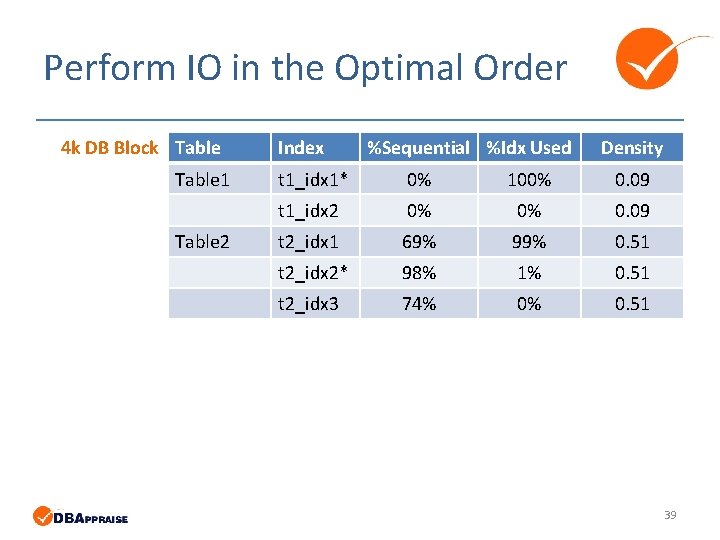
Perform IO in the Optimal Order 4 k DB Block Table 1 Table 2 Index %Sequential %Idx Used Density t 1_idx 1* 0% 100% 0. 09 t 1_idx 2 0% 0% 0. 09 t 2_idx 1 69% 99% 0. 51 t 2_idx 2* 98% 1% 0. 51 t 2_idx 3 74% 0% 0. 51 39
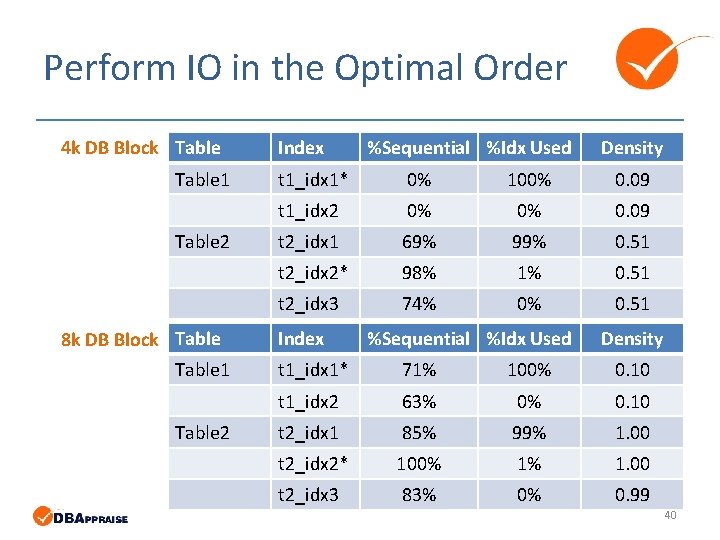
Perform IO in the Optimal Order 4 k DB Block Table 1 Table 2 8 k DB Block Table 1 Table 2 Index %Sequential %Idx Used Density t 1_idx 1* 0% 100% 0. 09 t 1_idx 2 0% 0% 0. 09 t 2_idx 1 69% 99% 0. 51 t 2_idx 2* 98% 1% 0. 51 t 2_idx 3 74% 0% 0. 51 Index %Sequential %Idx Used Density t 1_idx 1* 71% 100% 0. 10 t 1_idx 2 63% 0% 0. 10 t 2_idx 1 85% 99% 1. 00 t 2_idx 2* 100% 1% 1. 00 t 2_idx 3 83% 0% 0. 99 40
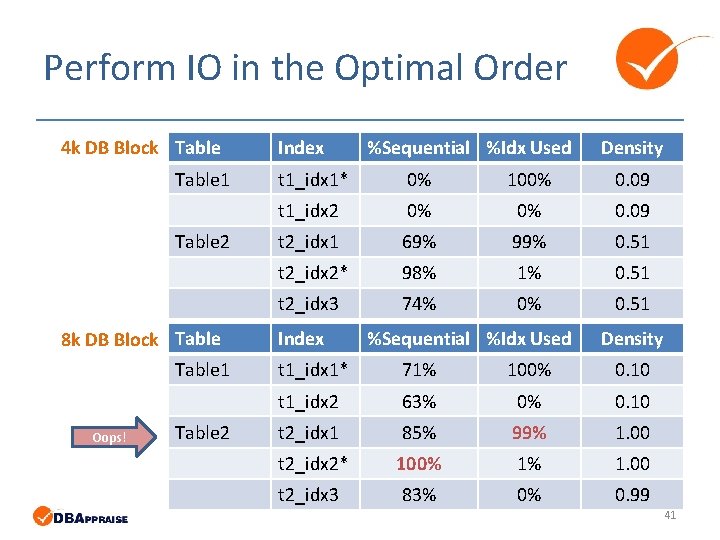
Perform IO in the Optimal Order 4 k DB Block Table 1 Table 2 8 k DB Block Table 1 Oops! Table 2 Index %Sequential %Idx Used Density t 1_idx 1* 0% 100% 0. 09 t 1_idx 2 0% 0% 0. 09 t 2_idx 1 69% 99% 0. 51 t 2_idx 2* 98% 1% 0. 51 t 2_idx 3 74% 0% 0. 51 Index %Sequential %Idx Used Density t 1_idx 1* 71% 100% 0. 10 t 1_idx 2 63% 0% 0. 10 t 2_idx 1 85% 99% 1. 00 t 2_idx 2* 100% 1% 1. 00 t 2_idx 3 83% 0% 0. 99 41
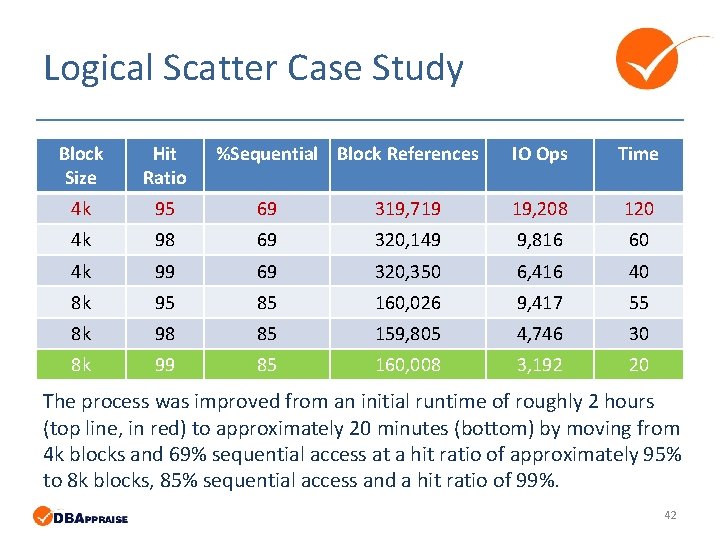
Logical Scatter Case Study Block Size Hit Ratio %Sequential Block References IO Ops Time 4 k 95 69 319, 719 19, 208 120 4 k 98 69 320, 149 9, 816 60 4 k 99 69 320, 350 6, 416 40 8 k 95 85 160, 026 9, 417 55 8 k 98 85 159, 805 4, 746 30 8 k 99 85 160, 008 3, 192 20 The process was improved from an initial runtime of roughly 2 hours (top line, in red) to approximately 20 minutes (bottom) by moving from 4 k blocks and 69% sequential access at a hit ratio of approximately 95% to 8 k blocks, 85% sequential access and a hit ratio of 99%. 42
Avoid IO, But If You Must… 43
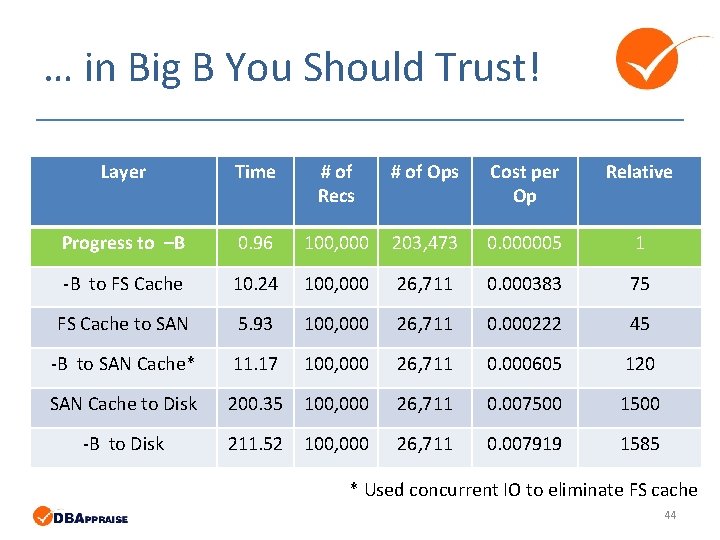
… in Big B You Should Trust! Layer Time # of Recs # of Ops Cost per Op Relative Progress to –B 0. 96 100, 000 203, 473 0. 000005 1 -B to FS Cache 10. 24 100, 000 26, 711 0. 000383 75 FS Cache to SAN 5. 93 100, 000 26, 711 0. 000222 45 -B to SAN Cache* 11. 17 100, 000 26, 711 0. 000605 120 SAN Cache to Disk 200. 35 100, 000 26, 711 0. 007500 1500 -B to Disk 211. 52 100, 000 26, 711 0. 007919 1585 * Used concurrent IO to eliminate FS cache 44
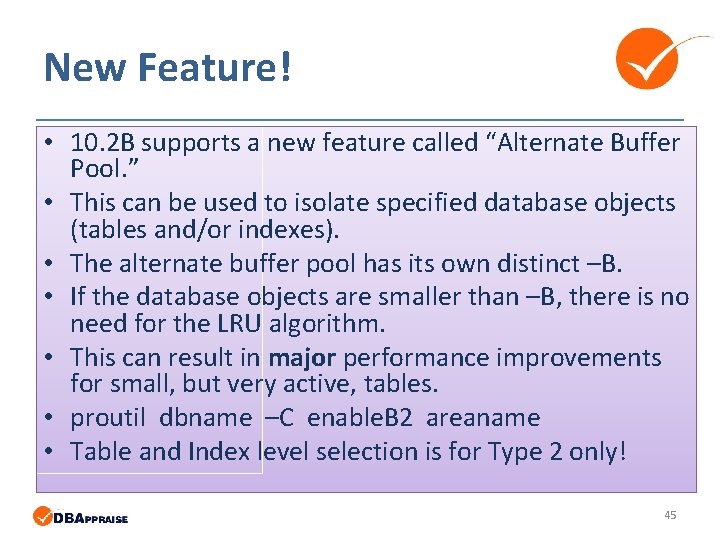
New Feature! • 10. 2 B supports a new feature called “Alternate Buffer Pool. ” • This can be used to isolate specified database objects (tables and/or indexes). • The alternate buffer pool has its own distinct –B. • If the database objects are smaller than –B, there is no need for the LRU algorithm. • This can result in major performance improvements for small, but very active, tables. • proutil dbname –C enable. B 2 areaname • Table and Index level selection is for Type 2 only! 45
Conclusion • Always use Type 2 storage areas. • Define your storage areas based on technical attributes of the data. • Static analysis isn’t enough – you need to also monitor runtime behaviors. • White Star Software has a great deal of experience in optimizing storage. We would be happy to engage with any customer that would like our help! 46
Thank You! 47
Questions? 48