
Storage Chapter 7 Instructional Objectives Explain what a
Storage Chapter 7
Instructional Objectives Explain what a storage device is Define the two storage operations Define what a hard disk is and list the types Define a solid state drive. Define what CD’s and DVD’s are. List ways to properly care for CD’s and DVD’s. Give examples of miniature storage devices. Explain what a card reader is Explain what micro-fiche and film are.
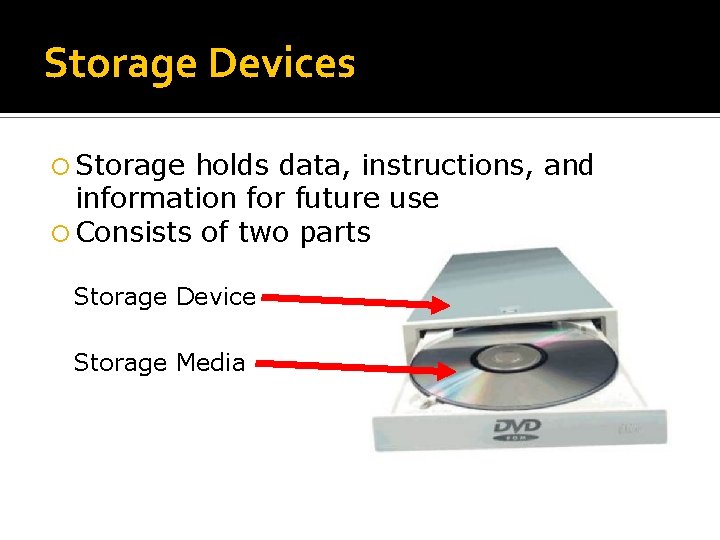
Storage Devices Storage holds data, instructions, and information for future use Consists of two parts Storage Device Storage Media
Storage is nonvolatile where as RAM memory is volatile Two operations associated with storage Reading - Process of transferring items from storage media to memory Writing - Process of transferring items from memory to storage media
Storage Capactiy Capacity refers to the number of bytes (characters) a storage media can hold.
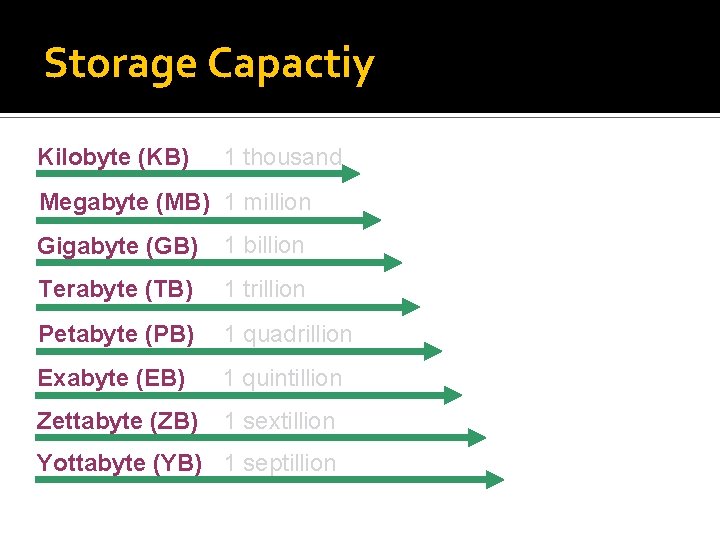
Storage Capactiy Kilobyte (KB) 1 thousand Megabyte (MB) 1 million Gigabyte (GB) 1 billion Terabyte (TB) 1 trillion Petabyte (PB) 1 quadrillion Exabyte (EB) 1 quintillion Zettabyte (ZB) 1 sextillion Yottabyte (YB) 1 septillion
Access Time it takes storage device to locate item on storage medium Time required to deliver item from memory to processor
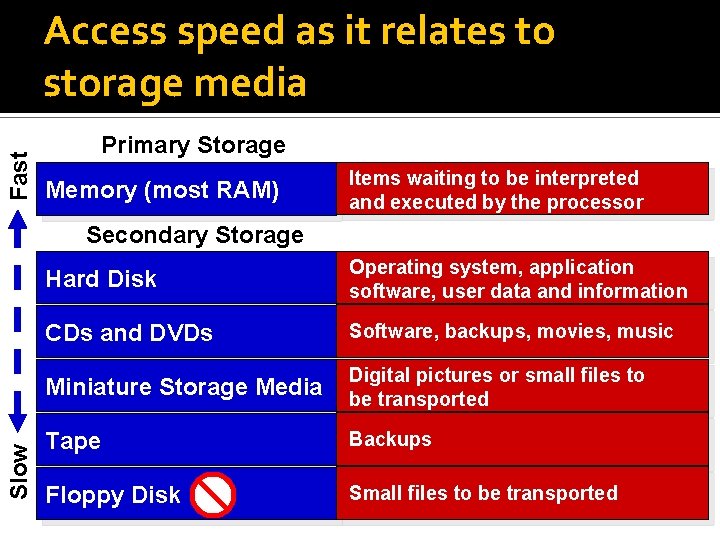
Fast Access speed as it relates to storage media Primary Storage Memory (most RAM) Items waiting to be interpreted and executed by the processor Slow Secondary Storage Hard Disk Operating system, application software, user data and information CDs and DVDs Software, backups, movies, music Miniature Storage Media Digital pictures or small files to be transported Tape Backups Floppy Disk Small files to be transported
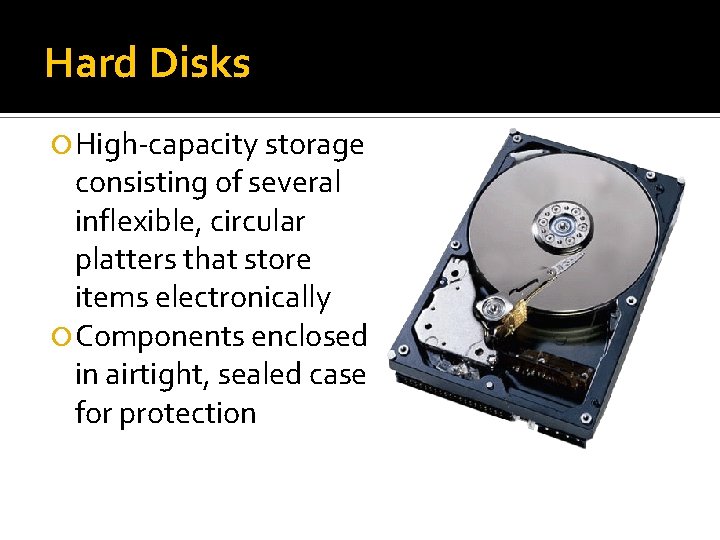
Hard Disks High-capacity storage consisting of several inflexible, circular platters that store items electronically Components enclosed in airtight, sealed case for protection
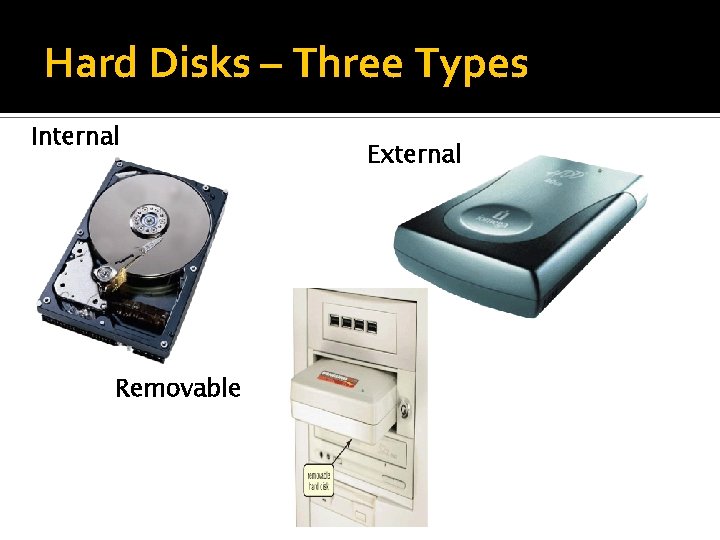
Hard Disks – Three Types Internal Removable External
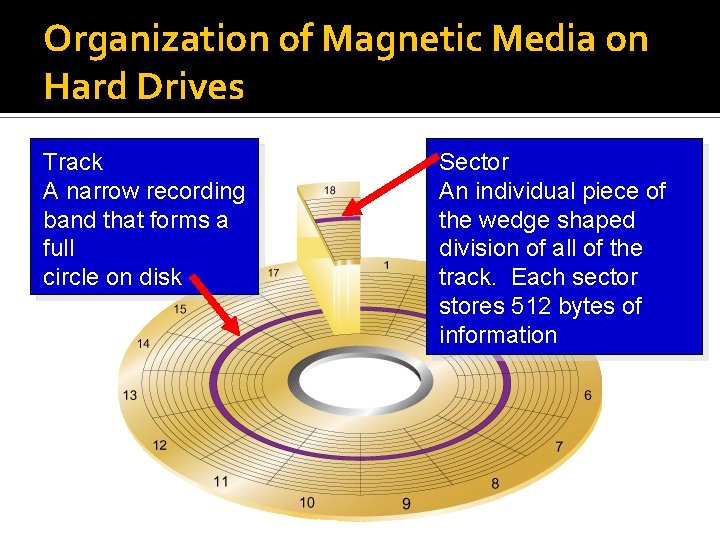
Organization of Magnetic Media on Hard Drives Track A narrow recording band that forms a full circle on disk Sector An individual piece of the wedge shaped division of all of the track. Each sector stores 512 bytes of information
Solid State Drives Solid state drives use the same type of memory used in USB drives. Much faster in accessing information over the standard hard drive More stable then hard drives About 4 times more expensive per gig the a standard hard drive.
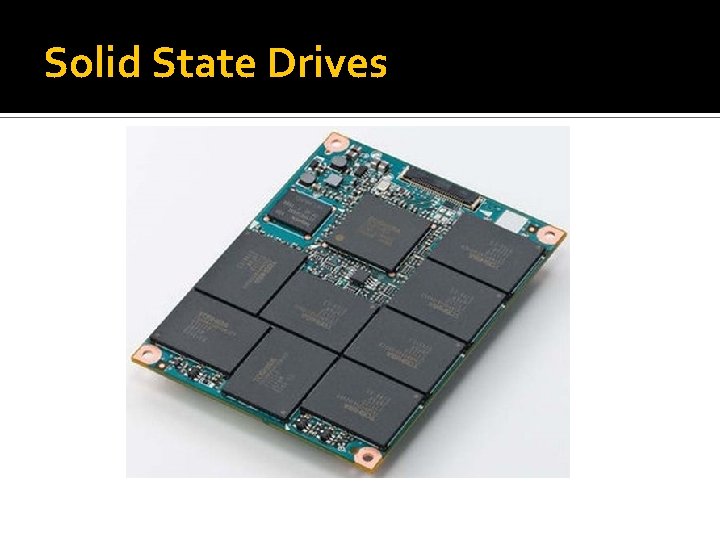
Solid State Drives
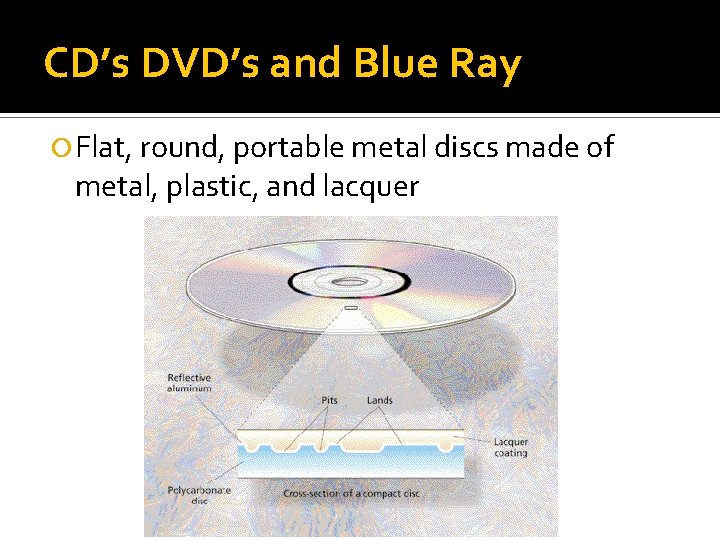
CD’s DVD’s and Blue Ray Flat, round, portable metal discs made of metal, plastic, and lacquer
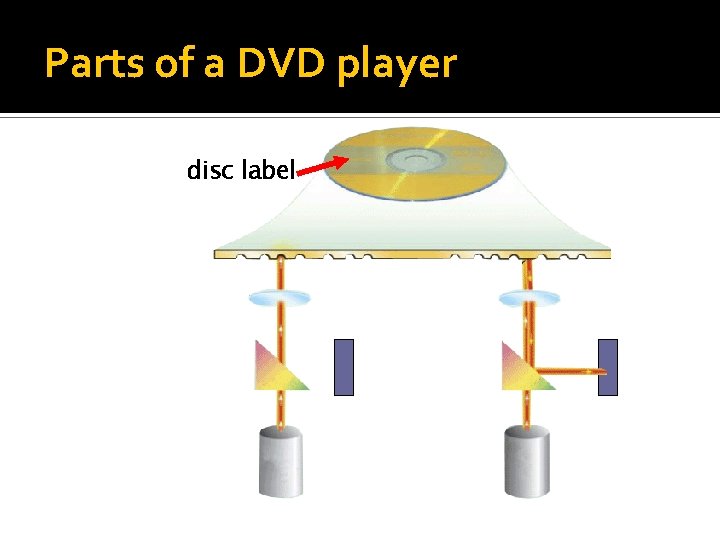
Parts of a DVD player disc label
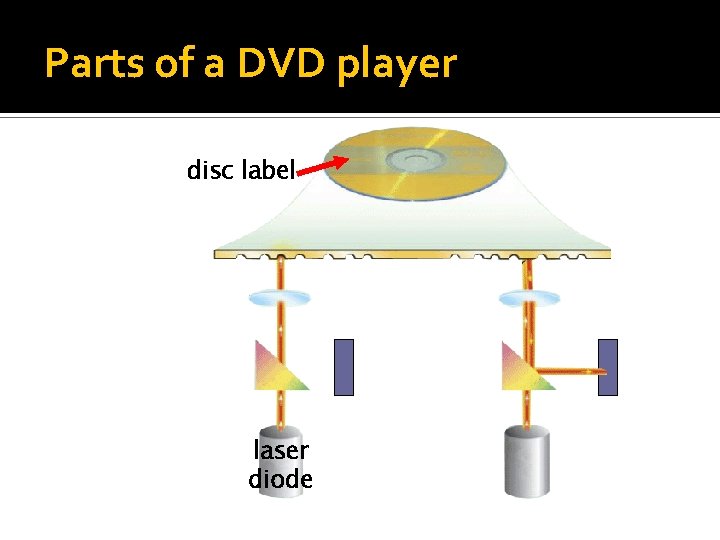
Parts of a DVD player disc label laser diode
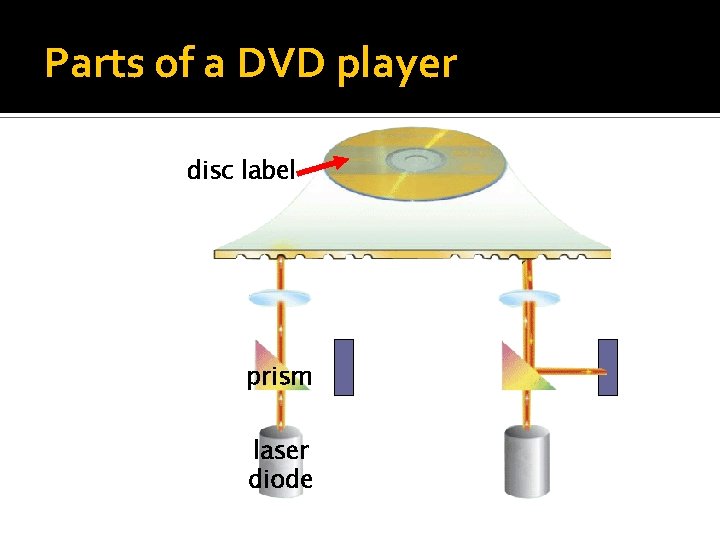
Parts of a DVD player disc label prism laser diode
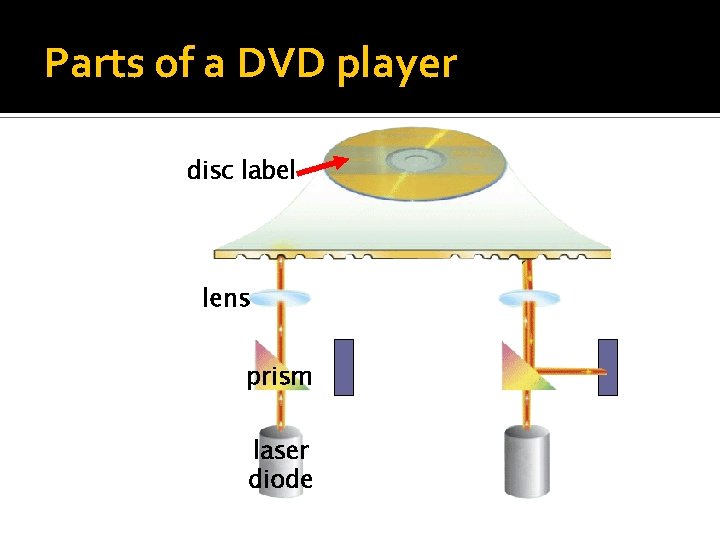
Parts of a DVD player disc label lens prism laser diode
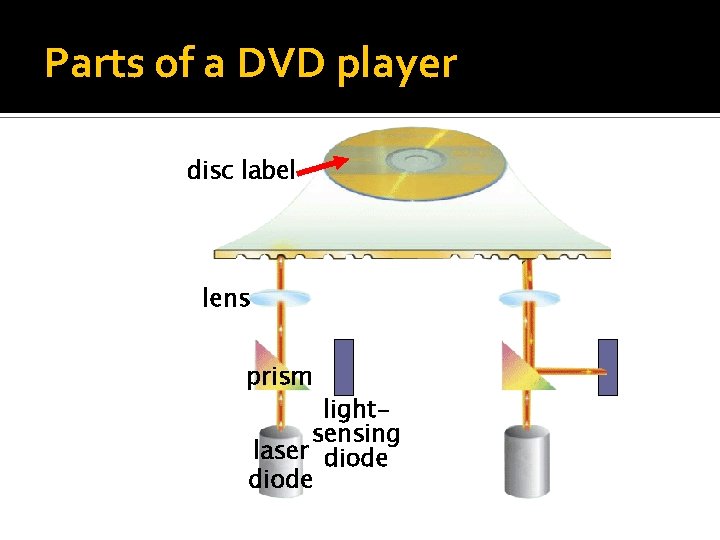
Parts of a DVD player disc label lens prism lightsensing laser diode
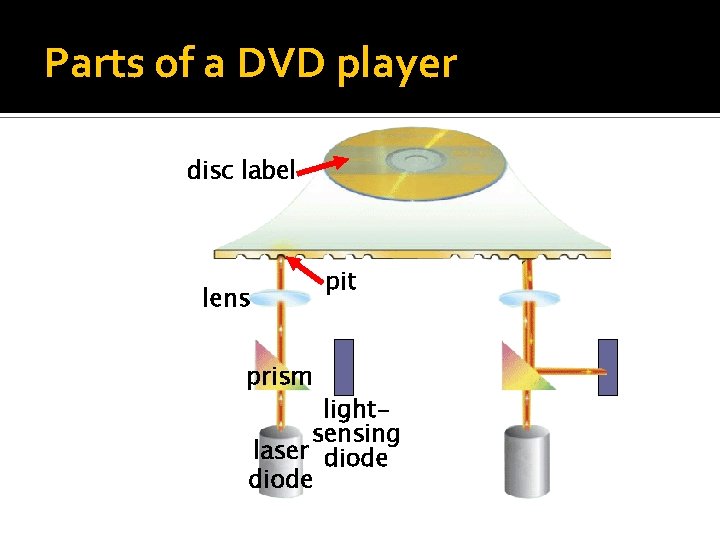
Parts of a DVD player disc label lens prism pit lightsensing laser diode
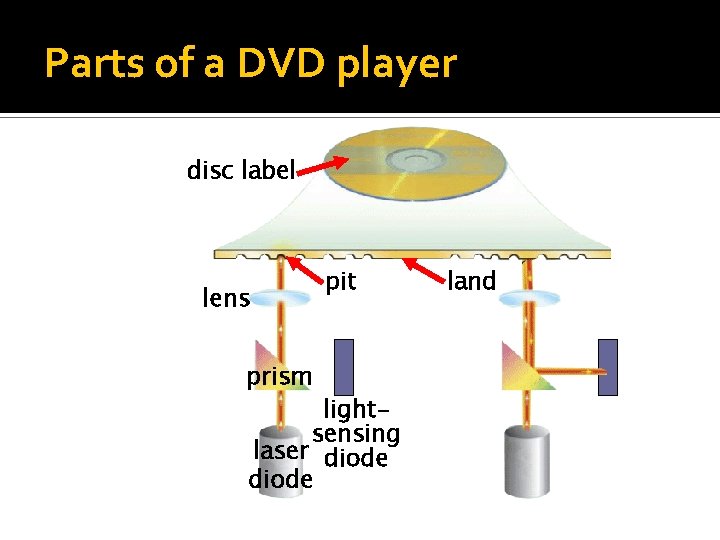
Parts of a DVD player disc label lens prism pit lightsensing laser diode land
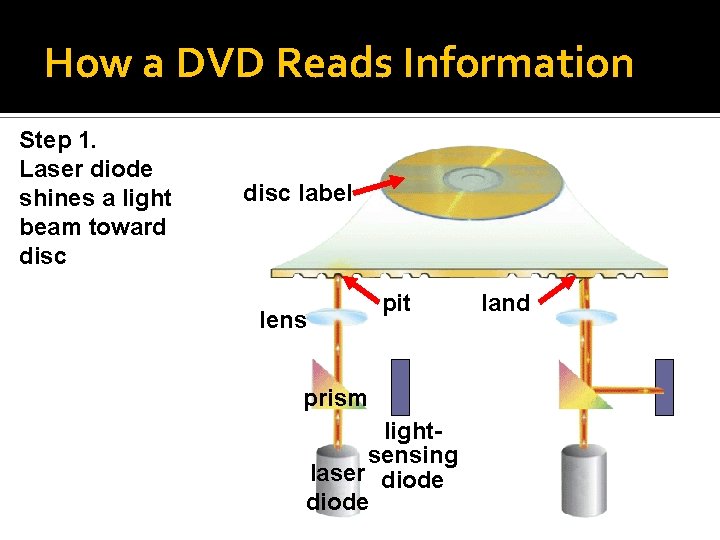
How a DVD Reads Information Step 1. Laser diode shines a light beam toward disc label lens pit prism lightsensing laser diode land
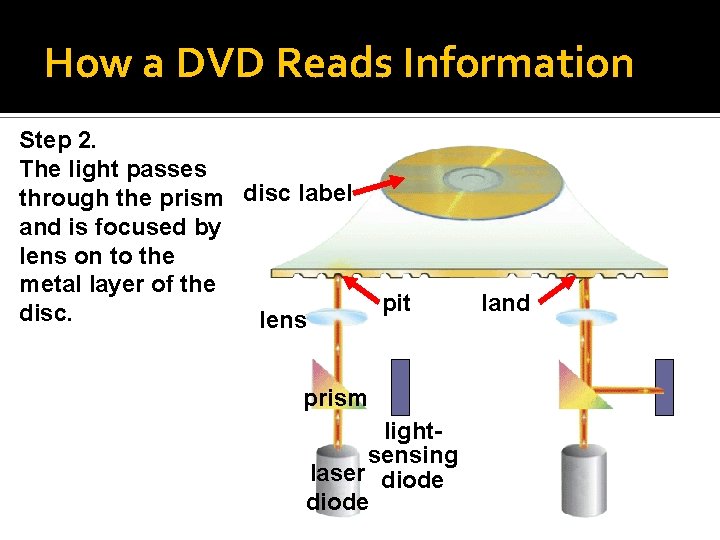
How a DVD Reads Information Step 2. The light passes through the prism disc label and is focused by lens on to the metal layer of the disc. lens pit prism lightsensing laser diode land
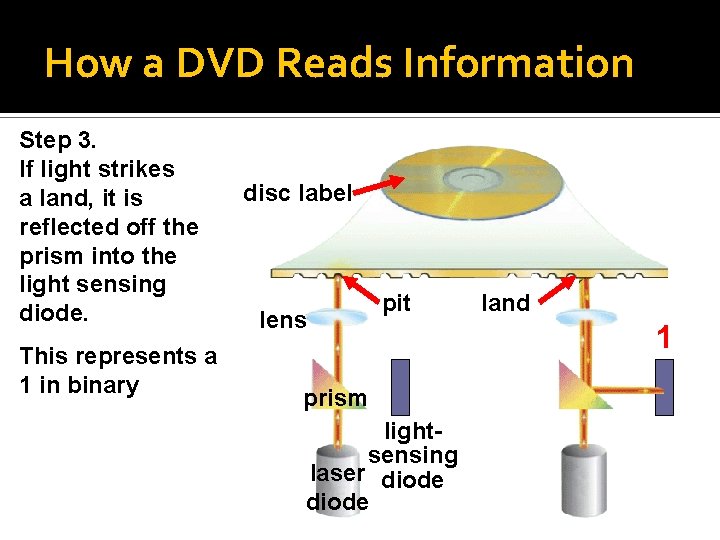
How a DVD Reads Information Step 3. If light strikes a land, it is reflected off the prism into the light sensing diode. This represents a 1 in binary disc label lens pit prism lightsensing laser diode land 1
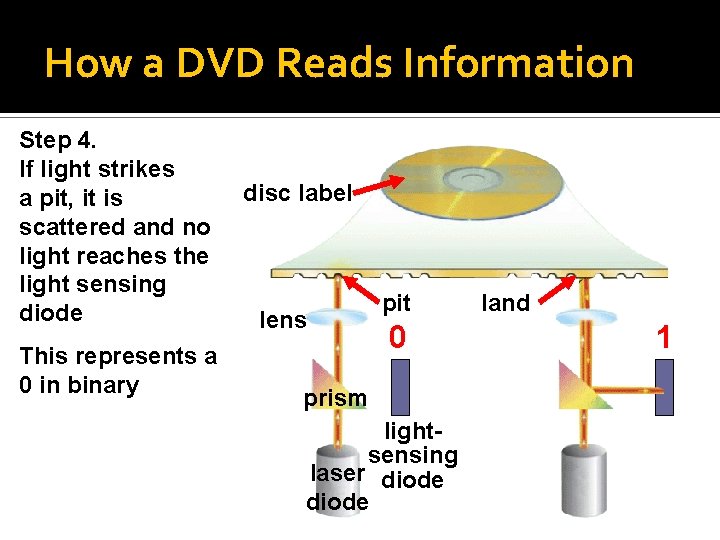
How a DVD Reads Information Step 4. If light strikes a pit, it is scattered and no light reaches the light sensing diode This represents a 0 in binary disc label lens pit 0 prism lightsensing laser diode land 1
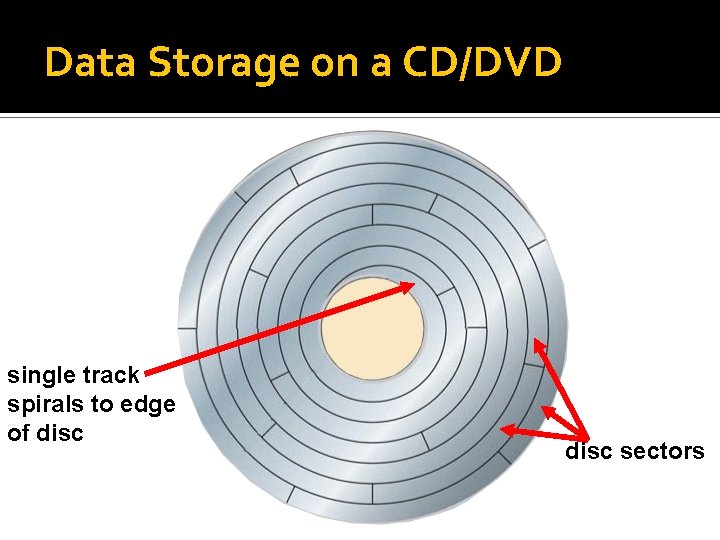
Data Storage on a CD/DVD single track spirals to edge of disc sectors
Proper Care of CD’s and DVD’s Do not expose the disc to excessive heat or sunlight Do not eat, smoke, or drink near a disc Do not touch the underside of the disc Do not stack discs Store disc in a jewel box when not in use Hold disc by its edges
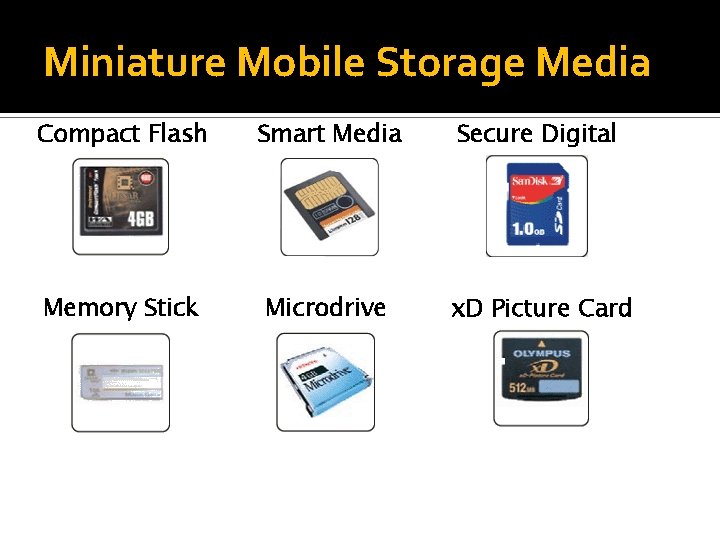
Miniature Mobile Storage Media Compact Flash Smart Media Secure Digital Memory Stick Microdrive x. D Picture Card
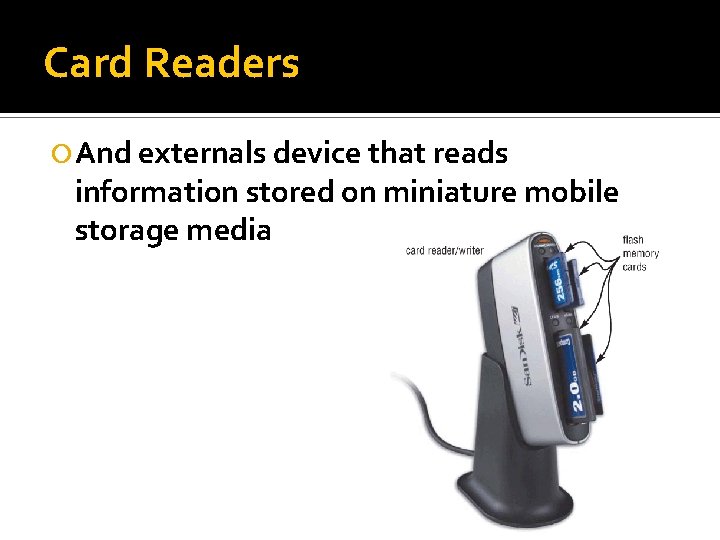
Card Readers And externals device that reads information stored on miniature mobile storage media
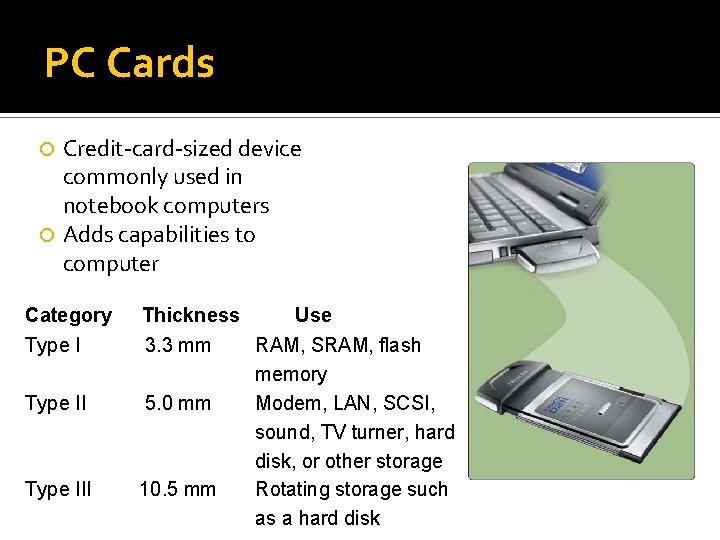
PC Cards Credit-card-sized device commonly used in notebook computers Adds capabilities to computer Category Type III Thickness Use 3. 3 mm RAM, SRAM, flash memory 5. 0 mm Modem, LAN, SCSI, sound, TV turner, hard disk, or other storage 10. 5 mm Rotating storage such as a hard disk
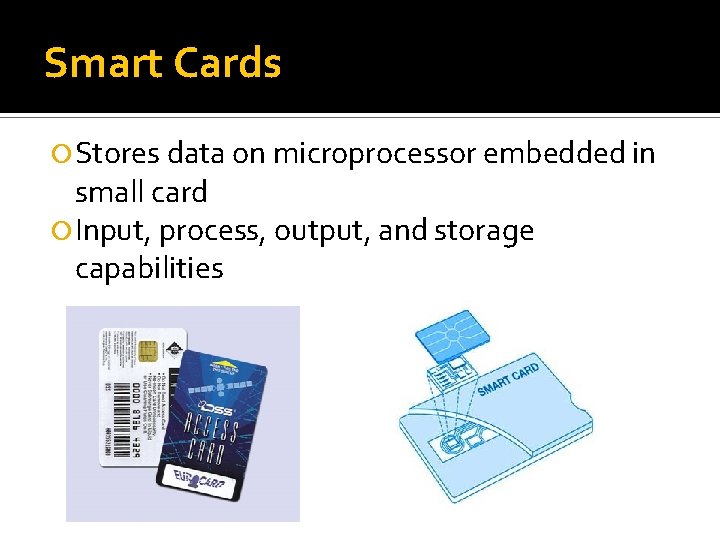
Smart Cards Stores data on microprocessor embedded in small card Input, process, output, and storage capabilities
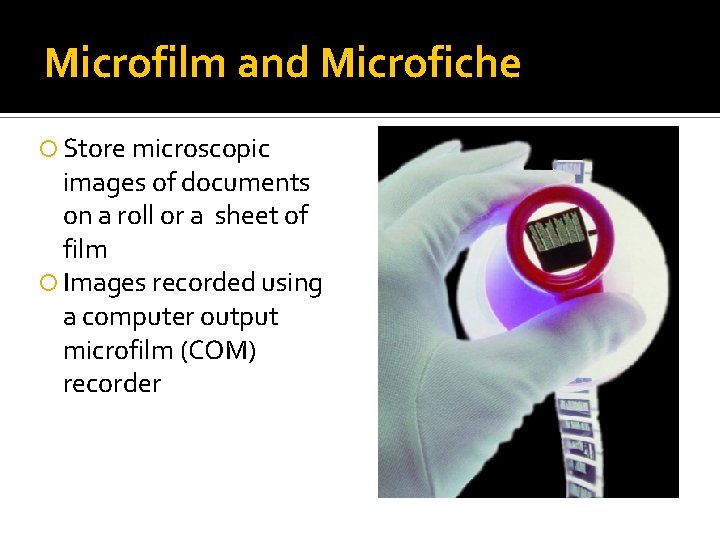
Microfilm and Microfiche Store microscopic images of documents on a roll or a sheet of film Images recorded using a computer output microfilm (COM) recorder
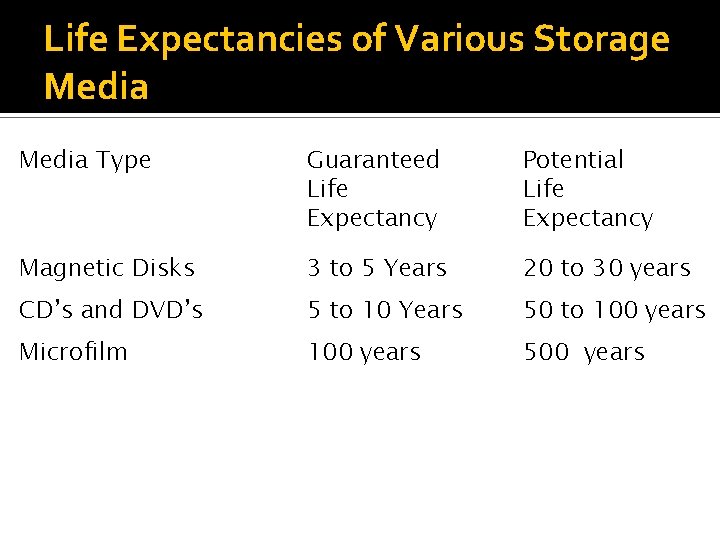
Life Expectancies of Various Storage Media Type Guaranteed Life Expectancy Potential Life Expectancy Magnetic Disks 3 to 5 Years 20 to 30 years CD’s and DVD’s 5 to 10 Years 50 to 100 years Microfilm 100 years 500 years
- Slides: 33