
Stop Motion Animation That is a Camera Overview

- Slides: 24
Stop Motion Animation “That is a Camera”
Overview • Introduction • What is Stop Motion Animation? • Story & Storyboarding • Character Design • Environment Design • Props Design • Frame Capture Advice • Process of Making the Animation • Conclusion
Introduction
What is Stop Motion Animation? • Stop-Motion Animation is the process of piecing together a series of photographs into a moving picture.
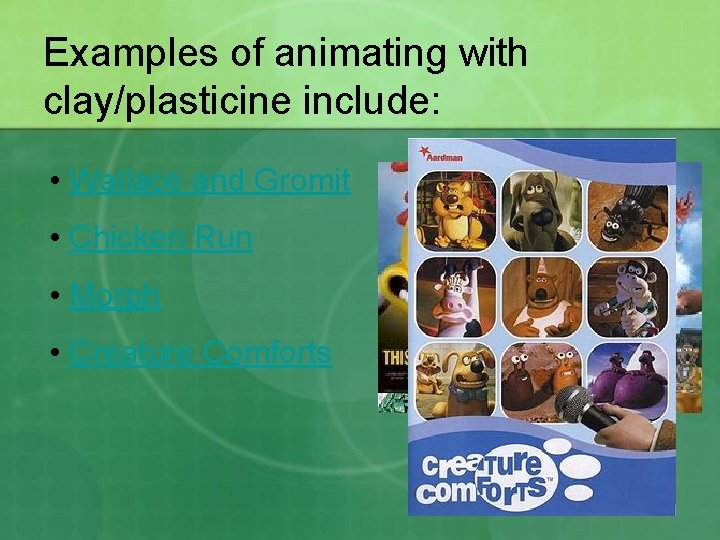
Examples of animating with clay/plasticine include: • Wallace and Gromit • Chicken Run • Morph • Creature Comforts
Examples of animating with puppets include: • Fantastic Mr. Fox • Coraline • Corpse Bride • The Nightmare Before Christmas • James and the Giant Peach
Story • The Beginning (Intro) • The Middle (Climax) • The Ending.
Storyboarding • A method of organising your stop-motion animation sequence(s) in a graphical way. • A great way of preparing yourself for an animation.
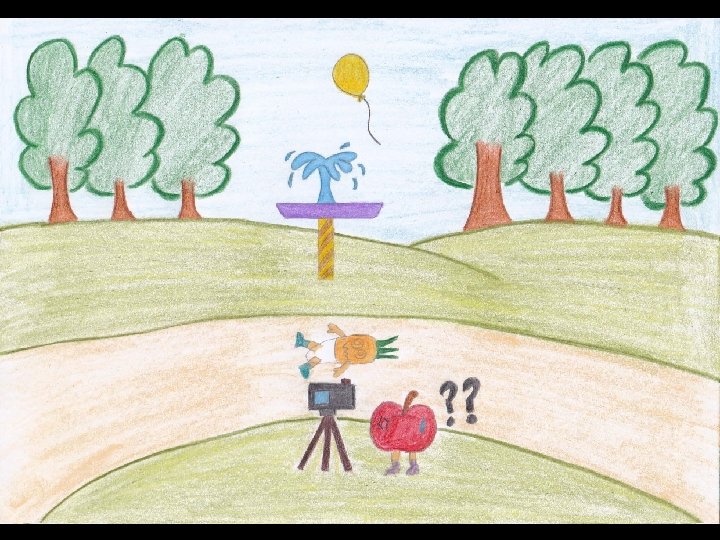
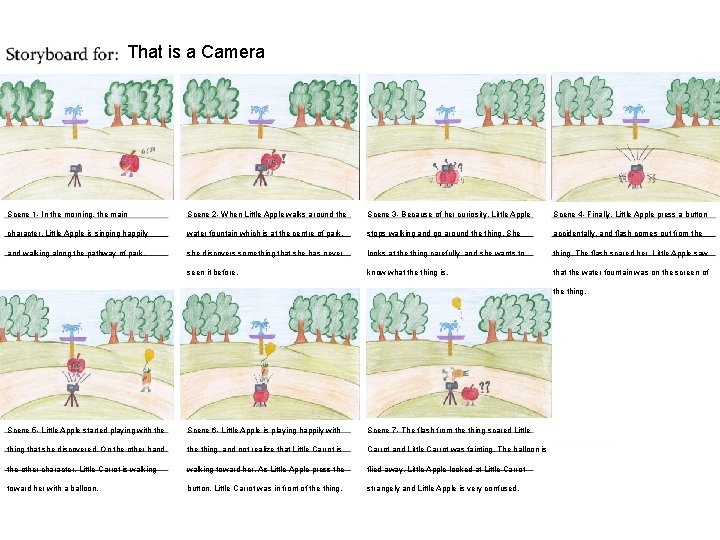
That is a Camera Scene 1 - In the morning, the main Scene 2 - When Little Apple walks around the Scene 3 - Because of her curiosity, Little Apple Scene 4 - Finally, Little Apple press a button character, Little Apple is singing happily water fountain which is at the centre of park, stops walking and go around the thing. She accidentally, and flash comes out from the and walking along the pathway of park. she discovers something that she has never looks at the thing carefully, and she wants to thing. The flash scared her. Little Apple saw seen it before. know what the thing is. that the water fountain was on the screen of the thing. Scene 5 - Little Apple started playing with the Scene 6 - Little Apple is playing happily with Scene 7 - The flash from the thing scared Little thing that she discovered. On the other hand, the thing, and not realize that Little Carrot is Carrot and Little Carrot was fainting. The balloon is the other character, Little Carrot is walking toward her. As Little Apple press the flied away. Little Apple looked at Little Carrot toward her with a balloon. button, Little Carrot was in front of the thing. strangely and Little Apple is very confused.
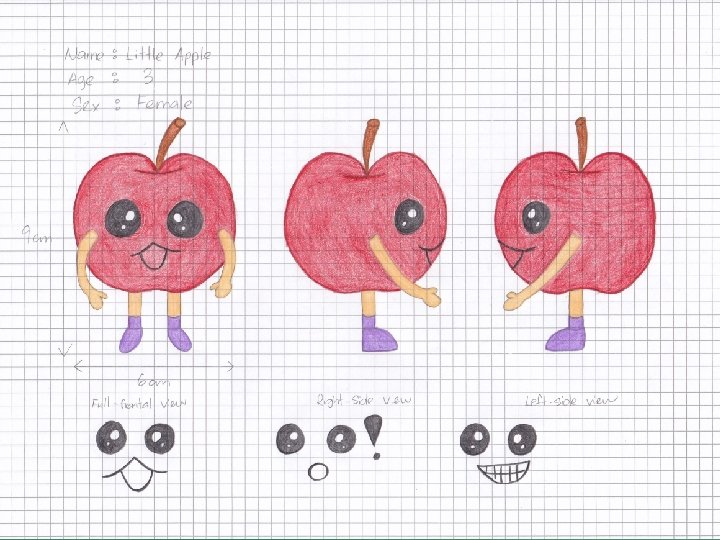
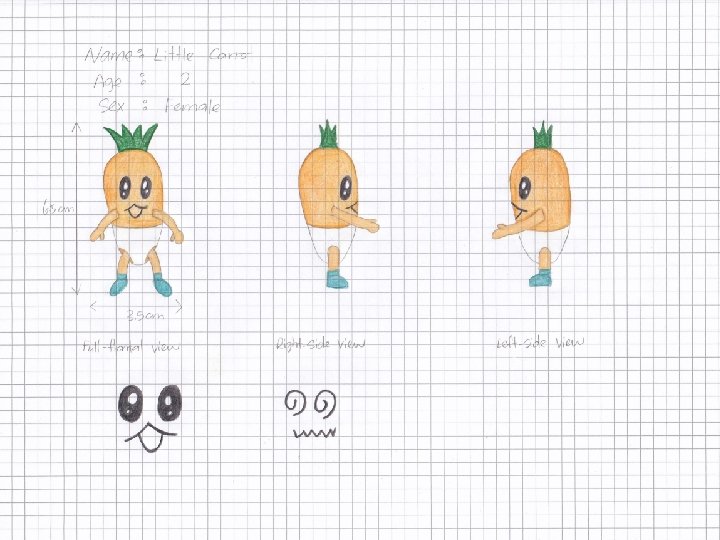
Character Design contain the following view for each character: • • Full-frontal view • Left-side view • Right-side view • Facial expressions • Size comparison
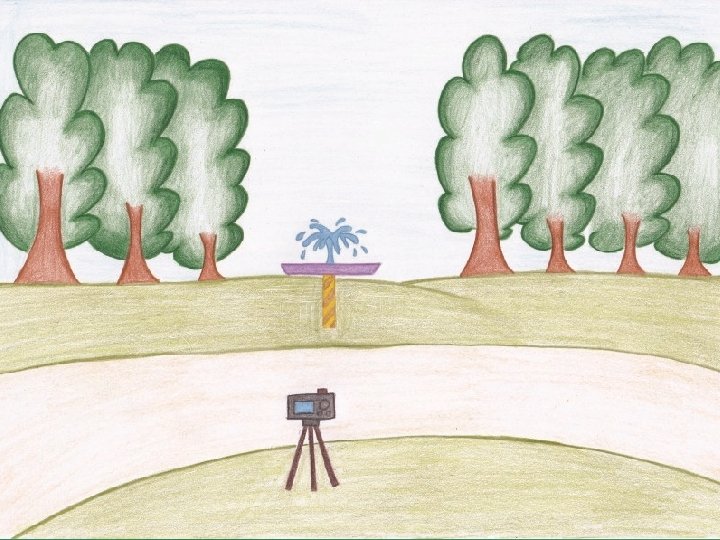
Environment Design • Can be 2 D or 3 D. • Must design everything in detail.
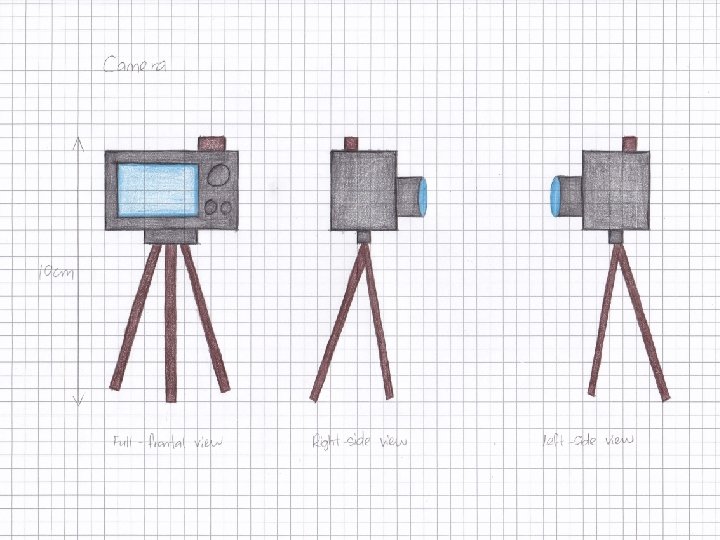
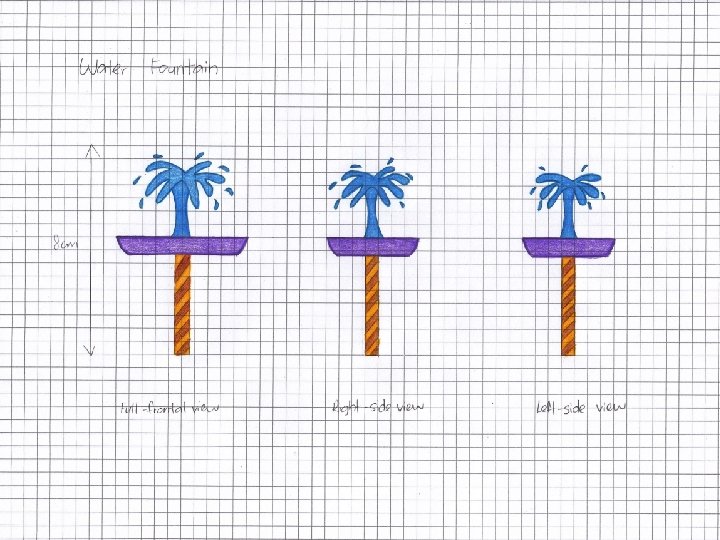
Props Design • Props? • Anything that is going to be part of the animation • E. g. Camera, Water Fountain • Must design everything in detail.
Frame Capture Advice • Good results with 15 frames per second. • Smooth results with 20 frames per second. • 12 frames per one second is the easiest frame rate to get a reasonably good animation.
What you need to make an animation Camera or USB webcam Computer Some materials that you will animate
Process of Making the Animation 1. Shoot Your Animation 2. Combine your photos • i. Photo or i. Movie for mac • Adobe Flash • Windows Movie Maker 3. Final Touches: Music • background music • camera sound • water fountain sound
Conclusion
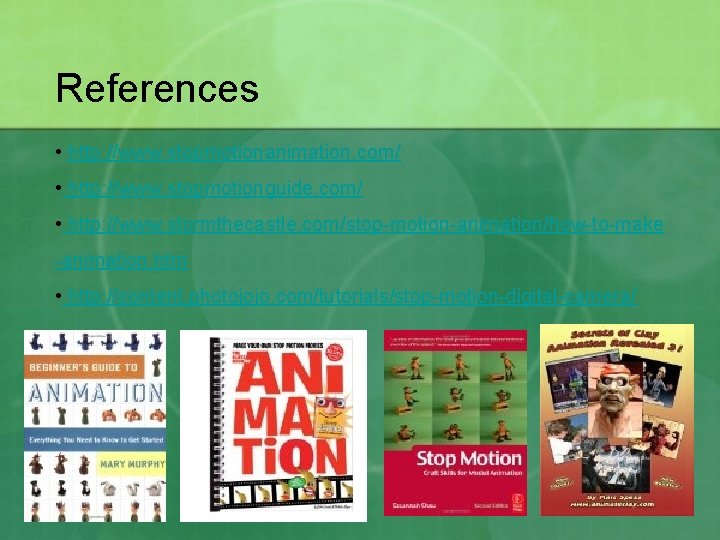
References • http: //www. stopmotionanimation. com/ • http: //www. stopmotionguide. com/ • http: //www. stormthecastle. com/stop-motion-animation/how-to-make -animation. htm • http: //content. photojojo. com/tutorials/stop-motion-digital-camera/