
Stencil Buffer Ref Open GL Programming Guide The
Stencil Buffer Ref: Open. GL Programming Guide (The Red Book) Spring 2016 revised 1
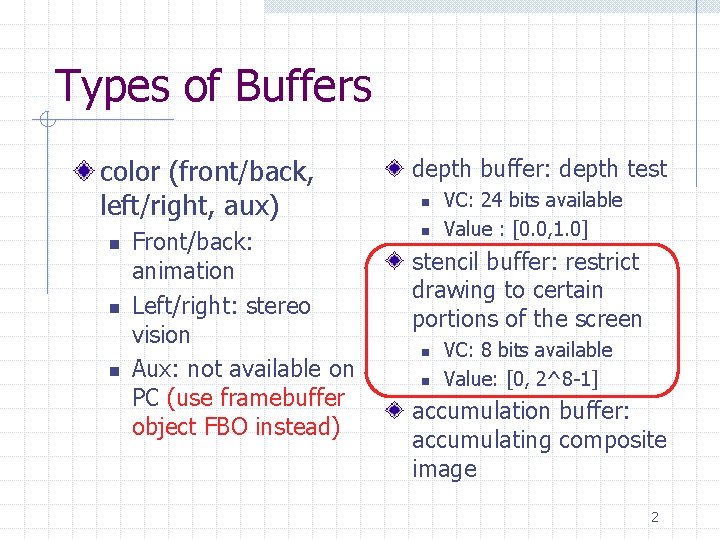
Types of Buffers color (front/back, left/right, aux) n n n Front/back: animation Left/right: stereo vision Aux: not available on PC (use framebuffer object FBO instead) depth buffer: depth test n n VC: 24 bits available Value : [0. 0, 1. 0] stencil buffer: restrict drawing to certain portions of the screen n n VC: 8 bits available Value: [0, 2^8 -1] accumulation buffer: accumulating composite image 2
Using Framebuffers clearing buffers n n clearing individual buffer is expensive Use gl. Clear with bitwise-ORed masks to clear multiple buffers selecting color buffers for writing/clearing n gl. Draw. Buffer: useful in FBO (framebuffer object) 3
Masking Buffers Before Open. GL writes data into the enabled color, depth, or stencil buffers, a masking operation is applied to the data, as specified with one of the following commands. A bitwise logical AND is performed with each mask and the corresponding data to be written 4
Masking Buffers (cont) void gl. Color. Mask(GLboolean red, GLboolean green, GLboolean blue, GLboolean alpha); void gl. Depth. Mask(GLboolean flag); void gl. Stencil. Mask(GLuint mask); n If a 1 appears in mask, the corresponding bit in the stencil buffer is written; where a 0 appears, the bit is not written. The default values of all the GLboolean masks are GL_TRUE, and the default values for the two GLuint masks are all 1's 5
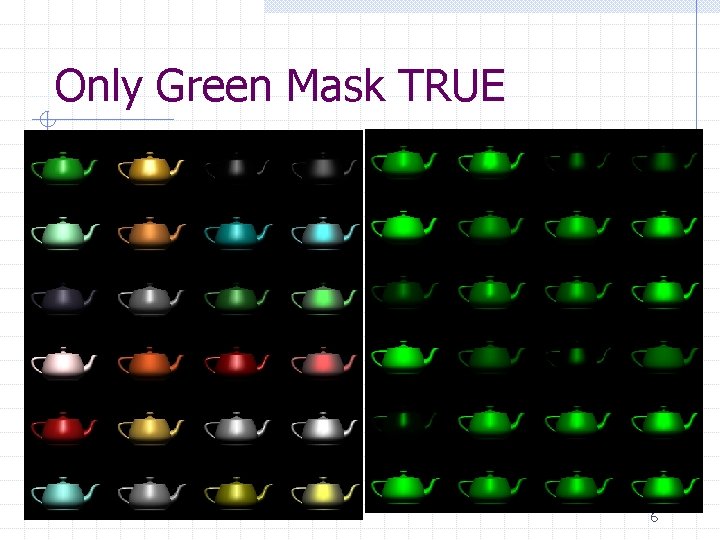
Only Green Mask TRUE 6
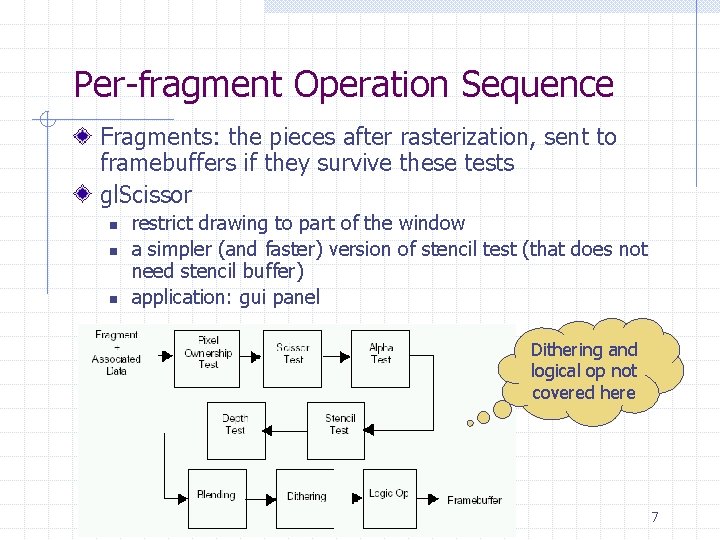
Per-fragment Operation Sequence Fragments: the pieces after rasterization, sent to framebuffers if they survive these tests gl. Scissor n n n restrict drawing to part of the window a simpler (and faster) version of stencil test (that does not need stencil buffer) application: gui panel Dithering and logical op not covered here 7
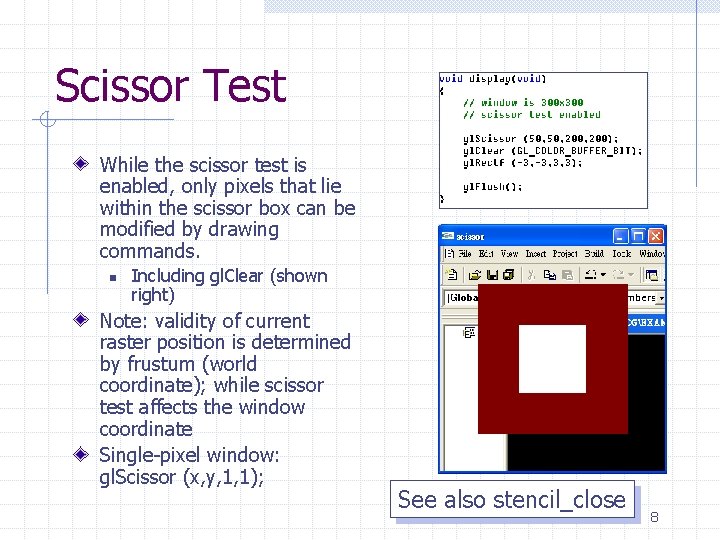
Scissor Test While the scissor test is enabled, only pixels that lie within the scissor box can be modified by drawing commands. n Including gl. Clear (shown right) Note: validity of current raster position is determined by frustum (world coordinate); while scissor test affects the window coordinate Single-pixel window: gl. Scissor (x, y, 1, 1); See also stencil_close 8

Stenciling 9
Basic Applications Restrict rendering to limited portions of the screen “Stenciling” Decal Shadow and lightmap 10
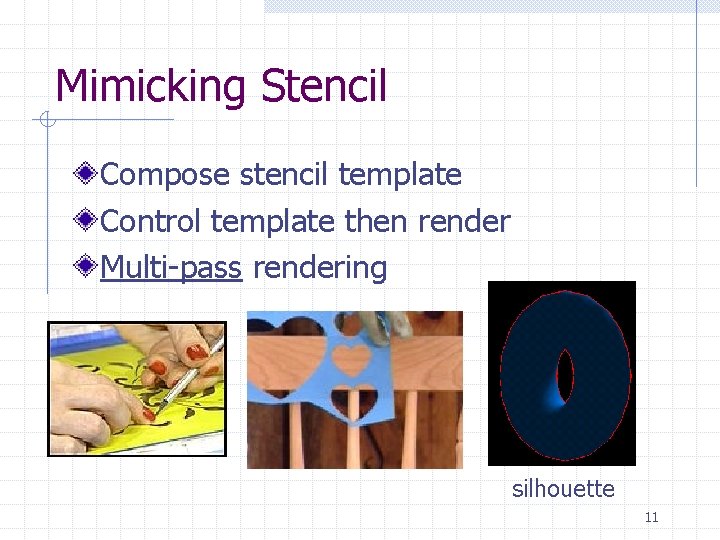
Mimicking Stencil Compose stencil template Control template then render Multi-pass rendering silhouette 11
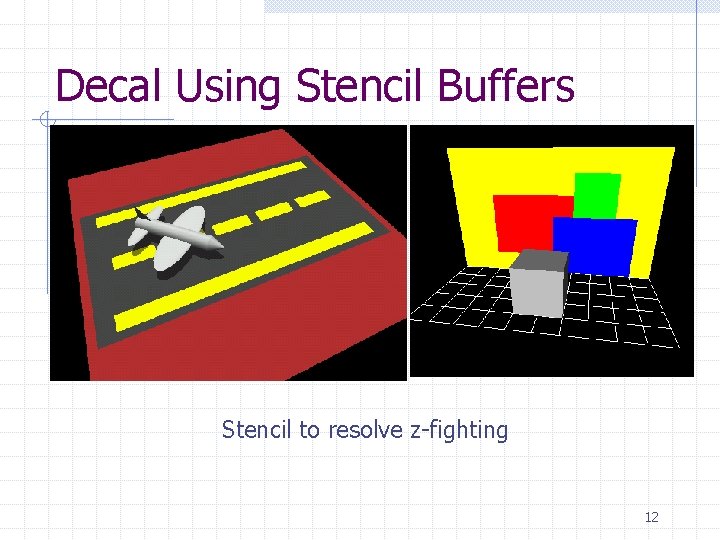
Decal Using Stencil Buffers Stencil to resolve z-fighting 12
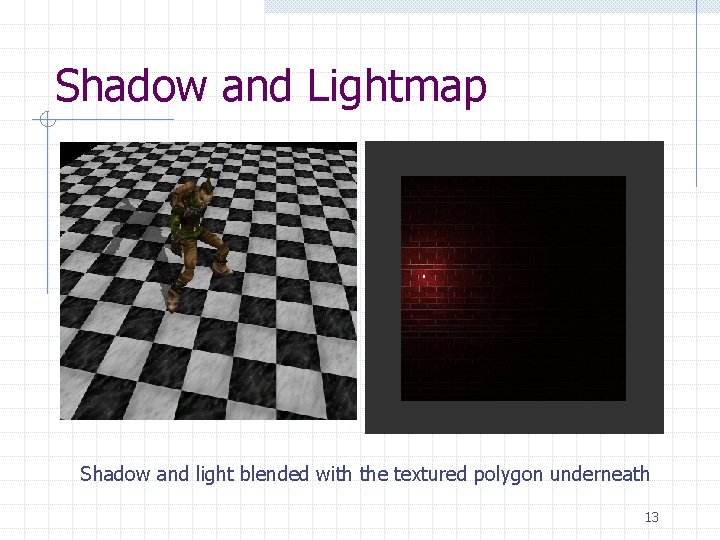
Shadow and Lightmap Shadow and light blended with the textured polygon underneath 13
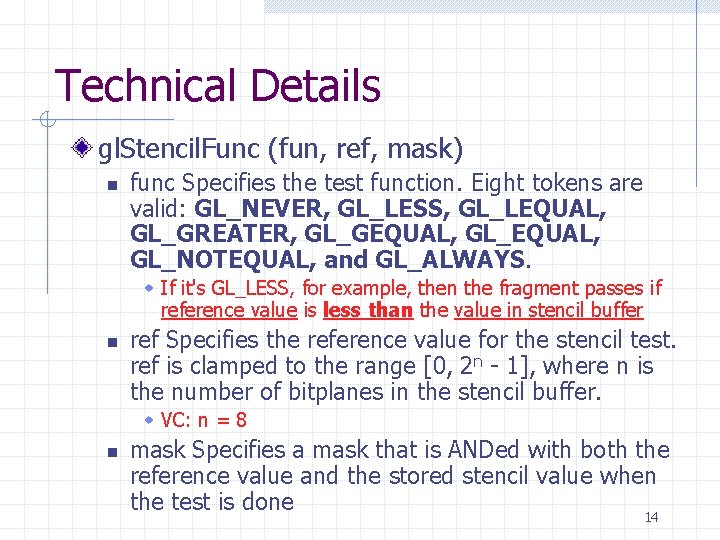
Technical Details gl. Stencil. Func (fun, ref, mask) n func Specifies the test function. Eight tokens are valid: GL_NEVER, GL_LESS, GL_LEQUAL, GL_GREATER, GL_GEQUAL, GL_NOTEQUAL, and GL_ALWAYS. w If it's GL_LESS, for example, then the fragment passes if reference value is less than the value in stencil buffer n ref Specifies the reference value for the stencil test. ref is clamped to the range [0, 2 n - 1], where n is the number of bitplanes in the stencil buffer. w VC: n = 8 n mask Specifies a mask that is ANDed with both the reference value and the stored stencil value when the test is done 14
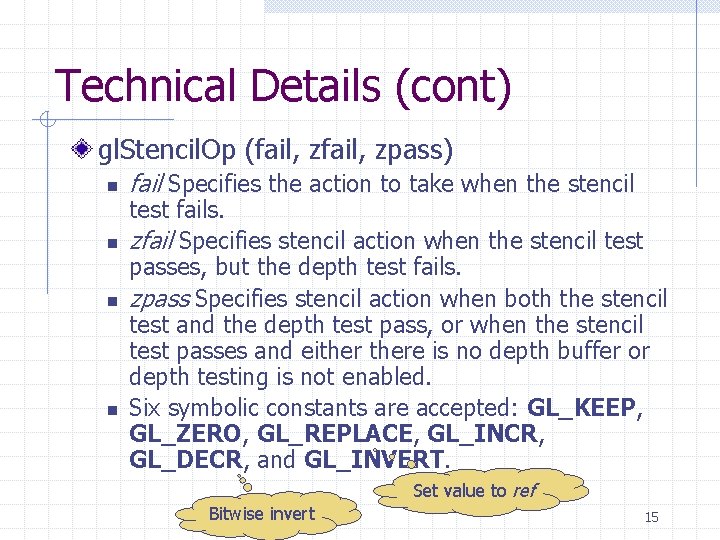
Technical Details (cont) gl. Stencil. Op (fail, zpass) n n fail Specifies the action to take when the stencil test fails. zfail Specifies stencil action when the stencil test passes, but the depth test fails. zpass Specifies stencil action when both the stencil test and the depth test pass, or when the stencil test passes and eithere is no depth buffer or depth testing is not enabled. Six symbolic constants are accepted: GL_KEEP, GL_ZERO, GL_REPLACE, GL_INCR, GL_DECR, and GL_INVERT. Set value to ref Bitwise invert 15
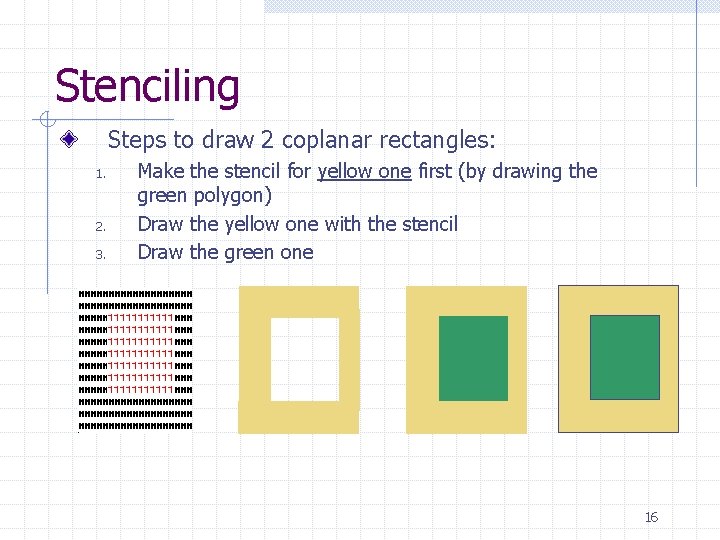
Stenciling Steps to draw 2 coplanar rectangles: 1. 2. 3. Make the stencil for yellow one first (by drawing the green polygon) Draw the yellow one with the stencil Draw the green one 16
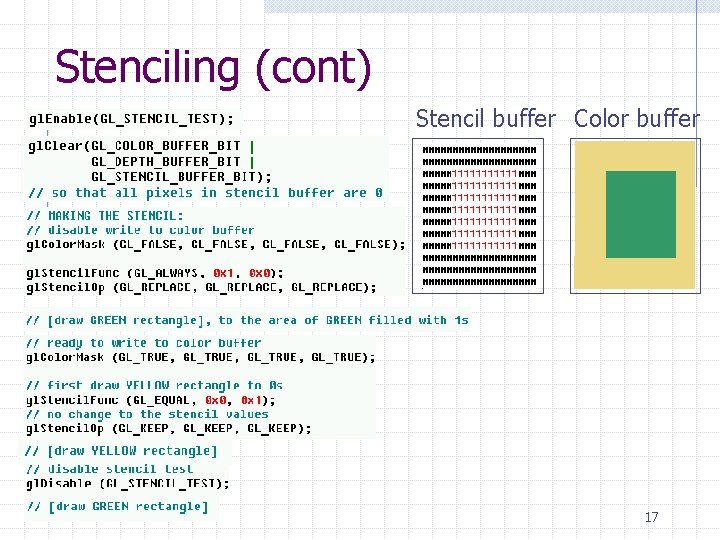
Stenciling (cont) Stencil buffer Color buffer 17
![Decaling [0] [1] [2] [3] Base: (-5, 0) (5, 6) R: (-3, 1) (2,](http://slidetodoc.com/presentation_image_h2/6029958ee7aa3d36b7dabf9bd99db038/image-18.jpg "Decaling [0] [1] [2] [3] Base: (-5, 0) (5, 6) R: (-3, 1) (2,")
Decaling [0] [1] [2] [3] Base: (-5, 0) (5, 6) R: (-3, 1) (2, 4) G: (1, 2) (3, 5) B: (0, 0) (4, 3) Foreground blocker 1. 2. 3. 4. Draw everything else (set up the depth buffer) Draw base; set the blocker id to be 8; rest 0 Arrange the decal id in increasing order Test the The decals can be drawn in any order progra m… 18
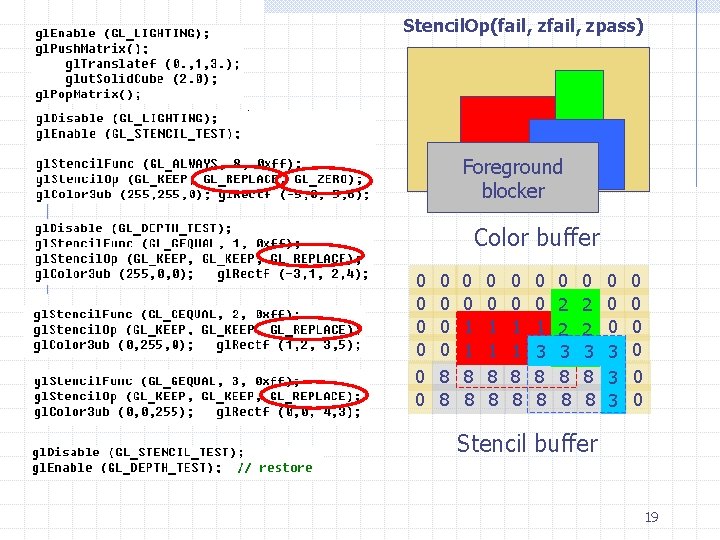
Stencil. Op(fail, zpass) Foreground blocker Color buffer 0 0 0 0 0 8 8 0 0 01 01 8 8 0 0 01 0 1 3 8 8 0 0 2 0 1 3 2 8 8 0 0 2 03 2 8 8 0 0 3 30 30 0 0 0 Stencil buffer 19
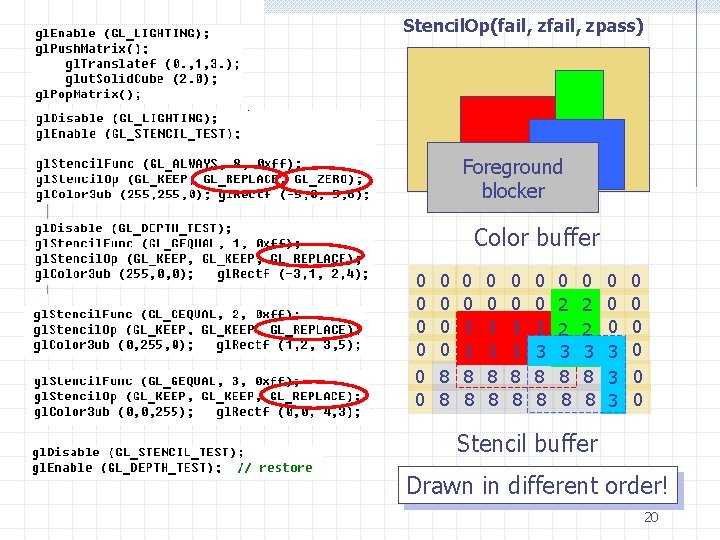
Stencil. Op(fail, zpass) Foreground blocker Color buffer 0 0 0 0 0 8 8 0 0 01 01 8 8 0 0 01 0 1 3 8 8 0 0 2 0 1 3 2 8 8 0 0 2 03 2 8 8 0 0 3 30 30 0 0 0 Stencil buffer Drawn in different order! 20
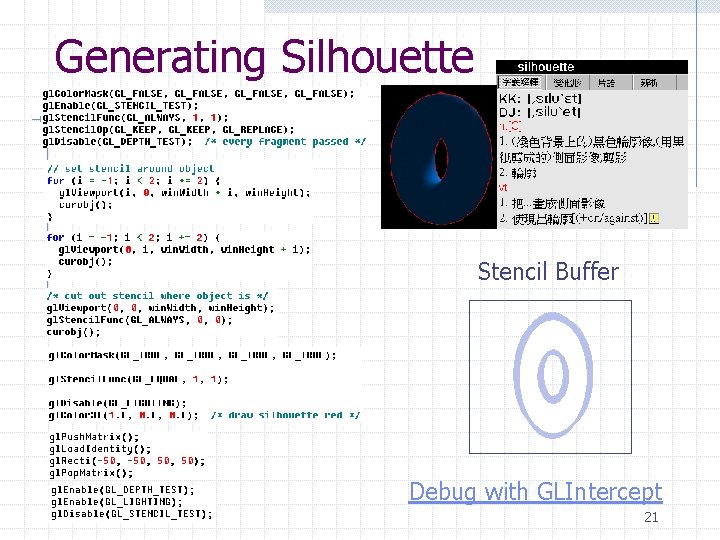
Generating Silhouette Stencil Buffer Debug with GLIntercept 21
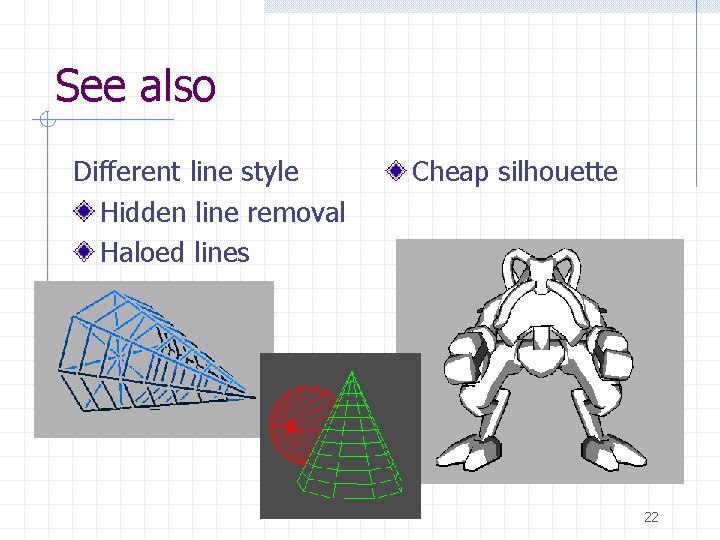
See also Different line style Hidden line removal Haloed lines Cheap silhouette 22
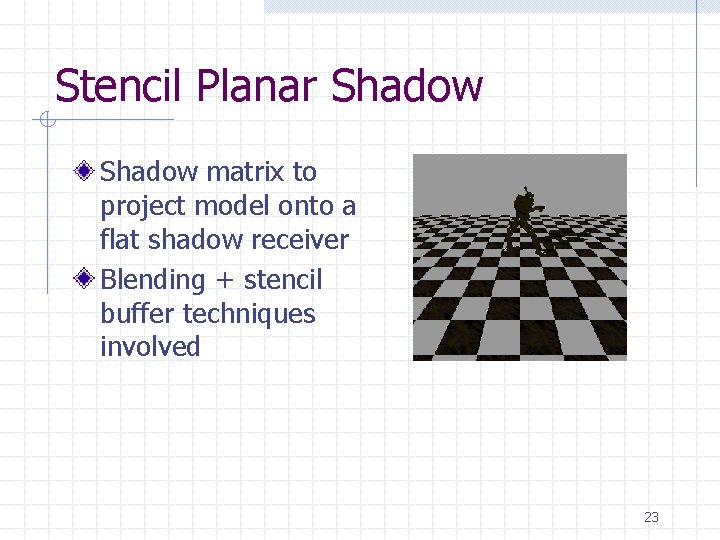
Stencil Planar Shadow matrix to project model onto a flat shadow receiver Blending + stencil buffer techniques involved 23
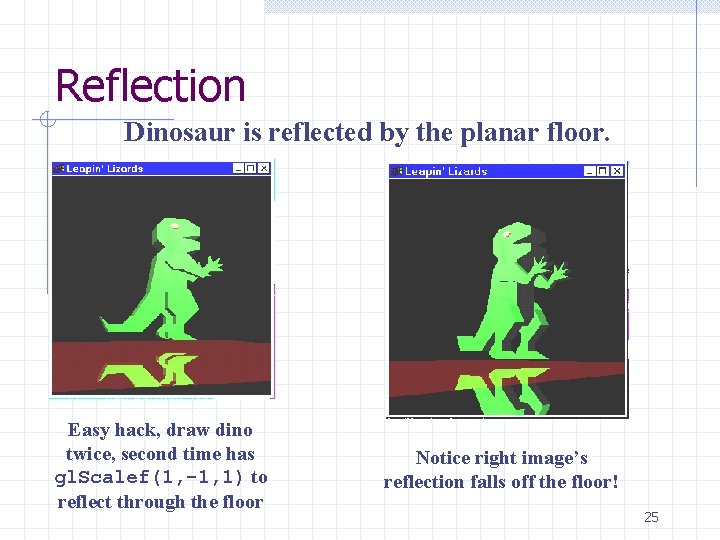
Reflection Dinosaur is reflected by the planar floor. Easy hack, draw dino twice, second time has gl. Scalef(1, -1, 1) to reflect through the floor Notice right image’s reflection falls off the floor! 25
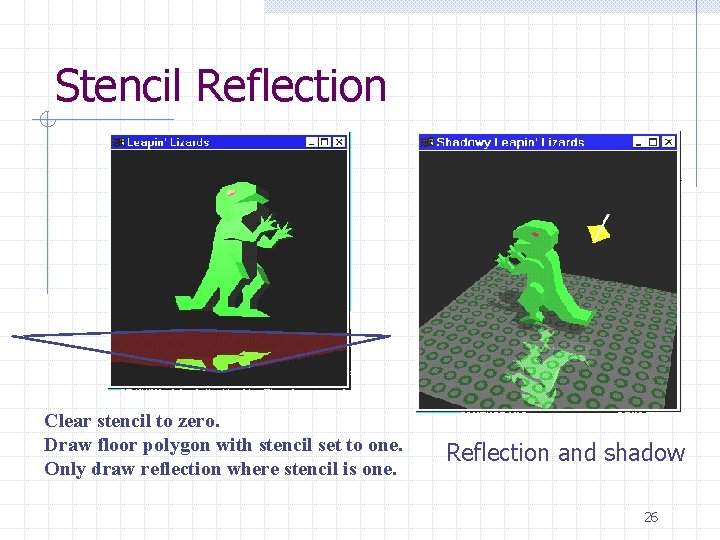
Stencil Reflection Clear stencil to zero. Draw floor polygon with stencil set to one. Only draw reflection where stencil is one. Reflection and shadow 26
- Slides: 25