
Stem 7 AT using Tensorflow KH Wong Stem
- Slides: 11
Stem 7 AT using Tensorflow KH Wong Stem 7: 4: AI and Tensorflow 1
Overview • Introduction • Installation of tensorflow • Tutorial of tensorflow • Use of jupyter notebook • Tests : CNN • Music genre classification test • Tesseract Optical Character Recognition (OCR) • Yolo test (object recognition) Stem 7: 4: AI and Tensorflow 2
Introduction • Install Tensorflow • Tensorflow test • Applications Stem 7: 4: AI and Tensorflow 3
Installation of Tensorflow • https: //sites. google. com/site/hongslinks/tensor_wi ndows Stem 7: 4: AI and Tensorflow 4
Tutorial of tensorflow • https: //sites. google. com/site/hongslinks/tensor_wi ndows Stem 7: 4: AI and Tensorflow 5
CNN Stem 7: 4: AI and Tensorflow 6
Using jupyter notebook • https: //sites. google. com/site/hongslinks/tensor_wi ndows/juptere 3 -notebook Stem 7: 4: AI and Tensorflow 7
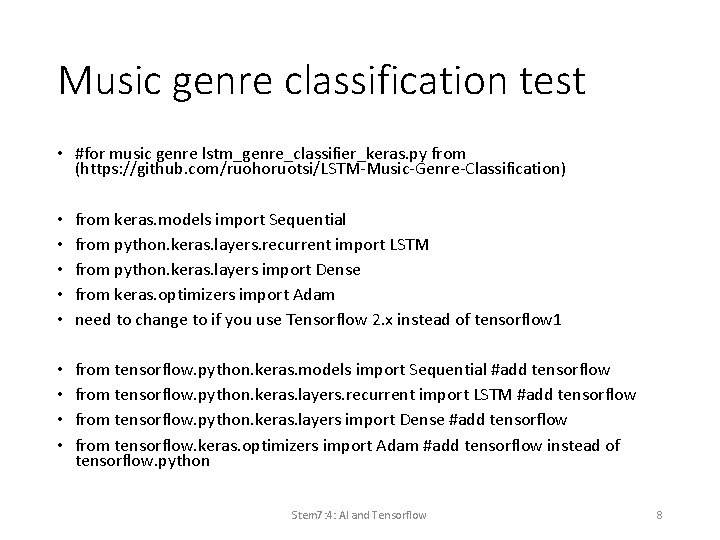
Music genre classification test • #for music genre lstm_genre_classifier_keras. py from (https: //github. com/ruohoruotsi/LSTM-Music-Genre-Classification) • • • from keras. models import Sequential from python. keras. layers. recurrent import LSTM from python. keras. layers import Dense from keras. optimizers import Adam need to change to if you use Tensorflow 2. x instead of tensorflow 1 • • from tensorflow. python. keras. models import Sequential #add tensorflow from tensorflow. python. keras. layers. recurrent import LSTM #add tensorflow from tensorflow. python. keras. layers import Dense #add tensorflow from tensorflow. keras. optimizers import Adam #add tensorflow instead of tensorflow. python Stem 7: 4: AI and Tensorflow 8
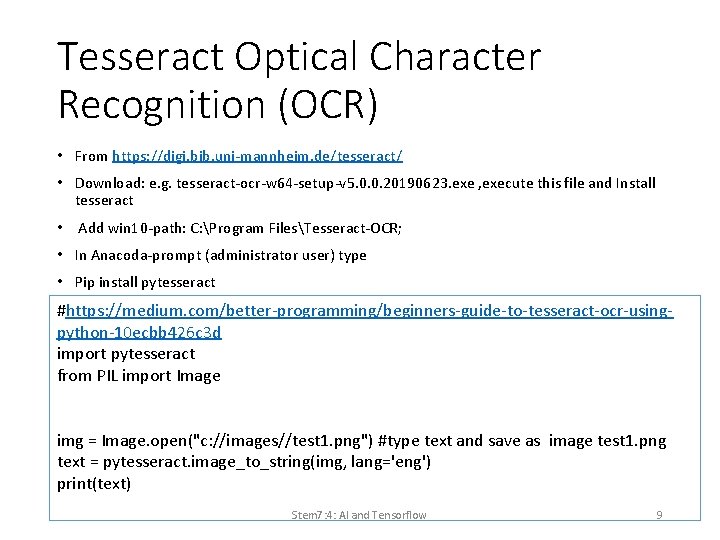
Tesseract Optical Character Recognition (OCR) • From https: //digi. bib. uni-mannheim. de/tesseract/ • Download: e. g. tesseract-ocr-w 64 -setup-v 5. 0. 0. 20190623. exe , execute this file and Install tesseract • Add win 10 -path: C: Program FilesTesseract-OCR; • In Anacoda-prompt (administrator user) type • Pip install pytesseract #https: //medium. com/better-programming/beginners-guide-to-tesseract-ocr-usingpython-10 ecbb 426 c 3 d import pytesseract from PIL import Image img = Image. open("c: //images//test 1. png") #type text and save as image test 1. png text = pytesseract. image_to_string(img, lang='eng') print(text) Stem 7: 4: AI and Tensorflow 9
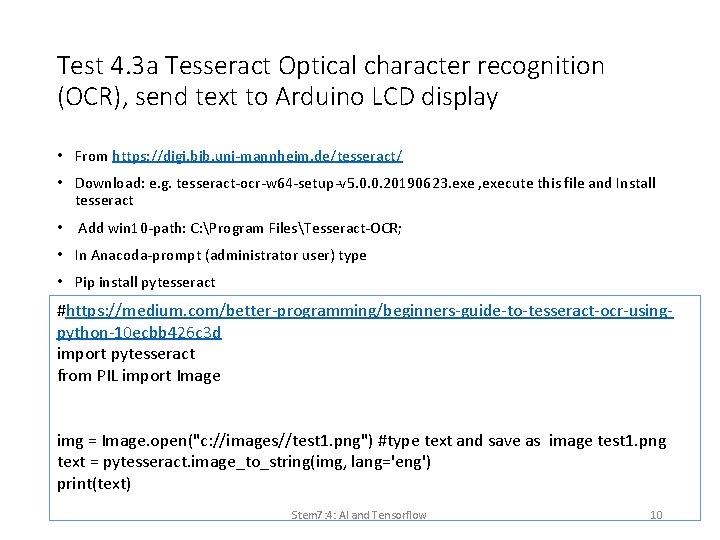
Test 4. 3 a Tesseract Optical character recognition (OCR), send text to Arduino LCD display • From https: //digi. bib. uni-mannheim. de/tesseract/ • Download: e. g. tesseract-ocr-w 64 -setup-v 5. 0. 0. 20190623. exe , execute this file and Install tesseract • Add win 10 -path: C: Program FilesTesseract-OCR; • In Anacoda-prompt (administrator user) type • Pip install pytesseract #https: //medium. com/better-programming/beginners-guide-to-tesseract-ocr-usingpython-10 ecbb 426 c 3 d import pytesseract from PIL import Image img = Image. open("c: //images//test 1. png") #type text and save as image test 1. png text = pytesseract. image_to_string(img, lang='eng') print(text) Stem 7: 4: AI and Tensorflow 10
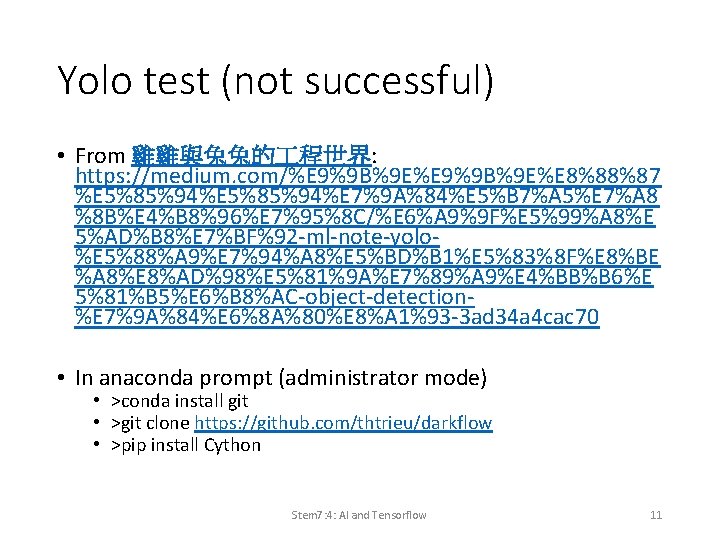
Yolo test (not successful) • From 雞雞與兔兔的 程世界: https: //medium. com/%E 9%9 B%9 E%E 8%88%87 %E 5%85%94%E 7%9 A%84%E 5%B 7%A 5%E 7%A 8 %8 B%E 4%B 8%96%E 7%95%8 C/%E 6%A 9%9 F%E 5%99%A 8%E 5%AD%B 8%E 7%BF%92 -ml-note-yolo%E 5%88%A 9%E 7%94%A 8%E 5%BD%B 1%E 5%83%8 F%E 8%BE %A 8%E 8%AD%98%E 5%81%9 A%E 7%89%A 9%E 4%BB%B 6%E 5%81%B 5%E 6%B 8%AC-object-detection%E 7%9 A%84%E 6%8 A%80%E 8%A 1%93 -3 ad 34 a 4 cac 70 • In anaconda prompt (administrator mode) • >conda install git • >git clone https: //github. com/thtrieu/darkflow • >pip install Cython Stem 7: 4: AI and Tensorflow 11