
Steering Libraries Reality Grid and g Viz Robert
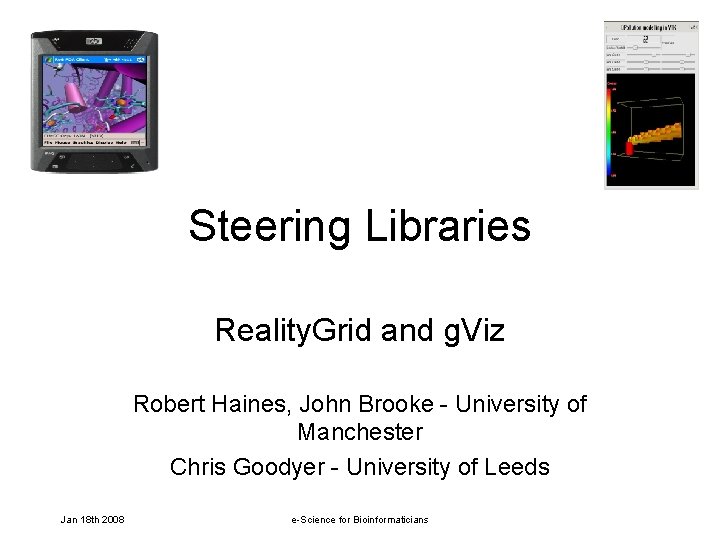
Steering Libraries Reality. Grid and g. Viz Robert Haines, John Brooke - University of Manchester Chris Goodyer - University of Leeds Jan 18 th 2008 e-Science for Bioinformaticians
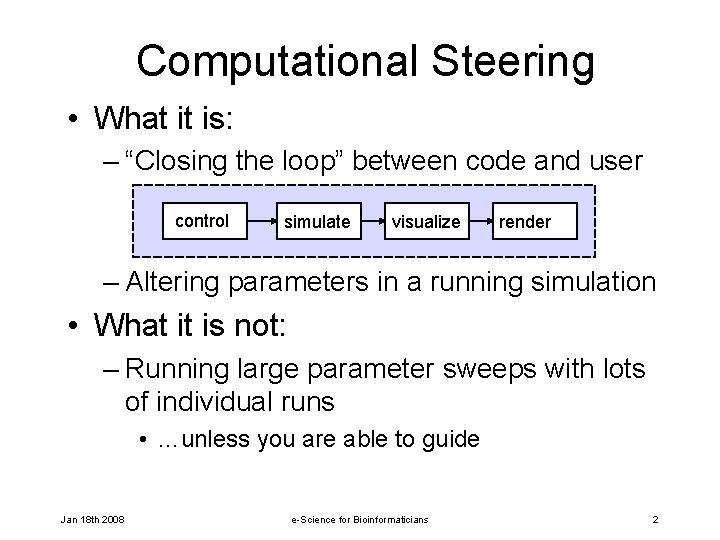
Computational Steering • What it is: – “Closing the loop” between code and user control simulate visualize render – Altering parameters in a running simulation • What it is not: – Running large parameter sweeps with lots of individual runs • …unless you are able to guide Jan 18 th 2008 e-Science for Bioinformaticians 2
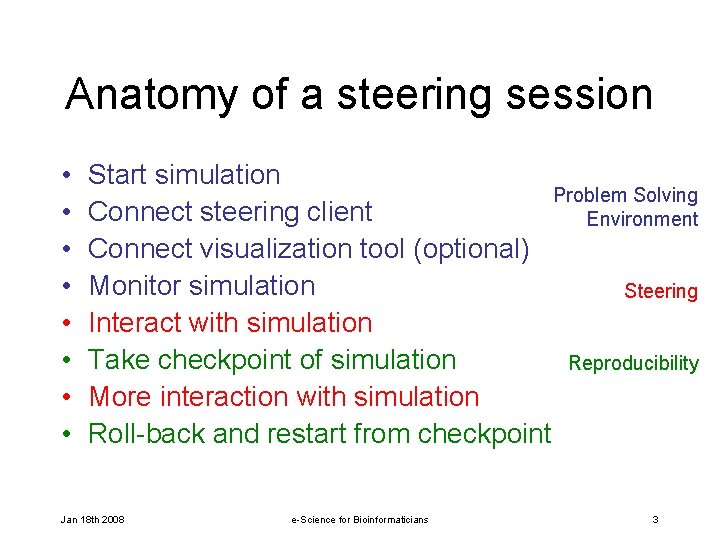
Anatomy of a steering session • • Start simulation Problem Solving Connect steering client Environment Connect visualization tool (optional) Monitor simulation Steering Interact with simulation Take checkpoint of simulation Reproducibility More interaction with simulation Roll-back and restart from checkpoint Jan 18 th 2008 e-Science for Bioinformaticians 3
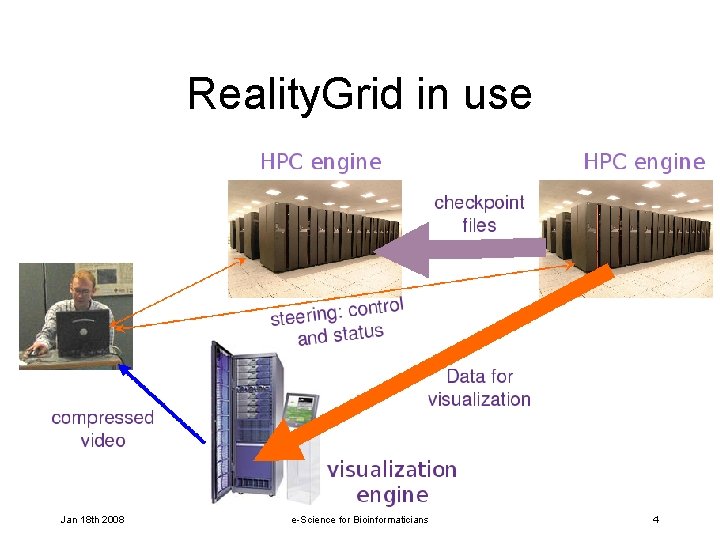
Reality. Grid in use Jan 18 th 2008 e-Science for Bioinformaticians 4
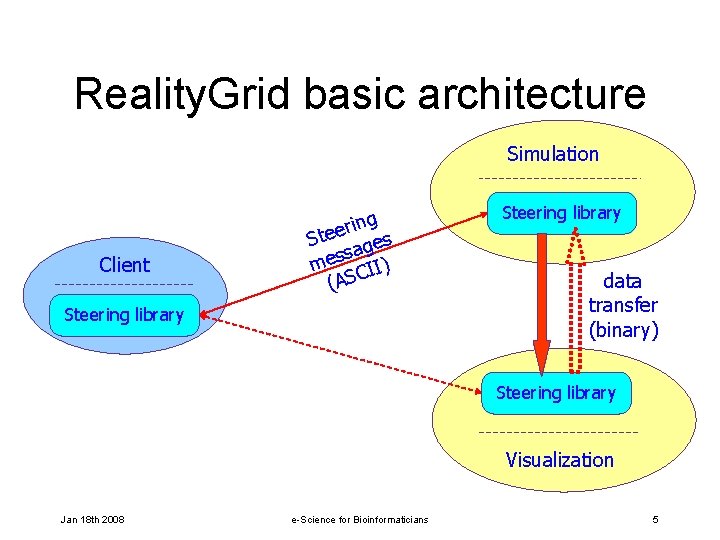
Reality. Grid basic architecture Simulation Client ng i r e Ste ges sa mes CII) (AS Steering library data transfer (binary) Steering library Visualization Jan 18 th 2008 e-Science for Bioinformaticians 5
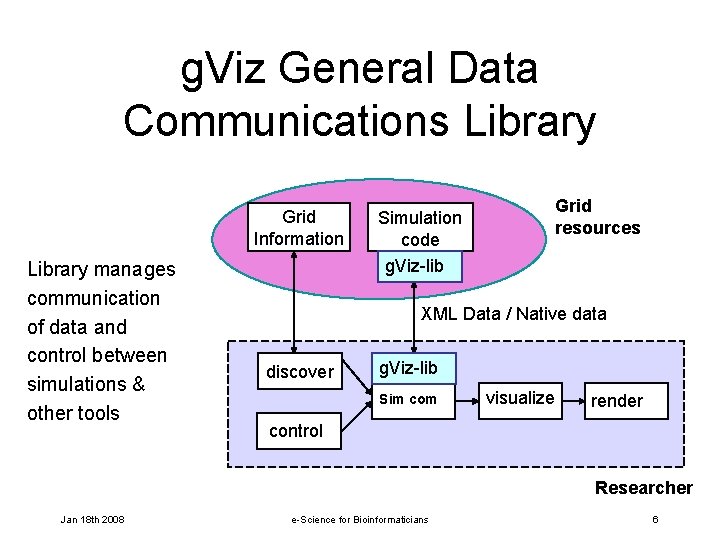
g. Viz General Data Communications Library Grid Information Library manages communication of data and control between simulations & other tools Grid resources Simulation code g. Viz-lib XML Data / Native data discover g. Viz-lib Sim com visualize render control Researcher Jan 18 th 2008 e-Science for Bioinformaticians 6
Steerable codes • Many simulation codes are suitable for steering • Certain features make it easy: – Long running (otherwise there is little point) – An obvious “main loop” – A compact parameter set • Not all parameters can be steered sensibly at all stages of the simulation Jan 18 th 2008 e-Science for Bioinformaticians 7
Steering feedback • When steering a simulation there needs to be feedback to the user: – Monitored (read only) parameters – “Live” visualization of the current state of the data Jan 18 th 2008 e-Science for Bioinformaticians 8
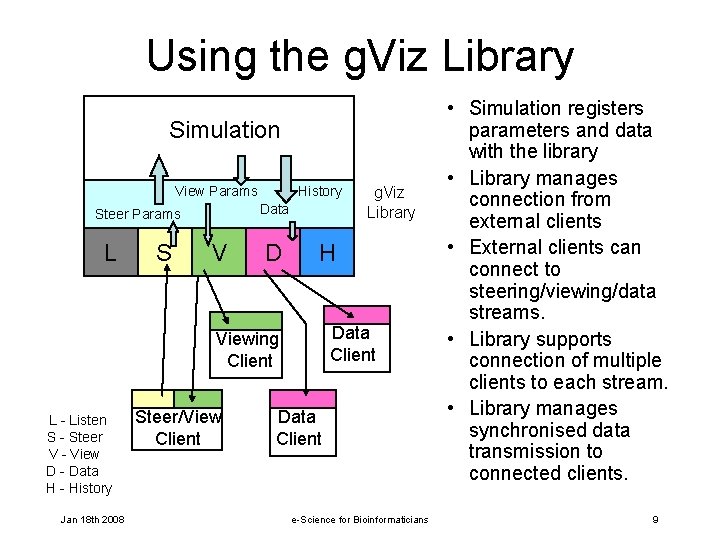
Using the g. Viz Library Simulation View Params Data Steer Params L S History V D H Data Client Viewing Client L - Listen S - Steer V - View D - Data H - History Jan 18 th 2008 Steer/View Client g. Viz Library Data Client e-Science for Bioinformaticians • Simulation registers parameters and data with the library • Library manages connection from external clients • External clients can connect to steering/viewing/data streams. • Library supports connection of multiple clients to each stream. • Library manages synchronised data transmission to connected clients. 9
Checkpointing and restart • Checkpointing is useful during parameter space exploration: – Let the simulation “settle” then take a checkpoint. – Edit parameters – Restart from previous checkpoint – Edit parameters differently – And so on… Jan 18 th 2008 e-Science for Bioinformaticians 10
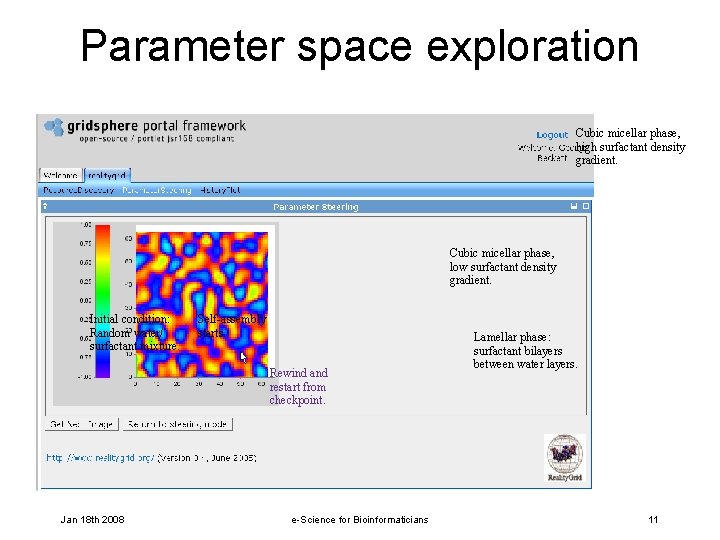
Parameter space exploration Cubic micellar phase, high surfactant density gradient. Cubic micellar phase, low surfactant density gradient. Initial condition: Random water/ surfactant mixture. Self-assembly starts. Rewind and restart from checkpoint. Jan 18 th 2008 e-Science for Bioinformaticians Lamellar phase: surfactant bilayers between water layers. 11
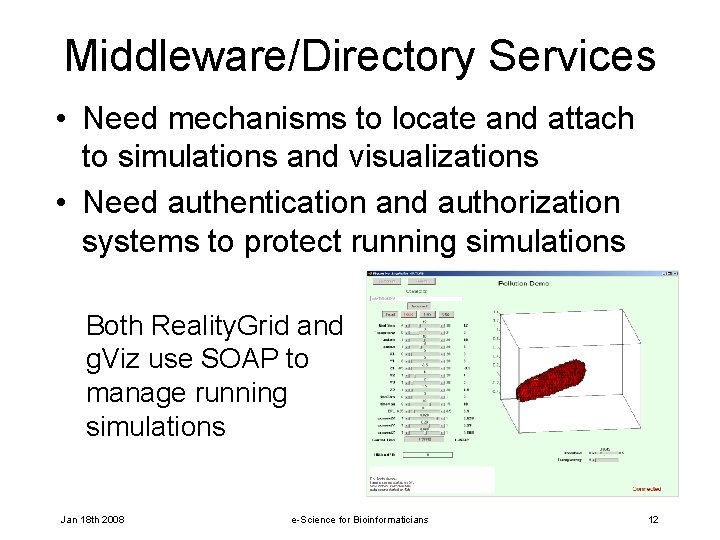
Middleware/Directory Services • Need mechanisms to locate and attach to simulations and visualizations • Need authentication and authorization systems to protect running simulations Both Reality. Grid and g. Viz use SOAP to manage running simulations Jan 18 th 2008 e-Science for Bioinformaticians 12
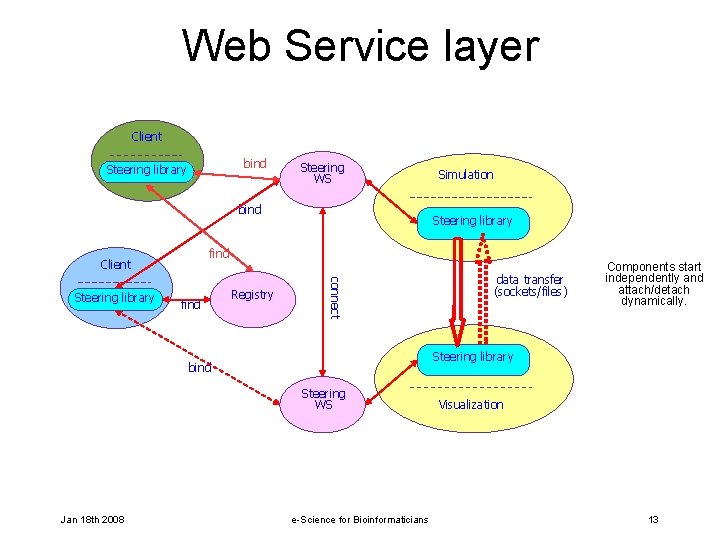
Web Service layer Client Steering library client bind Steering WS Simulation bind find Client find Registry data transfer (sockets/files) connect Steering library client Steering library bind Steering WS Jan 18 th 2008 Components start independently and attach/detach dynamically. Visualization e-Science for Bioinformaticians 13
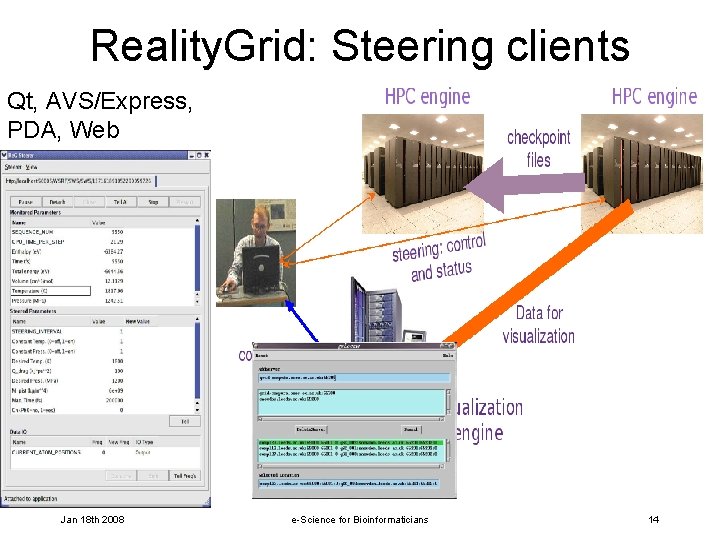
Reality. Grid: Steering clients Qt, AVS/Express, PDA, Web Jan 18 th 2008 e-Science for Bioinformaticians 14
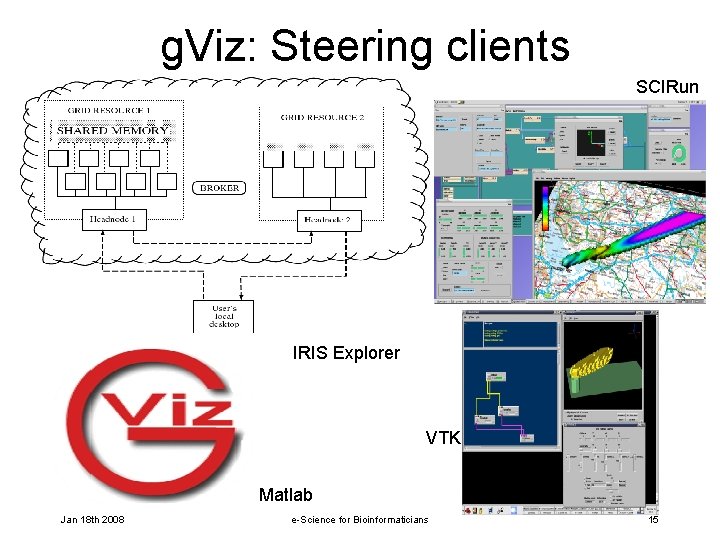
g. Viz: Steering clients SCIRun IRIS Explorer VTK Matlab Jan 18 th 2008 e-Science for Bioinformaticians 15
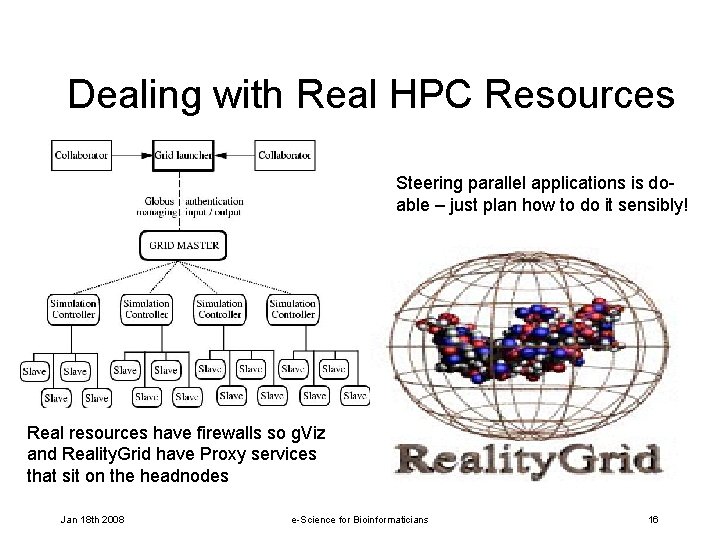
Dealing with Real HPC Resources Steering parallel applications is doable – just plan how to do it sensibly! Real resources have firewalls so g. Viz and Reality. Grid have Proxy services that sit on the headnodes Jan 18 th 2008 e-Science for Bioinformaticians 16

Contact details • Chris Goodyer – ceg@comp. leeds. ac. uk • Robert Haines – rhaines@manchester. ac. uk • John Brooke – john. brooke@manchester. ac. uk Jan 18 th 2008 e-Science for Bioinformaticians 17

Reality. Grid steering tutorial John Brooke, Robert Haines, Joanna Leng (University of Manchester) Jan 18 th 2008 e-Science for Bioinformaticians 18
Overview of tutorial 1. Session 1 - Setup: environmental variables, header files and initializing Reality. Grid steering - Exercises 1 and 2. 2. Session 2 - Monitoring and steering parameters - Exercise 3. 3. Demonstration of Heme-LB steering 4. Session 3 - Visualization and steering Exercise 4 5. Session 4 - Steering a parallel application Exercise 5 6. Wrap-up and discussion. Jan 18 th 2008 e-Science for Bioinformaticians 19

XML support There is a README that comes with the download of the steering library. It is important to have the libxml 2. a which is used to provide a C interface to XML. . It is available from http: //xmlsoft. org/downloads. html You may need to compile for a static library if you do not have access rights to the system defaults, in this case use the -enabled-shared=no flag. You will not have to install this library for the course but it should be noted for when you install the steering library for yourself. A number of Linux distros now have this library so look in /usr/lib for libxml 2. so Jan 18 th 2008 e-Science for Bioinformaticians 20
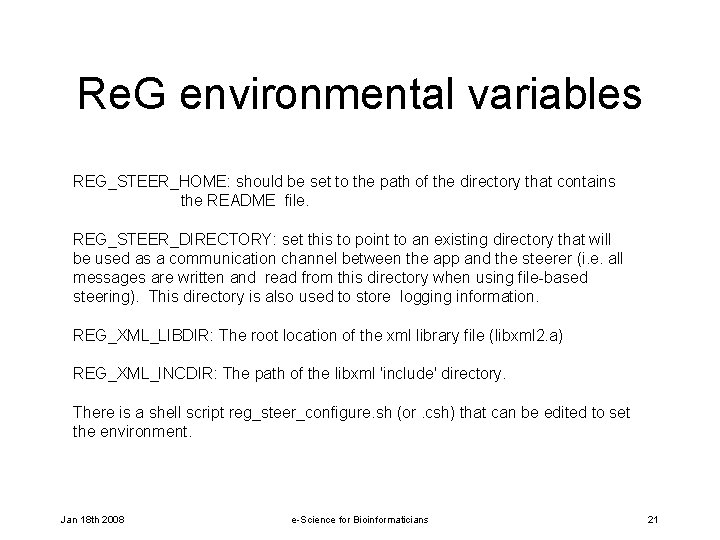
Re. G environmental variables REG_STEER_HOME: should be set to the path of the directory that contains the README file. REG_STEER_DIRECTORY: set this to point to an existing directory that will be used as a communication channel between the app and the steerer (i. e. all messages are written and read from this directory when using file-based steering). This directory is also used to store logging information. REG_XML_LIBDIR: The root location of the xml library file (libxml 2. a) REG_XML_INCDIR: The path of the libxml 'include' directory. There is a shell script reg_steer_configure. sh (or. csh) that can be edited to set the environment. Jan 18 th 2008 e-Science for Bioinformaticians 21
Header files For the application code you need to include the application-side header file #include "Re. G_Steer_Appside. h" Jan 18 th 2008 e-Science for Bioinformaticians 22
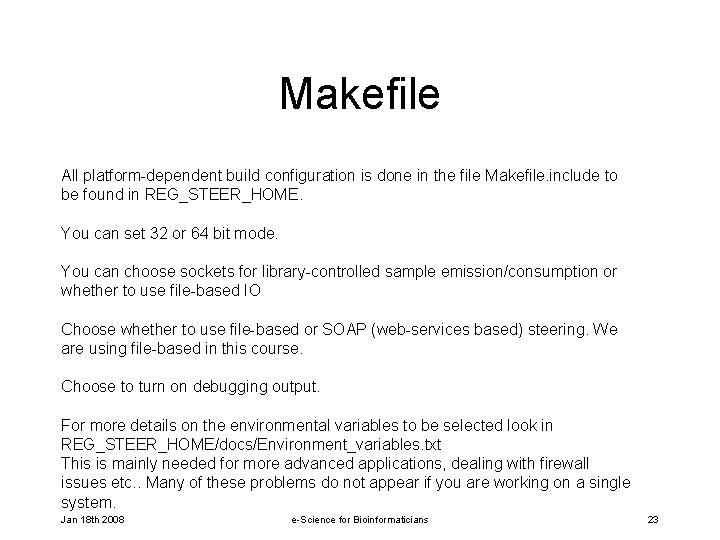
Makefile All platform-dependent build configuration is done in the file Makefile. include to be found in REG_STEER_HOME. You can set 32 or 64 bit mode. You can choose sockets for library-controlled sample emission/consumption or whether to use file-based IO Choose whether to use file-based or SOAP (web-services based) steering. We are using file-based in this course. Choose to turn on debugging output. For more details on the environmental variables to be selected look in REG_STEER_HOME/docs/Environment_variables. txt This is mainly needed for more advanced applications, dealing with firewall issues etc. . Many of these problems do not appear if you are working on a single system. Jan 18 th 2008 e-Science for Bioinformaticians 23
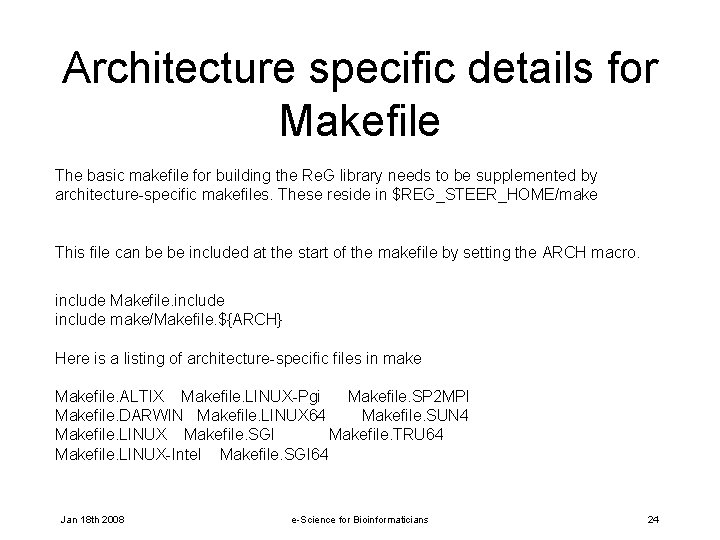
Architecture specific details for Makefile The basic makefile for building the Re. G library needs to be supplemented by architecture-specific makefiles. These reside in $REG_STEER_HOME/make This file can be be included at the start of the makefile by setting the ARCH macro. include Makefile. include make/Makefile. ${ARCH} Here is a listing of architecture-specific files in make Makefile. ALTIX Makefile. LINUX-Pgi Makefile. SP 2 MPI Makefile. DARWIN Makefile. LINUX 64 Makefile. SUN 4 Makefile. LINUX Makefile. SGI Makefile. TRU 64 Makefile. LINUX-Intel Makefile. SGI 64 Jan 18 th 2008 e-Science for Bioinformaticians 24
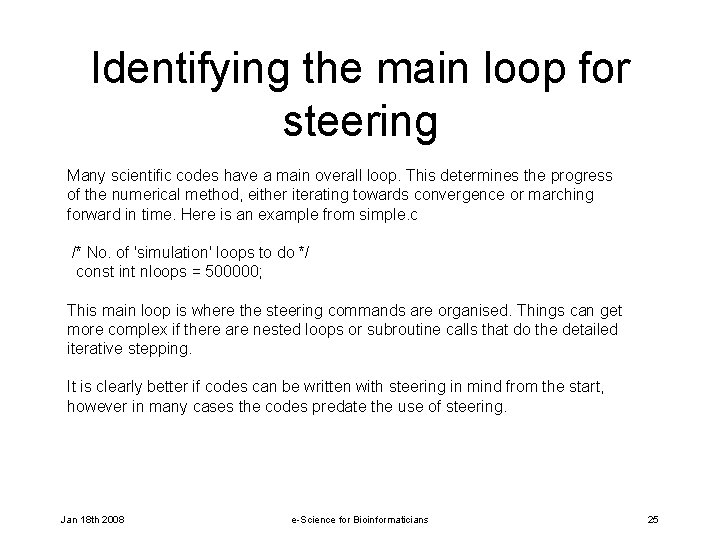
Identifying the main loop for steering Many scientific codes have a main overall loop. This determines the progress of the numerical method, either iterating towards convergence or marching forward in time. Here is an example from simple. c /* No. of 'simulation' loops to do */ const int nloops = 500000; This main loop is where the steering commands are organised. Things can get more complex if there are nested loops or subroutine calls that do the detailed iterative stepping. It is clearly better if codes can be written with steering in mind from the start, however in many cases the codes predate the use of steering. Jan 18 th 2008 e-Science for Bioinformaticians 25
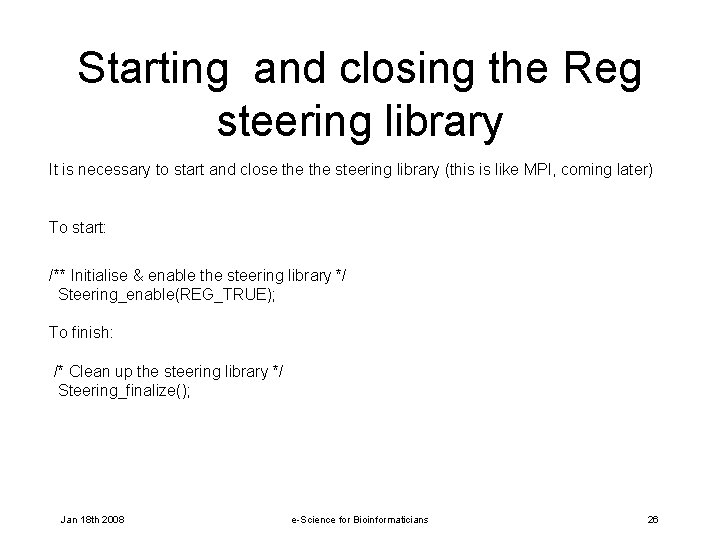
Starting and closing the Reg steering library It is necessary to start and close the steering library (this is like MPI, coming later) To start: /** Initialise & enable the steering library */ Steering_enable(REG_TRUE); To finish: /* Clean up the steering library */ Steering_finalize(); Jan 18 th 2008 e-Science for Bioinformaticians 26
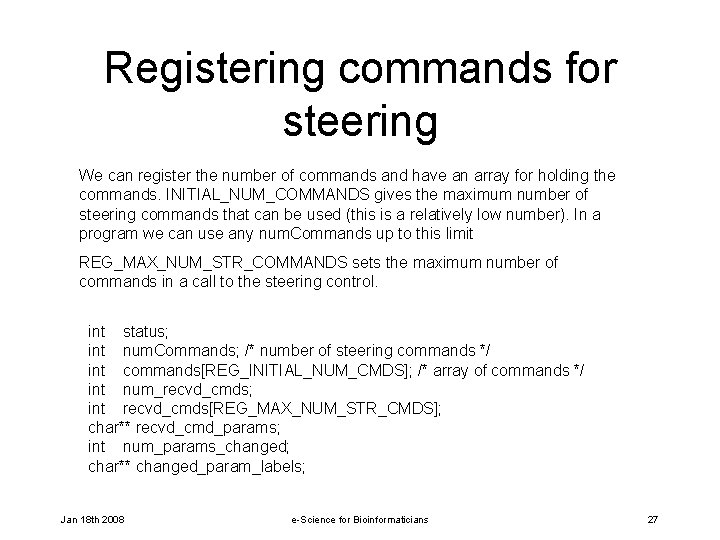
Registering commands for steering We can register the number of commands and have an array for holding the commands. INITIAL_NUM_COMMANDS gives the maximum number of steering commands that can be used (this is a relatively low number). In a program we can use any num. Commands up to this limit REG_MAX_NUM_STR_COMMANDS sets the maximum number of commands in a call to the steering control. int status; int num. Commands; /* number of steering commands */ int commands[REG_INITIAL_NUM_CMDS]; /* array of commands */ int num_recvd_cmds; int recvd_cmds[REG_MAX_NUM_STR_CMDS]; char** recvd_cmd_params; int num_params_changed; char** changed_param_labels; Jan 18 th 2008 e-Science for Bioinformaticians 27
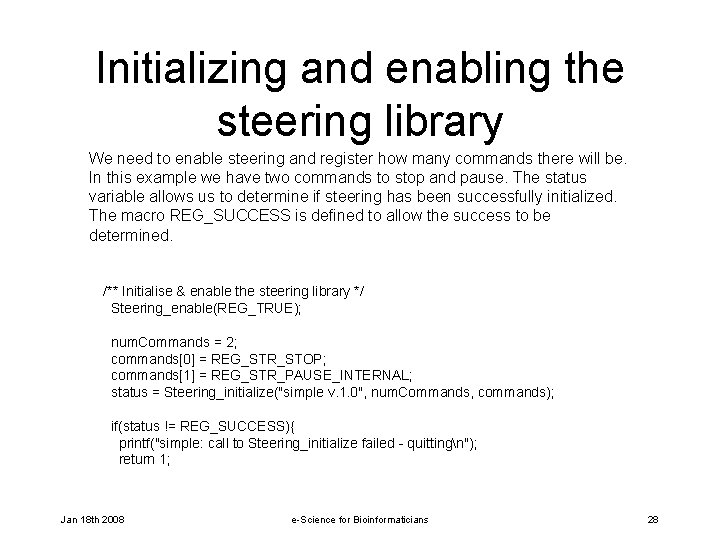
Initializing and enabling the steering library We need to enable steering and register how many commands there will be. In this example we have two commands to stop and pause. The status variable allows us to determine if steering has been successfully initialized. The macro REG_SUCCESS is defined to allow the success to be determined. /** Initialise & enable the steering library */ Steering_enable(REG_TRUE); num. Commands = 2; commands[0] = REG_STR_STOP; commands[1] = REG_STR_PAUSE_INTERNAL; status = Steering_initialize("simple v. 1. 0", num. Commands, commands); if(status != REG_SUCCESS){ printf("simple: call to Steering_initialize failed - quittingn"); return 1; Jan 18 th 2008 e-Science for Bioinformaticians 28
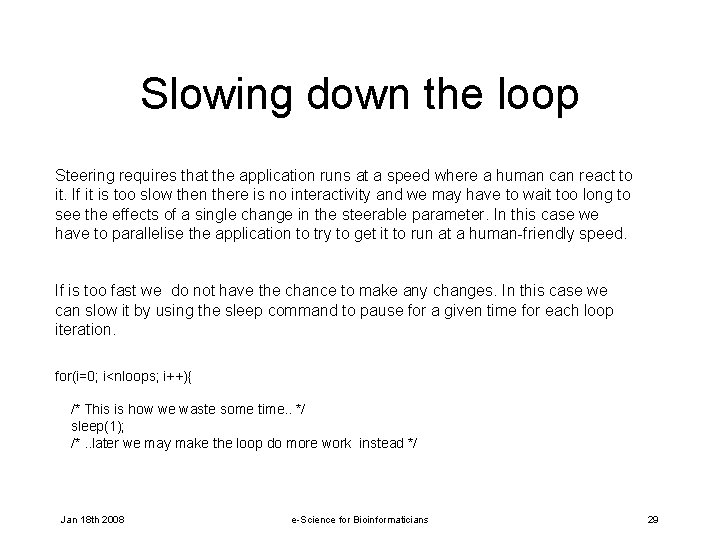
Slowing down the loop Steering requires that the application runs at a speed where a human can react to it. If it is too slow then there is no interactivity and we may have to wait too long to see the effects of a single change in the steerable parameter. In this case we have to parallelise the application to try to get it to run at a human-friendly speed. If is too fast we do not have the chance to make any changes. In this case we can slow it by using the sleep command to pause for a given time for each loop iteration. for(i=0; i<nloops; i++){ /* This is how we waste some time. . */ sleep(1); /*. . later we may make the loop do more work instead */ Jan 18 th 2008 e-Science for Bioinformaticians 29
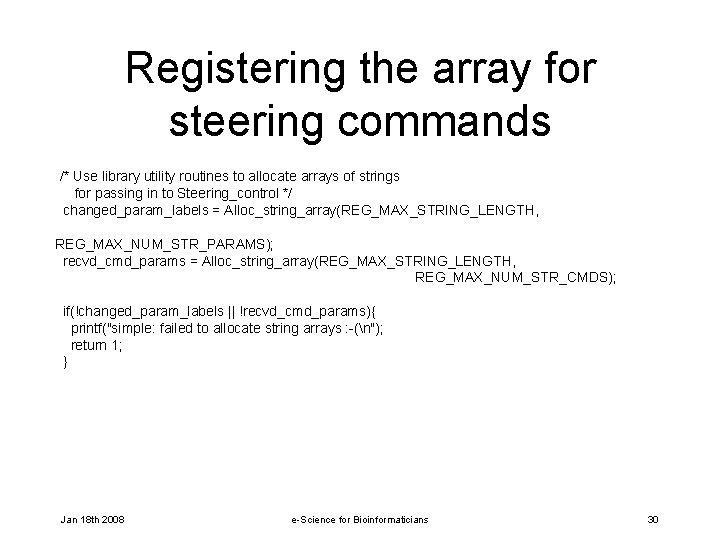
Registering the array for steering commands /* Use library utility routines to allocate arrays of strings for passing in to Steering_control */ changed_param_labels = Alloc_string_array(REG_MAX_STRING_LENGTH, REG_MAX_NUM_STR_PARAMS); recvd_cmd_params = Alloc_string_array(REG_MAX_STRING_LENGTH, REG_MAX_NUM_STR_CMDS); if(!changed_param_labels || !recvd_cmd_params){ printf("simple: failed to allocate string arrays : -(n"); return 1; } Jan 18 th 2008 e-Science for Bioinformaticians 30
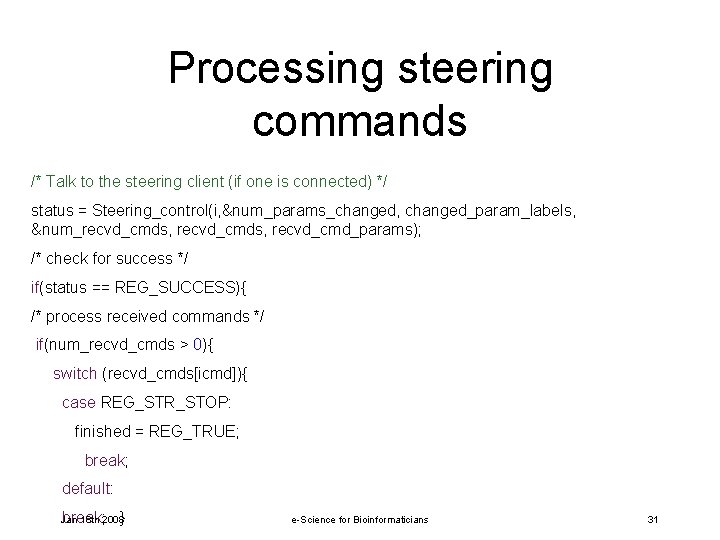
Processing steering commands /* Talk to the steering client (if one is connected) */ status = Steering_control(i, &num_params_changed, changed_param_labels, &num_recvd_cmds, recvd_cmd_params); /* check for success */ if(status == REG_SUCCESS){ /* process received commands */ if(num_recvd_cmds > 0){ switch (recvd_cmds[icmd]){ case REG_STR_STOP: finished = REG_TRUE; break; default: break; } Jan 18 th 2008 e-Science for Bioinformaticians 31
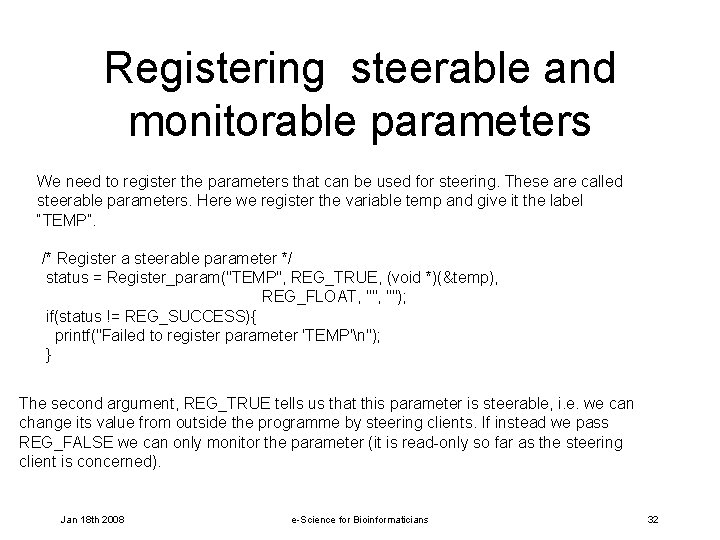
Registering steerable and monitorable parameters We need to register the parameters that can be used for steering. These are called steerable parameters. Here we register the variable temp and give it the label “TEMP”. /* Register a steerable parameter */ status = Register_param("TEMP", REG_TRUE, (void *)(&temp), REG_FLOAT, ""); if(status != REG_SUCCESS){ printf("Failed to register parameter 'TEMP'n"); } The second argument, REG_TRUE tells us that this parameter is steerable, i. e. we can change its value from outside the programme by steering clients. If instead we pass REG_FALSE we can only monitor the parameter (it is read-only so far as the steering client is concerned). Jan 18 th 2008 e-Science for Bioinformaticians 32
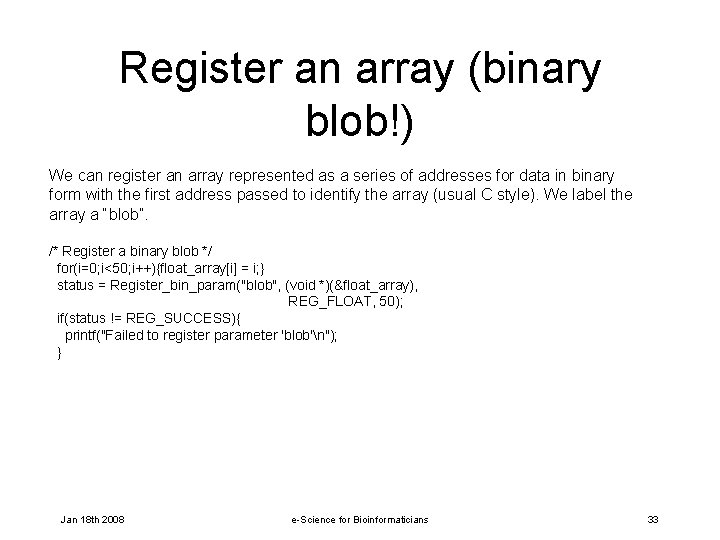
Register an array (binary blob!) We can register an array represented as a series of addresses for data in binary form with the first address passed to identify the array (usual C style). We label the array a “blob”. /* Register a binary blob */ for(i=0; i<50; i++){float_array[i] = i; } status = Register_bin_param("blob", (void *)(&float_array), REG_FLOAT, 50); if(status != REG_SUCCESS){ printf("Failed to register parameter 'blob'n"); } Jan 18 th 2008 e-Science for Bioinformaticians 33
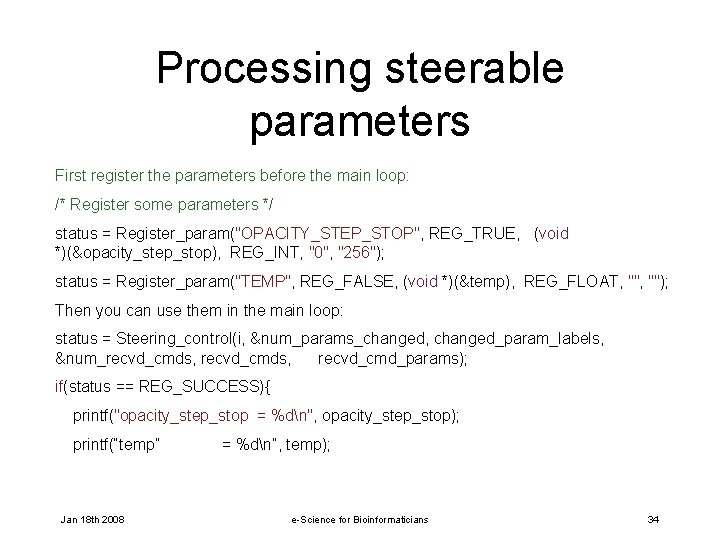
Processing steerable parameters First register the parameters before the main loop: /* Register some parameters */ status = Register_param("OPACITY_STEP_STOP", REG_TRUE, (void *)(&opacity_step_stop), REG_INT, "0", "256"); status = Register_param("TEMP", REG_FALSE, (void *)(&temp), REG_FLOAT, ""); Then you can use them in the main loop: status = Steering_control(i, &num_params_changed, changed_param_labels, &num_recvd_cmds, recvd_cmd_params); if(status == REG_SUCCESS){ printf("opacity_step_stop = %dn", opacity_step_stop); printf(“temp” Jan 18 th 2008 = %dn”, temp); e-Science for Bioinformaticians 34
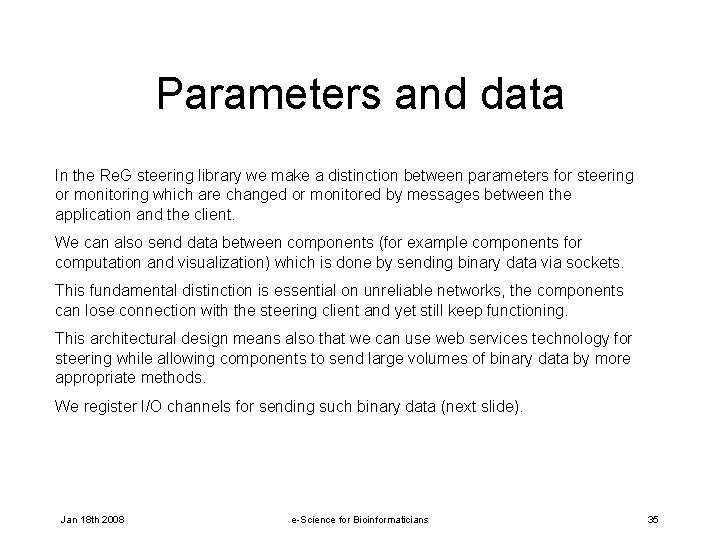
Parameters and data In the Re. G steering library we make a distinction between parameters for steering or monitoring which are changed or monitored by messages between the application and the client. We can also send data between components (for example components for computation and visualization) which is done by sending binary data via sockets. This fundamental distinction is essential on unreliable networks, the components can lose connection with the steering client and yet still keep functioning. This architectural design means also that we can use web services technology for steering while allowing components to send large volumes of binary data by more appropriate methods. We register I/O channels for sending such binary data (next slide). Jan 18 th 2008 e-Science for Bioinformaticians 35
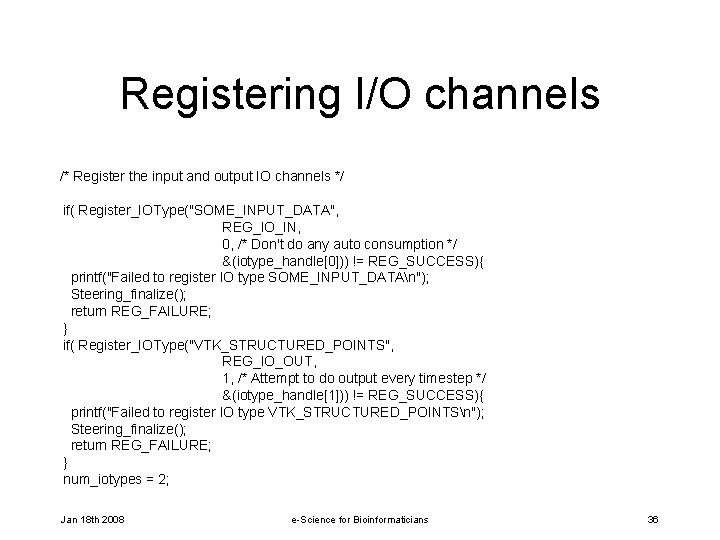
Registering I/O channels /* Register the input and output IO channels */ if( Register_IOType("SOME_INPUT_DATA", REG_IO_IN, 0, /* Don't do any auto consumption */ &(iotype_handle[0])) != REG_SUCCESS){ printf("Failed to register IO type SOME_INPUT_DATAn"); Steering_finalize(); return REG_FAILURE; } if( Register_IOType("VTK_STRUCTURED_POINTS", REG_IO_OUT, 1, /* Attempt to do output every timestep */ &(iotype_handle[1])) != REG_SUCCESS){ printf("Failed to register IO type VTK_STRUCTURED_POINTSn"); Steering_finalize(); return REG_FAILURE; } num_iotypes = 2; Jan 18 th 2008 e-Science for Bioinformaticians 36
Sending data over the I/O channels We have defined two different channels for sending binary data. The channels are held in an array iotype_handle. The first element defines the input channel and the second element defines the output channel. In the slide following this one we show these channels are used in the code to receive data into the programme and to output data for visualization using vtk. If the first conditional clause we receive an array of commands. In the seconditional clause we emit binary data for visualization. Jan 18 th 2008 e-Science for Bioinformaticians 37
![Emitting data for visualization for(j=0; j<num_iotypes; j++){ if(recvd_cmds[icmd] == iotype_handle[j]){ printf("Some IO command receivedn");](http://slidetodoc.com/presentation_image/781c303f897ea32d445c05f7c4d0238c/image-38.jpg "Emitting data for visualization for(j=0; j<num_iotypes; j++){ if(recvd_cmds[icmd] == iotype_handle[j]){ printf(\"Some IO command receivedn\");")
Emitting data for visualization for(j=0; j<num_iotypes; j++){ if(recvd_cmds[icmd] == iotype_handle[j]){ printf("Some IO command receivedn"); if(j==1){ /* We've been told to emit some data */ if( Emit_start(iotype_handle[j], i, &iohandle) == REG_SUCCESS ){ /* Make the vtk header to describe the data and then emit it */ if (Make_vtk_header(header, "Some data", nx, ny, nz, 1, REG_FLOAT) != REG_SUCCESS) { continue; } Jan 18 th 2008 e-Science for Bioinformaticians 38
Checkpoints and checkpoint trees The Re. G steering library allows for the emission of checkpoints which are snapshots of the state of the simulation. Examples of such state are the variables and arrays which can represent scalars or vectors and scalar or vector fields. The checkpoints can also hold information about system parameters. In this way we can build up tree structures showing how the simulation has altered its state according to changes in the steering parameters. These checkpoints can be revisited to act as starting points for new simulation experiments. In the next slides we show to register two different types for checkpointing. We then show a command to record a checkpoint is received and the checkpoint is created. We give the checkpoint a tag which can be later used to retrieve the checkpoint. Jan 18 th 2008 e-Science for Bioinformaticians 39
![Registering checkpoints if( Register_Chk. Type("MY_CHECKPOINT", REG_IO_OUT, 0, /* No auto checkpointing */ &(chktype_handle[0])) !=](http://slidetodoc.com/presentation_image/781c303f897ea32d445c05f7c4d0238c/image-40.jpg "Registering checkpoints if( Register_Chk. Type(\"MY_CHECKPOINT\", REG_IO_OUT, 0, /* No auto checkpointing */ &(chktype_handle[0])) !=")
Registering checkpoints if( Register_Chk. Type("MY_CHECKPOINT", REG_IO_OUT, 0, /* No auto checkpointing */ &(chktype_handle[0])) != REG_SUCCESS){ printf("Failed to register Chk type MY_CHECKPOINTn"); return REG_FAILURE; } if( Register_Chk. Type("MY_OTHER_CHECKPOINT", REG_IO_INOUT, 0, /* No auto checkpointing */ &(chktype_handle[1])) != REG_SUCCESS){ printf("Failed to register Chk type MY_OTHER_CHECKPOINTn"); return REG_FAILURE; } num_chktypes = 2; Jan 18 th 2008 e-Science for Bioinformaticians 40
![Recording a checkpoint in the steering loop. if(recvd_cmds[icmd] == chktype_handle[j]){ printf("Got checkpoint command, parameters](http://slidetodoc.com/presentation_image/781c303f897ea32d445c05f7c4d0238c/image-41.jpg "Recording a checkpoint in the steering loop. if(recvd_cmds[icmd] == chktype_handle[j]){ printf(\"Got checkpoint command, parameters")
Recording a checkpoint in the steering loop. if(recvd_cmds[icmd] == chktype_handle[j]){ printf("Got checkpoint command, parameters >>%s<<n", recvd_cmd_params[icmd]); if(strstr(recvd_cmd_params[icmd], "OUT")){ /* Pretend we've taken a checkpoint here */ itag = rand(); sprintf(chk_tag, "fake_chkpoint_%d. dat", itag); /* Add this filename to the record of the checkpoint */ Add_checkpoint_file(chktype_handle[j], chk_tag); if( (fp = fopen(chk_tag, "w")) ){ fprintf(fp, "Chkpoint data goes heren"); fclose(fp); sprintf(chk_tag, "%d", itag); Record_checkpoint_set(chktype_handle[j], chk_tag, ". "); } Jan 18 th 2008 e-Science for Bioinformaticians 41
Steering parallel programs Re. G Steering library makes no assumptions about the type of parallelism used this is entirely the choice of the programmer. However this means that all communication of commands or updates of parameters to all processes or threads is also the programmers responsibility. In this course we give an example using MPI, a distributed memory parallel programming library based on messaging. One MPI processor takes care of interaction with the steering control. By convention this is the processor with rank 0. All changes in parameters must be broadcast to processors whose rank is not 0. Similarly processor rank 0 must broadcast steering command status as returned to it. This is so that the other processors can respond gracefully to errors. It is often not sufficent to rely on MPI-ABORT from rank 0. Jan 18 th 2008 e-Science for Bioinformaticians 42

More Information For more information: http: //www. realitygrid. org http: //www. rcs. manchester. ac. uk/research/realitygrid Computational Steering Workshop - University of Manchester 18/19 March 2008 Jan 18 th 2008 e-Science for Bioinformaticians 43

Acknowledgments • g. Viz – Jason Wood, Ken Brodlie, James Handley, Sally Mason, Martin Thompson, Mark Walkley, Haoxiang Wang, Ying Li • Reality. Grid – Andrew Porter, Robin Pinning, John Brooke, Stephen Pickles, Mark Mc Keown, Mark Riding • UK e-Science Programme Jan 18 th 2008 e-Science for Bioinformaticians 44
- Slides: 44