
Statspack Identifying and Correcting Performance Problems By Robert
Statspack Identifying and Correcting Performance Problems By: Robert Webb CEO (888) 235 -8916 RBWebb@Remote. Control. DBA. com
Agenda • Introduction • Statspack – What is it good for? – Installation – Configuration • Tuning – Host tuning • Components we can tune • Let Statspack lead the way – SQL tuning
Who is the Presenter? • Technology Consultant for various customers World-Wide – Leverage the advantages of Remote Support to offer customers Senior-level expertise at affordable prices – Customers on six continents • Specialties Include – Oracle DBA – Complete System Performance Diagnostics and Tuning – UNIX/Linux
Statspack Identifying and Correcting Performance Problems • Why Use Statspack – Measure Performance – Identify Bottlenecks – Compare Performance Over Time – Can point to problems on the Host – Configurable
Statspack Identifying and Correcting Performance Problems Installation and Configuration
Statspack Installation • • Extremely simple Run a script in your existing Oracle Home Very low risk Very low overhead
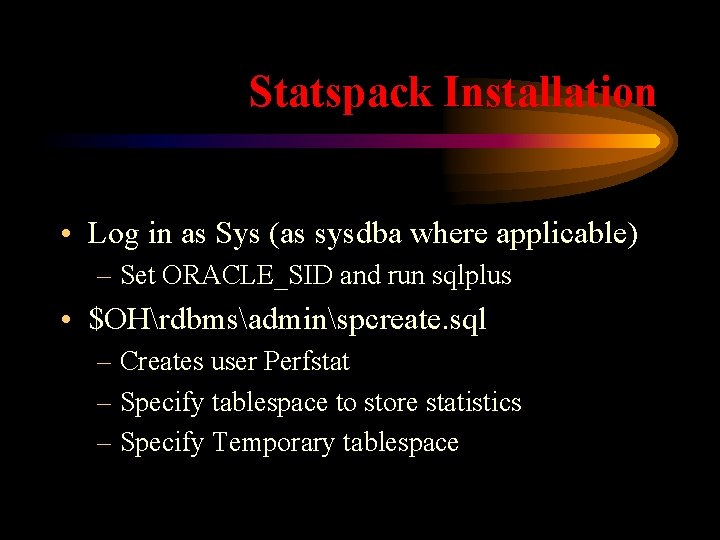
Statspack Installation • Log in as Sys (as sysdba where applicable) – Set ORACLE_SID and run sqlplus • $OHrdbmsadminspcreate. sql – Creates user Perfstat – Specify tablespace to store statistics – Specify Temporary tablespace
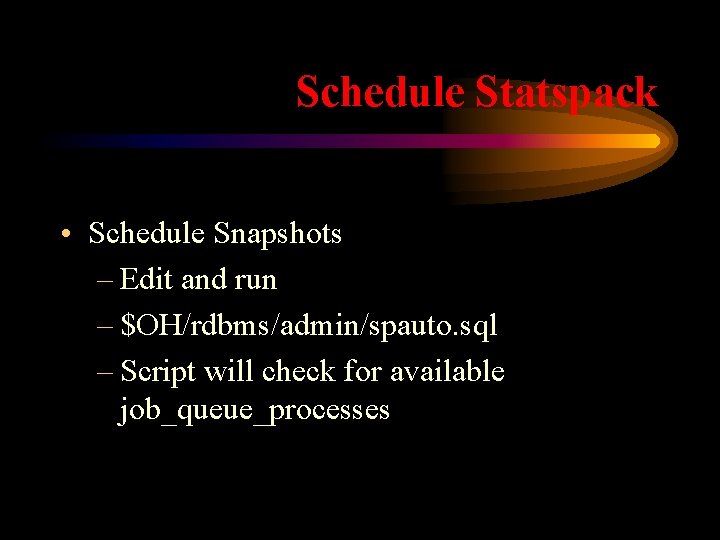
Schedule Statspack • Schedule Snapshots – Edit and run – $OH/rdbms/admin/spauto. sql – Script will check for available job_queue_processes
Statspack Level of Detail • Set the Snapshot Level – Level 0: • General Stats • Wait, lock and latch Stats – Level 5: • Includes High Resource SQL – Level 10: • Detailed / Segment level Stats
Manual Snapshots • Taking Manual Snapshots – Log in as Perfstat – Exec statspack. snap;
Uninstall Statspack • To completely remove Statspack – $OH/rdbms/admin/spdrop. sql
Statspack Report • To generate a Statspack Report – Edit and run – $OH/rdbms/admin/spreport. sql • Beginning ID • Ending ID (no restarts allowed) • Output file name
Statspack Identifying and Correcting Performance Problems Tuning
What Can We Tune • CPU • Memory • IO – Disk IO – Network IO
What Should We Tune • Never argue with the data • Go where the data leads you. • Disk IO problems are common enough you can expect to see them.
Preamble • • Database Name Version Information Begin and End Snapshots Cache Sizes
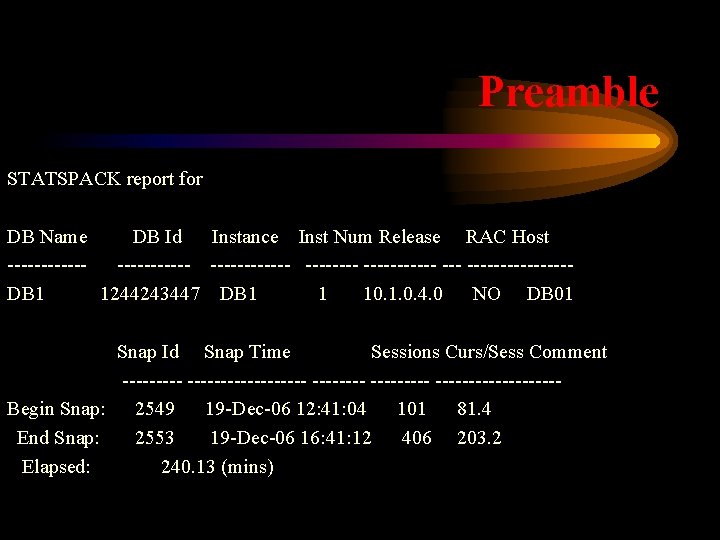
Preamble STATSPACK report for DB Name DB Id Instance Inst Num Release RAC Host ----------- --------DB 1 1244243447 DB 1 1 10. 1. 0. 4. 0 NO DB 01 Snap Id Snap Time Sessions Curs/Sess Comment -------------- ---------Begin Snap: 2549 19 -Dec-06 12: 41: 04 101 81. 4 End Snap: 2553 19 -Dec-06 16: 41: 12 406 203. 2 Elapsed: 240. 13 (mins)
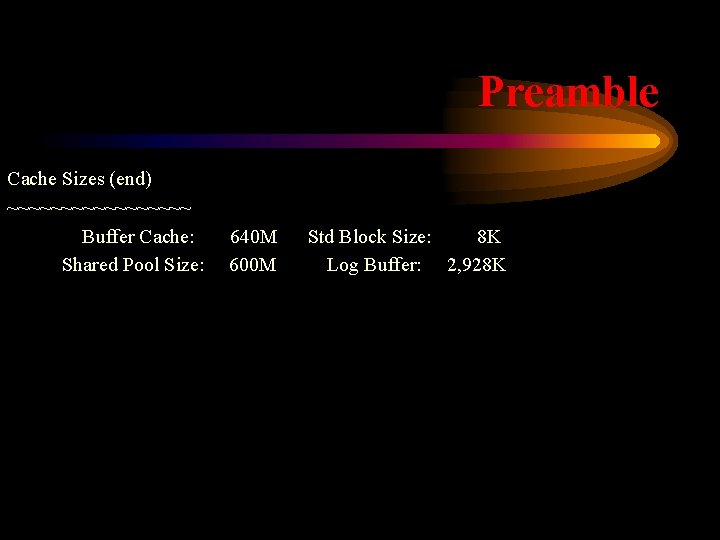
Preamble Cache Sizes (end) ~~~~~~~~~ Buffer Cache: Shared Pool Size: 640 M 600 M Std Block Size: 8 K Log Buffer: 2, 928 K
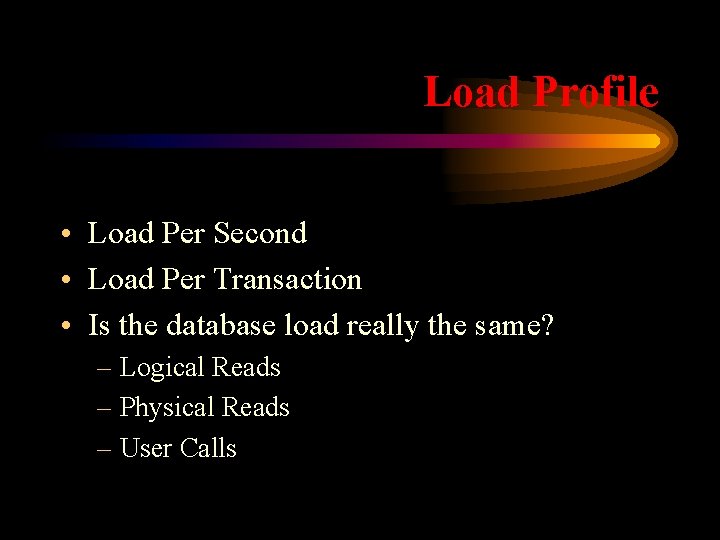
Load Profile • Load Per Second • Load Per Transaction • Is the database load really the same? – Logical Reads – Physical Reads – User Calls
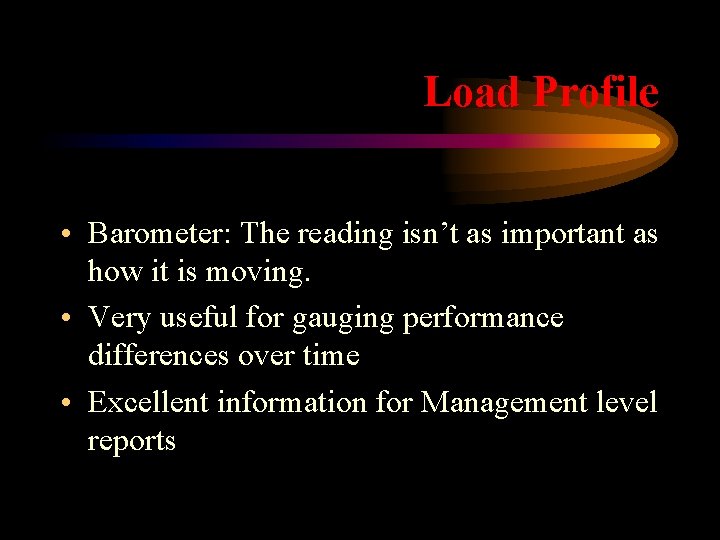
Load Profile • Barometer: The reading isn’t as important as how it is moving. • Very useful for gauging performance differences over time • Excellent information for Management level reports
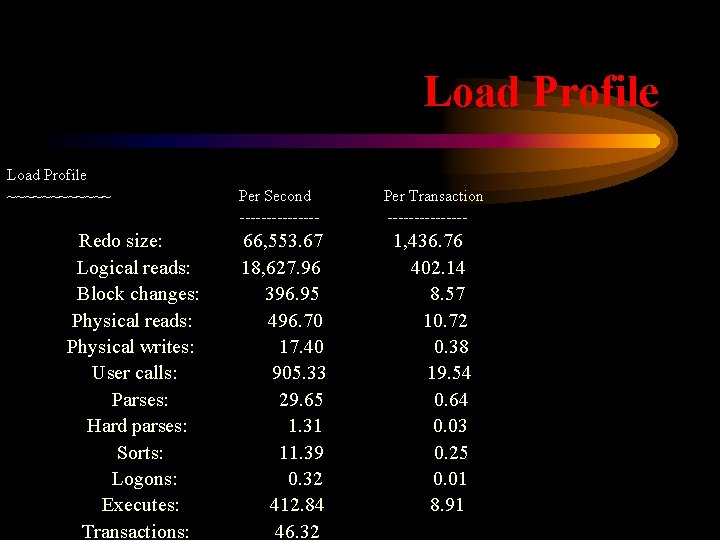
Load Profile ~~~~~~ Redo size: Logical reads: Block changes: Physical reads: Physical writes: User calls: Parses: Hard parses: Sorts: Logons: Executes: Transactions: Per Second -------- 66, 553. 67 18, 627. 96 396. 95 496. 70 17. 40 905. 33 29. 65 1. 31 11. 39 0. 32 412. 84 46. 32 Per Transaction -------- 1, 436. 76 402. 14 8. 57 10. 72 0. 38 19. 54 0. 64 0. 03 0. 25 0. 01 8. 91
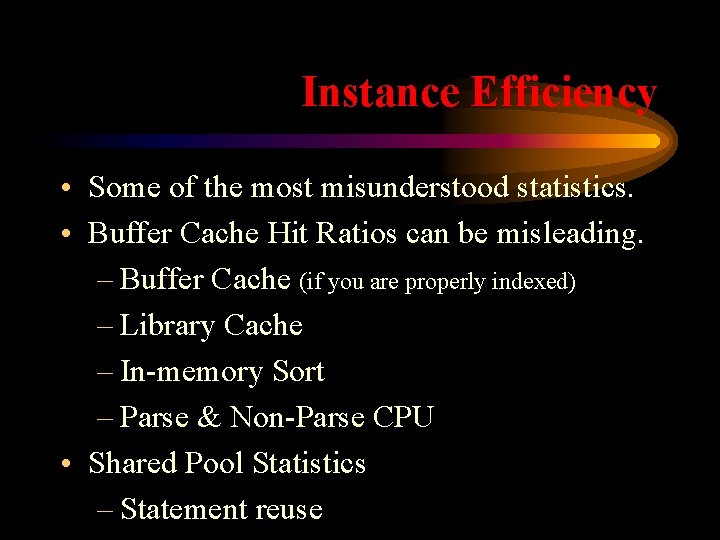
Instance Efficiency • Some of the most misunderstood statistics. • Buffer Cache Hit Ratios can be misleading. – Buffer Cache (if you are properly indexed) – Library Cache – In-memory Sort – Parse & Non-Parse CPU • Shared Pool Statistics – Statement reuse
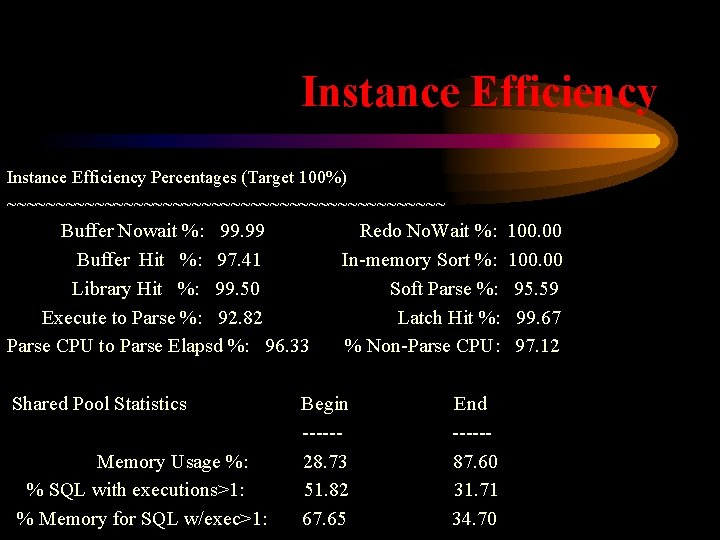
Instance Efficiency Percentages (Target 100%) ~~~~~~~~~~~~~~~~~~~~~~~ Buffer Nowait %: 99. 99 Buffer Hit %: 97. 41 Library Hit %: 99. 50 Execute to Parse %: 92. 82 Parse CPU to Parse Elapsd %: 96. 33 Shared Pool Statistics Memory Usage %: % SQL with executions>1: % Memory for SQL w/exec>1: Redo No. Wait %: In-memory Sort %: Soft Parse %: Latch Hit %: % Non-Parse CPU: Begin -----28. 73 51. 82 67. 65 End -----87. 60 31. 71 34. 70 100. 00 95. 59 99. 67 97. 12
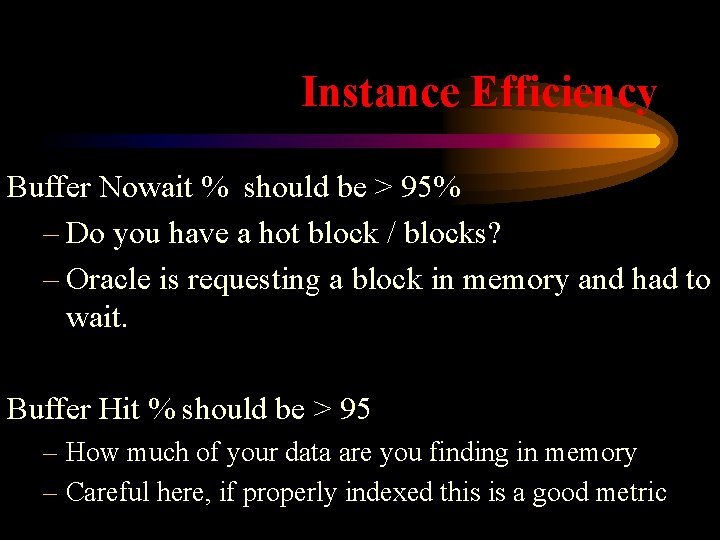
Instance Efficiency Buffer Nowait % should be > 95% – Do you have a hot block / blocks? – Oracle is requesting a block in memory and had to wait. Buffer Hit % should be > 95 – How much of your data are you finding in memory – Careful here, if properly indexed this is a good metric
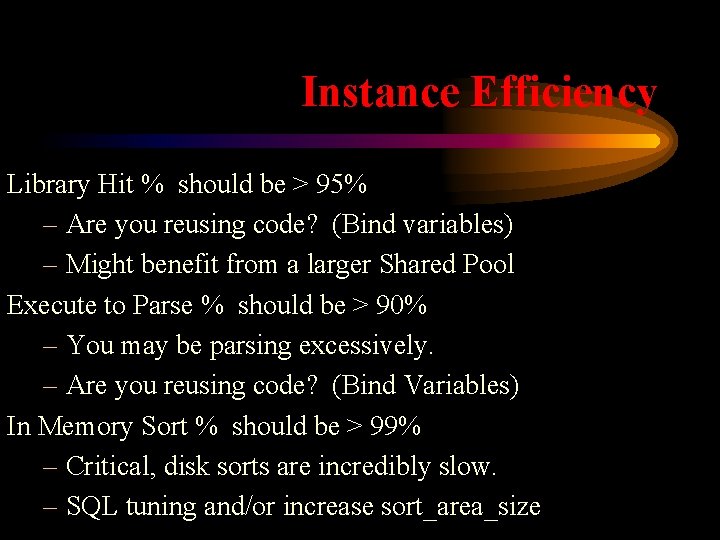
Instance Efficiency Library Hit % should be > 95% – Are you reusing code? (Bind variables) – Might benefit from a larger Shared Pool Execute to Parse % should be > 90% – You may be parsing excessively. – Are you reusing code? (Bind Variables) In Memory Sort % should be > 99% – Critical, disk sorts are incredibly slow. – SQL tuning and/or increase sort_area_size
Where are we Spending Time • Top 5 Timed Events • Where your database is spending its’ time! This is exactly what you want to know. – How much of total is represented • Single most important section
Where are we Spending Time • • • This is where the trail starts Number of waits Time spent waiting (seconds) % of Total “Call Time” – 100% Beware of so-called Idle Events
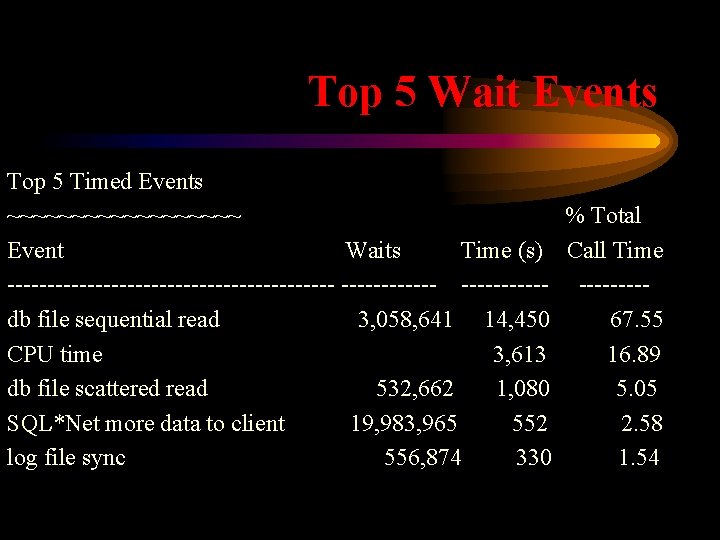
Top 5 Wait Events Top 5 Timed Events ~~~~~~~~~ % Total Event Waits Time (s) Call Time --------------------- ----db file sequential read 3, 058, 641 14, 450 67. 55 CPU time 3, 613 16. 89 db file scattered read 532, 662 1, 080 5. 05 SQL*Net more data to client 19, 983, 965 552 2. 58 log file sync 556, 874 330 1. 54
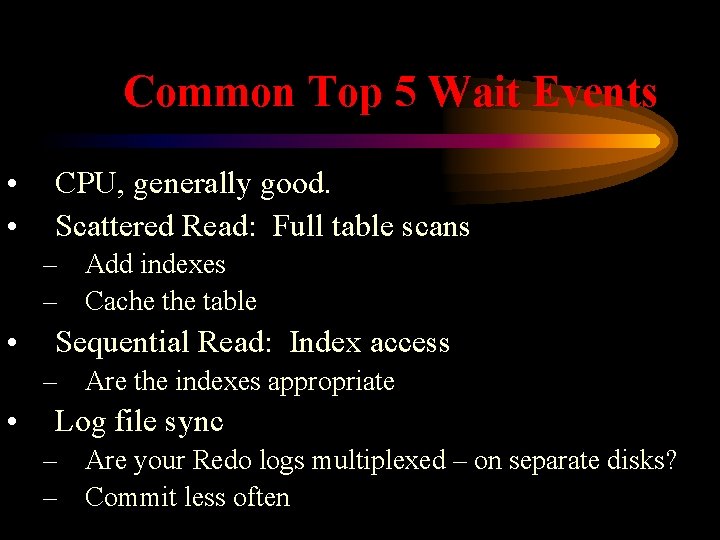
Common Top 5 Wait Events • • CPU, generally good. Scattered Read: Full table scans – Add indexes – Cache table • Sequential Read: Index access – Are the indexes appropriate • Log file sync – Are your Redo logs multiplexed – on separate disks? – Commit less often
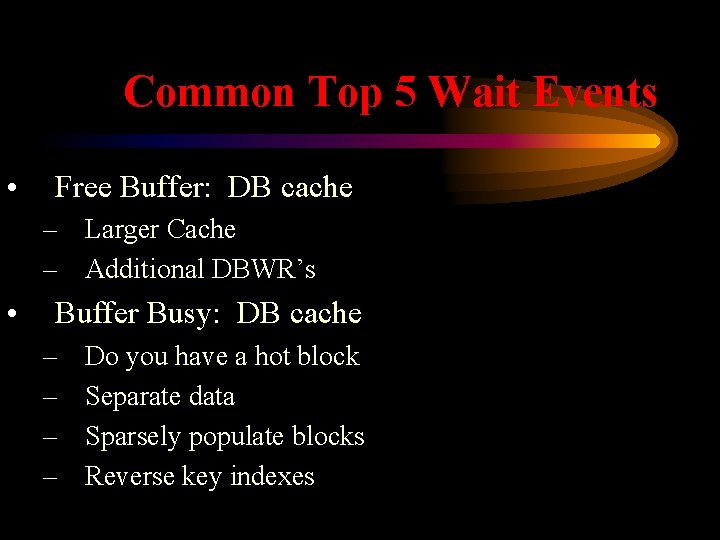
Common Top 5 Wait Events • Free Buffer: DB cache – Larger Cache – Additional DBWR’s • Buffer Busy: DB cache – – Do you have a hot block Separate data Sparsely populate blocks Reverse key indexes
CPU Wait Events • CPU Time – Might be a ‘good’ wait – Are we parsing excessively – Dynamic SGA
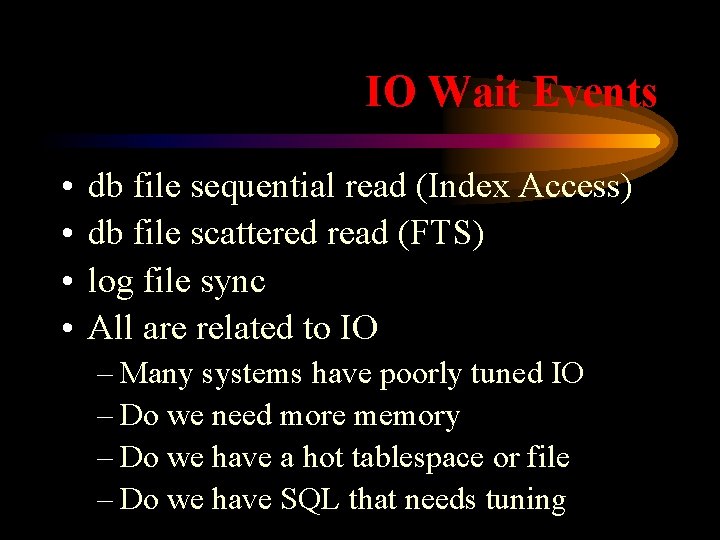
IO Wait Events • • db file sequential read (Index Access) db file scattered read (FTS) log file sync All are related to IO – Many systems have poorly tuned IO – Do we need more memory – Do we have a hot tablespace or file – Do we have SQL that needs tuning
Memory or Disk • Memory and Disk IO is the same thing • Only it isn’t the same – Memory is up to 1, 000 times faster – Memory is RANDOM access – Disk is sequential access
More Memory • How much physical IO are we doing per second? See the Load Profile. • Can your IO subsystem support this load? • Is there Free RAM on the Host? • If so, let’s examine the memory advisors
Memory Advisories • Buffer pool advisor • PGA Memory advisor • Shared Pool advisor
Buffer Pool Advisory • Note all pools (Default and Keep) are listed • Size Factor / Size in MB • Estimated Read Factor • Estimated Physical IO’s
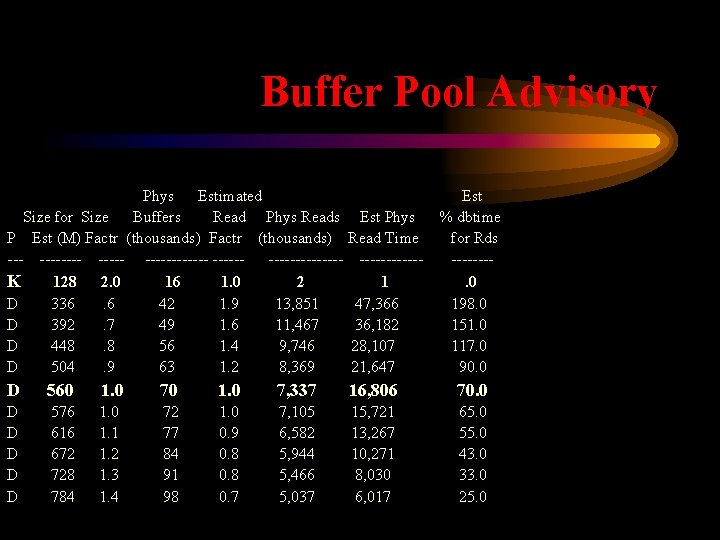
Buffer Pool Advisory Phys Estimated Size for Size Buffers Read Phys Reads P Est (M) Factr (thousands) -------- ---------K 128 2. 0 16 1. 0 2 D 336. 6 42 1. 9 13, 851 D 392. 7 49 1. 6 11, 467 D 448. 8 56 1. 4 9, 746 D 504. 9 63 1. 2 8, 369 Est % dbtime for Rds -------. 0 198. 0 151. 0 117. 0 90. 0 Est Phys Read Time ------1 47, 366 36, 182 28, 107 21, 647 D 560 1. 0 7, 337 16, 806 70. 0 D D D 576 616 672 728 784 1. 0 1. 1 1. 2 1. 3 1. 4 72 77 84 91 98 1. 0 0. 9 0. 8 0. 7 7, 105 6, 582 5, 944 5, 466 5, 037 15, 721 13, 267 10, 271 8, 030 6, 017 65. 0 55. 0 43. 0 33. 0 25. 0
PGA Advisory • Program Global Area • Size Factor / Size in MB • PGA Cache hit Ratio
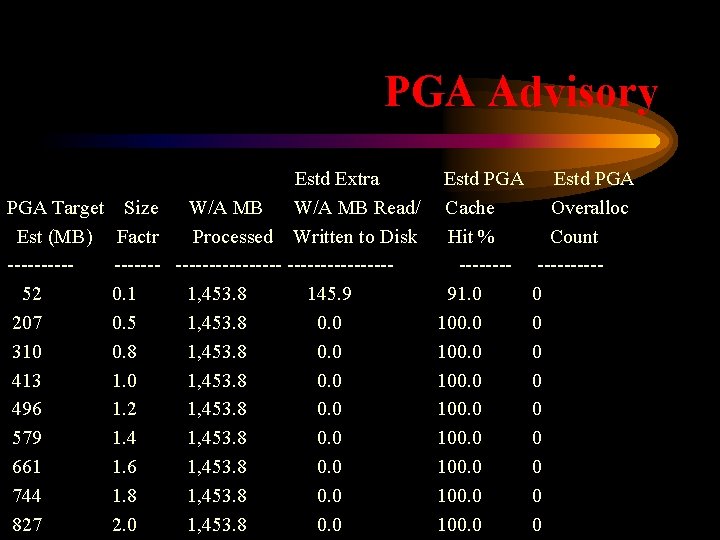
PGA Advisory Estd Extra PGA Target Size W/A MB Read/ Est (MB) Factr Processed Written to Disk ----------------52 0. 1 1, 453. 8 145. 9 207 0. 5 1, 453. 8 0. 0 310 0. 8 1, 453. 8 0. 0 413 1. 0 1, 453. 8 0. 0 496 1. 2 1, 453. 8 0. 0 579 1. 4 1, 453. 8 0. 0 661 1. 6 1, 453. 8 0. 0 744 1. 8 1, 453. 8 0. 0 827 2. 0 1, 453. 8 0. 0 Estd PGA Cache Hit % -------91. 0 100. 0 Estd PGA Overalloc Count -----0 0 0 0 0
Shared Pool Advisor • Size Factor / Size in MB • Library Cache memory objects
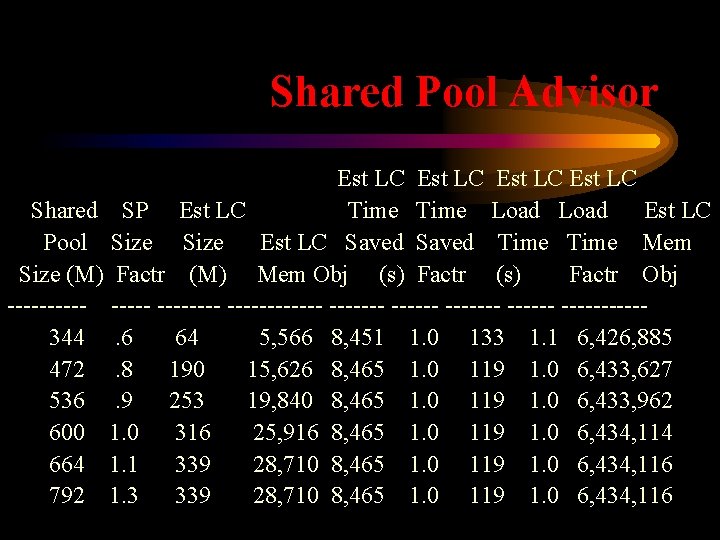
Shared Pool Advisor Est LC Shared SP Est LC Time Load Est LC Pool Size Est LC Saved Time Mem Size (M) Factr (M) Mem Obj (s) Factr Obj -------- ------- ------344. 6 64 5, 566 8, 451 1. 0 133 1. 1 6, 426, 885 472. 8 190 15, 626 8, 465 1. 0 119 1. 0 6, 433, 627 536. 9 253 19, 840 8, 465 1. 0 119 1. 0 6, 433, 962 600 1. 0 316 25, 916 8, 465 1. 0 119 1. 0 6, 434, 114 664 1. 1 339 28, 710 8, 465 1. 0 119 1. 0 6, 434, 116 792 1. 3 339 28, 710 8, 465 1. 0 119 1. 0 6, 434, 116
Should You Add Memory • If you need it and have it – yes! – Oracle manages db memory better. • Do you have spare Memory on the Host? • Don’t allocate memory to Oracle and cause paging. • If not, can you add memory to the Host?
Disk IO • Tablespace and File IO Stats • File IO Histogram – Very useful – Most IO should be 0 – 4 ms – Some IO should be 4 – 8 ms – Significantly less 8 – 16 ms – Almost none > 16 ms
Disk IO • Do you have a hot Tablespace? • Do you have a hot Segment? – Can you spread it across multiple mount points? – Can you cache it? – Can you sparsely populate the blocks using a high pctfree? – If it is an index, will a reverse key help? • Useful to spread out data fed by sequences
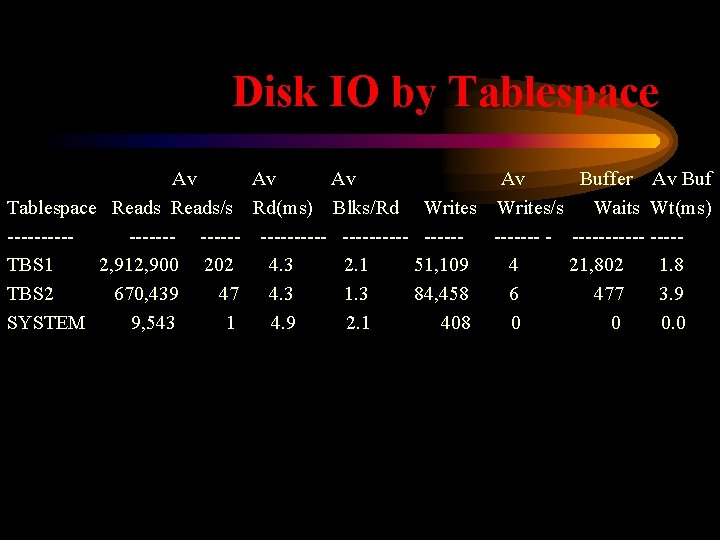
Disk IO by Tablespace Av Av Buffer Av Buf Tablespace Reads/s Rd(ms) Blks/Rd Writes/s Waits Wt(ms) ---------- ------------ ----TBS 1 2, 912, 900 202 4. 3 2. 1 51, 109 4 21, 802 1. 8 TBS 2 670, 439 47 4. 3 1. 3 84, 458 6 477 3. 9 SYSTEM 9, 543 1 4. 9 2. 1 408 0 0 0. 0
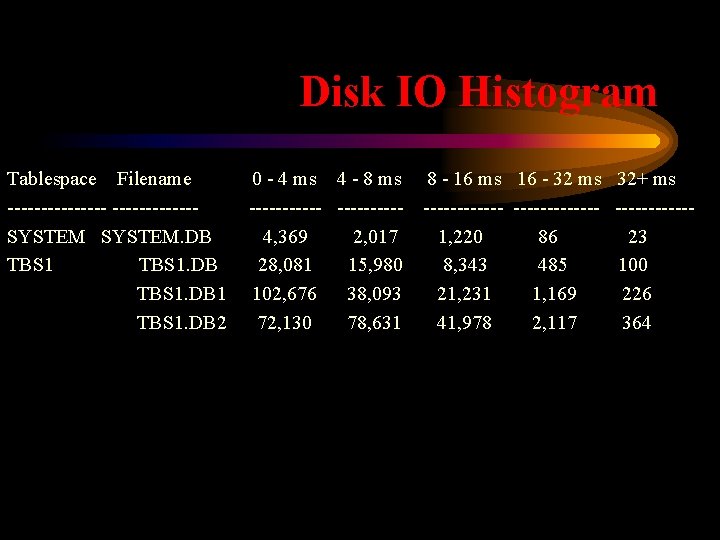
Disk IO Histogram Tablespace Filename --------SYSTEM. DB TBS 1. DB 1 TBS 1. DB 2 0 - 4 ms 4 - 8 ms ------4, 369 2, 017 28, 081 15, 980 102, 676 38, 093 72, 130 78, 631 8 - 16 ms 16 - 32 ms 32+ ms -------------1, 220 86 23 8, 343 485 100 21, 231 1, 169 226 41, 978 2, 117 364
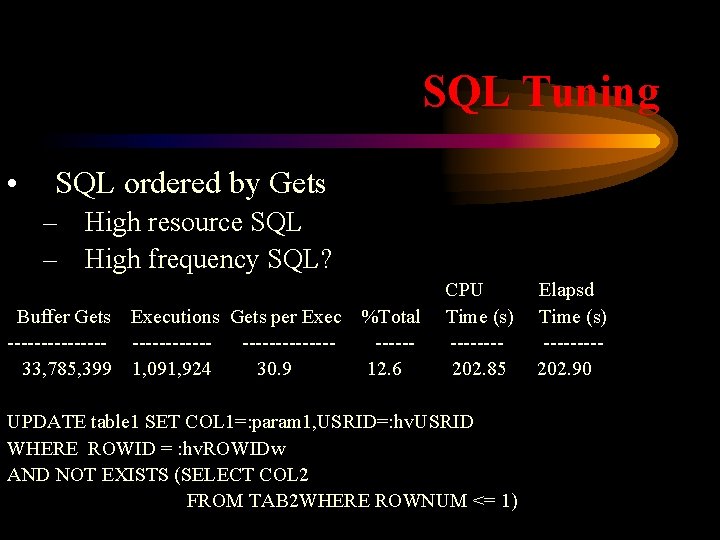
SQL Tuning • SQL ordered by Gets – High resource SQL – High frequency SQL? Buffer Gets Executions Gets per Exec --------------------33, 785, 399 1, 091, 924 30. 9 %Total -----12. 6 CPU Time (s) -------202. 85 UPDATE table 1 SET COL 1=: param 1, USRID=: hv. USRID WHERE ROWID = : hv. ROWIDw AND NOT EXISTS (SELECT COL 2 FROM TAB 2 WHERE ROWNUM <= 1) Elapsd Time (s) ----202. 90
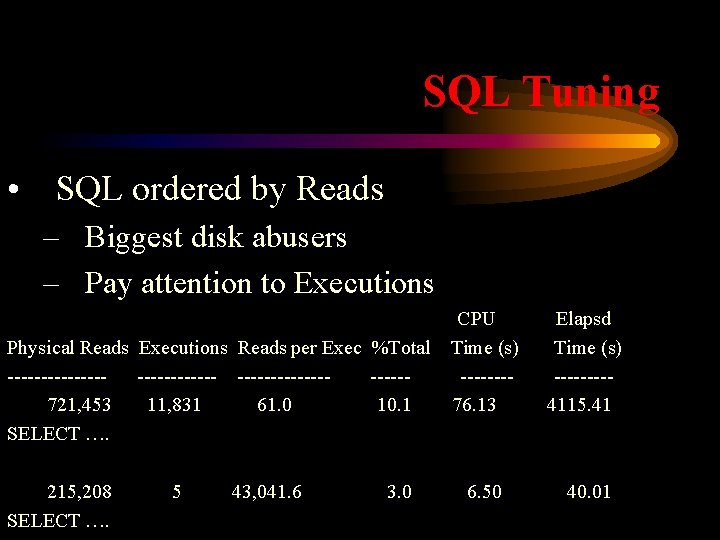
SQL Tuning • SQL ordered by Reads – Biggest disk abusers – Pay attention to Executions Physical Reads Executions Reads per Exec %Total -------------721, 453 11, 831 61. 0 10. 1 SELECT …. 215, 208 SELECT …. 5 43, 041. 6 3. 0 CPU Time (s) -------76. 13 Elapsd Time (s) ----4115. 41 6. 50 40. 01
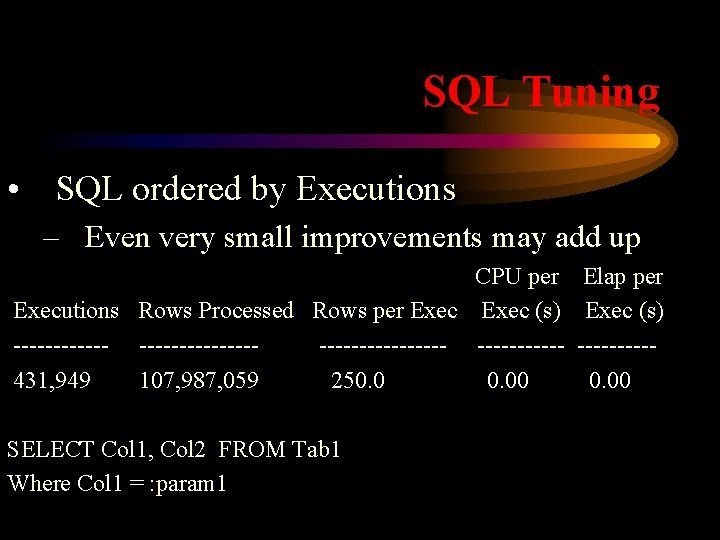
SQL Tuning • SQL ordered by Executions – Even very small improvements may add up CPU per Elap per Executions Rows Processed Rows per Exec (s) --------------------- -----431, 949 107, 987, 059 250. 00 SELECT Col 1, Col 2 FROM Tab 1 Where Col 1 = : param 1
Summary • Statspack – What is it good for? – Installation – Configuration • Tuning – Host tuning • Components we can tune • Let Statspack lead the way – SQL tuning
This Presentation • This document is not for commercial re-use or distribution without the consent of the author • Neither Remote Control DBA, nor the author guarantee this document to be error free • Submit questions/corrections/comments to the author: – Robert Webb, RBWebb@Remote. Control. DBA. com

Wrap Up • Final Q&A • Contact Me – 804 -901 -3992 – RBWebb@Remote. Control. DBA. com
- Slides: 52