
Statistics What are they and How do I

- Slides: 29
Statistics: What are they and How do I use them Dave Bland daveb 8782@gmail. com @SQLDave 29 https: //www. virtual-dba. com/sql-server-statistics/
Thank you to our Sponsors
About Me • 14 years DBA Experience • 10 Years ApplicationBI development • 18 years of teaching SQL Server • 5 years SQL Server Instructor at Harper College, Palatine, IL • Currently supervises the Shared Services DBA team for Stericycle • Frequent Presenter at SQL Saturday event throughout the Midwest
Certifications
Agenda • What are Statistics • How are they created • How does the SQL Server use them • Get information about statistics • Statistics at Work
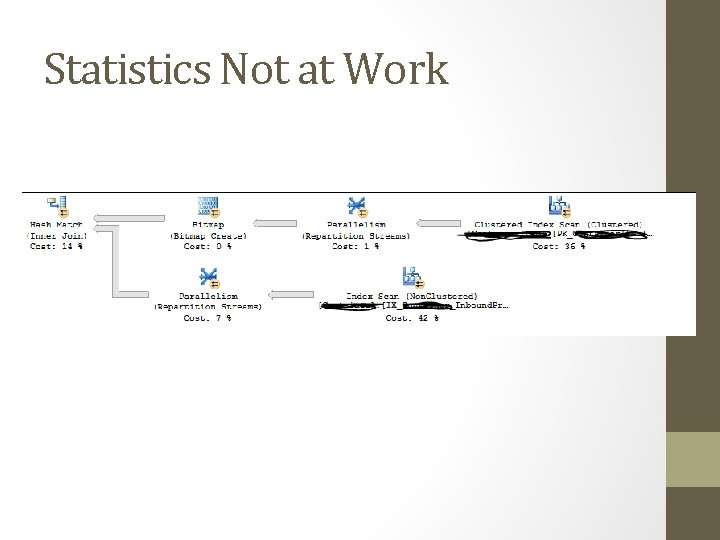
Statistics Not at Work
What are Statistics • Also known as Distribution Statistics • Cardinality • Refers to the uniqueness data values contained in a particular column • Used by the Query Optimizer • Is a Cost based optimizer You don't need to know about them to execute queries, but the better you understand them, the better you can optimize your queries and sort out performance problems --Robert Sheldon, Redgate Web site
Factors for Cost Based Optimization • Availability of indexes • Availability of Statistics • CPU Costs • I/O Costs • Cost of the Plan is a sum of the above • If statistics are missing, could pick a suboptimal plan
Statistics Basics • Statistics Objects are BLOB objects • Hold Cardinality Estimates • SQL Server 2014 and 2016 include rewritten Cardinality Estimator logic • Query Optimizer could use cardinality estimates to choose the index seek operator instead of the more resource-intensive index scan operator • Types • Single Column • Multi-Column • Filtered Statistics
Why are Statistics Important • Can help improve performance • Unless: • • Out-of-Date statistics Missing Statistics Functions in Predicates Table variables
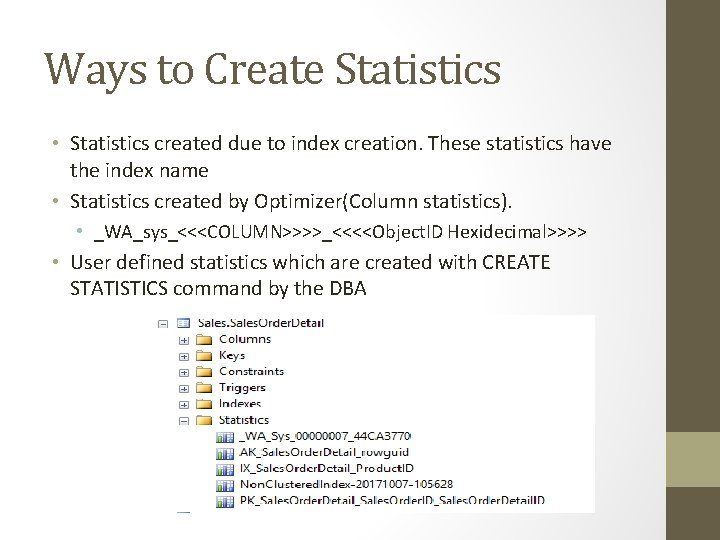
Ways to Create Statistics • Statistics created due to index creation. These statistics have the index name • Statistics created by Optimizer(Column statistics). • _WA_sys_<<<COLUMN>>>>_<<<<Object. ID Hexidecimal>>>> • User defined statistics which are created with CREATE STATISTICS command by the DBA
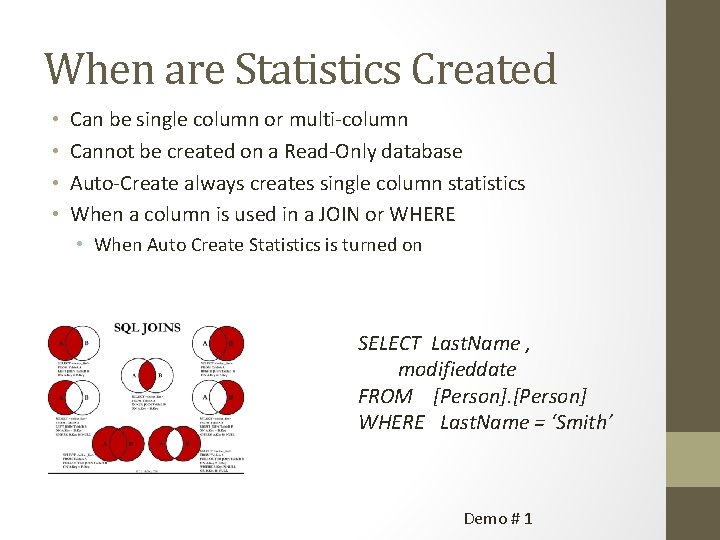
When are Statistics Created • • Can be single column or multi-column Cannot be created on a Read-Only database Auto-Create always creates single column statistics When a column is used in a JOIN or WHERE • When Auto Create Statistics is turned on SELECT Last. Name , modifieddate FROM [Person] WHERE Last. Name = ‘Smith’ Demo # 1
Drop Statistics • Be careful when you drop statistics. Doing so may affect the execution plan chosen by the query optimizer. • Statistics on indexes cannot be dropped by using DROP STATISTICS. Statistics remain as long as the index exists. • Requires Alter Table rights
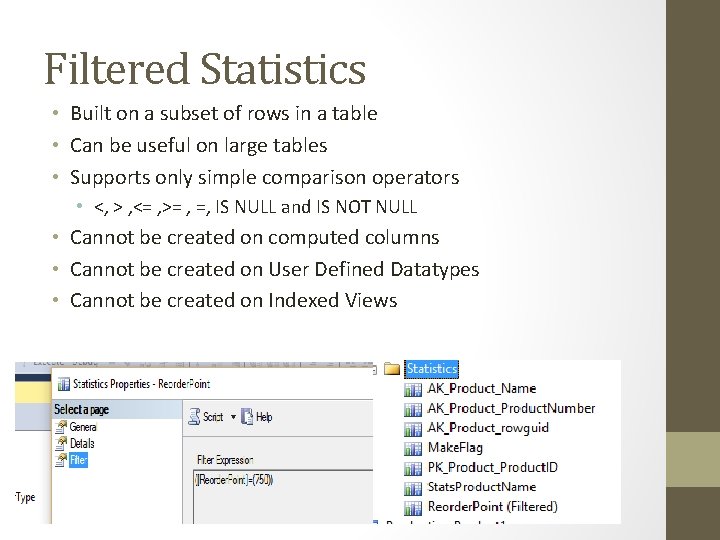
Filtered Statistics • Built on a subset of rows in a table • Can be useful on large tables • Supports only simple comparison operators • <, > , <= , >= , =, IS NULL and IS NOT NULL • Cannot be created on computed columns • Cannot be created on User Defined Datatypes • Cannot be created on Indexed Views
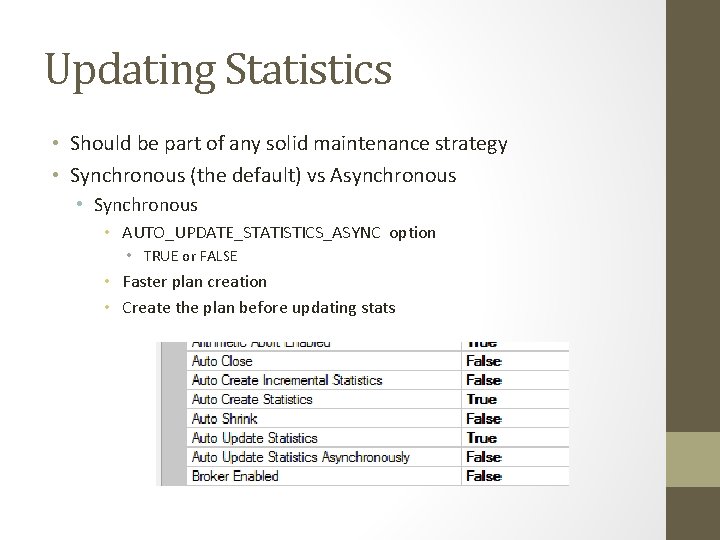
Updating Statistics • Should be part of any solid maintenance strategy • Synchronous (the default) vs Asynchronous • Synchronous • AUTO_UPDATE_STATISTICS_ASYNC option • TRUE or FALSE • Faster plan creation • Create the plan before updating stats
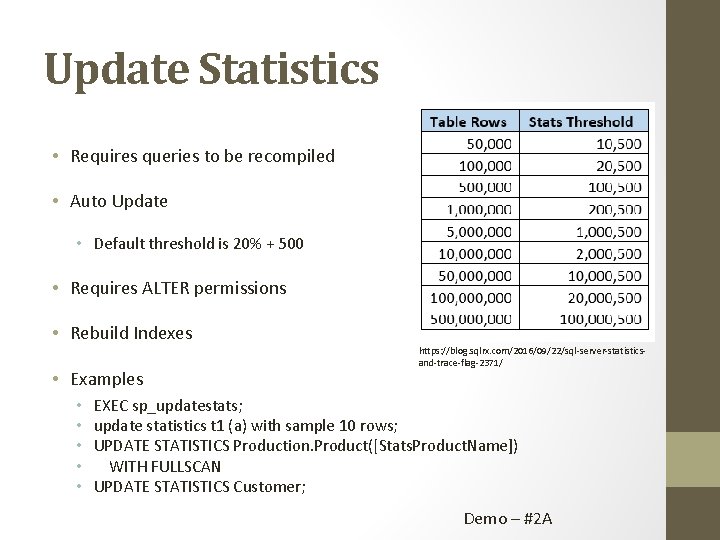
Update Statistics • Requires queries to be recompiled • Auto Update • Default threshold is 20% + 500 • Requires ALTER permissions • Rebuild Indexes • Examples • • • https: //blog. sqlrx. com/2016/09/22/sql-server-statisticsand-trace-flag-2371/ EXEC sp_updatestats; update statistics t 1 (a) with sample 10 rows; UPDATE STATISTICS Production. Product([Stats. Product. Name]) WITH FULLSCAN UPDATE STATISTICS Customer; Demo – #2 A
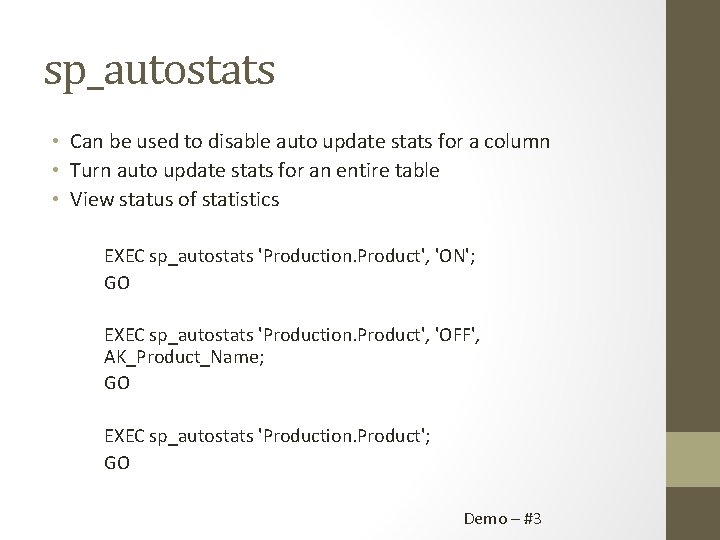
sp_autostats • Can be used to disable auto update stats for a column • Turn auto update stats for an entire table • View status of statistics EXEC sp_autostats 'Production. Product', 'ON'; GO EXEC sp_autostats 'Production. Product', 'OFF', AK_Product_Name; GO EXEC sp_autostats 'Production. Product'; GO Demo – #3
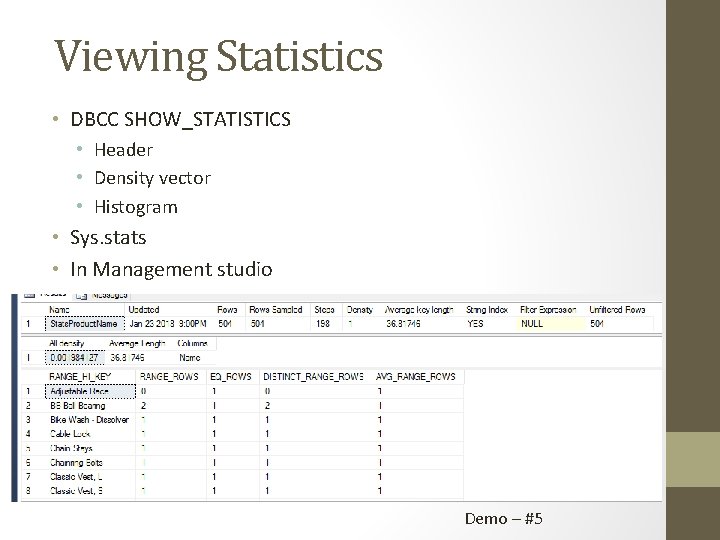
Viewing Statistics • DBCC SHOW_STATISTICS • Header • Density vector • Histogram • Sys. stats • In Management studio Demo – #5
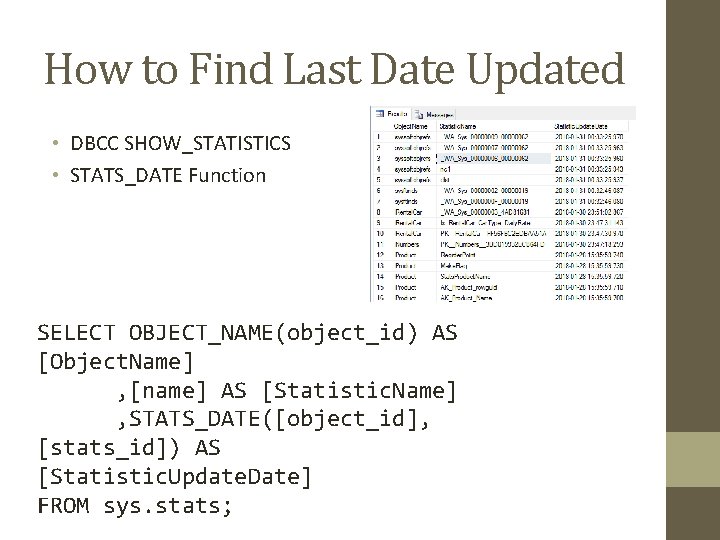
How to Find Last Date Updated • DBCC SHOW_STATISTICS • STATS_DATE Function SELECT OBJECT_NAME(object_id) AS [Object. Name] , [name] AS [Statistic. Name] , STATS_DATE([object_id], [stats_id]) AS [Statistic. Update. Date] FROM sys. stats;
Related Trace Flags • 2371 • • Started with SQL Server 2008 R 2 SQL Server 2014 or older off by default SQL Server 2016 on by default Can be used to lower the threshold • 2453 • Started with SQL Server 2012 SP 2 • Can speed up when using table variables • Can also use: OPTION(RECOMPILE)
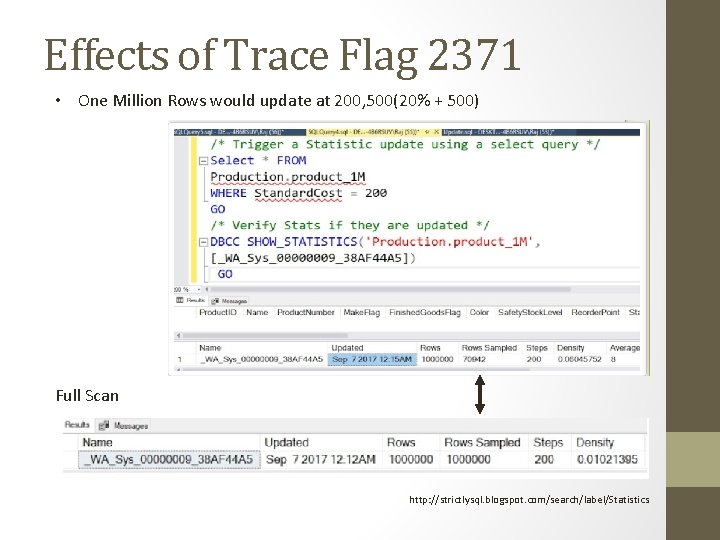
Effects of Trace Flag 2371 • One Million Rows would update at 200, 500(20% + 500) Full Scan http: //strictlysql. blogspot. com/search/label/Statistics
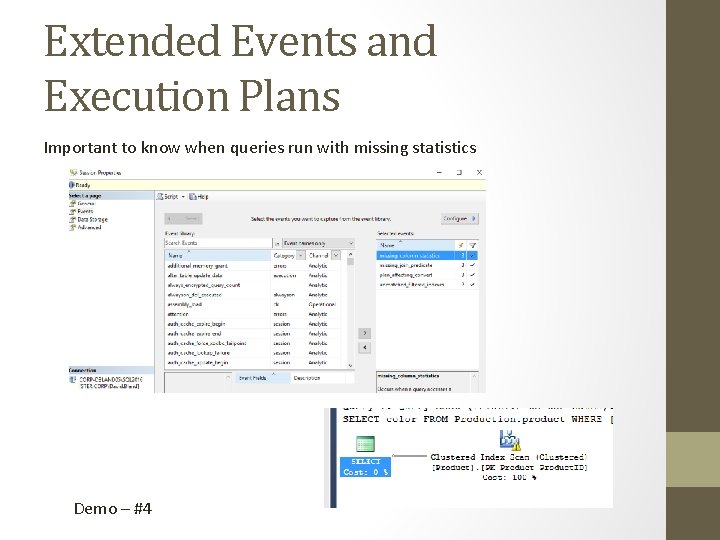
Extended Events and Execution Plans Important to know when queries run with missing statistics Demo – #4
Single Column vs Multi-Column • Cardinality estimates become more difficult when there is more than one predicate • SQL Server will not automatically create multi-column statistics • For Multi-Column, Histograms are only created on the first column • Once created, if Auto Update Statistics is turn on – SQL Server will keep them updated Demo – Multi Column
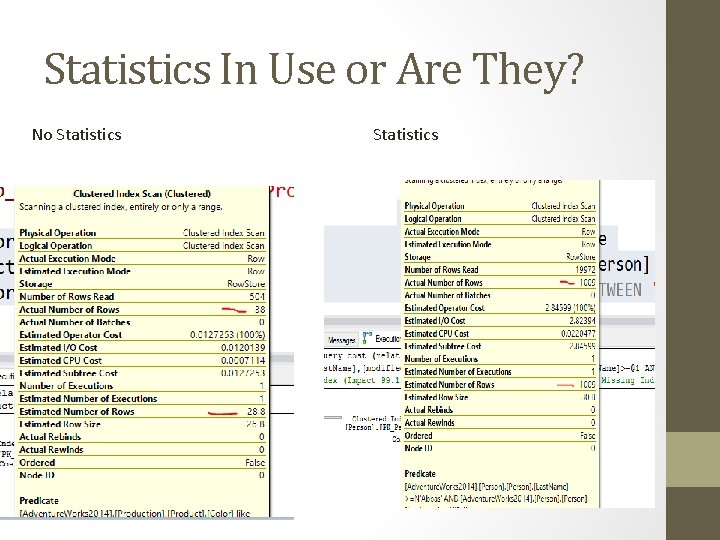
How do we know statistics are being used? • One good check you can do is when you generate execution plans for your queries: Check out your “Actual Number of Rows” and “Estimated Number of Rows”. • If these numbers are (consistently) fairly close, then most likely your statistics are up-to-date and used by the optimizer for the query. If not, time for you to re-check your statistics create/update frequency. • Index scans on indexes that are not fragmented and the statistics are up to date See Next Slide
Statistics In Use or Are They? No Statistics
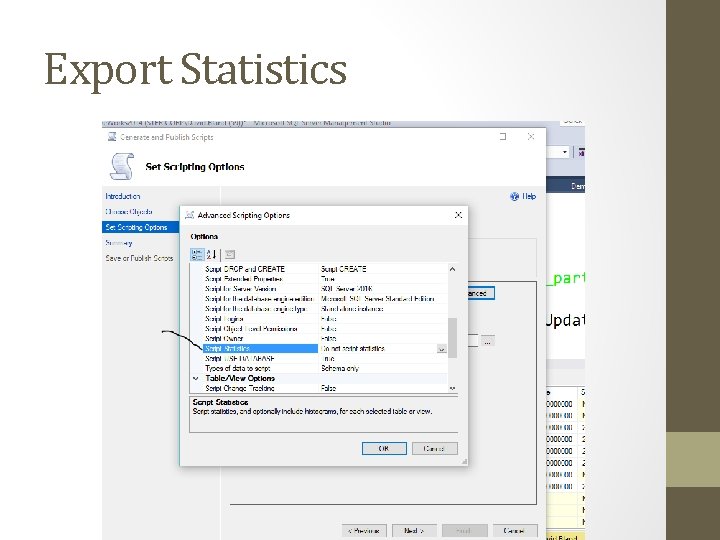
Export Statistics
Best Practices • • • Create appropriate indexes Review Indexes from time to time Be Lazy!!!!! Keep statistics up to date Use a computed column or a temporary table • To replace a table variable Consider using OPTION(RECOMPILE) • Forces the actual row count of the table variable Consider enabling Trace Flag 2453 if using table variables Review to see if Trace Flag 2371 might help, Off be default on pre 2016 servers Consider using a combination of automatically updated Statistics and manually updated Statistics Review execution plans of poor performing queries Implement an Extended Events session to find missing statistics
Resources • http: //assets. red-gate. com/community/books/sql -server-statistics. pdf • https: //www. red-gate. com/simpletalk/sql/performance/sql-server-statisticsquestions-we-were-too-shy-to-ask/#1 • https: //www. red-gate. com/simpletalk/sql/performance/sql-server-statisticsproblems-and-solutions/ • https: //www. virtual-dba. com/sql-serverstatistics/ • http: //www. sqldoubleg. com/2016/09/30/multicolumn-statistics-are-back-in-sql-server-2016/
Thank You!!!!