
Statistical Learning Introduction to Weka Michel Galley Artificial
![Important command-line parameters > java -cp ~galley/weka. jar weka. classifiers. <classifier_name> [classifier_options] [options] where](https://slidetodoc.com/presentation_image_h2/47f2d1f5c7d240c1d6be0aa1ad68cbde/image-36.jpg "Important command-line parameters > java -cp ~galley/weka. jar weka. classifiers. <classifier_name> [classifier_options] [options] where")
- Slides: 36
Statistical Learning Introduction to Weka Michel Galley Artificial Intelligence class November 2, 2006 1
Machine Learning with Weka • Comprehensive set of tools: Pre-processing and data analysis – Learning algorithms (for classification, clustering, etc. ) – Evaluation metrics – • Three modes of operation: GUI – command-line (not discussed today) – Java API (not discussed today) – 2
Weka Resources • Web page http: //www. cs. waikato. ac. nz/ml/weka/ – Extensive documentation (tutorials, trouble-shooting guide, wiki, etc. ) – • At Columbia Installed locally at: ~mg 2016/weka (CUNIX network) ~galley/weka (CS network) – Downloads for Windows or UNIX: http: //www 1. cs. columbia. edu/~galley/weka/downloads – 3
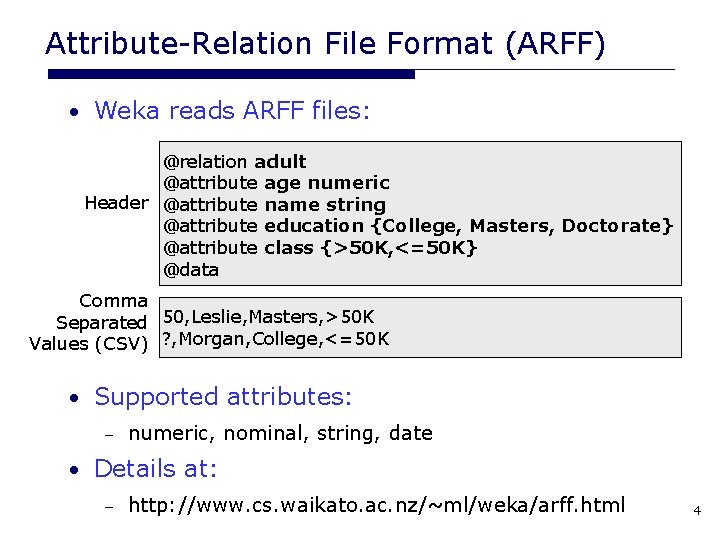
Attribute-Relation File Format (ARFF) • Weka reads ARFF files: @relation adult @attribute age numeric Header @attribute name string @attribute education {College, Masters, Doctorate} @attribute class {>50 K, <=50 K} @data Comma Separated 50, Leslie, Masters, >50 K Values (CSV) ? , Morgan, College, <=50 K • Supported attributes: – numeric, nominal, string, date • Details at: – http: //www. cs. waikato. ac. nz/~ml/weka/arff. html 4
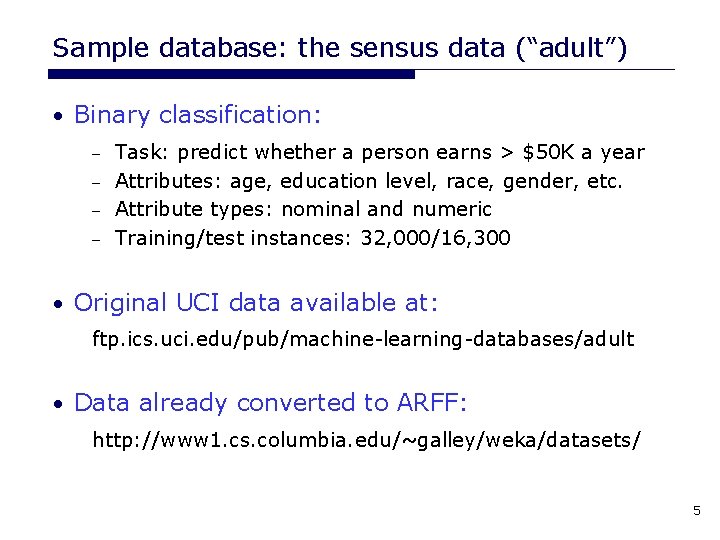
Sample database: the sensus data (“adult”) • Binary classification: Task: predict whether a person earns > $50 K a year – Attributes: age, education level, race, gender, etc. – Attribute types: nominal and numeric – Training/test instances: 32, 000/16, 300 – • Original UCI data available at: ftp. ics. uci. edu/pub/machine-learning-databases/adult • Data already converted to ARFF: http: //www 1. cs. columbia. edu/~galley/weka/datasets/ 5
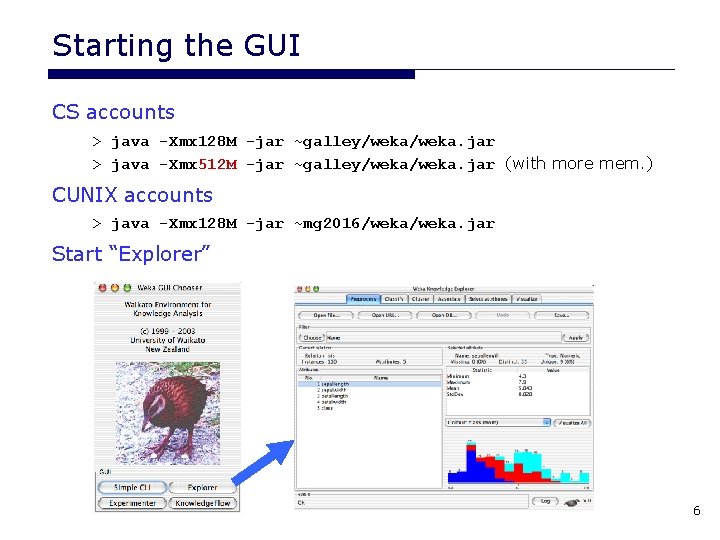
Starting the GUI CS accounts > java -Xmx 128 M -jar ~galley/weka. jar > java -Xmx 512 M -jar ~galley/weka. jar (with more mem. ) CUNIX accounts > java -Xmx 128 M -jar ~mg 2016/weka. jar Start “Explorer” 6
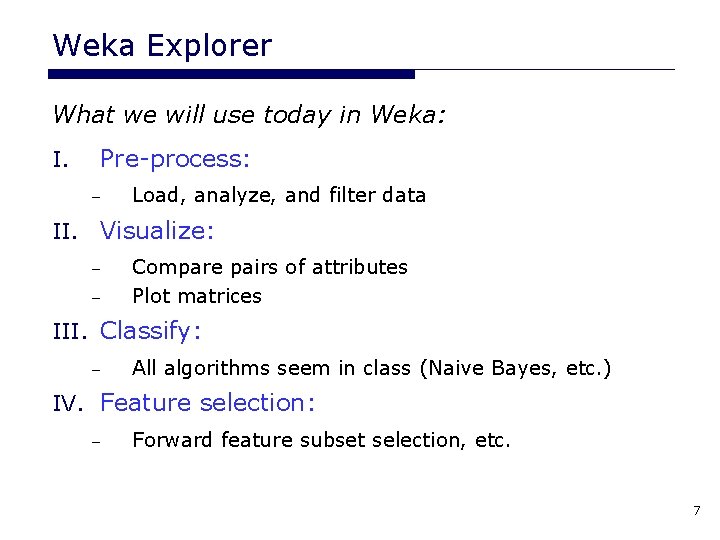
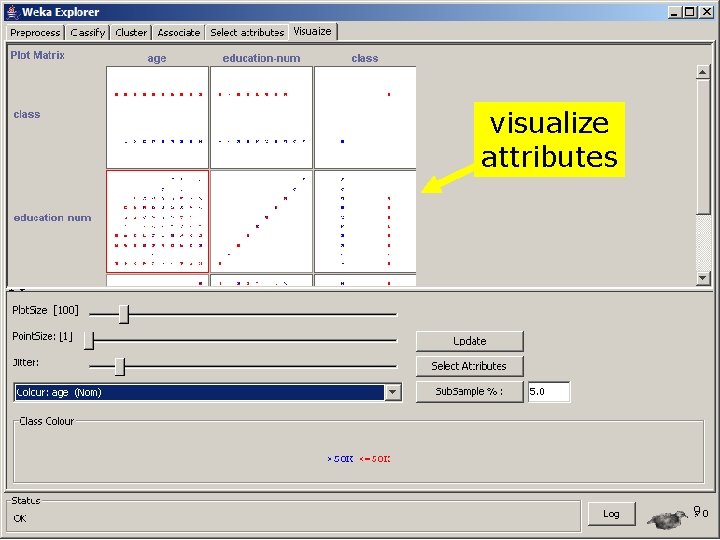
Weka Explorer What we will use today in Weka: I. Pre-process: – Load, analyze, and filter data II. Visualize: – – Compare pairs of attributes Plot matrices III. Classify: – All algorithms seem in class (Naive Bayes, etc. ) IV. Feature selection: – Forward feature subset selection, etc. 7
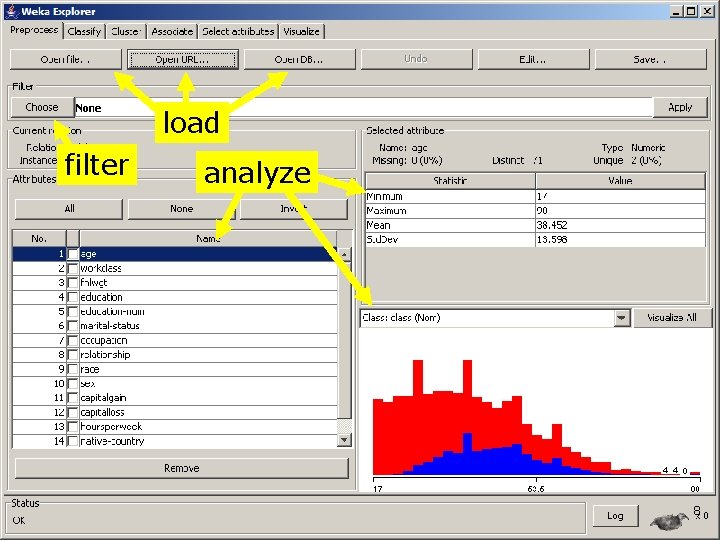
load filter analyze 8
visualize attributes 9
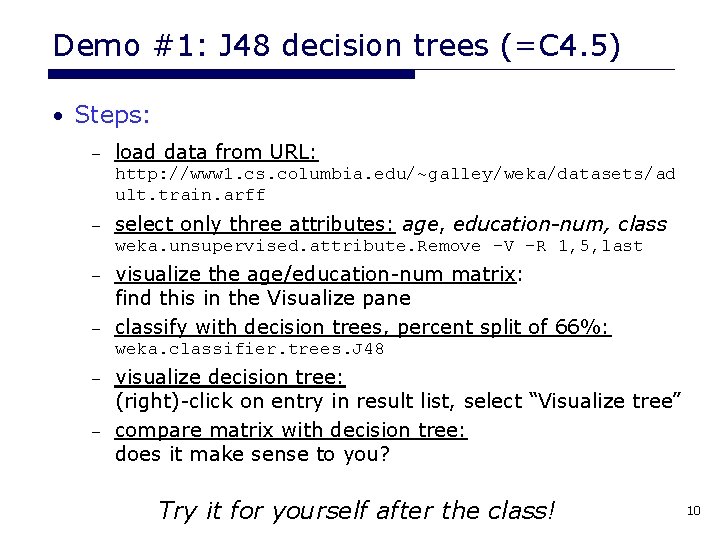
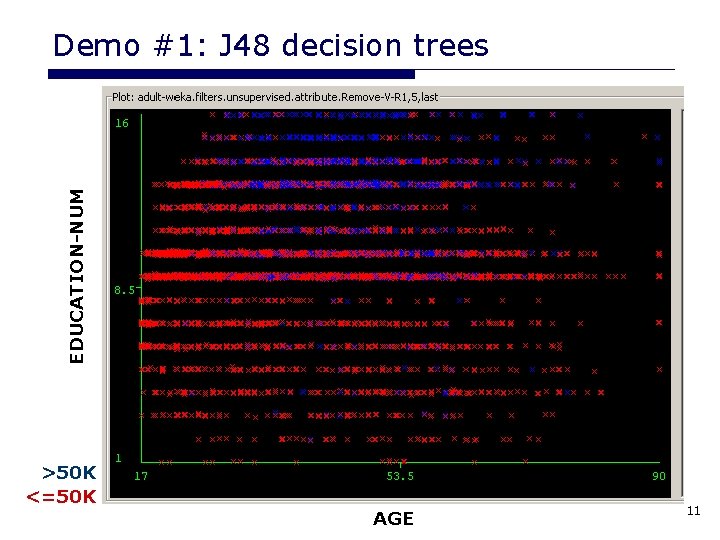
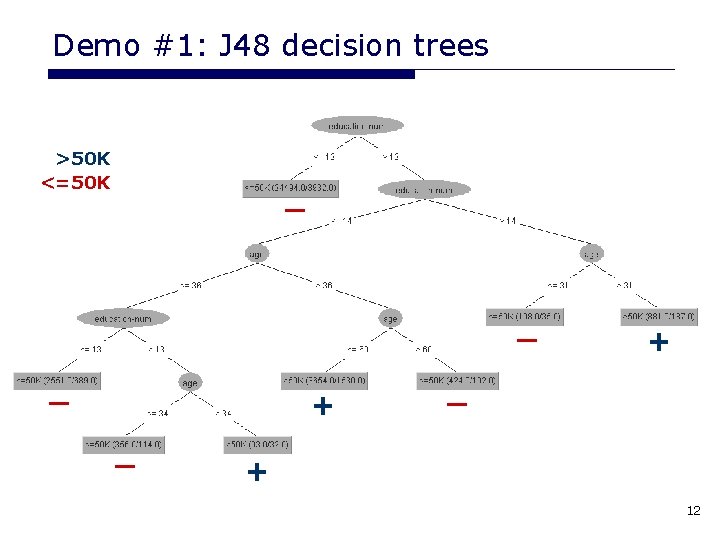
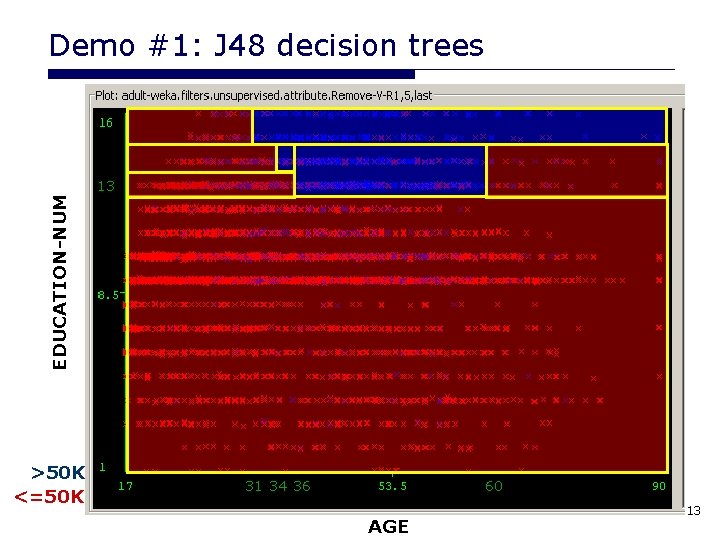
Demo #1: J 48 decision trees (=C 4. 5) • Steps: – load data from URL: http: //www 1. cs. columbia. edu/~galley/weka/datasets/ad ult. train. arff – select only three attributes: age, education-num, class weka. unsupervised. attribute. Remove –V –R 1, 5, last visualize the age/education-num matrix: find this in the Visualize pane – classify with decision trees, percent split of 66%: – weka. classifier. trees. J 48 visualize decision tree: (right)-click on entry in result list, select “Visualize tree” – compare matrix with decision tree: does it make sense to you? – Try it for yourself after the class! 10
EDUCATION-NUM Demo #1: J 48 decision trees >50 K <=50 K AGE 11
Demo #1: J 48 decision trees >50 K <=50 K _ _ _ + _ + 12
EDUCATION-NUM Demo #1: J 48 decision trees >50 K <=50 K 13 31 34 36 60 AGE 13
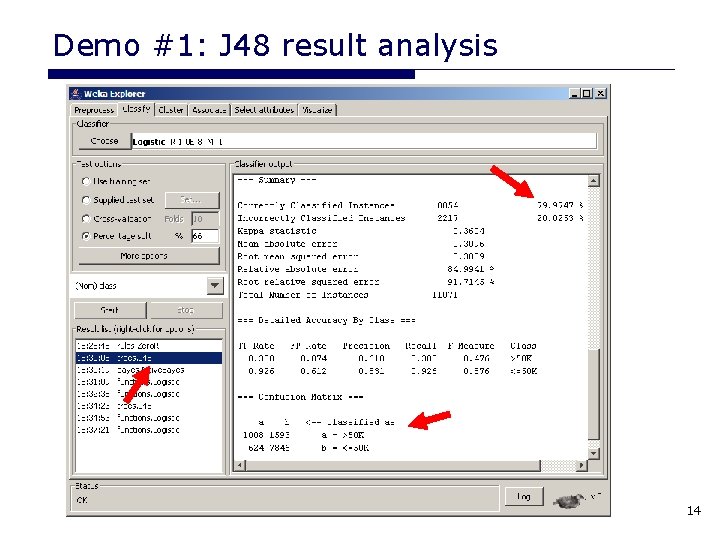
Demo #1: J 48 result analysis 14
Comparing classifiers • Classifiers allowed in assignment: decision trees (seen) – naive Bayes (seen) – linear classifiers (next week) – • Repeating many experiments in Weka: Previous experiment easy to reproduce with other classifiers and parameters (e. g. , inside “Weka Experimenter”) – Less time coding and experimenting means you have more time for analyzing intrinsic differences between classifiers. – 15
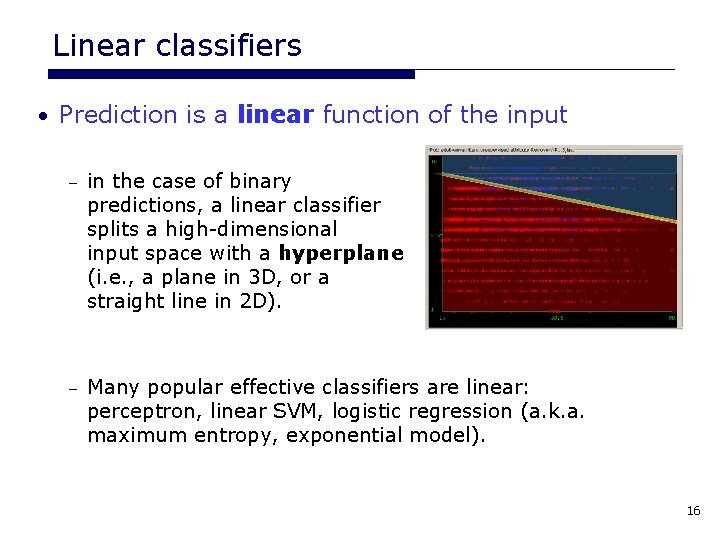
Linear classifiers • Prediction is a linear function of the input – in the case of binary predictions, a linear classifier splits a high-dimensional input space with a hyperplane (i. e. , a plane in 3 D, or a straight line in 2 D). – Many popular effective classifiers are linear: perceptron, linear SVM, logistic regression (a. k. a. maximum entropy, exponential model). 16
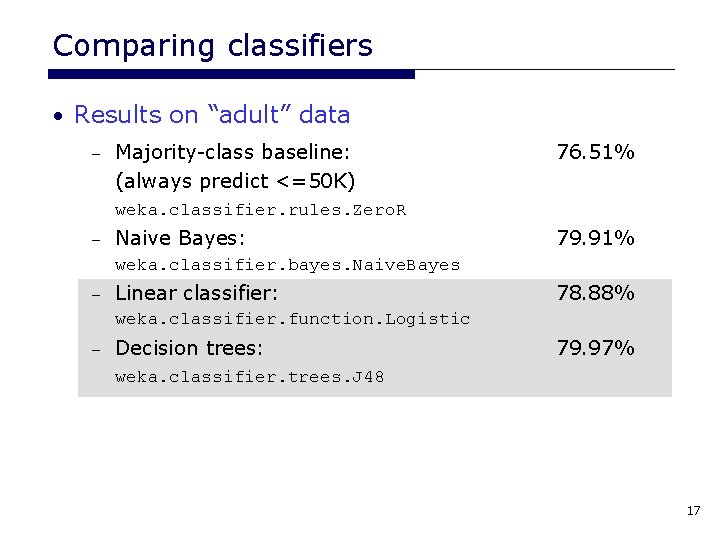
Comparing classifiers • Results on “adult” data – Majority-class baseline: (always predict <=50 K) 76. 51% weka. classifier. rules. Zero. R – Naive Bayes: 79. 91% weka. classifier. bayes. Naive. Bayes – Linear classifier: 78. 88% weka. classifier. function. Logistic – Decision trees: 79. 97% weka. classifier. trees. J 48 17
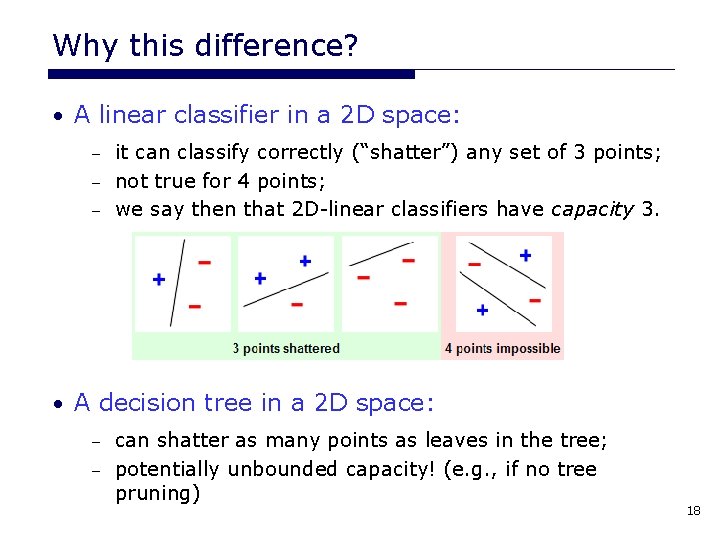
Why this difference? • A linear classifier in a 2 D space: it can classify correctly (“shatter”) any set of 3 points; – not true for 4 points; – we say then that 2 D-linear classifiers have capacity 3. – • A decision tree in a 2 D space: can shatter as many points as leaves in the tree; – potentially unbounded capacity! (e. g. , if no tree pruning) – 18
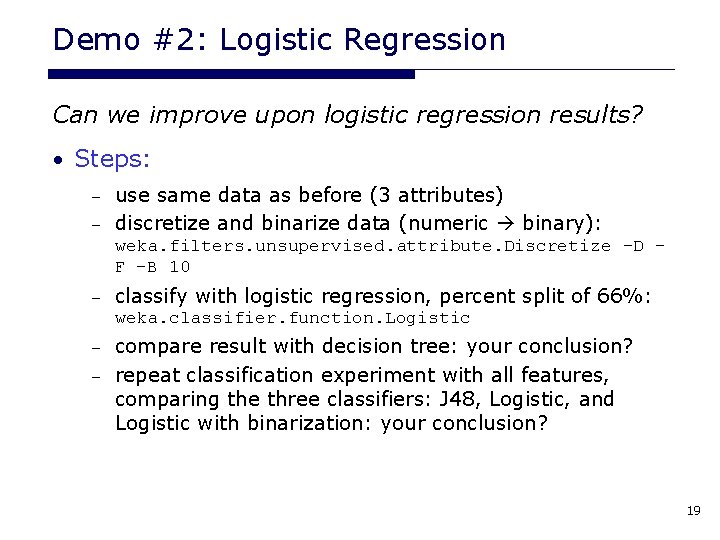
Demo #2: Logistic Regression Can we improve upon logistic regression results? • Steps: use same data as before (3 attributes) – discretize and binarize data (numeric binary): – weka. filters. unsupervised. attribute. Discretize –D – F –B 10 – classify with logistic regression, percent split of 66%: weka. classifier. function. Logistic compare result with decision tree: your conclusion? – repeat classification experiment with all features, comparing the three classifiers: J 48, Logistic, and Logistic with binarization: your conclusion? – 19
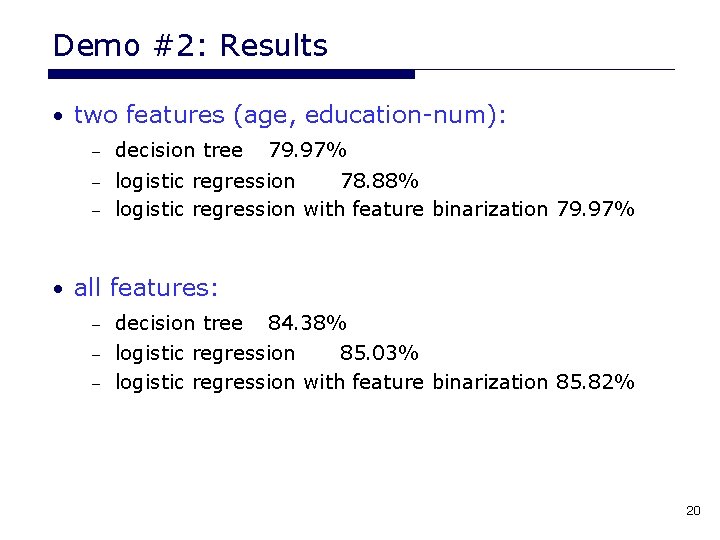
Demo #2: Results • two features (age, education-num): – decision tree 79. 97% logistic regression 78. 88% – logistic regression with feature binarization 79. 97% – • all features: – decision tree 84. 38% logistic regression 85. 03% – logistic regression with feature binarization 85. 82% – 20
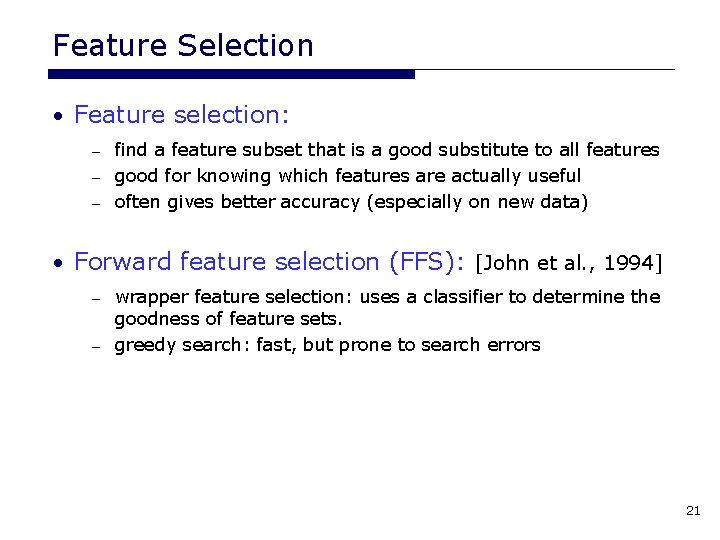
Feature Selection • Feature selection: find a feature subset that is a good substitute to all features – good for knowing which features are actually useful – often gives better accuracy (especially on new data) – • Forward feature selection (FFS): [John et al. , 1994] wrapper feature selection: uses a classifier to determine the goodness of feature sets. – greedy search: fast, but prone to search errors – 21
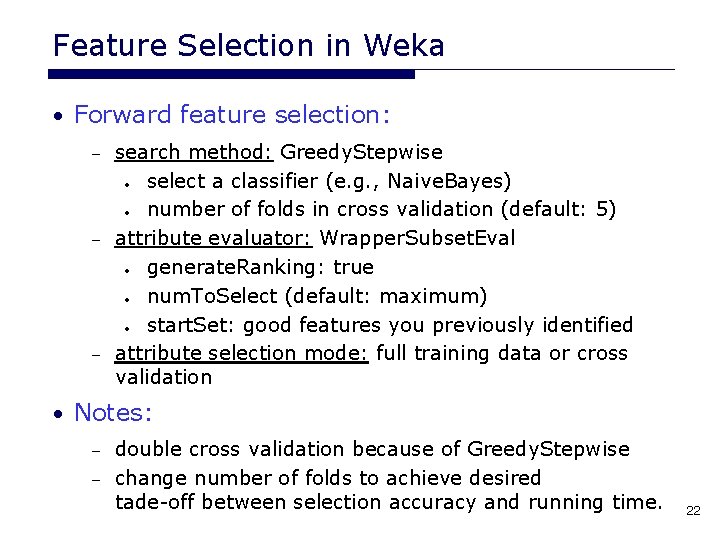
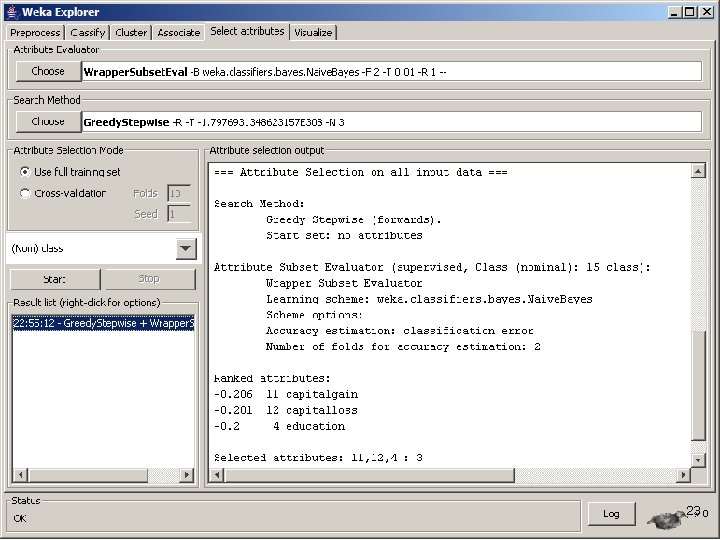
Feature Selection in Weka • Forward feature selection: search method: Greedy. Stepwise • select a classifier (e. g. , Naive. Bayes) • number of folds in cross validation (default: 5) – attribute evaluator: Wrapper. Subset. Eval • generate. Ranking: true • num. To. Select (default: maximum) • start. Set: good features you previously identified – attribute selection mode: full training data or cross validation – • Notes: double cross validation because of Greedy. Stepwise – change number of folds to achieve desired tade-off between selection accuracy and running time. – 22
23
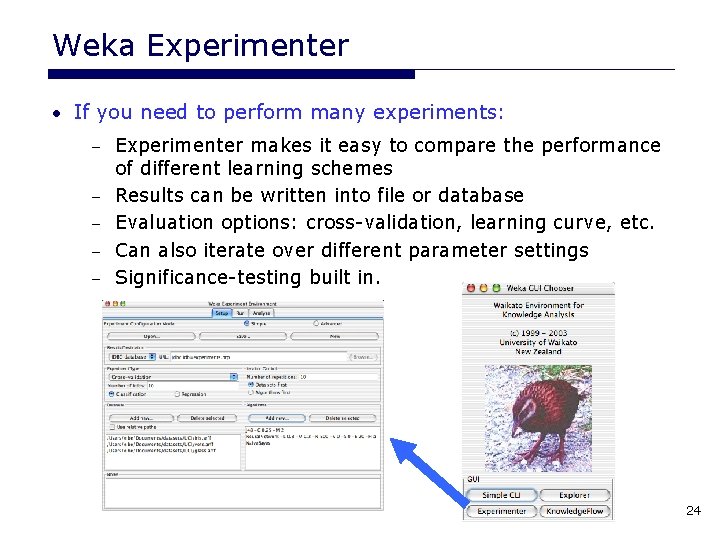
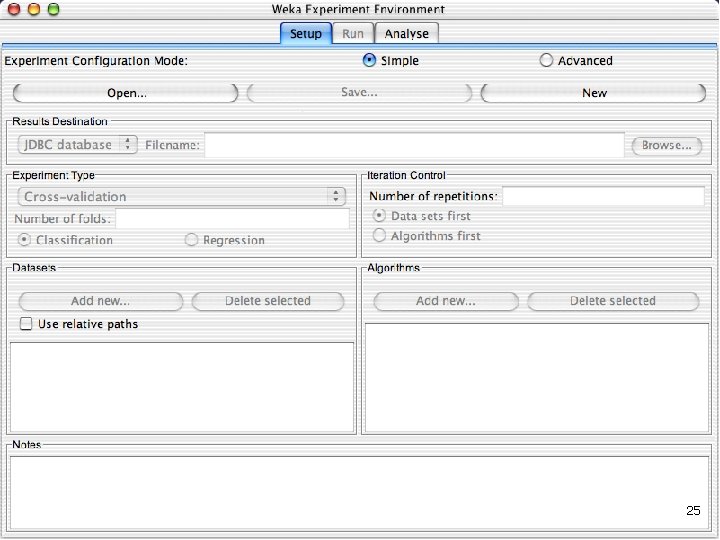
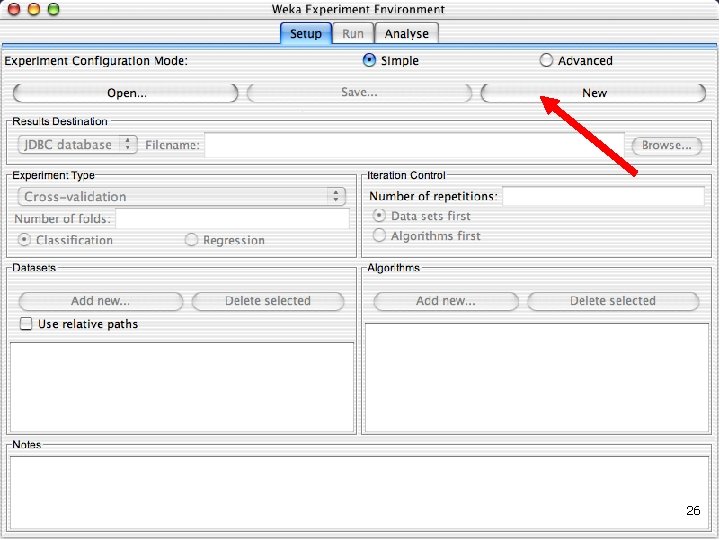
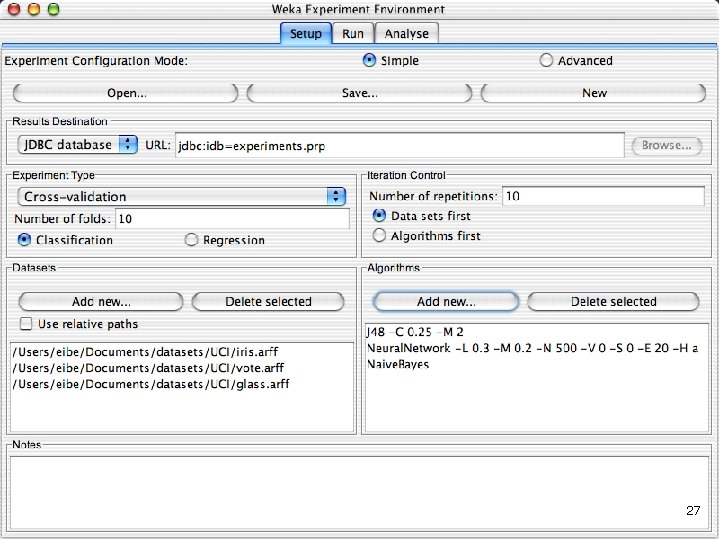
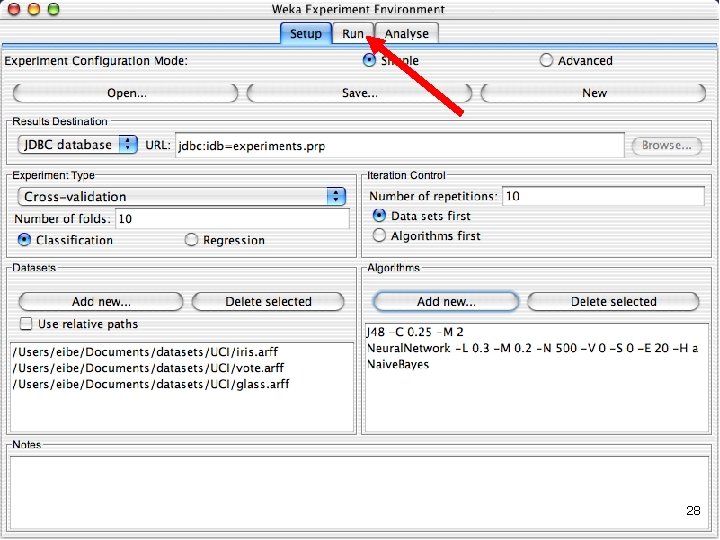
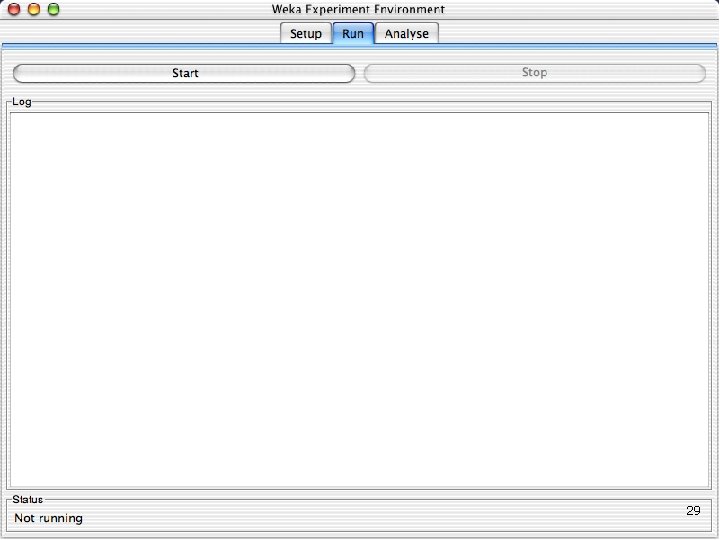
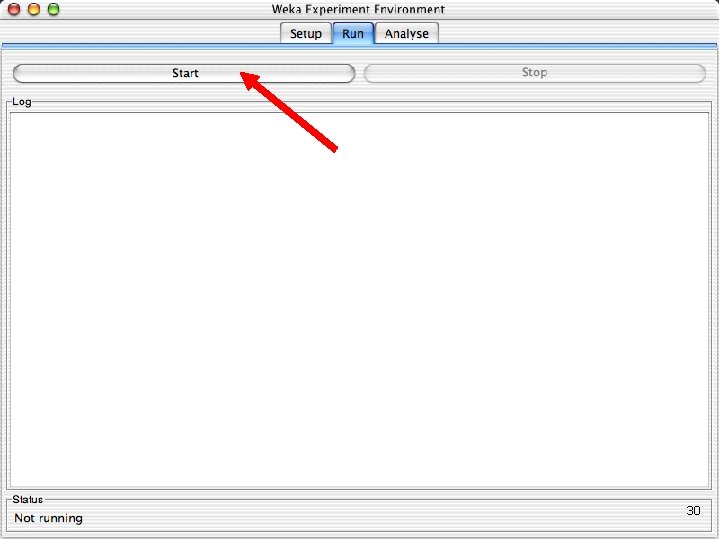
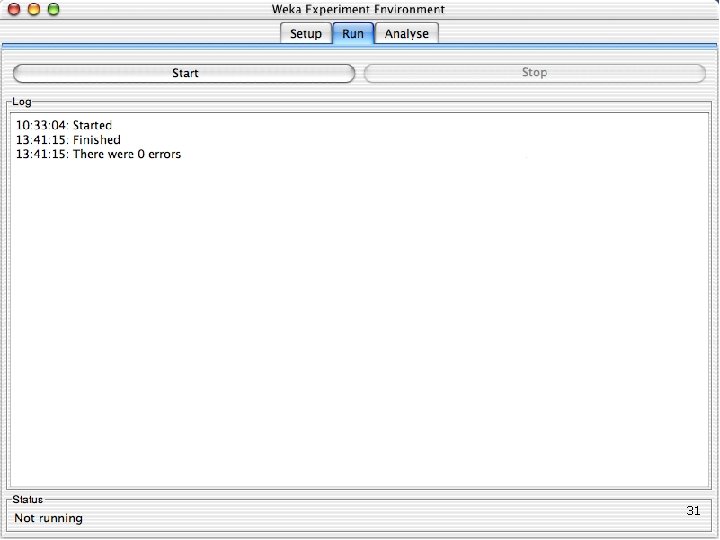
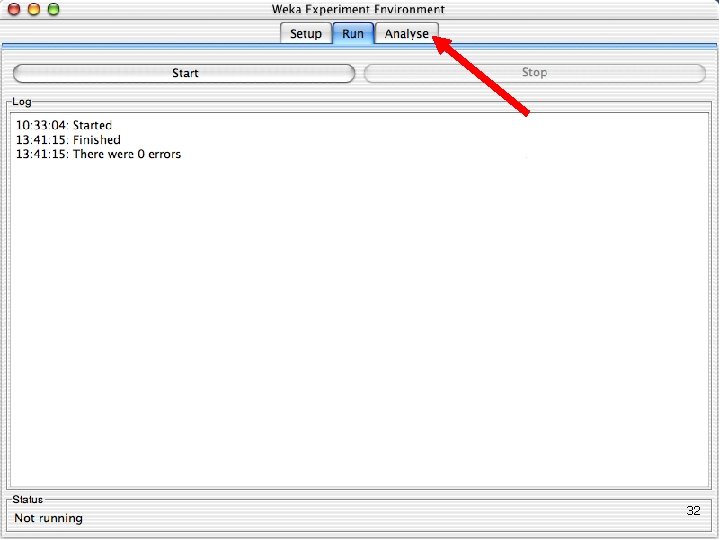
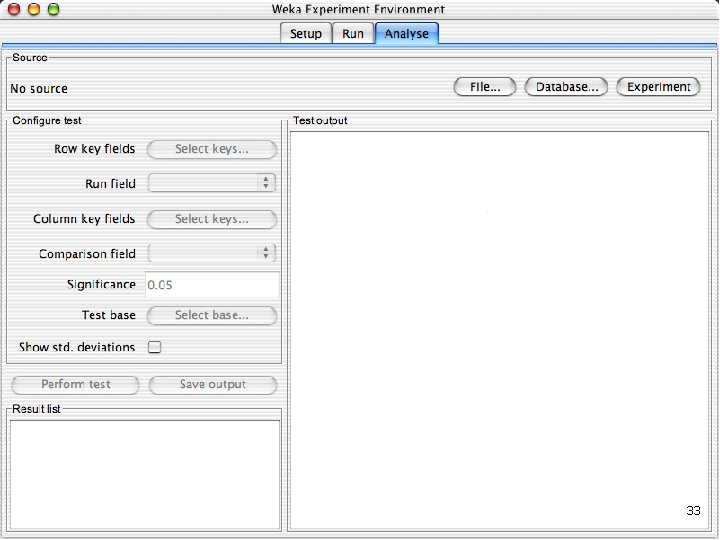
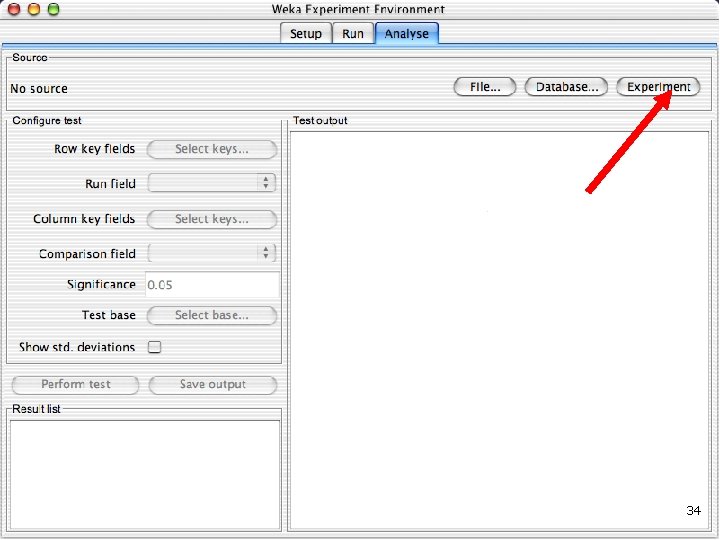
Weka Experimenter • If you need to perform many experiments: – – – Experimenter makes it easy to compare the performance of different learning schemes Results can be written into file or database Evaluation options: cross-validation, learning curve, etc. Can also iterate over different parameter settings Significance-testing built in. 24
25
26
27
28
29
30
31
32
33
34
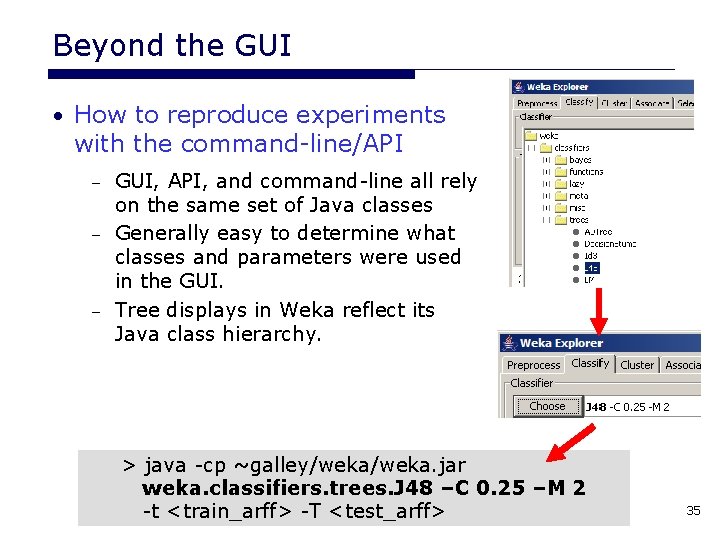
Beyond the GUI • How to reproduce experiments with the command-line/API GUI, API, and command-line all rely on the same set of Java classes – Generally easy to determine what classes and parameters were used in the GUI. – Tree displays in Weka reflect its Java class hierarchy. – > java -cp ~galley/weka. jar weka. classifiers. trees. J 48 –C 0. 25 –M 2 -t <train_arff> -T <test_arff> 35
Important command-line parameters > java -cp ~galley/weka. jar weka. classifiers. <classifier_name> [classifier_options] [options] where options are: • Create/load/save a classification model: -t <file> : training set -l <file> : load model file -d <file> : save model file • Testing: -x <N> : N-fold cross validation -T <file> : test set -p <S> : print predictions + attribute selection S 36