
Statistical Analysis of Output from Terminating Simulations Chapter
- Slides: 29
Statistical Analysis of Output from Terminating Simulations Chapter 6 Last revision June 8, 2003 Simulation with Arena, 3 rd ed. Chapter 6 – Stat. Output Analysis Terminating Simulations 1
What We’ll Do. . . • • • Time frame of simulations Strategy for data collection and analysis Confidence intervals Comparing two alternatives Comparing many alternatives via the Arena Process Analyzer (PAN) Searching for an optimal alternative with Opt. Quest Simulation with Arena, 3 rd ed. Chapter 6 – Stat. Output Analysis Terminating Simulations 2
Introduction • • Random input leads to random output (RIRO) Run a simulation (once) — what does it mean? § § • Need statistical analysis of output data § § § • Was this run “typical” or not? Variability from run to run (of the same model)? From a single model configuration Compare two or more different configurations Search for an optimal configuration Statistical analysis of output is often ignored § § This is a big mistake – no idea of precision of results Not hard or time-consuming to do this – it just takes a little planning and thought, then some (cheap) computer time Simulation with Arena, 3 rd ed. Chapter 6 – Stat. Output Analysis Terminating Simulations 3
Time Frame of Simulations • Terminating: Specific starting, stopping conditions § • Steady-state: Long-run (technically forever) § § • • Run length will be well-defined (and finite) Theoretically, initial conditions don’t matter (but practically they usually do) Not clear how to terminate a simulation run This is really a question of intent of the study Has major impact on how output analysis is done Sometimes it’s not clear which is appropriate Here: Terminating (steady-state in Section 7. 2) Simulation with Arena, 3 rd ed. Chapter 6 – Stat. Output Analysis Terminating Simulations 4
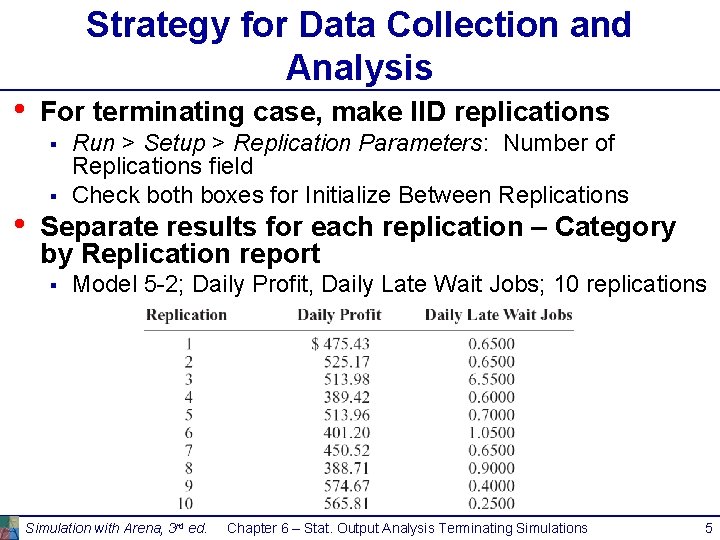
Strategy for Data Collection and Analysis • For terminating case, make IID replications § • § Run > Setup > Replication Parameters: Number of Replications field Check both boxes for Initialize Between Replications Separate results for each replication – Category by Replication report § Model 5 -2; Daily Profit, Daily Late Wait Jobs; 10 replications Simulation with Arena, 3 rd ed. Chapter 6 – Stat. Output Analysis Terminating Simulations 5
Strategy for Data Collection and Analysis (cont’d. ) • • Category Overview report will have some statistical-analysis results of the output across the replications How many replications? § § • § Trial and error (now) Approximate number for acceptable precision (below) Sequential sampling (Chapter 12) Turn off animation altogether for max speed § Run > Run Control > Batch Run (No Animation) Simulation with Arena, 3 rd ed. Chapter 6 – Stat. Output Analysis Terminating Simulations 6
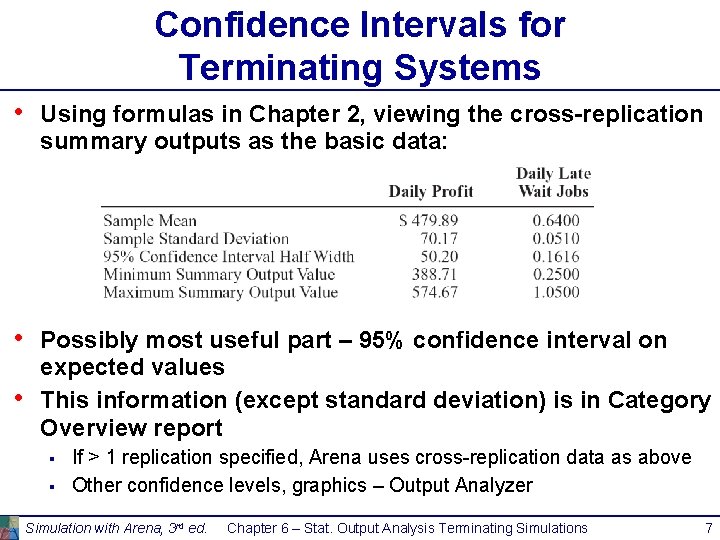
Confidence Intervals for Terminating Systems • Using formulas in Chapter 2, viewing the cross-replication summary outputs as the basic data: • Possibly most useful part – 95% confidence interval on expected values This information (except standard deviation) is in Category Overview report • § § If > 1 replication specified, Arena uses cross-replication data as above Other confidence levels, graphics – Output Analyzer Simulation with Arena, 3 rd ed. Chapter 6 – Stat. Output Analysis Terminating Simulations 7
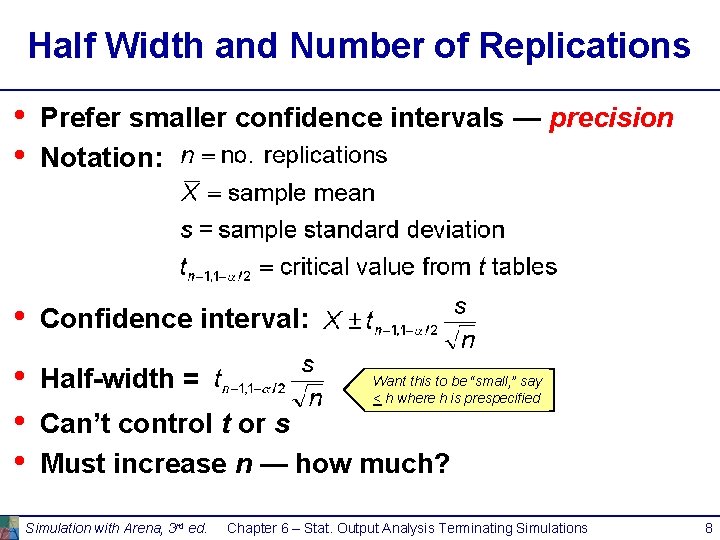
Half Width and Number of Replications • • Prefer smaller confidence intervals — precision Notation: • Confidence interval: • • • Half-width = Want this to be “small, ” say < h where h is prespecified Can’t control t or s Must increase n — how much? Simulation with Arena, 3 rd ed. Chapter 6 – Stat. Output Analysis Terminating Simulations 8
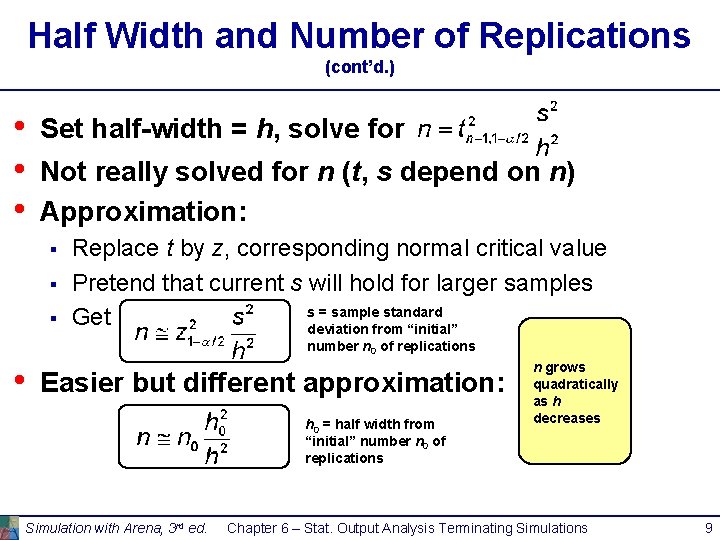
Half Width and Number of Replications (cont’d. ) • • • Set half-width = h, solve for Not really solved for n (t, s depend on n) Approximation: § § § Replace t by z, corresponding normal critical value Pretend that current s will hold for larger samples s = sample standard Get deviation from “initial” number n 0 of replications • Easier but different approximation: h 0 = half width from “initial” number n 0 of replications Simulation with Arena, 3 rd ed. n grows quadratically as h decreases Chapter 6 – Stat. Output Analysis Terminating Simulations 9
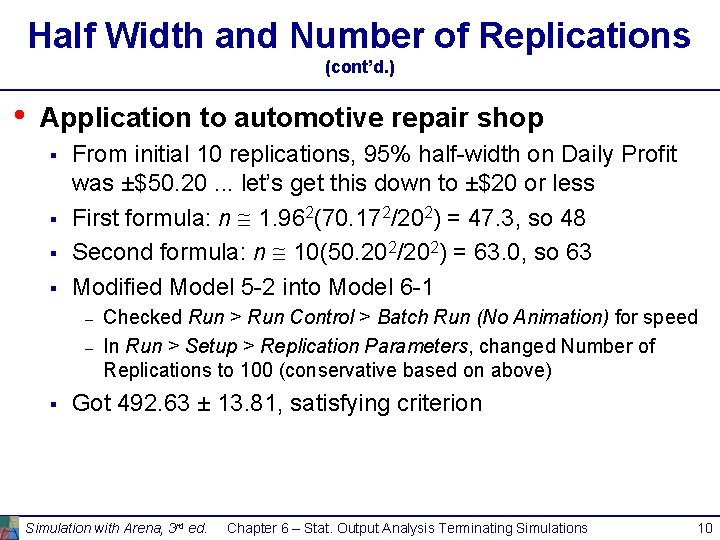
Half Width and Number of Replications (cont’d. ) • Application to automotive repair shop § § From initial 10 replications, 95% half-width on Daily Profit was ±$50. 20. . . let’s get this down to ±$20 or less First formula: n 1. 962(70. 172/202) = 47. 3, so 48 Second formula: n 10(50. 202/202) = 63. 0, so 63 Modified Model 5 -2 into Model 6 -1 – – § Checked Run > Run Control > Batch Run (No Animation) for speed In Run > Setup > Replication Parameters, changed Number of Replications to 100 (conservative based on above) Got 492. 63 ± 13. 81, satisfying criterion Simulation with Arena, 3 rd ed. Chapter 6 – Stat. Output Analysis Terminating Simulations 10
Interpretation of Confidence Intervals • Interval with random (data-dependent) endpoints that’s supposed to have stated probability of containing, or covering, the expected valued § § • Not an interval that contains, say, 95% of the data § • “Target” expected value is a fixed, but unknown, number Expected value = average of infinite number of replications That’s a prediction interval … useful too, but different Usual formulas assume normally-distributed data § § Never true in simulation Might be approximately true if output is an average, rather than an extreme Central limit theorem Robustness, coverage, precision – see book (Model 6 -2) Simulation with Arena, 3 rd ed. Chapter 6 – Stat. Output Analysis Terminating Simulations 11
Comparing Two Alternatives • Usually compare alternative system scenarios, configurations, layouts, sensitivity analysis § • For now, just two alternatives. . . more later Model 6 -3 § Model 6 -1, but add file Daily Profit. dat to Statistic module, Output column, Daily Profit row § Saves this output statistic to this file for each replication Two versions § – – Base case – all inputs as originally defined More-bookings case – Change Max Load from 24 to 28 hours (allow more bookings per day. . . increase utilization, profit? Maybe) Simulation with Arena, 3 rd ed. Chapter 6 – Stat. Output Analysis Terminating Simulations 12
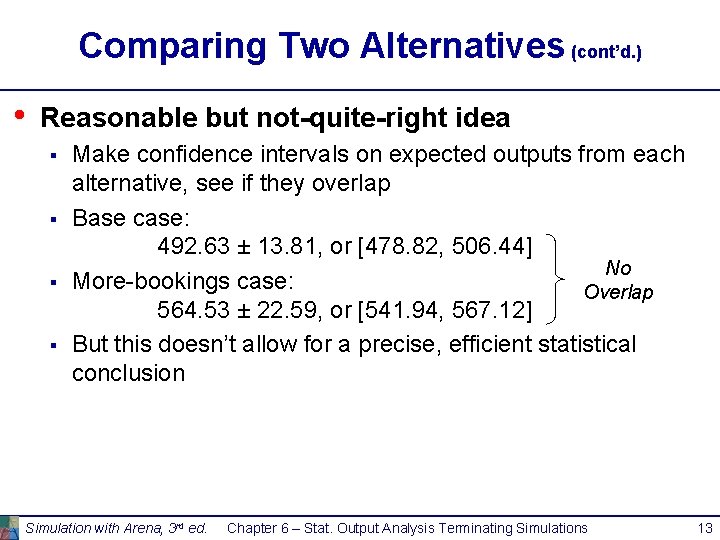
Comparing Two Alternatives (cont’d. ) • Reasonable but not-quite-right idea § § Make confidence intervals on expected outputs from each alternative, see if they overlap Base case: 492. 63 ± 13. 81, or [478. 82, 506. 44] No More-bookings case: Overlap 564. 53 ± 22. 59, or [541. 94, 567. 12] But this doesn’t allow for a precise, efficient statistical conclusion Simulation with Arena, 3 rd ed. Chapter 6 – Stat. Output Analysis Terminating Simulations 13
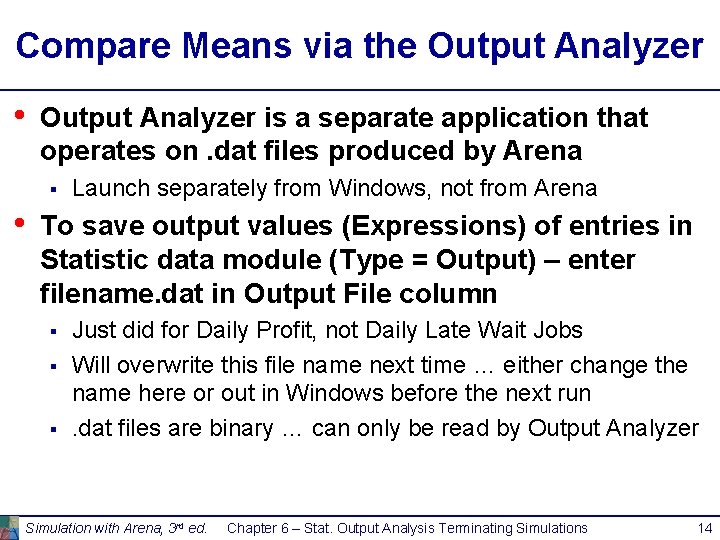
Compare Means via the Output Analyzer • Output Analyzer is a separate application that operates on. dat files produced by Arena § • Launch separately from Windows, not from Arena To save output values (Expressions) of entries in Statistic data module (Type = Output) – enter filename. dat in Output File column § § § Just did for Daily Profit, not Daily Late Wait Jobs Will overwrite this file name next time … either change the name here or out in Windows before the next run. dat files are binary … can only be read by Output Analyzer Simulation with Arena, 3 rd ed. Chapter 6 – Stat. Output Analysis Terminating Simulations 14
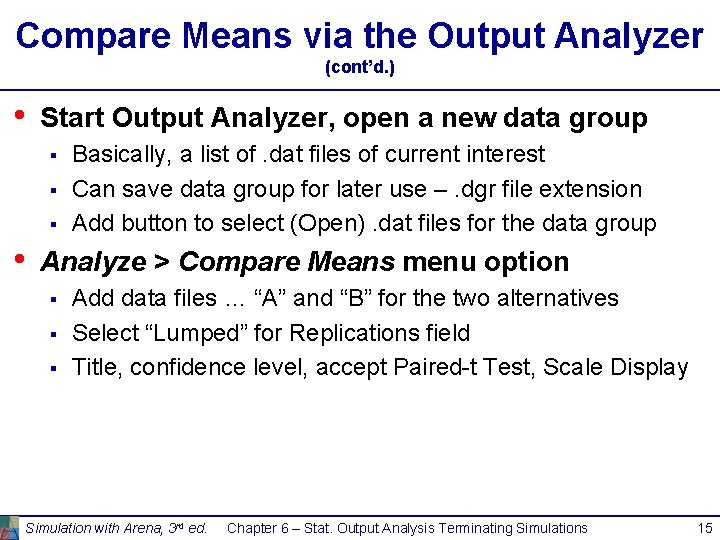
Compare Means via the Output Analyzer (cont’d. ) • Start Output Analyzer, open a new data group § § § • Basically, a list of. dat files of current interest Can save data group for later use –. dgr file extension Add button to select (Open). dat files for the data group Analyze > Compare Means menu option § § § Add data files … “A” and “B” for the two alternatives Select “Lumped” for Replications field Title, confidence level, accept Paired-t Test, Scale Display Simulation with Arena, 3 rd ed. Chapter 6 – Stat. Output Analysis Terminating Simulations 15
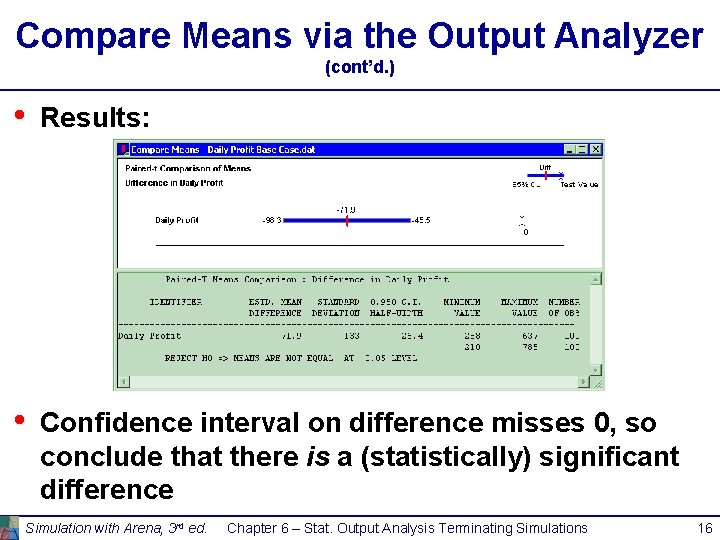
Compare Means via the Output Analyzer (cont’d. ) • Results: • Confidence interval on difference misses 0, so conclude that there is a (statistically) significant difference Simulation with Arena, 3 rd ed. Chapter 6 – Stat. Output Analysis Terminating Simulations 16
Evaluating Many Alternatives with the Process Analyzer (PAN) • With (many) more than two alternatives to compare, two problems are § § • • Simple mechanics of making many parameter changes, making many runs, keeping track of many output files Statistical methods for drawing reliable and useful conclusions Process Analyzer (PAN) addresses these PAN operates on program (. p) files – produced when. doe file is run (or just checked) Start PAN from Arena (Tools > Process Analyzer) or via Windows PAN runs on its own, separate from Arena Simulation with Arena, 3 rd ed. Chapter 6 – Stat. Output Analysis Terminating Simulations 17
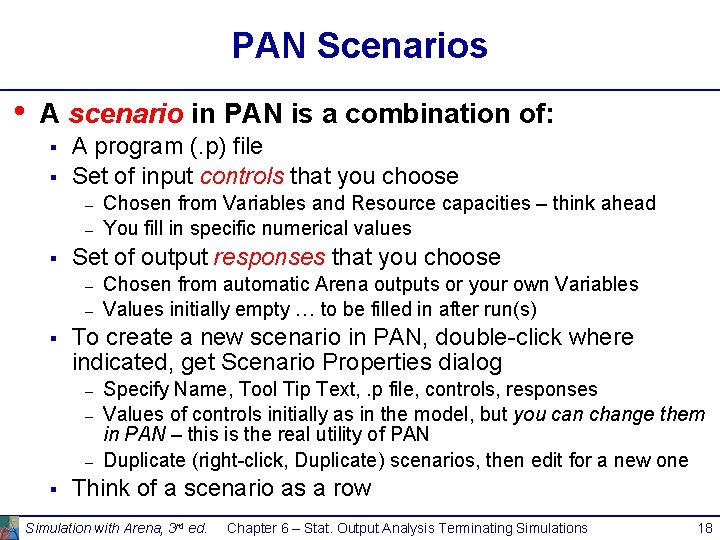
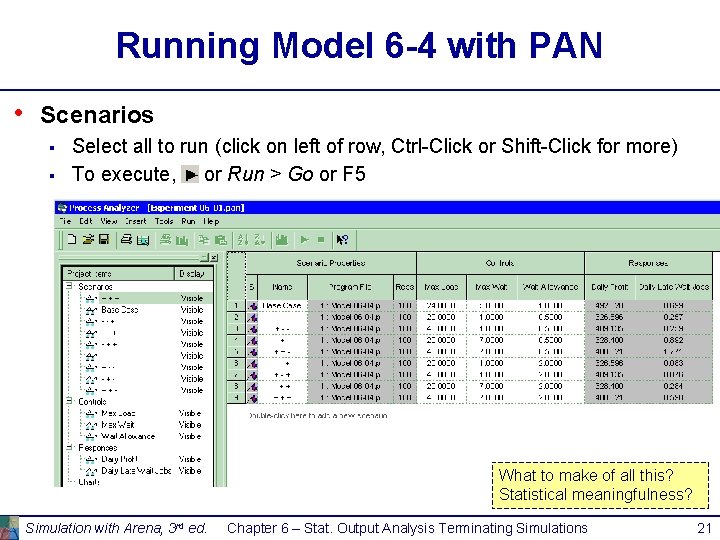
PAN Scenarios • A scenario in PAN is a combination of: § § A program (. p) file Set of input controls that you choose – – § Set of output responses that you choose – – § Chosen from automatic Arena outputs or your own Variables Values initially empty … to be filled in after run(s) To create a new scenario in PAN, double-click where indicated, get Scenario Properties dialog – – – § Chosen from Variables and Resource capacities – think ahead You fill in specific numerical values Specify Name, Tool Tip Text, . p file, controls, responses Values of controls initially as in the model, but you can change them in PAN – this is the real utility of PAN Duplicate (right-click, Duplicate) scenarios, then edit for a new one Think of a scenario as a row Simulation with Arena, 3 rd ed. Chapter 6 – Stat. Output Analysis Terminating Simulations 18
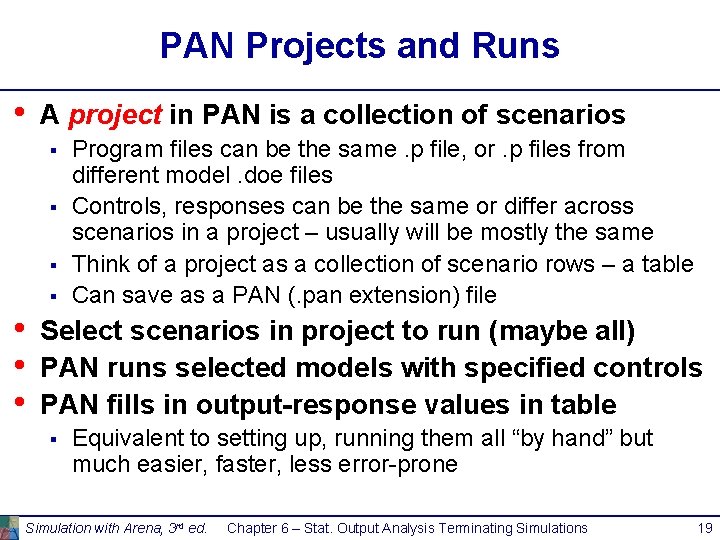
PAN Projects and Runs • A project in PAN is a collection of scenarios § § • • • Program files can be the same. p file, or. p files from different model. doe files Controls, responses can be the same or differ across scenarios in a project – usually will be mostly the same Think of a project as a collection of scenario rows – a table Can save as a PAN (. pan extension) file Select scenarios in project to run (maybe all) PAN runs selected models with specified controls PAN fills in output-response values in table § Equivalent to setting up, running them all “by hand” but much easier, faster, less error-prone Simulation with Arena, 3 rd ed. Chapter 6 – Stat. Output Analysis Terminating Simulations 19
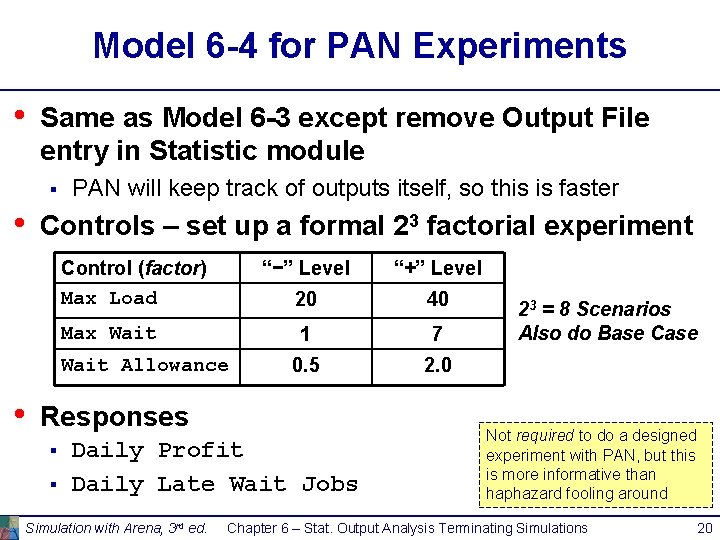
Model 6 -4 for PAN Experiments • Same as Model 6 -3 except remove Output File entry in Statistic module § • PAN will keep track of outputs itself, so this is faster Controls – set up a formal 23 factorial experiment Control (factor) Max Load Max Wait Allowance • “−” Level “+” Level 20 40 1 7 0. 5 2. 0 Responses § § Daily Profit Daily Late Wait Jobs Simulation with Arena, 3 rd ed. 23 = 8 Scenarios Also do Base Case Not required to do a designed experiment with PAN, but this is more informative than haphazard fooling around Chapter 6 – Stat. Output Analysis Terminating Simulations 20
Running Model 6 -4 with PAN • Scenarios § § Select all to run (click on left of row, Ctrl-Click or Shift-Click for more) To execute, or Run > Go or F 5 What to make of all this? Statistical meaningfulness? Simulation with Arena, 3 rd ed. Chapter 6 – Stat. Output Analysis Terminating Simulations 21
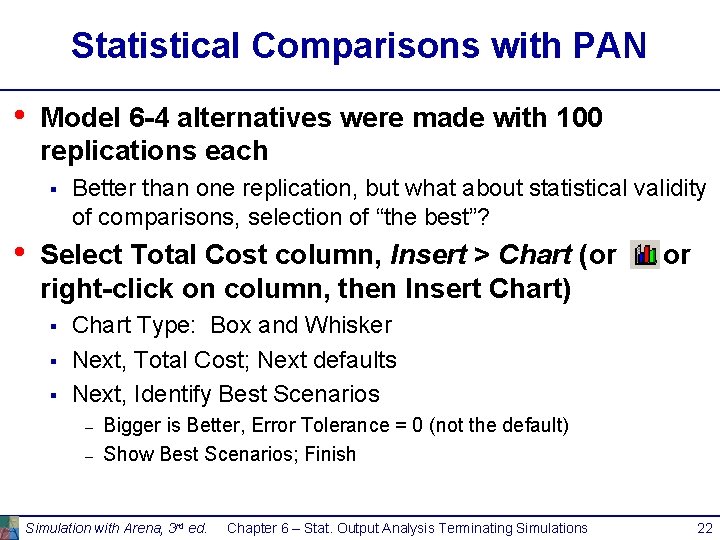
Statistical Comparisons with PAN • Model 6 -4 alternatives were made with 100 replications each § • Better than one replication, but what about statistical validity of comparisons, selection of “the best”? Select Total Cost column, Insert > Chart (or right-click on column, then Insert Chart) § § § or Chart Type: Box and Whisker Next, Total Cost; Next defaults Next, Identify Best Scenarios – – Bigger is Better, Error Tolerance = 0 (not the default) Show Best Scenarios; Finish Simulation with Arena, 3 rd ed. Chapter 6 – Stat. Output Analysis Terminating Simulations 22
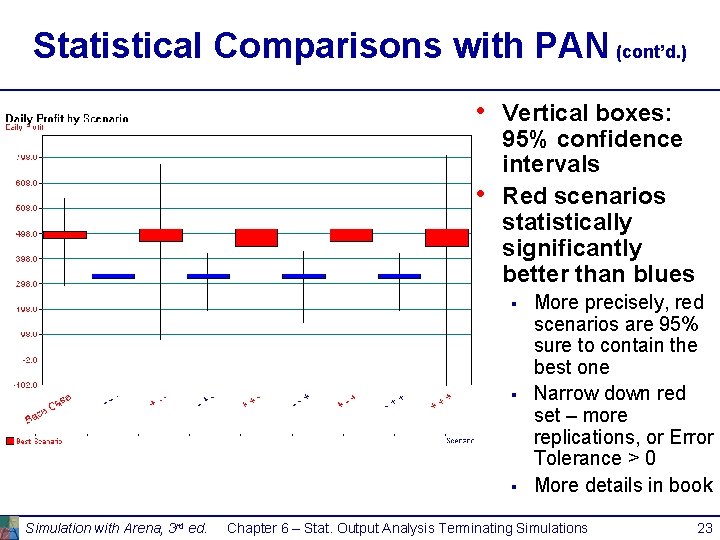
Statistical Comparisons with PAN (cont’d. ) • • Vertical boxes: 95% confidence intervals Red scenarios statistically significantly better than blues § § § Simulation with Arena, 3 rd ed. More precisely, red scenarios are 95% sure to contain the best one Narrow down red set – more replications, or Error Tolerance > 0 More details in book Chapter 6 – Stat. Output Analysis Terminating Simulations 23
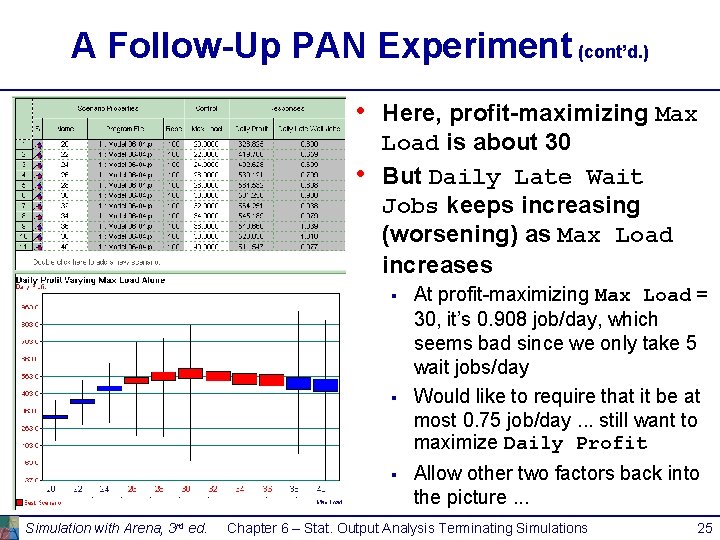
A Follow-Up PAN Experiment • From 23 factorial experiment, it’s clear that Max Load matters the most, and bigger appears better § § It’s factor 1, varying between “−” and “+” in each scenario as ordered there, creating clear down/up/down/up pattern Could also see this by computing main effects estimates – • Consult an experimental-design text Eliminate other two factors (fix them at their basecase levels) and study Max Load alone § § Let it be 20, 22, 24, . . . , 40 Set up a second PAN experiment to do this, created chart as before Simulation with Arena, 3 rd ed. Chapter 6 – Stat. Output Analysis Terminating Simulations 24
A Follow-Up PAN Experiment (cont’d. ) • • Here, profit-maximizing Max Load is about 30 But Daily Late Wait Jobs keeps increasing (worsening) as Max Load increases § § § Simulation with Arena, 3 rd ed. At profit-maximizing Max Load = 30, it’s 0. 908 job/day, which seems bad since we only take 5 wait jobs/day Would like to require that it be at most 0. 75 job/day. . . still want to maximize Daily Profit Allow other two factors back into the picture. . . Chapter 6 – Stat. Output Analysis Terminating Simulations 25
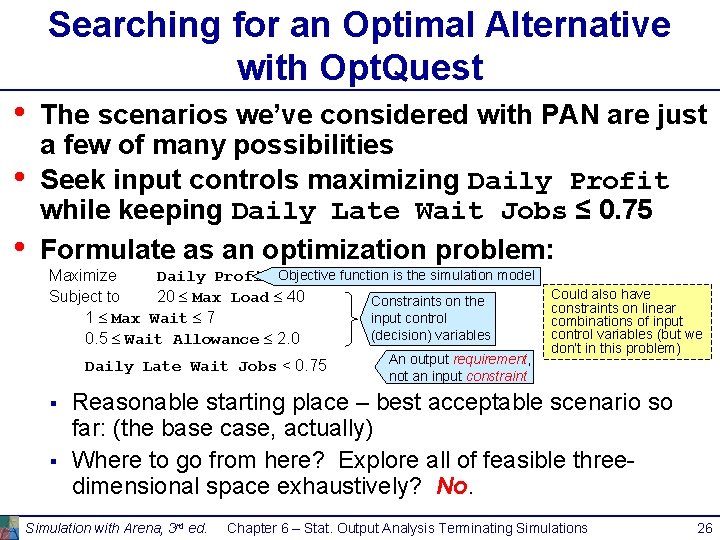
Searching for an Optimal Alternative with Opt. Quest • • • The scenarios we’ve considered with PAN are just a few of many possibilities Seek input controls maximizing Daily Profit while keeping Daily Late Wait Jobs ≤ 0. 75 Formulate as an optimization problem: Maximize Daily Profit Objective function is the simulation model Subject to 20 Max Load 40 Constraints on the 1 Max Wait 7 input control (decision) variables 0. 5 Wait Allowance 2. 0 Daily Late Wait Jobs < 0. 75 § § An output requirement, not an input constraint Could also have constraints on linear combinations of input control variables (but we don’t in this problem) Reasonable starting place – best acceptable scenario so far: (the base case, actually) Where to go from here? Explore all of feasible threedimensional space exhaustively? No. Simulation with Arena, 3 rd ed. Chapter 6 – Stat. Output Analysis Terminating Simulations 26
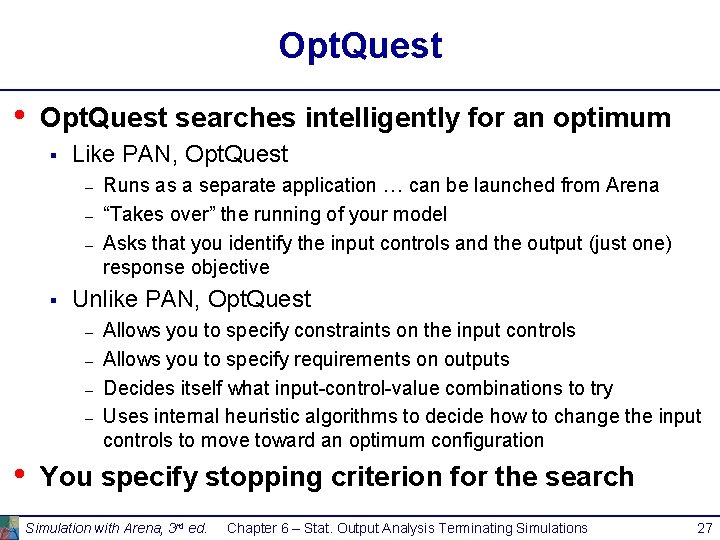
Opt. Quest • Opt. Quest searches intelligently for an optimum § Like PAN, Opt. Quest – – – § Unlike PAN, Opt. Quest – – • Runs as a separate application … can be launched from Arena “Takes over” the running of your model Asks that you identify the input controls and the output (just one) response objective Allows you to specify constraints on the input controls Allows you to specify requirements on outputs Decides itself what input-control-value combinations to try Uses internal heuristic algorithms to decide how to change the input controls to move toward an optimum configuration You specify stopping criterion for the search Simulation with Arena, 3 rd ed. Chapter 6 – Stat. Output Analysis Terminating Simulations 27
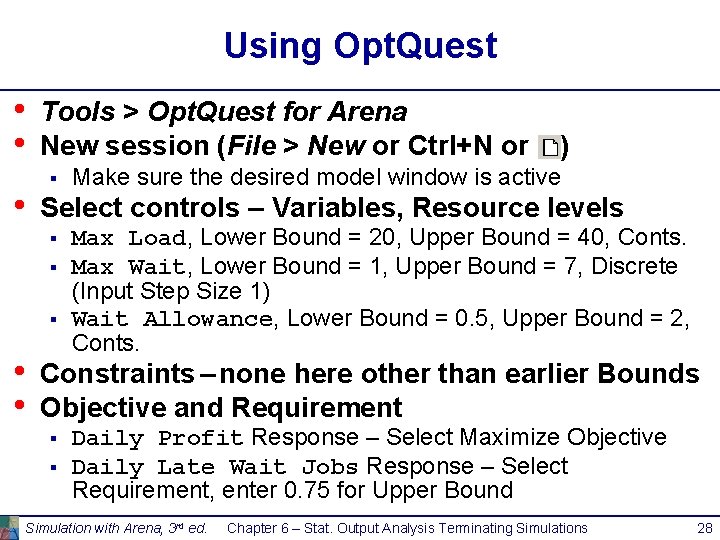
Using Opt. Quest • • • Tools > Opt. Quest for Arena New session (File > New or Ctrl+N or § Make sure the desired model window is active Select controls – Variables, Resource levels § § § • • ) Max Load, Lower Bound = 20, Upper Bound = 40, Conts. Max Wait, Lower Bound = 1, Upper Bound = 7, Discrete (Input Step Size 1) Wait Allowance, Lower Bound = 0. 5, Upper Bound = 2, Conts. Constraints – none here other than earlier Bounds Objective and Requirement § § Daily Profit Response – Select Maximize Objective Daily Late Wait Jobs Response – Select Requirement, enter 0. 75 for Upper Bound Simulation with Arena, 3 rd ed. Chapter 6 – Stat. Output Analysis Terminating Simulations 28
Using Opt. Quest (cont’d. ) • Options window – computational limits, procedures § § • • § Time tab – run for 20 minutes Precision tab – vary number of replications from 10 to 100 Preferences tab – various settings (accept defaults) Can revisit Controls, Constraints, Objective and Requirements, or Options windows via Run via wizard (first time through a new project), or Run > Start or View > Status and Solutions and View > Performance Graph to watch progress Can’t absolutely guarantee a true optimum § Usually finds far better configuration than possible by hand Simulation with Arena, 3 rd ed. Chapter 6 – Stat. Output Analysis Terminating Simulations 29