
Statecharts A Visual Formalism for Complex Systems Jeff
- Slides: 45
Statecharts: A Visual Formalism for Complex Systems Jeff Peng jpeng@u. arizona. edu Model-based Design Lab
Agenda l l l Introduction: Statechart Diagrams Statemate Semantics of Statechart Statemate Working Environment Statemate Tutorial Further Readings
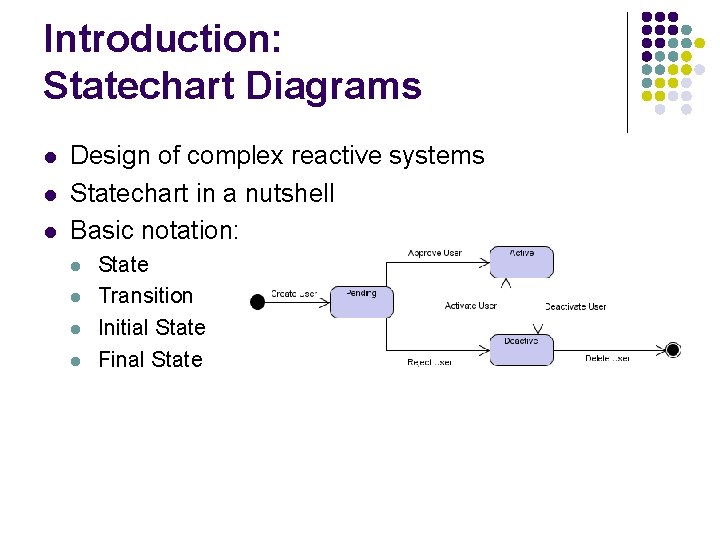
Introduction: Statechart Diagrams l l l Design of complex reactive systems Statechart in a nutshell Basic notation: l l State Transition Initial State Final State
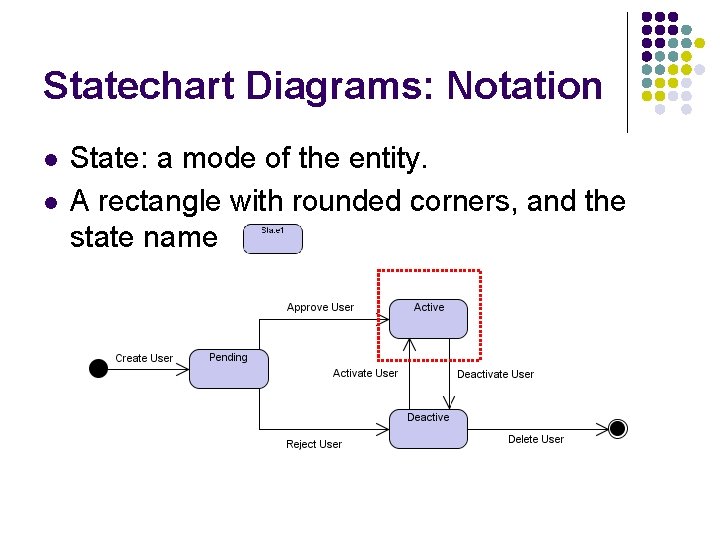
Statechart Diagrams: Notation l l State: a mode of the entity. A rectangle with rounded corners, and the state name
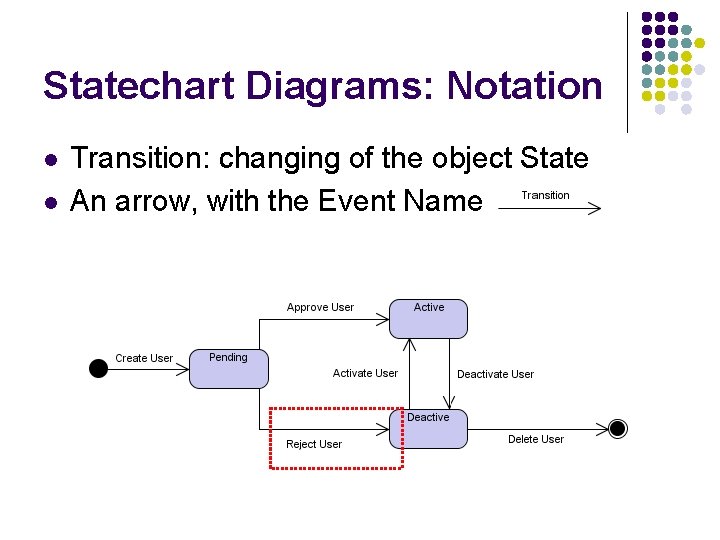
Statechart Diagrams: Notation l l Transition: changing of the object State An arrow, with the Event Name
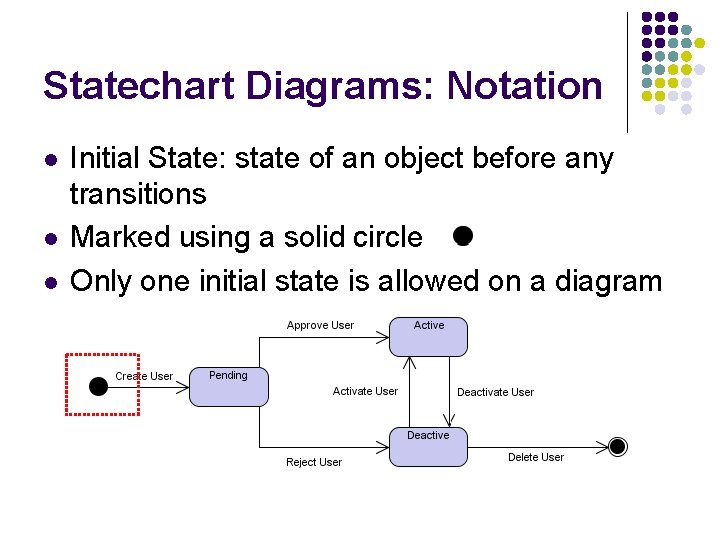
Statechart Diagrams: Notation l l l Initial State: state of an object before any transitions Marked using a solid circle Only one initial state is allowed on a diagram
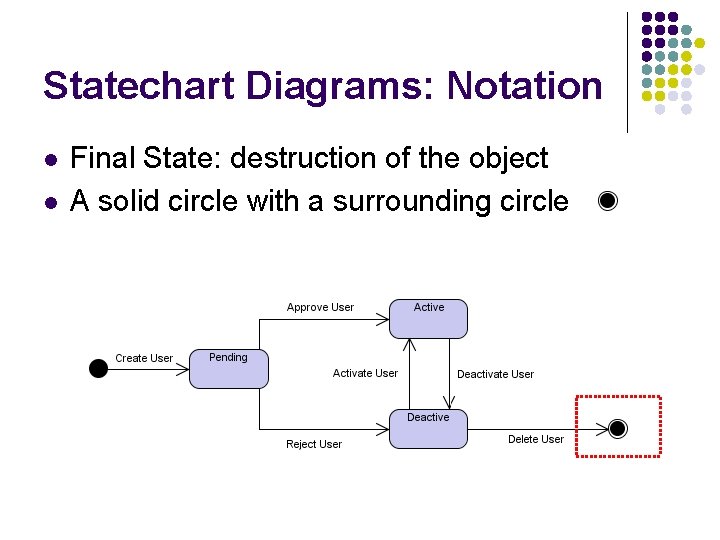
Statechart Diagrams: Notation l l Final State: destruction of the object A solid circle with a surrounding circle
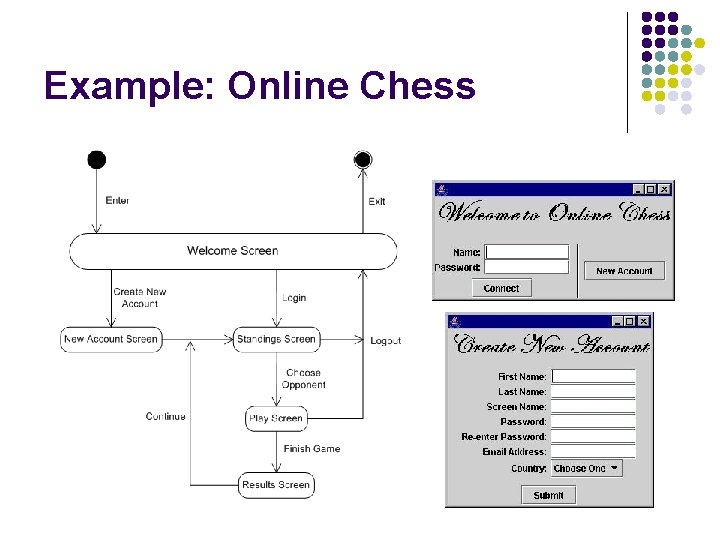
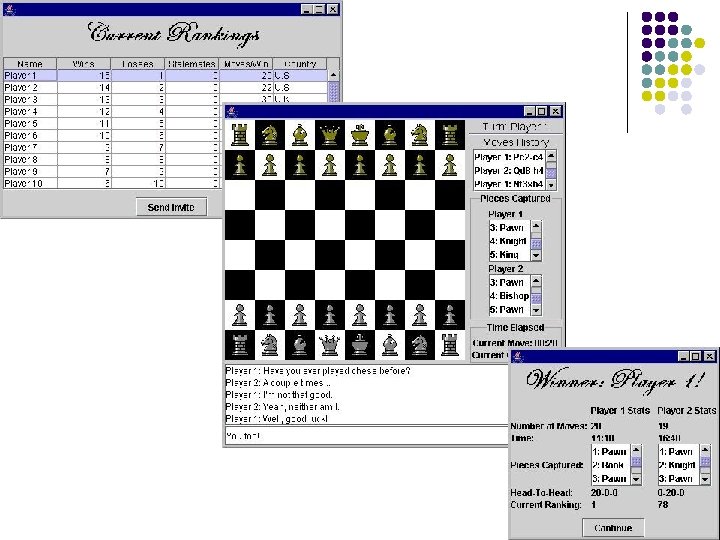
Example: Online Chess
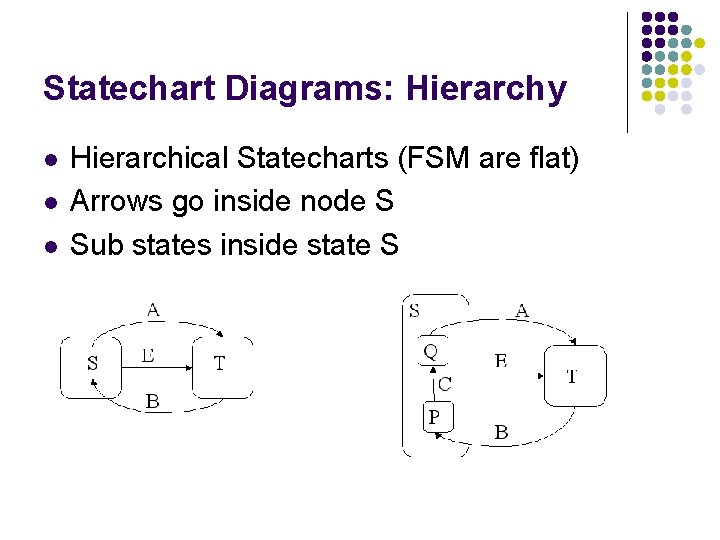
Statechart Diagrams: Hierarchy l l l Hierarchical Statecharts (FSM are flat) Arrows go inside node S Sub states inside state S
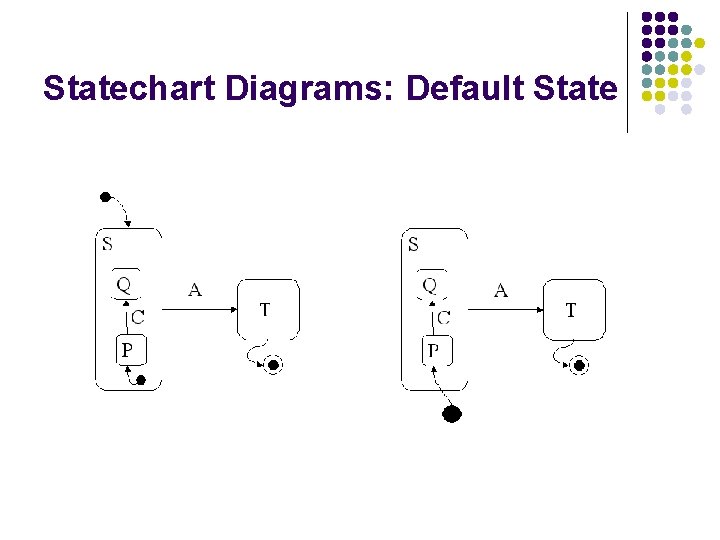
Statechart Diagrams: Default State
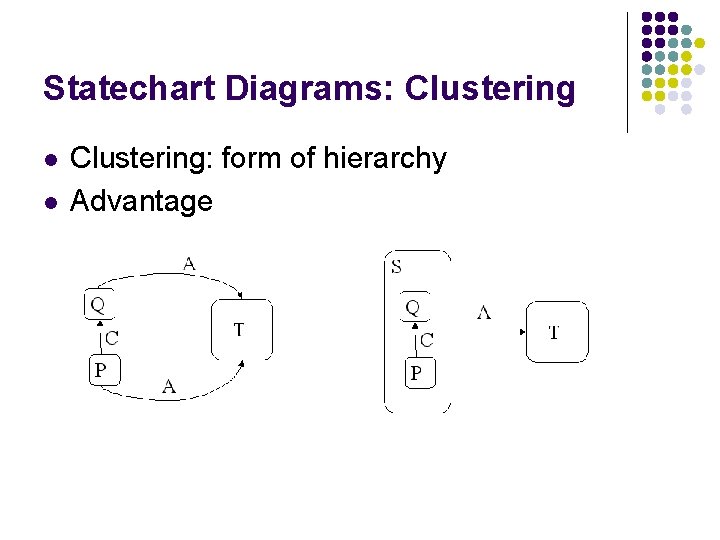
Statechart Diagrams: Clustering l l Clustering: form of hierarchy Advantage
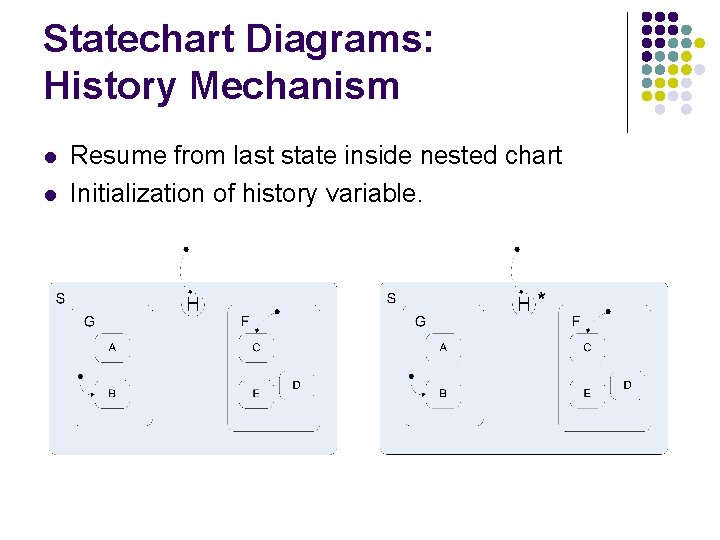
Statechart Diagrams: History Mechanism l l Resume from last state inside nested chart Initialization of history variable.
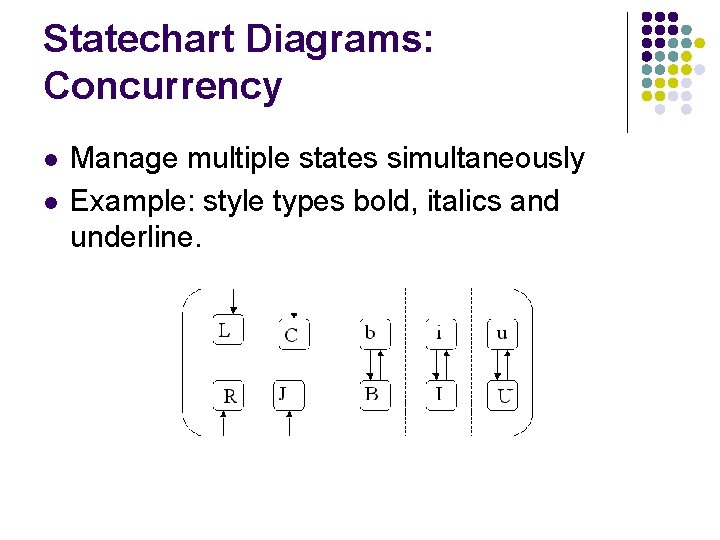
Statechart Diagrams: Concurrency l l Manage multiple states simultaneously Example: style types bold, italics and underline.
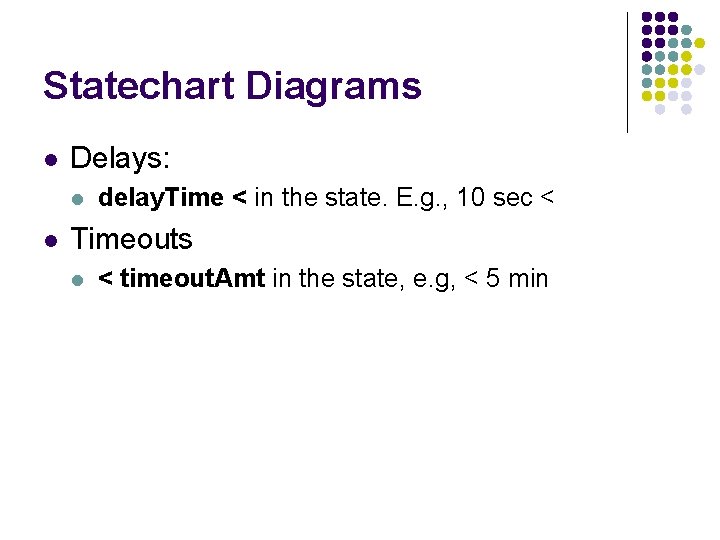
Statechart Diagrams l Delays: l l delay. Time < in the state. E. g. , 10 sec < Timeouts l < timeout. Amt in the state, e. g, < 5 min
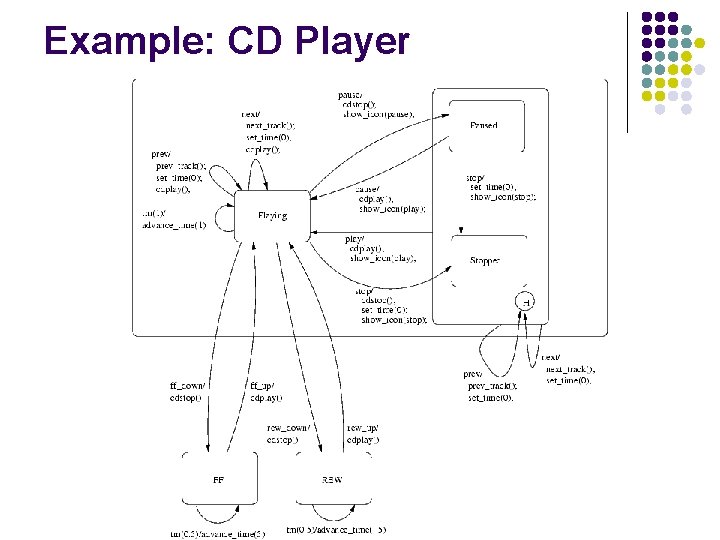
Example: CD Player
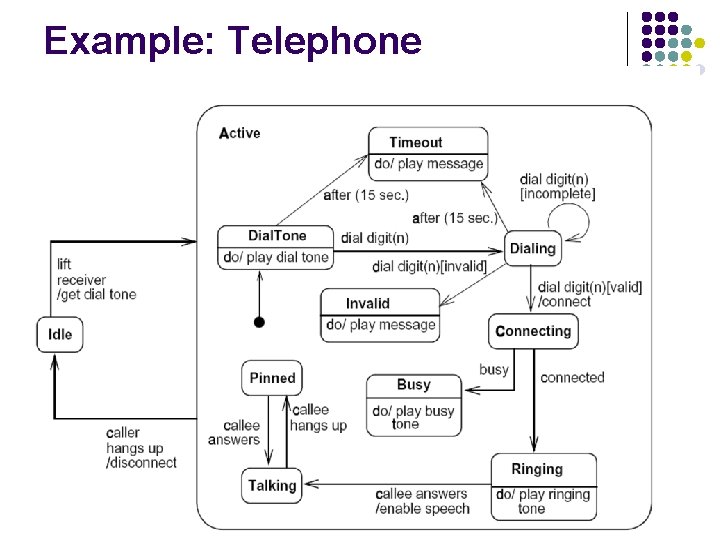
Example: Telephone
Statemate Semantics of Statechart l l l First executable semantics Central consideration: clarity, simplicity Designed for real-life complex systems, support different styles of modeling. Fast prototyping Generates useful hardware and software
Statemate Working Environment l Development of complex reactive systems l l l Specification Analysis Design Documentation Heavy graphical oriented Captures structure, functionality, and behavior
Structural Point of View l l Decomposition of SUD Identifies information flow
Conceptual Model l l Consists of functional view and behavioral view Functional view: l l l Functional decomposition of SUD Does not specify dynamics Behavioral view: l l Specifies control activities Tests conditions and variables
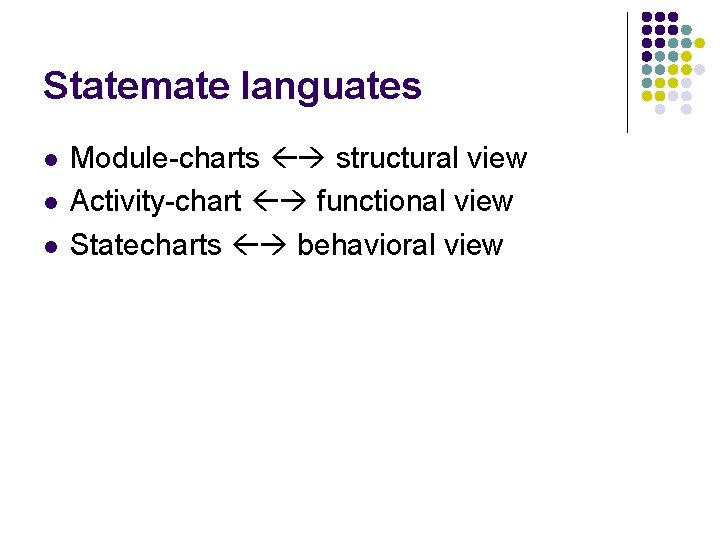
Statemate languates l l l Module-charts structural view Activity-chart functional view Statecharts behavioral view
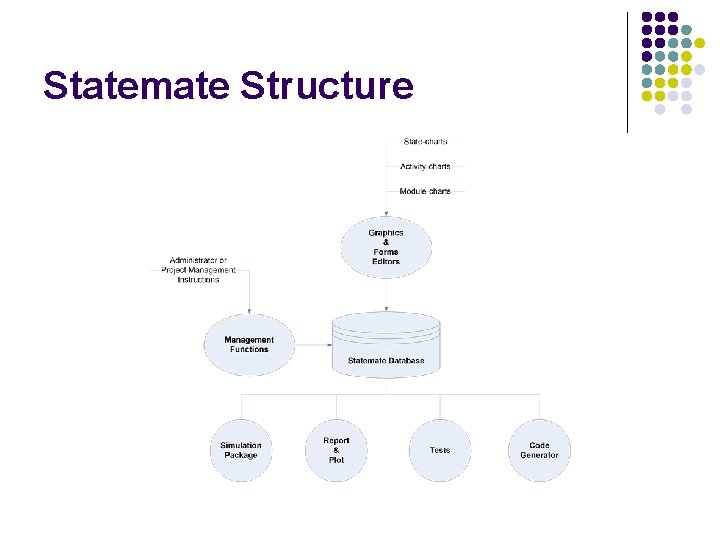
Statemate Structure
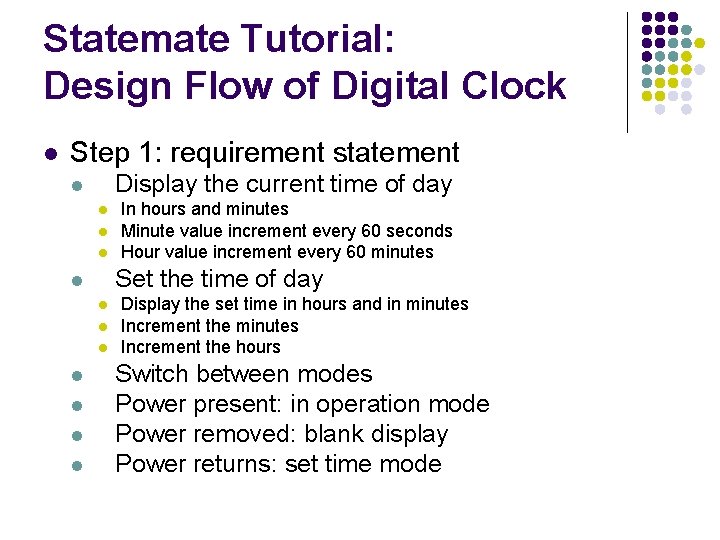
Statemate Tutorial: Design Flow of Digital Clock l Step 1: requirement statement Display the current time of day l l Set the time of day l l l l In hours and minutes Minute value increment every 60 seconds Hour value increment every 60 minutes Display the set time in hours and in minutes Increment the hours Switch between modes Power present: in operation mode Power removed: blank display Power returns: set time mode
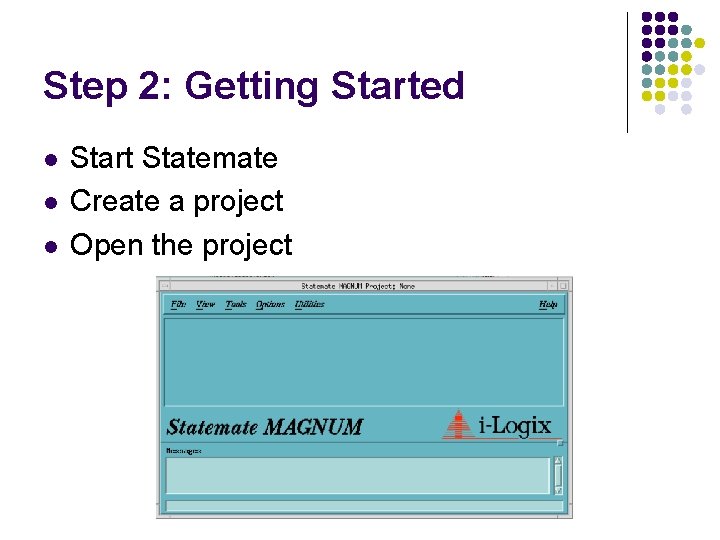
Step 2: Getting Started l l l Start Statemate Create a project Open the project
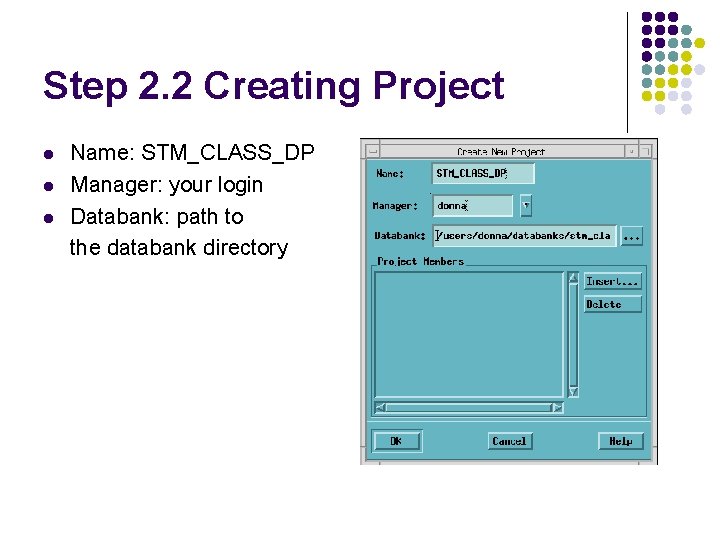
Step 2. 2 Creating Project l l l Name: STM_CLASS_DP Manager: your login Databank: path to the databank directory
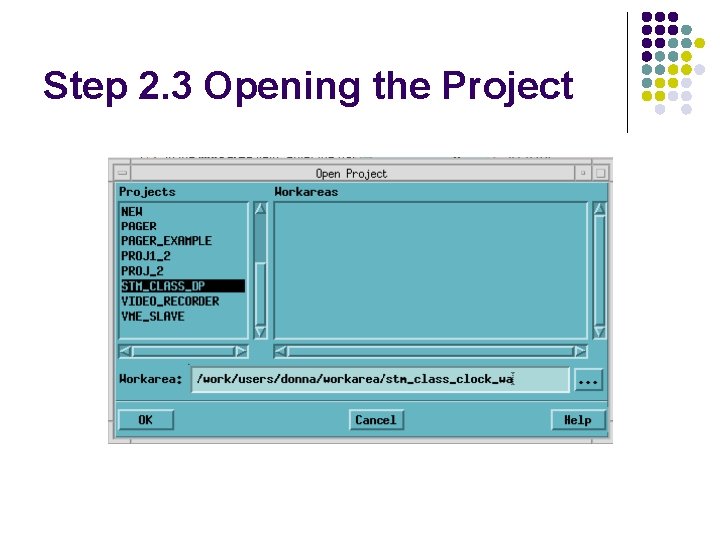
Step 2. 3 Opening the Project
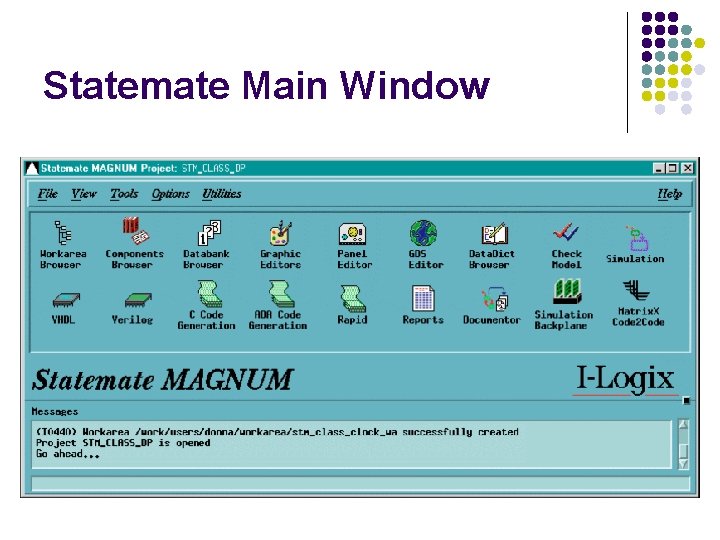
Statemate Main Window
Step 3: Creating the Activity-Chart l l Internal Activities Control activities External activities Data flows
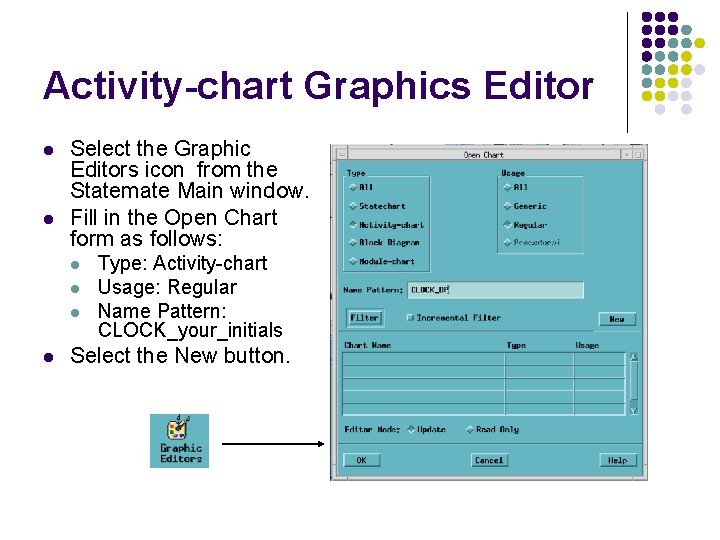
Activity-chart Graphics Editor l l Select the Graphic Editors icon from the Statemate Main window. Fill in the Open Chart form as follows: l l Type: Activity-chart Usage: Regular Name Pattern: CLOCK_your_initials Select the New button.
Step 3. 1: Creating Internal Activities
Step 3. 2: Creating Control Activities
Step 3. 3: Creating External Activities
Step 3. 4: Drawing Flows
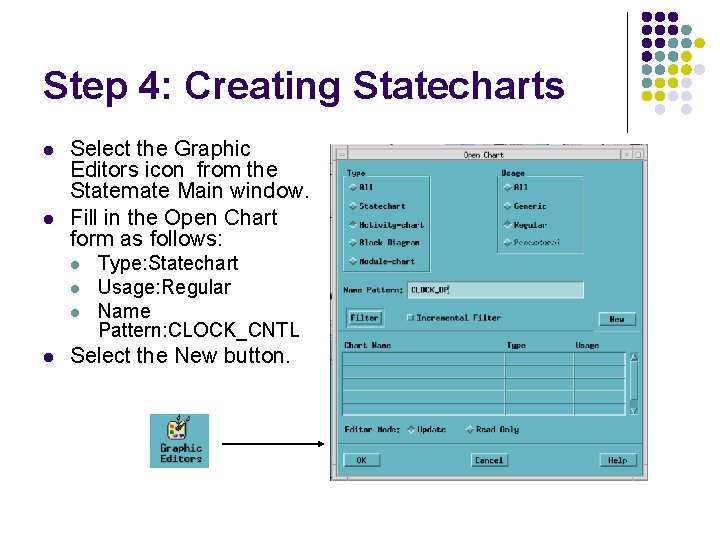
Step 4: Creating Statecharts l l Select the Graphic Editors icon from the Statemate Main window. Fill in the Open Chart form as follows: l l Type: Statechart Usage: Regular Name Pattern: CLOCK_CNTL Select the New button.
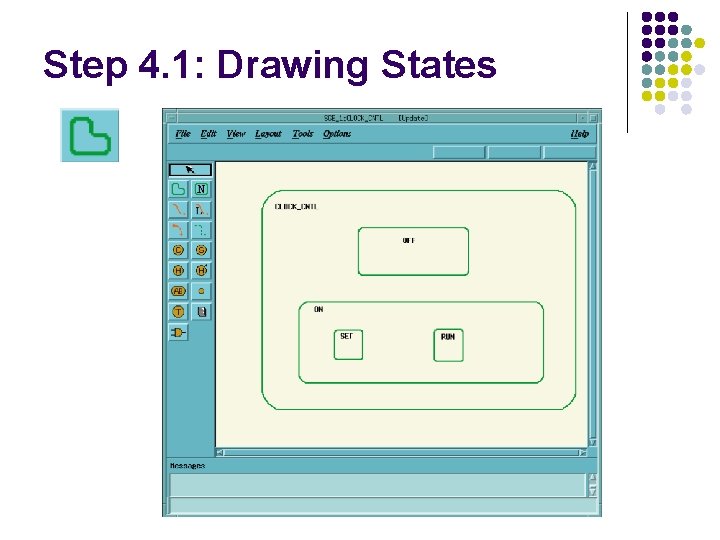
Step 4. 1: Drawing States
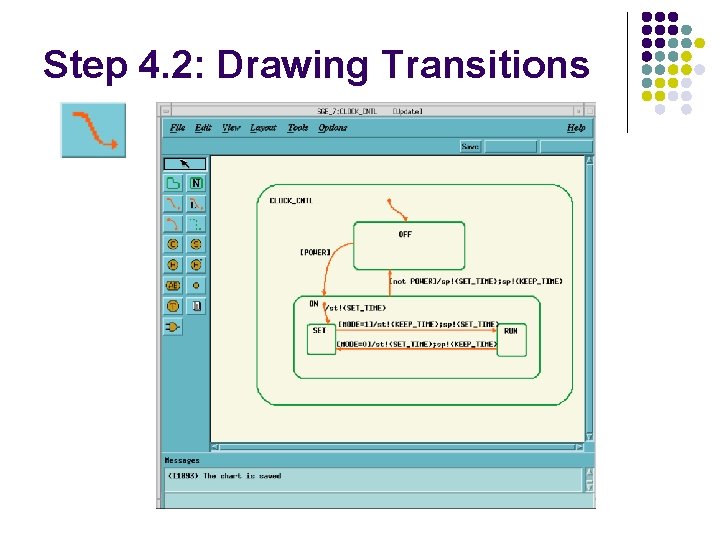
Step 4. 2: Drawing Transitions
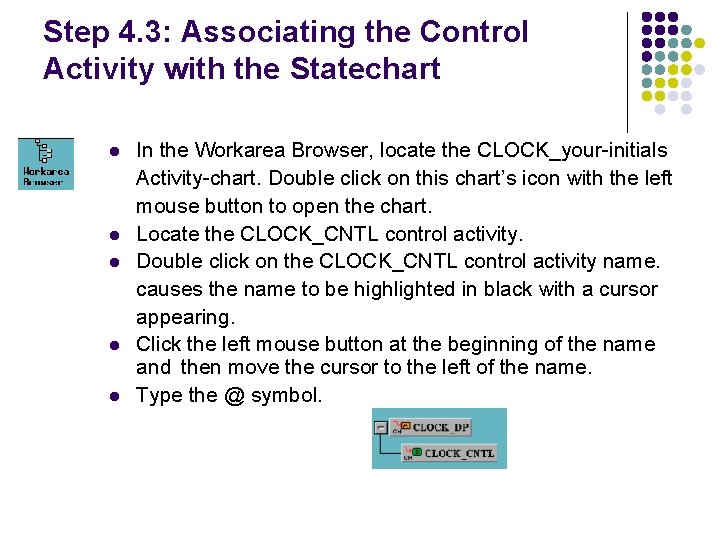
Step 4. 3: Associating the Control Activity with the Statechart l l l In the Workarea Browser, locate the CLOCK_your-initials Activity-chart. Double click on this chart’s icon with the left mouse button to open the chart. Locate the CLOCK_CNTL control activity. Double click on the CLOCK_CNTL control activity name. causes the name to be highlighted in black with a cursor appearing. Click the left mouse button at the beginning of the name and then move the cursor to the left of the name. Type the @ symbol.
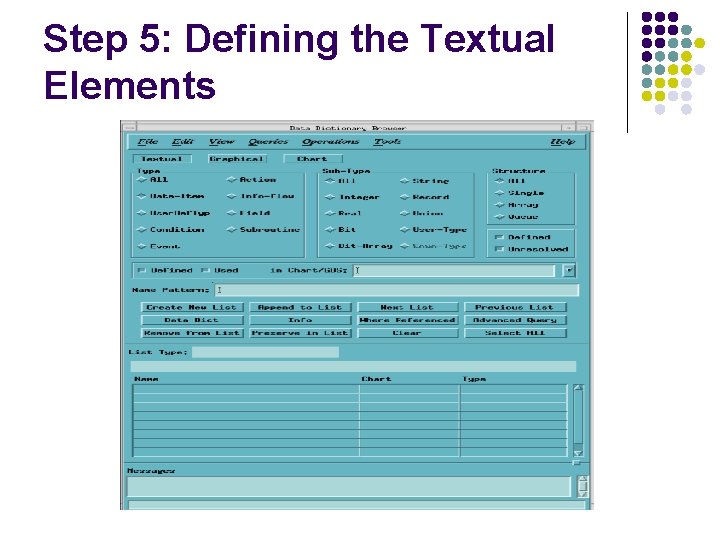
Step 5: Defining the Textual Elements
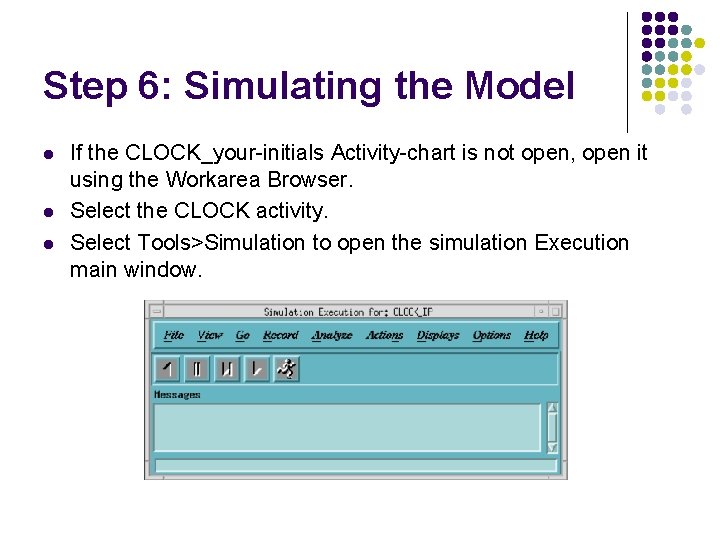
Step 6: Simulating the Model l If the CLOCK_your-initials Activity-chart is not open, open it using the Workarea Browser. Select the CLOCK activity. Select Tools>Simulation to open the simulation Execution main window.
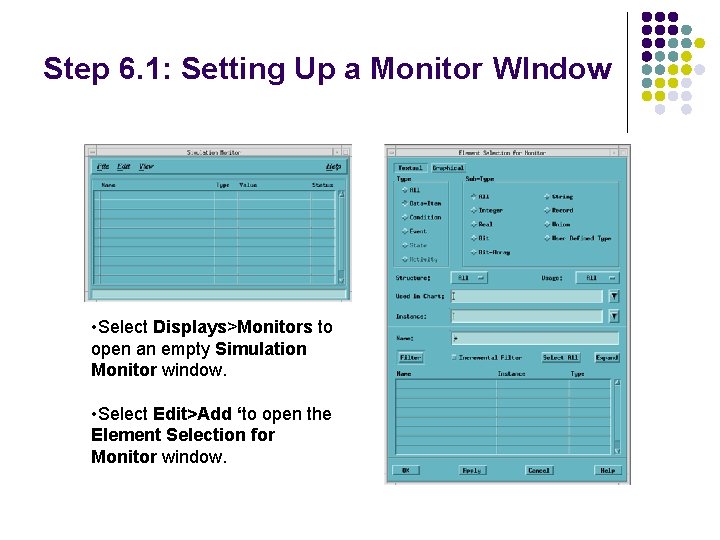
Step 6. 1: Setting Up a Monitor WIndow • Select Displays>Monitors to open an empty Simulation Monitor window. • Select Edit>Add ‘to open the Element Selection for Monitor window.
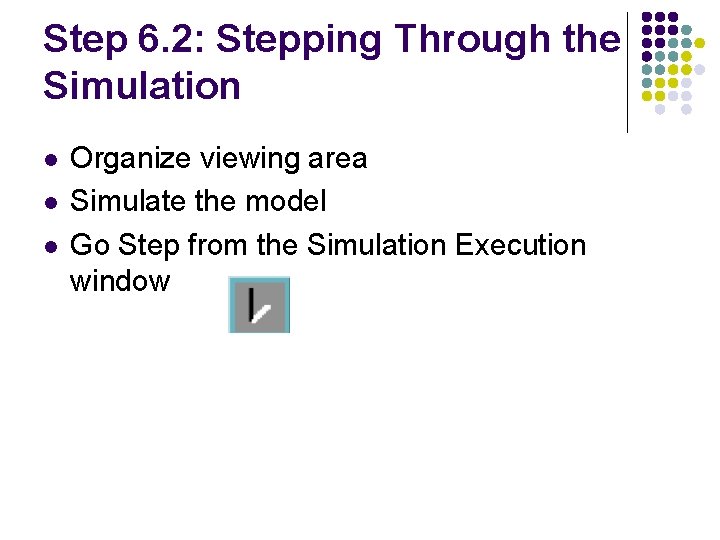
Step 6. 2: Stepping Through the Simulation l l l Organize viewing area Simulate the model Go Step from the Simulation Execution window
Step 7: Panel Creation and Simulation
Step 8: Code Generation and Execution l l l Create a code generation profile Use the profile to generate code Run the code
Further Readings l Harel, D. , The STATEMATE semantics of statecharts, ACM Transactions on Software Engineering and Methodology (TOSEM) archive, October 1996, Volume 5, Issue 4, Pages: 293 – 333 l Harel, D. , STATEMATE: a working environment for the development of complexreactive systems, IEEE Transactions on Software Engineering, Apr 1990 Volume: 16, Issue: 4, Pages: 403 -414 l Harel, D. , Statecharts: A visual formalism for complex systems, Science of Computer Programming, 1987 l State. Mate Magnum Tutorial, I Logix