
State Reporting Verification Megan Van Deventer State and

- Slides: 29
State Reporting Verification Megan Van. Deventer State and Federal Compliance
This session will go over some of the verification tools and Utilities available in Skyward for Survey Reporting. WSSRFLSUVE – Verification WSSRFLPSUT - Utilities
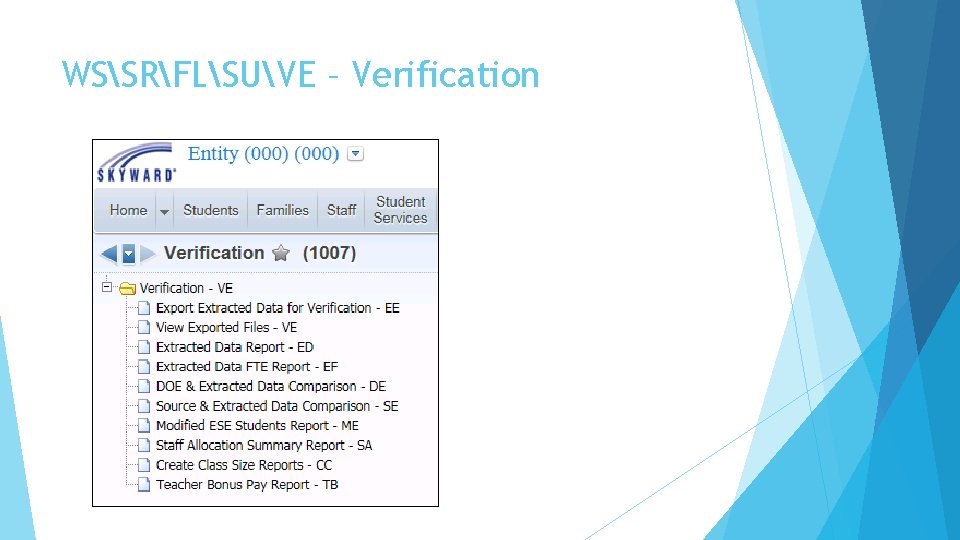
WSSRFLSUVE – Verification
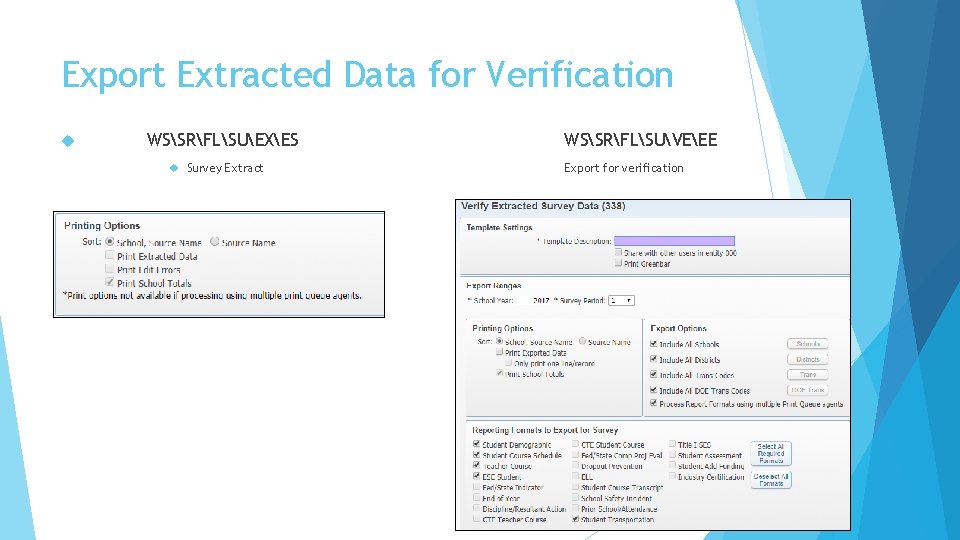
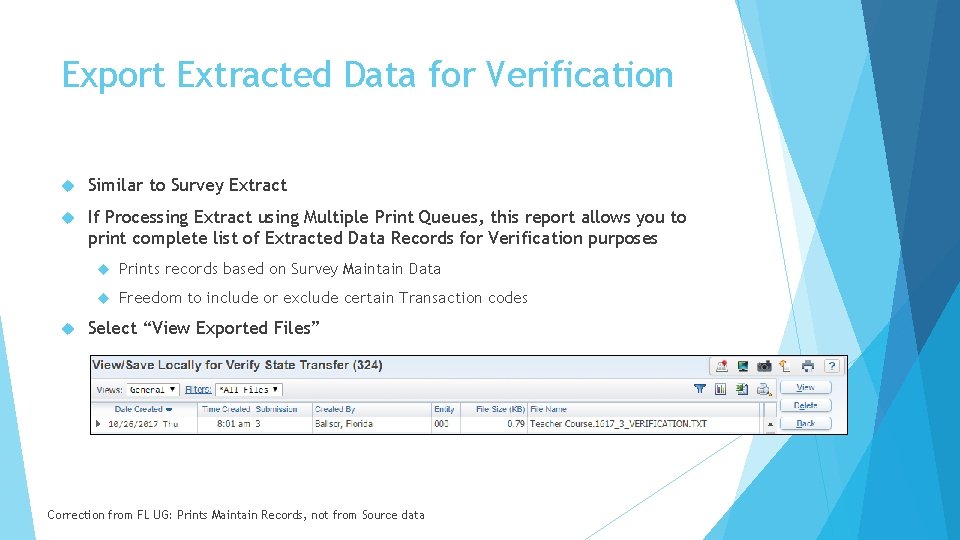
Export Extracted Data for Verification WSSRFLSUEXES Survey Extract WSSRFLSUVEEE Export for verification
Export Extracted Data for Verification Similar to Survey Extract If Processing Extract using Multiple Print Queues, this report allows you to print complete list of Extracted Data Records for Verification purposes Prints records based on Survey Maintain Data Freedom to include or exclude certain Transaction codes Select “View Exported Files” Correction from FL UG: Prints Maintain Records, not from Source data
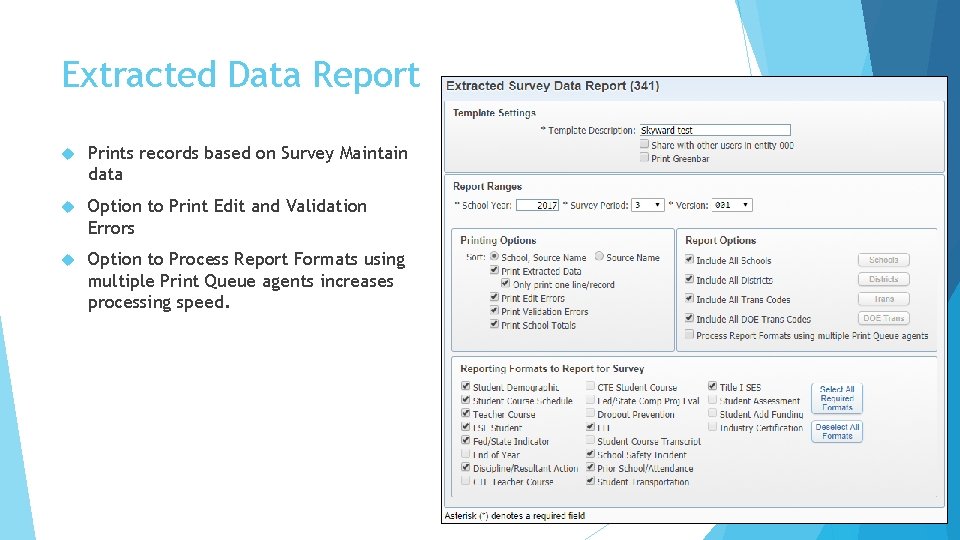
Extracted Data Report Prints records based on Survey Maintain data Option to Print Edit and Validation Errors Option to Process Report Formats using multiple Print Queue agents increases processing speed.
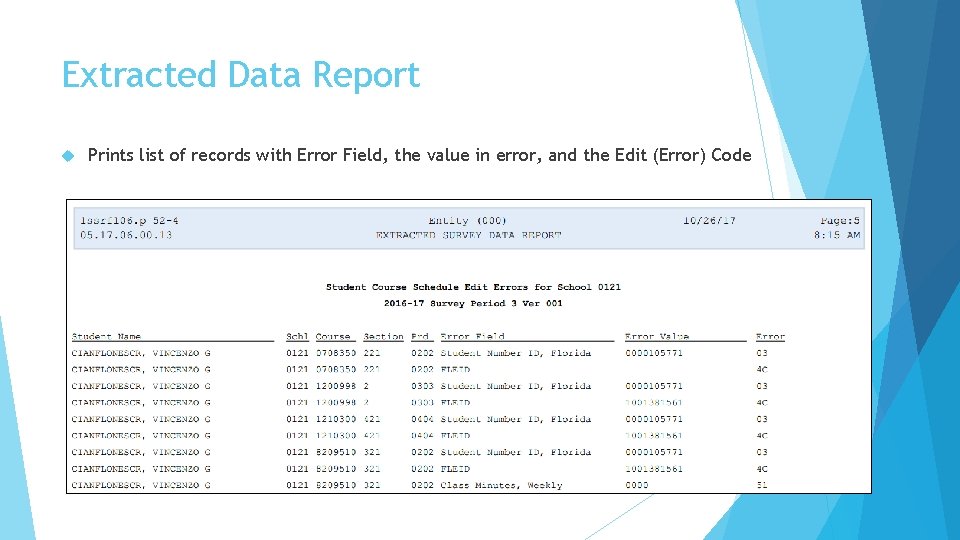
Extracted Data Report Prints list of records with Error Field, the value in error, and the Edit (Error) Code
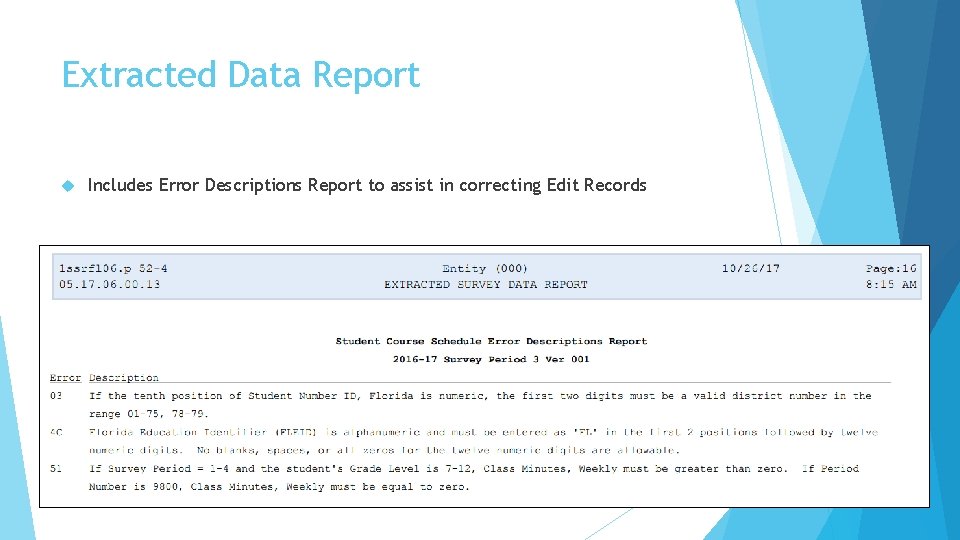
Extracted Data Report Includes Error Descriptions Report to assist in correcting Edit Records
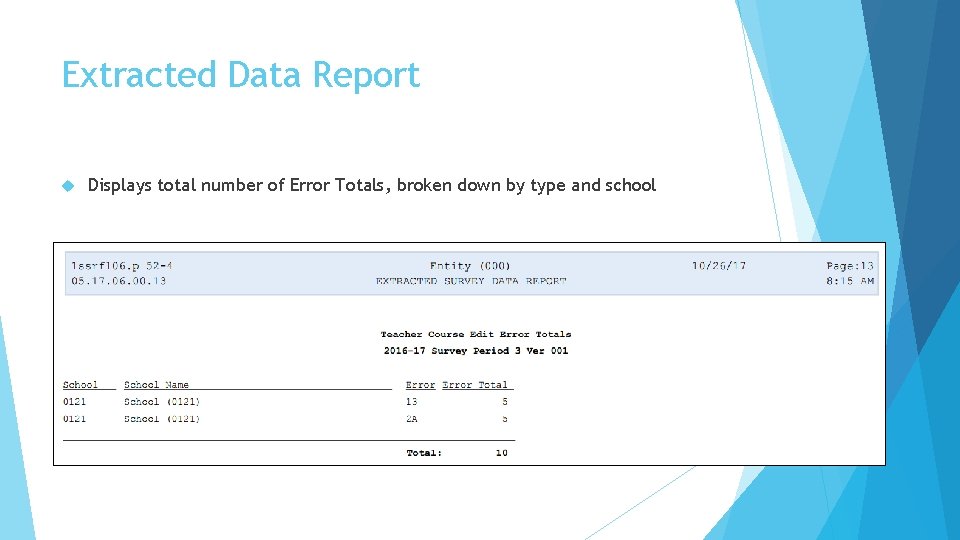
Extracted Data Report Displays total number of Error Totals, broken down by type and school
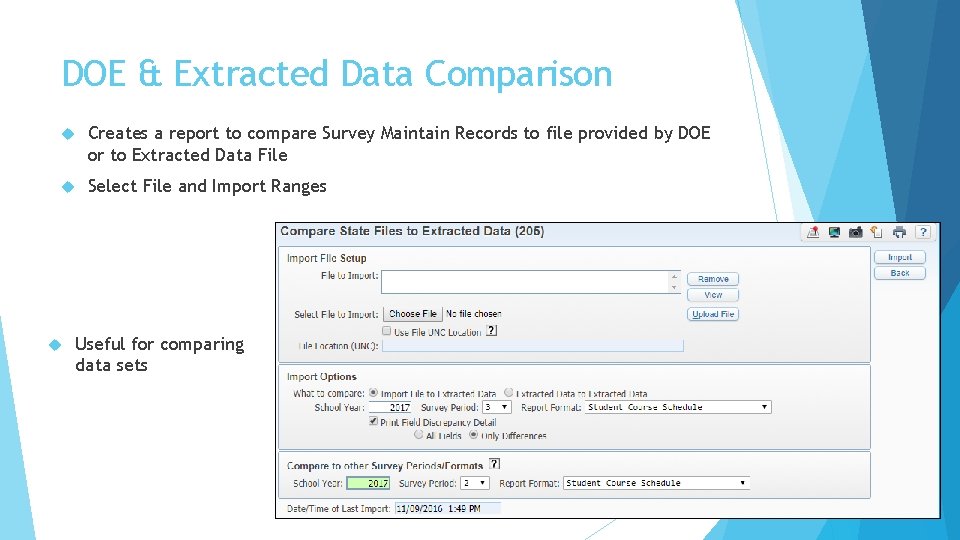
DOE & Extracted Data Comparison Creates a report to compare Survey Maintain Records to file provided by DOE or to Extracted Data File Select File and Import Ranges Useful for comparing data sets
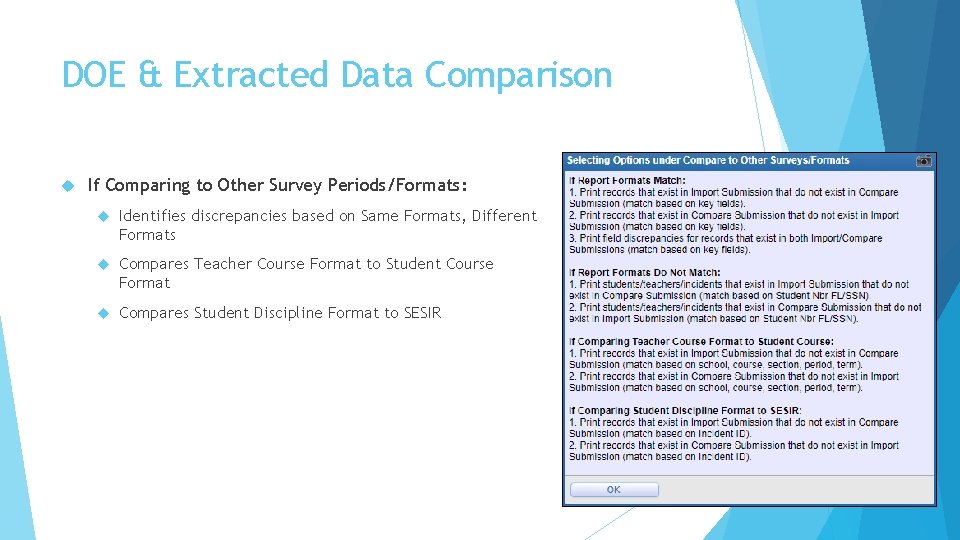
DOE & Extracted Data Comparison If Comparing to Other Survey Periods/Formats: Identifies discrepancies based on Same Formats, Different Formats Compares Teacher Course Format to Student Course Format Compares Student Discipline Format to SESIR
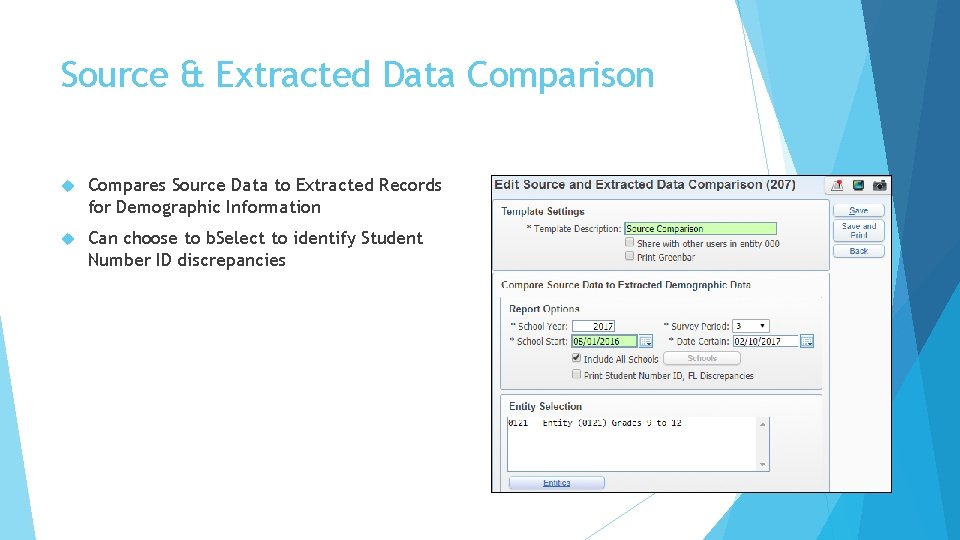
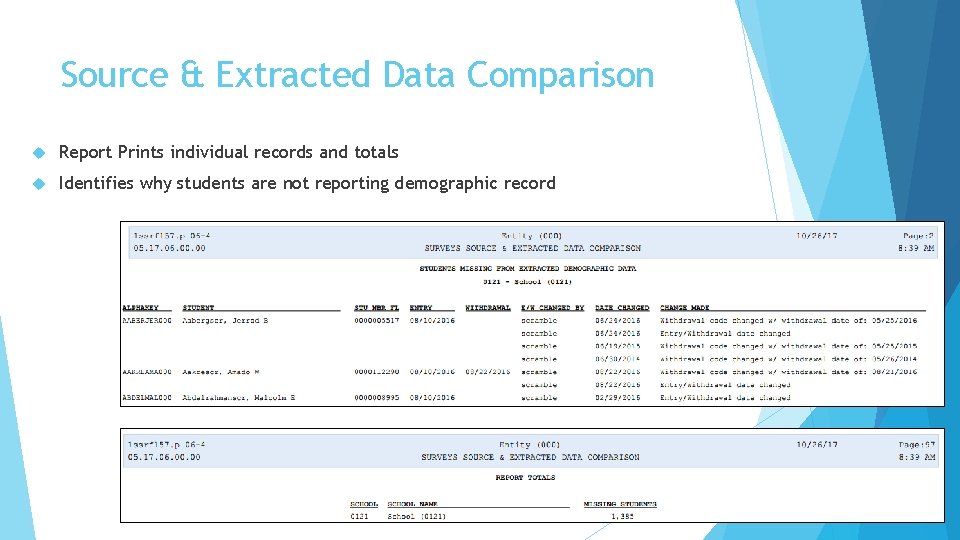
Source & Extracted Data Comparison Compares Source Data to Extracted Records for Demographic Information Can choose to b. Select to identify Student Number ID discrepancies
Source & Extracted Data Comparison Report Prints individual records and totals Identifies why students are not reporting demographic record
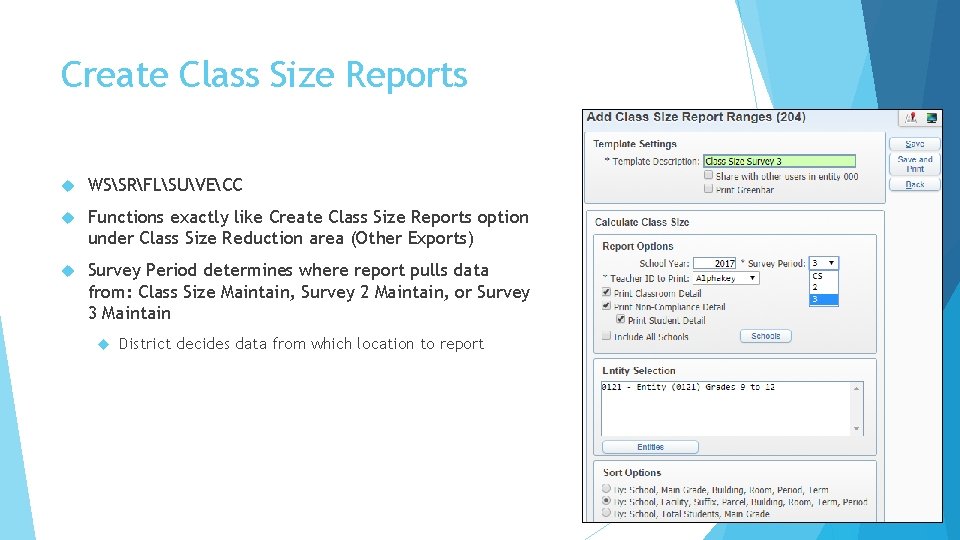
Create Class Size Reports WSSRFLSUVECC Functions exactly like Create Class Size Reports option under Class Size Reduction area (Other Exports) Survey Period determines where report pulls data from: Class Size Maintain, Survey 2 Maintain, or Survey 3 Maintain District decides data from which location to report
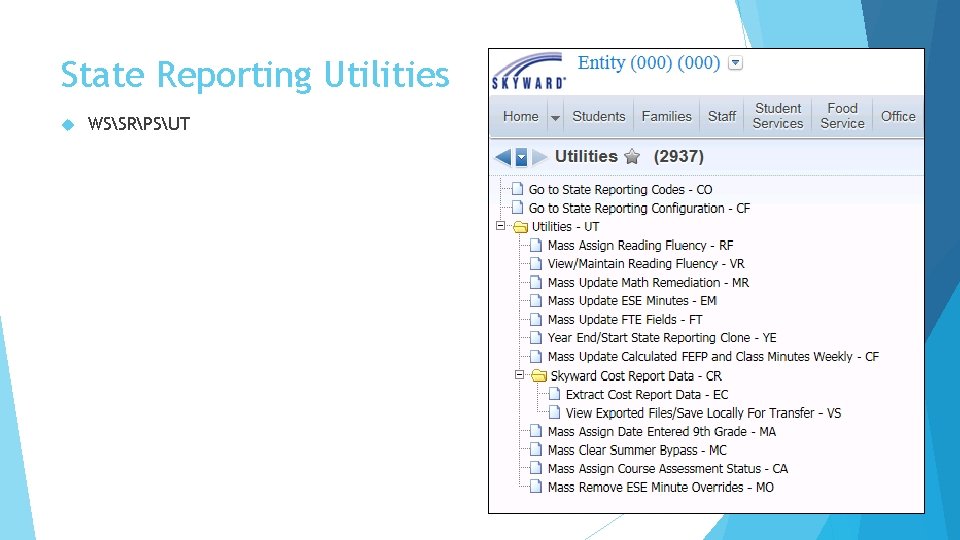
State Reporting Utilities WSSRPSUT
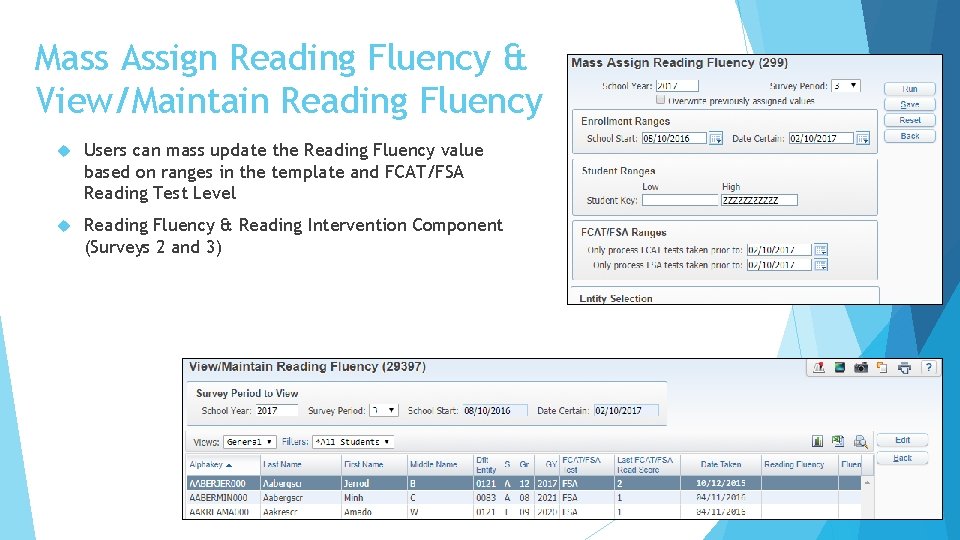
Mass Assign Reading Fluency & View/Maintain Reading Fluency Users can mass update the Reading Fluency value based on ranges in the template and FCAT/FSA Reading Test Level Reading Fluency & Reading Intervention Component (Surveys 2 and 3)
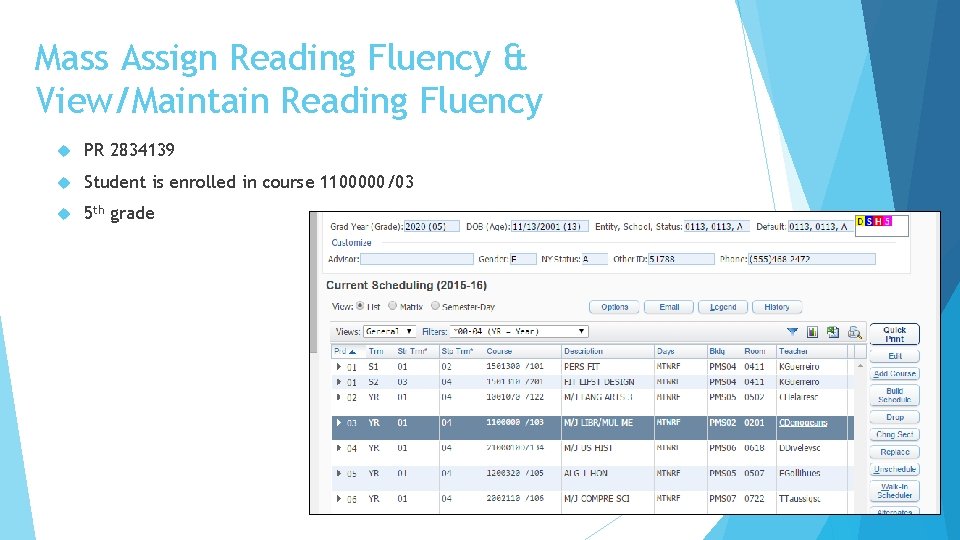
Mass Assign Reading Fluency & View/Maintain Reading Fluency PR 2834139 Student is enrolled in course 1100000/03 5 th grade
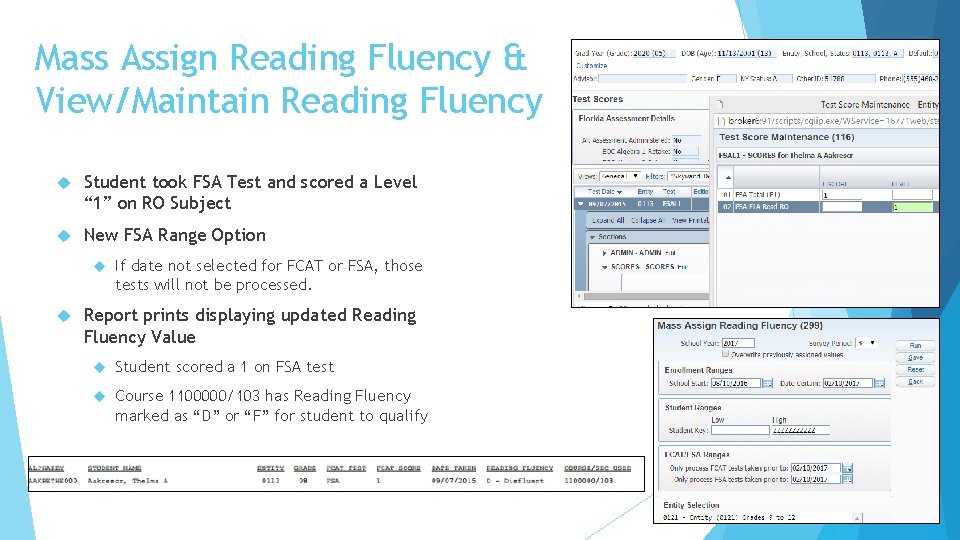
Mass Assign Reading Fluency & View/Maintain Reading Fluency Student took FSA Test and scored a Level “ 1” on RO Subject New FSA Range Option If date not selected for FCAT or FSA, those tests will not be processed. Report prints displaying updated Reading Fluency Value Student scored a 1 on FSA test Course 1100000/103 has Reading Fluency marked as “D” or “F” for student to qualify
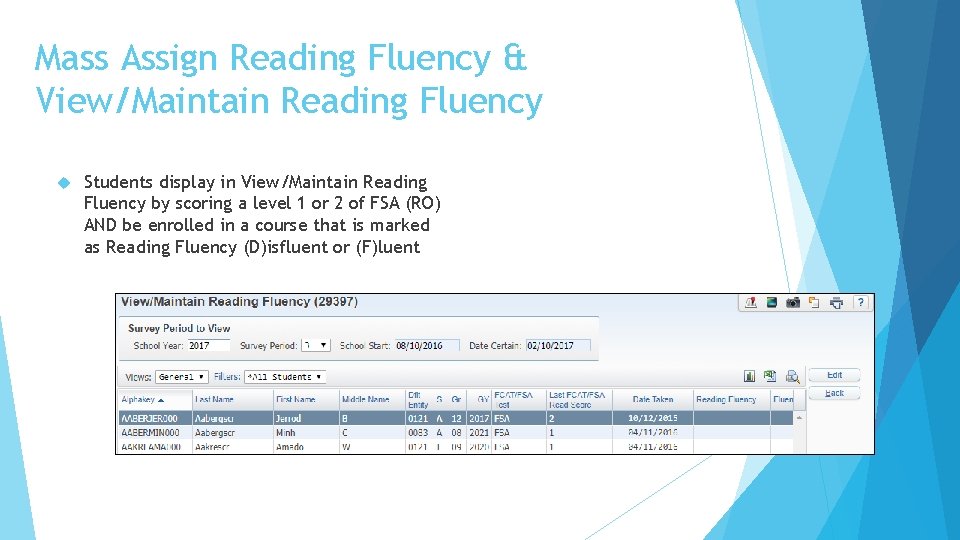
Mass Assign Reading Fluency & View/Maintain Reading Fluency Students display in View/Maintain Reading Fluency by scoring a level 1 or 2 of FSA (RO) AND be enrolled in a course that is marked as Reading Fluency (D)isfluent or (F)luent
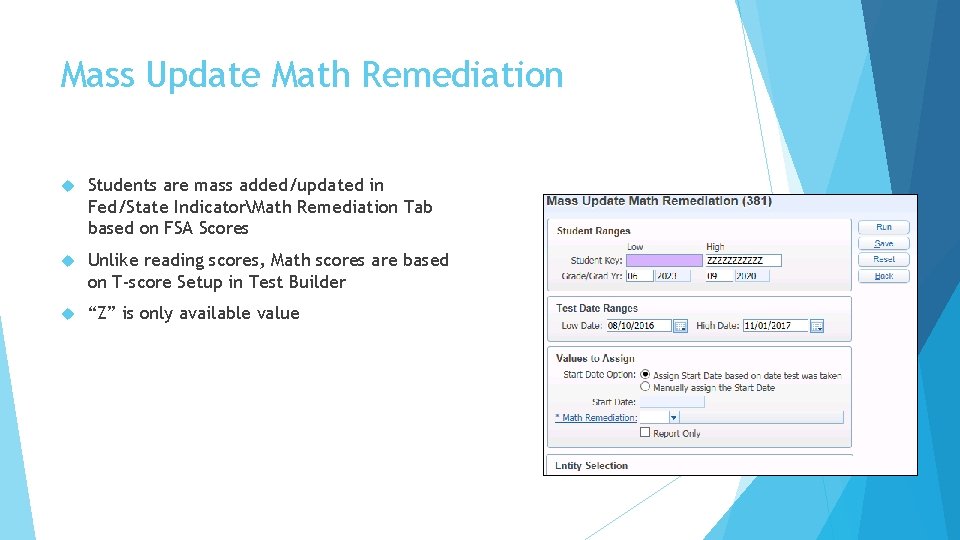
Mass Update Math Remediation Students are mass added/updated in Fed/State IndicatorMath Remediation Tab based on FSA Scores Unlike reading scores, Math scores are based on T-score Setup in Test Builder “Z” is only available value
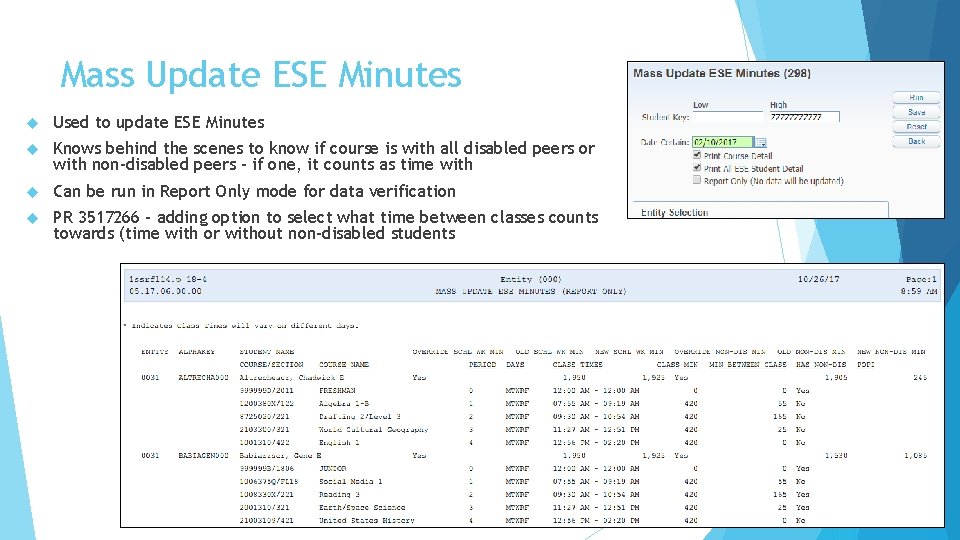
Mass Update ESE Minutes Used to update ESE Minutes Knows behind the scenes to know if course is with all disabled peers or with non-disabled peers – if one, it counts as time with Can be run in Report Only mode for data verification PR 3517266 – adding option to select what time between classes counts towards (time with or without non-disabled students
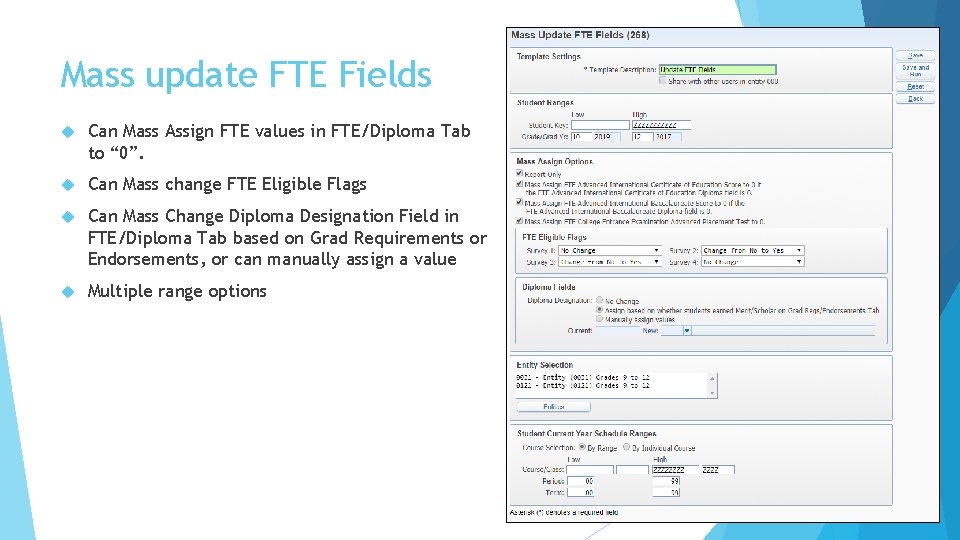
Mass update FTE Fields Can Mass Assign FTE values in FTE/Diploma Tab to “ 0”. Can Mass change FTE Eligible Flags Can Mass Change Diploma Designation Field in FTE/Diploma Tab based on Grad Requirements or Endorsements, or can manually assign a value Multiple range options
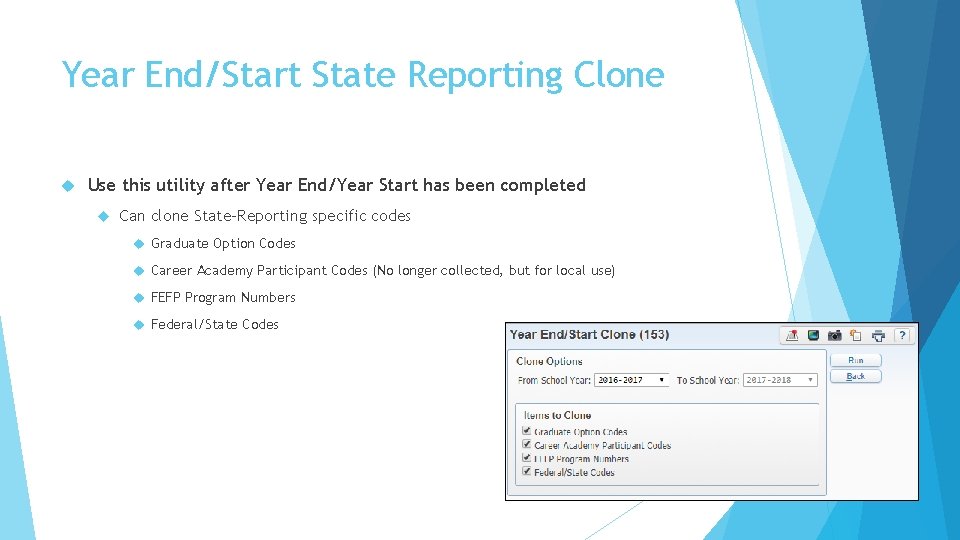
Year End/Start State Reporting Clone Use this utility after Year End/Year Start has been completed Can clone State-Reporting specific codes Graduate Option Codes Career Academy Participant Codes (No longer collected, but for local use) FEFP Program Numbers Federal/State Codes
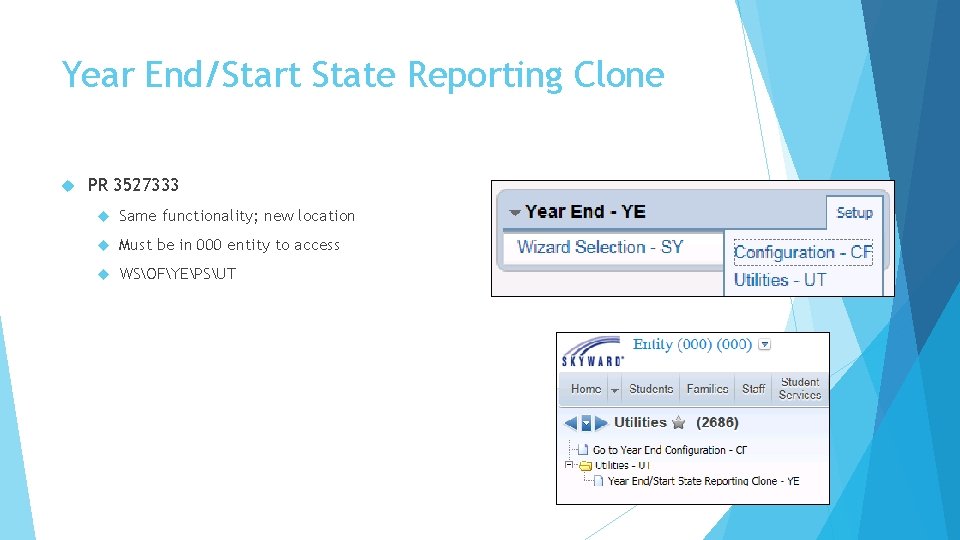
Year End/Start State Reporting Clone PR 3527333 Same functionality; new location Must be in 000 entity to access WSOFYEPSUT
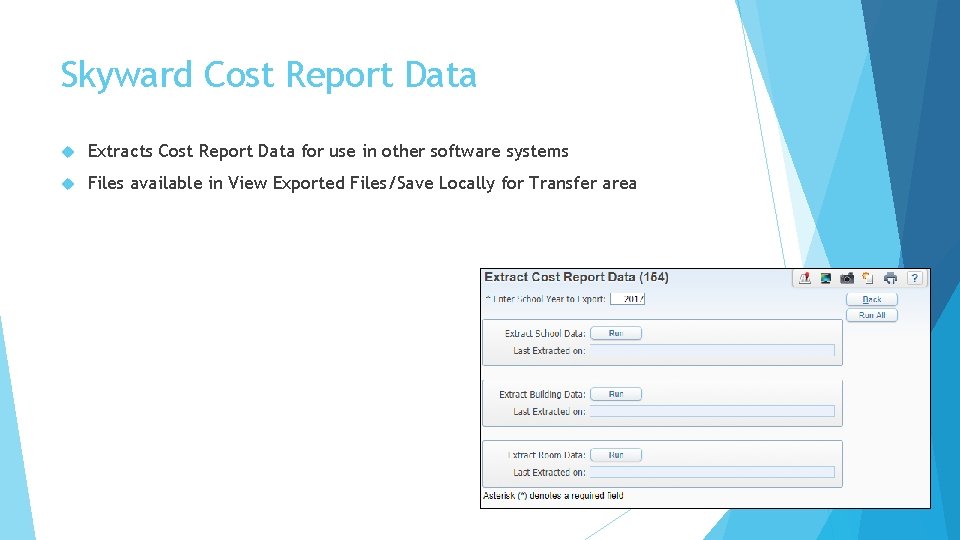
Skyward Cost Report Data Extracts Cost Report Data for use in other software systems Files available in View Exported Files/Save Locally for Transfer area
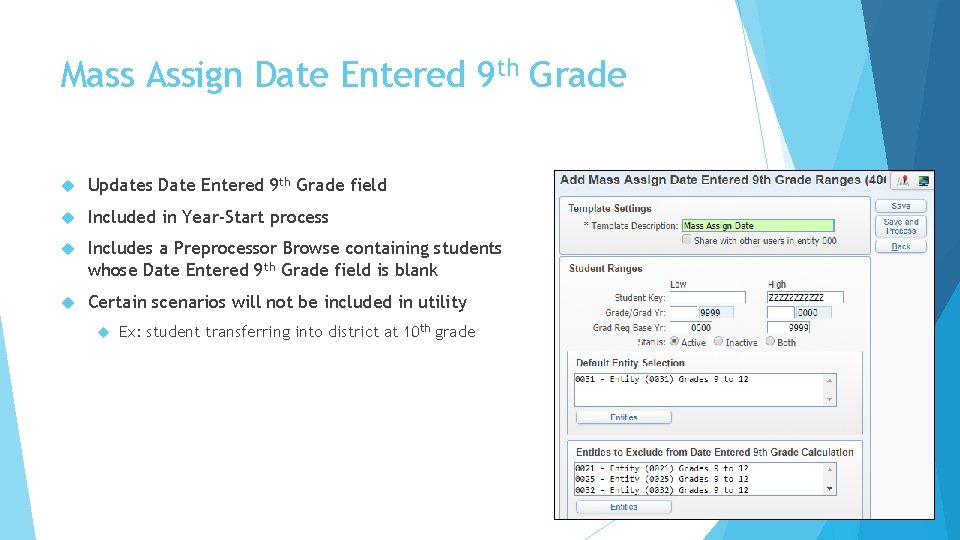
Mass Assign Date Entered 9 th Grade Updates Date Entered 9 th Grade field Included in Year-Start process Includes a Preprocessor Browse containing students whose Date Entered 9 th Grade field is blank Certain scenarios will not be included in utility Ex: student transferring into district at 10 th grade
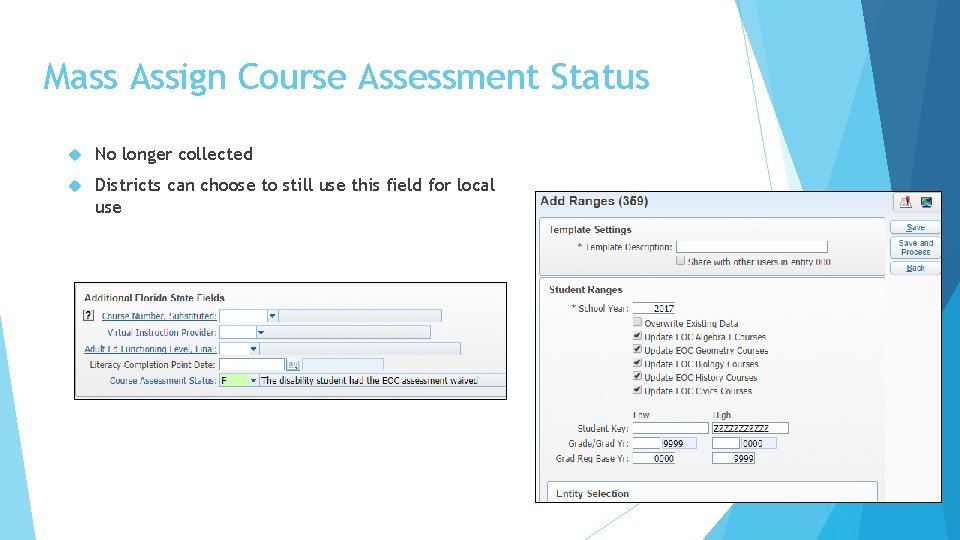
Mass Assign Course Assessment Status No longer collected Districts can choose to still use this field for local use
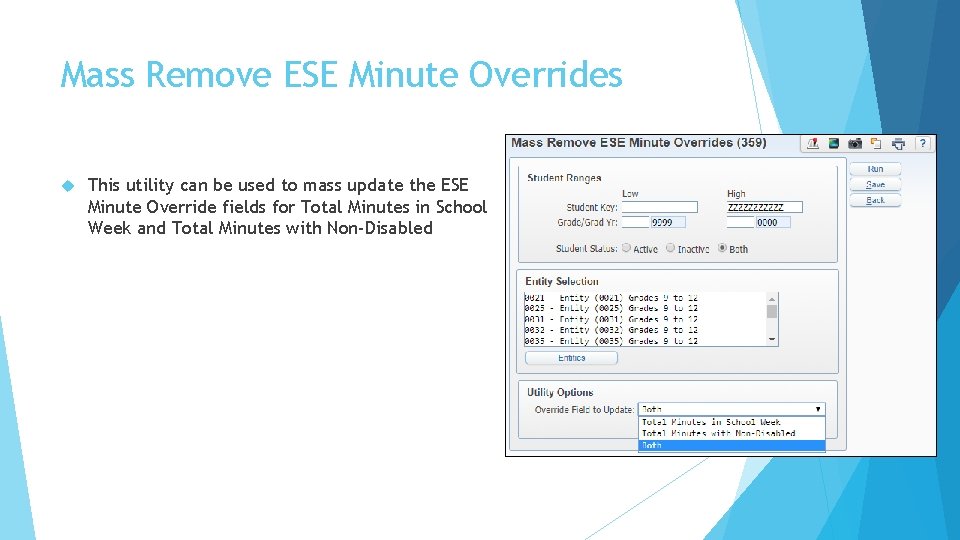
Mass Remove ESE Minute Overrides This utility can be used to mass update the ESE Minute Override fields for Total Minutes in School Week and Total Minutes with Non-Disabled